AI-Assisted vs. Traditional Design: A Comparative UX Study

Richard Segura
Verified


AI-Assisted vs. Traditional Design: A Comparative UX Study
Overview
As part of a UX research study exploring how AI tools influence the design process, I completed two design tasks under different working conditions — one entirely hands-on, the other combining AI assistance with direct manipulation. The goal was to document and compare both approaches in terms of process, decision-making, and output quality.
The Challenge
Design two distinct concepts from scratch:
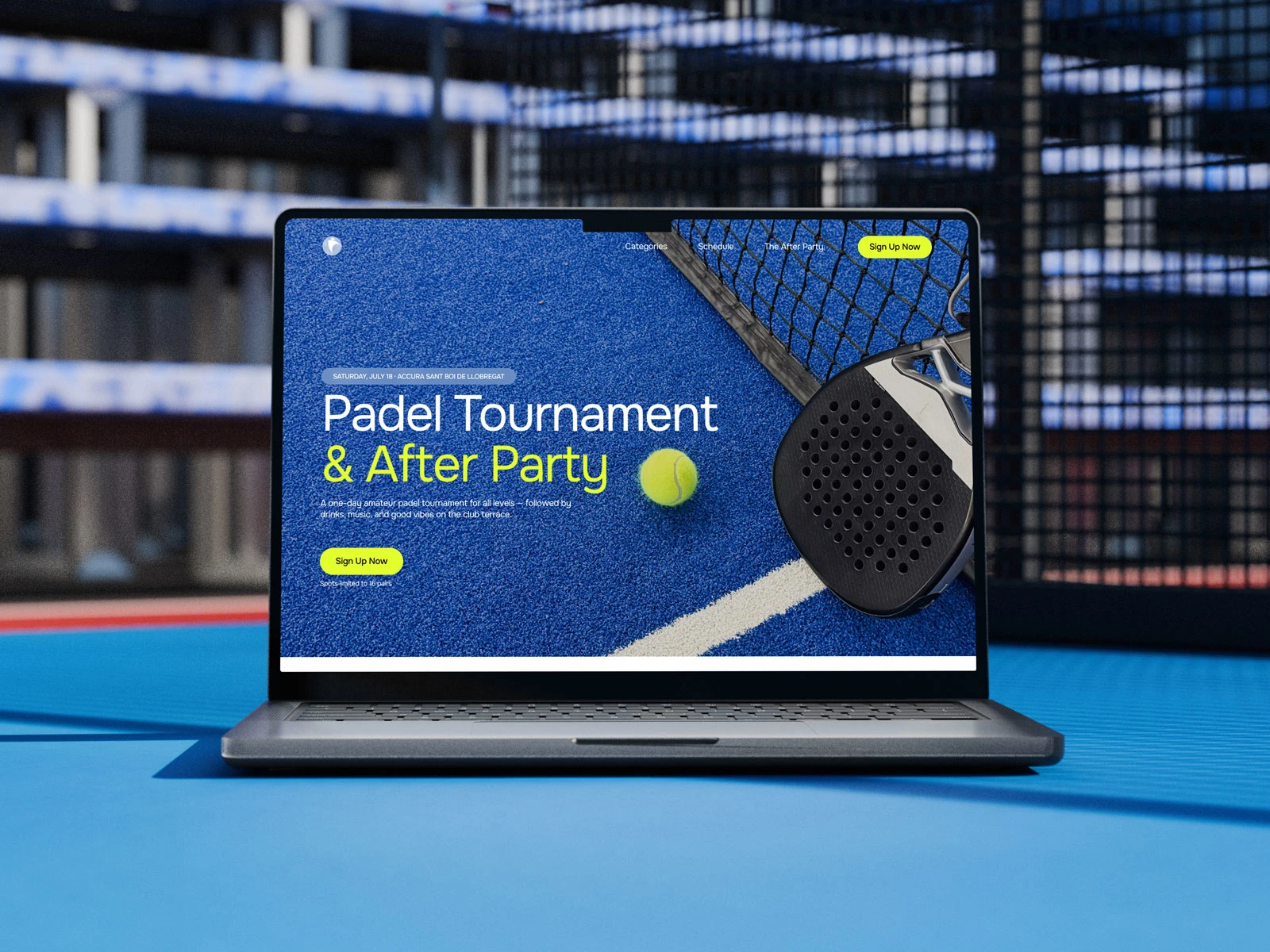
A desktop landing page for a public event, built with zero AI assistance — pure manual design in Figma
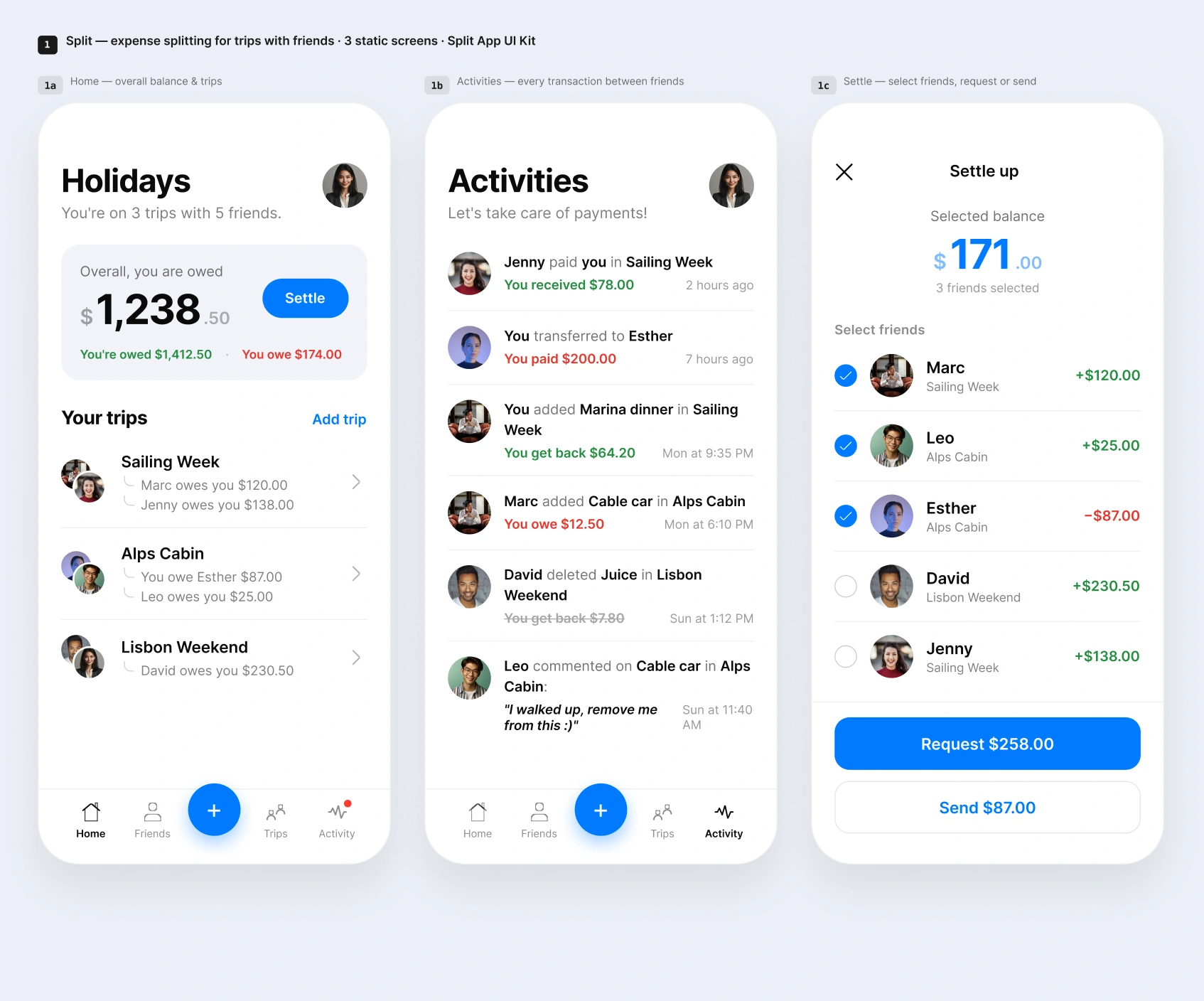
A 3-screen mobile app for trip planning among friends, using Figma AI in combination with traditional design techniques
Each task required working independently, narrating my design decisions aloud, and documenting every AI prompt used.
My Process
Task 1 — Manual Design
I designed a full landing page for a fictional amateur padel tournament, complete with event schedule, categories, venue details, and an after-party section — built entirely by hand, from wireframe to final UI, with no AI-generated layouts or content.
Task 2 — AI-Assisted Design
For the mobile app, I used Claude Design to extract a design system from an existing Figma UI kit, then generated and refined three functional screens — a balance overview, a transaction feed, and a bill-settling flow — blending AI-generated output with manual adjustments to achieve pixel-accurate results.
Outcome
Both concepts were delivered as fully documented Figma files, accompanied by screen recordings, verbal walkthroughs, and a complete AI prompt log — giving researchers a clear, side-by-side view of how process and outcomes shift across different levels of AI involvement in product design.
Skills demonstrated: UX/UI Design, Figma, AI-assisted design workflows, design systems, rapid prototyping, design process documentation
Like this project
Posted Jul 11, 2026
A UX study comparing manual vs. AI-assisted design: a hand-built event landing page and an AI-assisted mobile app, both fully documented.
Likes
0
Views
20
Timeline
Jul 10, 2026 - Jul 10, 2026