
Grupolive sends a lot of email: info session invites, reminders, confirmations, pre-departure orientations. Every program needs its own look, and every send goes to a specific group of people in Airtable.
Off-the-shelf email tools couldn't plug into how Grupolive actually works, because their whole operation runs on Make.com. So I built a custom Email Builder whose main purpose is exactly that: every email lives in one place and is connected to the Make scenarios that power their funnels and sends.
It covers the whole cycle in one tool: design the email, pick the audience, launch or schedule the send, and track what went out.
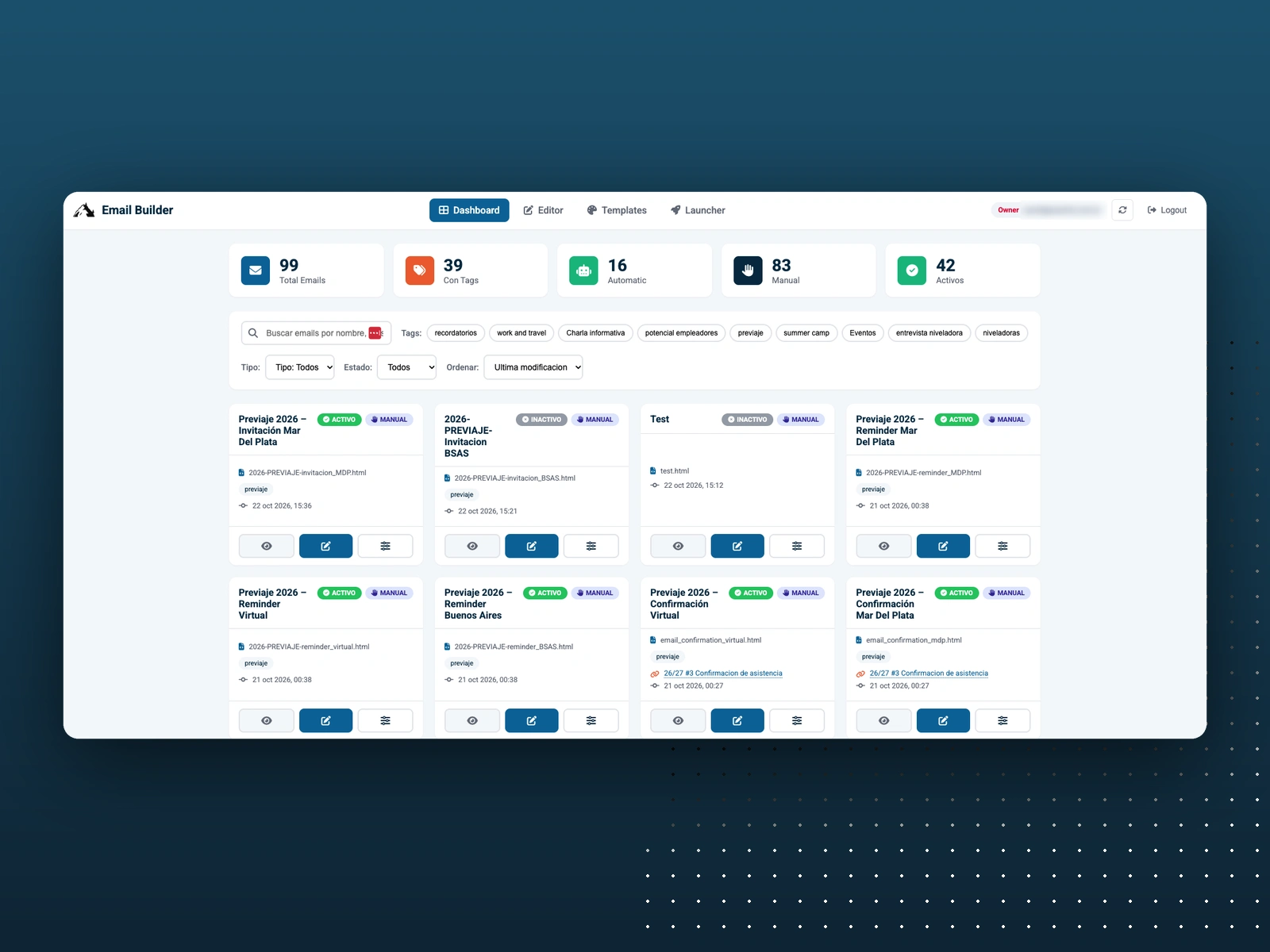
Dashboard
Built around Make.com
Automatic emails are pulled by Make scenarios inside the funnels, so updating an email in the builder updates it everywhere it's used.
Launches run through Make, which reads the Airtable audience, sends the emails and writes back who already got them.
The team edits content and launches campaigns from a friendly interface, while Make does the heavy lifting behind it.
Dashboard
Every email in one place, with tags (reminders, info sessions, summer camp, pre-departure and more), status and type.
Automatic emails that run inside the funnels live next to the manual ones the team sends on demand.
Search, filter and sort to find any email in seconds.
Editor and branded templates
Visual WYSIWYG editor (TinyMCE), so the team edits content without touching code.
Templates per program (Work & Travel, Summer Camp, Internship, Work & Study and more), each with its own header image, logo and button colors, with a live preview.
Images upload straight to Cloudinary from the builder.
HTML emails are versioned on GitHub.
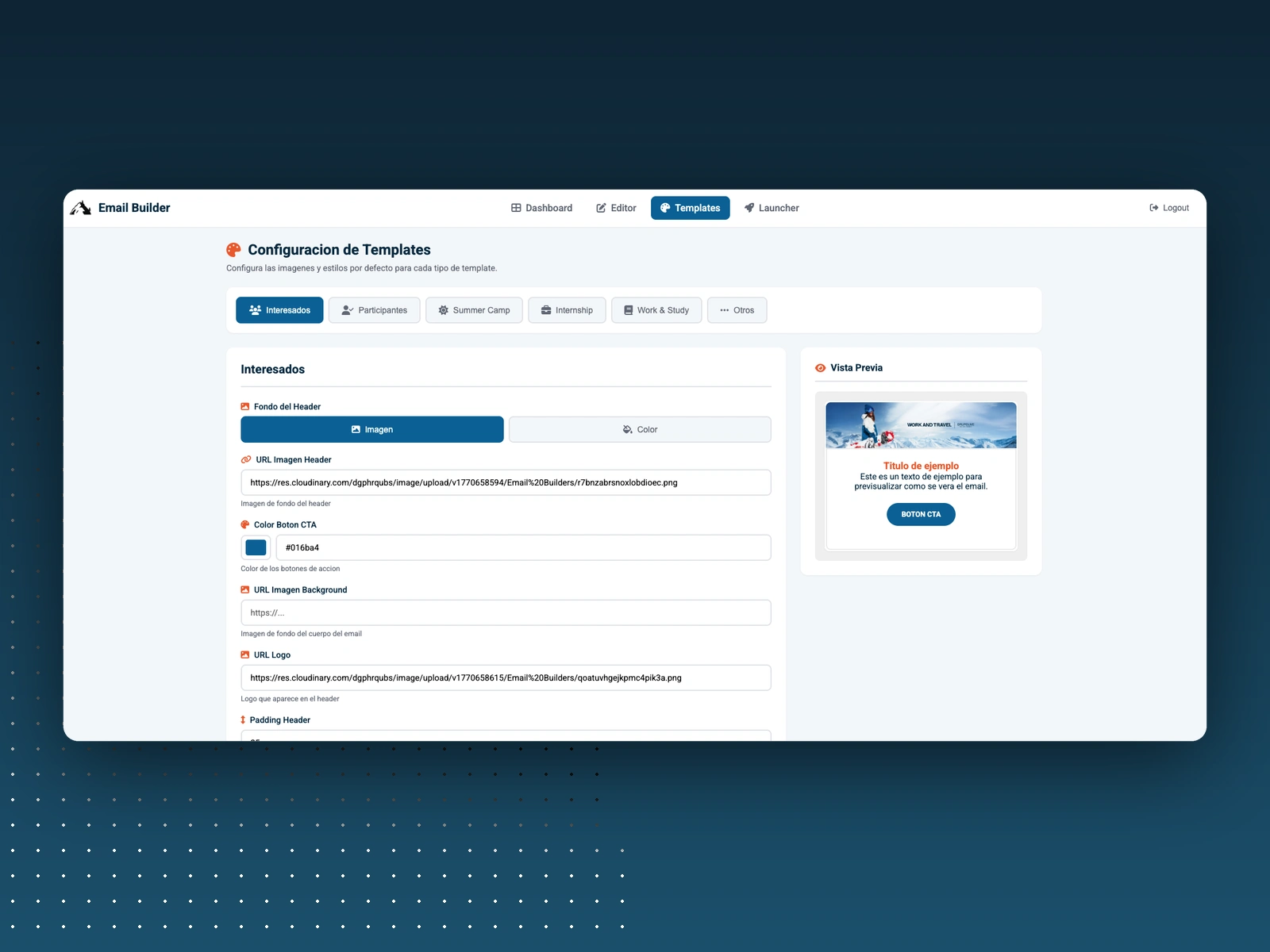
Template settings
Launcher
Pick an email, set the subject and choose the Airtable view that defines who gets it.
Each send writes a mark in Airtable, so nobody receives the same email twice.
Review recipients and run a dry run before launching.
Launch right away or schedule the run for later.
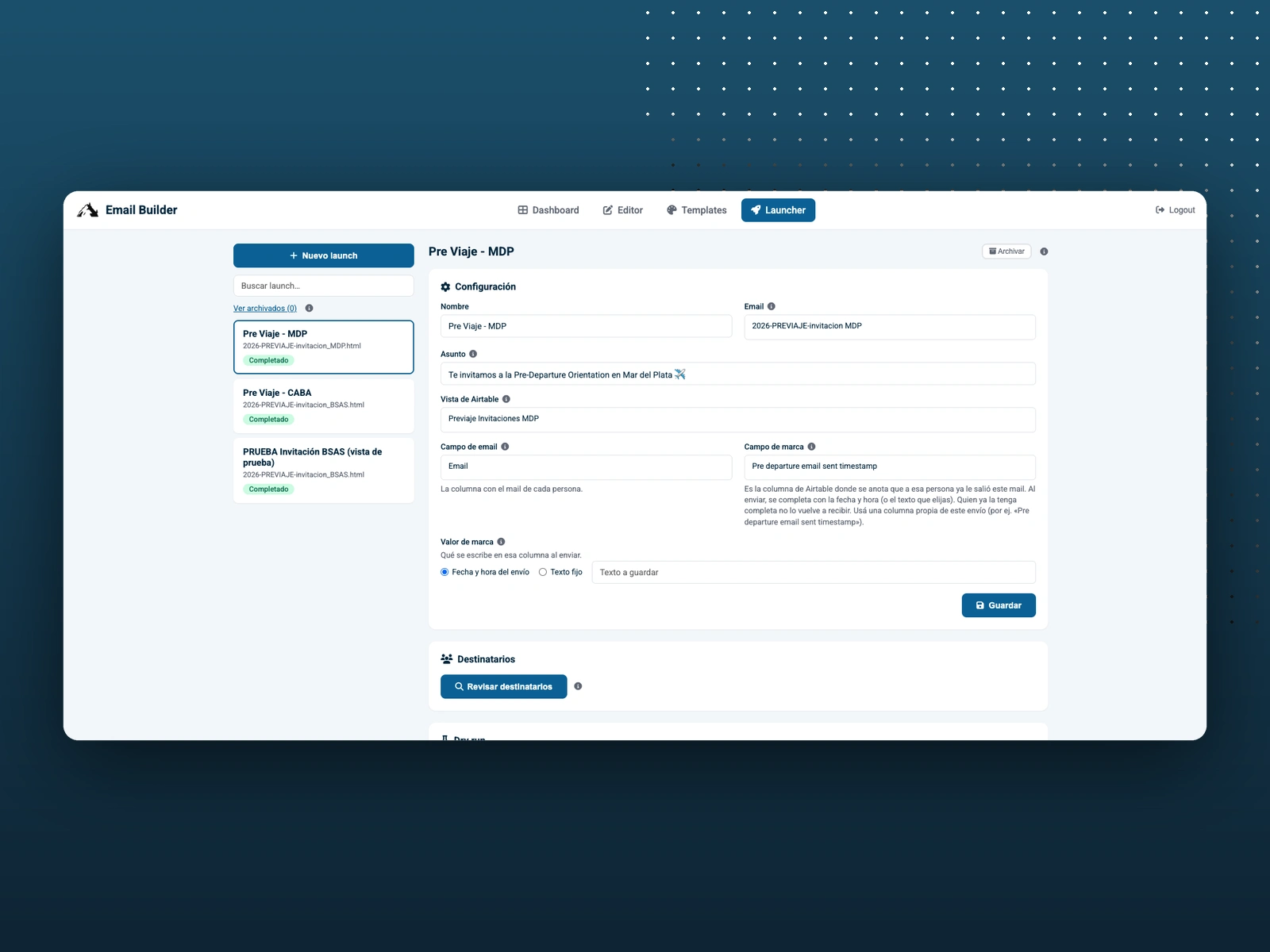
Launcher
Send history
Every run is logged with its status and how many emails went out, from 1-person tests to full launches of hundreds of recipients.
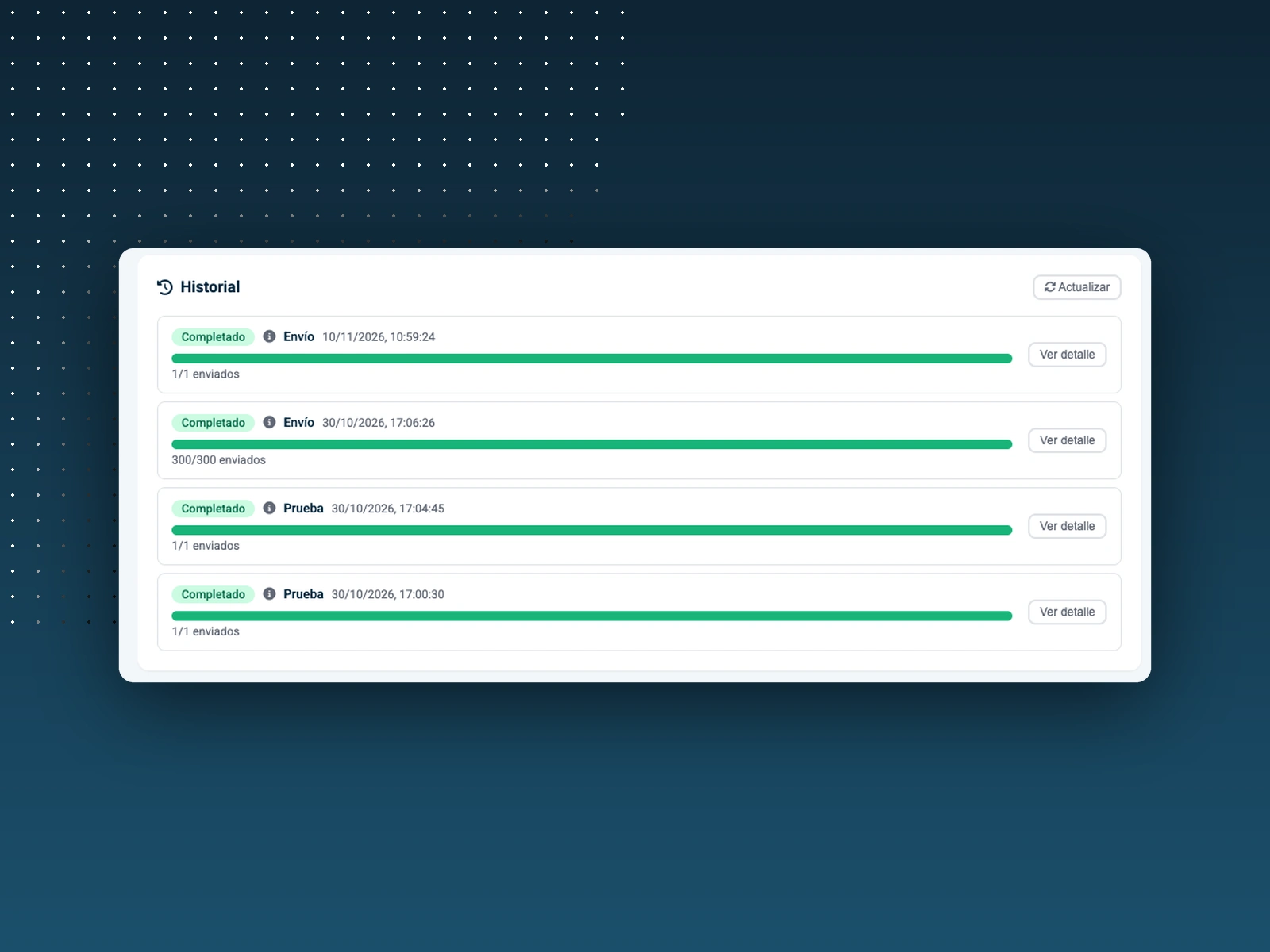
Send history
Stack
Make.com, vanilla JavaScript and HTML, TinyMCE, Airtable, GitHub, Cloudinary, hosted on Vercel.
0 likes · 37 views · Jul 29, 2024
A custom email platform built to plug straight into Grupolive's Make.com automations: branded templates, a visual editor, Airtable audiences and scheduled launches with send history.


