Designing KoYanTaw: A Personal Safety App

Bobby


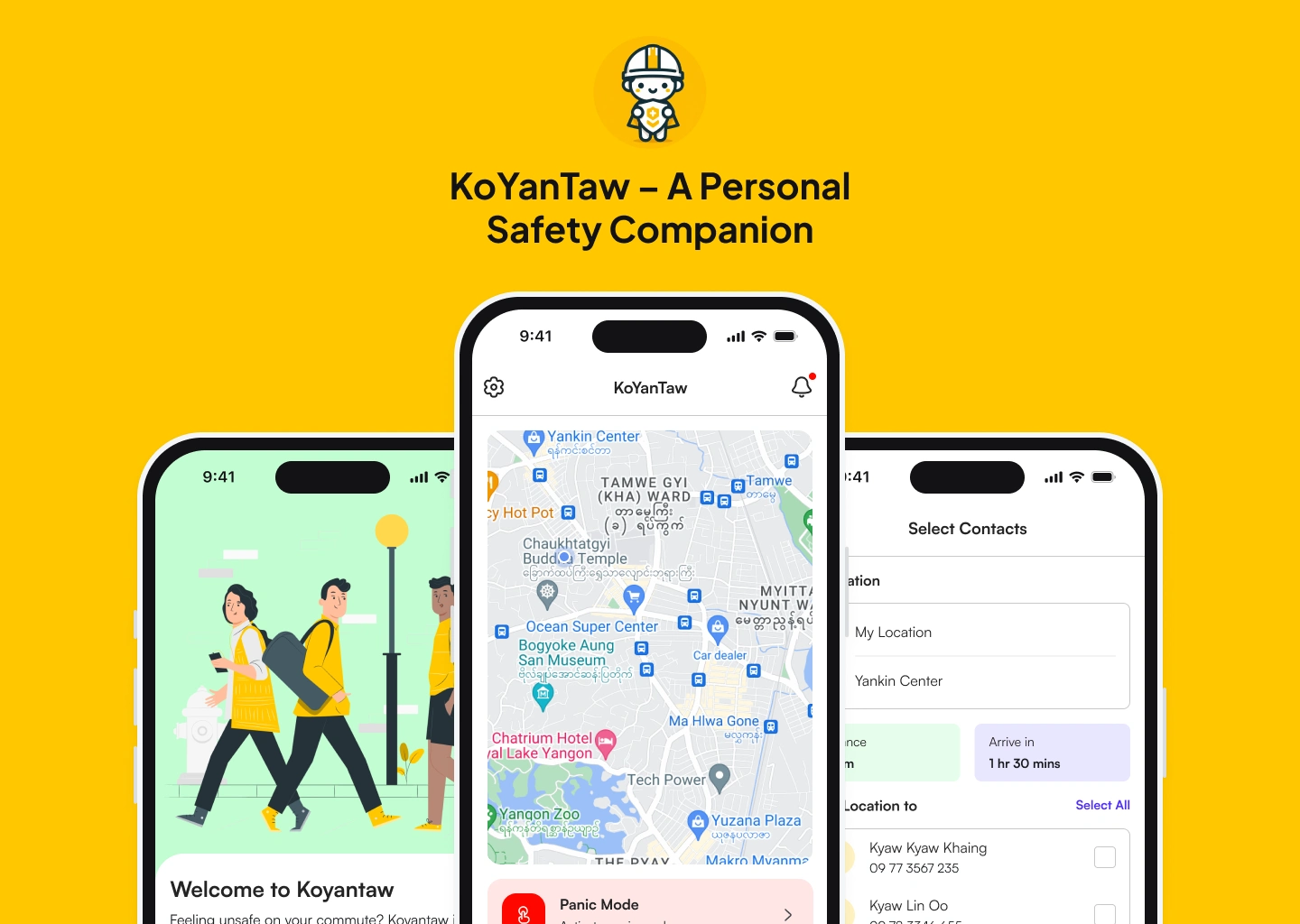
KoYanTaw — A Personal Safety Companion
Making daily commutes safer in Myanmar with smart safety alerts and real-time tracking.
Overview
Imagine walking home late at night, your heart racing at every shadow. Now imagine an app that watches over you, alerts your loved ones, and guides you to safety. That’s KoYanTaw — a personal safety companion designed to empower users in unsafe environments.
As a UI/UX Designer, I collaborated with a passionate team to create an intuitive, reliable app for commuters, late-night workers, and anyone seeking peace of mind. From research to handoff, this project was a journey of empathy, innovation, and problem-solving.
The Problem
In Myanmar, political instability has led to rising crime rates, making daily commutes unsafe. Users resort to:
Fake calls to feel secure.
Third-party apps for location sharing.
Traveling with companions for safety.
But these solutions are fragmented, unreliable, and often inconvenient.
The Vision
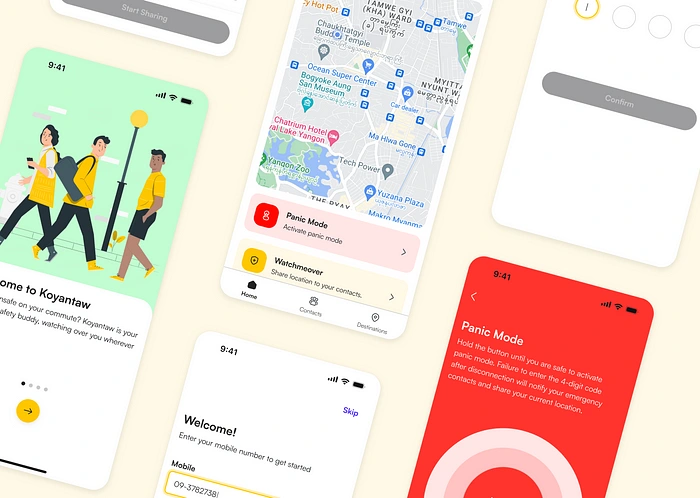
KoYanTaw isn’t just an app — it’s a virtual bodyguard. It combines smart technology with human-centered design to offer:
Auto-detection of unusual behavior.
Instant alerts to emergency contacts.
A safety-focused map for real-time guidance.
My Role
As a UI/UX Designer, I:
Conducted user research to understand pain points.
Designed user flows and wireframes for key features.
Created high-fidelity prototypes and iterated based on feedback.
Collaborated with developers for a seamless handoff.
Design Process
1. Research & Insights
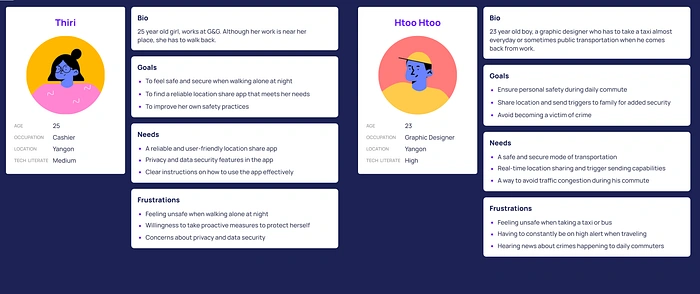
We conducted competitive research and guerilla interviews to understand user behavior and pain points. Key insights included:
Diverse location-sharing habits: Users rely on apps like Grab, Life360, and Messenger, but find them cumbersome.
Technology barriers: Some users struggle with VPNs or complex interfaces.
Safety concerns: Users prefer traditional methods like calls and texts for updates.
Customization needs: Users want personalized routes and easy-to-use features.
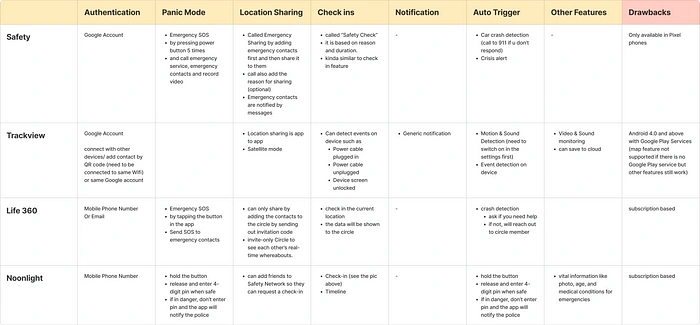
Competitive Analysis: We studied apps like Google Safety, Noonlight, and Trackview to identify gaps and opportunities.
2. Ideation & Feature Prioritization
Based on research, we prioritized two core features:
Watchmeover: Share live location and check in upon arrival.
Panic Mode: Hold a button to alert contacts and share location in emergencies.
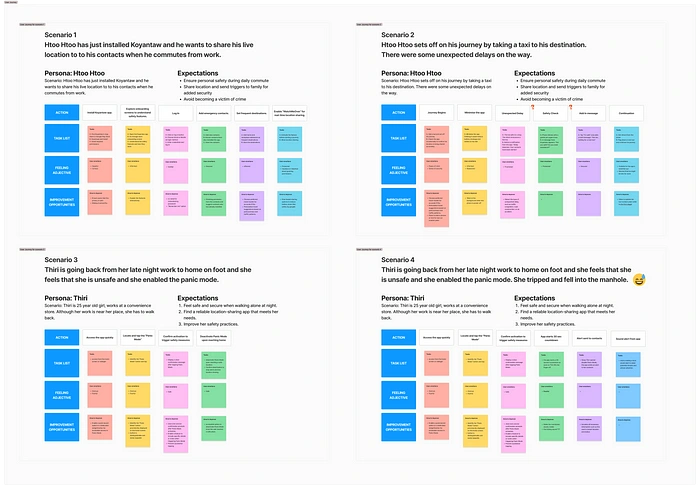
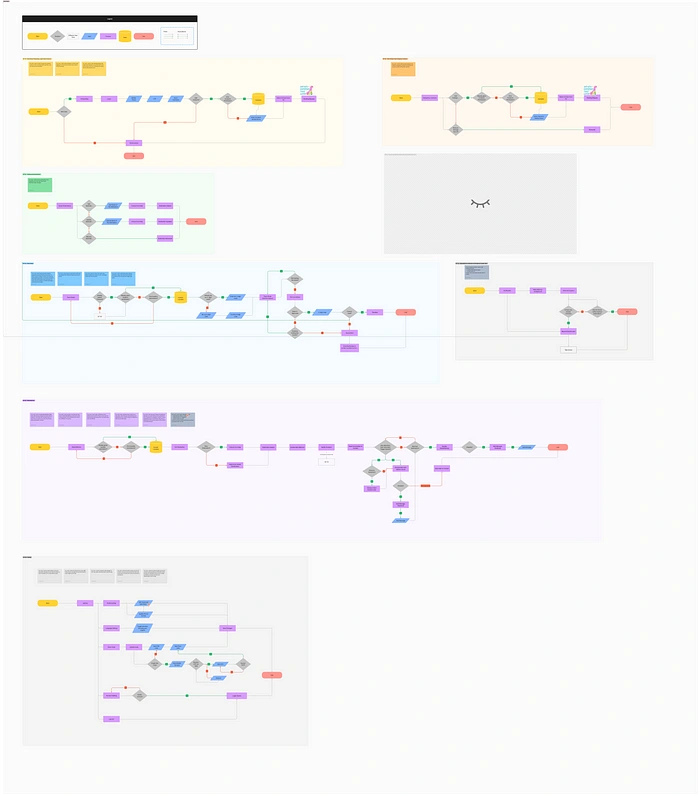
We created user scenarios and user flows to map out the experience:
Scenario 1: Sharing live location during a commute.
Scenario 2: Delays during a journey.
Scenario 3 & 4: Enabling Panic Mode in unsafe situations.
3. Design & Iteration
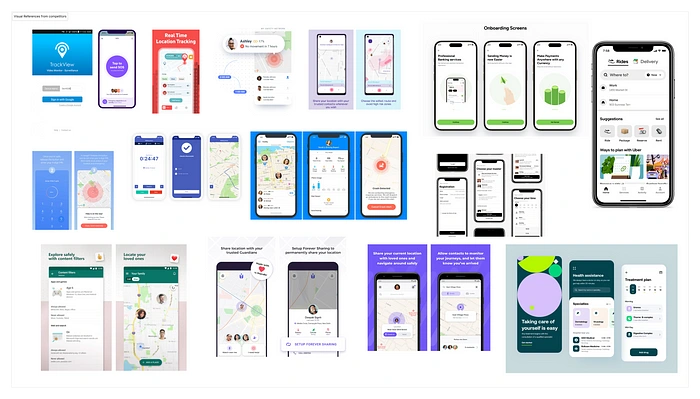
Moodboard & Style Exploration: We gathered inspiration from safety-focused apps and established a visual direction.
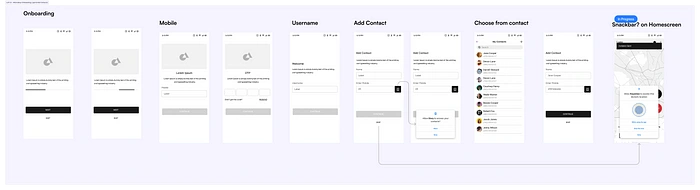
Lo-Fi Wireframes: We sketched initial layouts to map out the user journey.
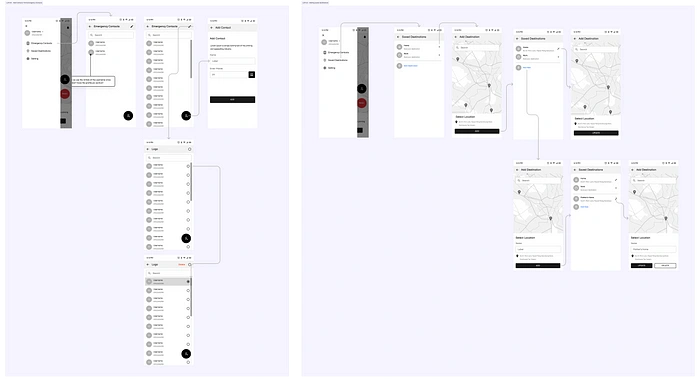
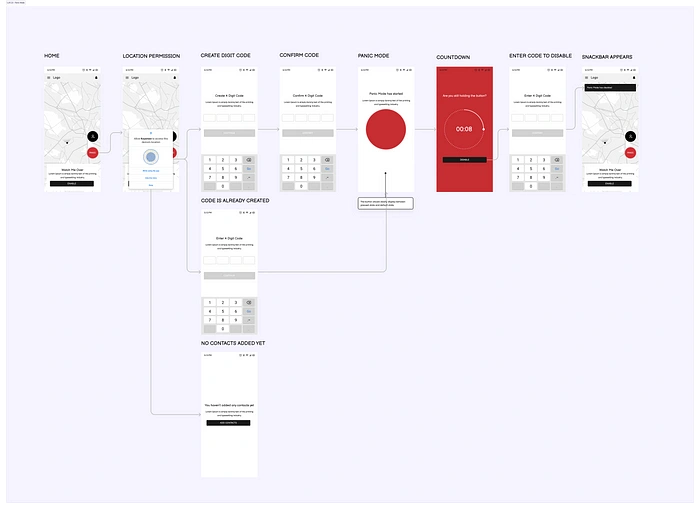
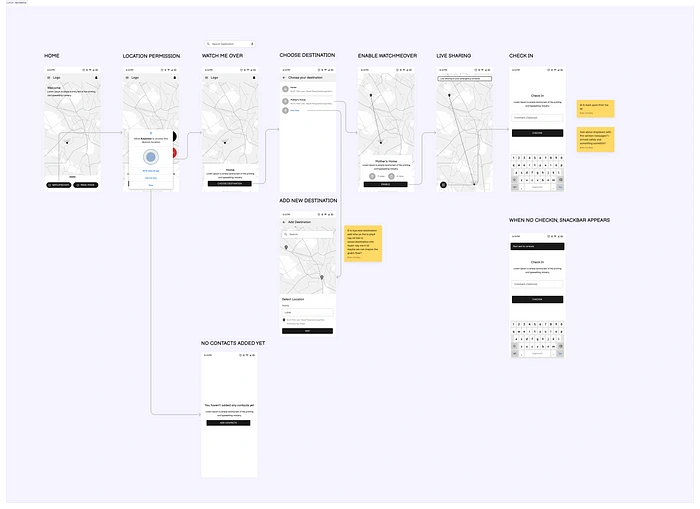
Hi-Fi Designs: Using the Nucleus Design System, we created high-fidelity screens for a polished look.
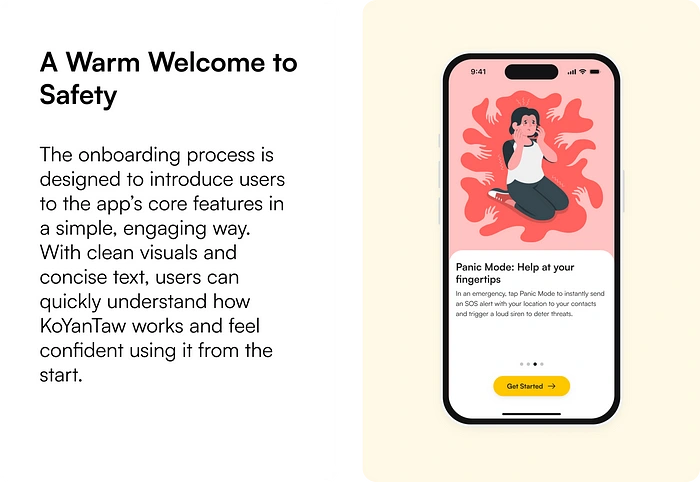
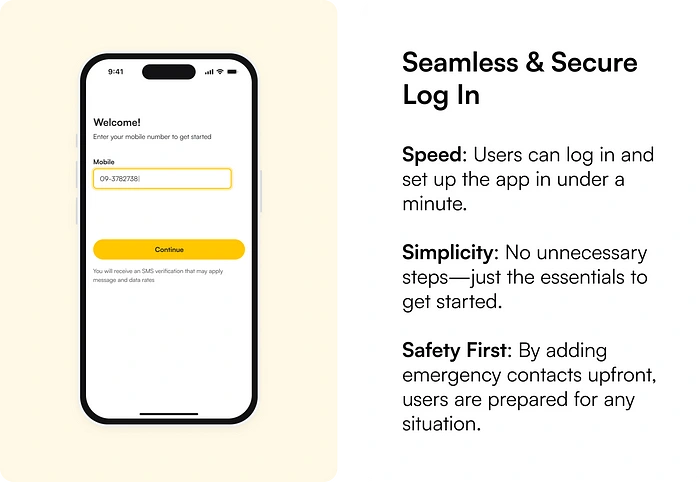
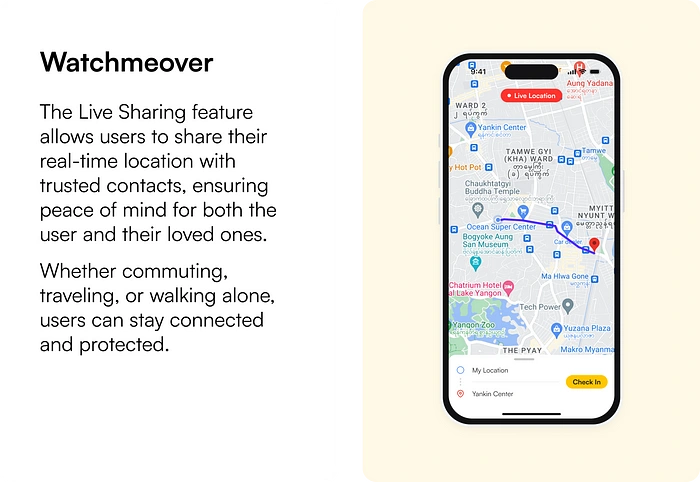
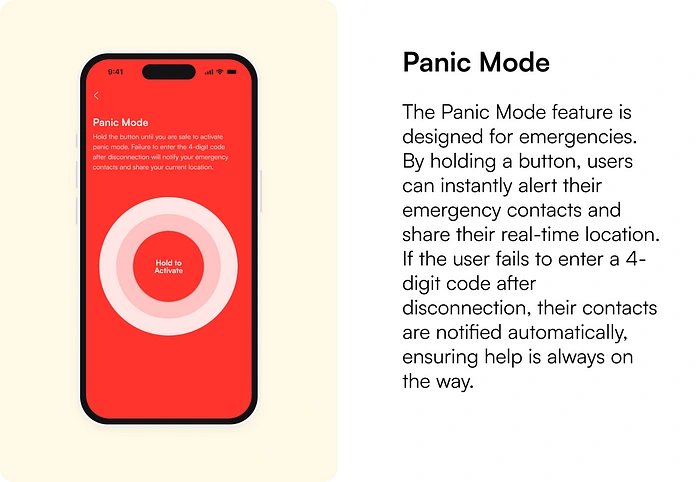
Detailed Screens
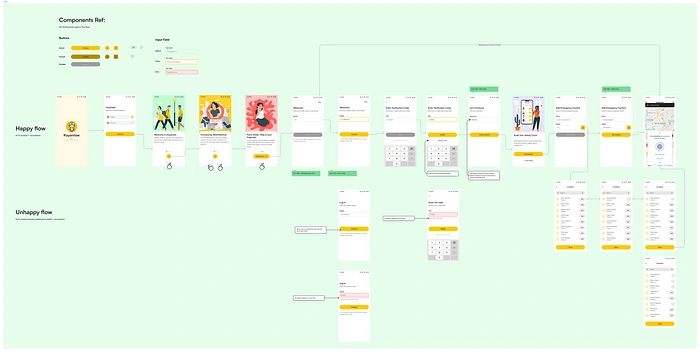
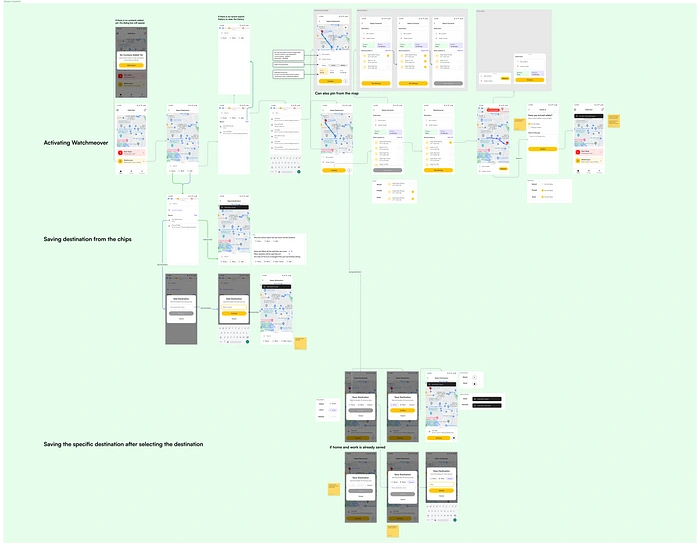
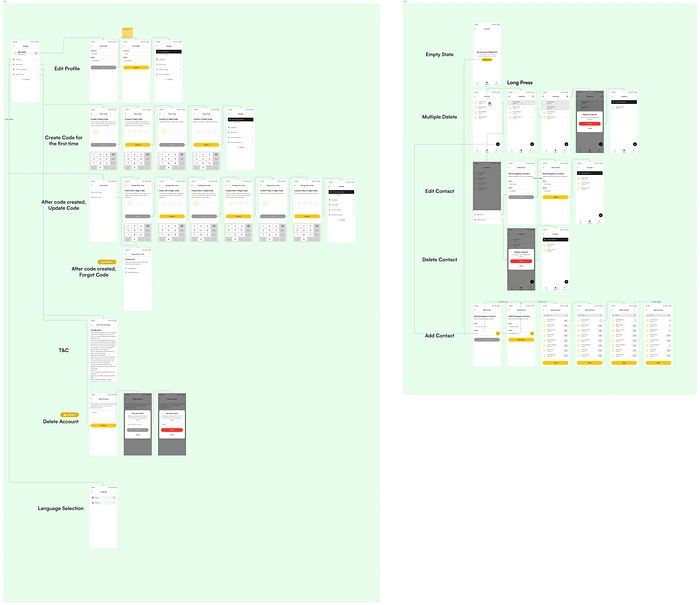
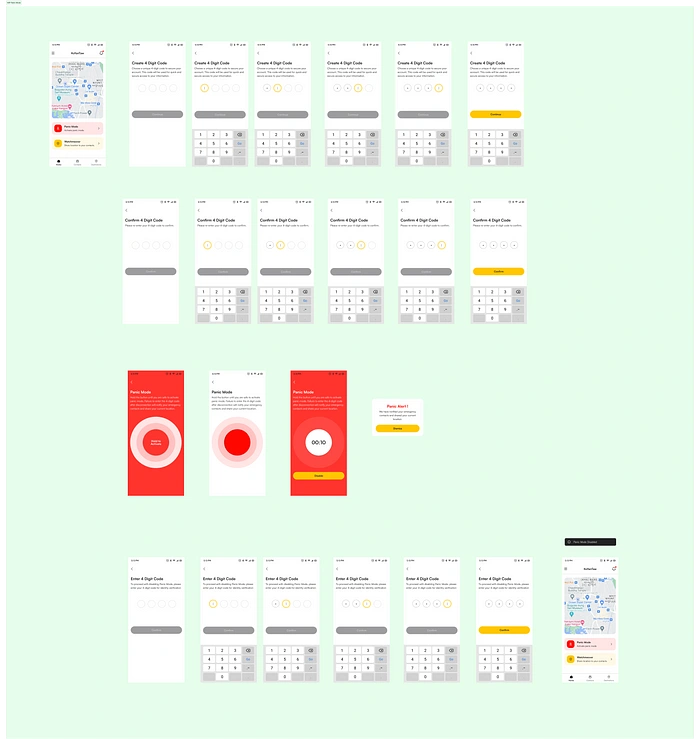
Usability Testing: We tested the login flow and Watchmeover feature with real users. Key feedback included:
Simplify walkthrough slides and allow skipping.
Improve button visibility and add labels.
Provide clear guidance for first-time users.
Iterations: We refined the designs based on feedback, ensuring a seamless and intuitive experience.
4. Handoff & Development
We handed off the final designs to developers using Figma and Zeplin, ensuring smooth collaboration and implementation.
Project Status
Current Development Status
As of now, the development process for KoYanTaw is on hold. While the design phase was completed and handed off to the development team, external factors have temporarily paused further progress.
What Was Achieved
Completed Designs: All key features (e.g., Live Sharing, Panic Mode, Onboarding) were fully designed, prototyped, and tested.
User Feedback: Usability testing provided valuable insights, which were incorporated into the final designs.
Handoff: Design assets and documentation were delivered to the development team using Zeplin, ensuring a smooth transition.
What’s Next
While the project is currently paused, the groundwork has been laid for future development. If the project resumes, the next steps would include:
Testing Panic Mode: Conduct usability testing for the Panic Mode feature and iterate based on feedback.
Exploring New Features: Adding features like custom routes or safety tips to enhance the app’s functionality.
Finalizing Development: Collaborating with developers to bring the app to life and prepare for launch.
Reflection
Working on KoYanTaw was an incredibly rewarding experience. It taught me the importance of empathy in design, collaboration in remote teams, and adaptability in the face of challenges. Even though the project is on hold, I’m proud of the work we accomplished and the impact it could have on users’ lives.
Like this project
Posted Jul 17, 2025
Designed KoYanTaw, a personal safety app for commuters in Myanmar.
Likes
0
Views
2
Timeline
Mar 17, 2024 - Apr 17, 2024