Child Safety for YouTube

Ilyas Zholdasbay

Why Plumu?
As a parent, do you have control over which videos your child watches on YouTube? Is your child addicted to Shorts?
Is your child exposed to age-inappropriate or bizarre videos that a social media algorithm suggests to them and there's nothing you can do about it?
Do you struggle with confusing time limit settings that often don't even work?
Are there useful or educational videos you think your child should watch but you don't know how to do it?
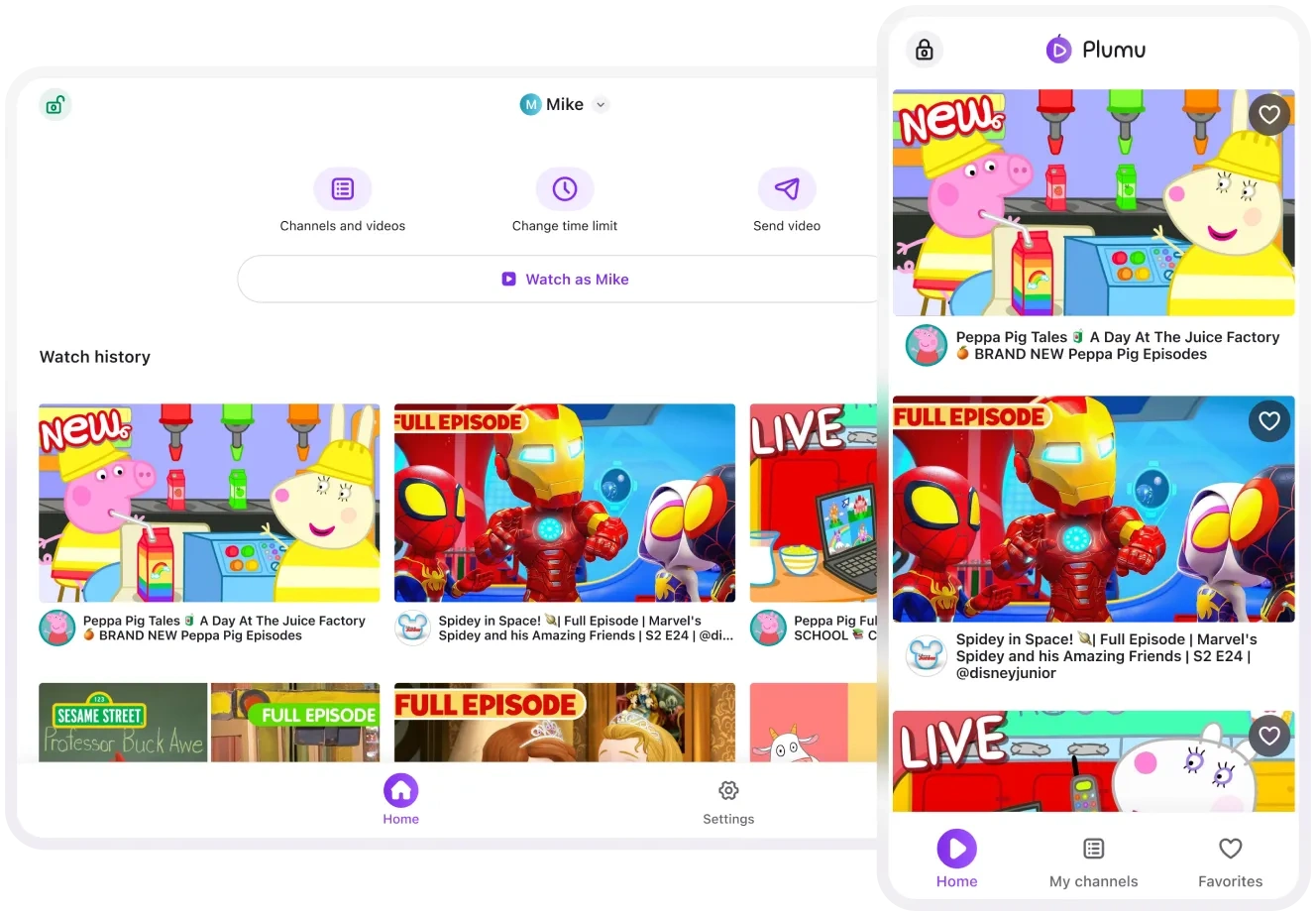
Plumu is an app built by parents for parents to solve the above issues and provide you with peace of mind about your child's YouTube experience. We believe each family should have a way to set their own rules and limits around videos their children watch.
What are Plumu's features?
Add / Remove channels
Search for any YouTube channel or video! Add or remove any YouTube channel. Your child will only be able to watch videos from the channels you added. No suggested videos or Shorts from channels you didn’t add!
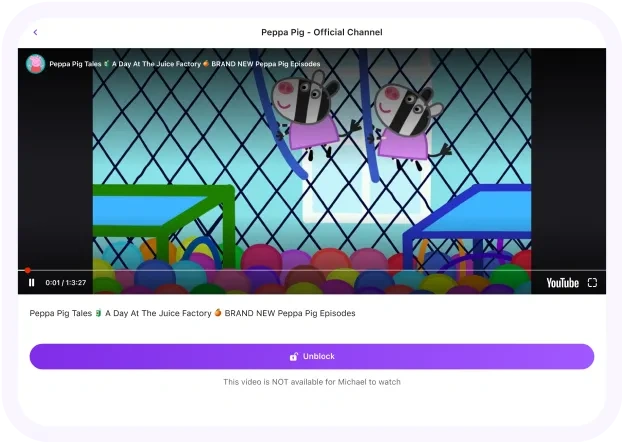
Add / Block individual videos
Add any video without adding its channel or block a video from a channel you already added. Basically, you get a very granular control over channels and videos.
Send a video
If there are videos you think your child should absolutely see, send it to them! These videos will autoplay before child’s own videos. These are typically educational, or safety related videos that parents want their children to see.
Child Safety for YouTube
Remotely control child’s app from your own device
Plumu works in two modes: parent and child. Install Plumu on your own and child’s devices - iOS or Android. You can now control the child’s app from your own: curate the content, update the time limit, send videos to your child - all from your device! To make sure child’s app reflects remotely made changes, shake it (not the child - their device!).
Create separate profiles for each child
Create separate profiles for your children. This way you can control which videos each of them should be able to see, based on their age and preferences. This will also ensure the watch history is separate for each child.
Like this project
Posted Jul 7, 2024
Parental control app for YouTube. Built by parents for parents.
Likes
0
Views
1