PostgreSQL Deployment on AWS EKS for NHS

Chidozie Uzoegwu



PostgreSQL on Kubernetes for NHS Patient Monitoring
This repository provides a complete solution for deploying a PostgreSQL database on Amazon's Kubernetes service (EKS) to support an NHS patient-monitoring system. The implementation follows modern cloud-native practices including Infrastructure as Code (IaC), Kubernetes orchestration, security best practices, and GitOps principles.
What is this project for?
This solution creates the necessary infrastructure to securely host a PostgreSQL database that would store sensitive patient telemetry data collected from wearable devices. While this focuses specifically on the database component, it's designed to integrate with a larger patient monitoring system for NHS Trusts.
Table of Contents
Prerequisites
Before you begin, make sure you have these tools installed and properly configured on your computer:
AWS CLI: Command line tool to interact with AWS services. You'll need permissions to create and manage VPC, EKS, IAM, and EC2 resources.
Terraform ≥ 1.5.0: Infrastructure as Code tool that lets you define cloud resources in configuration files.
kubectl: Command line tool for interacting with Kubernetes clusters.
Helm: Package manager for Kubernetes that helps you install and manage applications.
Git: Version control system for tracking changes and collaborating.
You can verify your installations with these commands:
Overview
This solution sets up the following components:
VPC & Networking:
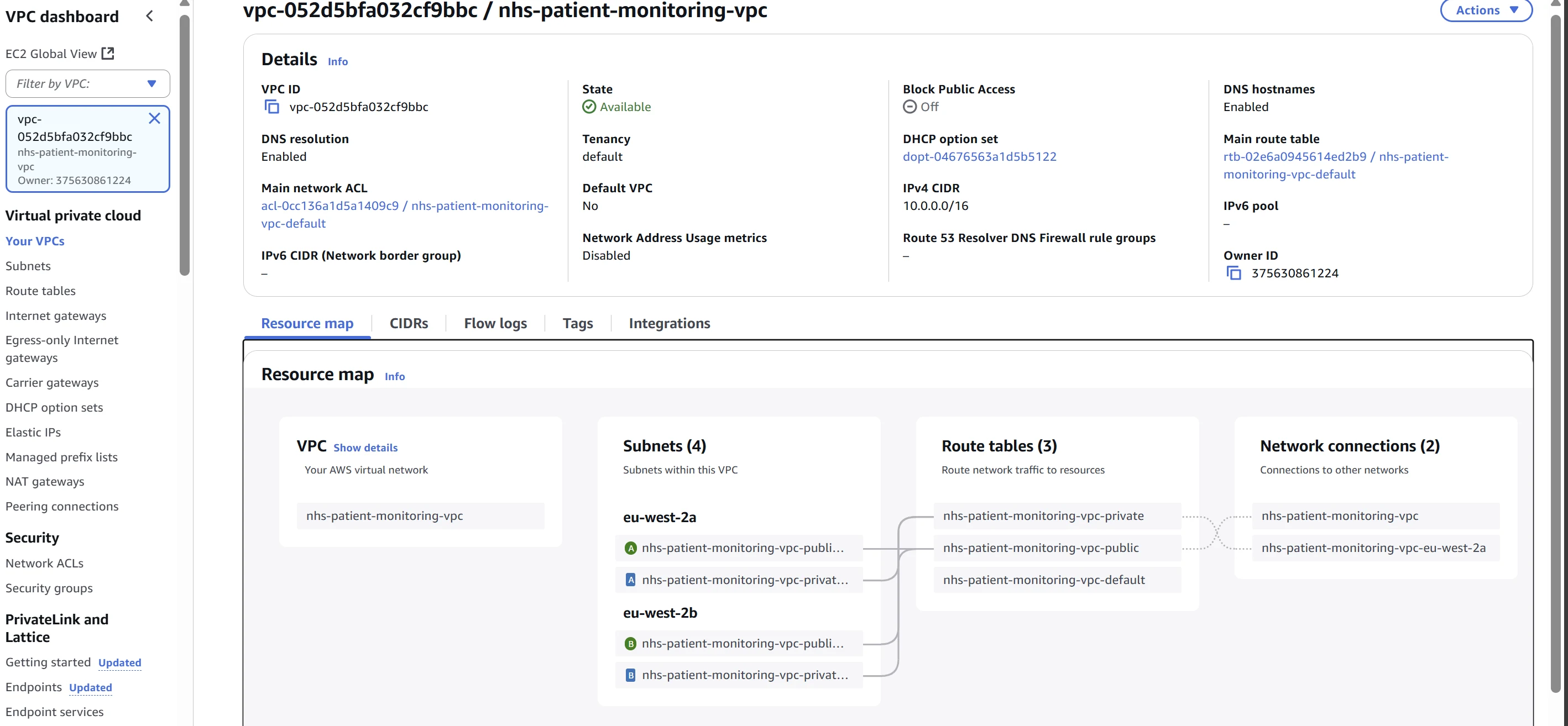
A Virtual Private Cloud (VPC) spanning multiple Availability Zones for high availability
Public and private subnets (database resources will be in private subnets for security)
NAT gateway for outbound internet connectivity from private subnets
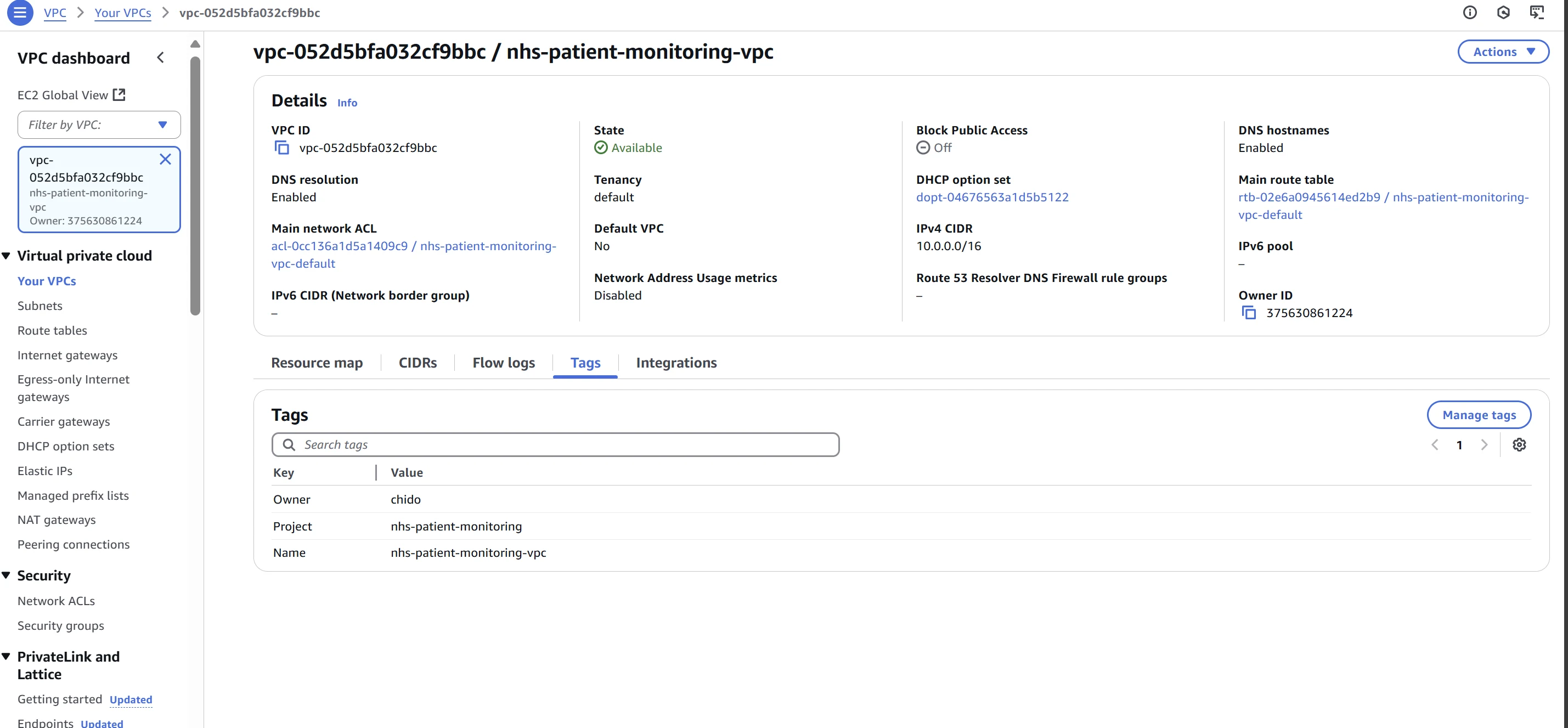
DNS support for service discovery
EKS Cluster:
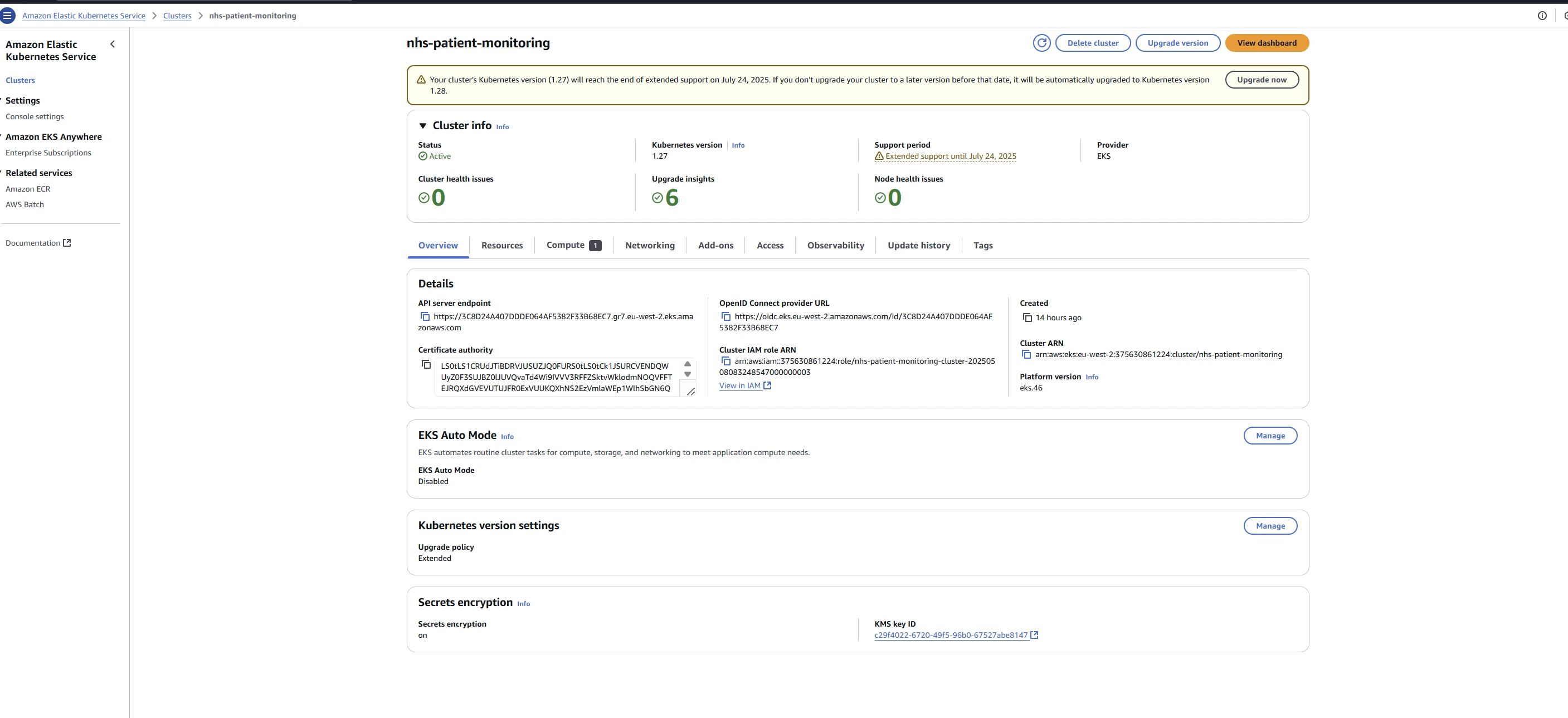
Amazon's managed Kubernetes service (version 1.27)
Two node groups (collections of EC2 instances) for redundancy
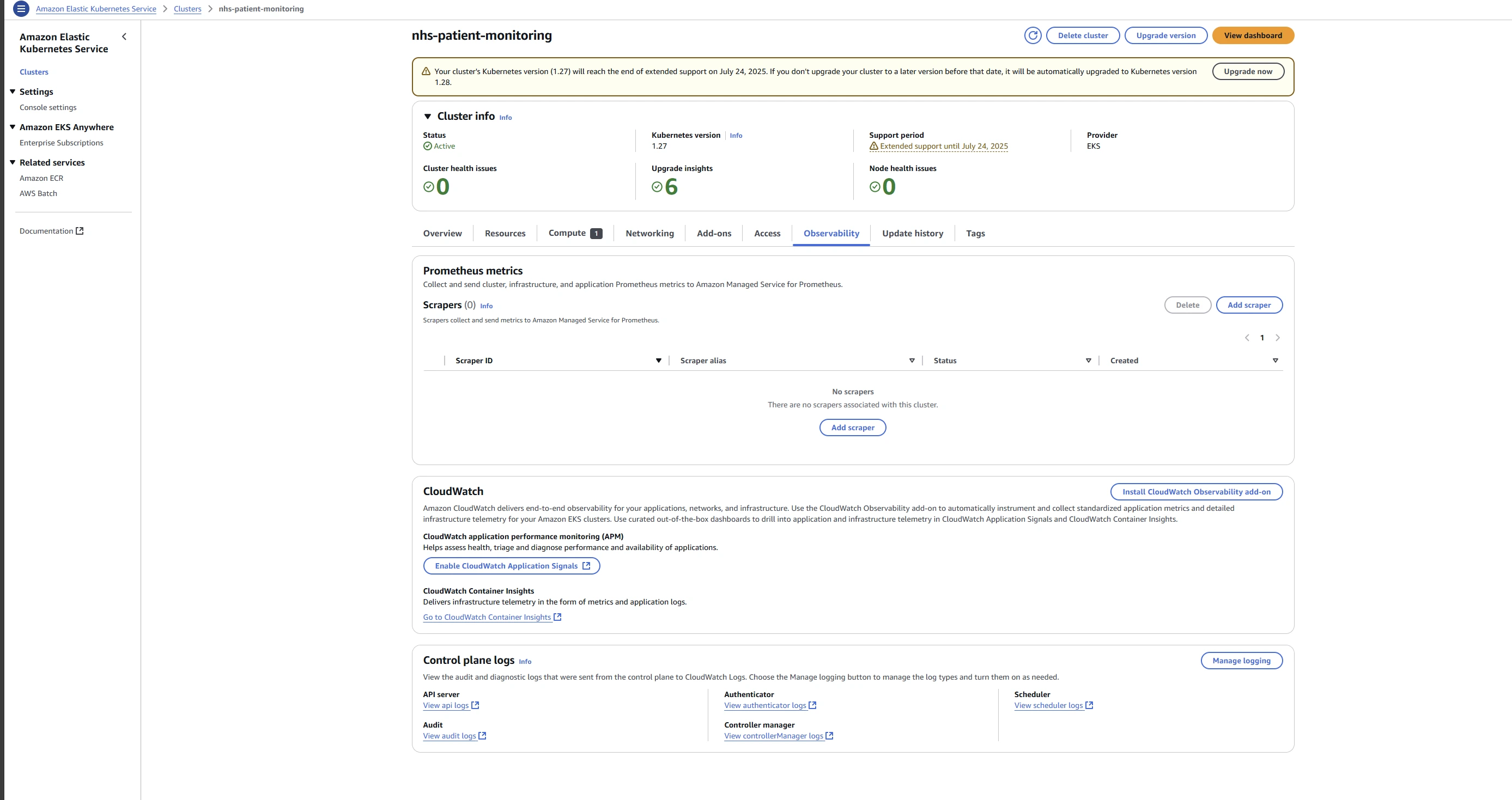
Control-plane logging for audit and troubleshooting
IAM mapping to control who can access the cluster
Storage:
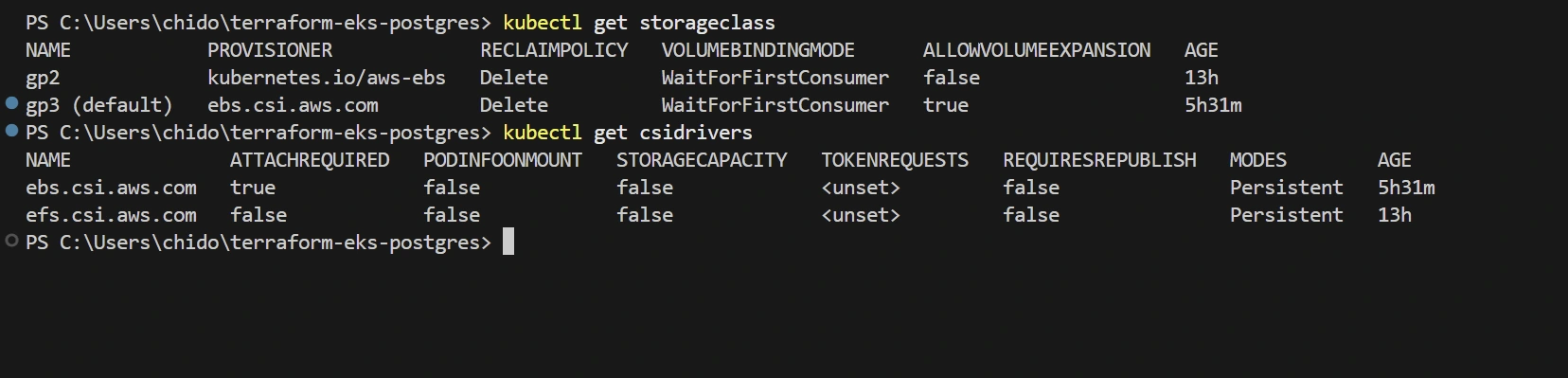
AWS EBS CSI driver add-on to allow Kubernetes to use AWS storage
Default
gp3 StorageClass for automatically provisioning storage when neededKubernetes Resources:
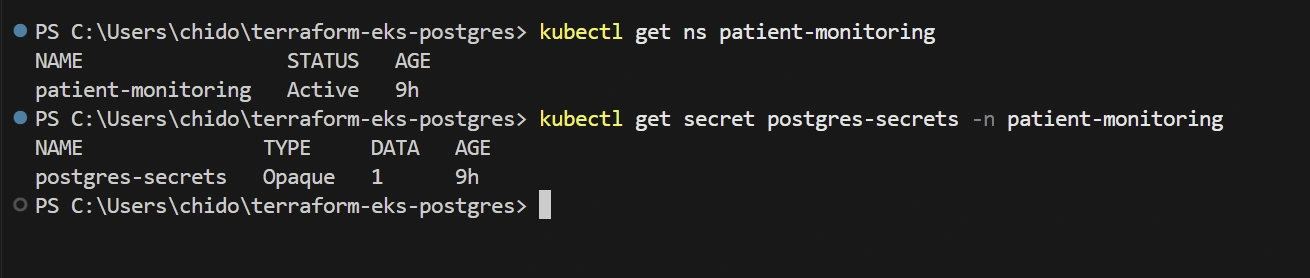
patient-monitoring namespace for logical isolationpostgres-secrets Secret for secure credential storageBitnami PostgreSQL deployed via Helm with persistence and resource limits
Architecture & Approach
Why This Approach?
This implementation uses:
Terraform AWS Modules: These are pre-built, well-tested building blocks for AWS infrastructure that follow best practices. Using modules speeds up development and reduces errors compared to writing everything from scratch.
Helm Provider: Helm is a package manager for Kubernetes that makes it easy to install and upgrade complex applications like PostgreSQL. The Helm provider lets Terraform manage Helm releases.
Random Password Resource: This automatically generates a secure, random password and stores it as a Kubernetes Secret, avoiding hardcoded credentials.
How the Components Fit Together
Terraform creates the underlying AWS infrastructure (VPC, EKS cluster)
EBS CSI Driver connects AWS storage to Kubernetes
Kubernetes Namespace isolates PostgreSQL resources
Helm deploys the PostgreSQL database with proper configuration
Kubernetes Secret securely stores the database password
Deployment Process
This section guides you through publishing your local code to GitHub and then deploying the infrastructure.
Initialize and Commit Locally
Create the GitHub Repository
A remote repository is where your code lives online for collaboration and backup:
Go to GitHub.com and sign in.
Click the + icon (top-right) → New repository.
Enter Repository name:
abc.Leave all Initialize boxes unchecked (no README or .gitignore).
Click Create repository.
You will see instructions for pushing existing code.
Link and Push Your Code
Connect your local repo to GitHub and upload your commit:
git remote add origin <URL> tells Git where to send your code online.git push -u origin master uploads your code and remembers the branch for future pushes.Verify Your Repository
Open your repository page on GitHub.
Ensure you see all folders and files, including
.tf files, README.md, and your screenshots/ directory.Deploy to AWS
terraform init prepares your directory for Terraform operations.terraform plan shows a preview of changes before applying them.terraform apply creates the actual resources in AWS.Approve the plan when prompted by typing
yes.Configure kubectl Access
Tell
kubectl how to talk to your new EKS cluster:update-kubeconfig writes cluster credentials to your local configuration.The
kubectl get nodes command should show your EKS nodes in Ready state.Security Considerations
This implementation includes several security measures critical for healthcare data:
Credentials Management:
Using
random_password Terraform resource ensures strong, unique passwords.Kubernetes Secret securely stores credentials and makes them available only to authorized services.
No hardcoded passwords in code or configuration files.
Resource Constraints:
CPU and memory requests & limits prevent a single application from consuming all resources.
This improves stability and acts as a security measure against certain denial-of-service scenarios.
Namespace Isolation:
Dedicated namespace (
patient-monitoring) creates a boundary around database resources.Makes it easier to apply security policies and access controls.
IAM Least-Privilege:
IAM mapping via Access Entries restricts who can access the Kubernetes cluster.
Following the principle of least privilege - only grant the permissions needed.
GitOps Extension
What is GitOps?
GitOps is an operational framework that takes DevOps best practices and applies them to infrastructure automation. With GitOps:
Your Git repository becomes the single source of truth for infrastructure configuration
Changes to infrastructure go through Git (pull requests, reviews, etc.)
Automated systems ensure the actual infrastructure matches what's in Git
How to Implement GitOps with this Repository
This repository is already structured for GitOps:
Point a GitOps tool like ArgoCD or Flux at the
main branch.The tool will automatically sync Terraform & Helm manifests.
Any drift between desired state (Git) and actual state (infrastructure) will be detected and corrected.
Benefits for NHS
For an NHS Trust, GitOps provides:
Audit trail of all infrastructure changes
Easier compliance with healthcare regulations
Faster recovery in case of issues
Reduced human error during deployments
Trade-offs
Understanding trade-offs helps make informed decisions about the infrastructure:
Bitnami Chart vs. Custom StatefulSet:
Choice Made: Using Bitnami's PostgreSQL Helm chart
Pros: Faster deployment, battle-tested configuration, regular security updates
Cons: Less customization than building a custom StatefulSet from scratch
Single NAT Gateway:
Choice Made: Using one NAT Gateway for all Availability Zones
Pros: More cost-effective, simpler configuration
Cons: Single point of failure for outbound internet connectivity
Validation
After deployment, you can verify everything is working correctly with these commands:
Basic Checks

Extended Checks
VPC Overview
EKS Cluster Overview
Control-Plane Logging
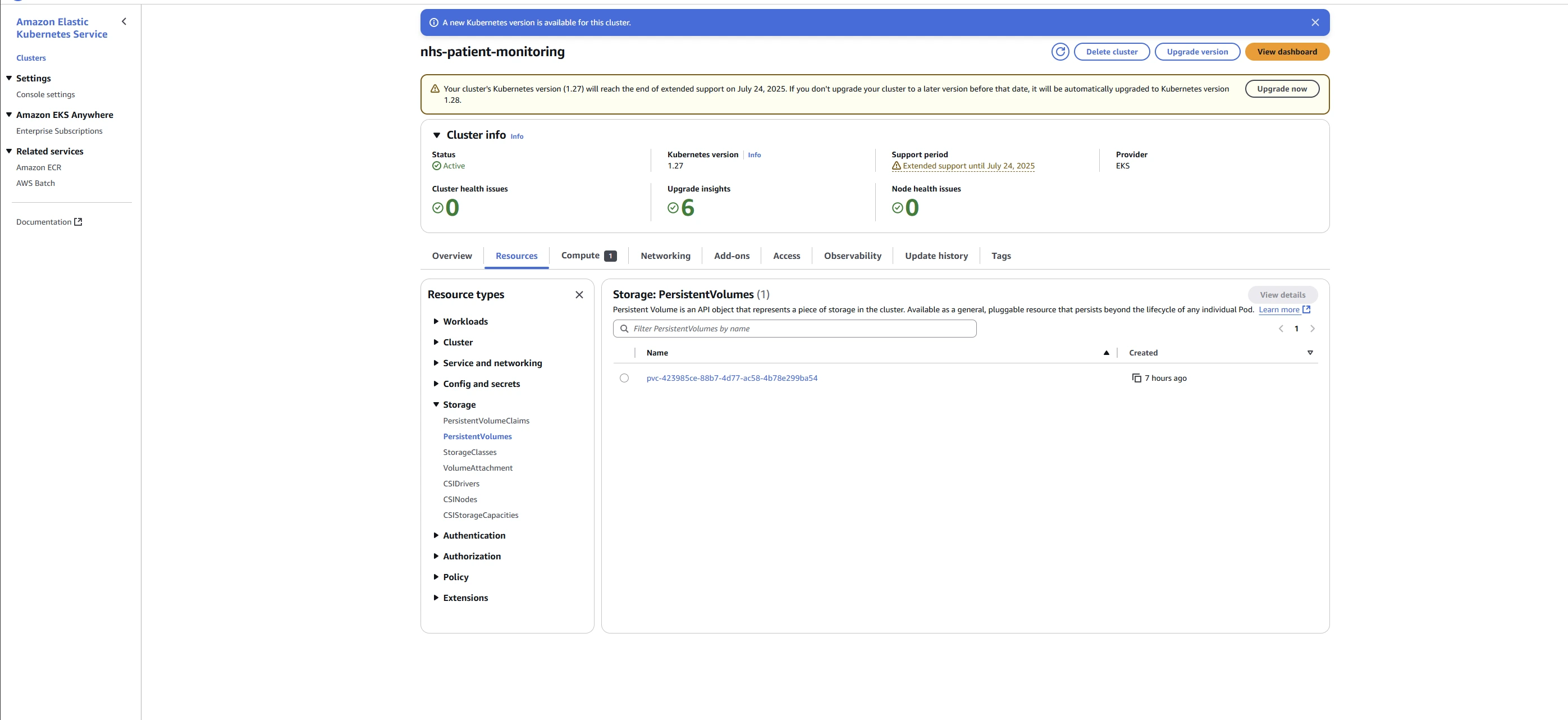
PersistentVolume Details
Future Enhancements
For a production NHS environment, consider these additional features:
Backups & Disaster Recovery:
Automated database backups
Point-in-time recovery capabilities
Cross-region replication for catastrophic failure scenarios
Monitoring:
Prometheus for metrics collection
Grafana dashboards for visualization
Alerts for abnormal database behavior
Security Hardening:
Data encryption at rest and in transit
Network policies to restrict pod-to-pod communication
Comprehensive audit logging
High Availability:
Streaming replication for better fault tolerance
Read replicas to improve performance and availability
Debug Script (PowerShell)
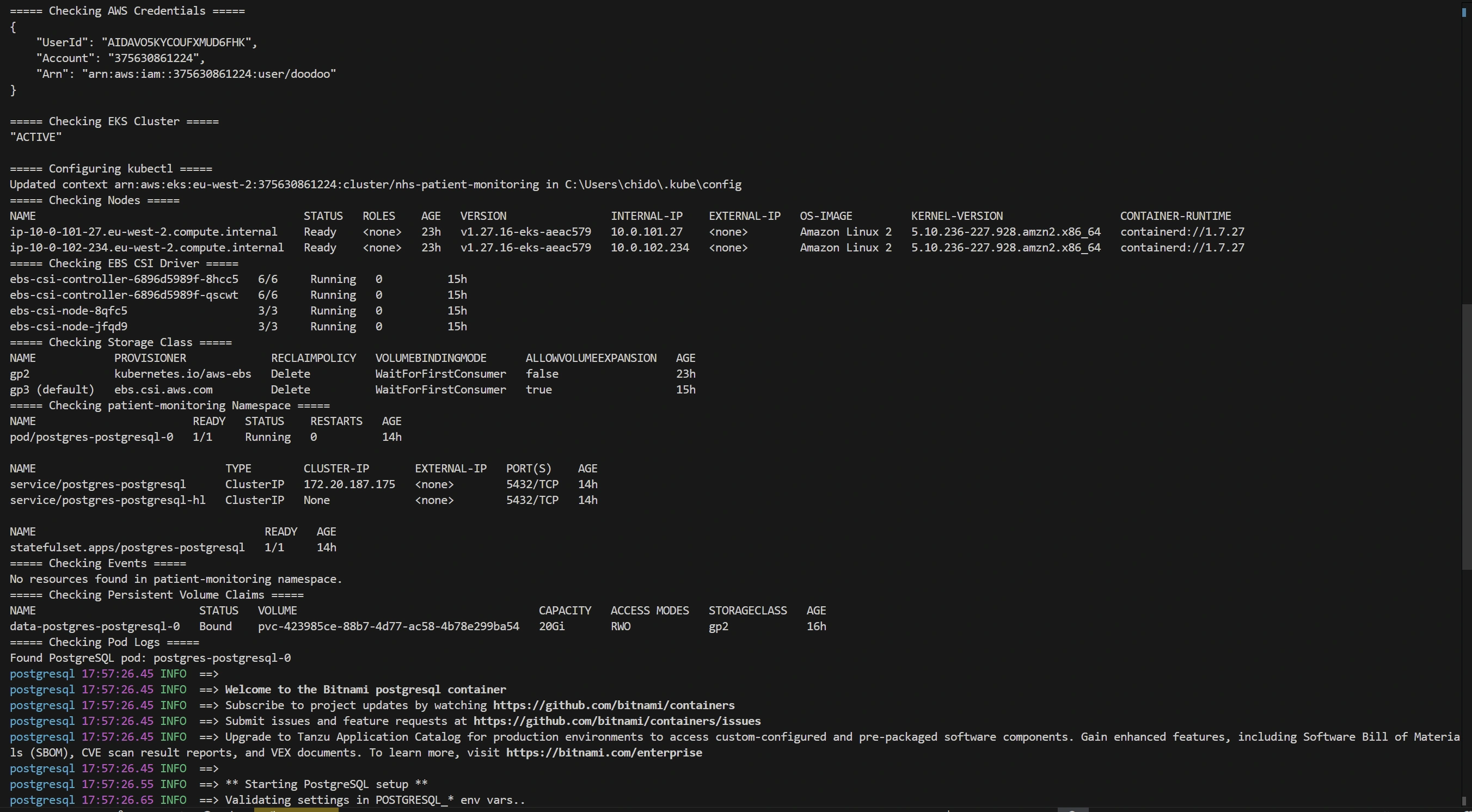
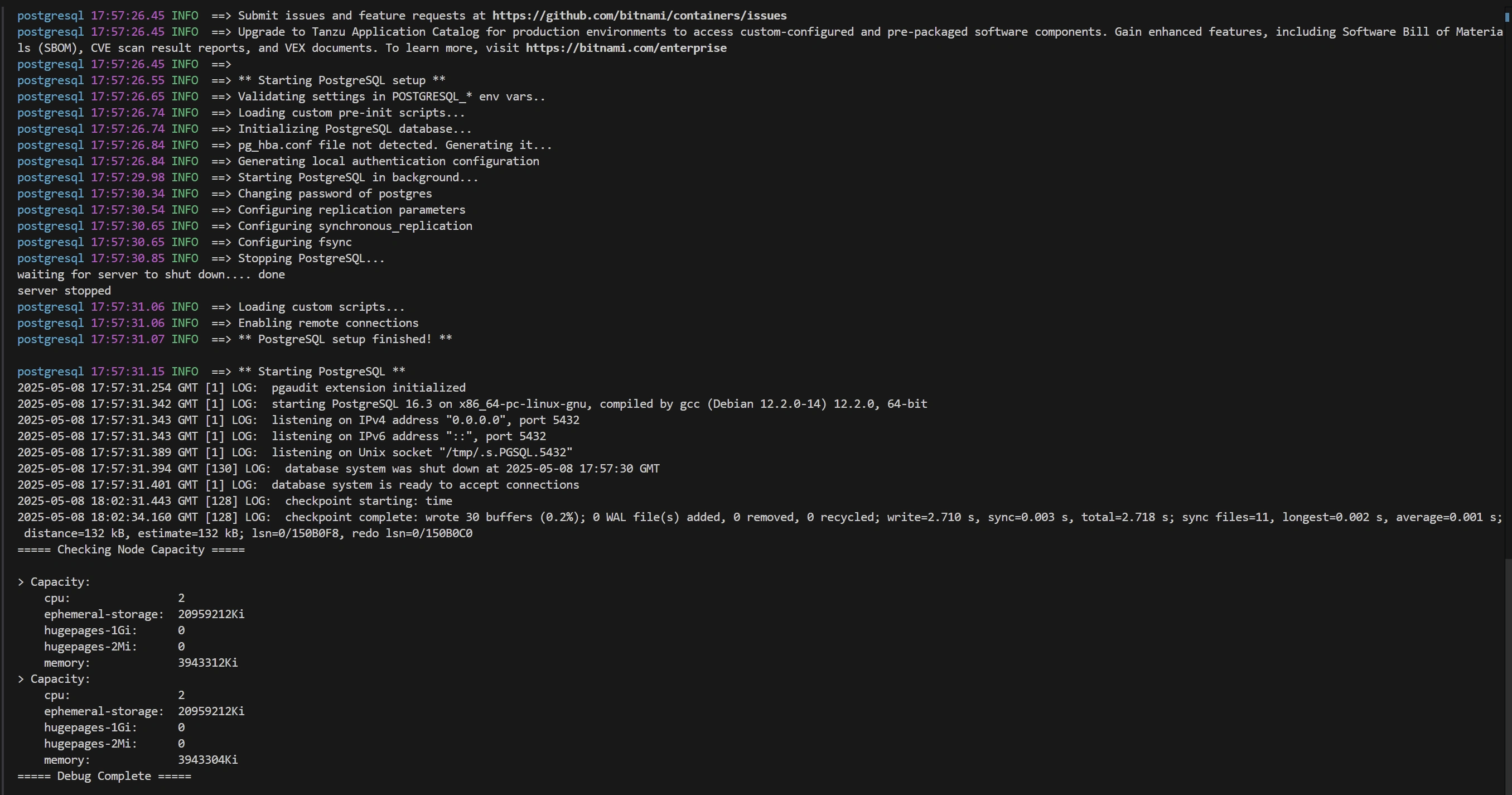
If you encounter issues, this PowerShell script can help diagnose common problems:
Like this project
Posted Aug 30, 2025
Deployed PostgreSQL on AWS EKS for NHS patient monitoring using cloud-native practices.