HVAC sales tool built around the consultant, not the catalog

Aliaksandr Arekhva


The interface a consultant runs while holding a conversation.
System Selector is an internal sales tool for Alpine Home Air, an HVAC e-commerce company. Alpine had rough wireframes for the key screens, but no flow to run them during a call.
Brief Overview
Alpine’s wireframes served as a brief, not a draft. A flow had to be designed around them.
A sales call doesn’t follow a product catalog. The customer narrates their house, budget, and constraints, and the consultant has to translate that into a quote while the call is ongoing. The tool had to run at the speed of that conversation.
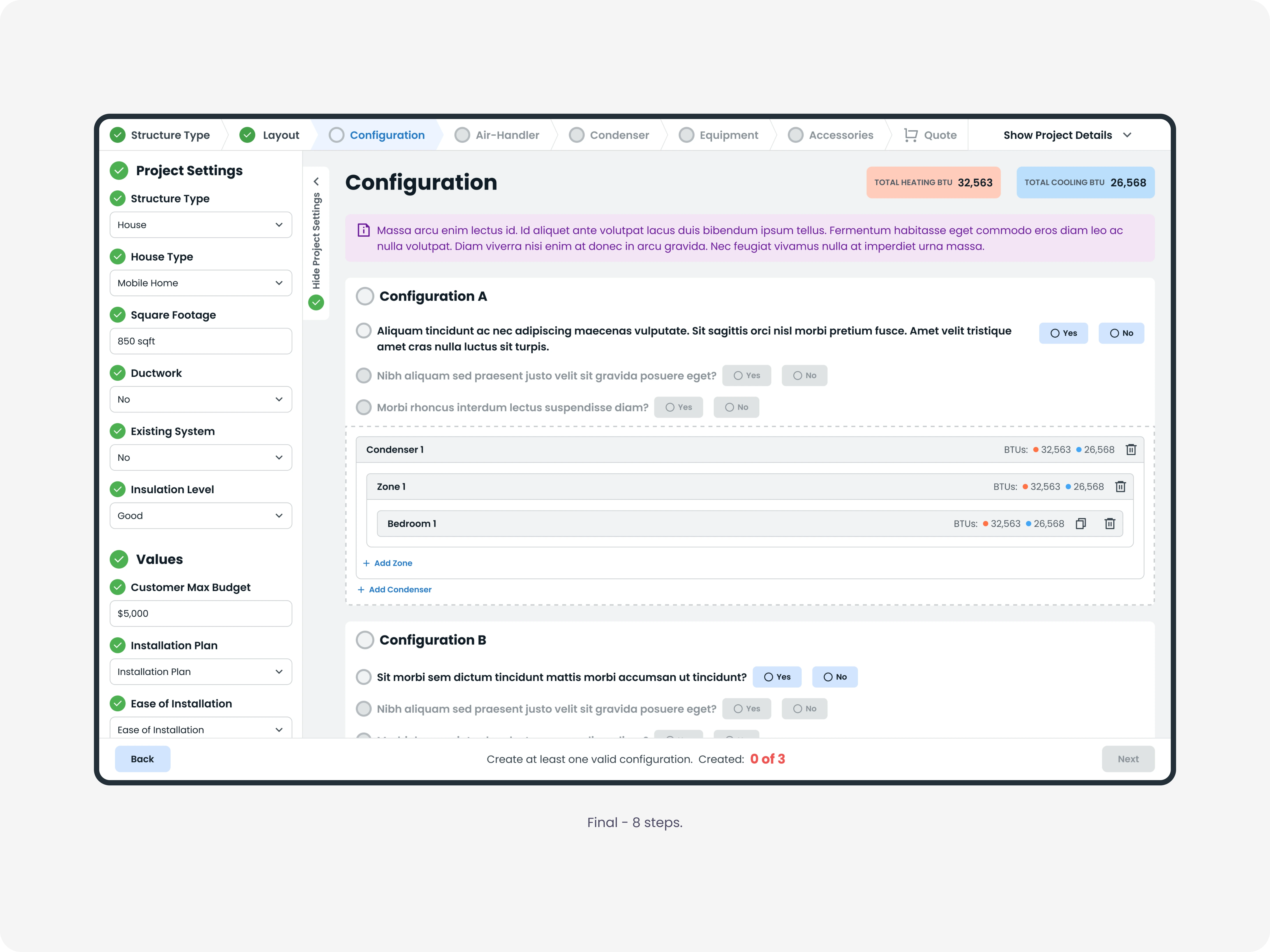
I started by listening to recorded sales calls. The IA was structured around the moments of a real conversation: project intake, the customer’s walkthrough, system configuration, equipment selection, and the quote. Eight steps instead of Alpine’s original four tabs. I added a script layer over the form so that the next question is always visible on the screen.
The tool design was finished in March 2023. After System Selector, Alpine asked me to work on more projects with them: AlpineAI, their Help Center, two concepts for their e-commerce website, and a token-based design system to keep branding consistent across all of them.
Project Metadata
Role: Senior Product Designer
Timeline: January 2023 – March 2023
Platform: Web
Responsibilities: Research, Information Architecture, User Flows, Interaction Design, Visual Design, Design System, Prototyping, Design-to-Development Handoff

The Design Problem
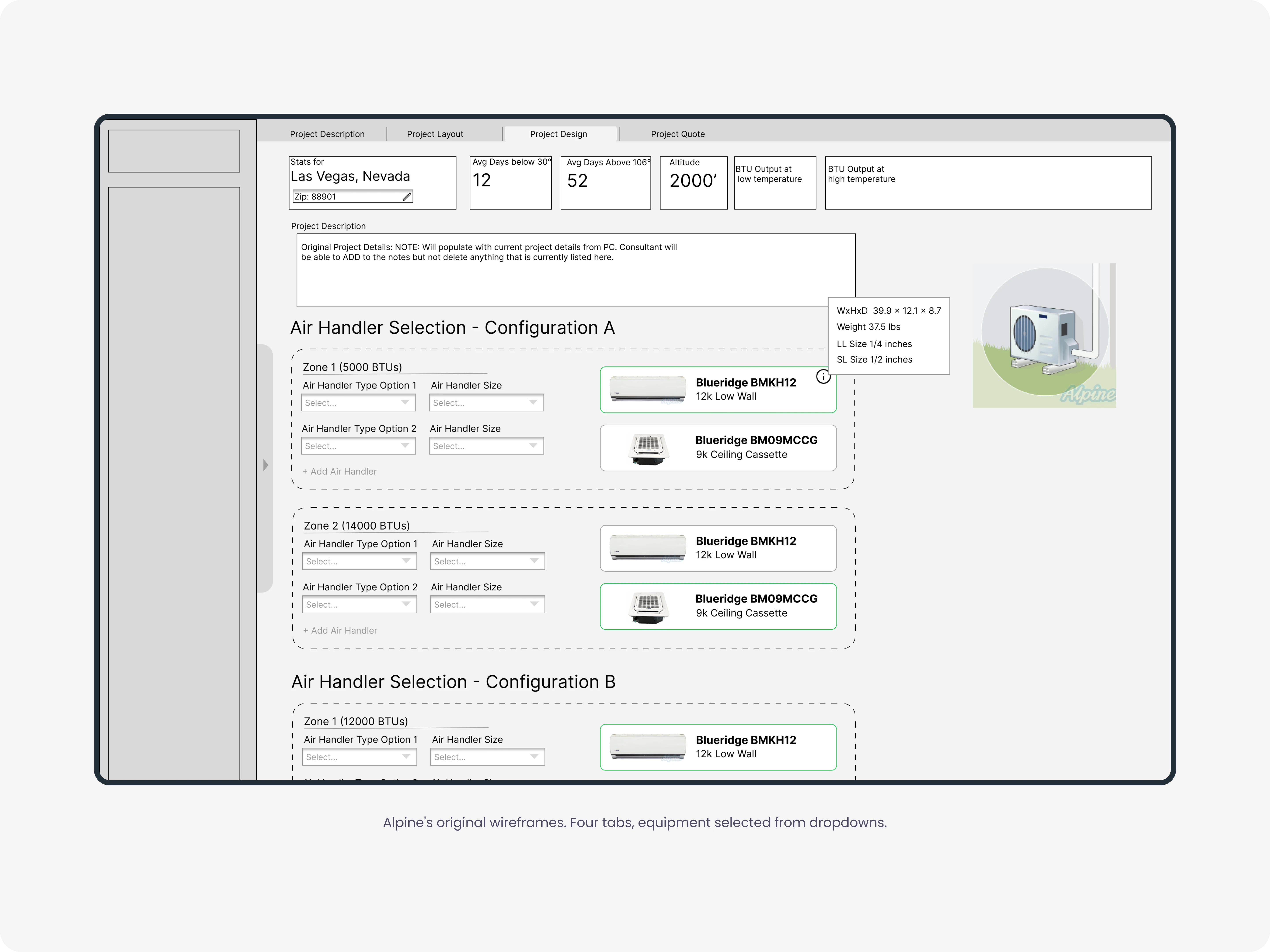
When Alpine brought me in, they had a set of wireframes for the key screens. Four tabs: Structure Description, Structure Layout, Structure Design, Project Quote. Equipment selection ran through dropdowns. The customer's air handler and condenser were items you picked from a list.
A dropdown assumes you already know the answer. On a real call, the consultant doesn't. They are sizing a system while the customer talks, and the choice is not simple. An HVAC system depends on the rooms, the floors, the windows, what shares a wall, and how the house faces the sun. Condensers differ in BTU output as the temperature drops. Air handlers have to be matched to each zone. The tool runs the calculations and surfaces the strongest options, but the consultant still has to read the tradeoffs and explain them to a customer on the other end of the line. And the details arrive in the customer's order, not the tool's.
Alpine's wireframes did none of this. They assumed the consultant already knew the system and just needed somewhere to log it. The actual job was the opposite. The consultant has to weigh the options the tool surfaces and walk the customer through them, live.
The design problem was helping the consultant make a technical decision out loud, while the call kept moving.
The Script Layer
A consultant on a call is doing two things at once. Capturing what the customer says and steering the conversation in the next direction. A form built around a catalog only helps with capturing.
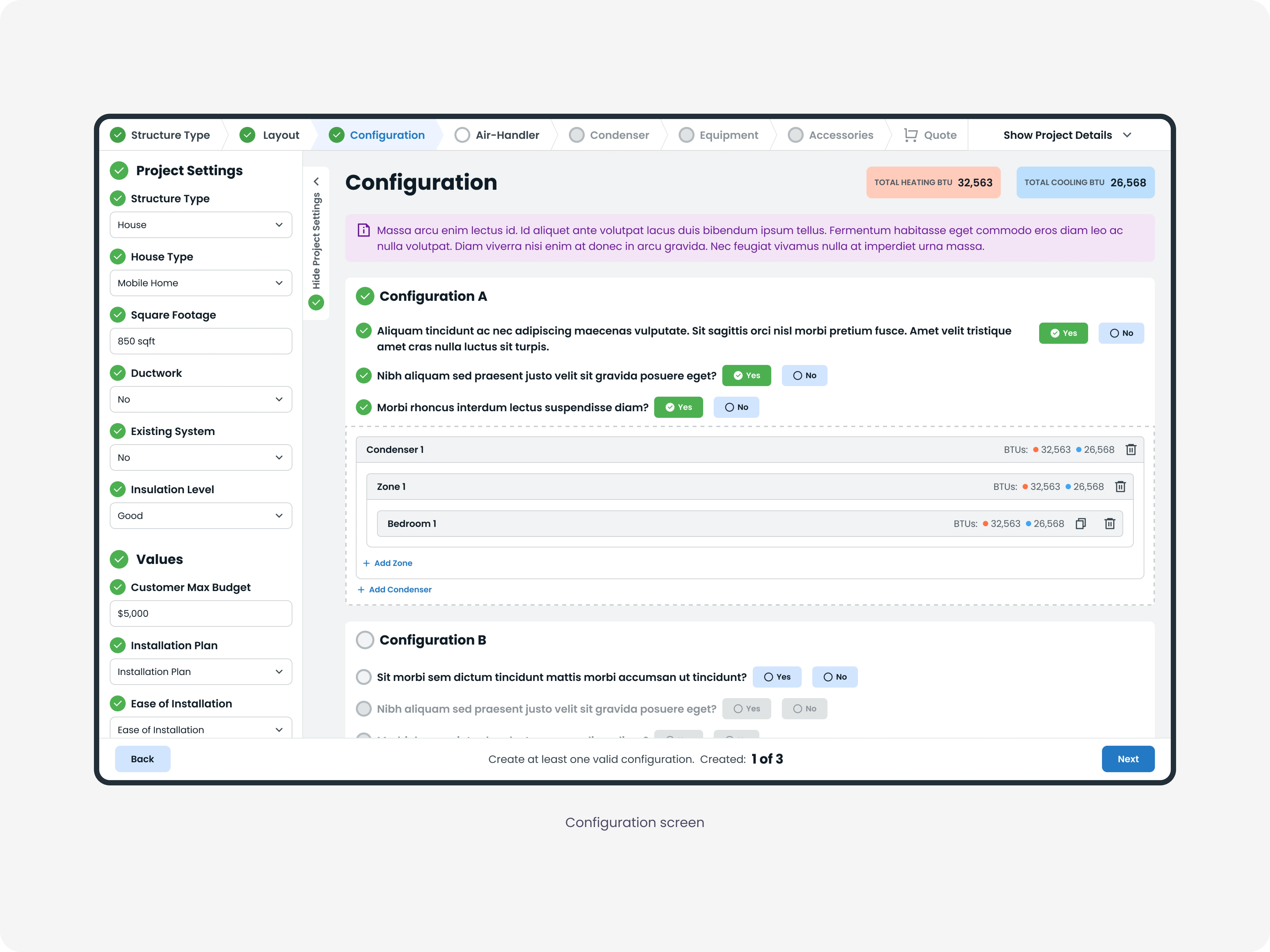
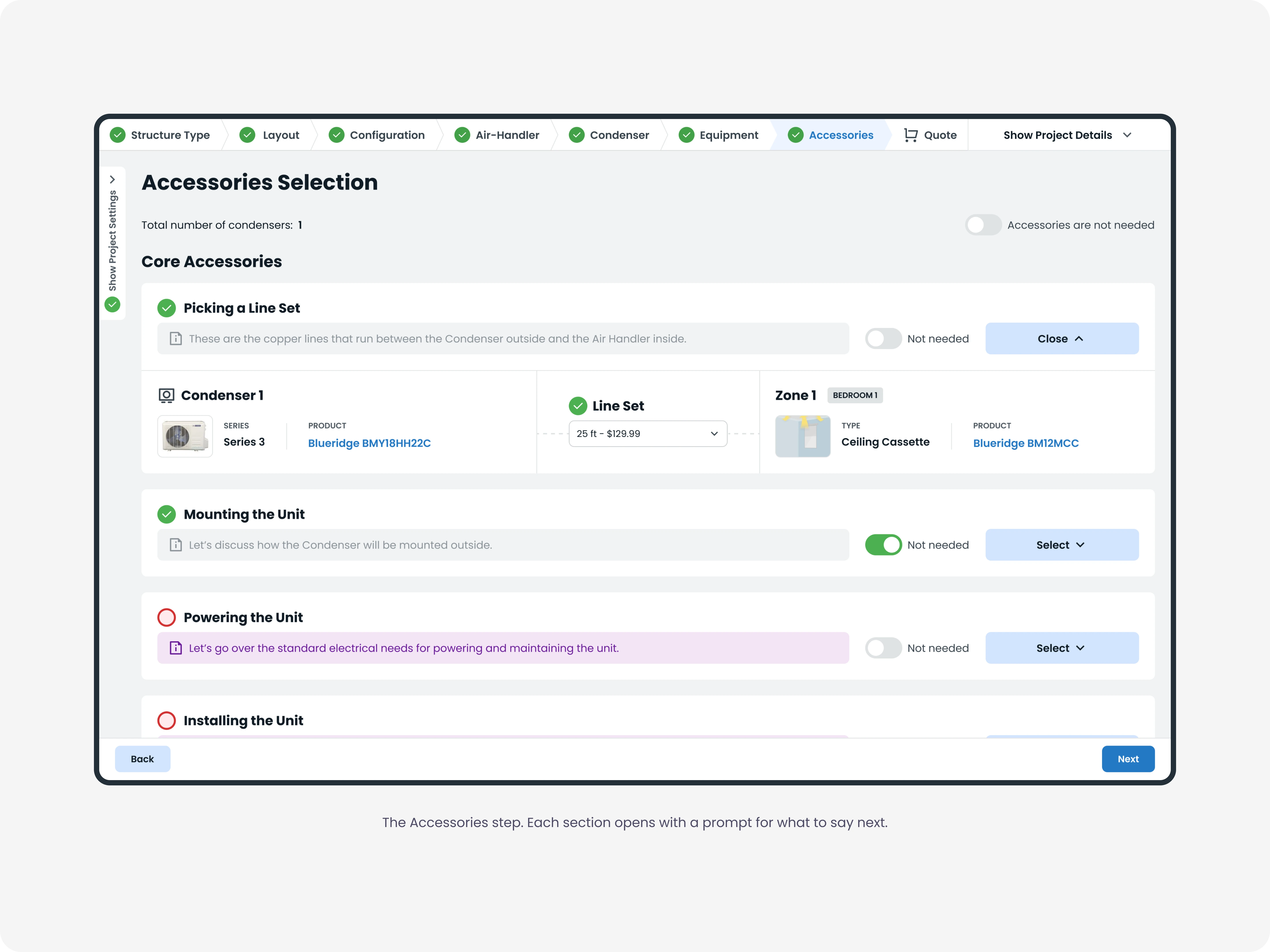
So I designed a steering layer. Each section includes a prompt block, set apart from the fields by its own color and sitting next to the thing it refers to. It holds the guidance for that moment of the call: the warm-up notes at the start, the goal for the current step, and the question to ask before moving on. Once a section has what it needs, its prompt dims, so the consultant's attention moves to the parts still open. Same treatment everywhere, so the consultant always recognizes it on sight.
The fields capture the customer. The prompt guides the consultant. Keeping the two visually distinct is what lets the tool support a conversation, not just record one.
Decision 1: The Spine
Alpine’s wireframes had four tabs. The work was deciding which steps should actually be taken.
The recorded calls told me one thing clearly. A call doesn't run in a straight line. The customer jumps around, forgets the finished basement, remembers it three questions later. Whatever structure I built had to survive that. The moments underneath were steadier: intake, the walkthrough, the configuration, the equipment, the quote. The question was how many steps to break them into.
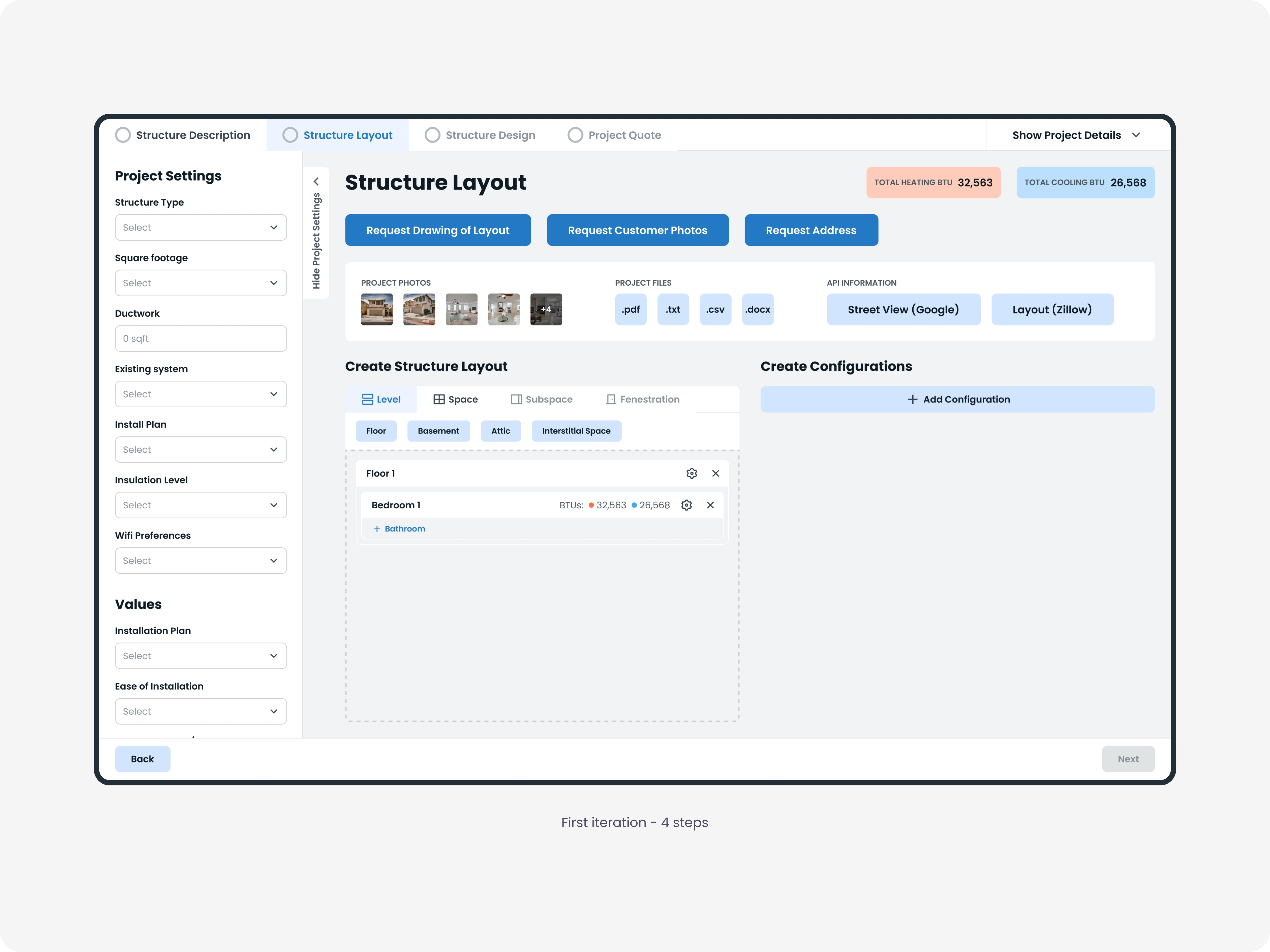
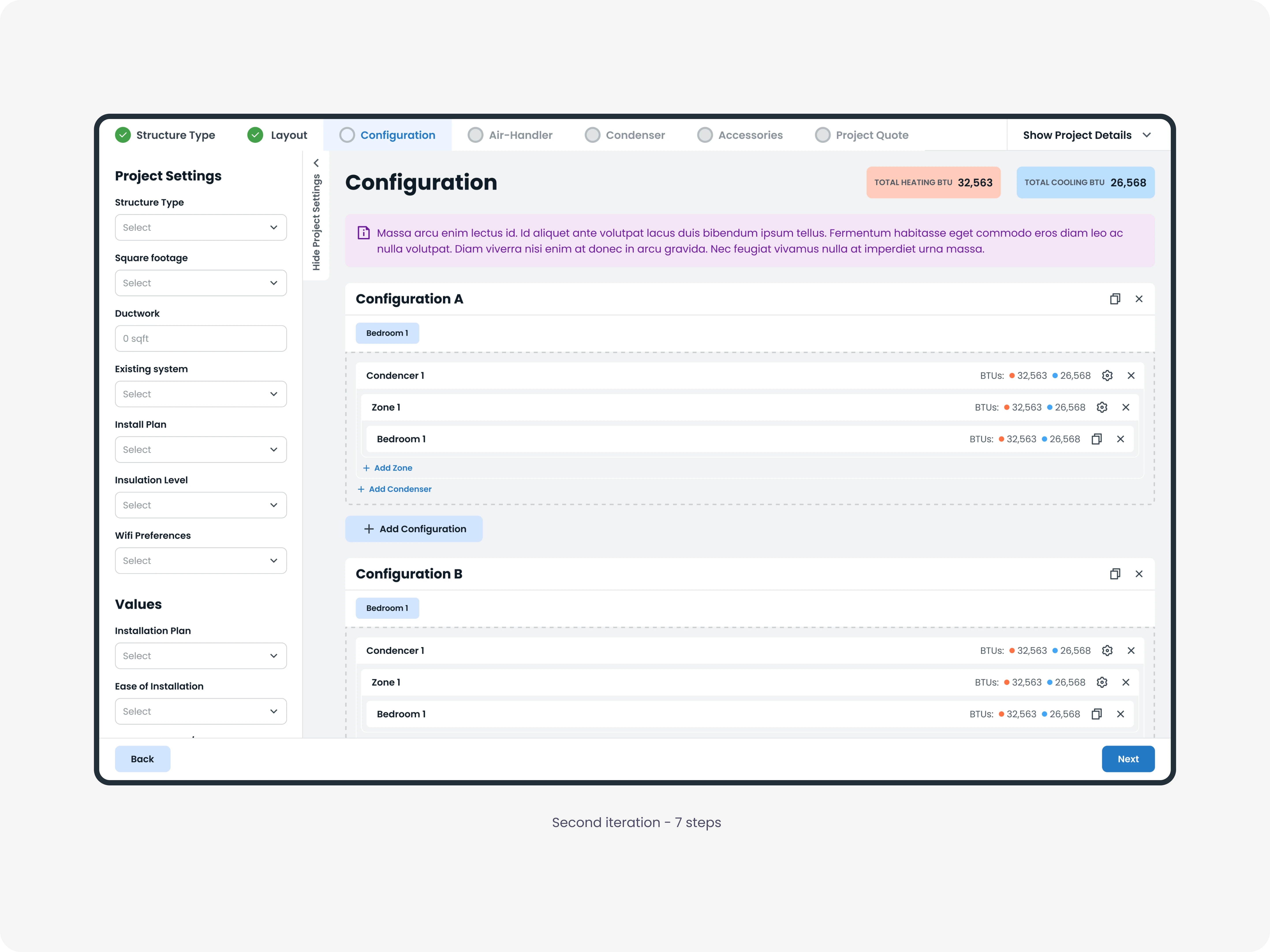
I tried four first, keeping Alpine's count. Each step carried too much, and the screens were crowded and hard to read, the exact problem the tool couldn't have addressed. A consultant can't scan a dense screen while a customer is talking. Seven was better, but the accessories step still mixed core equipment with optional extras, too much to sort in one place.
So I split accessories out. Eight steps. What decided the number wasn't how clean each screen looked. The question was whether each step contained a complete part of the call. The tool unlocks the next step once the current one meets its minimum requirements, so the consultant leads the call through each part as it's ready, and nothing gets skipped.
The steps run in order because each depends on the one before: the equipment on the configuration, the configuration on the layout. But a call doesn't always cooperate. The customer remembers the finished basement three steps later. So while the tool gates forward movement, it lets the consultant move back to any completed step and change it, and the steps after it reconfirm, because they were built on that answer. That two-way movement is the cost of a structure this tightly ordered, and the tool had to handle it.
Decision 2: The Floor Planner
The consultant has to capture the house as the customer describes it. Rooms, floors, what shares a wall, and which way it faces the sun. All of it feeds the system sizing later.
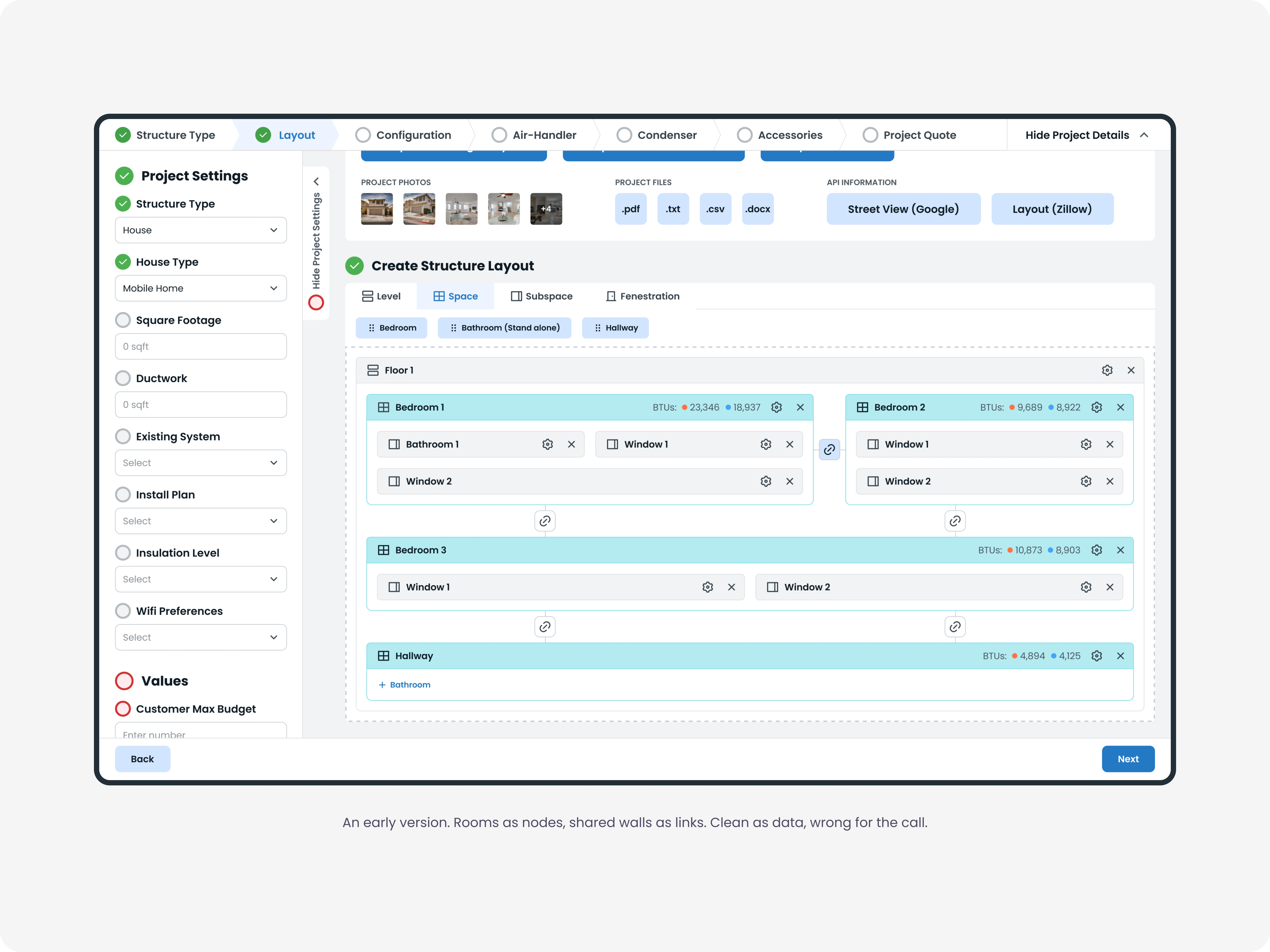
I tried encoding it as a graph first. Rooms as nodes, shared walls as links between them. As a data structure, it was clean. Every relationship the system needed was explicit.
It didn’t match the call. A customer doesn’t describe a house as a graph. They describe a walkthrough. You come in the front door, the living room is on the left, the kitchen is behind it, and two bedrooms are upstairs. Turning that into a node diagram while staying in the conversation is a second job on top of listening.
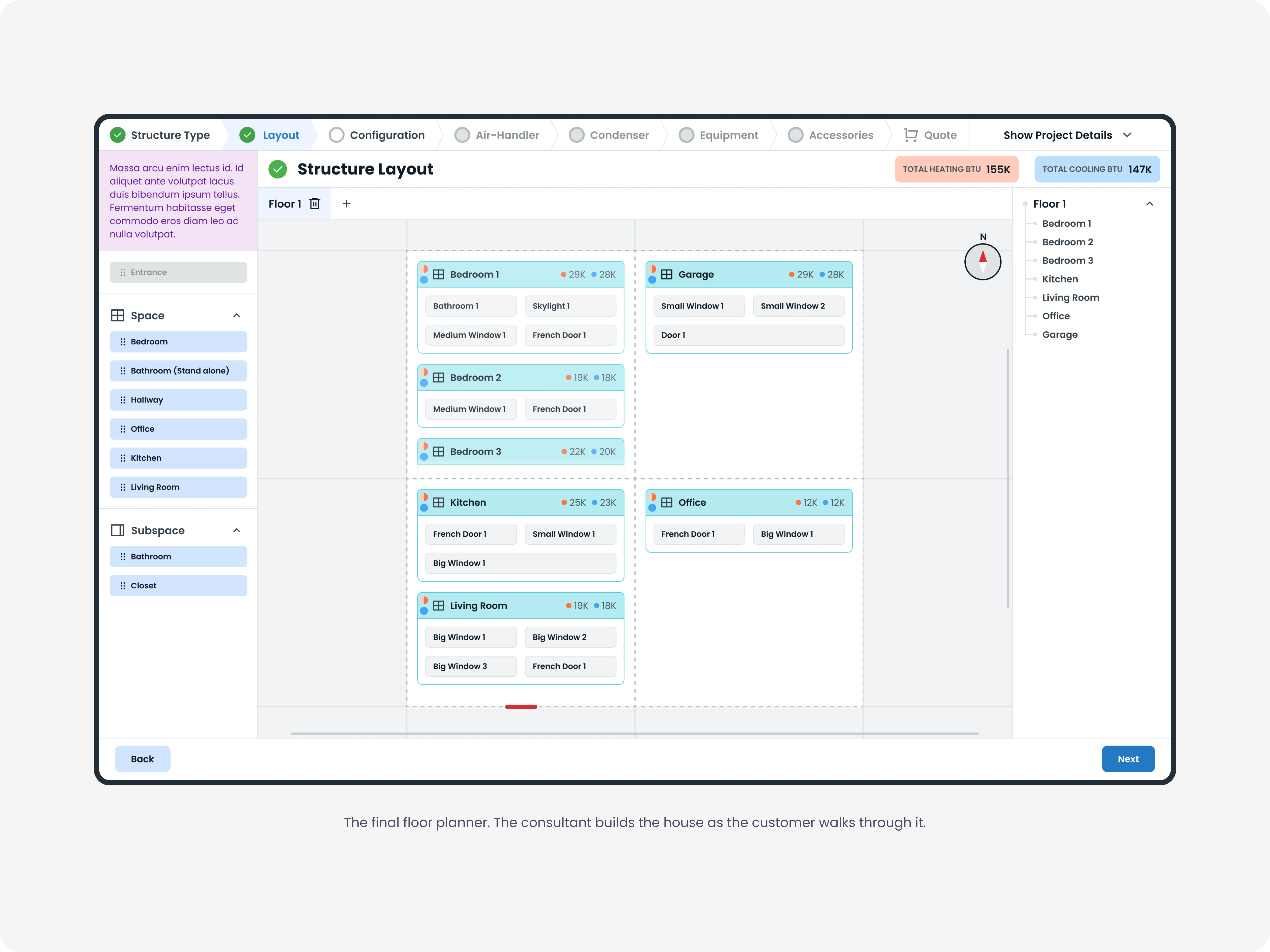
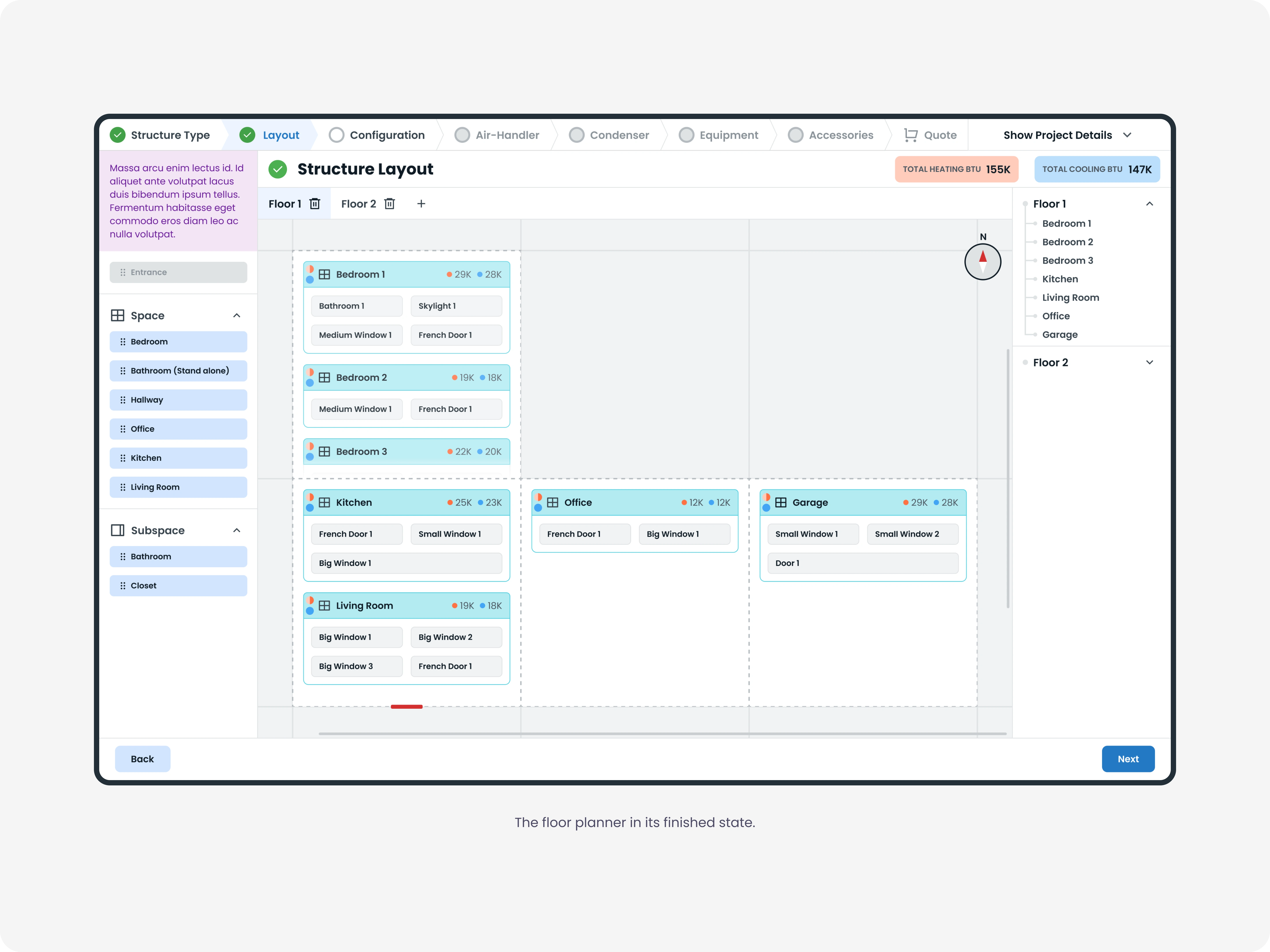
So I went back to a spatial grid. The consultant drags rooms onto a canvas and builds the floor the way the customer walks through it. When the customer says the room over the garage runs cold, the consultant places it, marks the wall it shares with the unheated space, and sets its size and windows. The consultant also sets which way the house faces the sun, because that changes the cooling load.
The graph treated the floor plan as a structure. The grid treats it as a map being drawn.
The Final Interface
Eight steps and 27 screens, ending in one quote that the customer can read.
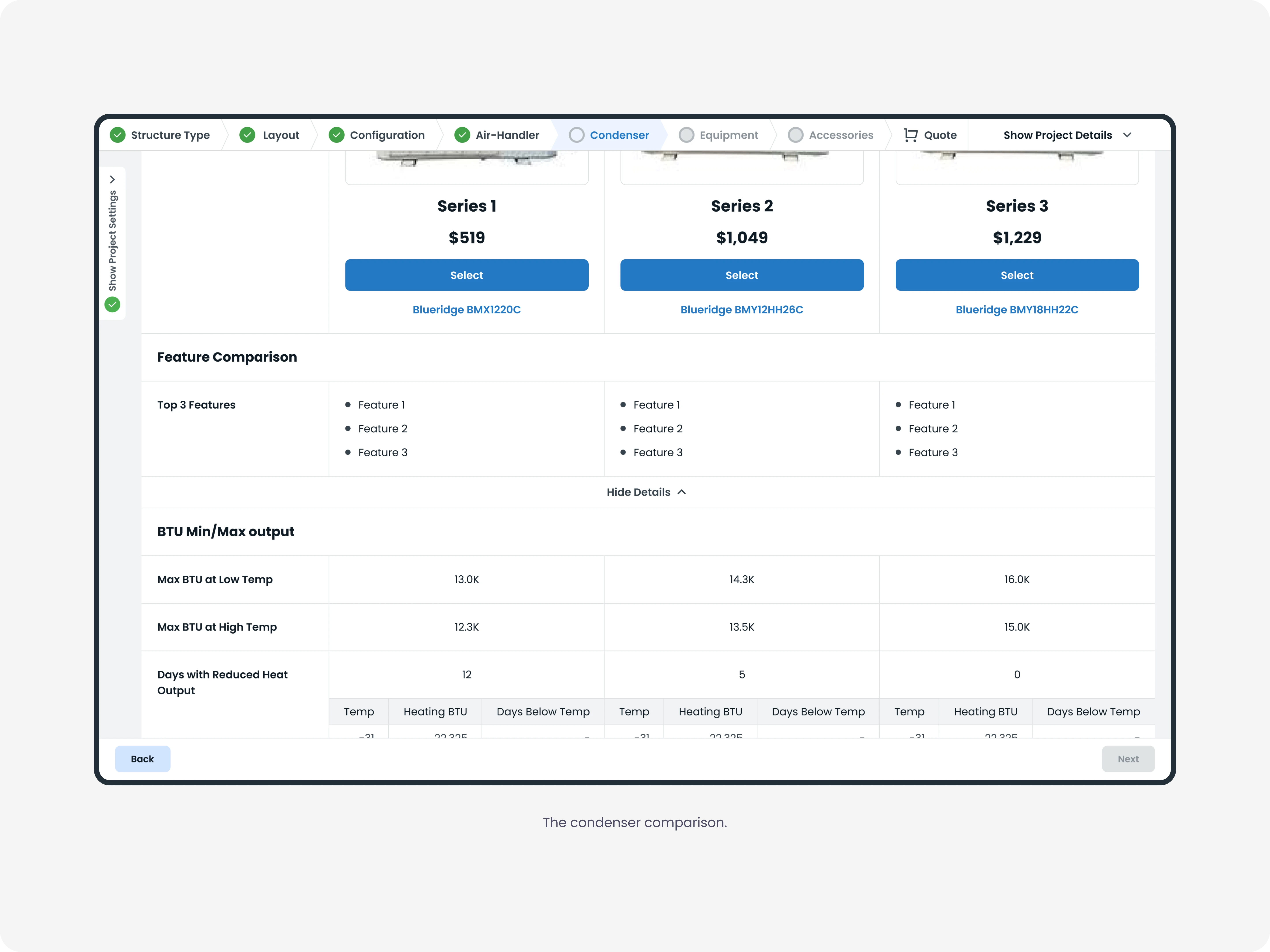
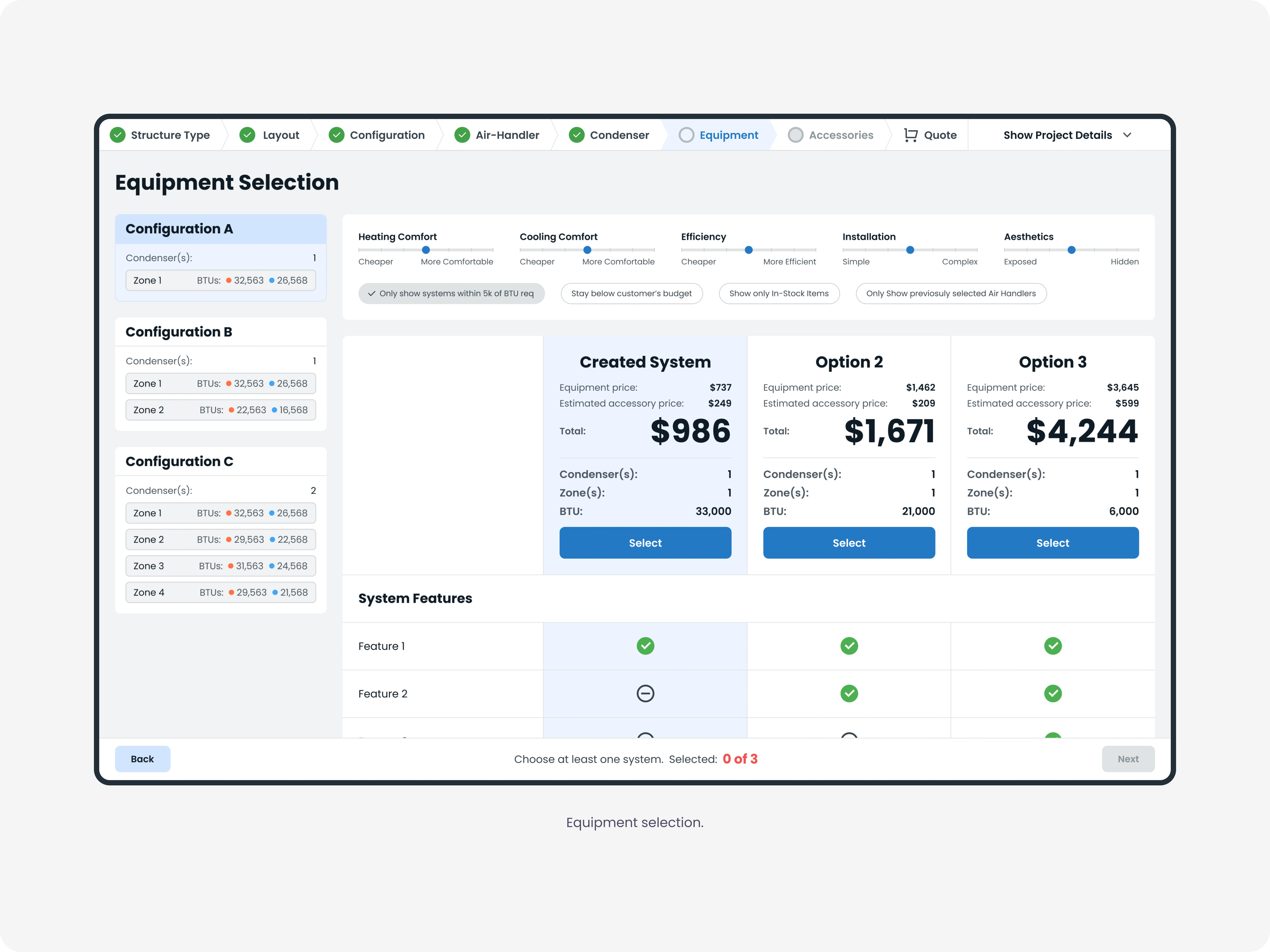
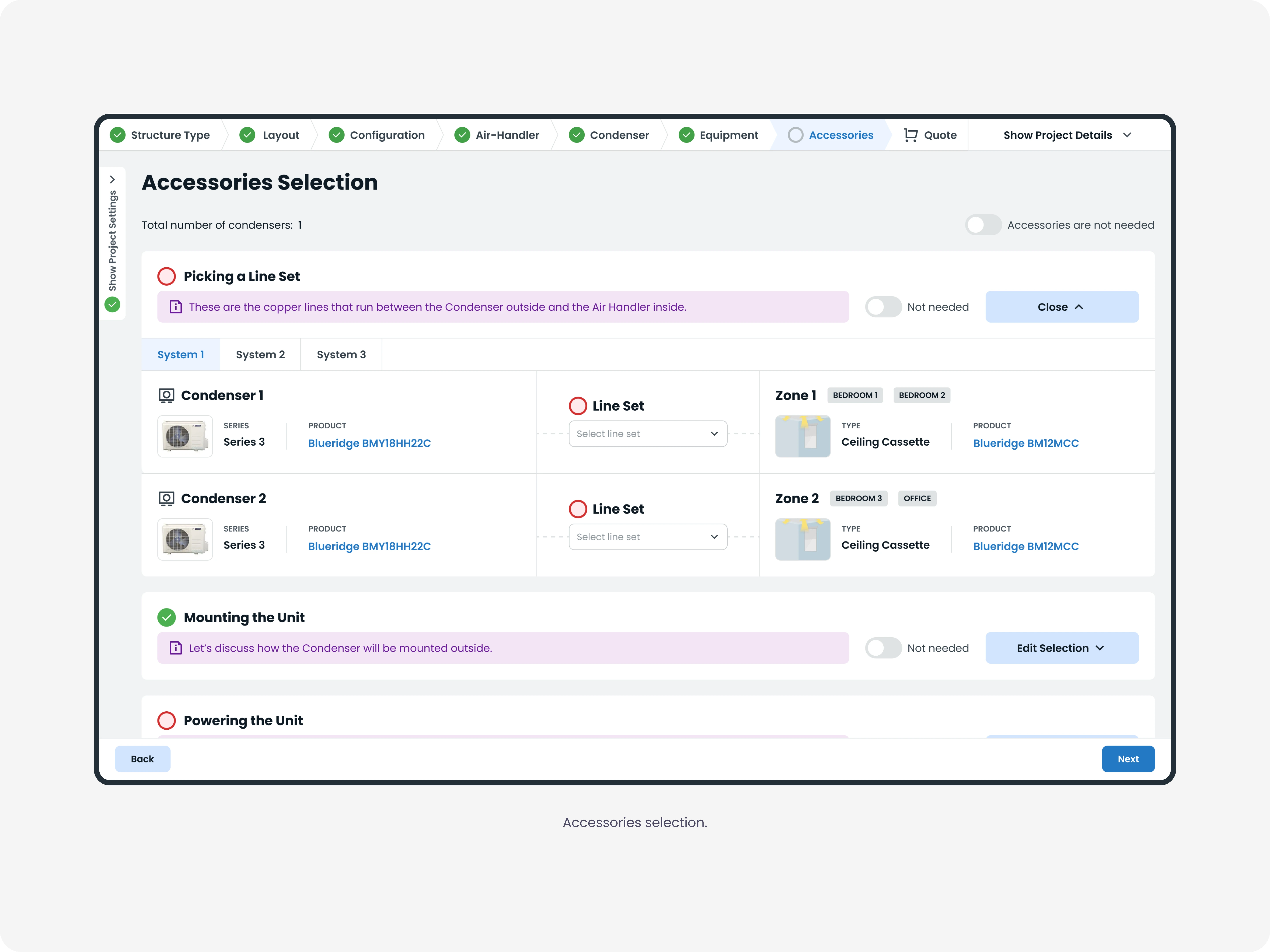
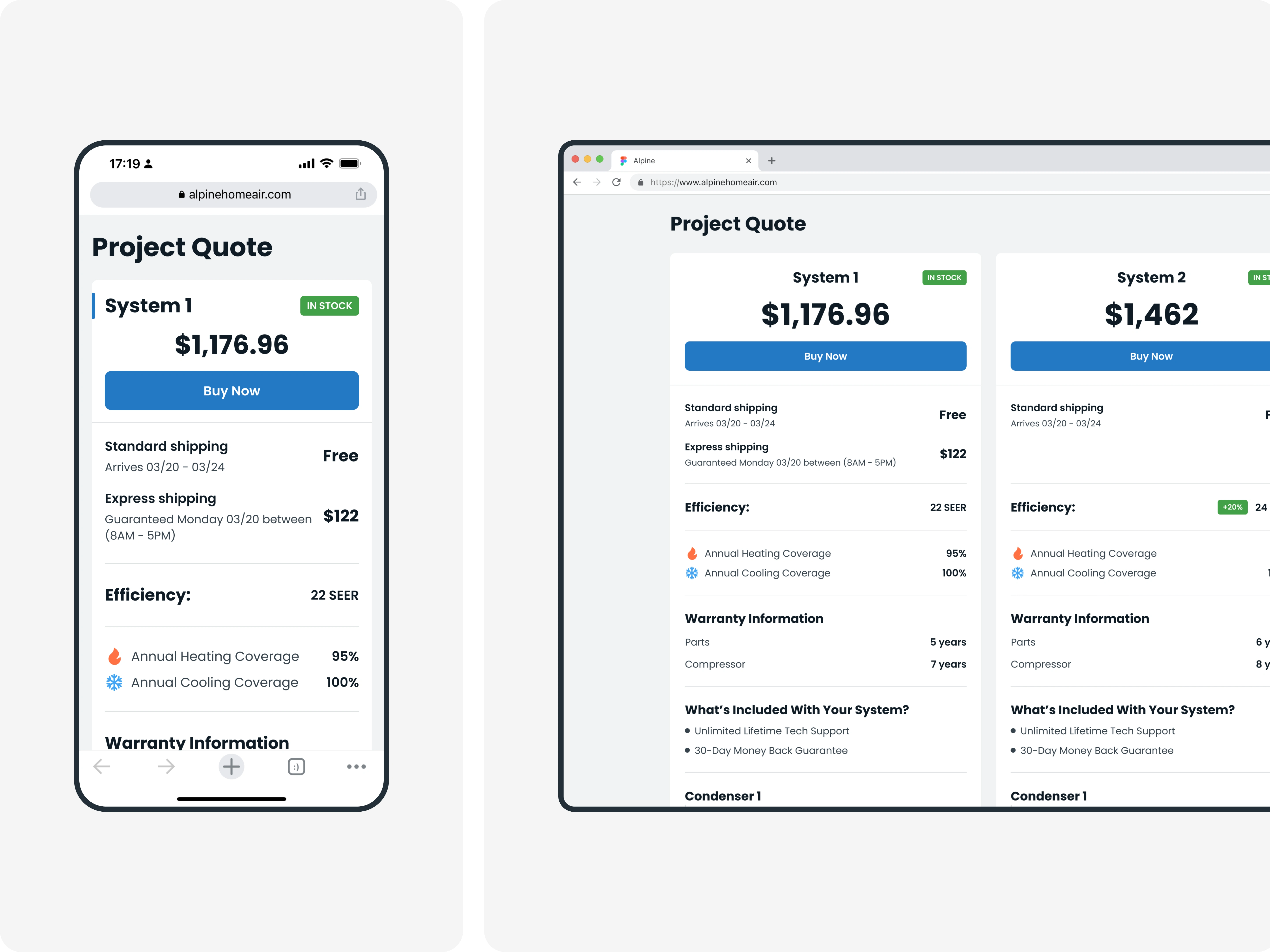
What the call produces. The consultant sends the customer a quote with the systems they selected, each priced and specified.
How We Validated
Sales consultants reviewed the screens in Figma and tested a clickable prototype of the floor planner. David and the founders reviewed the work as it desined.
The tool wasn’t live while I was on the project. Everything I know about it comes from the people who would use it, not from watching them use it.
Outcomes
System Selector progressed from rough wireframes to a complete, buildable design that entered development.
What I can point to is what the work led to. The two months on System Selector became more than a year with Alpine.
David Engell, who ran the project as Director of Operations, put it this way:

Reflection
1. The floor planner solved the call, not the house.
The spatial grid was the right call for a live conversation. But it has a real cost. A consultant can’t see both floors at once, and the relationships that drive system sizing, what shares a wall, what sits above what, are stored inside each space instead of shown on the map. The consultant records them but can't see how they connect. Next time, I would push for a view that shows floors stacked, side by side, or in 3D, so the spatial relationships are visible, not just stored.
2. Watch the work before you structure it.
The IA didn’t come from the wireframes. It came from listening to recorded calls and hearing how a real one moves. The structure was already in the calls. I just had to listen for it. I would not have found the same eight steps by studying the screens Alpine handed me, because the screens showed what the tool needed to hold, not the order a call needs it in.
System Selector was the project where I learned to design a tool around a process rather than around the data the process produces. Alpine handed me the data the tool had to hold. The harder part was designing for the conversation that fills it in.
Like this project
Posted May 27, 2026
Designed an HVAC sales tool that consultants run during live calls. Restructured a 4-tab catalog into an 8-step flow built around the conversation.
Likes
0
Views
4
Timeline
Jan 25, 2023 - Mar 5, 2024
Clients
Alpine Home Air