WebWarden | WordPress Security Monitoring and Malware Removal

Saim Akbar


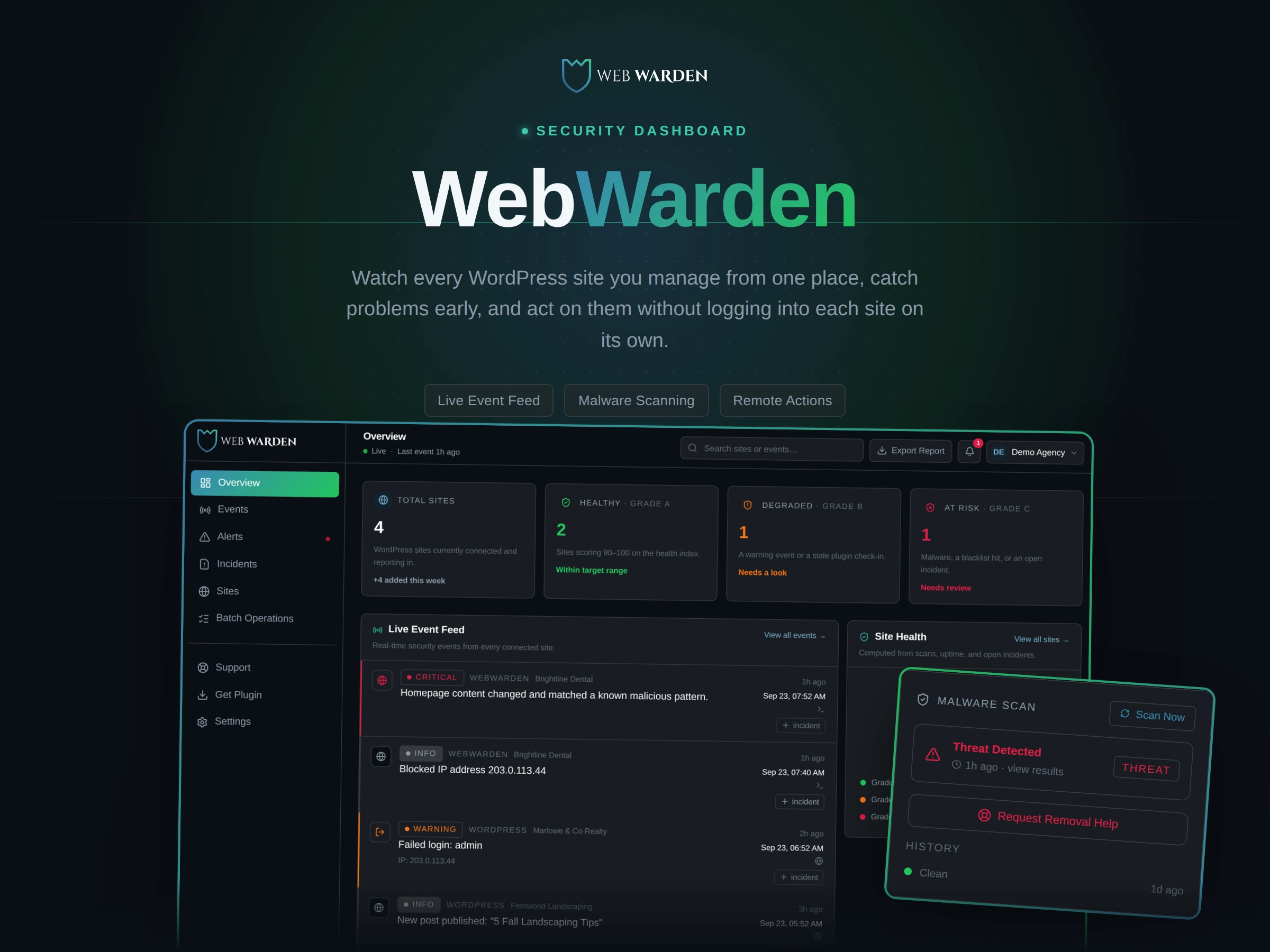
Building WebWarden: A WordPress Security Dashboard for Agencies
A solo build. Product decisions, system architecture, and a handful of engineering problems that turned out to be a lot harder than they looked at first.
At a Glance
Role: I handled everything myself. Product decisions, system design, the server side, the part people see and click on, the WordPress plugin, security work, and the billing setup.
Stack: Next.js and TypeScript for the dashboard, PostgreSQL for the database, a companion WordPress plugin written in PHP, and Freemius for subscription billing.
What it is: a dashboard that lets a WordPress agency watch every client site's security from one place, instead of logging into each site separately.
The Problem
Anyone who manages WordPress sites for other people runs into the same scattered setup. A security plugin on each site. A separate login for each site. No single view of which of your twenty client sites actually needs attention today. The real cost isn't any one incident. It's that nothing surfaces a problem until somebody happens to go looking for it.
I set myself a simple goal. Build one place where I could see every managed site's security in real time, and actually act on a problem, like removing a bad post or blocking a user, without ever leaving that one place to log into a client's site directly.
The Approach
The system is really two separate programs with a deliberately uneven split of work. A small WordPress plugin sits on each client site and does almost nothing but watch and report: logins, failed logins, file changes, plugin updates, a snapshot of what the homepage currently looks like. All the actual thinking, whether something counts as serious, whether a page looks infected, what a health score should read, happens in the dashboard, in one place.
That split was on purpose. The list of patterns used to spot malicious code exists in exactly one place, used by every kind of scan the dashboard runs. There's no separate copy living in the plugin slowly drifting out of sync with the one in the dashboard over time. The plugin just sends along what it sees. The dashboard decides what it means.
Every customer's data stays separate by design, not by accident. Every single database lookup in the app is tied to whichever account is signed in, either directly or through the site that account owns. There's no path through the code that could ever show one customer's information to another, because there's no lookup that skips that check.
For the live activity feed, I skipped building any kind of always on connection and just had the page check for updates every few seconds instead. A short delay in exchange for not having to run and maintain a whole separate piece of infrastructure just to push updates instantly. A security dashboard doesn't need the same level of engineering as something like a trading platform, and I'd rather ship the simpler version that's actually finished.
Under the Hood: Four Problems That Weren't What They Looked Like
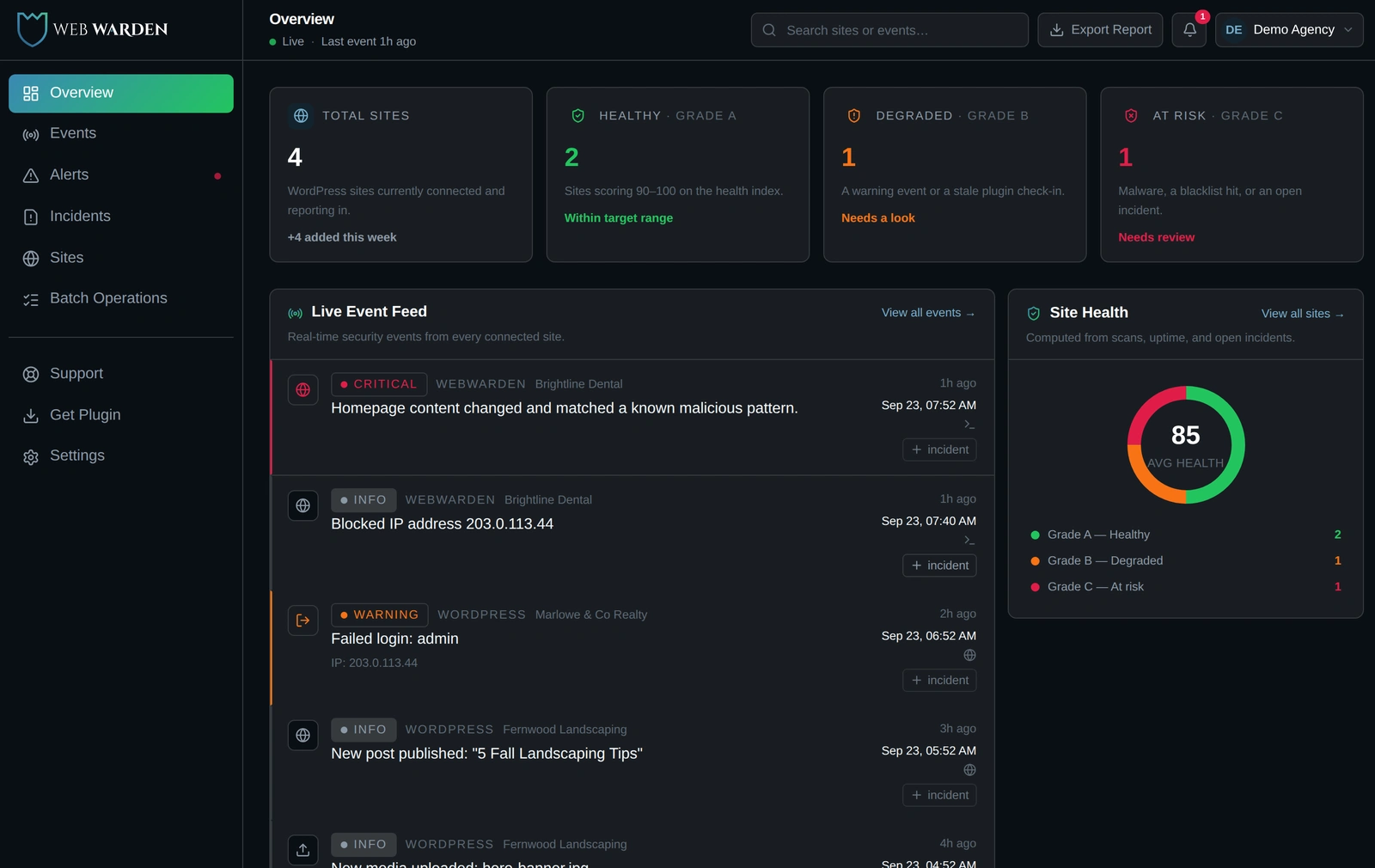
The dashboard on a normal day: a live event feed on the left, and an average health score pulled together from every connected site on the right.
1. The scanner that passed every test and still missed real infections
The first version of the malware scanner worked the way most people would build one. Look through every plugin and theme file on the site, compare it against a list of known bad patterns, and flag anything that matches. It worked in every test I ran. It failed on a real site.
WHAT ACTUALLY HAPPENED
One real client's site had roughly ten thousand files across all its installed plugins. To keep a single scan from running forever, I had built in a safety limit on how many files it would check. On that particular site, one large plugin used up the entire limit by itself, before the scan ever reached the rest of the plugins folder.
The scan finished normally. It reported the site as clean. In reality, most of the site was never actually looked at.
That's worse than the scan simply failing outright. A tool that quietly says everything is fine after only checking part of a site is worse than having no tool at all, because it hands you false confidence instead of an honest gap.
The fix wasn't a bigger limit. It meant changing what gets checked in the first place, from the site's files to the actual page a visitor sees when the homepage loads. A single page can only ever be so big. A folder full of plugin files has no such limit. Three separate checks feed into that now: watching what a real, ordinary visitor's browser actually receives, a manual check anyone can trigger by hand, and an automatic daily check for quiet sites that might not get many real visitors between checks. All three compare against the same saved snapshot, so they can never disagree with each other or report the same change twice.
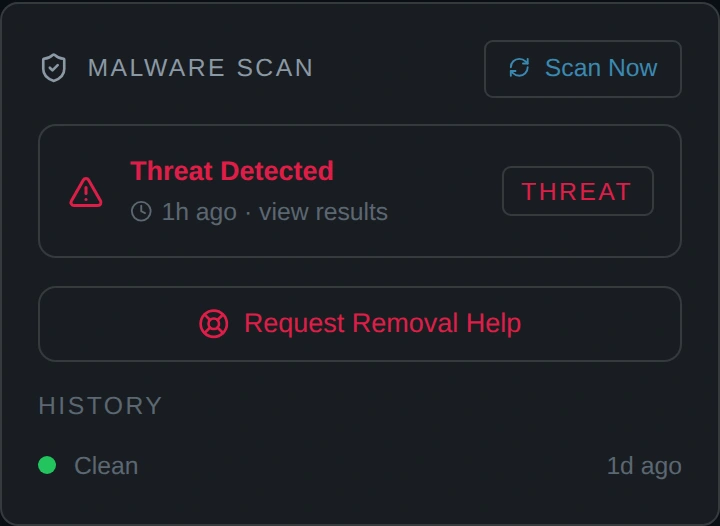
The homepage scan panel on a client site today, showing a caught threat next to a clean result from the day before.
2. A safety check that was correct, until an address got written a way I hadn't planned
for Whenever the dashboard reaches out to a managed site, checking for plugin updates, sending a remote command, it first checks that the address it's contacting isn't secretly pointing somewhere it shouldn't, like an internal machine or a private network. That's a standard safeguard for any tool that visits addresses on a user's behalf, and it worked fine for the ordinary way people write those addresses.
WHAT ACTUALLY HAPPENED
There's more than one valid way to write the exact same internal address. My check only recognized the common one. It turned out that the tool I used to read addresses would quietly rewrite one of the less common forms into something my check no longer recognized as internal at all, before my own code ever got a look at it.
Written that particular way, an address pointing straight at the machine's own internal network could pass right through the check looking like an ordinary public website. The address wasn't actually public. It only looked public, because of how it happened to be written.
The fix stopped trying to recognize addresses by how they were written at all. Instead, it breaks any address down into its real underlying pieces first, then checks those pieces directly, so it no longer matters which way someone chose to write it. It's a small change, but it's the difference between a check that happens to work on the examples you tried and one that actually holds up no matter how the address arrives.
3. Figuring out how a plugin decides whether to check for its own updates
Forcing a real update check to run automatically, rather than waiting for WordPress's own normal schedule, sounds like it should just mean calling the right function. For plugins built on one specific, very common update checking pattern, it isn't that simple, because that pattern only turns itself on when it believes a real administrator is actively looking at the site, which normally isn't true when nobody's around to click anything.
WHAT ACTUALLY HAPPENED
I looked directly at one real, widely used plugin's own update checking code to understand why it wasn't detecting anything. Its whole check only gets set up while a different plugin is still starting itself up, before my own code has any chance to run at all. Telling WordPress to act as though an administrator were logged in, the obvious fix, turned out to be necessary but one step too late.
The deeper issue was that WordPress doesn't actually work out who's logged in until something specifically asks it to. That question normally doesn't get asked until well after the update checking plugin had already decided nobody was there and shut itself off.
The real fix was forcing WordPress to answer that question as early as possible, ahead of any other plugin getting to ask it first and get the wrong answer. I stacked two more general tricks on top of that one, making WordPress believe it's currently showing an admin screen, and telling the plugin's own update checker to ignore whatever it had already cached, so the fix would hold up for other plugins built the same way, not just the one I happened to test against.
4. A billing decision made from real numbers
The product needed a trial that still asked for a card up front. Higher intent, fewer people who sign up and vanish, and a way to filter for people who would actually use the tool, since running security scans has a real cost behind every active account. Rather than assume that was the right call, I looked at real numbers on how trials actually convert before committing to it. Trials that ask for a card convert far better from trial into paying customer than trials that don't, even though fewer people sign up for them in the first place.
The less obvious decision followed from that first one. Once a card is required either way, having a separate pay right now button next to the trial button stops being a real choice. The effort is identical either way, so nobody reasonably picks paying immediately over trying it free for a week first. I cut it down to one button instead of shipping a second option that would only ever take signups away from the trial.
What's Live
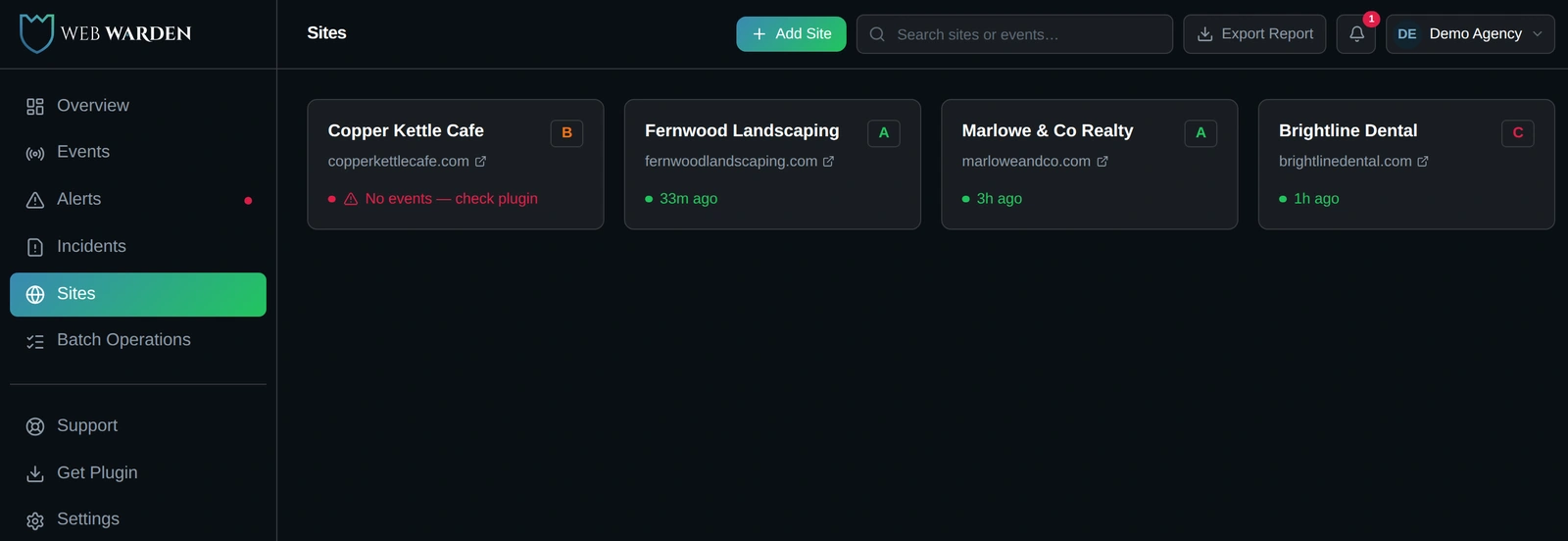
Every managed site gets its own letter grade, built from the same scoring the overview page averages together.
A live security feed for every site you manage, along with a health score calculated entirely from information the dashboard already has on hand.
Homepage malware scanning that runs three different ways, automatically on real visits, on demand when you ask for it, and on a daily schedule, all sharing the same detection logic and the same saved snapshot.
Remote actions right from the dashboard: trash or restore a post, block a user or the address attacking the site, push out plugin and theme updates. No need to log into each site separately.
Two factor login, one time codes that can't be reused even if someone intercepts one, and account lockouts after repeated failed attempts, built so a locked account and a simply wrong password look exactly the same to anyone watching from outside.
Subscription billing through Freemius, including a real seven day free trial and the ability to cancel it yourself.
The ability to run the same action across your whole list of sites at once, like adding sites, pushing updates, or running scans, with progress tracking that survives a restart without losing whatever already finished.
Lessons
A clean result from a security check is only as trustworthy as what happens when it fails. My scanner didn't fail loudly. It failed quietly, by running into an invisible limit and reporting success anyway. Fixing it wasn't really about catching more bad code in the abstract. It was about making sure a failure actually looks like a failure instead of a pass.
The hard part of connecting to someone else's system is almost never writing the code that connects to it. It's figuring out how that other system actually behaves in practice, not just what its documentation claims it does. How a plugin really decides to check for updates. What information a billing company's automated notification actually contains versus what they say it contains. That's where the real time goes, and it's also where you end up actually understanding the system you built.
WebWarden is live and in production today.
Like this project
Posted Sep 23, 2026
Monitor every WordPress site from one dashboard. Catch malware fast, fix issues in one click, and get malware removal and hardening included with WebWarden.
Likes
0
Views
4
Timeline
Apr 5, 2026 - Sep 5, 2026