Voicer Mobile App UI Design

Stanislav Kotlyarenko


Voicer: Mobile App UI for a Voice Recording Tool
Project Overview
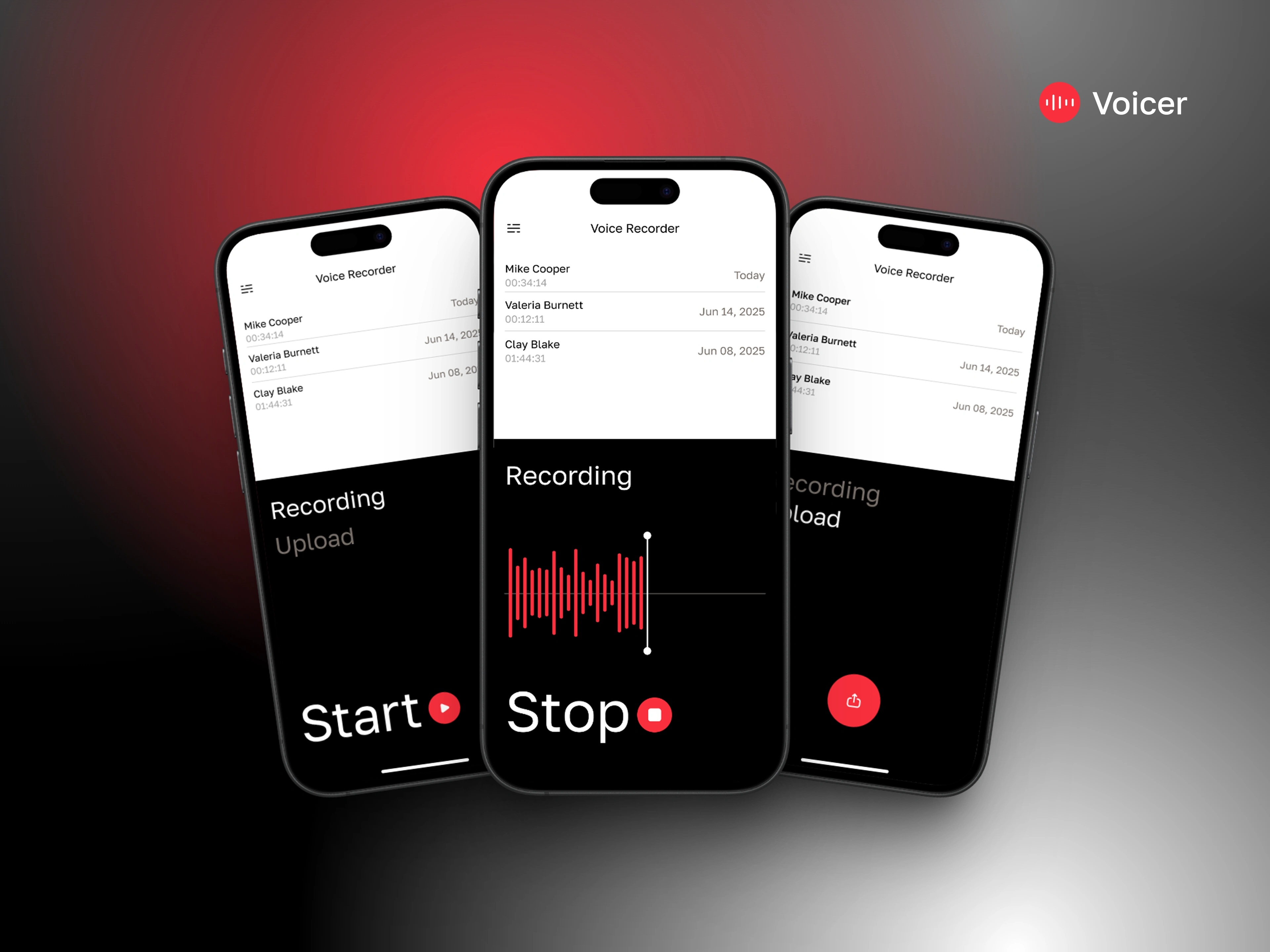
Voicer is a mobile voice recording app designed for quick, clean, and distraction-free audio capture. I was hired to design the entire user interface from scratch, with a focus on simplicity, accessibility, and a modern aesthetic. The client needed an intuitive flow that would work seamlessly across iOS devices, keeping the interface light yet functional.
Tools Used
To bring Voicer to life, I used a streamlined design workflow:
✅ Figma – for wireframing, high-fidelity design, and prototyping
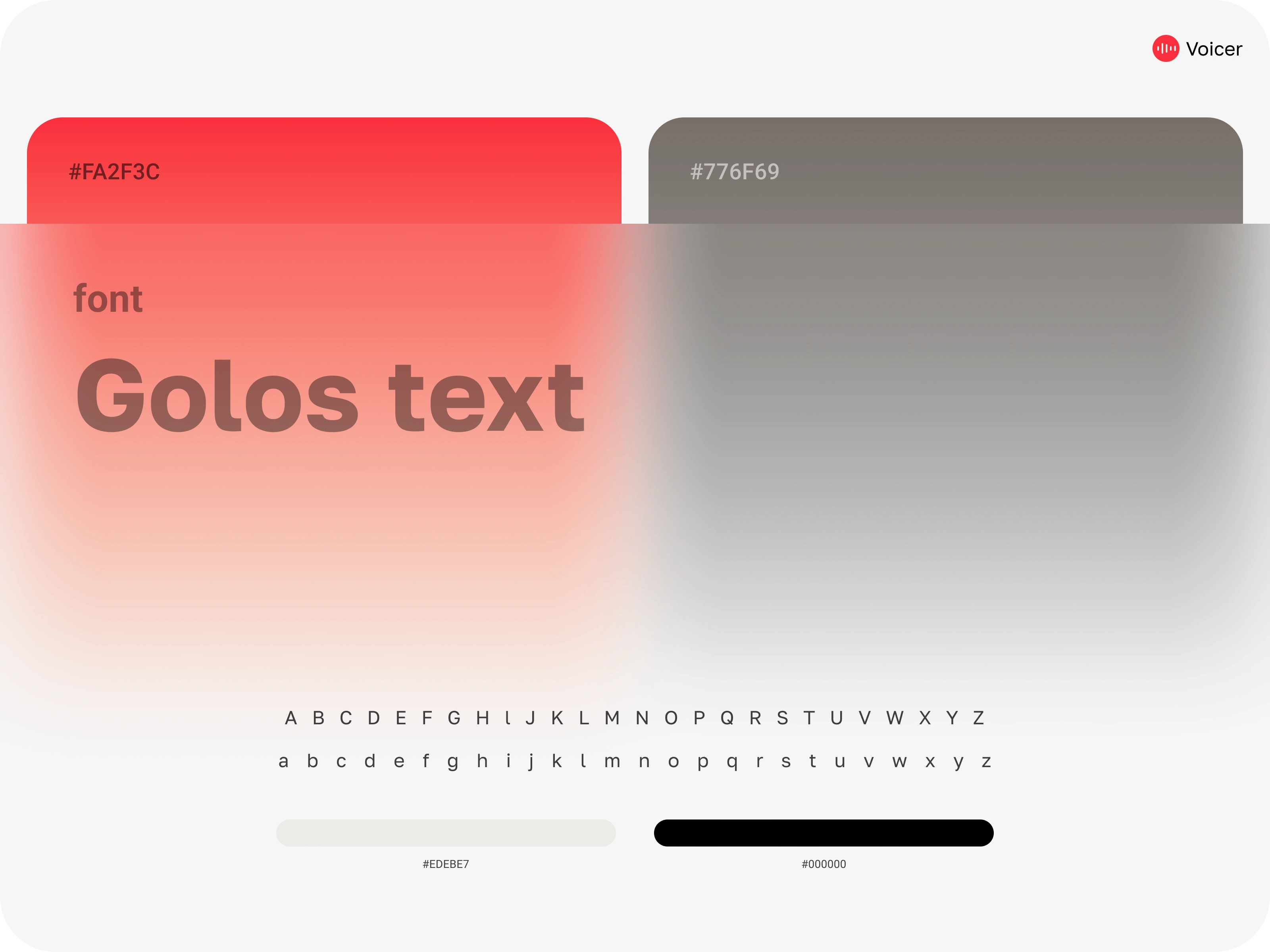
✅ Google Fonts – primary typeface: Golos Text, chosen for its clarity and modern feel
✅ Coolors – for defining a minimal palette of black, white, and red accents
✅ Mockups – to present realistic device previews for stakeholder review
The Process
Step 1: Brief & Discovery
The client needed a lightweight voice recording tool with simple screens and a luxury-like presentation. The primary goal was to avoid clutter and focus the user’s attention on recording and playback. I explored similar apps and pulled inspiration from high-end UI patterns with strong contrast and clean spacing.
Step 2: Wireframes & Structure
I built low-fidelity wireframes in Figma to define:
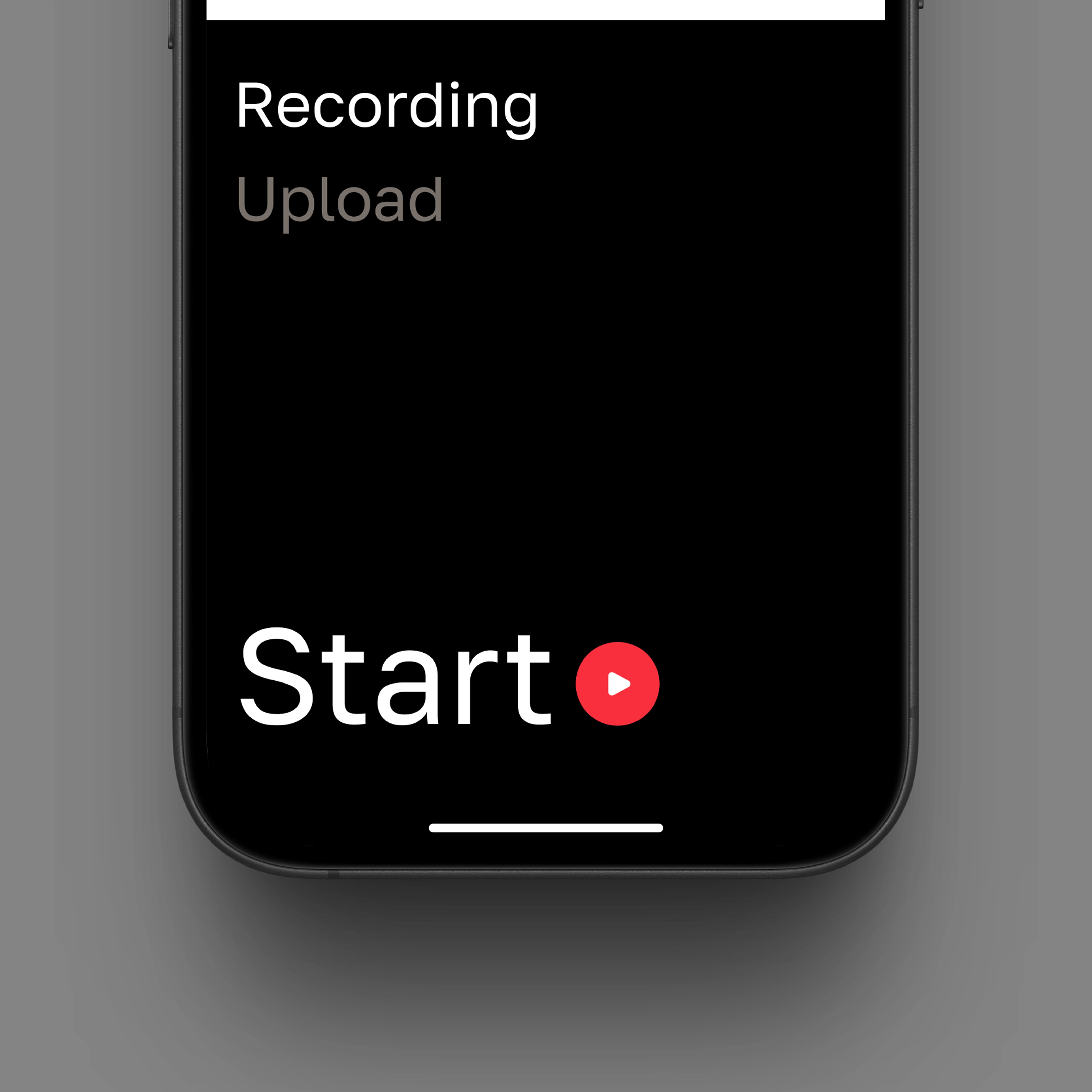
Recording Flow – tap-to-start/tap-to-stop with real-time waveform feedback
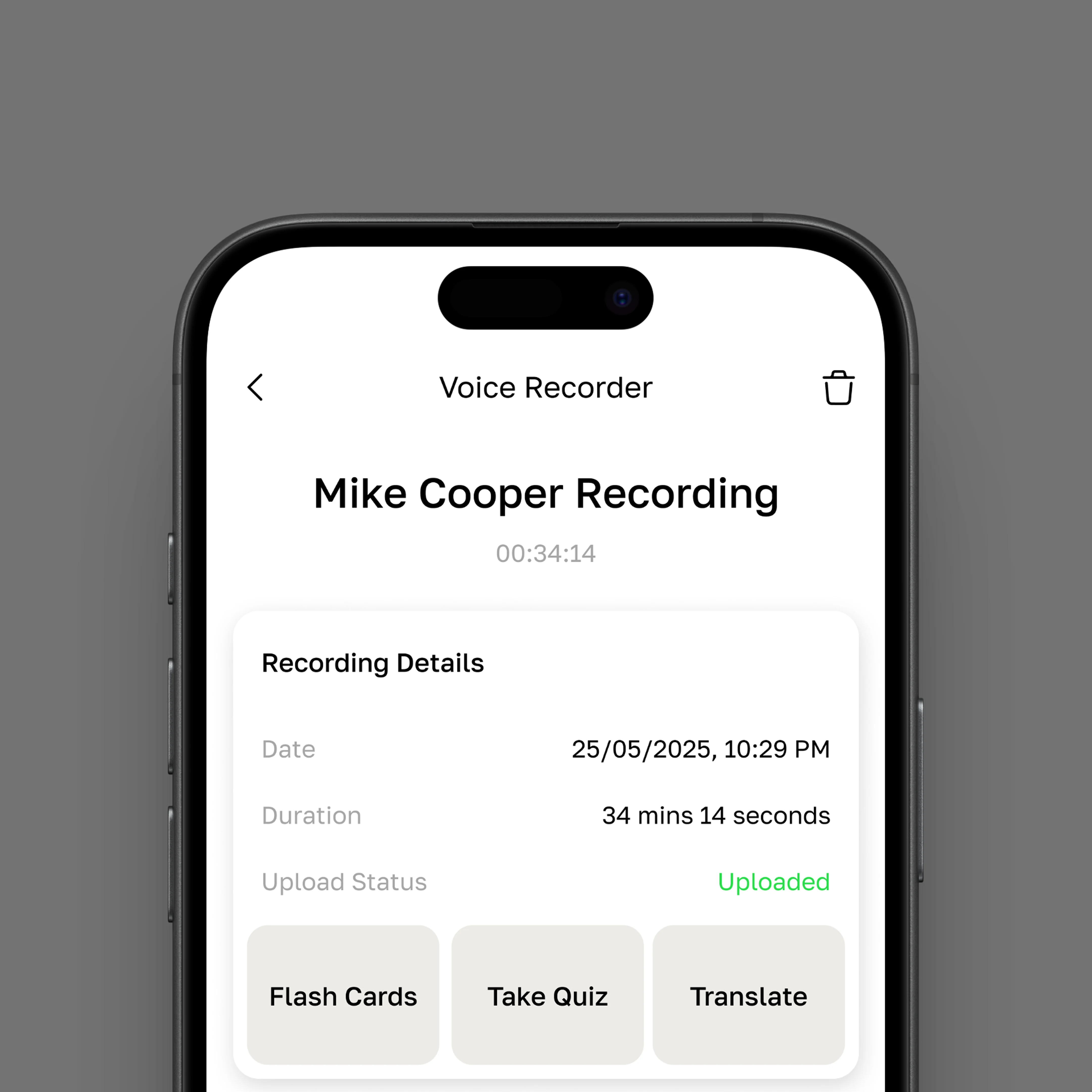
File Management – list of saved recordings with options to translate, flashcard, or take notes
Upload Status – indicators for cloud sync with simple states like "Uploaded" or "Pending"
Step 3: Visual Design
The client wanted a slightly premium feel, so I focused on high contrast UI with a black-and-white base, soft gradients, and a bold red for interactive elements. The clean spacing and use of Golos Text gave the design a modern and polished tone without overcomplicating the interface.
Step 4: Handoff & Final Screens
I prepared a well-organized Figma file for development, including all screens, components, and states. Exported assets and typography specs were delivered as part of the final handoff package.
Challenges
Minimal UI Without Losing Functionality: I had to keep screens simple without stripping down too much.
Microstates & Feedback: Designing feedback moments like "Uploading" or "Recording" without overwhelming animations.
Premium Feel on a Budget: Creating a polished experience under a $600 budget meant careful decisions on styling and layout.
Solutions
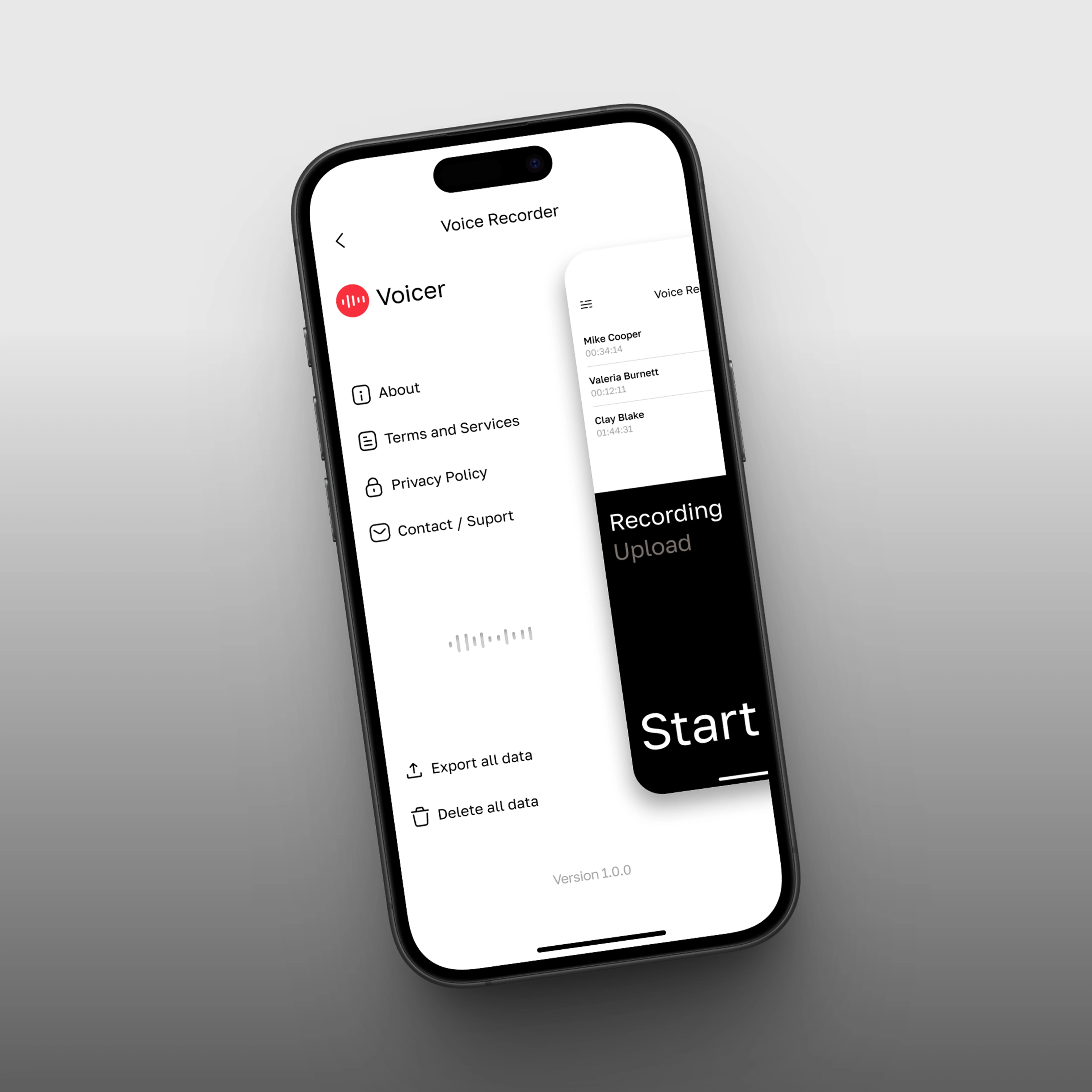
Used subtle gradients and shadows to add depth without clutter.
Designed interactive elements like the record button and waveform with micro-motion in mind.
Created a scalable design system in Figma for future screens and possible Android version.
Final Thoughts
Voicer is a solid example of how clean design can feel high-end even with minimal elements. It was a quick-turnaround paid project that allowed me to work closely with the client and deliver exactly what they needed.
Want to build something like this?
Reach out and let's bring your app to life.
Like this project
Posted Jun 11, 2025
Designed a clean, modern UI for Voicer, a mobile voice recording app.
Likes
0
Views
12
Timeline
May 26, 2025 - Jun 8, 2025