AI-Powered Nutrition Tracking

Adekeabasi Charles (UI/UX)


DietSnap
Transforming meal tracking into a faster, smarter, and more personalized experience.
Overview
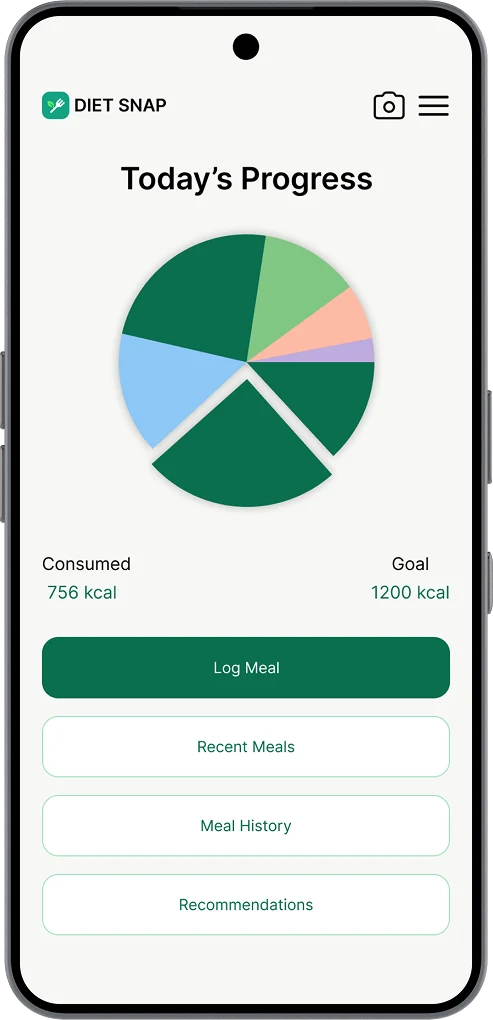
DietSnap is a mobile diet management application that uses food image recognition to simplify meal tracking and nutrition monitoring. Instead of manually searching for meals and entering nutritional information, users can simply take a photo of their food and let the system identify it automatically.
The project was created to explore how artificial intelligence and intuitive user experience design can work together to make healthy eating more accessible, convenient, and engaging.
Roles and Responsibilities
Roles
1. UX Designer
2. UI Designer
Responsibilities
1. User research and analysis
2. Information Architecture
3. User Flow Design
4. Wireframing
5. High-Fidelity UI Design
6. Design System Creation
7. Interaction Design
8. Prototype Planning
Problem Statement
Many calorie-tracking and nutrition apps require users to manually search for foods and enter nutritional information, making meal logging time-consuming and frustrating. This often leads to poor user retention and inconsistent tracking habits. The challenge was to design a solution that reduces friction during meal logging while helping users gain meaningful insights into their eating habits.
Goals
1. The project focused on achieving the following goals:
2. Simplify meal tracking through image recognition
3. Reduce the time required to log meals
4. Provide users with clear nutritional insights
5. Encourage healthy eating habits through personalized recommendations
6. Create an intuitive and visually appealing user experience
7. Improve consistency in food tracking
Process and Methodology
Research
I explored existing nutrition and fitness applications to understand common user behaviors, strengths, and pain points within the market.
Information Architecture
I organized the application's content and features into a clear structure to ensure smooth navigation and accessibility.
User Flow Mapping
I created user flows that covered the complete journey from registration and onboarding to meal logging, recommendations, insights, and support.
Wireframing
I began with hand-drawn paper wireframes to quickly explore layouts and user flows. Once the structure was refined, I translated the concepts into high-fidelity designs in Figma, focusing on usability, consistency, and visual hierarchy.
High-Fidelity Design
The wireframes were transformed into polished interfaces using a clean design system built around rounded components, soft shadows, and a modern green color palette.
Iteration
Several screens were refined to improve usability, visual consistency, and information hierarchy throughout the application.
Tools Used
1. Figma
2. ChatGPT
3. FigJam
Key Features / Solutions
Food Image Recognition
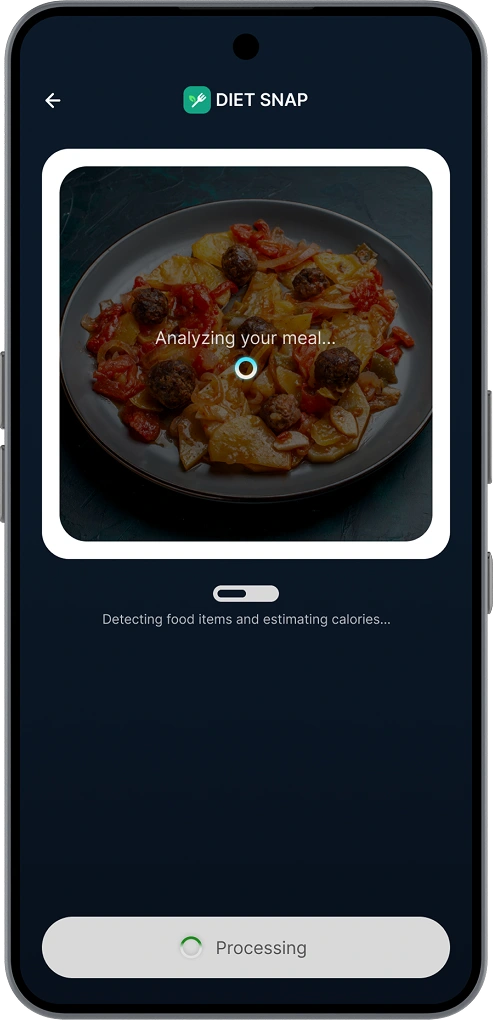
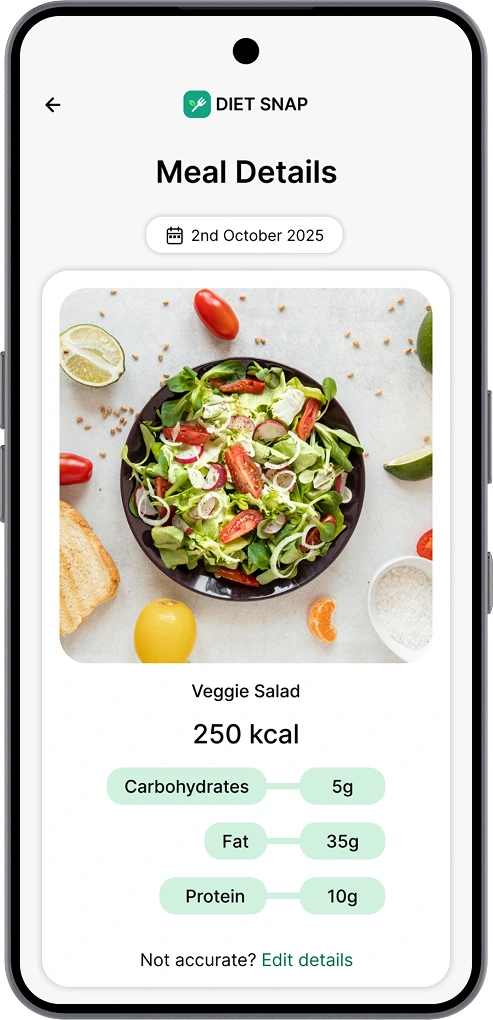
Users can capture or upload a food image, allowing the system to identify the meal and estimate nutritional information.
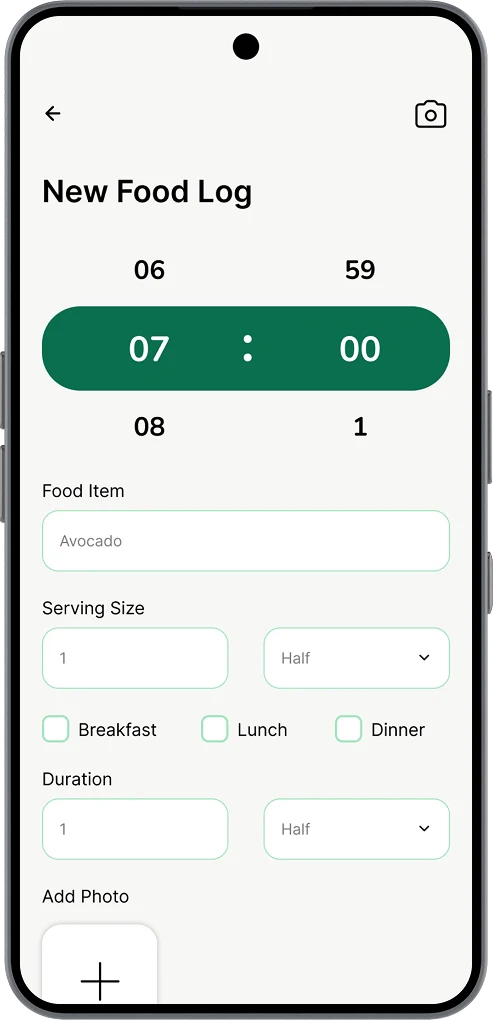
Meal Logging
A streamlined logging process that minimizes manual input while maintaining user control through editing and confirmation.
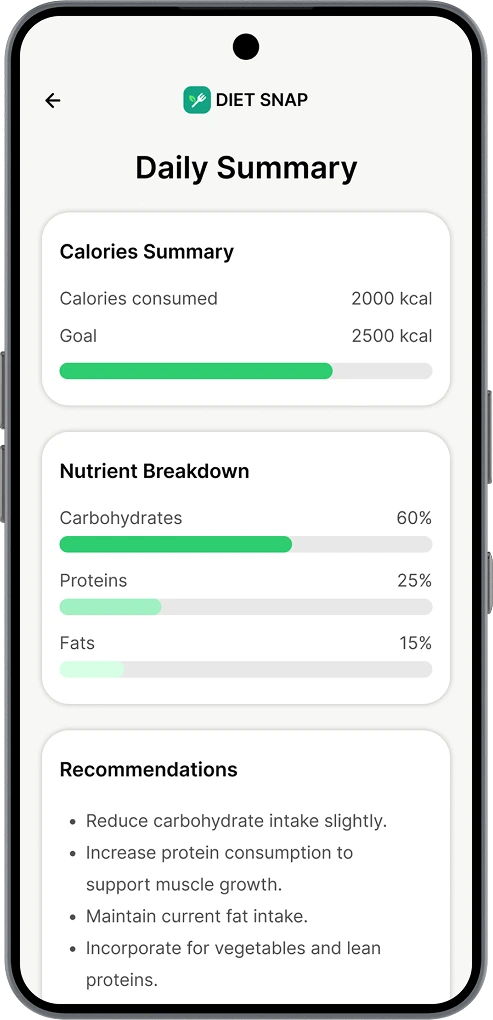
Daily Progress Tracking
Users can monitor calorie intake and nutritional progress through clear visual summaries.
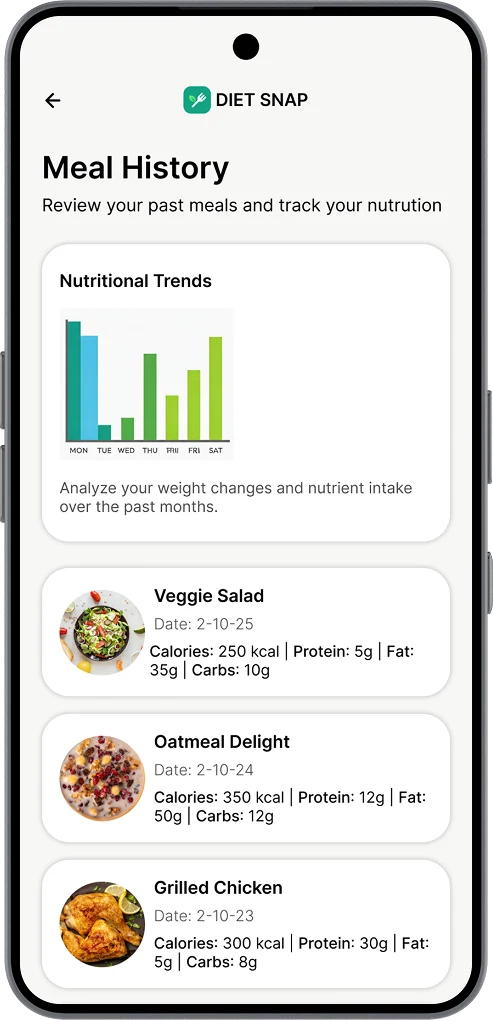
History & Insights
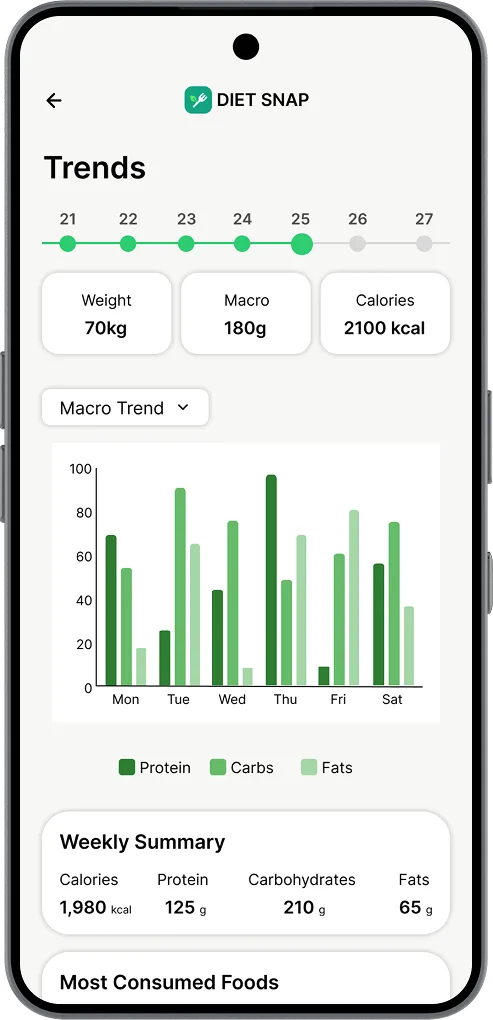
Meal history and trend analysis help users understand long-term eating patterns and nutritional habits.
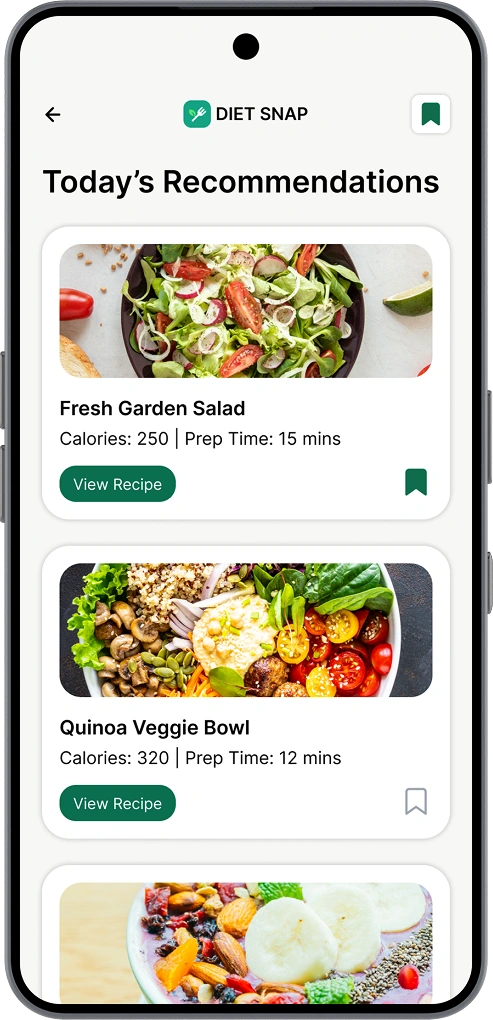
Personalized Recommendations
Suggested meals, recipes, and nutrition tips are tailored to user goals and dietary preferences.
Saved Recipes
Users can save recipes for future reference and quickly access their favorite healthy meal options.
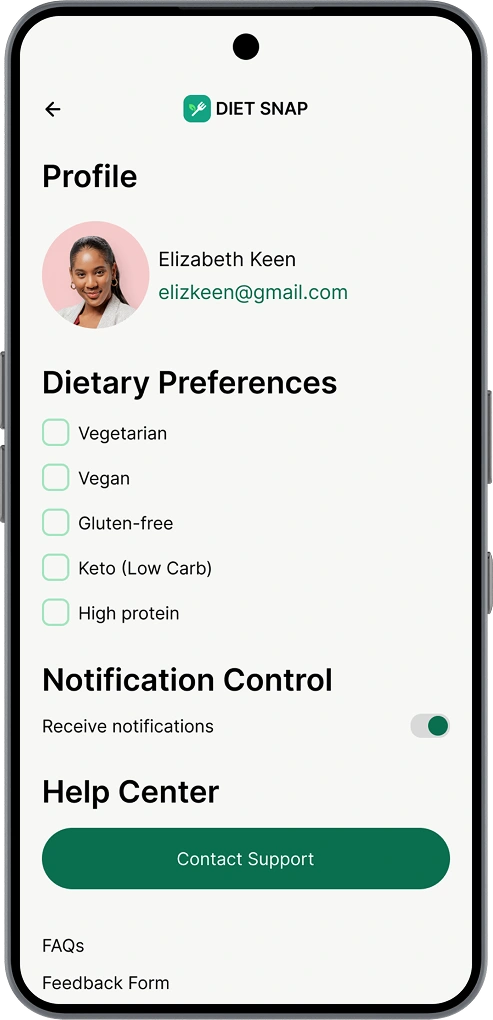
Settings & Support
Profile management, dietary preferences, notification controls, FAQs, feedback forms, and support resources are integrated into a single location.
Results
DietSnap demonstrates how food image recognition can simplify meal tracking while creating a more engaging nutrition experience.
The final solution successfully reduces the amount of manual effort required from users and provides a clear path toward healthier eating habits through data-driven insights and personalized recommendations.
Challenges and Learnings
One of the biggest challenges was balancing simplicity with functionality. The application needed to provide detailed nutritional information without overwhelming users with excessive data.
Throughout the project, I learned the importance of designing around user behavior, maintaining consistency across screens, and creating clear information hierarchies that improve usability.
Thank you
Thank you for taking the time to view this project.
DietSnap reflects my approach to solving real user problems through thoughtful UX strategy, clean visual design, and user-centered thinking. If you're looking for a designer who pays attention to both functionality and detail, I'd love to connect and discuss future opportunities.
Like this project
Posted Jun 19, 2026
DietSnap is an AI-powered meal-tracking app that helps users monitor nutrition, log meals through food image recognition, and build healthier eating habits. This case study explores the UX and UI design process behind creating a simple, intuitive, and user-centered nutrition experience.