Email Builder Dashboard UI Design

Cansaas Agency


Overview
This project explores the design of a modern Email Builder Dashboard UI created to simplify how users design, customize, and manage email templates inside a SaaS platform. The interface focuses on clarity, modular content building, and intuitive editing workflows. By combining a structured layout, reusable content blocks, and a real-time editing canvas, the dashboard allows users to build responsive marketing emails quickly without writing code.
The design prioritizes usability and visual hierarchy so both beginners and experienced marketers can create professional email layouts with minimal friction.
The Challenge
Designing an email builder interface introduces several usability challenges. Email editing tools often become complex due to the number of available settings, layout controls, and content elements. Many existing builders overwhelm users with cluttered panels, confusing navigation, and fragmented editing workflows.
The main challenge was to create an interface that keeps powerful customization options while maintaining a clean and approachable user experience. The dashboard needed to support drag-and-drop email editing, template management, layout control, and styling options without overwhelming the user.
Design Approach
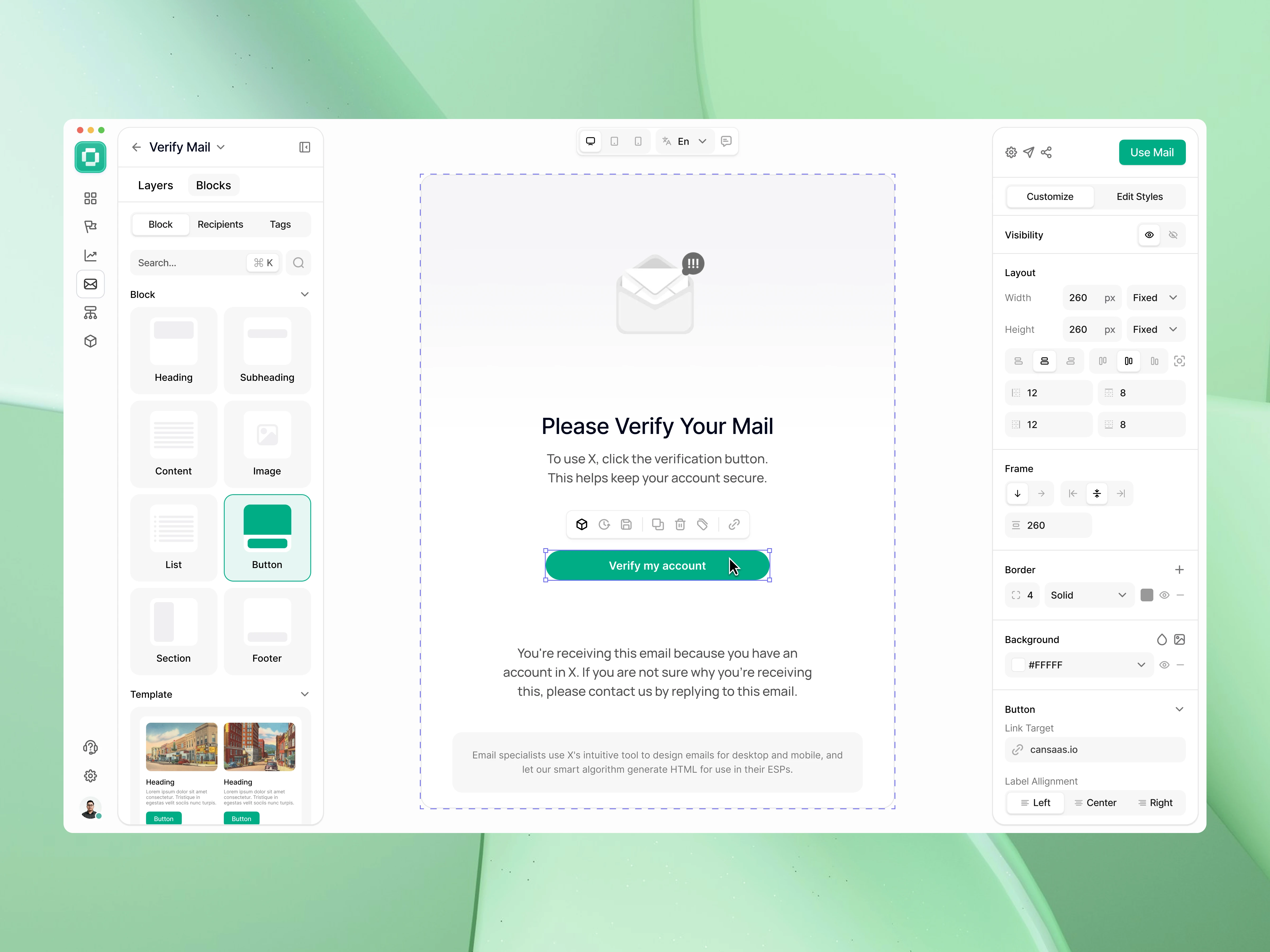
The interface is structured into three primary areas that create a smooth editing workflow:
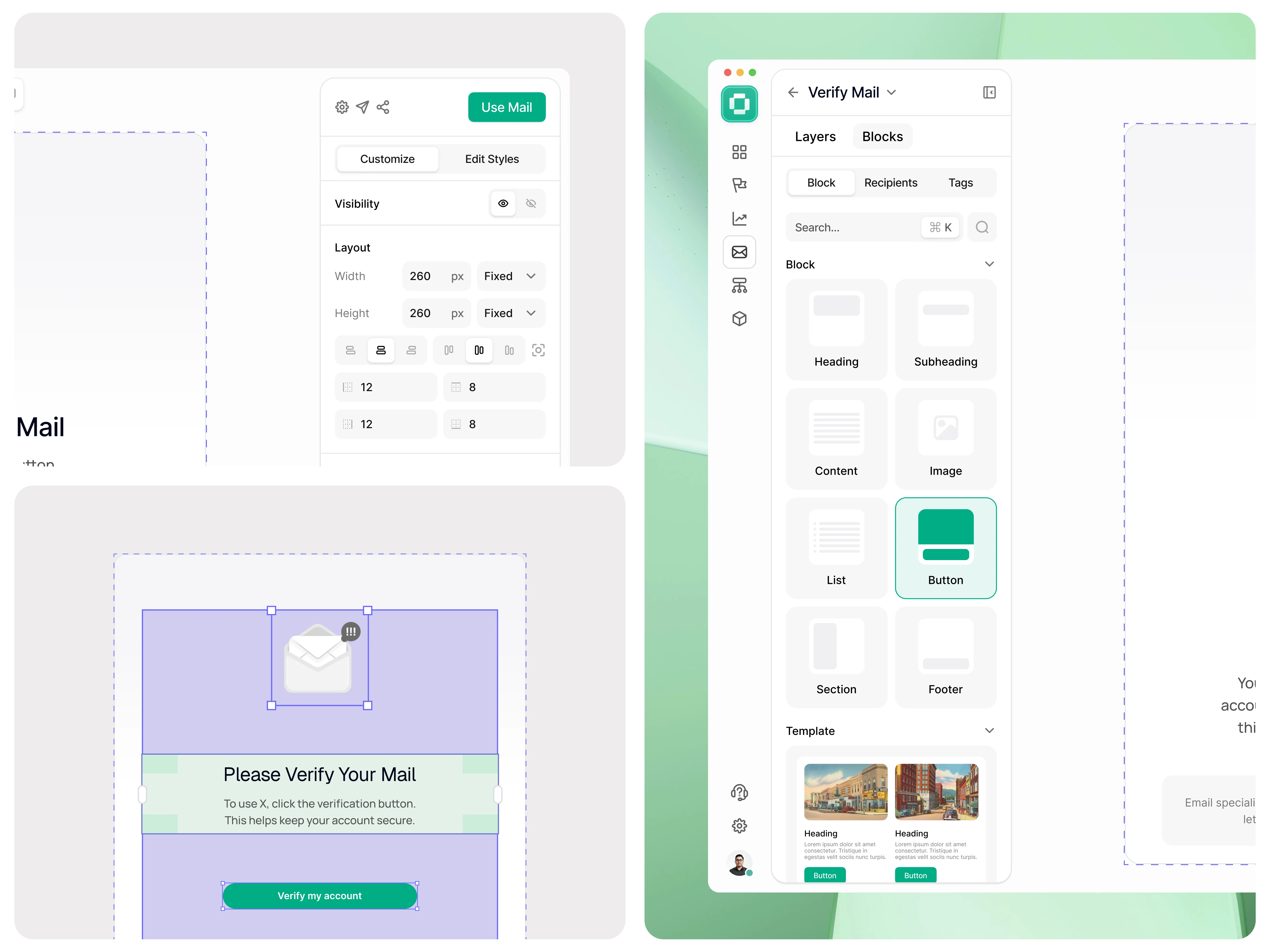
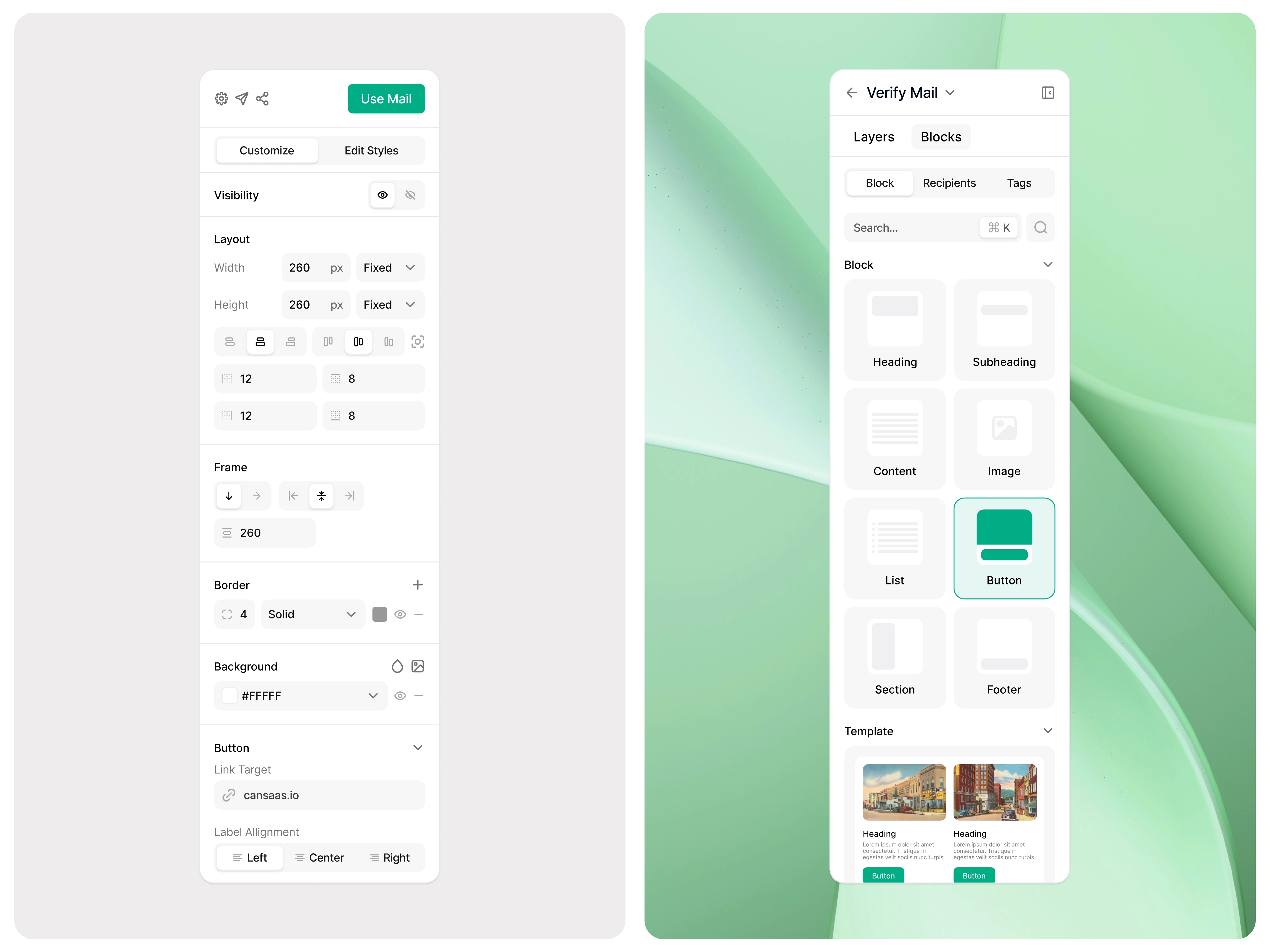
Block Library Panel (Left) – A library of reusable email components such as headings, content blocks, images, lists, buttons, sections, and footers. These blocks allow users to quickly assemble email layouts using modular elements.
Editing Canvas (Center) – A live preview area where users visually design the email template. The canvas reflects changes in real time, helping users understand how their email will appear when delivered.
Properties Panel (Right) – A contextual settings panel where users can adjust layout, spacing, borders, background styles, visibility, and link targets for selected components.
This three-panel structure creates a balanced workflow between content creation, visual editing, and customization settings.
Result
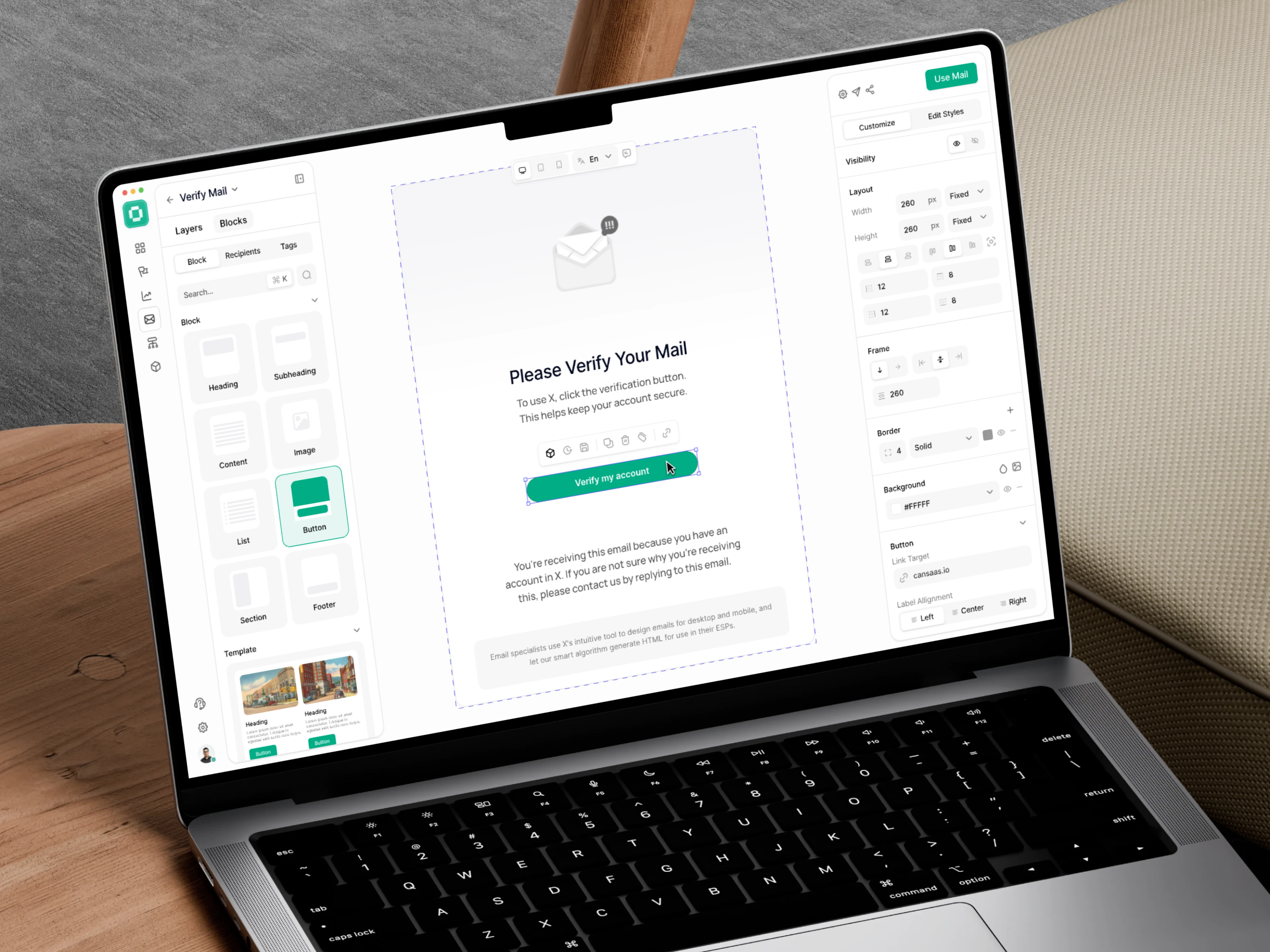
The final Email Builder Dashboard UI delivers a clean and efficient design experience that balances flexibility with simplicity. By organizing the interface into modular panels and reducing visual clutter, the dashboard allows users to focus on designing high-quality email content without distractions.
The result is a scalable SaaS email editor interface that improves usability, speeds up email creation, and provides a modern design system suitable for email marketing platforms, CRM tools, and automation software.
Like this project
Posted Mar 11, 2026
Modern SaaS Email Builder Dashboard UI with drag-and-drop editor, reusable blocks, and real-time email template customization.