Pewistery App – iOS & Android Mobile Application

Maryam Zia


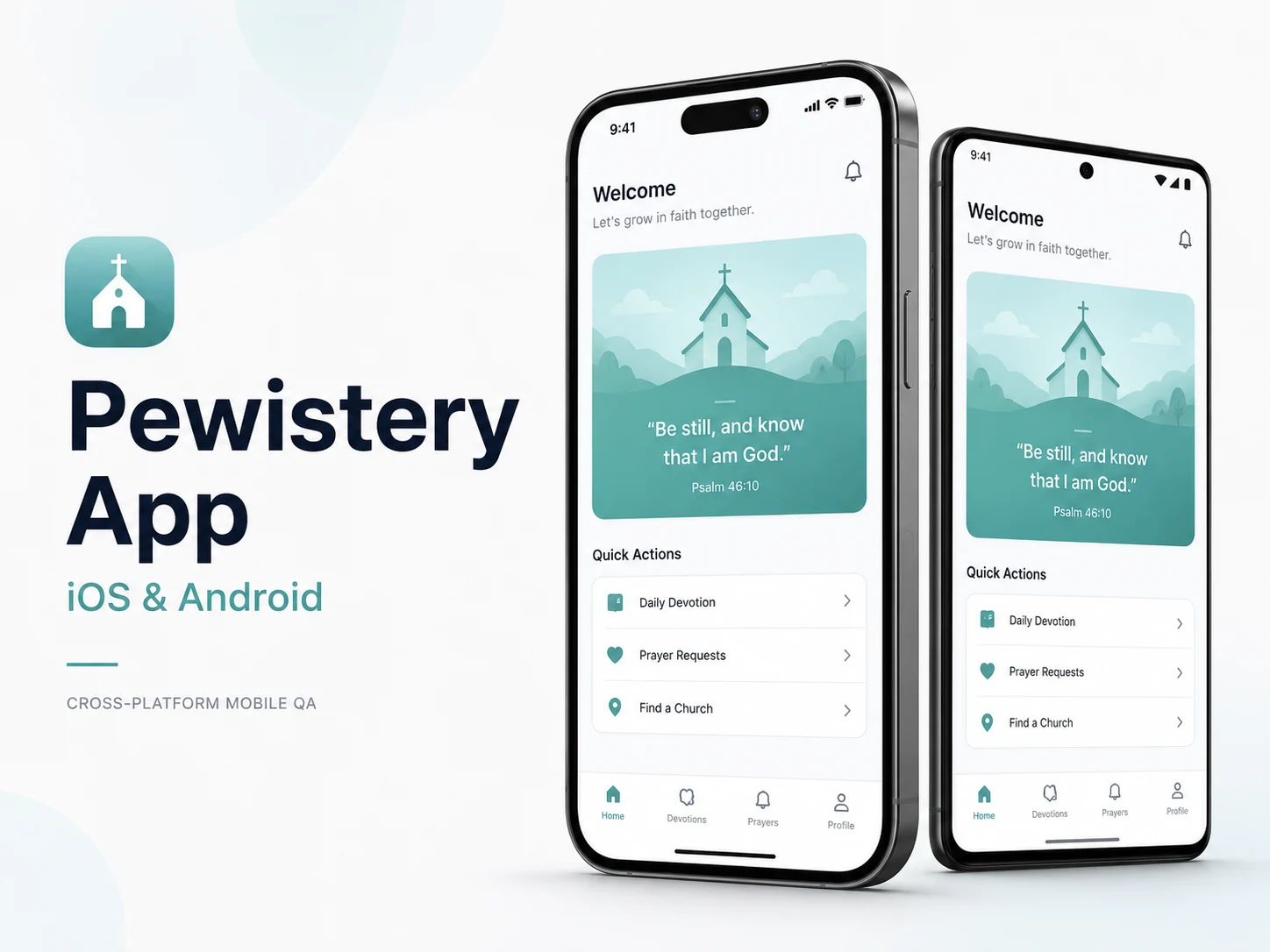
Pewistery App – iOS & Android Mobile Application
Project Overview
Pewistery is a mobile application developed for both iOS and Android users. The main QA goal was to ensure that the app delivered a consistent, smooth, and reliable experience across different devices, screen sizes, operating systems, and platform-specific behaviors.
Client Requirement
The client needed detailed mobile testing to verify that the app worked correctly on both iOS and Android. Since mobile users interact with different devices, resolutions, OS versions, gestures, and performance conditions, the app required complete cross-platform validation before release.
The main focus was to identify functional issues, UI inconsistencies, layout problems, navigation defects, and platform-specific bugs that could affect the user experience.
My Role
I worked as a Mobile QA Engineer, responsible for testing the application across iOS and Android devices. My role included validating user flows, checking UI consistency, testing core app features, reporting defects, and executing regression testing after new builds and updates.
I also worked closely with developers and designers to ensure that the final application matched the expected design standards and performed reliably across supported devices.
Work Completed
I performed comprehensive cross-platform testing on both iOS and Android to ensure that the app’s functionality, layout, navigation, and visual behavior remained consistent across platforms.
I validated major user journeys, screen transitions, buttons, forms, menus, icons, content alignment, responsiveness, and platform-specific UI behavior. I also checked the app across multiple screen sizes and OS versions to detect compatibility issues that may not appear on a single device.
During testing, I identified and reported layout issues, UI breakpoints, inconsistent spacing, broken flows, navigation problems, visual mismatches, and platform-specific bugs. Each defect was documented clearly with steps to reproduce, actual results, expected results, screenshots, and device details where needed.
I also conducted functional testing, usability testing, compatibility testing, and regression testing after updates to ensure that new changes did not break existing features. This helped improve app stability and maintain a better user experience before release.
Key QA Activities
Tested the mobile app across both iOS and Android platforms
Validated core app features, navigation flows, and user journeys
Checked UI consistency across different devices and screen sizes
Performed functional, usability, compatibility, and regression testing
Verified visual elements against design expectations
Identified platform-specific issues on iOS and Android
Reported bugs with clear reproduction steps, screenshots, and device details
Re-tested fixed issues and verified build stability after updates
Collaborated with developers and designers to improve app quality
Ensured that updates did not affect existing app functionality
Testing Coverage
Cross-platform mobile testing
UI/UX testing
Functional testing
Regression testing
Compatibility testing
Navigation flow testing
Device and screen-size validation
Platform-specific bug validation
Visual design consistency checks
Build verification testing
Tools & Skills Used
Manual Testing, Mobile App Testing, iOS Testing, Android Testing, Cross-Platform Testing, UI/UX Testing, Functional Testing, Regression Testing, Compatibility Testing, Bug Reporting, Test Case Execution, Device-Based Testing
Result / Impact
The QA process helped improve the overall quality, consistency, and reliability of the Pewistery mobile app across iOS and Android. By identifying UI issues, functional defects, compatibility problems, and platform-specific bugs early, the team was able to deliver a more stable and user-friendly mobile experience.
Like this project
Posted Jan 5, 2026
Tested Pewistery on iOS and Android across devices, checking functionality, UI/UX, compatibility, regression, bugs, and app stability.