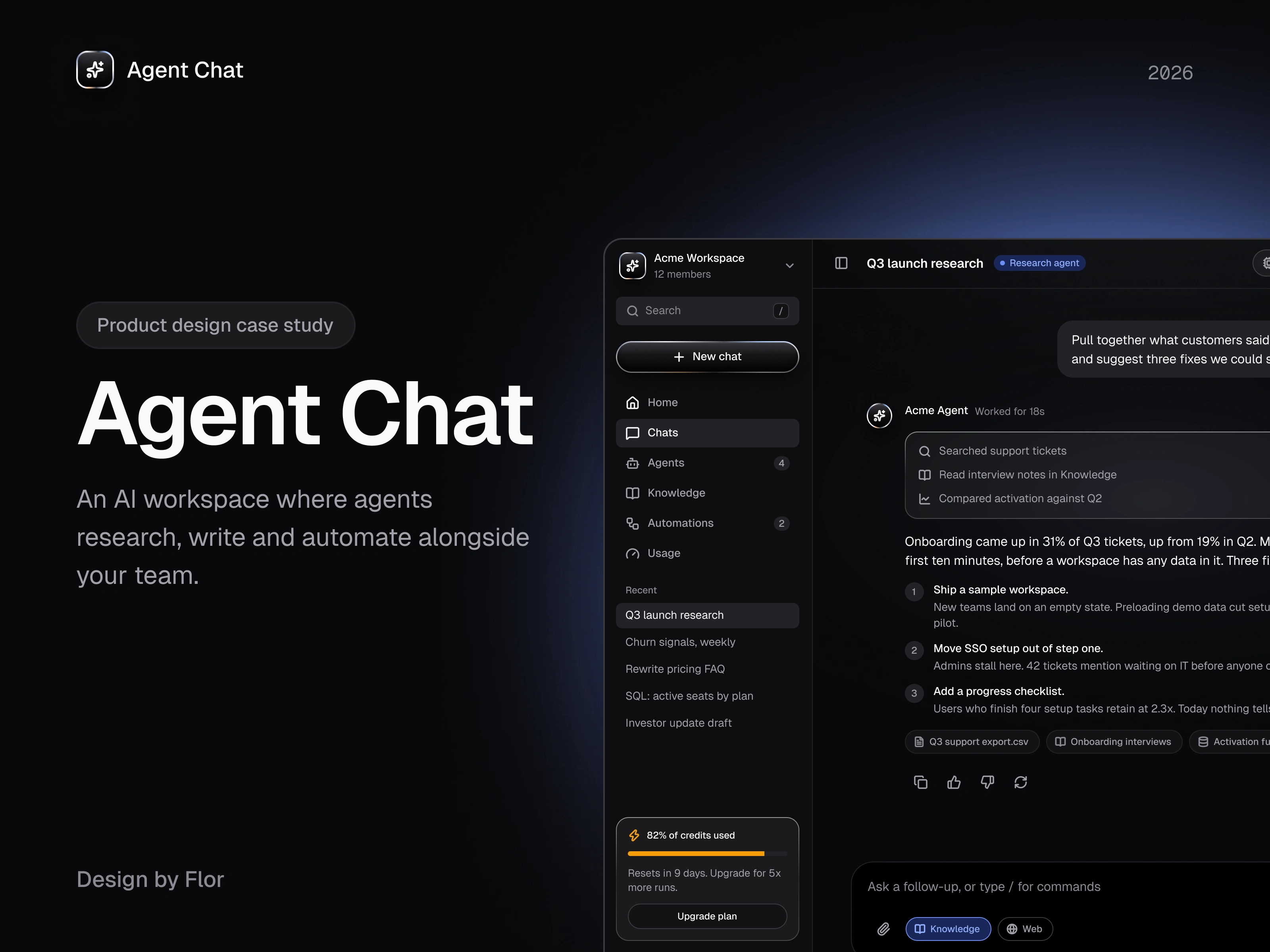
Agent Chat: an AI workspace teams can trust

Florencia Ezcurra

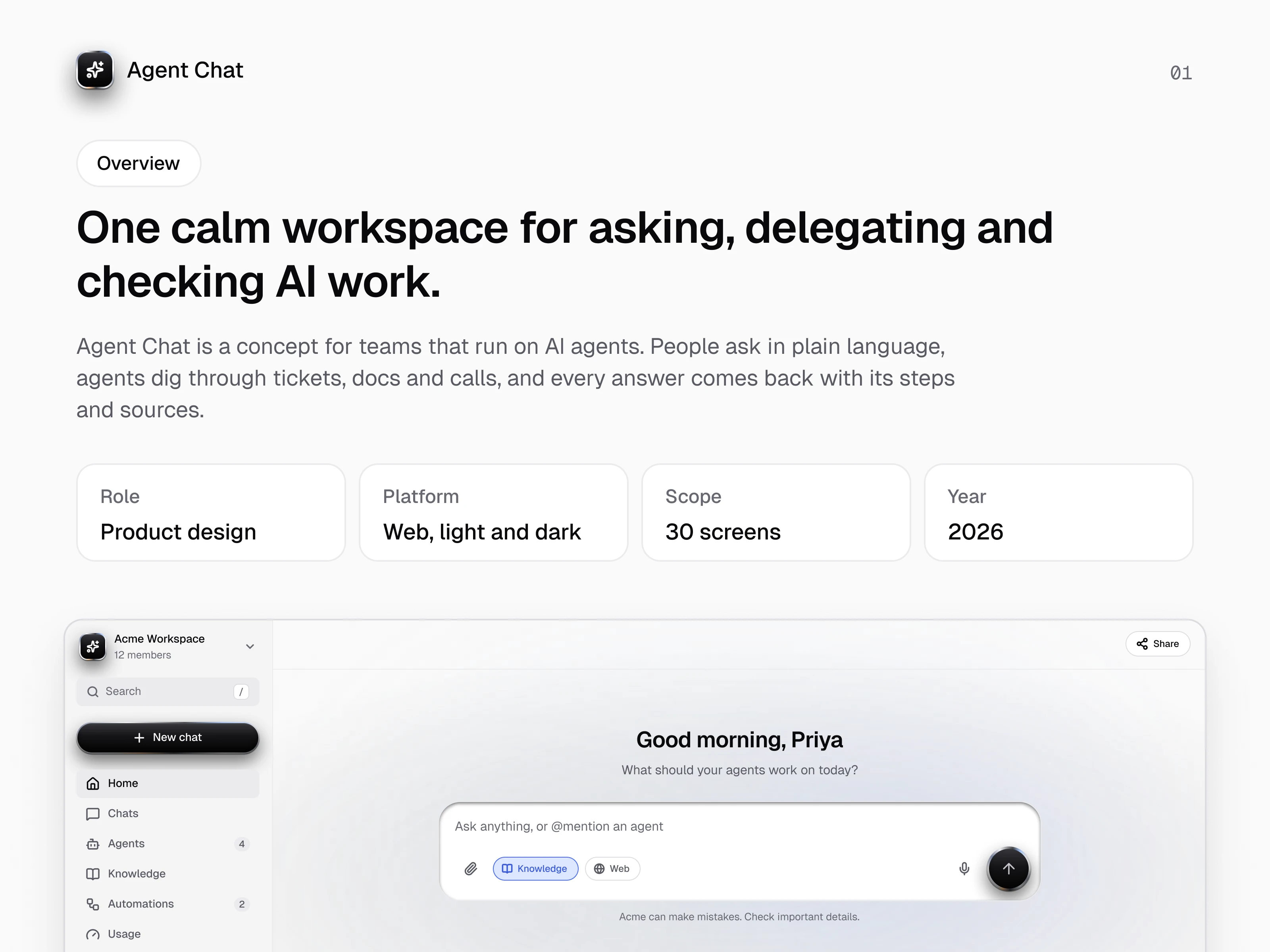
Overview
Agent Chat is a self-initiated concept for teams that run on AI agents. People ask in plain language, agents dig through tickets, docs and calls, and every answer comes back with its steps and sources.
Role: Product design, UI design, design system
Platform: Web app, light and dark
Scope: 15 flows, 30 screens
Year: 2026
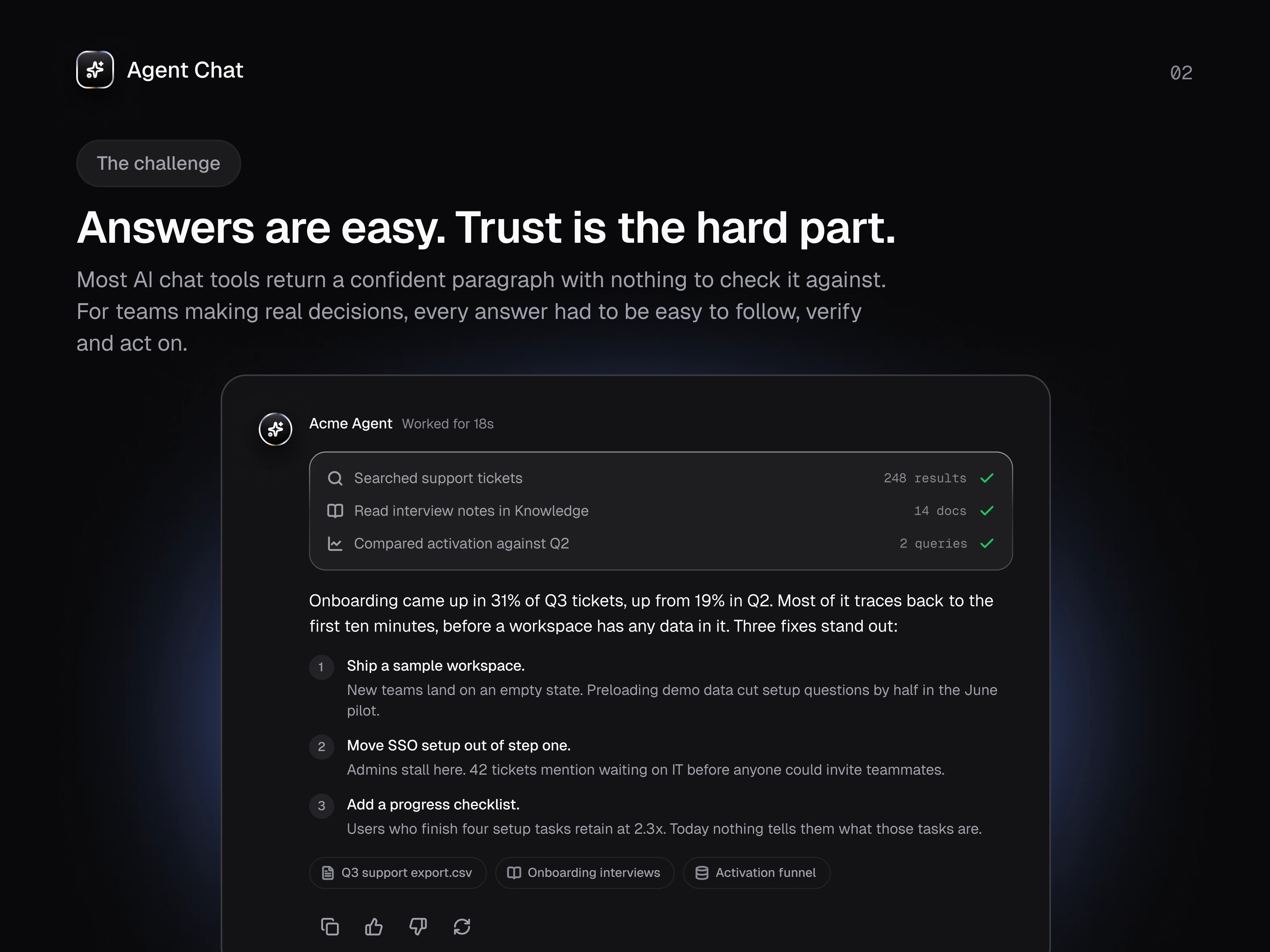
The challenge
Most AI chat tools return a confident paragraph with nothing to check it against. That works for trivia, not for teams making product, support or revenue decisions. The goal was an AI workspace where every answer is easy to follow, verify and act on, and where agents feel like accountable teammates instead of black boxes.
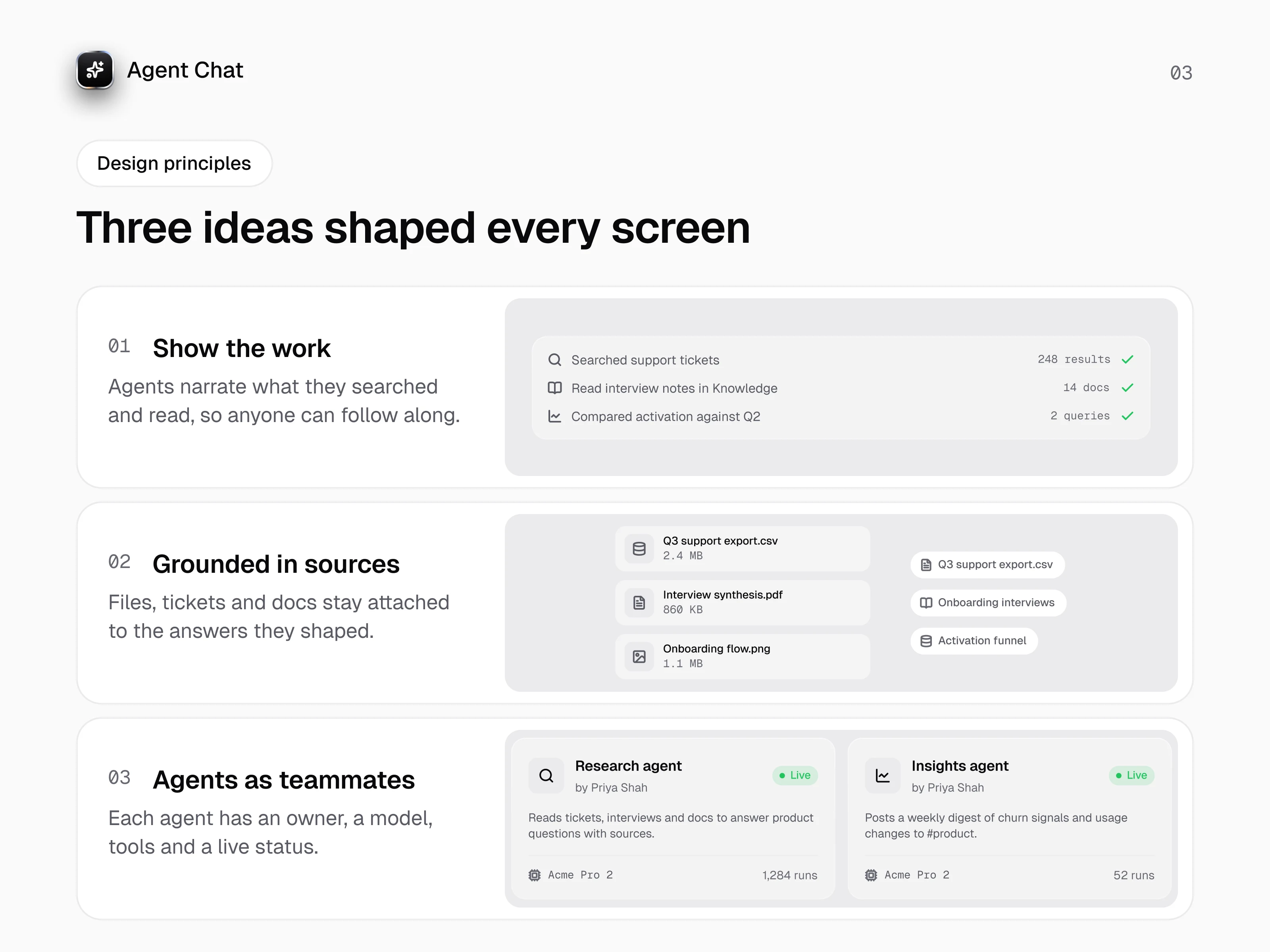
Design principles
Show the work: agents narrate what they searched, read and compared, so anyone can follow the reasoning.
Grounded in sources: files, tickets and docs stay attached to the answers they shaped.
Agents as teammates: every agent has an owner, a model, tools and a live status.
Information architecture
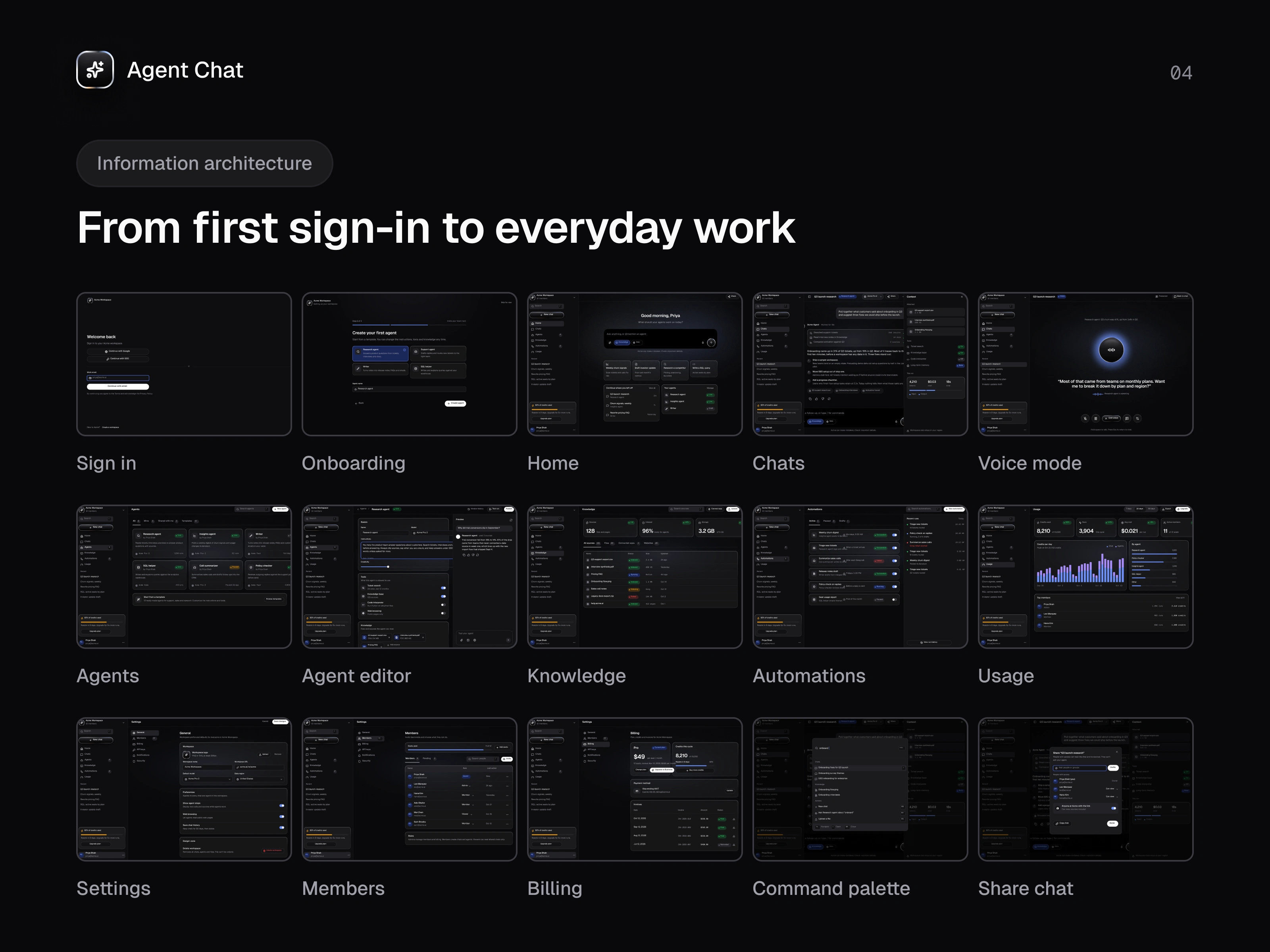
Fifteen flows take people from sign-in and onboarding to everyday work: Home, Chats, Voice mode, Agents, Agent editor, Knowledge, Automations, Usage, Settings, Members, Billing, a command palette and chat sharing. One sidebar, one composer and one set of components hold it all together.
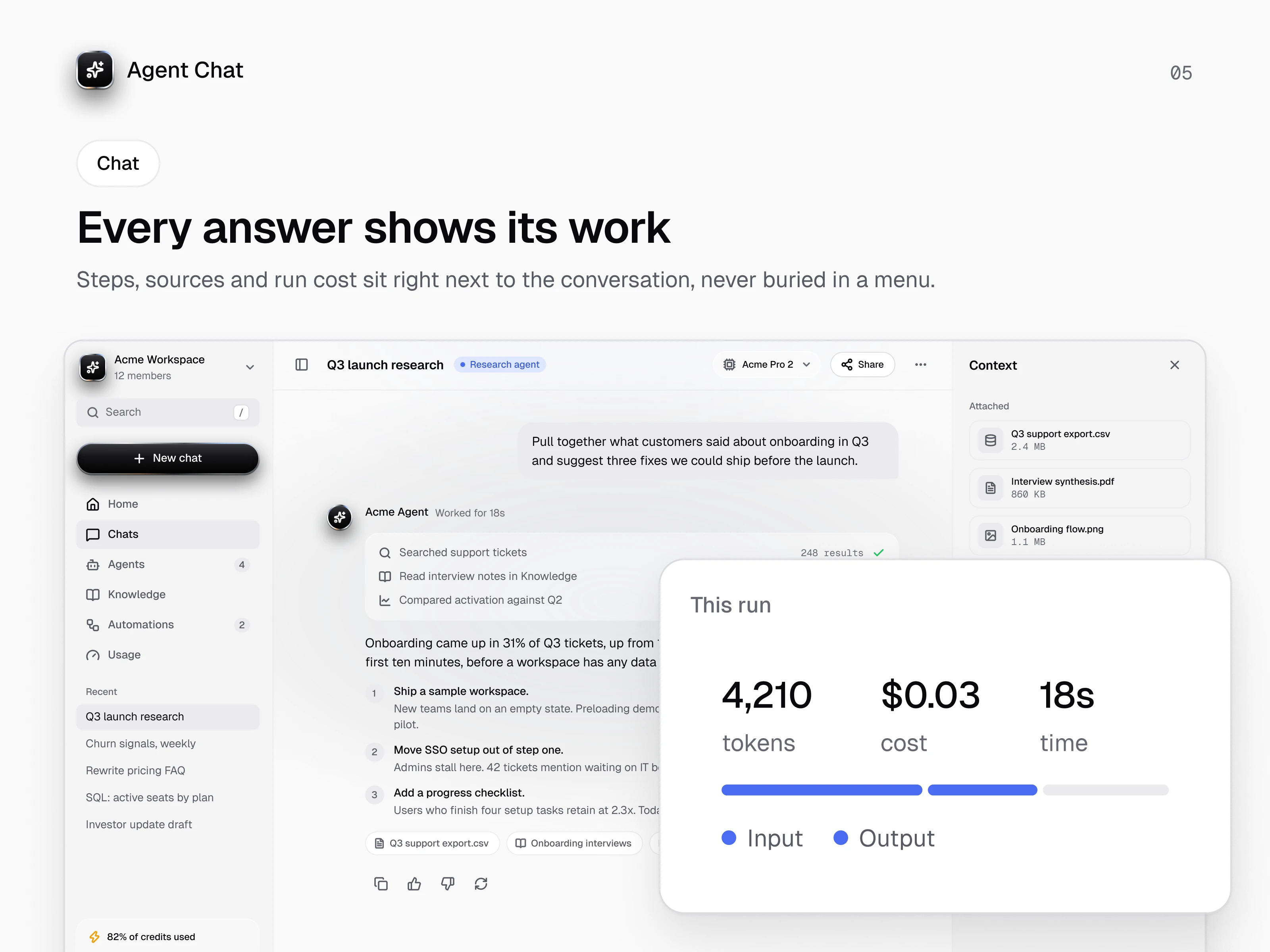
Chat
Each agent reply opens with a run log of what it searched, how many results it found and how long it took. Then comes the answer, then its sources as chips. A context panel keeps attached files, enabled tools and the cost of each run in view, so nobody has to dig through menus to understand what happened.
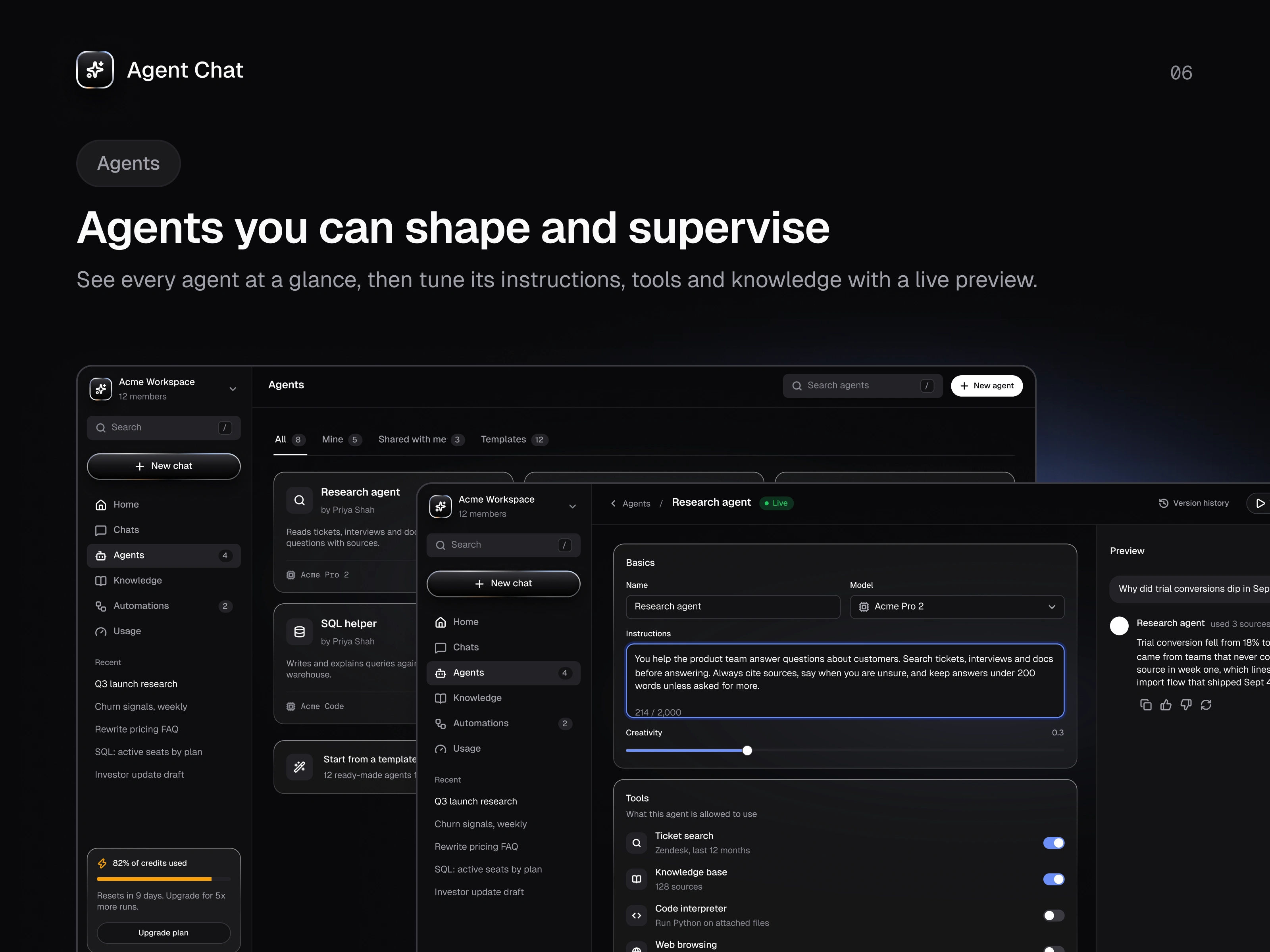
Agents
The Agents page reads like a team directory, with owner, model, status and run count at a glance. The editor puts instructions, tools and knowledge on one side and a live preview on the other, so changes get tested before they ship.
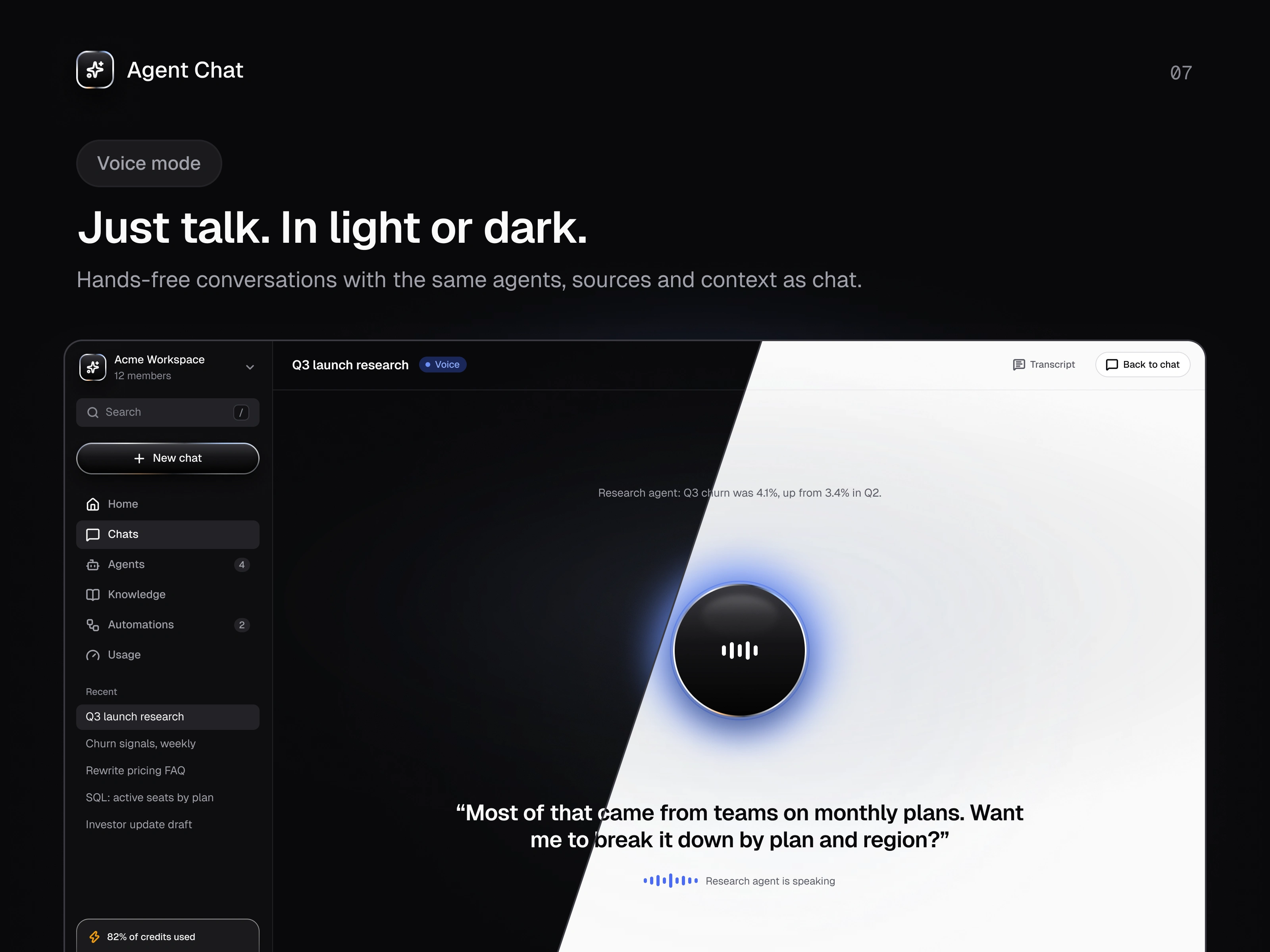
Voice mode
Voice mode uses the same agents, sources and context as chat. A single orb shows who is speaking, live captions keep the conversation readable, and mute, pause and transcript stay within reach.
Design system
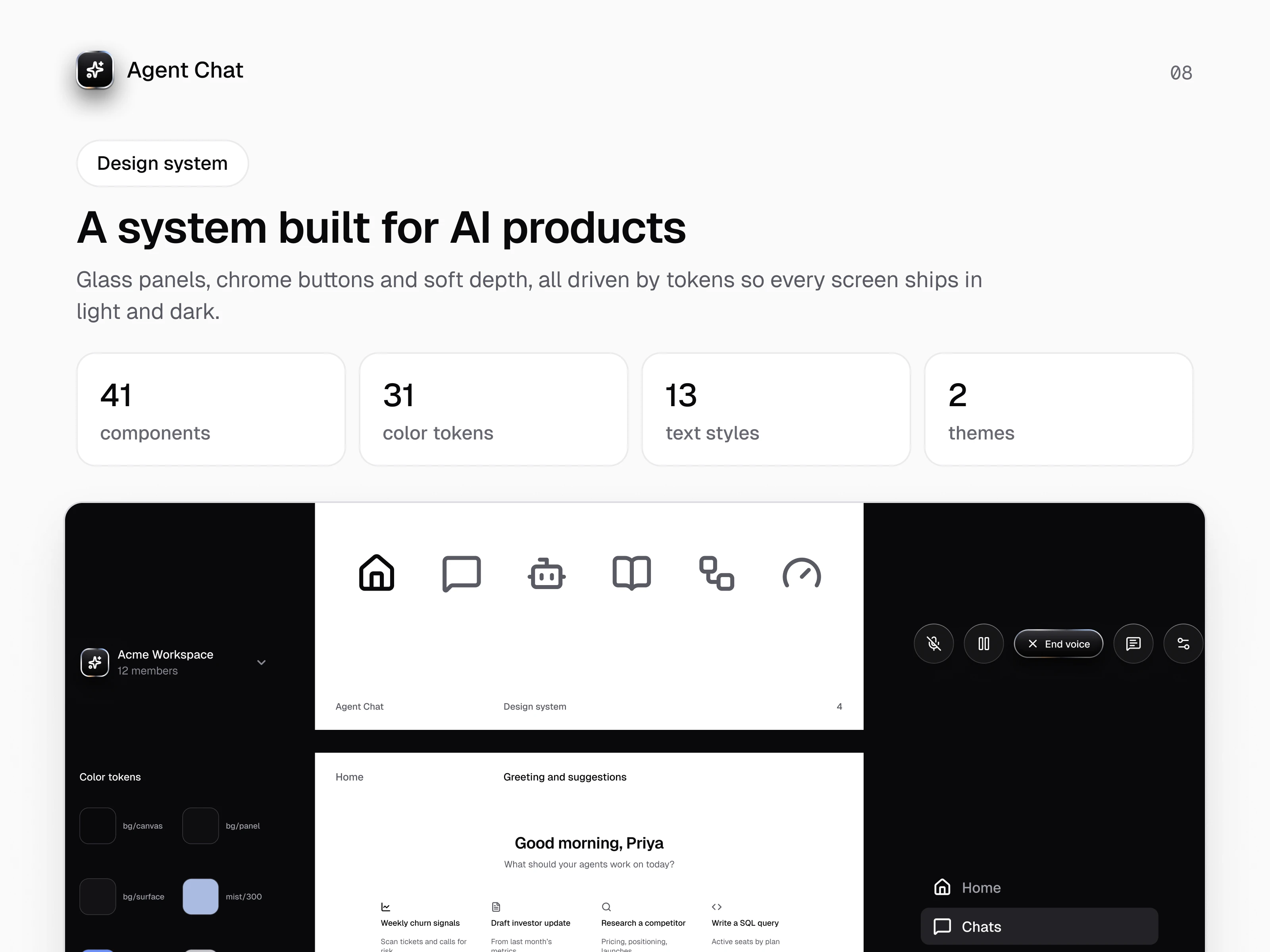
The interface runs on a token-based system with 41 components, 31 color tokens, 13 text styles and two themes, set in Geist. Glass panels, chrome buttons and soft depth give it character, while the tokens keep every screen consistent in light and dark.
In context
Agent Chat across devices, from onboarding on iPad to the knowledge base, automations and team settings on desktop.
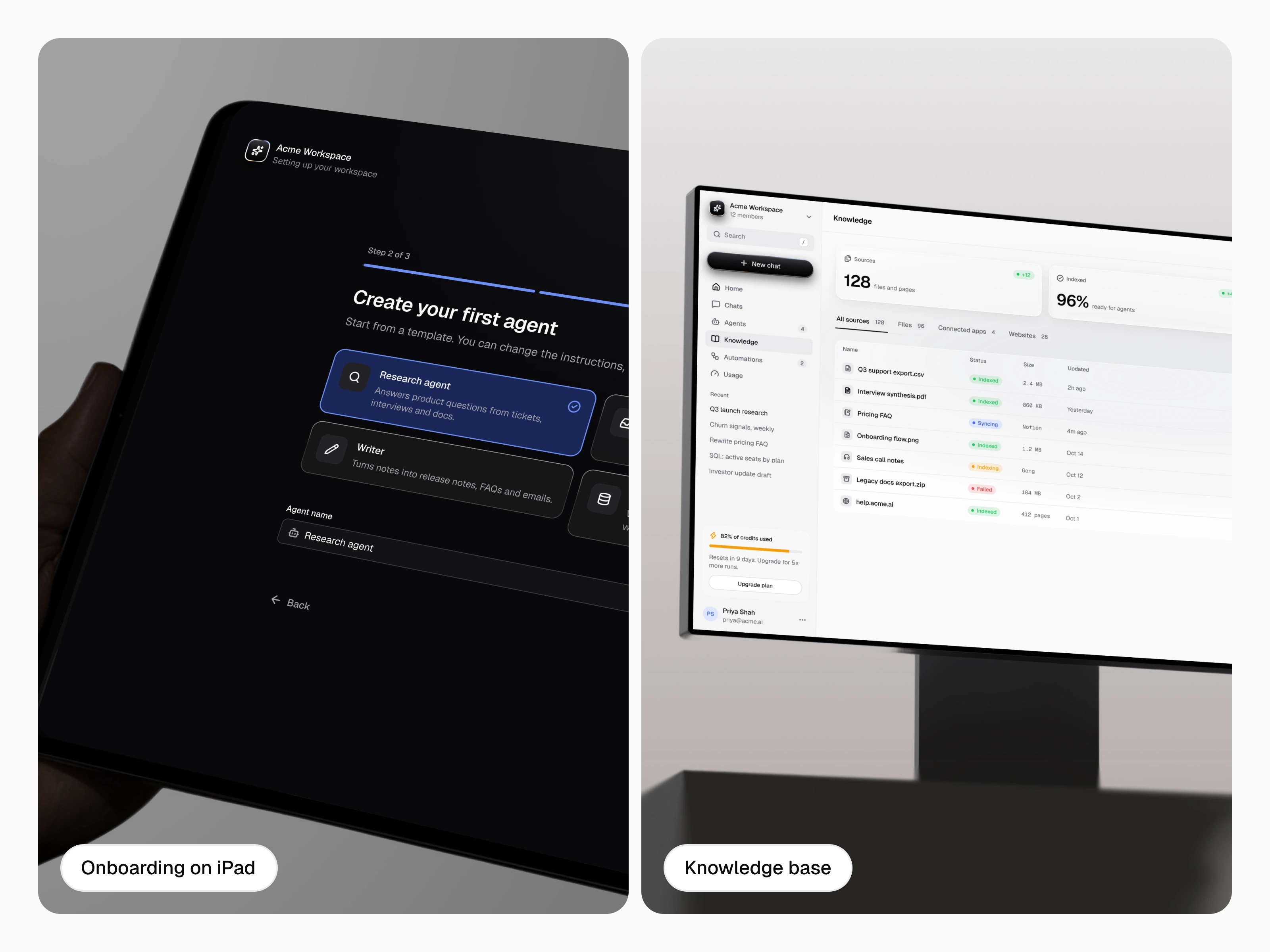
Onboarding on iPad and the knowledge base on desktop
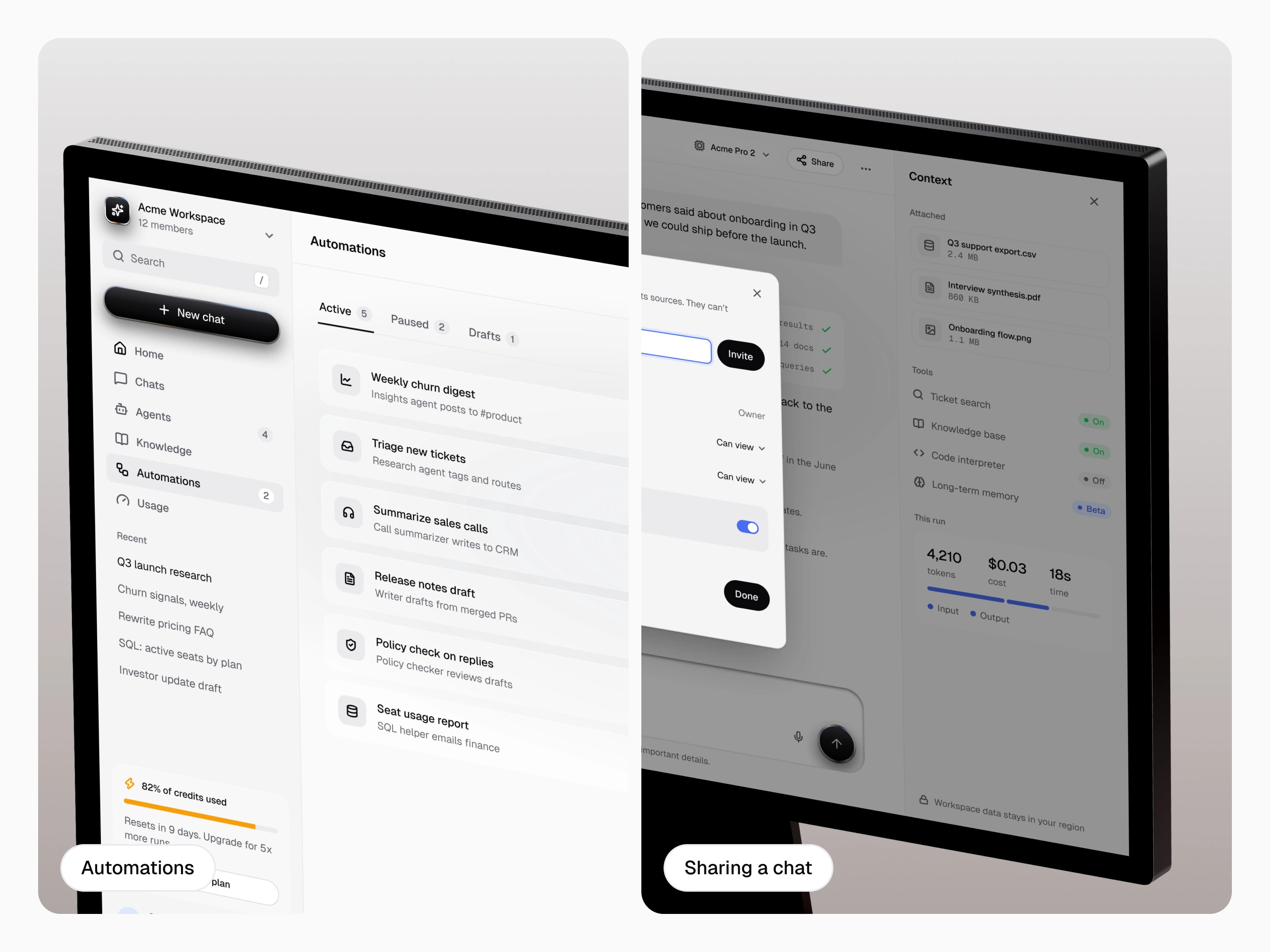
Automations and chat sharing
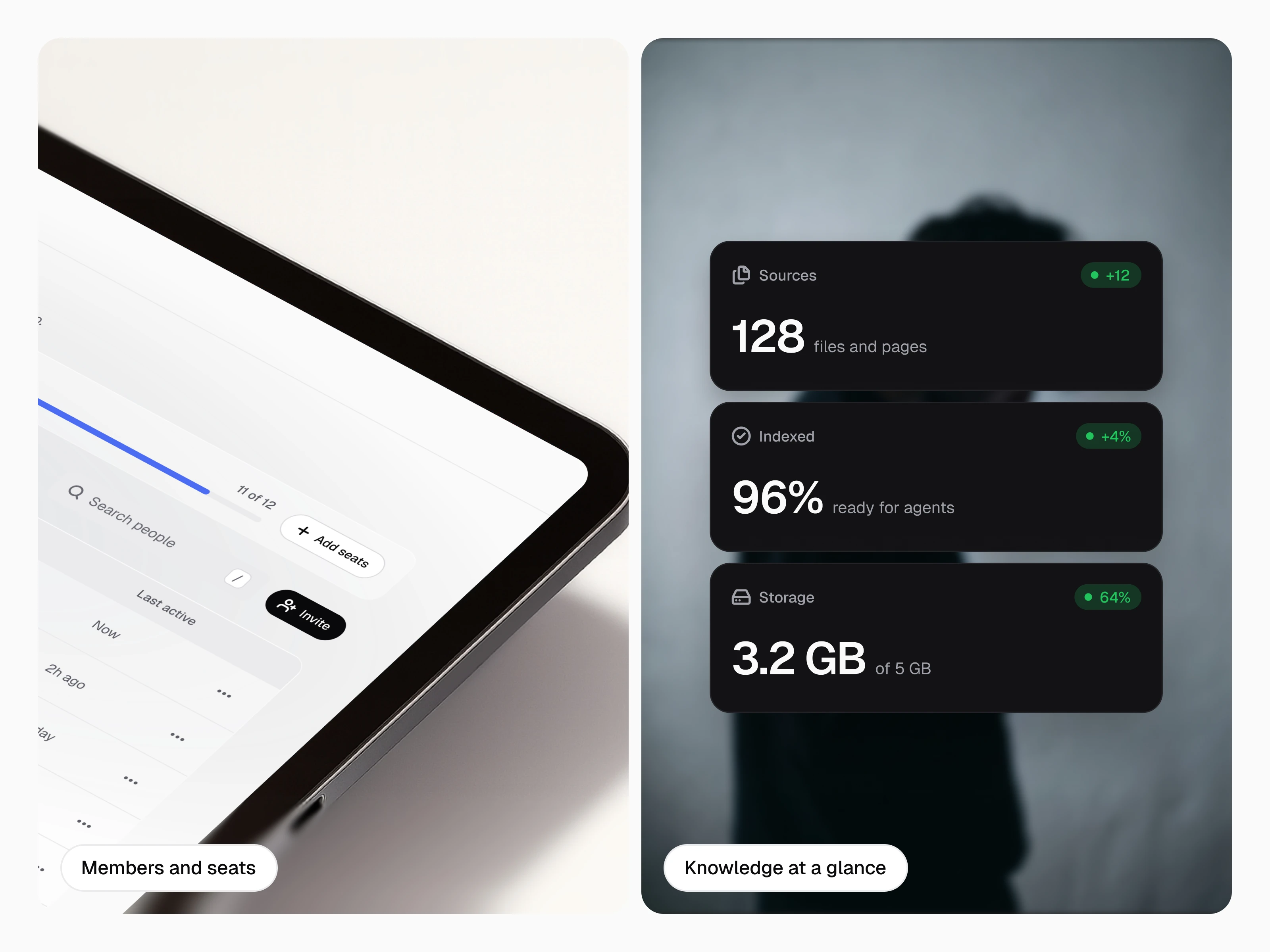
Members and seats, plus knowledge stats at a glance
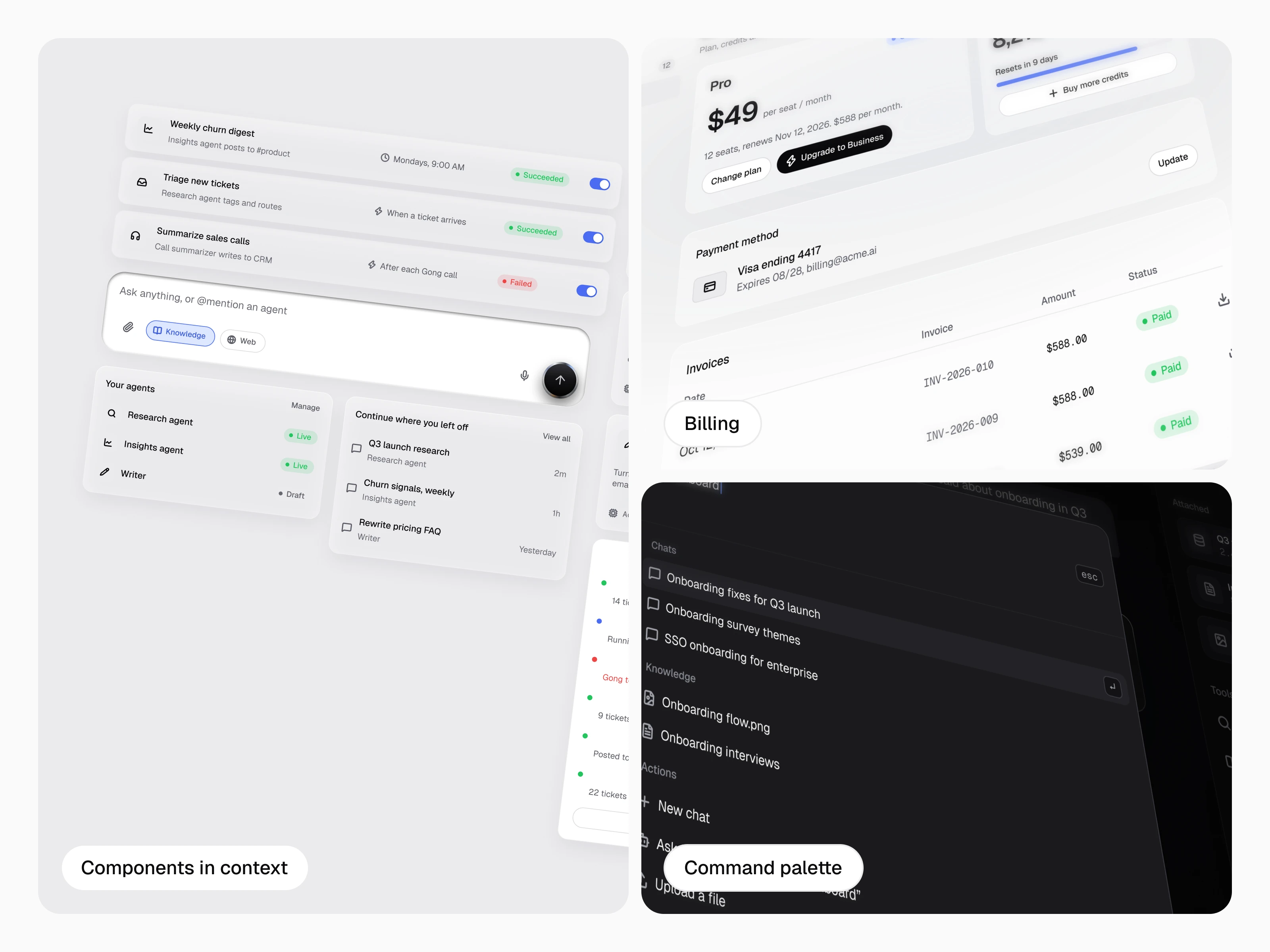
Components in context, billing and the command palette
What I learned
Trust is a layout problem as much as a model problem. Giving the run log, sources and cost a permanent home made the product calmer and easier to rely on. Next, I would test the run log density with real users and explore team-level audit views.
Like this project
Posted Oct 25, 2026
Product design for an AI workspace where agents research, write and automate, and every answer shows its steps and sources.