Redesigning Nectar’s Navigation & Activity Page

Tamara Laforest


Redesigning Nectar’s Navigation & Activity Page
Agri-tech / SaaS · Lead Product Designer · 2022–2023
Who is Nectar?
Nectar is a precision beekeeping software platform designed to help commercial beekeepers modernize and optimize their operations. By combining hardware and software, Nectar empowers migratory beekeepers to manage hives efficiently, remotely, and scientifically.
Tools: Figma, Adobe Illustrator
Context
To understand this use case, it’s important to first see how Nectar works and how yards and hives are organized within a beekeeping operation.
Typical Beekeeping Operation
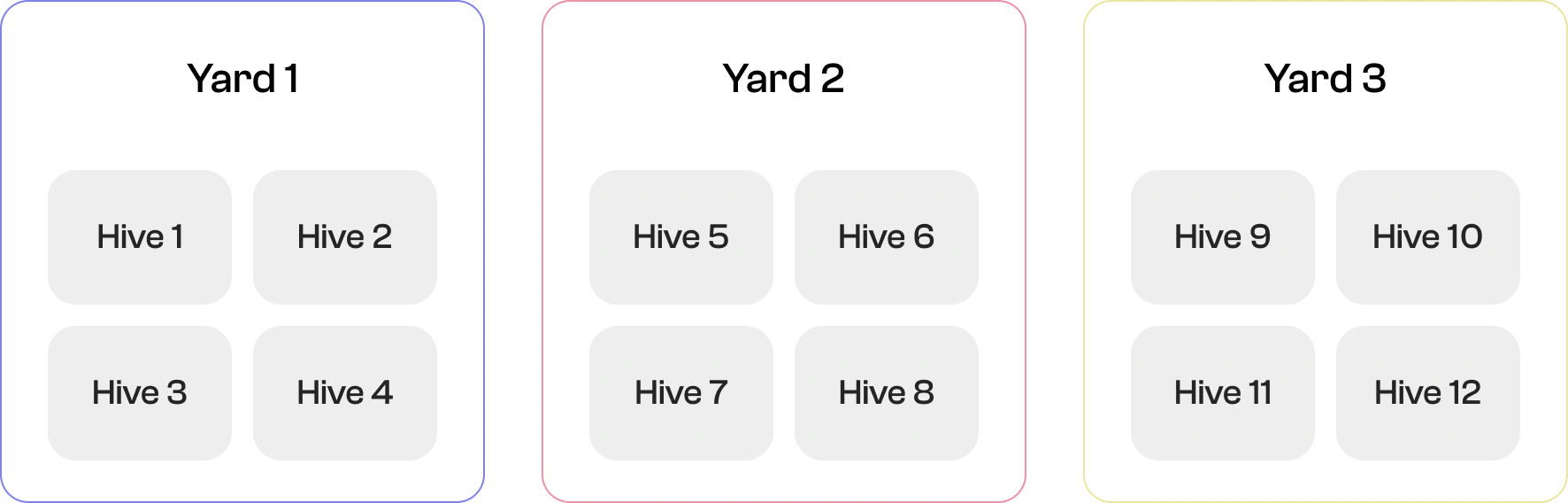
A beekeeping operation is usually structured into yards (groups of hives) and the hives themselves.
How Nectar Works
Nectar digitizes this structure by making it easy for workers to capture field data and for managers to monitor operations. The workflow is simple:

Inspections in Nectar
There are two types of inspections:
Yard Inspection – Applies the same values and observations to all hives within a yard.
Hive Inspection – Applies values only to the hives that are scanned, even if they belong to different yards.
Activities
Once inspections are complete, managers can view the results at multiple levels:
Operation Level – Overview of all yards and their activities.
Yard Level – Overview of activities within a single yard.
Hive Level – Detailed view of individual hives.
My role
As the Senior Product Designer, I partnered closely with the Product Manager to shape the vision and execution of this project. My responsibilities included:
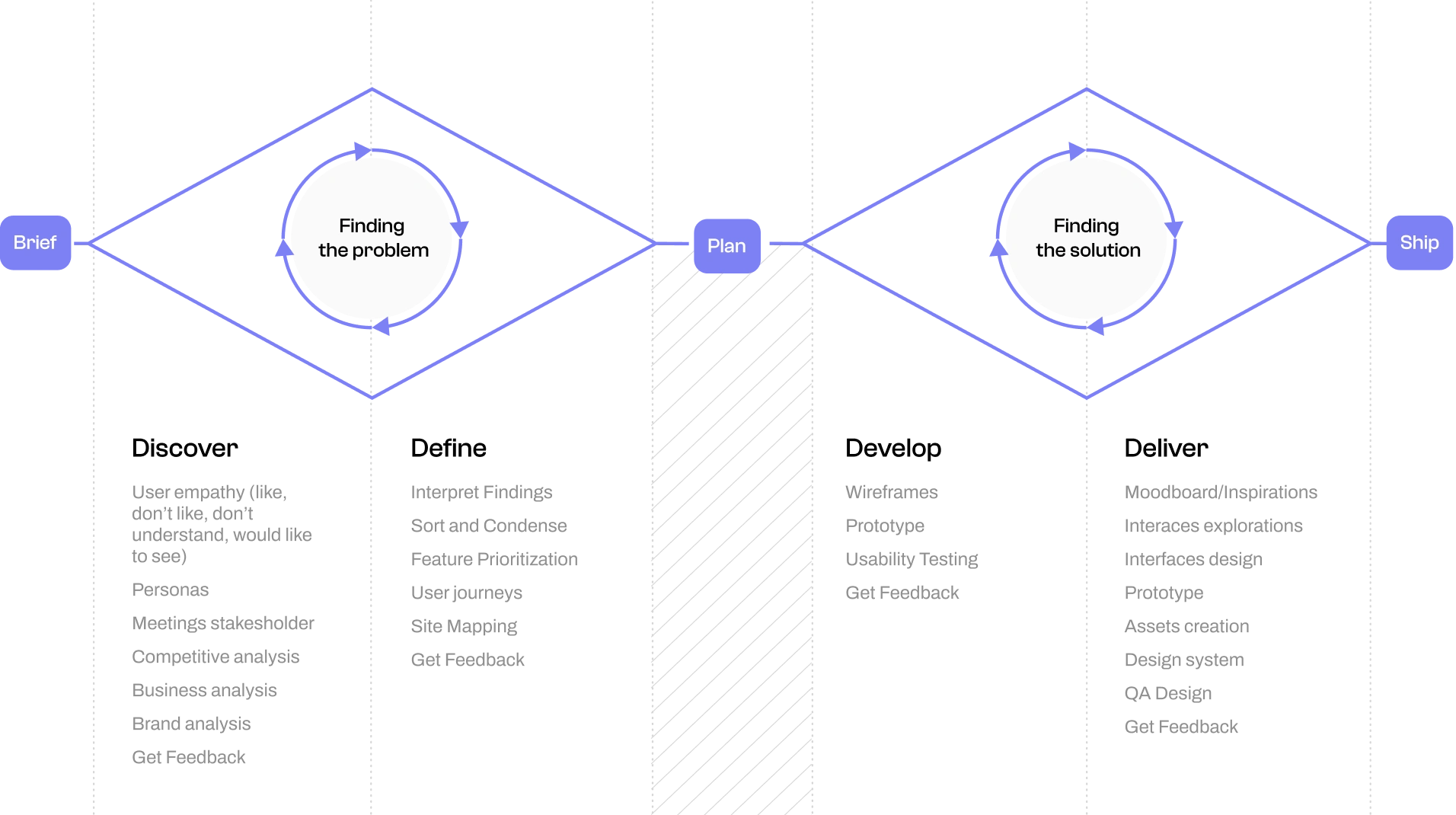
Leading the design process from wireframes to high-fidelity prototypes.
Running usability tests with internal staff and client beekeepers to validate concepts and gather feedback.
Designing the final activity dashboard and navigation system, ensuring it balanced clarity for managers with ease of use for field workers.
Documenting design decisions and maintaining an organized Figma file to streamline collaboration and developer handoff.
This role required tight collaboration with the Product Manager to align business goals with user needs, while I focused on translating insights into intuitive, scalable design solutions.
The problem
The activity panel lacked the capability to display inspection report details at the operation level. Users were required to access individual yards to view in-depth information, which resulted in inefficient operation management.
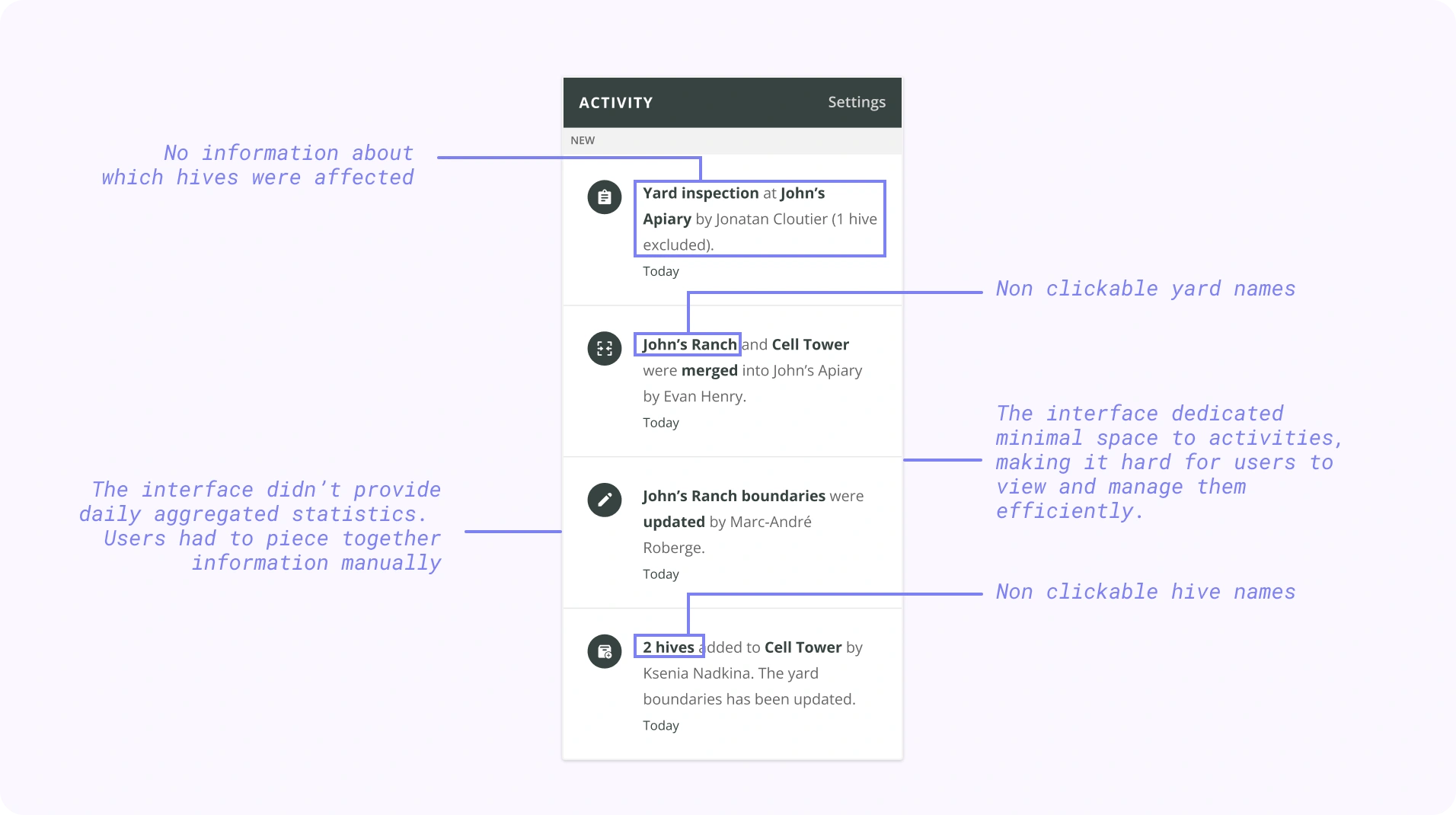
Exploration 1 - Wireframe
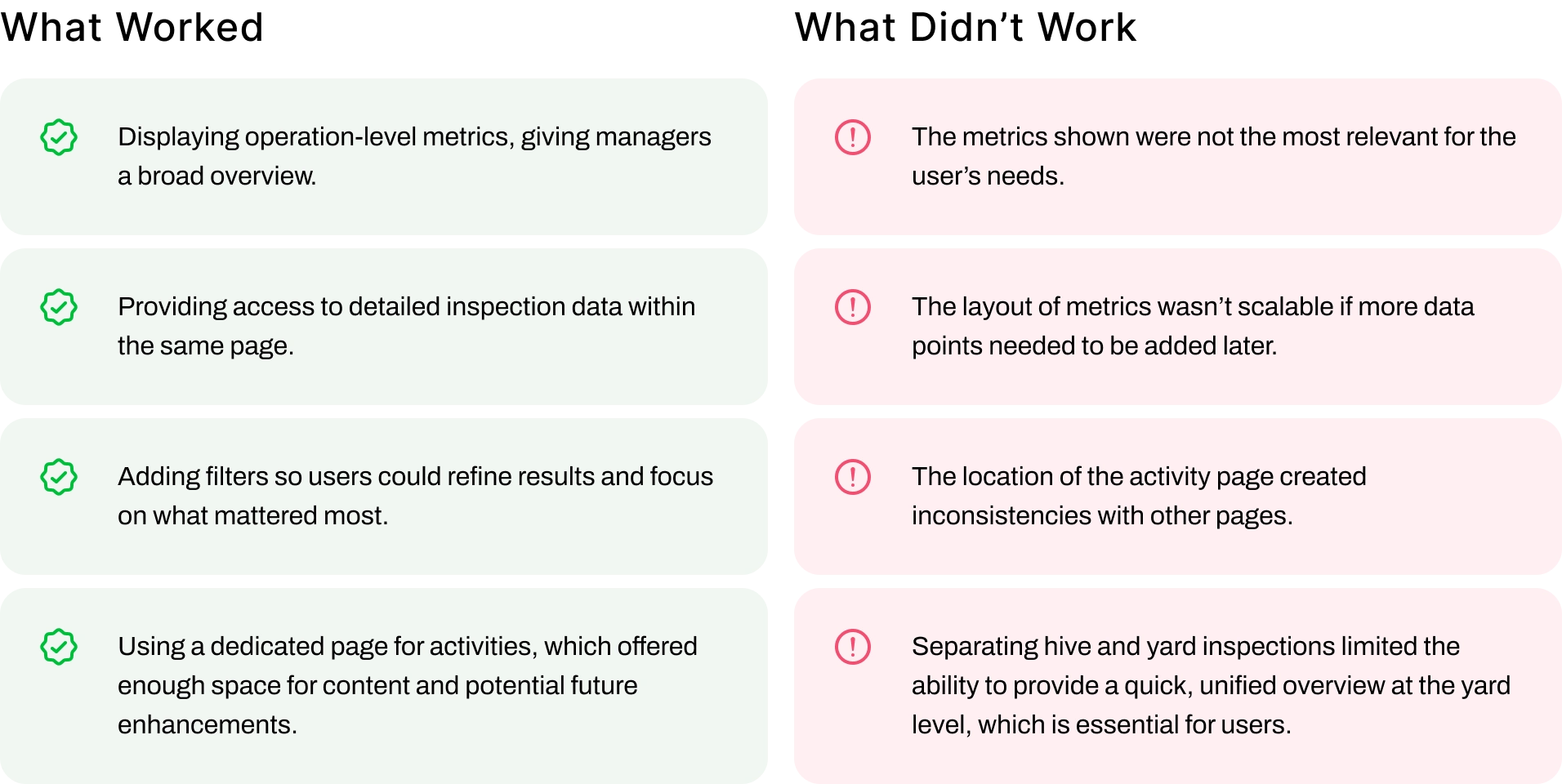
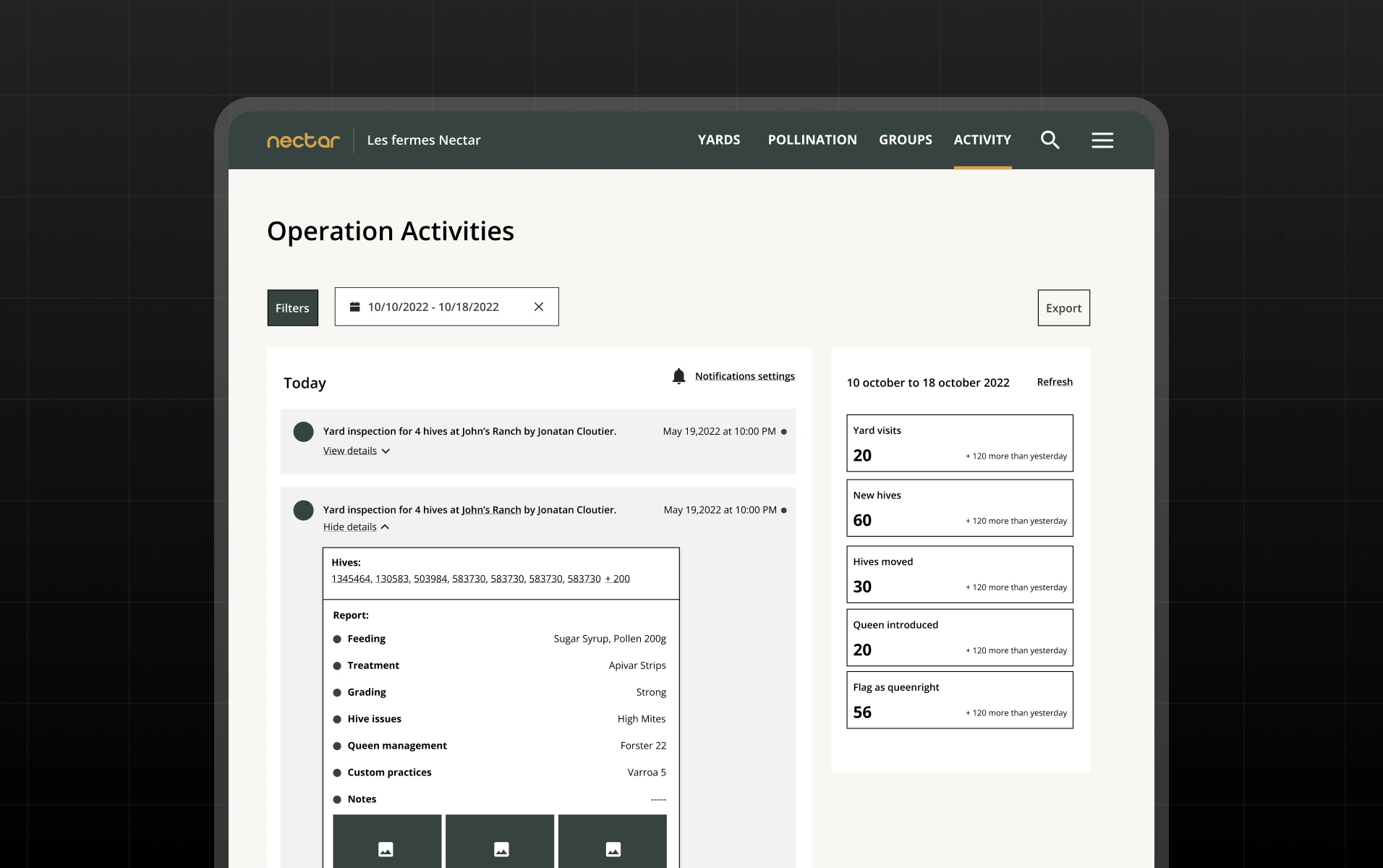
Exploration 2 - Wireframes
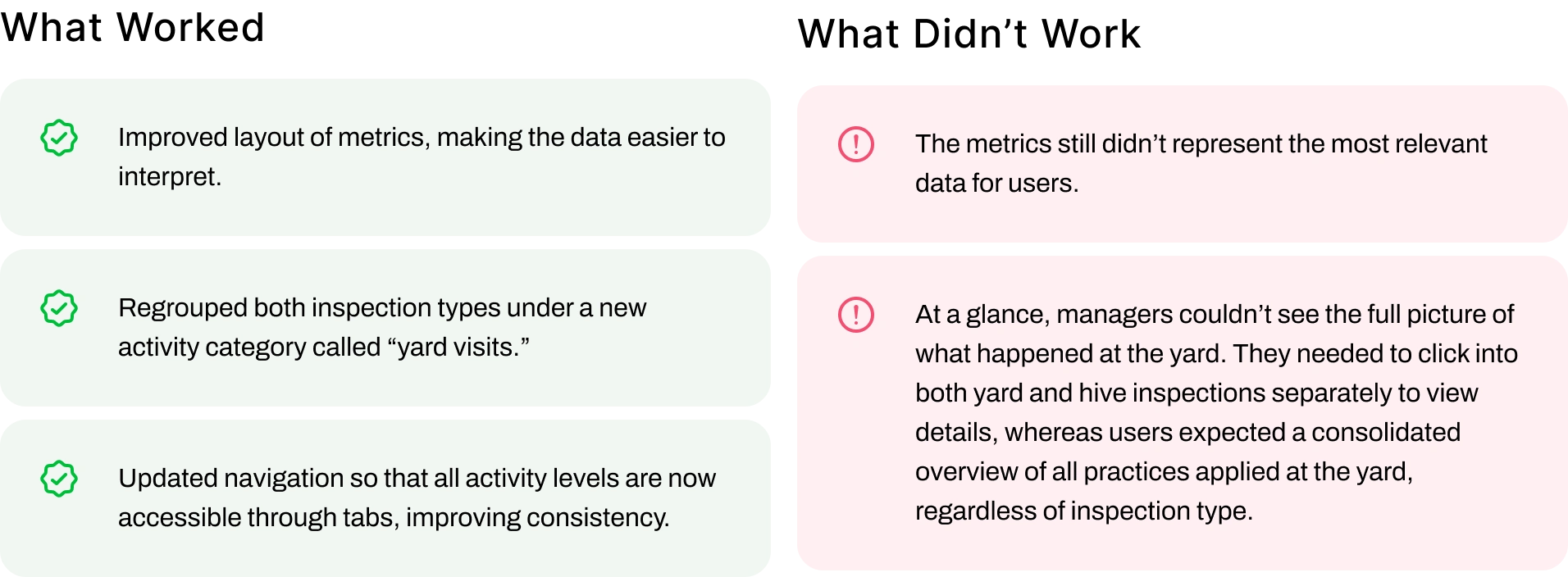
User Testing & Insights
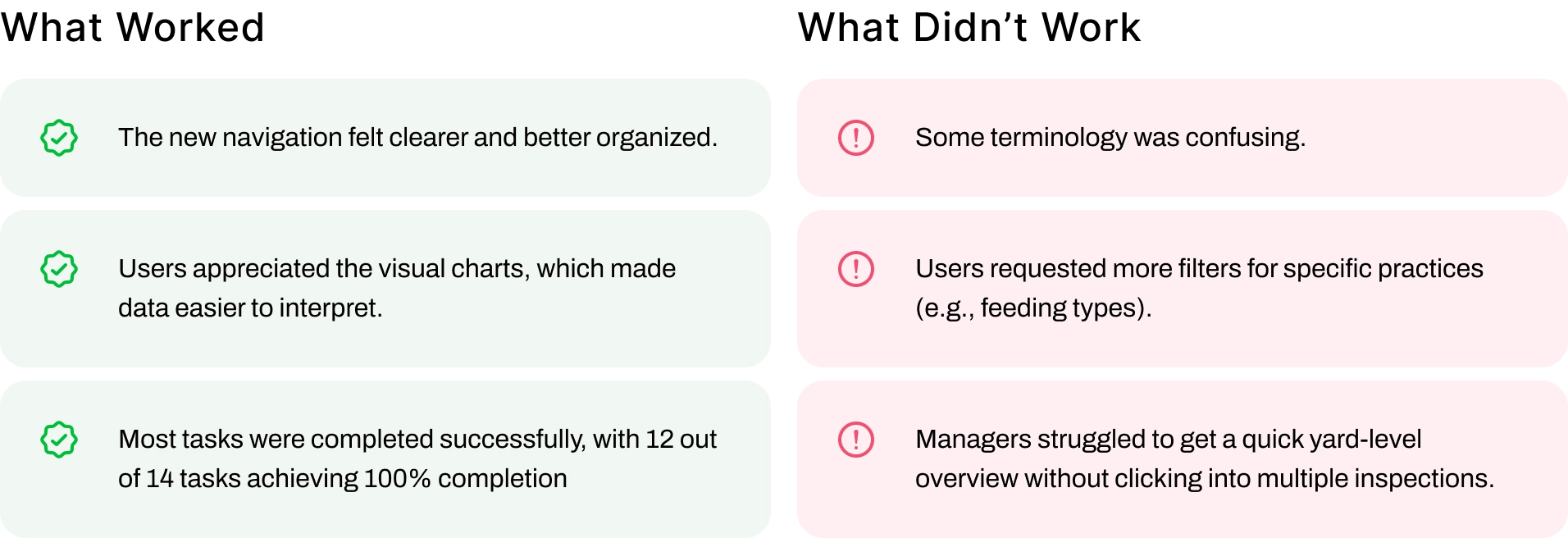
To validate the new navigation and activity page, I conducted usability tests with 5 participants: 3 internal Nectar employees and 3 beekeepers operation managers. Using a Figma prototype, participants were asked to complete a series of tasks while I observed their ease of use, efficiency, and overall comprehension.
Impact on the Design
Based on these insights, I made several improvements:
Regrouped hive and yard inspections into a single activity type, “Yard Visits”, for clearer yard-level visibility.
Renamed confusing labels to improve comprehension.
Refined filters to focus on practices and date ranges most relevant to managers.
Adjusted chart displays at the yard level to reduce noise and improve clarity.
Overall, testing confirmed that the new activity page added significant value for day-to-day decision-making, while also highlighting where adjustments were needed before finalizing the design.
Final Solution
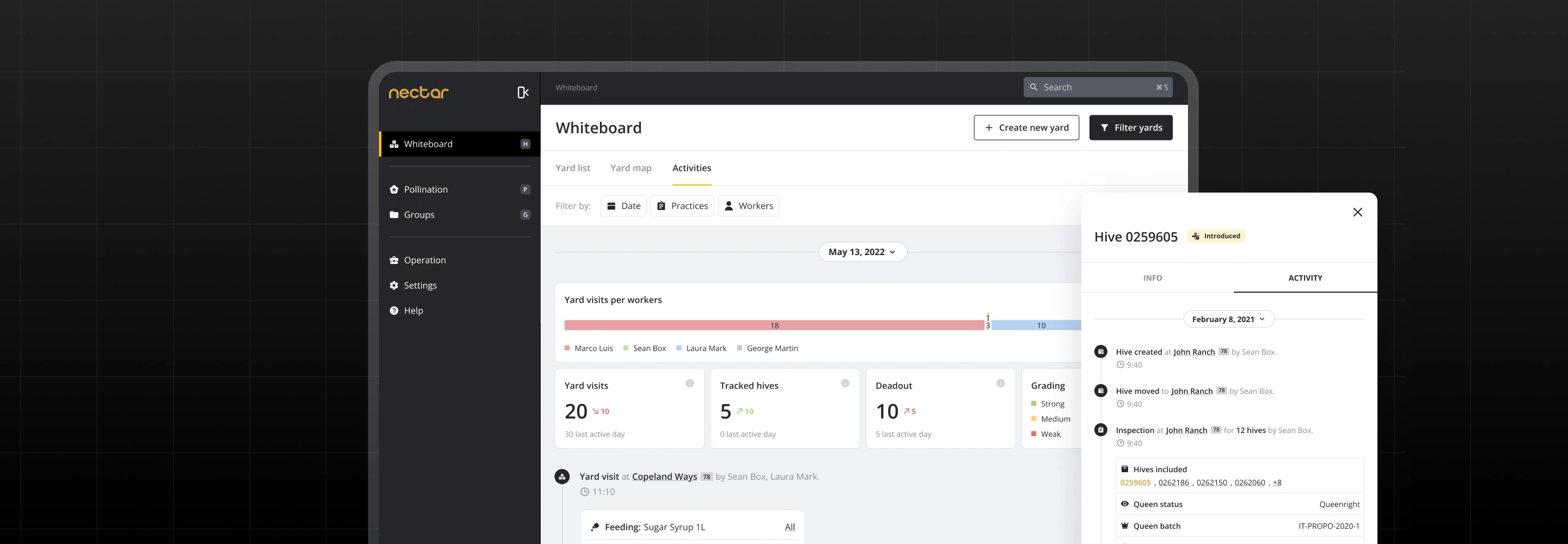
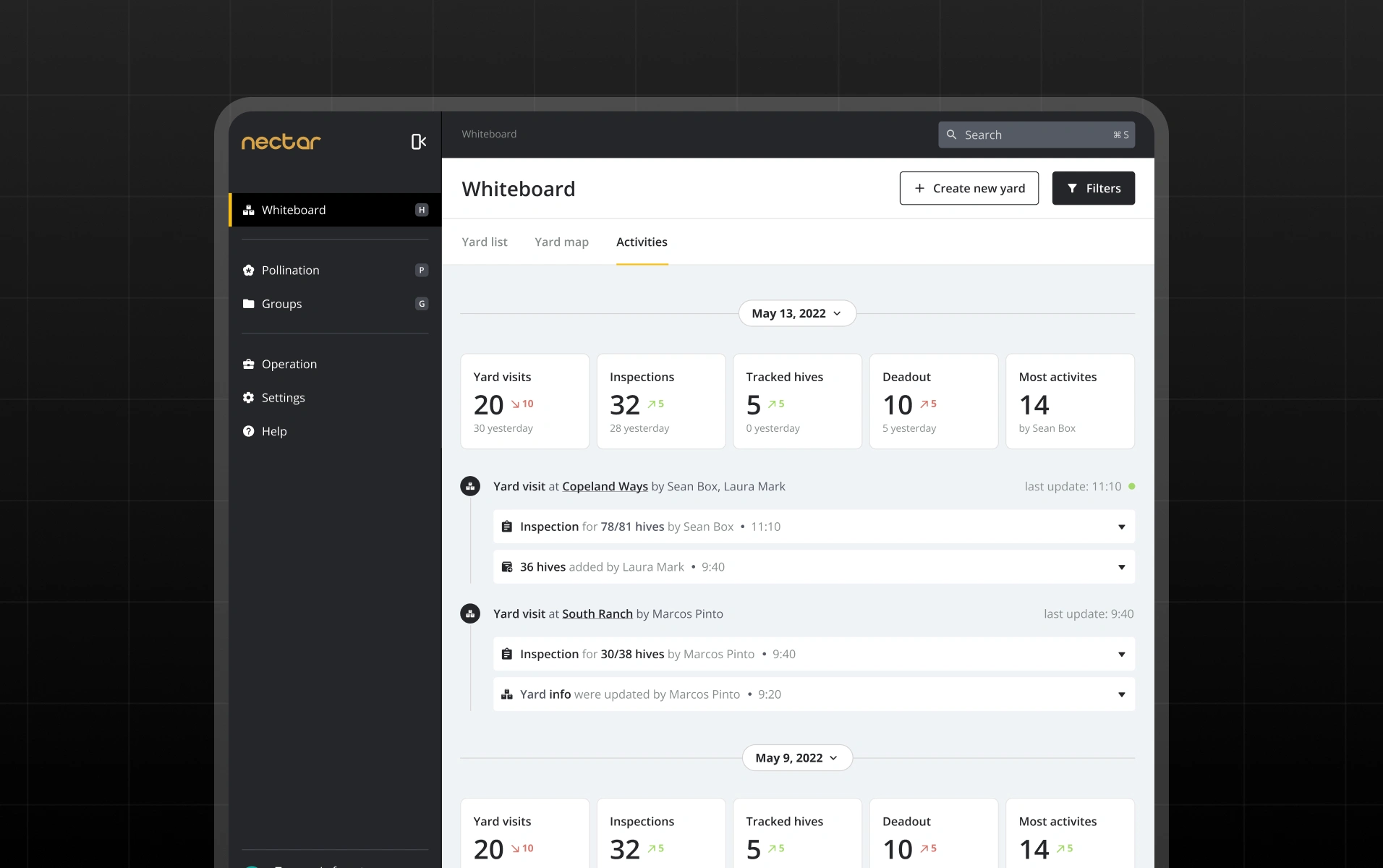
The final design consolidates hive inspections and yard inspections into a single activity type called “Yard Visit.” This provides managers with a complete overview of all practices applied within a yard, regardless of whether they came from hive-level or yard-level actions.
Unified Overview
All practices are displayed in one place, eliminating the need to switch between inspection types. This gives managers the quick clarity they need to understand yard activity at a glance.
Detailed Drill-Down
If users need more granularity, they can open an in-depth detail modal to review specific inspection data without leaving the page. This balances quick visibility with access to detail when necessary.
Relevant Metrics
Metrics displayed are now aligned with managers’ real priorities, helping them better plan their day and make informed decisions.
Focused Filters
Only the most important and frequently used filters are shown at this level, reducing clutter and allowing managers to refine results efficiently.
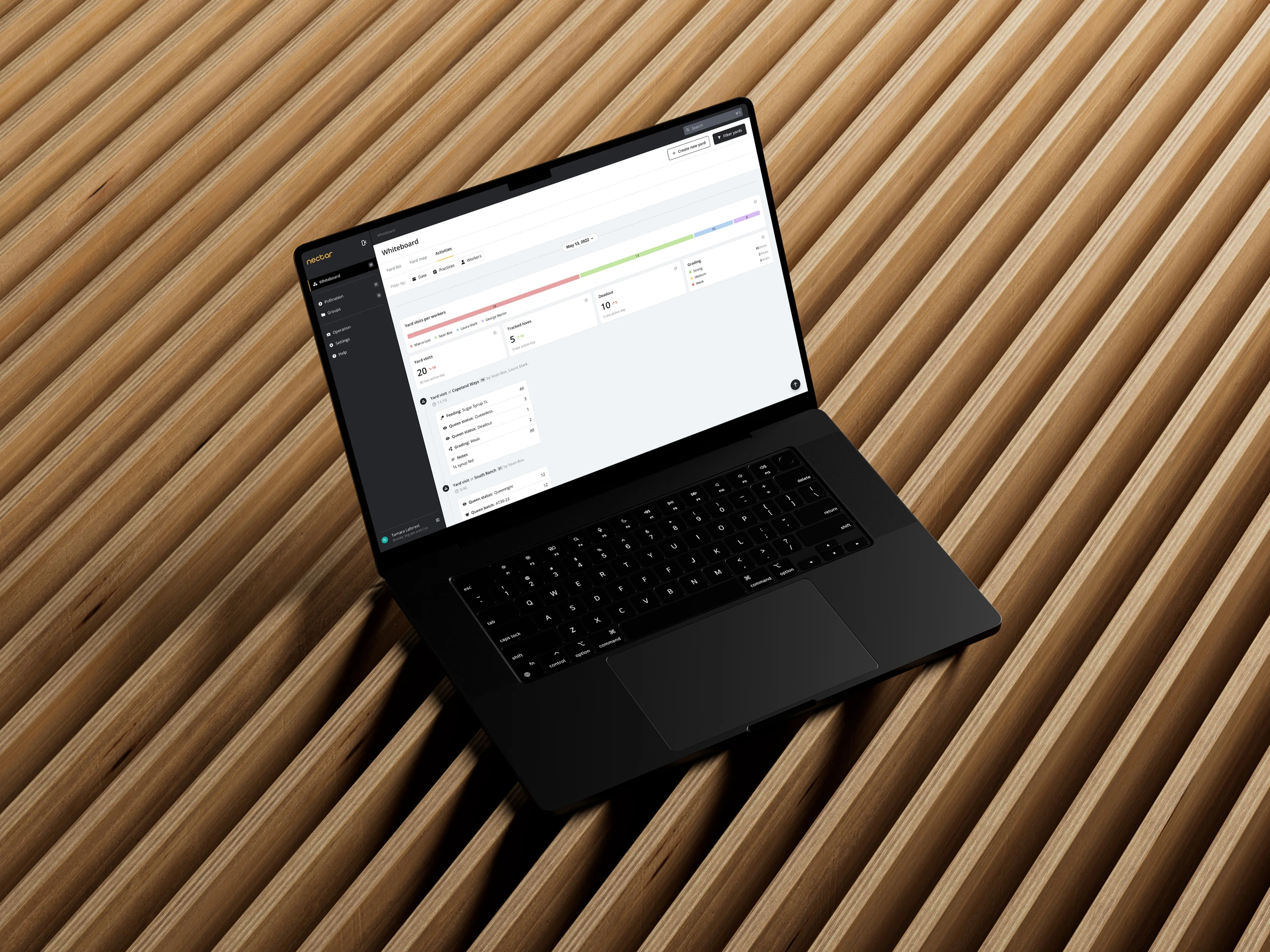
Overall, this solution provides both high-level visibility and drill-down flexibility, making it faster and easier for managers to monitor operations, track practices, and plan their workday.
Looking back
What I learned
Beekeeping operations vary widely, and designing a solution flexible enough to meet different needs while keeping the experience simple is a real challenge.
What went well
Collaboration with the team was smooth and efficient, and early validation with users provided quick, actionable insights that guided the design.
What could be improved
Involving a broader range of user types during testing would have uncovered additional perspectives and ensured the solution addressed an even wider set of needs.
Read the use case on my website here
Like this project
Posted Jun 15, 2026
Redesigned Nectar's navigation and activity page to enhance user efficiency and decision-making.
Likes
0
Views
5
Timeline
May 26, 2022 - Jun 30, 2023
Clients
Nectar