Designer LLM Training with World-Class UI Designs

Jacob Lovett

The exploration
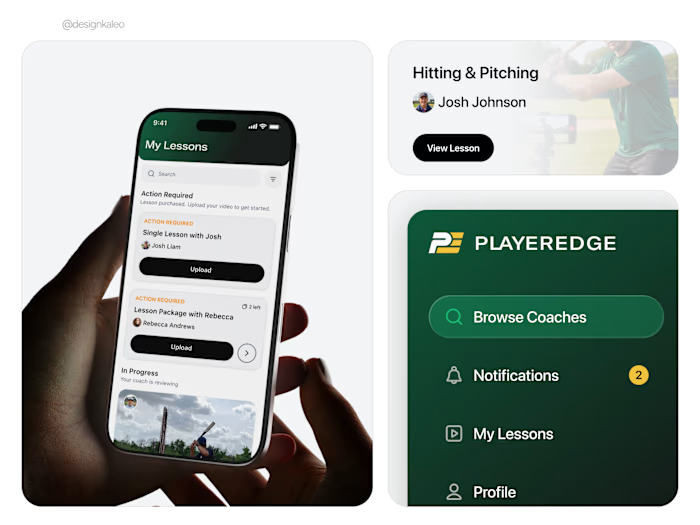
A self-directed study into what makes an interface feel premium. The goal was to test design instincts across distinct product categories and pressure-test a single question: how do you make something read as high-end whether it's data-dense, motivational, or AI-generated?
Each concept was chosen to solve a different design challenge — balancing dense utility with high-fidelity aesthetics, making habit tracking feel motivating rather than clinical, and structuring complex AI-generated content in a way that feels trustworthy. The work was produced under a tight time constraint (around two hours), deliberately prioritizing instinct and judgment over polish.
Approach
No deep UX research — the priority was demonstrating strong visual instincts and mastery of modern mobile and web patterns. Each concept was selected to surface a specific tension worth designing around, rather than a generic app idea.
Plants Scanner
Plants Scanner
Why this concept
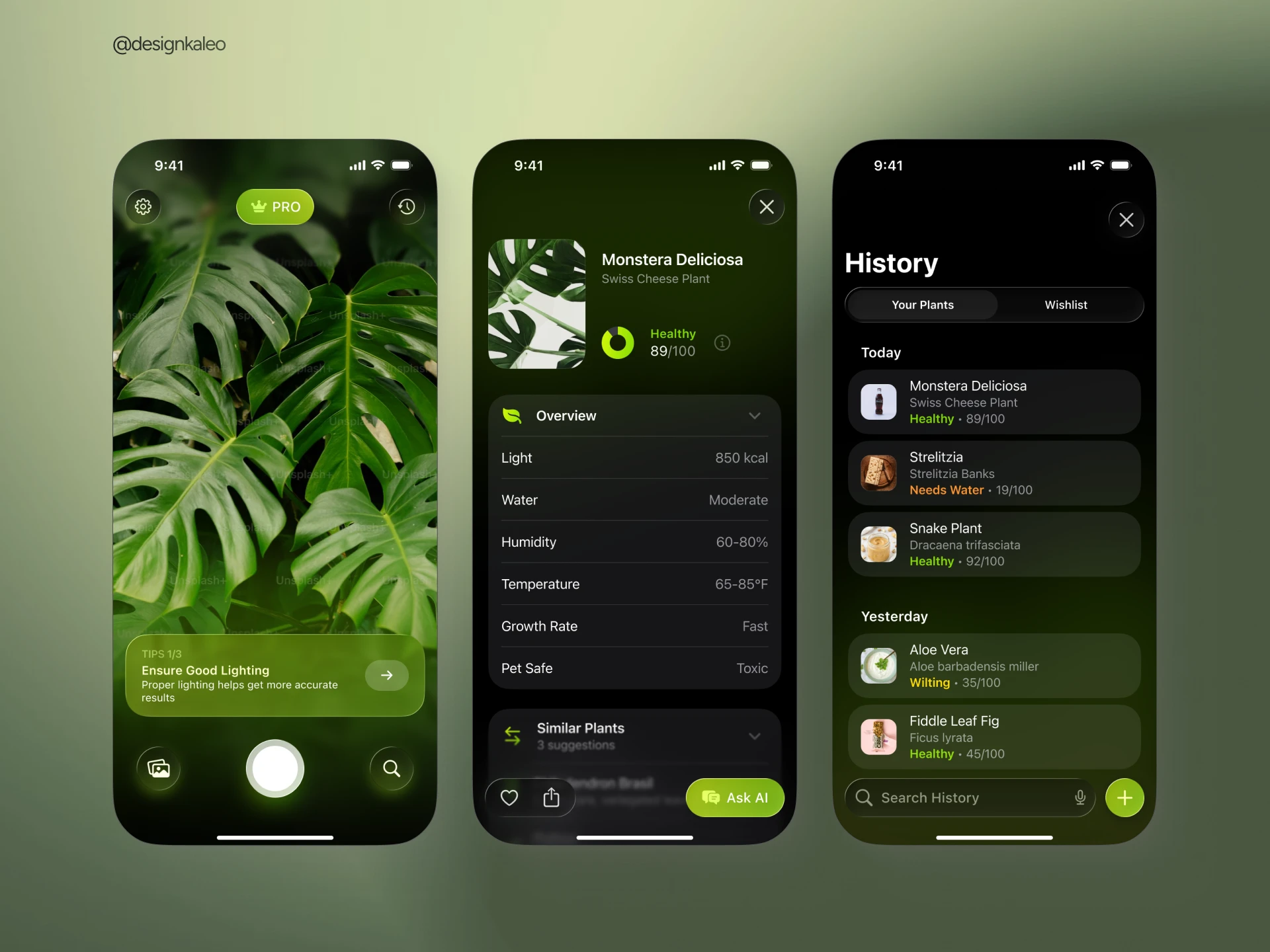
An AI plant care app is an ideal canvas for balancing complex information architecture with high-fidelity aesthetics. It's utility-dense — health metrics, care data, scan history — but it also lives alongside the user's photography. That tension between data and imagery drives every design decision here.
Design decisions
A deep dark mode with subtle glassmorphism keeps the plant photography as the primary focal point — the UI recedes, the content leads. Color-coded status indicators (Healthy, Needs Water, Wilting) create instant at-a-glance hierarchy across the history log. Touch targets are rounded and thumb-friendly throughout, following familiar native iOS patterns so the interaction model never needs explanation.
Habit Tracker
Why this concept
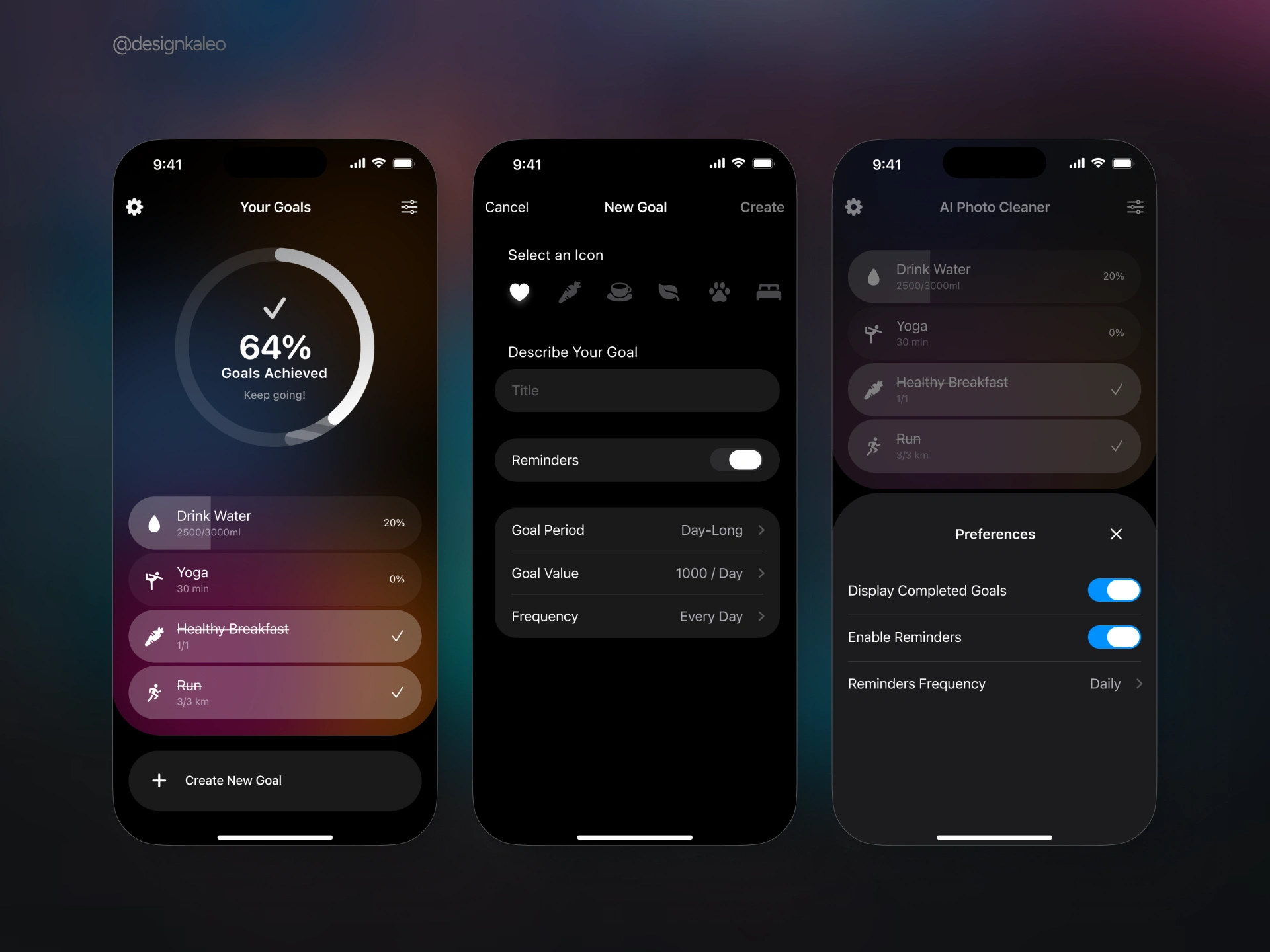
Habit tracking is a genre where UI design has a direct impact on whether people actually use the product. The primary design challenge: make daily task logging feel visually rewarding and effortless rather than like a chore. Motivation had to be built into the visual language itself.
Design decisions
A large progress ring dominates the dashboard, giving users instant positive reinforcement at a glance. Instead of a standard flat dark background, an ambient colorful glow — deep purples, burnt orange, muted rose — sits behind semi-transparent goal cards, adding warmth and depth without cluttering the information. The goal creation flow stays frictionless: icon selection, a text field, a reminders toggle, and three settings rows. A bottom sheet modal handles preferences without breaking the app's main flow.
AI Search
AI Search
Why this concept
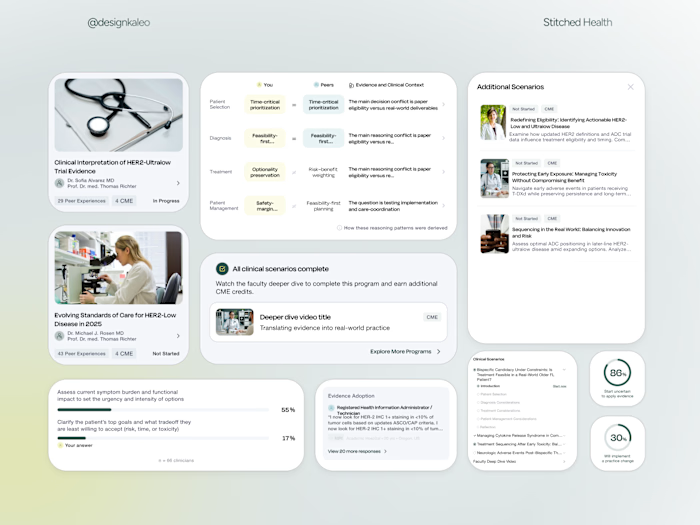
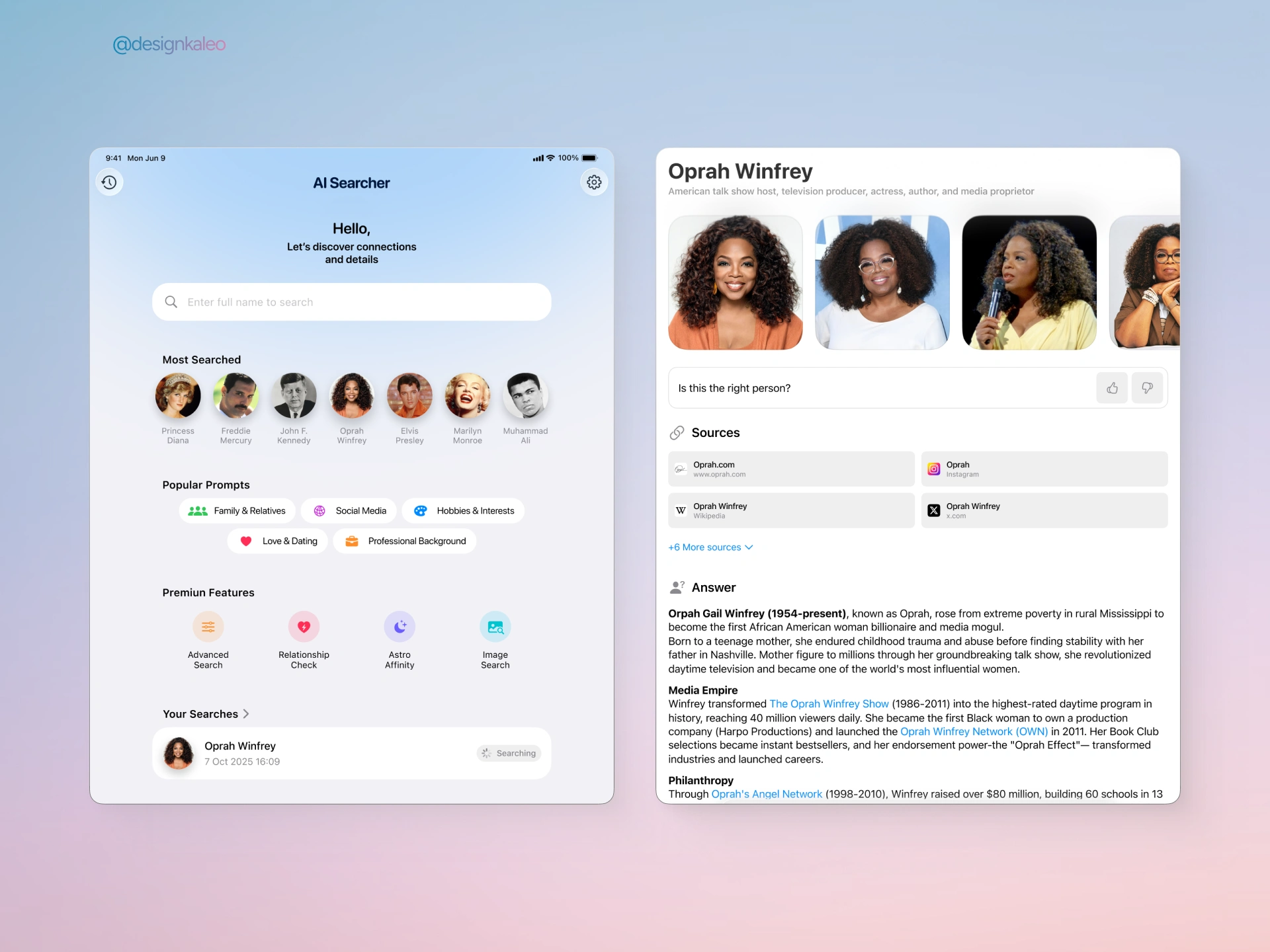
AI-powered search is one of the most relevant design challenges of the moment — and one of the hardest to get right. Presenting generative AI results in a way that feels trustworthy, organized, and legible without overwhelming the user is a genuine information architecture problem.
Design decisions
A spacious, light-themed split layout keeps discovery on the left and deep-dive content on the right — ideal for desktop or tablet. On the discovery side, avatar chips for trending searches and pill-shaped prompt categories (Family & Relatives, Social Media, Hobbies & Interests) guide users toward searches without a blank-slate anxiety. On the results side, source cards sit immediately above the AI-generated answer, making citations visible and the content credible. The reading experience is structured with clear heading hierarchy and inline hyperlinks throughout the AI text.
What made it work
Aesthetic intentionality over polish
Each concept commits to a specific visual language — dark organic for Plants, ambient warm for Habits, clean editorial for AI Search. The brief asked for instinct, not perfection.
Native mobile patterns
Rounded touch targets, bottom sheets, status bars, and iOS-native navigation patterns throughout — the kind of reference material that teaches an AI model how real apps behave.
Problem-driven concept selection
No arbitrary app ideas — each concept was chosen to demonstrate a distinct design challenge: photography + data, motivation + simplicity, and AI content + credibility.
Designed for AI training
The deliverables weren't just portfolio pieces — they were designed to be fed into an LLM as high-quality design references. Clarity of pattern and hierarchy matters as much as aesthetics.
Like this project
Posted Jun 4, 2026
Created world-class UI designs for a client's AI training project.