LOMA - AI Daily Planner Mobile App

Odama Studio

Designing LOMA – An Intuitive AI Daily Planner Mobile App
🚀 The Challenge
Modern professionals constantly battle time fragmentation, burnout, and decision fatigue. Traditional task planners often feel like static, overwhelming lists that demand too much manual effort to organize, failing to help users protect time for deep focus.
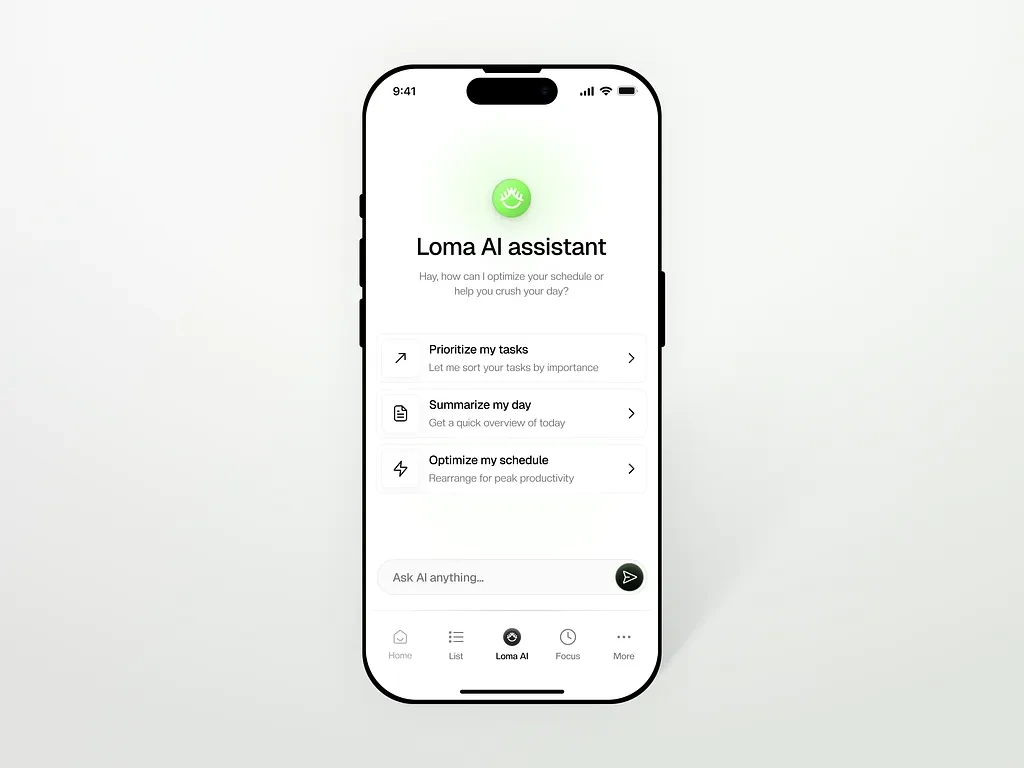
LOMA was created as an intelligent daily planner app designed to optimize schedule management by predicting available time slots, recommending focused work windows, and keeping users accountable through structured focus sessions.
💡 The Solution
I designed an ultra-clean, human-centered mobile interface for LOMA that blends smart AI schedule recommendations with a distraction-free Pomodoro-style timer.
By utilizing soft, rounded cards, high-contrast typography, and vibrant green accent highlights, the application creates a calm and motivating workspace that encourages steady progress over overwhelming task management.
🎨 Features
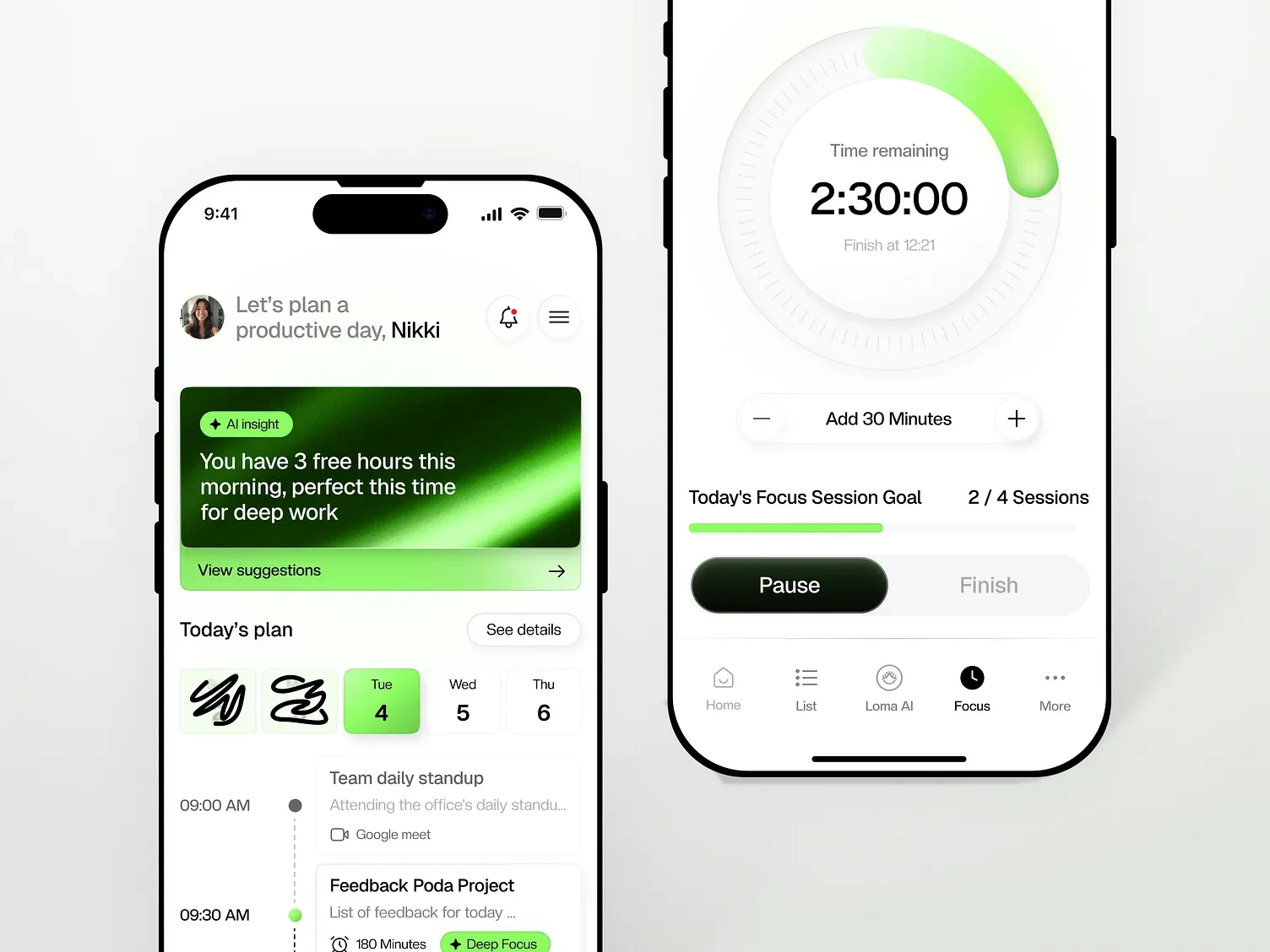
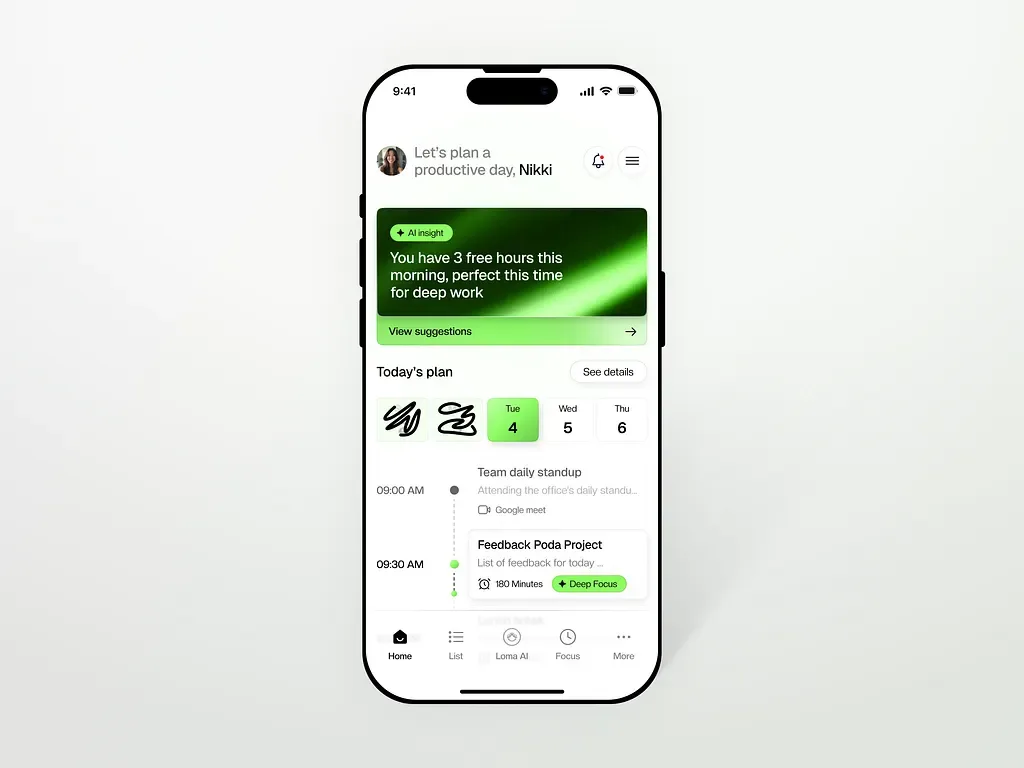
Contextual AI Insights Card: Positioned prominently at the top of the home screen, the dynamic AI card analyzes real-time calendar gaps and instantly suggests optimal windows for deep focus.
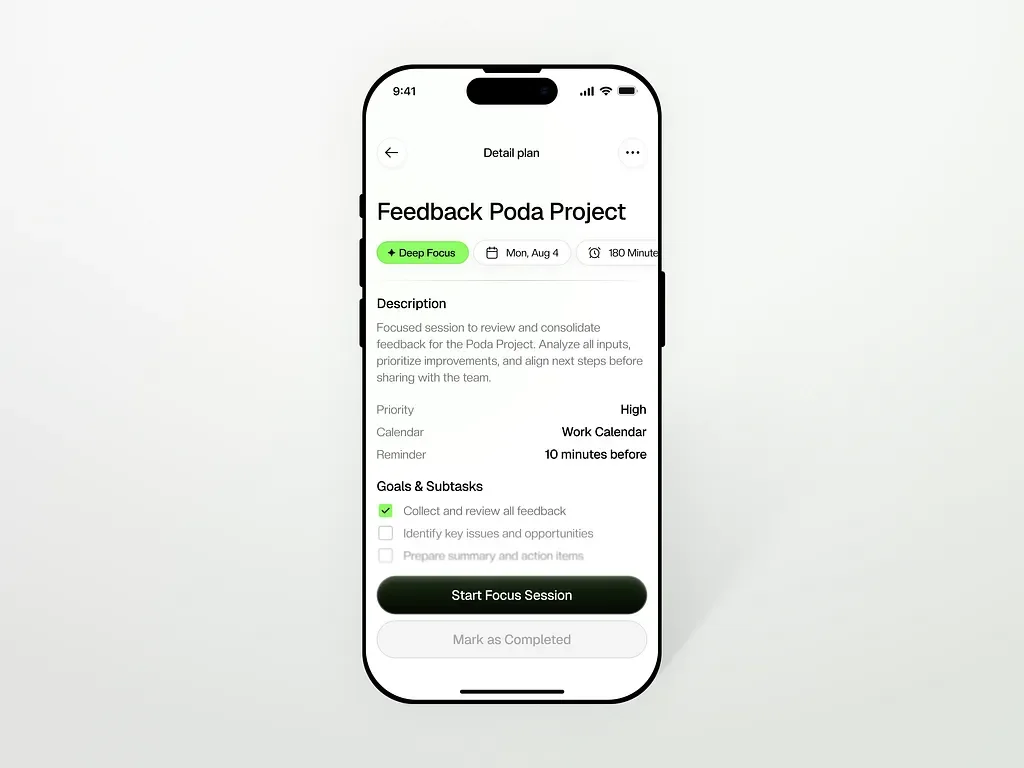
Streamlined Daily Timeline: Designed a clean vertical timeline that highlights priority tags (e.g., Deep Focus), meeting platform icons (like Google Meet), and exact durations to help users visualize their day at a single glance.
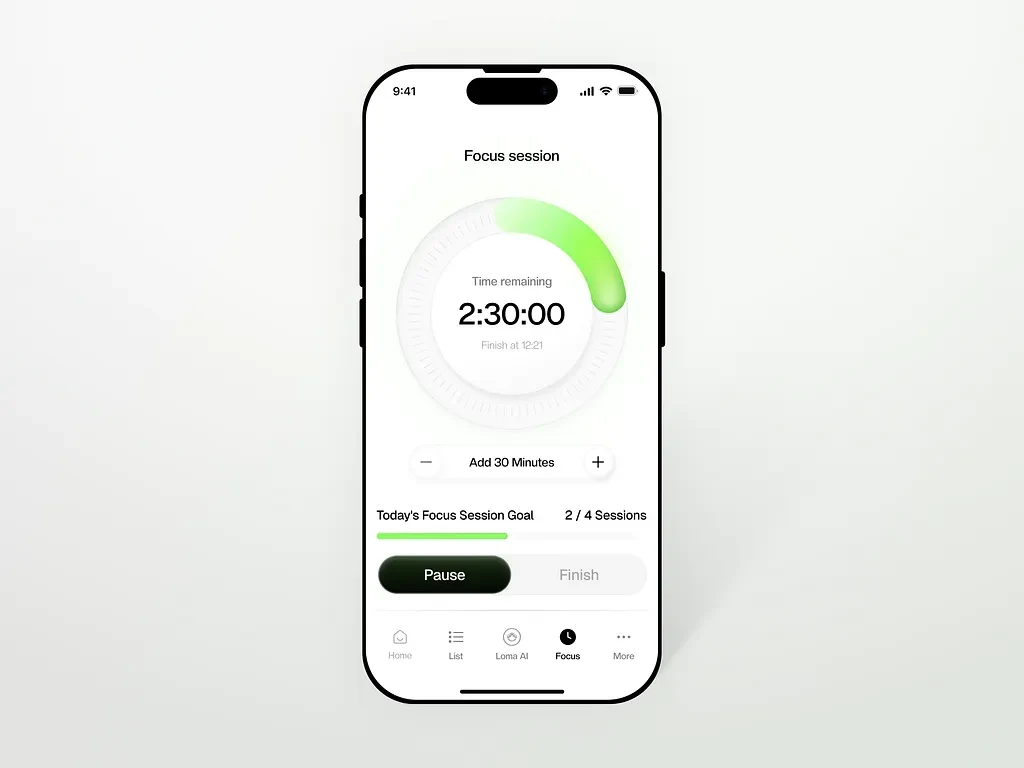
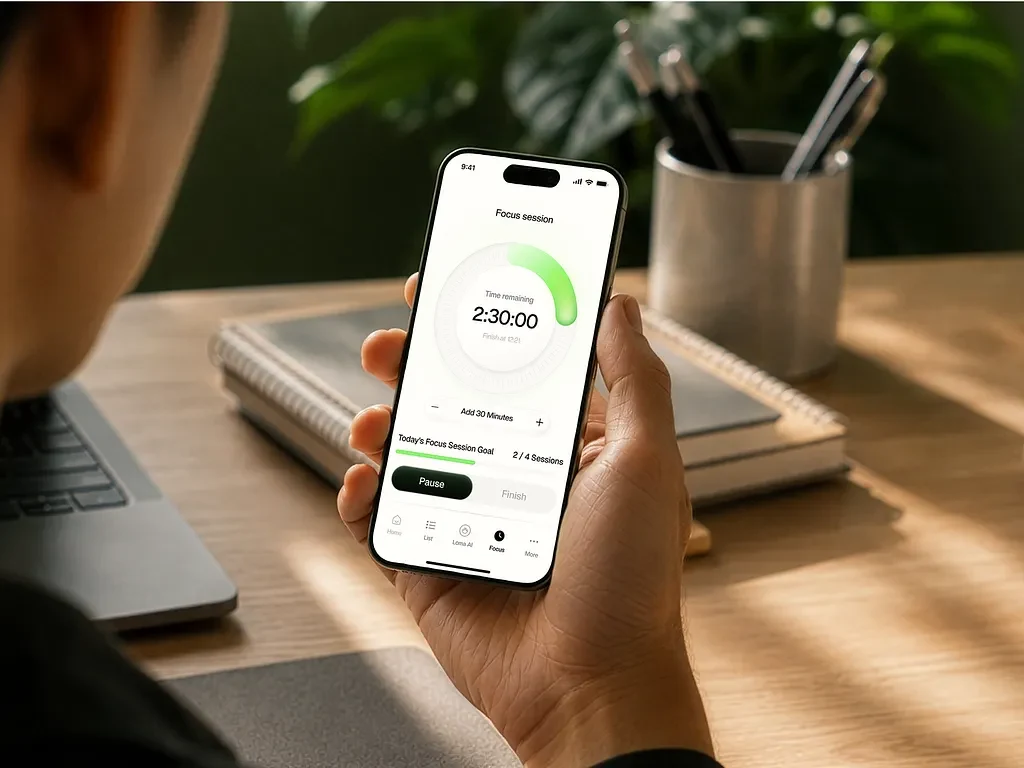
Interactive Focus Timer UI: Built a sleek circular progress timer with quick-action controls (Add 30 Minutes, Pause, Finish) and a goal tracker (2 / 4 Sessions) to keep users locked into their workflow.
Minimalist Bottom Navigation: Created a simple 5-tab bar featuring dedicated icons for Home, List, Loma AI, Focus, and More, ensuring effortless, thumb-friendly navigation across core features.
Like this project
Posted Aug 20, 2026
Loma is designed around that idea, pairing a clean task timeline with a dedicated focus mode that turns deep work into a guided ritual.
Likes
0
Views
13