OpenLiteSpeed Installation on Debian 12

Abraham Dahunsi

Introduction
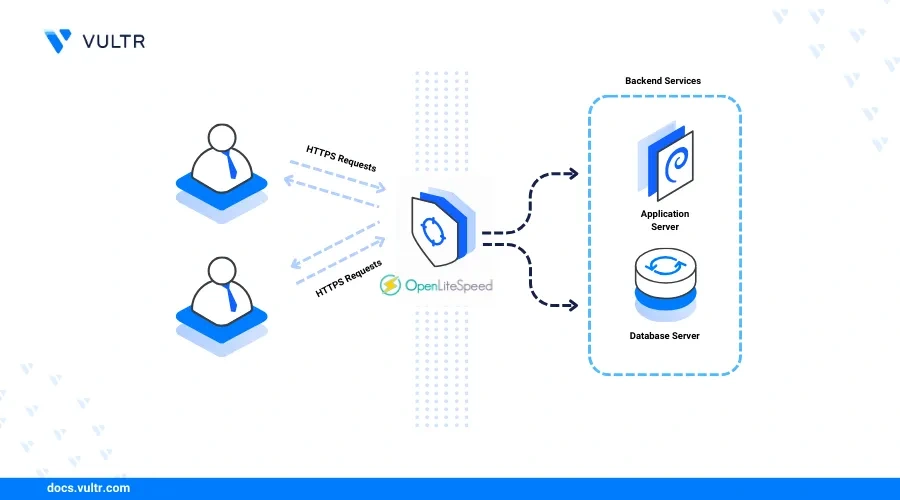
OpenLiteSpeed is a lightweight, high-performance, open-source webserver that delivers web applications using modern web technologies. The webserver supports built-in caching, HTTP/3, and a graphical web console for simplified server management.
In this article, you'll install the OpenLiteSpeed webserver on Debian 12, access the web console, and create virtual hosts to serve web applications.
Prerequisites
Before you begin:
Deploy a Debian 12 instance on Vultr.
Access the instance using SSH as a non-root user with sudo privileges.
Install OpenLiteSpeed
OpenLiteSpeed is not available in the default package repositories on Debian 12. Follow the steps below to download the latest OpenLiteSpeed repository information script and install the application.
Download and run the OpenLiteSpeed repository setup script.
console
Output:
Install the OpenLiteSpeed package.
console
View the installed OpenLiteSpeed version.
console
Output:
Manage the OpenLiteSpeed System Service
OpenLiteSpeed uses the
lsws system service to run on the server and manage the application processes. Follow the steps below to enable the OpenLiteSpeed system service to start at boot time and manage the webserver processes.Enable OpenLiteSpeed to automatically start at boot.
console
Start the OpenLiteSpeed service.
console
View the OpenLiteSpeed service status and verify that it's running.
console
Output:
Stop OpenLiteSpeed.
console
Restart OpenLiteSpeed.
console
Configure OpenLiteSpeed
OpenLiteSpeed includes an administrator setup script that lets you create administrative users to manage the webserver using the web console interface. Follow the steps below to create a new user and configure OpenLiteSpeed to listen for web application requests on the HTTP port
80.Run the OpenLiteSpeed administrator script to create a new user account.
console
Enter a new administrative username and a strong password.
Output:
Allow incoming connections to the OpenLiteSpeed web console port
7080 through the firewall. console
Reload the firewall to apply the new connection rules.
console
Access the OpenLiteSpeed web console on port
7080 using your server IP in a web browser such as Chrome.Accept the insecure certificate warning.

Accept the Insecure Certificate Warning
Log in to the OpenLiteSpeed Web control panel using the administrative user and password you created earlier.
Enter the Administrator Username and Password
Click Listeners on the left navigation menu.
Click Listeners on the Left Navigation Menu
Click View within the Actions section of the Default listener.
Click View within the Actions Section
Click Edit within the Address Settings section.
Change the Port value from
8088 to 80.Chnage Port Value from 8088 to 80
Click Save to apply the listening address changes.
Click Graceful Restart to apply the webserver configuration changes.
Click Graceful-Restart to Apply the Changes
Create a New OpenLiteSpeed Virtual Host
OpenLiteSpeeds supports multiple virtual hosts that use a unique domain, document root, and delivery directives. Follow the steps below to create a new OpenLiteSpeed virtual host for the
app.example.com domain.Create a web directory for your virtual host.
console
Create the OpenLiteSpeed data sub-directories.
console
The above command creates the following sub-directories in your web root directory:
html: Contains the web application files served by OpenLiteSpeed.logs: Stores the virtual host's access and error logs.conf: Stores site-specific OpenLiteSpeed configurations.Grant the
lsadm OpenLiteSpeed user and group ownership privileges to the directory. console
Access the OpenLiteSpeed web console in a new web browser window.
Click Virtual Hosts on the left navigation menu.
Click Virtual Hosts on the Left Menu
Click Add + to create a new virtual host with the following information:
Virtual Host Name:
app.example.comVirtual Host Root:
$SERVER_ROOT/app.example.com/Config File:
$SERVER_ROOT/conf/vhosts/$VH_NAME/vhconf.confFollow Symbolic Link:
YesEnable Scripts/ExtApps:
YesRestrained:
YesExternal App Set UID Mode:
Server UIDClick Save to create the new virtual host.
Click Save to Create the New Virtual Host
Click CLICK TO CREATE when prompted to create the new virtual host configuration file
usr/local/lsws/conf/vhosts/app.example.com/vhconf.conf.Click Save to apply the virtual host configuration.
Navigate to Virtual Hosts and select app.example.com.
Navigate to Virtual Hosts and Select your Domain
Navigate to the General tab and click Edit to modify the new virtual host configuration with the following information:
Document Root:
$VH_ROOT/html/Domain Name:
app.example.comDomain Aliases:
app.example.comEnable GZIP Compression:
YesEnable Brotli Compression:
YesClick Save to apply the new virtual host configurations.
Click Save to Apply the new Virtual Host
Navigate to the Log tab and click Edit in the Virtual Host Log section to update the following fields:
Use Server's Log:
YesFile Name:
$VH_ROOT/logs/error.logLog Level:
ERRORRolling Size (bytes):
10MKeep Days:
30Click Save to apply the log changes.
Click Add within the Access Log section and modify the following fields:
Log Control:
Own Log FileFile Name:
$VH_ROOT/logs/access.logRolling Size (bytes):
10MKeep Days:
30Click Save to apply the log configurations.
Click Save to Apply the Log Configurations
Navigate to the Rewrite tab, click Edit in the Rewrite Control section and update the following fields:
Enable Rewrite:
YesAuto Load from .htaccess:
YesClick Save to apply the rewrite configurations.
Rewrite the Configurations
Click Listeners on the left navigation menu and select Default > Virtual Host Mappings.
Click Add and map the
app.example.com domain to the virtual host you created earlier with the following values:Virtual Host:
app.example.comDomains:
app.example.comClick Save to apply the virtual host changes and click Graceful Restart in the top right corner to apply the webserver configurations.
Create a new
index.html web application file in your virtual host's html directory. console
Add the following contents to the file.
html
Save and close the file.
The above HTML application displays a
Hello World! Greetings from Vultr message when you access it using your virtual host domain.Allow network connections to the HTTP port
80 through the firewall. console
Access your domain using a web browser such as Chrome.
Verify that OpenLiteSpeed serves your web application files.
Secure the OpenLiteSpeed Webserver
OpenLiteSpeed serves web content using the insecure HTTP port
80 by default, which allows plain text data transmission between HTTP clients and the webserver. To encrypt sensitive information on port 443, enable HTTPS using trusted SSL/TLS certificates. Follow the steps below to generate trusted SSL certificates and secure the OpenLiteSpeed webserver.Install the Certbot Let's Encrypt client tool.
console
Generate a new SSL certificate for your domain. Replace
app.example.com with your actual domain name and admin@example.com with your email address. console
Output:
Access the OpenLiteSpeed web console.
Click Listeners on the main navigation menu.
Click Add + to create a new listener and set the following values:
Listener Name:
SSL ListenerIP Address:
ANY IPv4Port:
443Secure:
YesClick the Save to apply changes.
Click View within the Listeners section to modify the new SSL Listener.
Click Add to bind the listener to your existing virtual host in the Virtual Host Mappings section with the following values.
Virtual Host:
app.example.comDomains:
app.example.comClick Save to apply the configuration changes.
Navigate to the SSL tab within the SSL Listener settings.
Click Edit in the SSL Private Key & Certificate section and update the following fields with your Let's Encrypt certificate paths.
Private Key File:
/etc/letsencrypt/live/app.example.com/privkey.pemCertificate File:
/etc/letsencrypt/live/app.example.com/fullchain.pemChained Certificate:
YesClick Save to apply the SSL changes and select Graceful Restart in the top right corner to apply the webserver configurations.
Set Up Firewall Rules
OpenLiteSpeed web console runs on port
7080 and serves web applications on HTTP port 80 and HTTPS port 443. Follow the steps below to allow HTTP and HTTPS network connections through the firewall.View the UFW status and verify that it's active.
console
Output:
Allow HTTP connections on Port
80. console
Allow HTTPS connections on Port
443. console
View the UFW status and verify that the new rules are available.
console
Reload UFW to apply the firewall changes.
console
Access your domain using a web browser and verify that your application displays correctly.
Conclusion
You have installed the OpenLiteSpeed webserver on Debian 12 and enabled access to the web console administration interface. OpenLiteSpeed supports multiple virtual hosts you can use to securely run web applications with different frameworks on your server. For more information, please visit the official OpenLiteSpeed documentation.
Tags:
Related Content
Comments
No comments yet.
Like this project
Posted Jun 19, 2025
Installed and configured OpenLiteSpeed on Debian 12 for Vultr.