How to audit a CPA

Priyanka Ganguly


How to audit a CPA client file (step-by-step) 🔍
A clean audit isn’t about catching mistakes…
It’s about understanding the story behind the numbers.
I’ve worked on 10 of client files…
and while every business is different…
this simple structure works almost every time.
It all comes down to:
(1) Review → (2) Reconcile → (3) Validate → (4) Report
➡️ STEP 1: REVIEW (Understand before you fix)
Before touching anything…
I start by reviewing the full file:
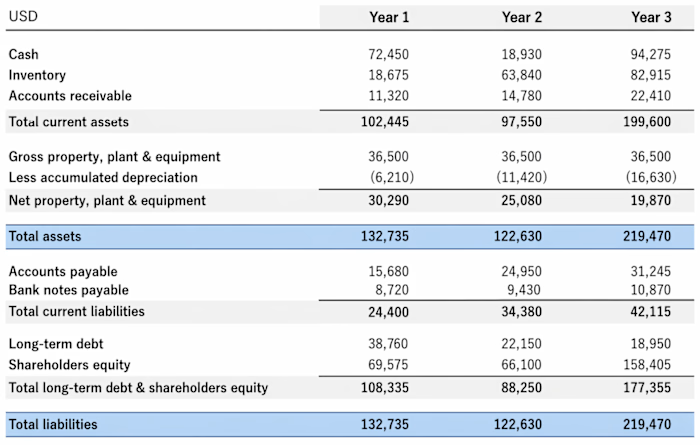
→ Financial statements (P&L, Balance Sheet)
→ Chart of Accounts structure
→ Previous year closing balances
→ Notes from prior accountants (if available)
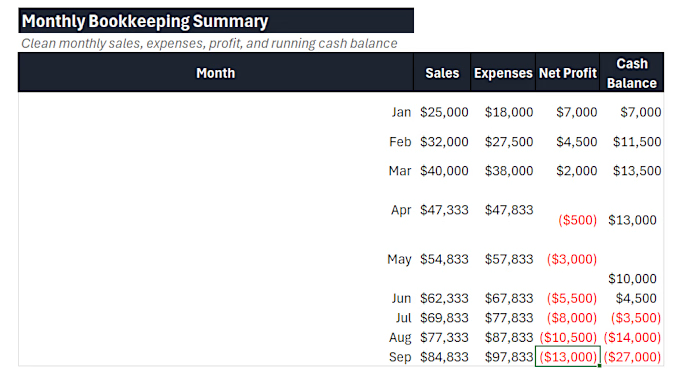
Goal: Spot anything unusual early (negative balances, missing accounts, inconsistencies)
➡️ STEP 2: RECONCILE (Match with reality)
This is where most issues hide.
I reconcile key accounts:
→ Bank & Credit Cards
→ Accounts Receivable / Payable
→ Loans & Liabilities
→ Payroll balances
If the numbers don’t match external documents…
the file isn’t reliable. Simple as that.
➡️ STEP 3: VALIDATE (Check the logic)
Now I dig deeper into transactions:
→ Are expenses categorized correctly?
→ Any duplicate or missing entries?
→ Journal entries without proper support?
→ Revenue recognition accurate?
This step is less about math…
and more about logic.
➡️ STEP 4: ADJUST & CLEAN UP
Once issues are identified:
→ Fix misclassifications
→ Pass adjusting journal entries
→ Clean old or unused accounts
→ Ensure proper cut-off (correct period)
This is where the file starts becoming “audit-ready”
➡️ STEP 5: REPORT (Make it usable)
Finally, I present the cleaned data:
→ Updated Financial Statements
→ Summary of adjustments made
→ Key risks or red flags
→ Recommendations for better processes
Because a good audit doesn’t just fix the past…
it improves the future.
===
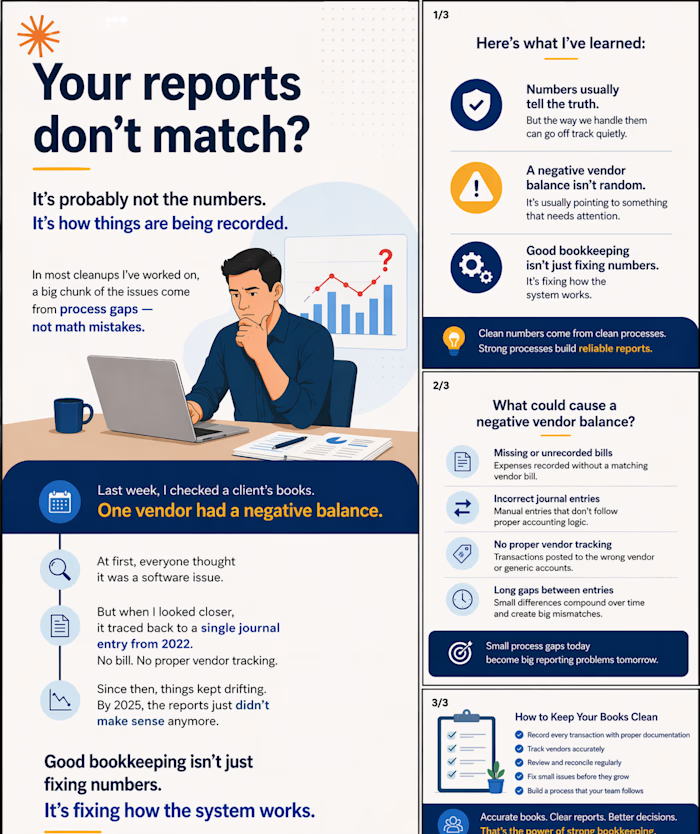
Most messy files aren’t caused by bad accountants…
They’re caused by broken processes.
Fix the process → and the numbers follow.
That’s how I approach every CPA client file.
What’s the most common issue you’ve seen in financial records?
Like this project
Posted Apr 27, 2026
How to audit a CPA client file (step-by-step) 🔍 A clean audit isn’t about catching mistakes… It’s about understanding the story behind the numbers. I’ve wor...
Likes
0
Views
2