Priyanka Ganguly's Work | ContraWork by Priyanka Ganguly
Priyanka Ganguly

Priyanka Ganguly

Bookkeeper for Real Estate & Ecommerce | QuickBooks & Xero

New to Contra

Priyanka is building their profile!

Cover image for I ran a reconciliation audit
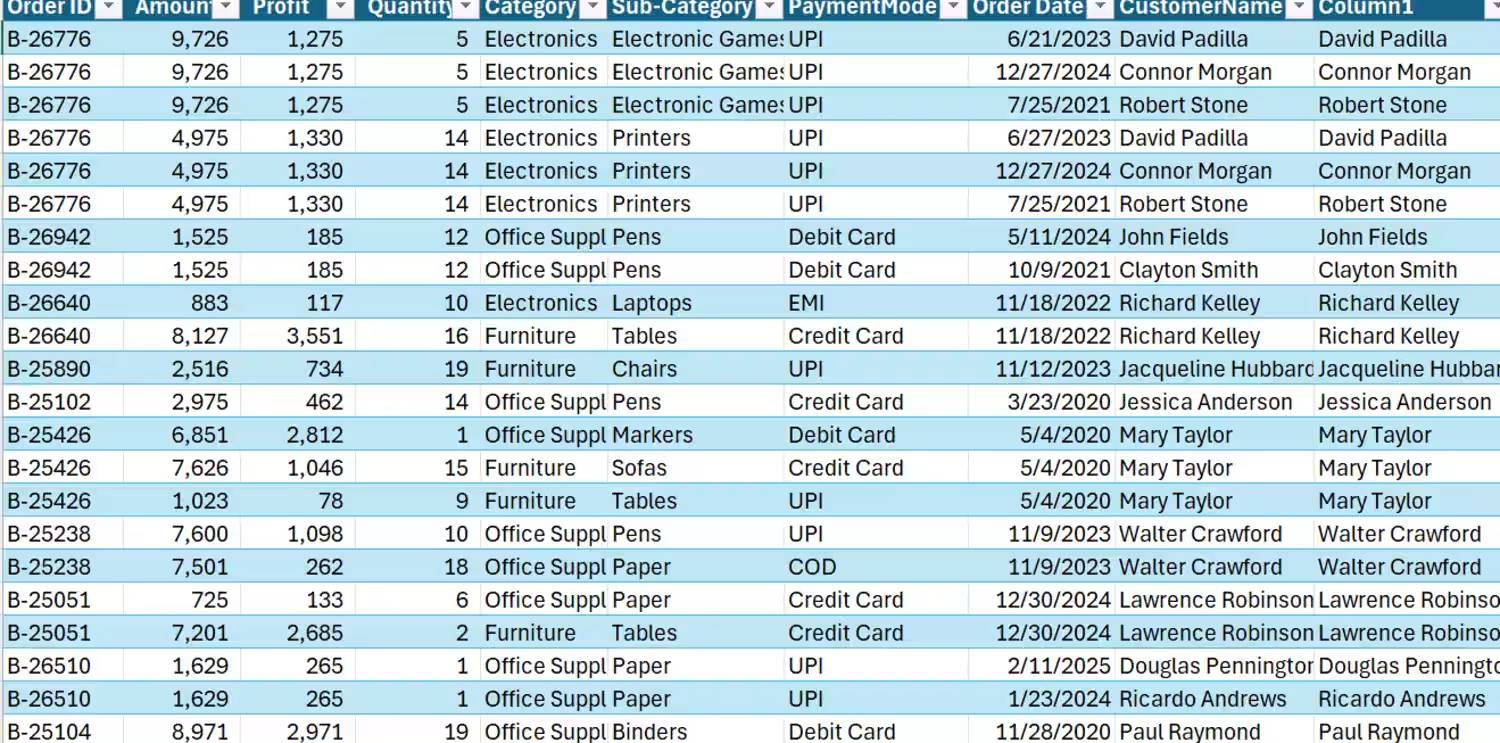
I ran a reconciliation audit on a real estate transactions dataset this week. One clean check formula per column. That's all it takes to catch this before it becomes a crisis. If you work in real estate analytics, build your reconciliation layer before you build your insights layer. Every time.
0
3
Cover image for QuickBooks was not built specifically
QuickBooks was not built specifically for real estate businesses. It was designed to handle many different industries. But real estate accounting works very differently. Why? Because real estate businesses deal with: • Multiple properties • Job costing for every project • Construction and renovation expenses • Loans and interest tracking • Investor contributions and distributions • Rental income management • Property-wise profitability • Depreciation and long-term assets This is where many real estate businesses struggle. They try to use QuickBooks like a normal business system — and their numbers become confusing very quickly. The software is powerful. But the setup matters more than the software itself.
0
13
Cover image for They record transactions…

without understanding what
They record transactions… without understanding what the numbers are actually saying. One wrong category can: → distort profit → destroy tax strategy → hide cash flow problems → make a good investment look bad Good bookkeeping isn’t data entry. It’s financial intelligence. The investors who scale fastest aren’t guessing from bank balances. They understand: 📊 where money goes 📈 which properties perform 💰 what expenses actually mean Messy books create stress. Clean books create confidence. #Bookkeeping #RealEstateInvesting #RealEstateBookkeeping #QuickBooks #Accounting #CashFlow #PropertyManagement #SmallBusiness #Finance #TaxStrategy
0
14
Cover image for How to audit a CPA
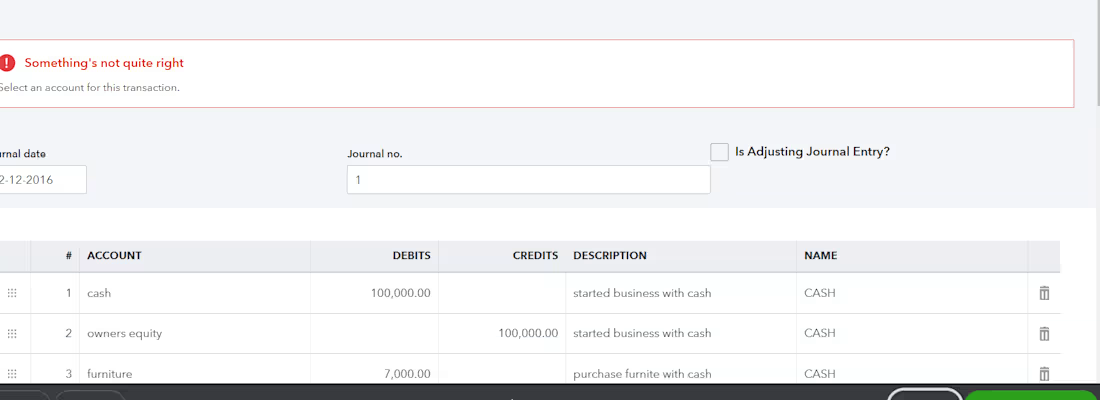
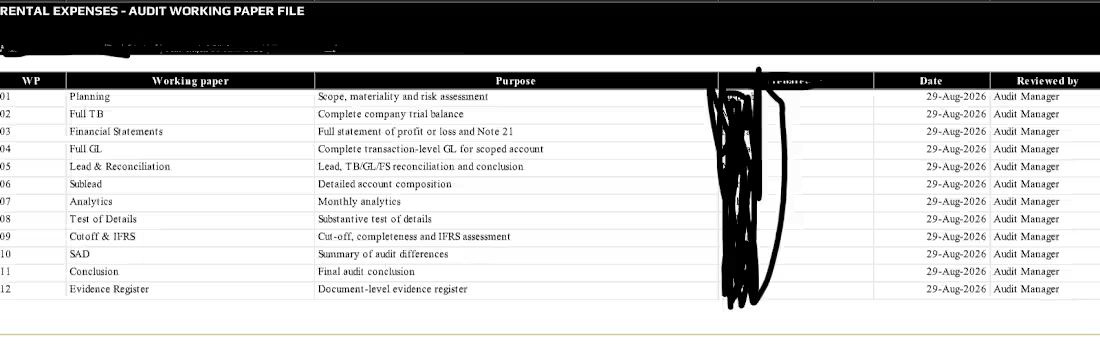
How to audit a CPA client file (step-by-step) 🔍 A clean audit isn’t about catching mistakes… It’s about understanding the story behind the numbers. I’ve worked on 10 of client files… and while every business is different… this simple structure works almost every time. It all comes down to: (1) Review → (2) Reconcile → (3) Validate → (4) Report ➡️ STEP 1: REVIEW (Understand before you fix) Before touching anything… I start by reviewing the full file: → Financial statements (P&L, Balance Sheet) → Chart of Accounts structure → Previous year closing balances → Notes from prior accountants (if available) Goal: Spot anything unusual early (negative balances, missing accounts, inconsistencies) ➡️ STEP 2: RECONCILE (Match with reality) This is where most issues hide. I reconcile key accounts: → Bank & Credit Cards → Accounts Receivable / Payable → Loans & Liabilities → Payroll balances If the numbers don’t match external documents… the file isn’t reliable. Simple as that. ➡️ STEP 3: VALIDATE (Check the logic) Now I dig deeper into transactions: → Are expenses categorized correctly? → Any duplicate or missing entries? → Journal entries without proper support? → Revenue recognition accurate? This step is less about math… and more about logic. ➡️ STEP 4: ADJUST & CLEAN UP Once issues are identified: → Fix misclassifications → Pass adjusting journal entries → Clean old or unused accounts → Ensure proper cut-off (correct period) This is where the file starts becoming “audit-ready” ➡️ STEP 5: REPORT (Make it usable) Finally, I present the cleaned data: → Updated Financial Statements → Summary of adjustments made → Key risks or red flags → Recommendations for better processes Because a good audit doesn’t just fix the past… it improves the future. === Most messy files aren’t caused by bad accountants… They’re caused by broken processes. Fix the process → and the numbers follow. That’s how I approach every CPA client file. What’s the most common issue you’ve seen in financial records?
0
32
Cover image for This New AI Will Replace
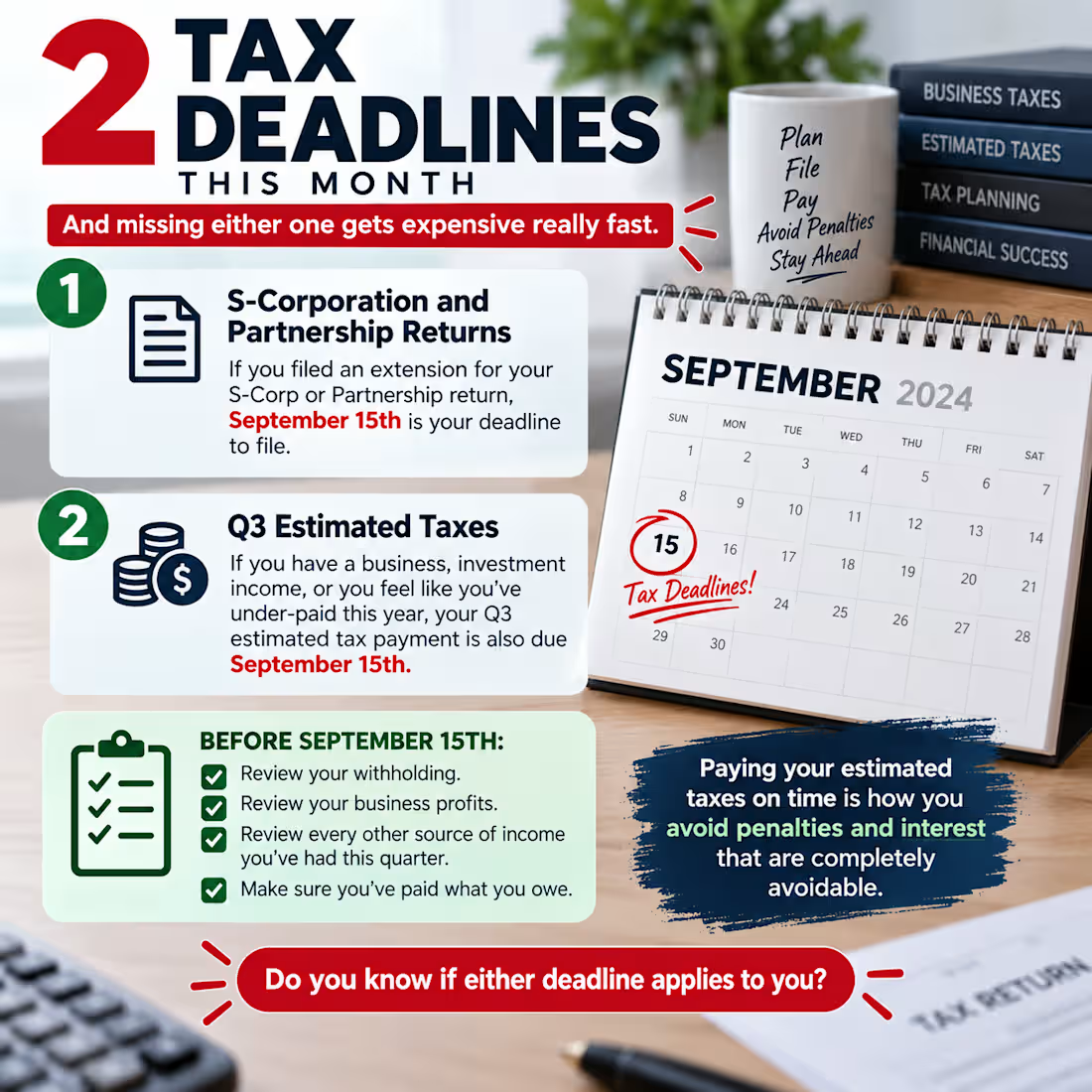
This New AI Will Replace Millions of Accounting Jobs… But eCommerce tells a different story 👇 Last month, I looked at real data — not opinions. 📊 Accounting market: $735B 🛒 E-commerce: $8.1T 🤖 AI in accounting: $6.6B → $37.6B So what’s happening? AI is not killing accounting. It’s killing manual work. Today in eCommerce bookkeeping: • Transactions → automated • Reconciliation → auto-matched • Reports → generated instantly What took hours… now takes seconds. But here’s what most people miss: As AI grows, bookkeeping demand is increasing. Why? More eCommerce → more transactions → more complexity → more need for clarity. The real shift: Before: Record data Now: Explain the business AI replaces: ❌ Data entry ❌ Basic tasks AI cannot replace: ✅ Insight ✅ Profit thinking ✅ Decision-making The future is not “bookkeeper” It’s financial strategist 👉 AI replaces workers 👉 But it promotes thinkers Question: Are you still doing work AI can already do
0
27
Cover image for client work
client work
0
34
Cover image for Your reports don’t match?
It’s probably
Your reports don’t match? It’s probably not the numbers. It’s how things are being recorded. In most cleanups I’ve worked on, a big chunk of the issues come from process gaps — not math mistakes. Last week, I checked a client’s books. One vendor had a negative balance. At first, everyone thought it was a software issue. But when I looked closer, it traced back to a single journal entry from 2022. No bill. No proper vendor tracking. Since then, things kept drifting. By 2025, the reports just didn’t make sense anymore. Here’s what I’ve learned: Numbers usually tell the truth. But the way we handle them can go off track quietly. A negative vendor balance isn’t random. It’s usually pointing to something that needs attention. Good bookkeeping isn’t just fixing numbers. It’s fixing how the system works. give a attractive title here
0
29
Cover image for The Balance Sheet Was “Perfect.”
Until
The Balance Sheet Was “Perfect.” Until we looked deeper. A client showed me a report just like this. Everything matched. Everything looked professional. Everything was “fine.” But within minutes, I knew something was wrong. Cash dropped almost to zero… then suddenly jumped. Inventory kept increasing… But there was no clear sales flow. Accounts receivable? Missing. Liabilities? Climbing fast. And still… The report balanced perfectly. The Reality The system was working. But the data wasn’t. What Was Actually Happening • Transactions were not properly tracked • Inventory was not aligned with sales • No reconciliation was being done • Financials were built on assumptions The Result The owner was making decisions based on numbers… That didn’t reflect reality. What We Fixed • Cleaned the data • Reconciled accounts • Corrected classifications • Rebuilt financial visibility Your reports don’t need to look good. They need to be true. Activate to view larger image,
0
41
Cover image for This invoice looks clean.
Professional design.
This invoice looks clean. Professional design. Clear layout. Everything “seems” fine. But as a bookkeeper… I see problems that can cost real money. Most business owners don’t notice these: ❌ No structured invoice numbering ❌ Weak or missing tax breakdown ❌ No clear payment terms ❌ No validation of pricing or quantities ❌ No control over duplicate or abnormal entries And here’s what happens next: • Payments get delayed because terms are unclear • Tax filing becomes risky or inaccurate • Duplicate invoices get paid without notice • Cash flow becomes unpredictable • Disputes with clients increase The biggest issue? Everything looks correct on the surface… But there is no control behind it. This is where AI changes everything. Not by “making invoices faster” But by making them smarter and safer Here’s how AI fixes this: 🔍 Detects duplicate invoices before payment 📊 Suggests optimal payment timing for cash flow 🧾 Extracts and validates invoice data automatically ⚠️ Flags unusual pricing or vendor changes 📈 Gives real insight into spending patterns AI doesn’t replace bookkeeping. It removes hidden financial risks that most businesses never see. Because the problem is not bad invoices. It’s invisible mistakes inside good-looking ones. 💬 When did you last check if your invoicing system is actually protecting your business?
0
44
Cover image for some part of my client
some part of my client work
0
42
Cover image for  Bookkeeping in 2026 is not
 Bookkeeping in 2026 is not what it used to be. I used to spend hours manually reviewing accounts one by one. Now? AI inside QuickBooks Online does it in seconds. Look at this Chart of Accounts — AI helped me: ✅ Find all balance sheet accounts with zero balance ✅ Make them inactive in one batch action ✅ Clean up the books faster than ever This is what modern bookkeeping looks like: → Less manual work → More accuracy → More time for clients AI is not replacing bookkeepers. It is making skilled bookkeepers 10x more powerful. Are you using AI in your bookkeeping workflow yet? hashtag#Bookkeeping (https://www.linkedin.com/search/results/all/?keywords=%23bookkeeping&origin=HASH_TAG_FROM_FEED) hashtag#QuickBooks (https://www.linkedin.com/search/results/all/?keywords=%23quickbooks&origin=HASH_TAG_FROM_FEED) hashtag#AI (https://www.linkedin.com/search/results/all/?keywords=%23ai&origin=HASH_TAG_FROM_FEED) hashtag#RemoteWork (https://www.linkedin.com/search/results/all/?keywords=%23remotework&origin=HASH_TAG_FROM_FEED) hashtag#Accounting (https://www.linkedin.com/search/results/all/?keywords=%23accounting&origin=HASH_TAG_FROM_FEED) hashtag#Freelance (https://www.linkedin.com/search/results/all/?keywords=%23freelance&origin=HASH_TAG_FROM_FEED)
0
45
Cover image for as a bookkeeper — can
as a bookkeeper — can use Claude AI in your daily work to save hours and serve more clients Step 1 — Get data from your client. They send you their bank statement or a list of transactions. Step 2 — Paste it into Claude. You type something like: "Here are my client's transactions for March. Please categorize them into: rent, salaries, utilities, marketing, and other. Then calculate total spending in each category." Claude does this in seconds. Step 3 — You review and verify. This is your job — AI can make mistakes, so you check the numbers with your accounting knowledge. This is why clients still need YOU and not just AI. Step 4 — Ask Claude to write the report. Type: "Now write a short professional monthly report summarizing these results for a small business owner." You get a polished report ready to send. The calculator above is interactive — type in your client's real numbers and it calculates gross profit, net profit, and margins instantly, showing you the exact formula
0
56
Cover image for QuickBooks vs Digits — Which
QuickBooks vs Digits — Which is right for your accounting firm? Traditional stability meets AI-driven innovation. While QuickBooks dominates with trust and ecosystem, Digits is redefining automation with real-time intelligence. 👉 The future isn’t one or the other — it’s knowing when to use both. #Accounting #FinTech #AI #QuickBooks #Digits #BusinessGrowth
0
63
Cover image for Most businesses lose thousands every
Most businesses lose thousands every month — not because of bad sales, but because nobody is reconciling their books properly. The Problem Your ERP says one thing. Your bank says something different. Which one is right? If you cannot answer that instantly — your books have a problem. And that problem gets bigger every single month you ignore it. What I do I specialize in Bank Reconciliation — matching every transaction between your ERP system and your bank statement, line by line, so nothing slips through the cracks. Here is my exact process: → Step 1 — Pull ERP data and Bank statement into Excel → Step 2 — Use SUMIFS to match every Transaction # automatically → Step 3 — Calculate the Difference (ERP minus Bank) for each line → Step 4 — Flag every mismatch instantly as "Check" → Step 5 — Use Power Query to group, merge and cross-verify both sources → Step 6 — Deliver a clean reconciliation report with full remarks What you get ✅ Every matched transaction confirmed ✅ Every discrepancy identified with exact difference ✅ Transactions only in ERP — flagged ✅ Transactions only in Bank — flagged ✅ A 100% clean, audit-ready reconciliation report Tools I use → Microsoft Excel (SUMIFS, IF, Conditional Formatting) → Power Query (Table.Group (http://Table.Group), Table.NestedJoin, Merge Queries) → QuickBooks / Xero / Any ERP system Call to Action If your books have not been reconciled properly — you are flying blind with your finances. Let me do a free initial review of your books and tell you exactly where the gaps are. 📩 DM me right now or drop a "YES" in the comments and I will reach out to you today. #BankReconciliation  #Bookkeeping  #Accounting  #Excel  #PowerQuery  #Finance  #SmallBusiness  #ERPAccounting  #FreelanceBookkeeper  #HireMe  #OpenToWork  #RemoteWork
0
51
Cover image for Here's a fresh monthly financial
Here's a fresh monthly financial report with updated amounts, structured across three tables: Profit & Loss — tracks revenue, COGS, and expenses across Jan–Mar 2026 Cash Flow Statement — shows operating, investing, and financing activities with opening/closing balances Balance Sheet — snapshot of assets, liabilities, and owner's equity for March
0
65