X:Social Media App Redesign

Habiba Abdullahi 😎
2 collaborators


Cover Image
Project Overview
Project: Twitter (X) Messaging/ Space Redesign
Focus: Messaging experience, spacing, and AI chat summaries
Type: Concept/Collaborative Redesign
Tools: Figma
This project reimagines Twitter (X)’s messaging experience with a focus on clarity, readability, and catching up effortlessly in group chats.
Project Overview
Problem Statement
Twitter (X) messages, especially group chats can become overwhelming very quickly. Users who step away often return to long message threads with no clear way to understand what they missed.
Key issues identified:
Tight spacing reduces readability in long conversations
No edit message option in group chats
No voice note support for faster, expressive communication
Users returning to active group chats struggle to catch up
Important messages get lost in fast-paced discussions
Design Goals
Improve spacing and message clarity
Introduce essential group chat features (edit & voice notes)
Reduce friction in long conversations
Use AI to help users quickly understand missed discussions
AI Summary Chat
AI-Powered Chat Summaries
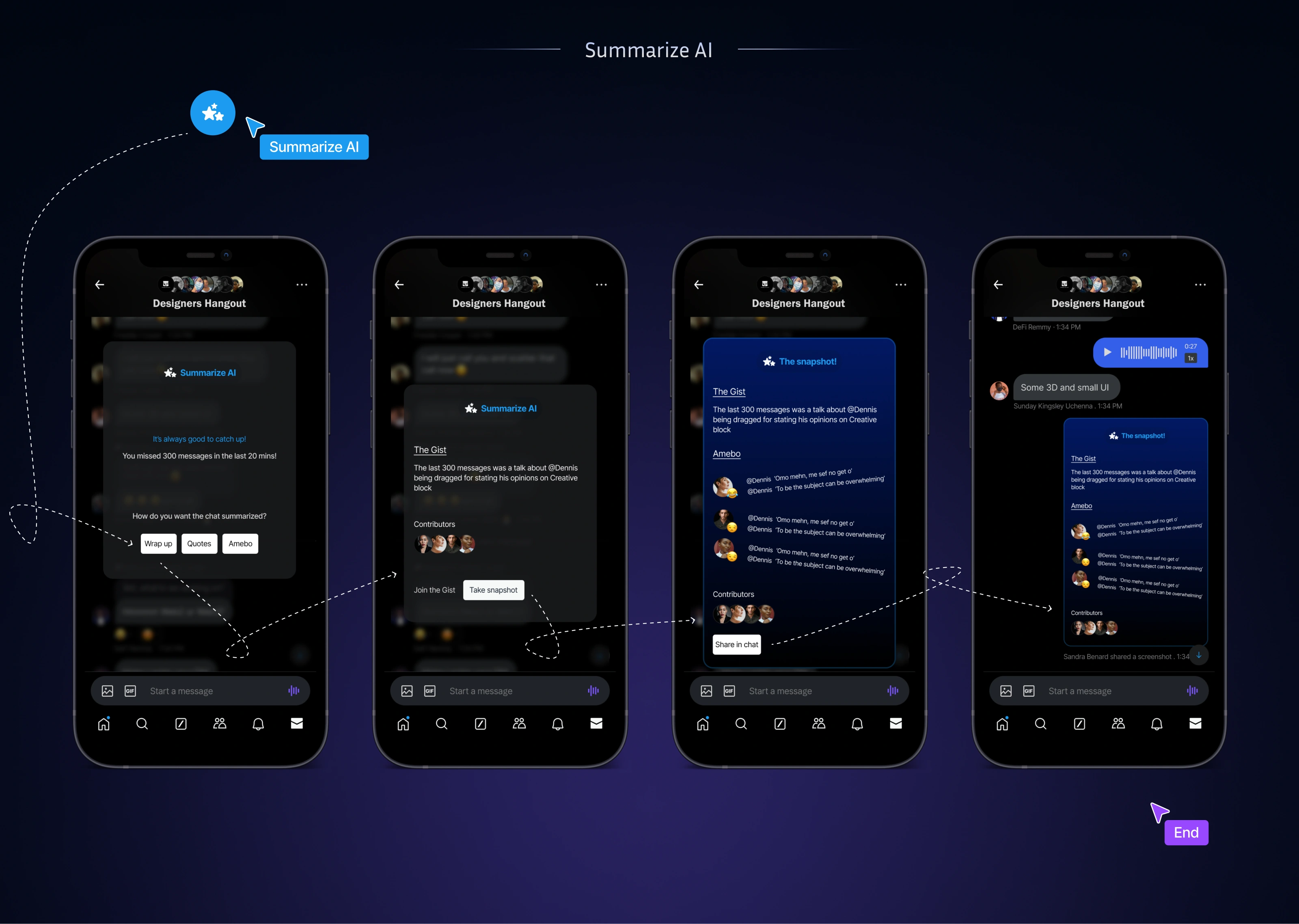
To solve the “missed messages” problem, we introduced an AI chat summary feature for group conversations.
How it works:
When a user opens a group chat after being away, an AI-generated summary Icon appears at the bottom right side of the screen
The summary highlights key discussion points, decisions, or shared links
Users can summarize chat by either clicking "wrap up", "Quotes" or "Amebo-means gist" depending on how interested the users are in the conversation.
This allows users to understand the conversation context without reading every message.
Interaction Design
The AI summary is optional and non-disruptive
Users remain in control of when they view or hide summaries
The feature blends naturally into the existing messaging UI
Edit Message
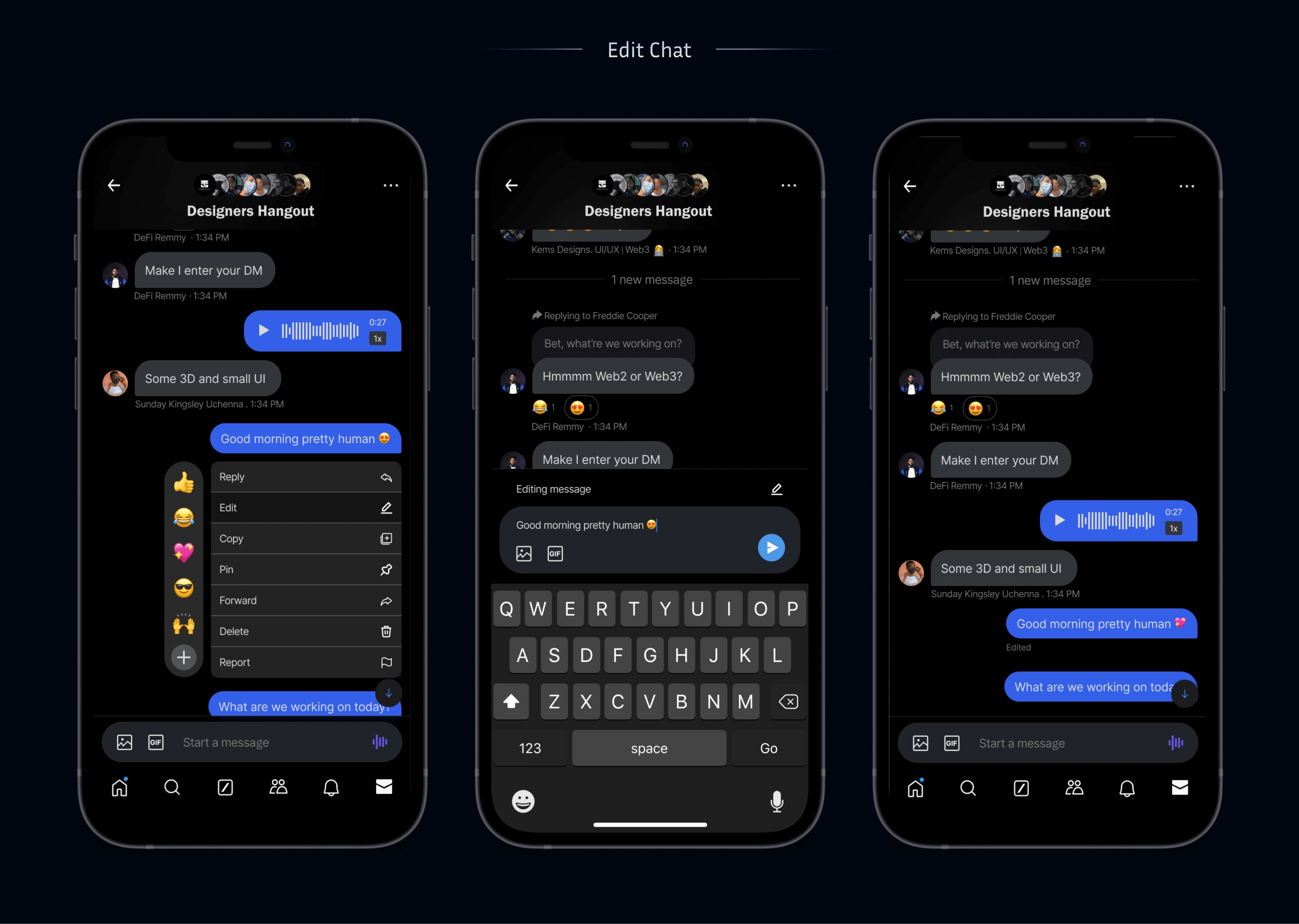
Edit Message Feature (Group Chats)
We introduced an edit message option that:
Allows users to fix typos or clarify messages
Displays a subtle “edited” indicator for transparency
Prevents confusion without disrupting conversation flow
This improves message accuracy and reduces follow-up corrections.
Voice note Feature
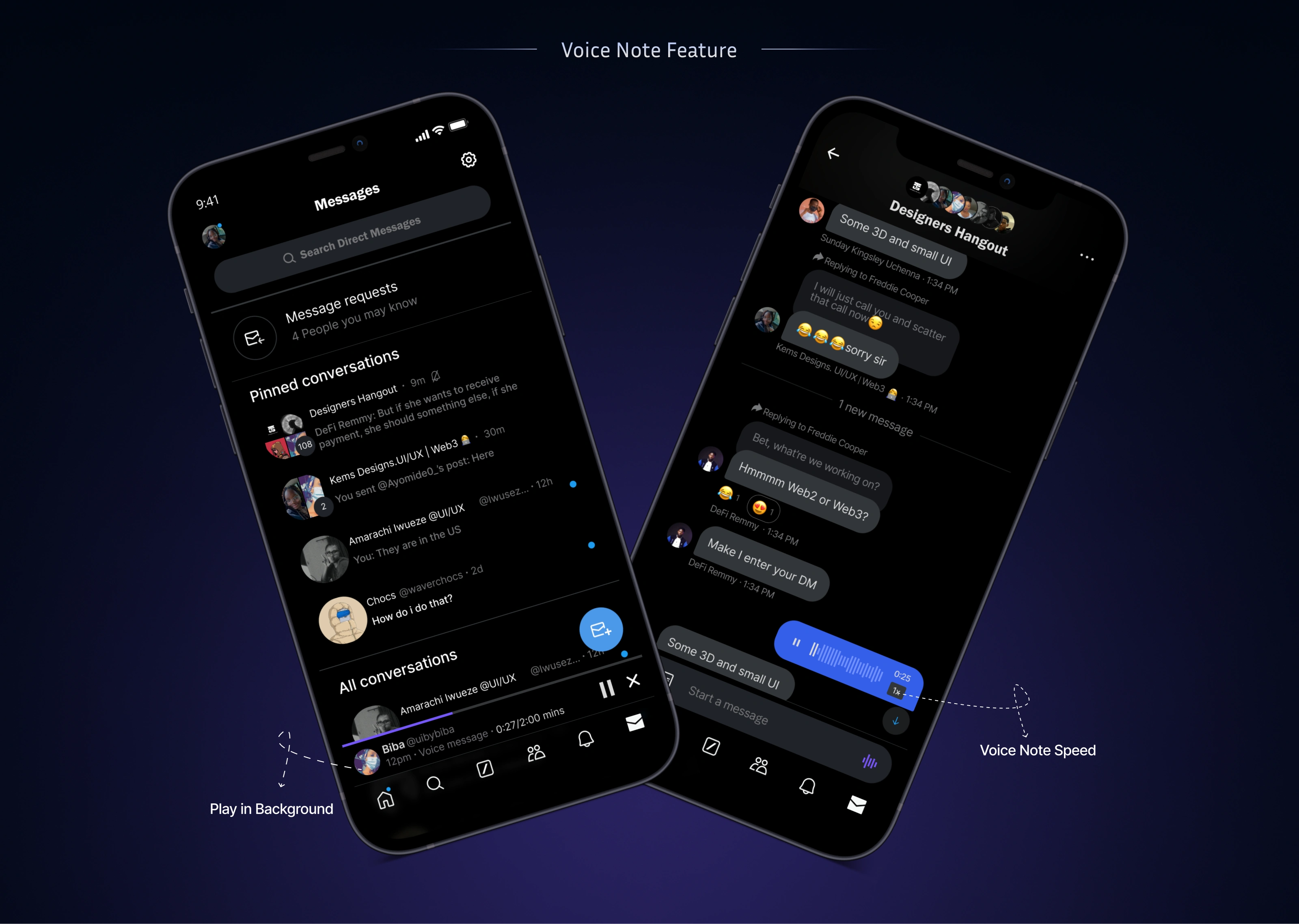
Voice Notes in Group Chats
We added voice note support to allow:
Faster communication when typing is inconvenient
More expressive conversations
Accessibility for users who prefer audio
Voice notes are designed with:
Simple tap-and-hold recording
Clear playback controls
Visual consistency with text messages
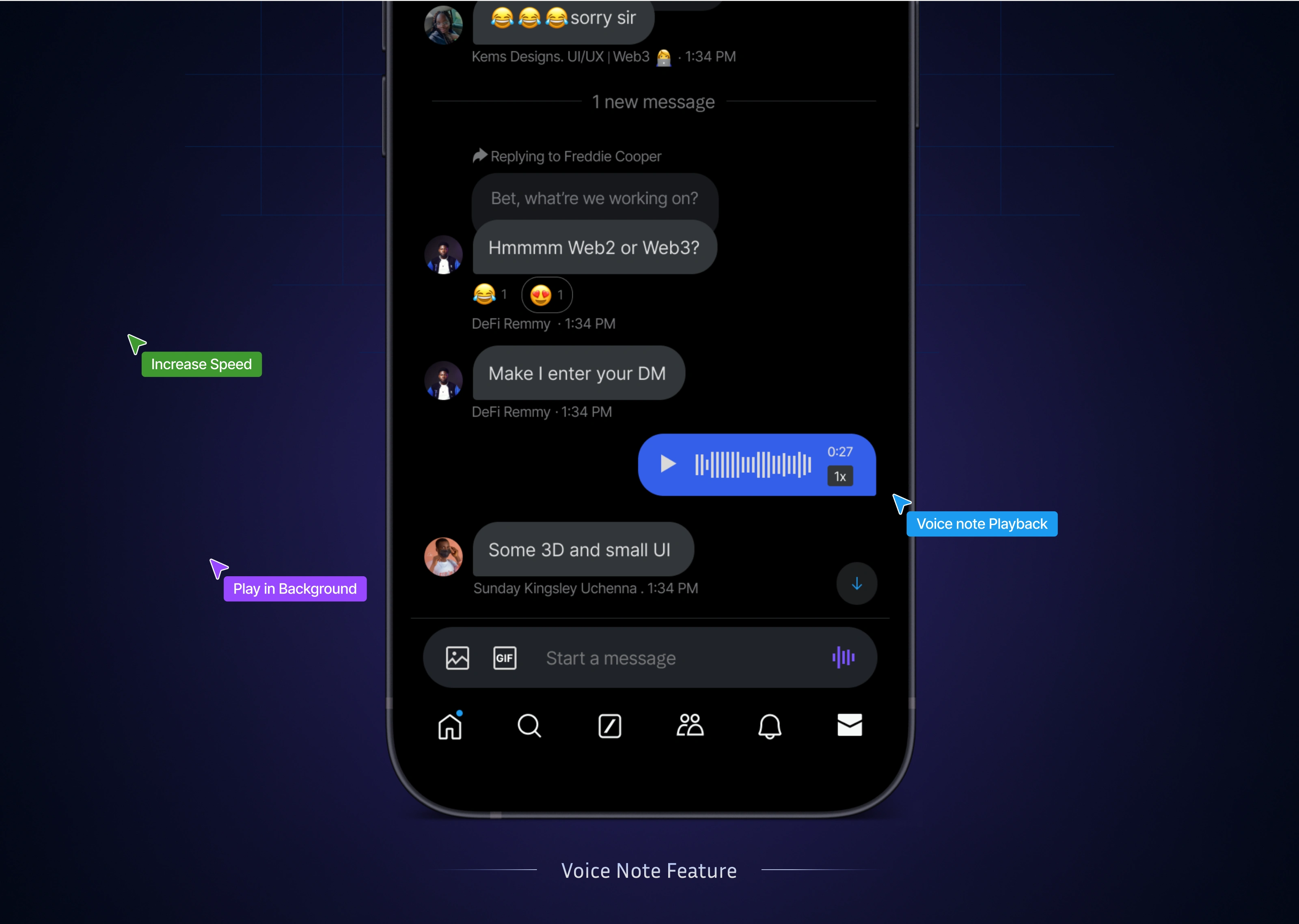
Voice Note Feature
Final Solution
The redesigned Twitter (X) group messaging experience:
Feels more readable through improved spacing
Supports essential features like message editing and voice notes
Helps users quickly regain context with AI summaries
Reduces friction in fast-moving group conversations
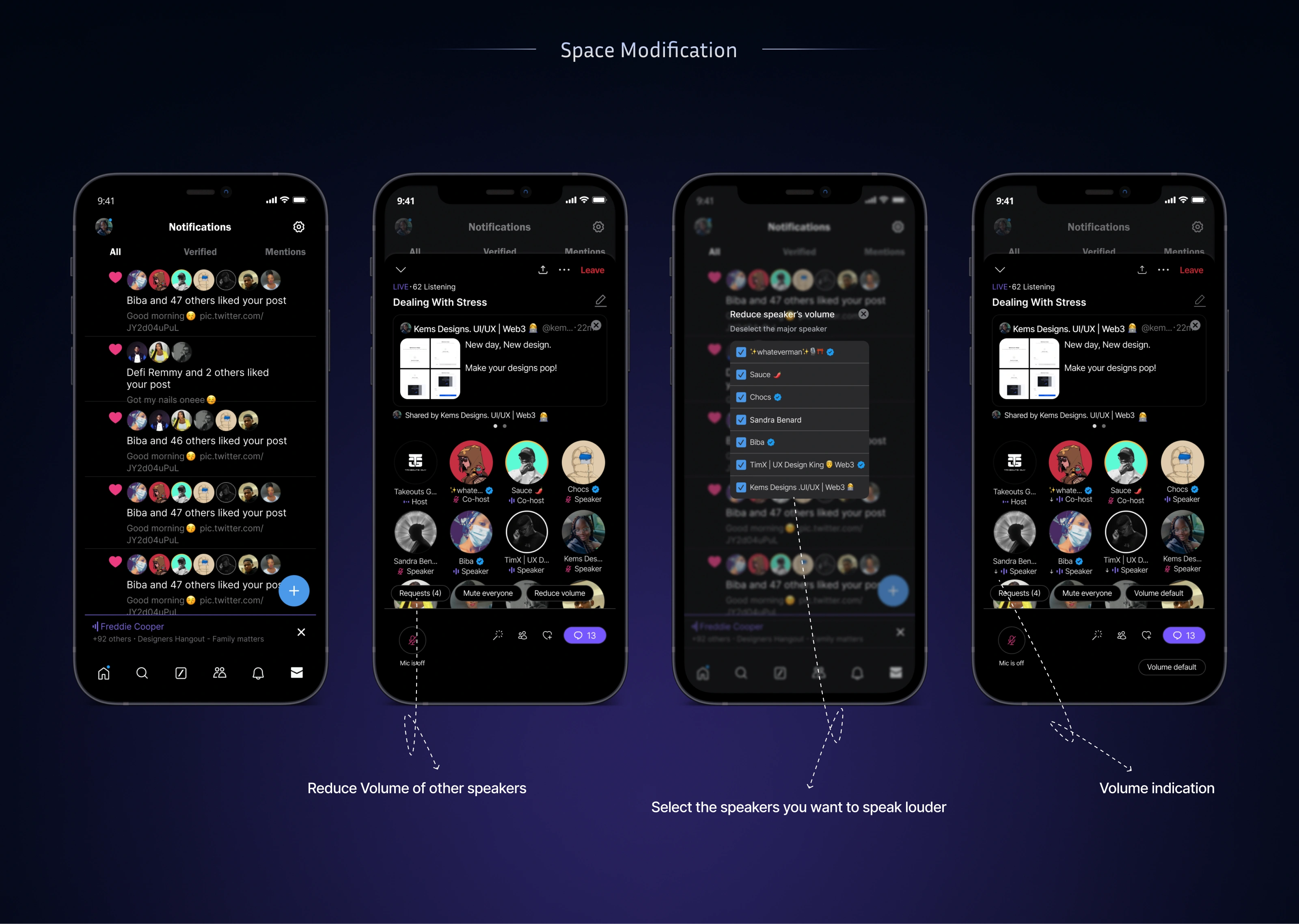
Space Modification
My Role
I collaborated with friends and contributed to:
UX problem definition
Feature ideation across messaging and Audio Spaces
AI summary concept and user flow
UI design and prototyping in Figma
Key Learnings
Messaging UX must support correction, context, and expression
Missing “basic” features significantly affect usability
AI works best when it complements human conversation, not replaces it
Like this project
Posted Nov 25, 2024
Incorporating AI into messaging system on X. This AI will help user summarize most chats in groups and help tell them who sent a message.
Likes
8
Views
128