NutriTrack Calorie Tracking App Development

Sahil S


NutriTrack: A Case Study in Making Calorie Tracking Feel Less Like a Chore
Overview
Project: NutriTrack a food logging and calorie tracking app
Role: Product Design & Development (End-to-End)
Duration: 14 weeks (Discovery → Launch)
Platforms: iOS, Android
Team: 1 Designer/Developer (solo build), with user testing support from 15 beta participants
NutriTrack was built to solve a problem nearly every calorie-tracking app share: people start logging with enthusiasm and quit within days because the process feels tedious, judgmental, or just too slow for real life. The goal was to design and build an app where logging a meal takes seconds, not minutes and where the data you get back actually changes how you eat.
The Problem
Calorie tracking apps have a well-documented drop-off curve. Most users log diligently for the first 3–7 days, then abandon the habit entirely. Early research and personal use of existing apps (MyFitnessPal, Lose It, Cronometer) surfaced recurring frustrations:
Logging fatigue — Searching a food database, adjusting portion sizes, and confirming an entry could take 5+ taps per item, multiple times a day.
Database noise — Crowdsourced food databases were riddled with duplicate or inaccurate entries, making users second-guess every number they logged.
Guilt-based framing — Red "over budget" bars and calorie deficits displayed as failures discouraged consistent use, especially on higher-calorie days.
Disconnected insights — Users could see what they ate, but rarely understood patterns — like which meals consistently pushed them over, or which days they under-ate.
Goals & Success Metrics
Cut average logging time per meal to under 15 seconds for common/repeat foods.
Improve database trust by curating a smaller, verified core database rather than relying purely on crowdsourcing.
Reframe progress visually — replace deficit/over-budget framing with neutral, trend-based feedback.
Build and ship solo within roughly 3 months while keeping the codebase maintainable for future iteration.
Design Process
1. Mapping the Logging Journey
I broke the existing logging flow (search → select → adjust portion → confirm) into its individual friction points and timed each step using competitor apps. Search and portion adjustment were the two biggest time sinks, so the redesign focused there first.
2. Wireframing & Prototyping
I prototyped three logging methods in Figma and tested them with beta users:
Manual search (baseline, kept as fallback)
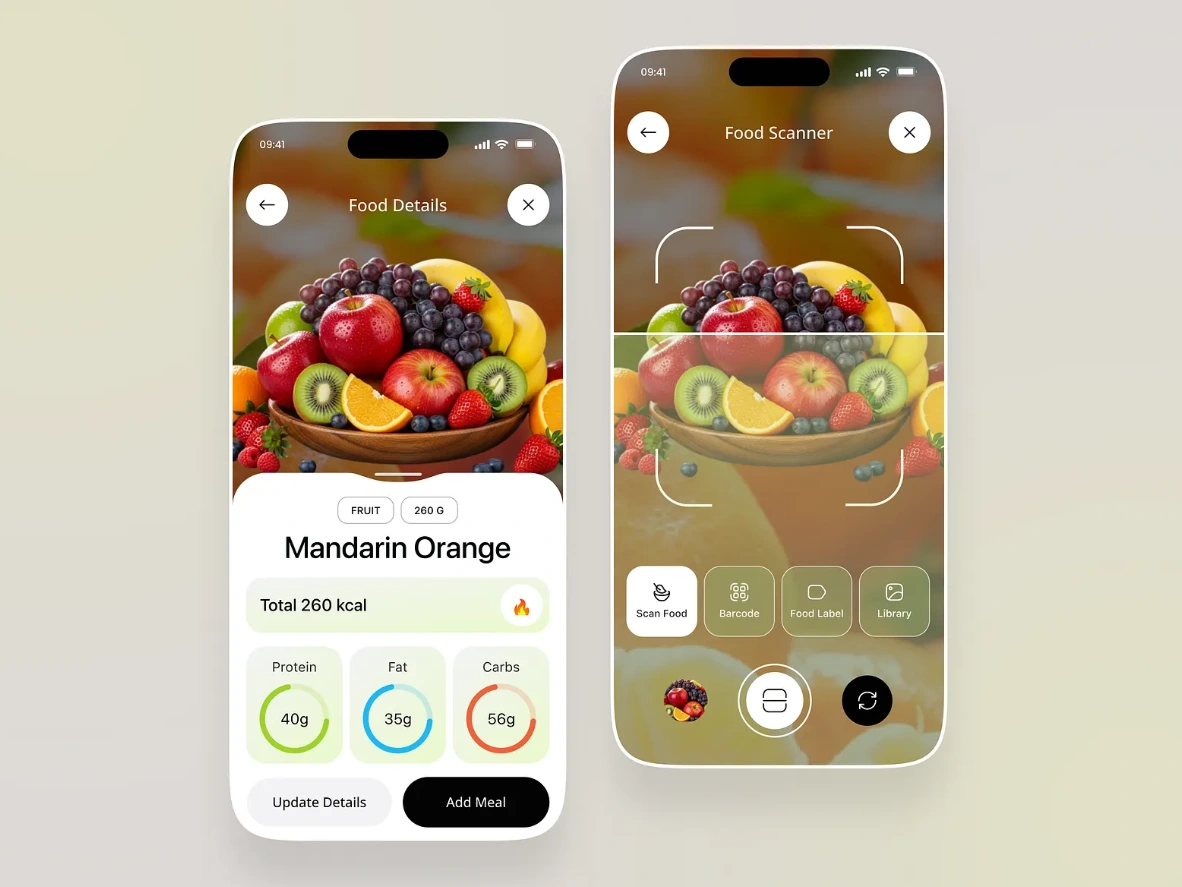
Barcode scanning for packaged foods
"Recent & Frequent" quick-add — a scrollable shelf of a user's most-logged items, tappable in one motion
The quick-add shelf tested best by a wide margin: repeat users do the vast majority of their eating from a small rotating set of foods, so surfacing those first eliminated searching almost entirely for daily staples.
3. Visual Design
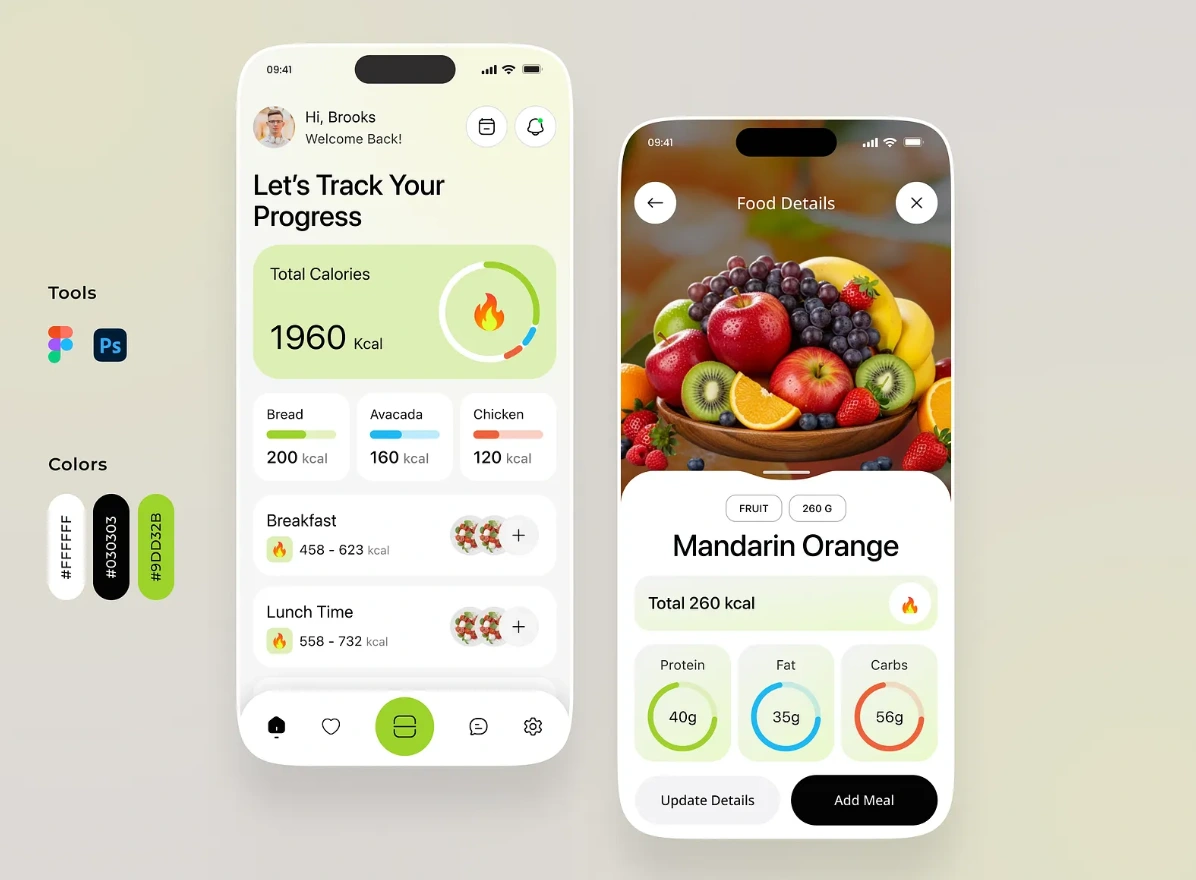
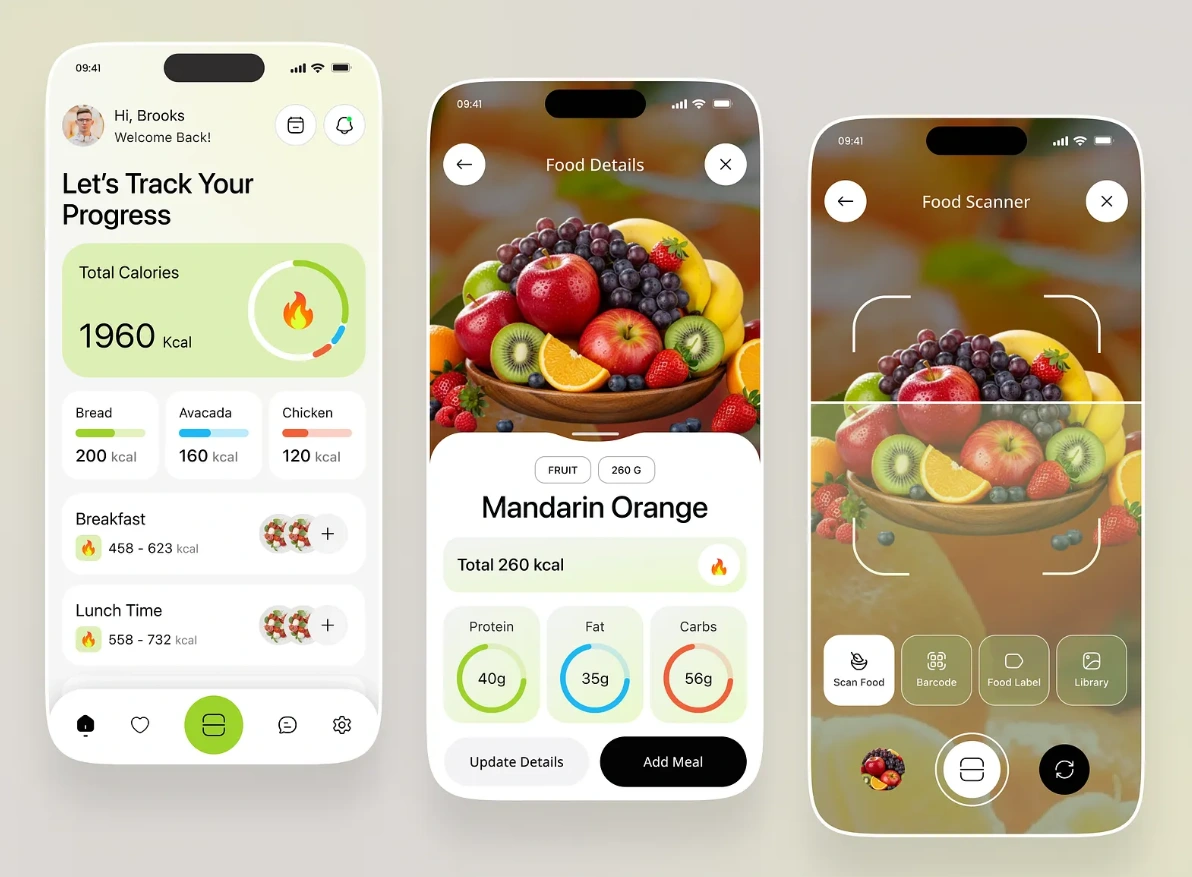
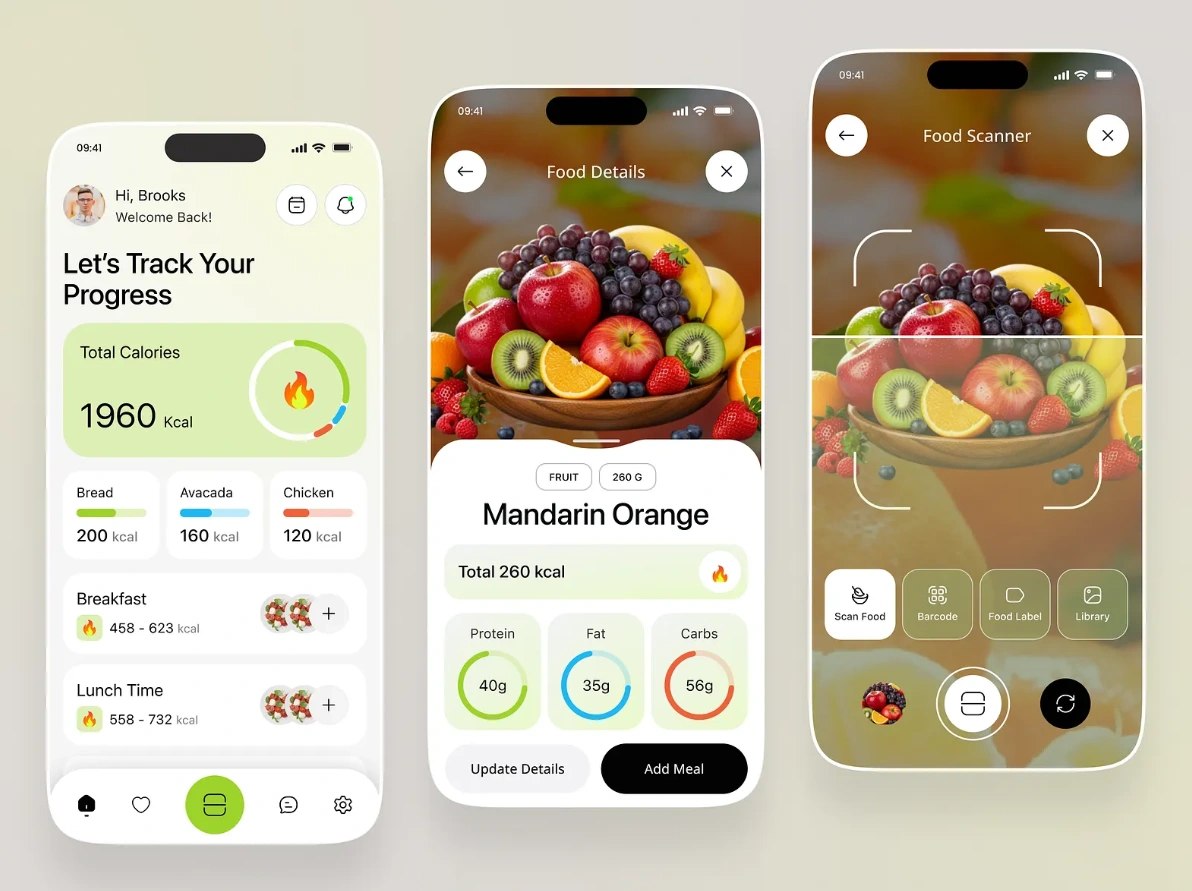
Replaced the traditional red/green "over/under" progress bar with a neutral gradient ring that shows proximity to a target without alarm-coded colors
Weekly view emphasizes trend, not daily pass/fail — a single high day doesn't visually dominate the screen
Clean, high-contrast typography for macro breakdowns (protein/carbs/fat) so users can scan totals at a glance without parsing dense tables
4. Interaction Details
One-tap re-logging of any past meal directly from history
Portion memory — the app remembers a user's typical serving size for a given food and pre-fills it
Photo logging for fast estimation of home-cooked meals, with manual correction always available
Technical Approach
Frontend: [Framework used — e.g., React Native / Flutter / Swift] for a shared or native mobile experience
Backend: [Backend used] for user data, meal history, and sync
Food Database: Curated core dataset of common foods (manually verified nutrition data) supplemented by a barcode-scanning API for packaged goods, avoiding a purely crowdsourced approach
Barcode Scanning: On-device scanning using the phone camera, matched against a packaged-goods nutrition API
Offline Support: Local caching of recent/frequent foods so logging works without a live connection
(Swap in your actual stack — frameworks, database, and any APIs you integrated — for the final version of this case study.)
Challenges & Trade-offs
Challenge: Database Accuracy vs. Coverage
A fully curated database is more trustworthy but inherently smaller than crowdsourced alternatives. I addressed this by prioritizing curation for the ~500 most commonly logged foods (based on research) and layering in barcode-scanned packaged goods for broader coverage, rather than trying to match the scale of established competitors.
Challenge: Solo Development Timeline
Building and designing simultaneously without a team meant scope had to stay tight. I deferred features like social sharing and detailed micronutrient tracking to a post-launch roadmap, focusing the initial release entirely on the core logging loop.
Challenge: Reframing Progress Without Losing Utility
Removing red "over budget" indicators risked making the app feel too passive for users who wanted clear accountability. The solution was a toggle: neutral trend view by default, with an optional stricter "goal mode" for users who preferred more direct feedback.
Key Learnings
Speed of repeat actions matters more than search sophistication. Most people eat the same 15–20 foods on rotation; optimizing for that pattern had a bigger impact than any database improvement.
Framing shapes adherence. Neutral, trend-based feedback kept users engaged longer than deficit-focused displays that read as pass/fail.
A smaller, trusted dataset can outperform a larger, noisy one. Users forgave a smaller food list far more readily than they forgave inaccurate numbers.
Solo scope discipline is a design skill. Deciding what not to build in v1 was as important as any interaction design decision.
What's Next
Expanding the curated database based on real usage data from launch
Adding a lightweight recipe/meal-builder for combining ingredients into saved custom meals
Exploring integrations with fitness trackers for a combined calories-in/calories-out view
Like this project
Posted Sep 6, 2026
Designed and developed NutriTrack, a user-friendly calorie tracking app.
Likes
0
Views
9