
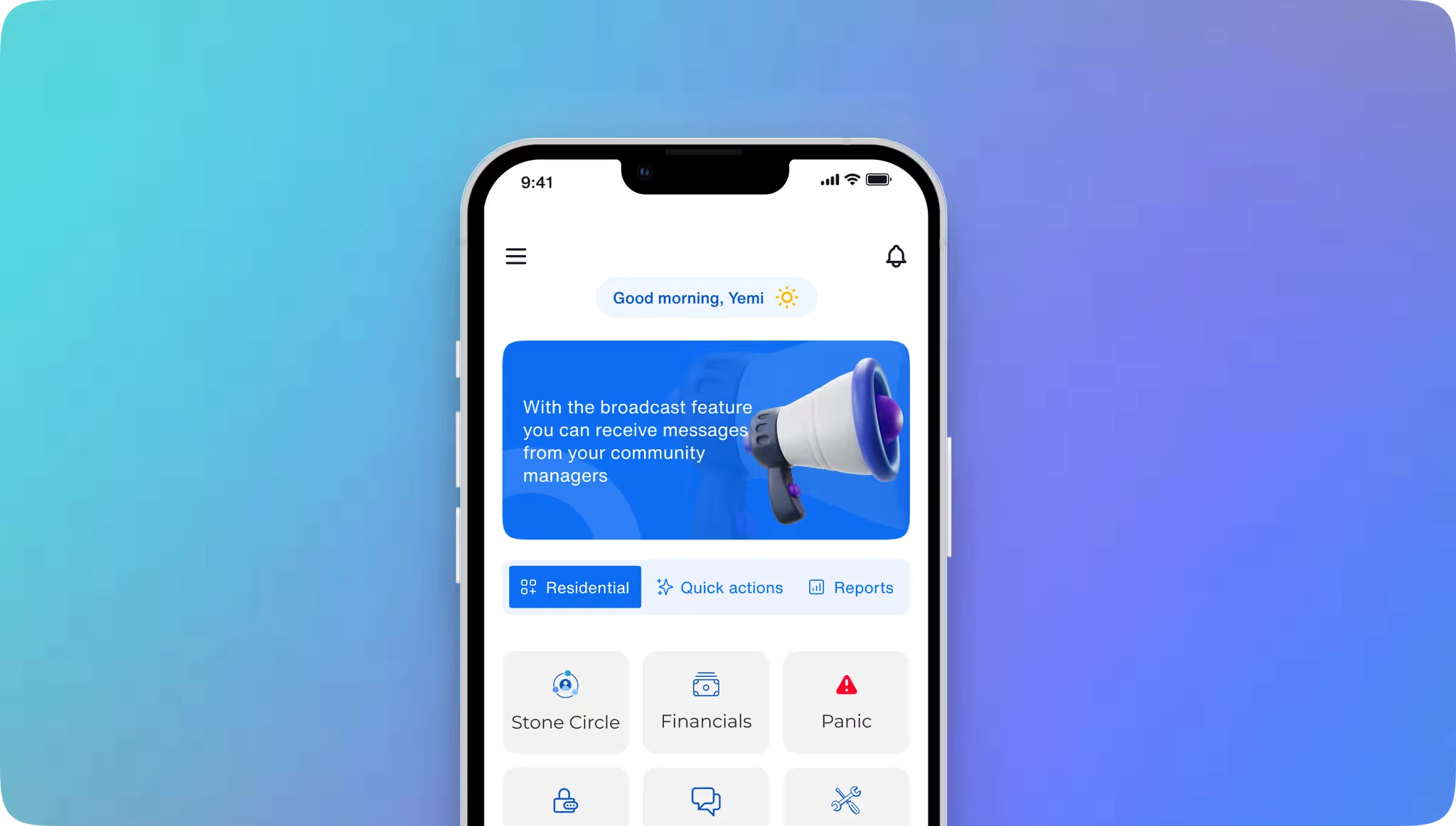
Limestone App Home Page
Understanding the project
Project Goals and Objectives
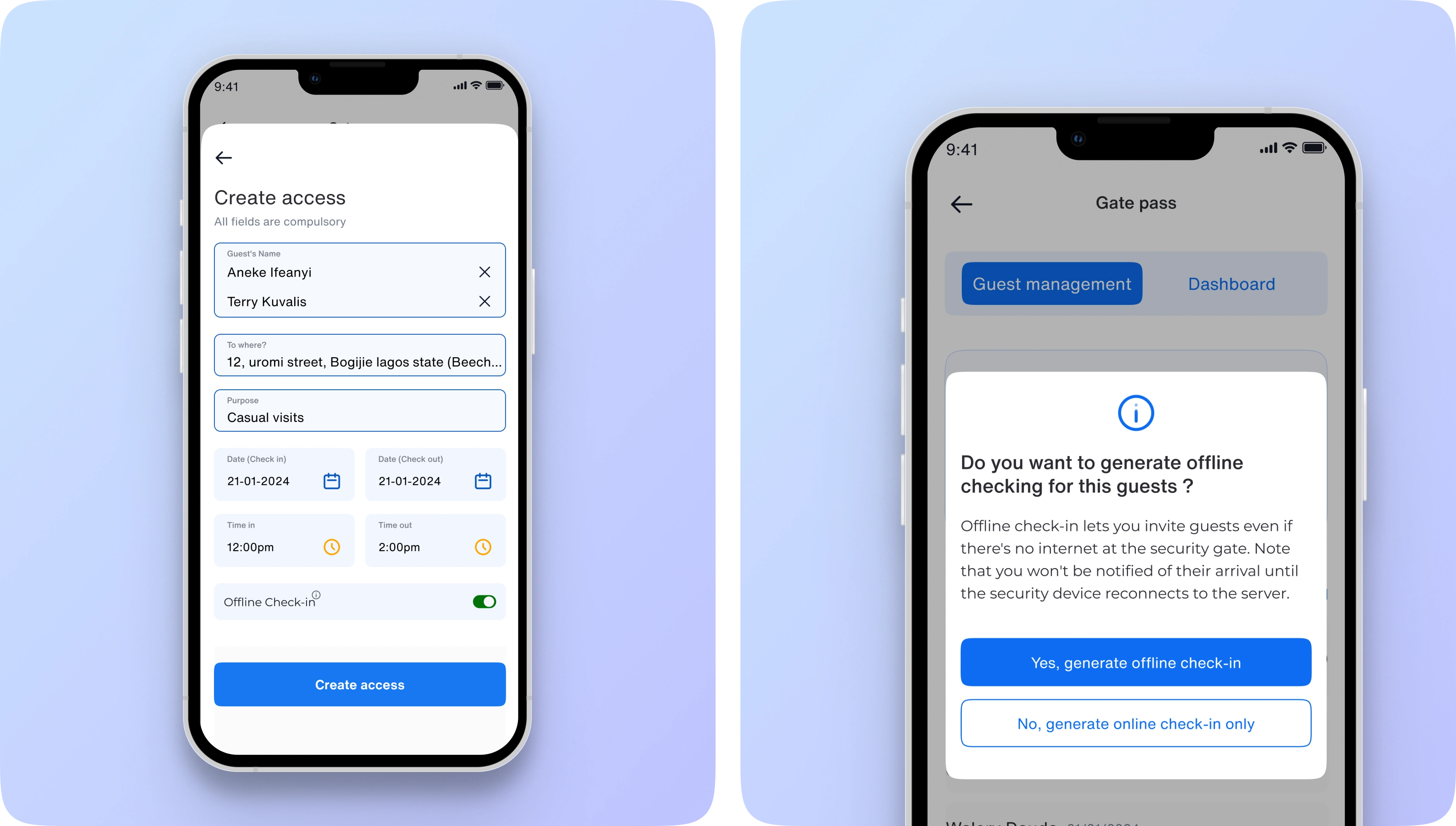
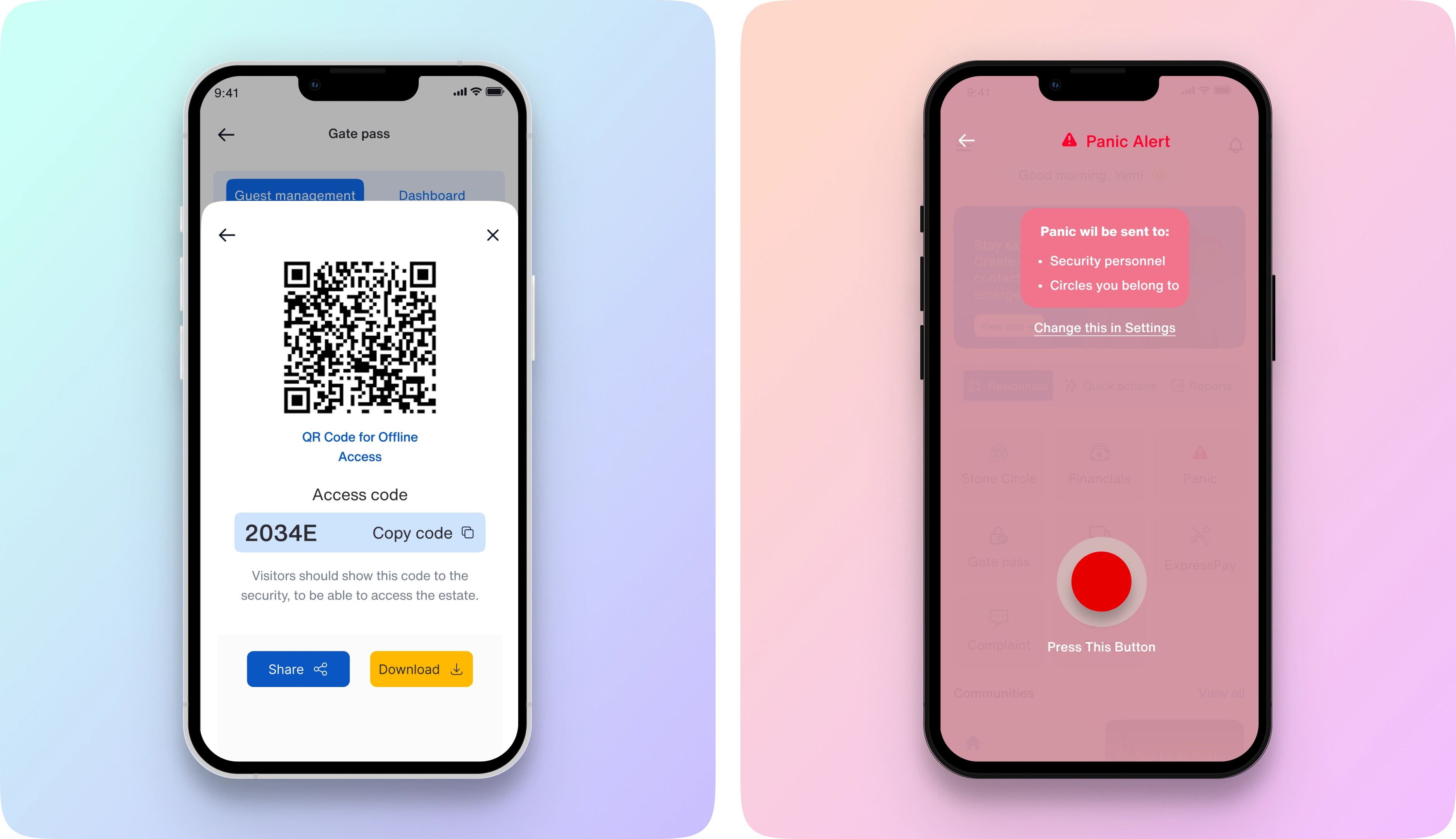
The goal was to turn My Limestone into a user-centered community app that simplifies estate management, improves security and works for residents even without internet access. For the MVP, I focused on two things: a new way to check visitors into the estate with low or no connectivity, and a faster, clearer panic alert.
The Challenge
Security personnel couldn't check in visitors when the internet was slow or down, and the panic alert wasn't intuitive enough to use quickly.
Primary Goals
Seamless Access: Design an Offline Check-In feature allowing residents to securely check in and out without relying on internet access.
Enhanced Security: Refine the Panic Alert feature to provide residents with faster, more accurate emergency support.
Centralized Convenience: Enable residents to report issues, pay bills (such as electricity and water), and manage emergency contacts and household members from a single, easy-to-navigate interface.
By reimagining the My Limestone app, we aimed to empower residents with tools for safe and convenient community living, all from the convenience of their mobile devices.
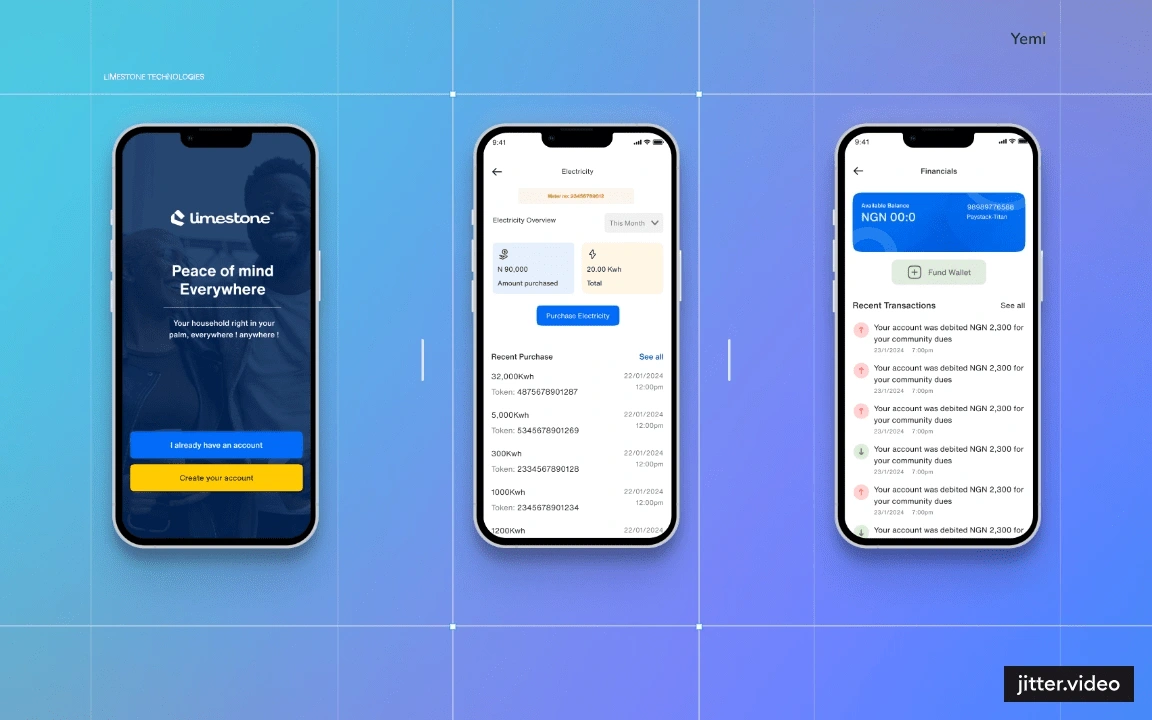
Limestone Image 1
Back Story
Empowering Community Living, Simplified and Secured
My Limestone app is a community management app that enhances daily life for residents. With features like seamless offline check-ins, enhanced Panic Alerts, and easy bill payments, it allows users to report issues, pay dues (electricity, water, etc.), and set emergency contacts or household member, all in one place. My Limestone puts control, convenience, and peace of mind right in residents' hands, no matter their tech skills or connectivity.
Research
Insight and Data
My research focused on understanding residents’ needs and pain points with existing community management tools. With the help of the product manager and sales and marketing team, interviews conducted with current app users, gathered insights from residents in communities, and performed a competitive analysis of other community apps.
From the feedback and user insights gathered, we identified key areas for improvement:
Offline Accessibility: Users wanted a way to check in without depending on a stable internet connection.
Enhanced Security: Residents expressed a need for faster, more reliable emergency alerts that instantly notify security contacts.
Centralized Management: There was a demand for one location to handle payments, household contacts without needing multiple steps or screens and also easy and seamless onboarding.
These insights were instrumental in guiding our feature priorities and redesign strategy.
Limestone Image 1
Limestone Image 2
Design, Ideation
The Onboarding Process
To improve accessibility and streamline the user journey, the onboarding process needed a redesign. Previously, only community or facility managers could create accounts for residents, adding unnecessary steps and time for both managers and users. Simplifying this would empower residents to join directly, without relying on third parties.
The Challenge
The initial onboarding process was tedious. Users could only be onboarded by the community or facility manager, making it a burdensome task for managers to create accounts individually and inconvenient for residents who needed to rely on a middle channel. Residents should be able to download the app and sign up independently.
My Solution
I redesigned the onboarding to include a self-signup feature that allows residents to download the app and create an account on their own. To ensure security and verification, residents enter unique code given to them by the facility/property manager and verified by the app, reducing the workload on managers and creating a smooth, hassle-free onboarding experience for both users and facility managers.
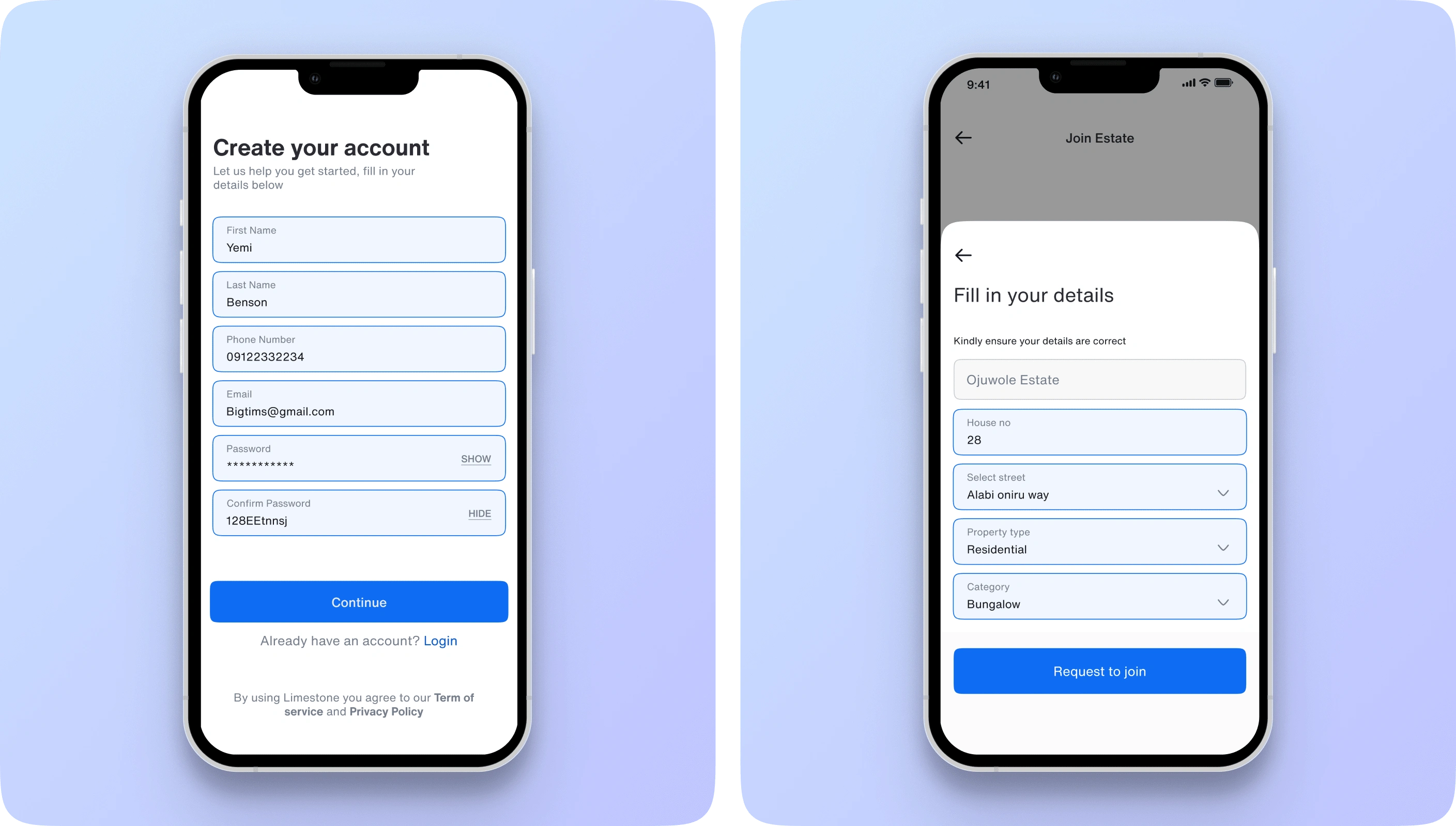
Limestone Onboarding 1
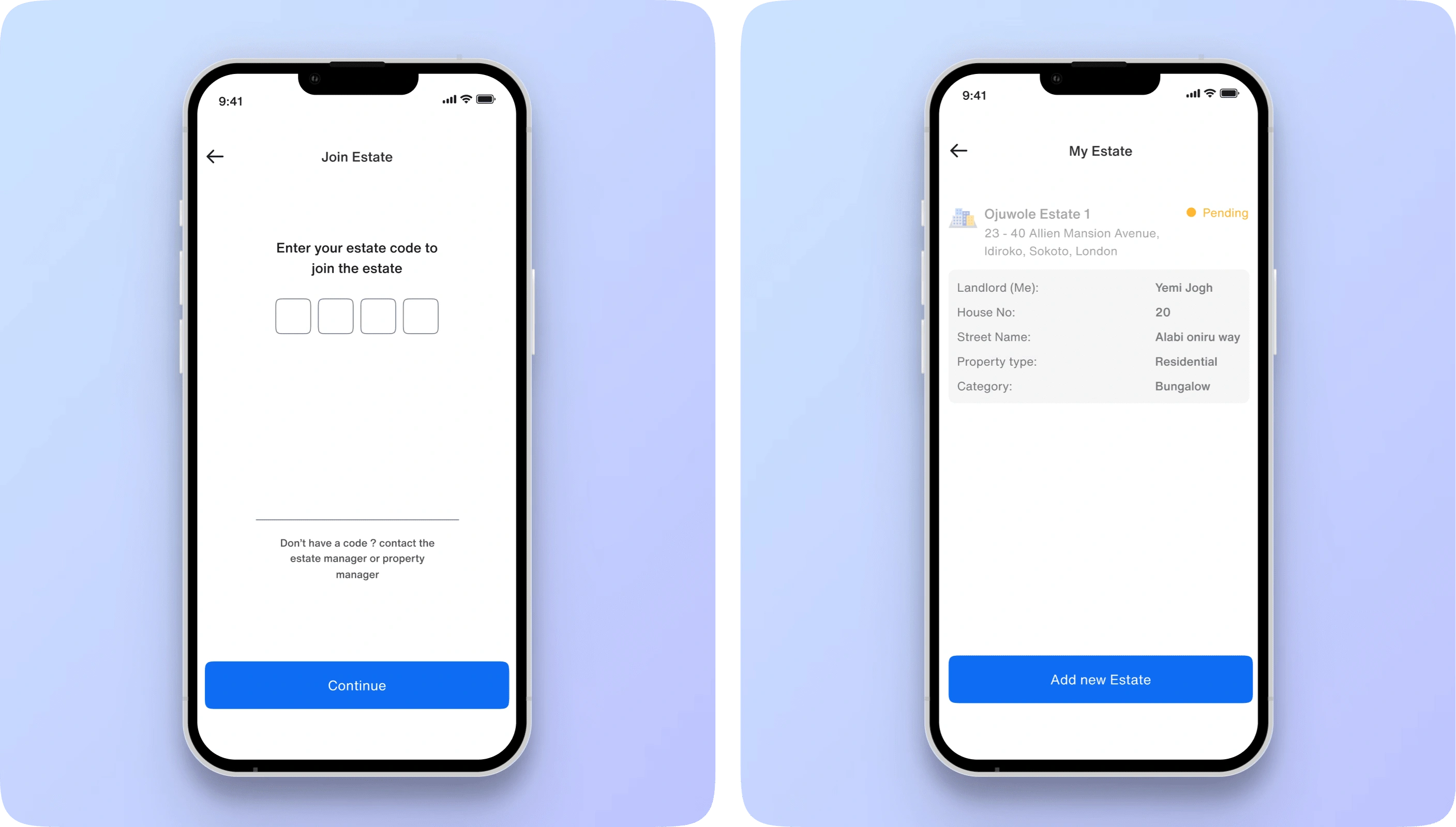
Limestone Onboarding 2
Conclusion
Takeaways & Next Steps
Working on My Limestone App was both challenging and rewarding, especially with features like Offline Check-In and the Panic Alert redesign. The need to balance data density within the QR code for offline functionality pushed our team to innovate, and the team is continually exploring ways to optimize this process further.
Since the redesign, the new self-serve onboarding has contributed to a 35% improvement in user retention, and residents have given positive feedback on offline check-in. Next, the team is refining the QR flow and adding features that improve community safety and connectivity.
0 likes · 5 views · Jan 5, 2025
Estate management app redesign: self-serve onboarding, offline QR check-in, clearer panic alerts. The new onboarding contributed to a 35% retention lift.

