Designing Piggy for YNAB: A Child-Friendly Budgeting App

Larry Moyo

Introduction
Piggy for YNAB is a budgeting app that makes money management playful and intuitive for kids, while giving parents smart control. This app was built in close collaboration with a developer-parent.
Project Overview
I was challenged to create the full user experience and visual identity, working directly with Ethan - a developer and father who provided a detailed brief and ongoing feedback.
Piggy for YNAB was to be mobile app designed to help children (ages 3–10) develop positive money habits by linking their experience to the YNAB system their parents already use.
What started as a rough draft evolved into one of the most collaborative and creatively rewarding projects I’ve worked on. The back-and-forth led to an immersive design that is both development ready and deeply child-focused.
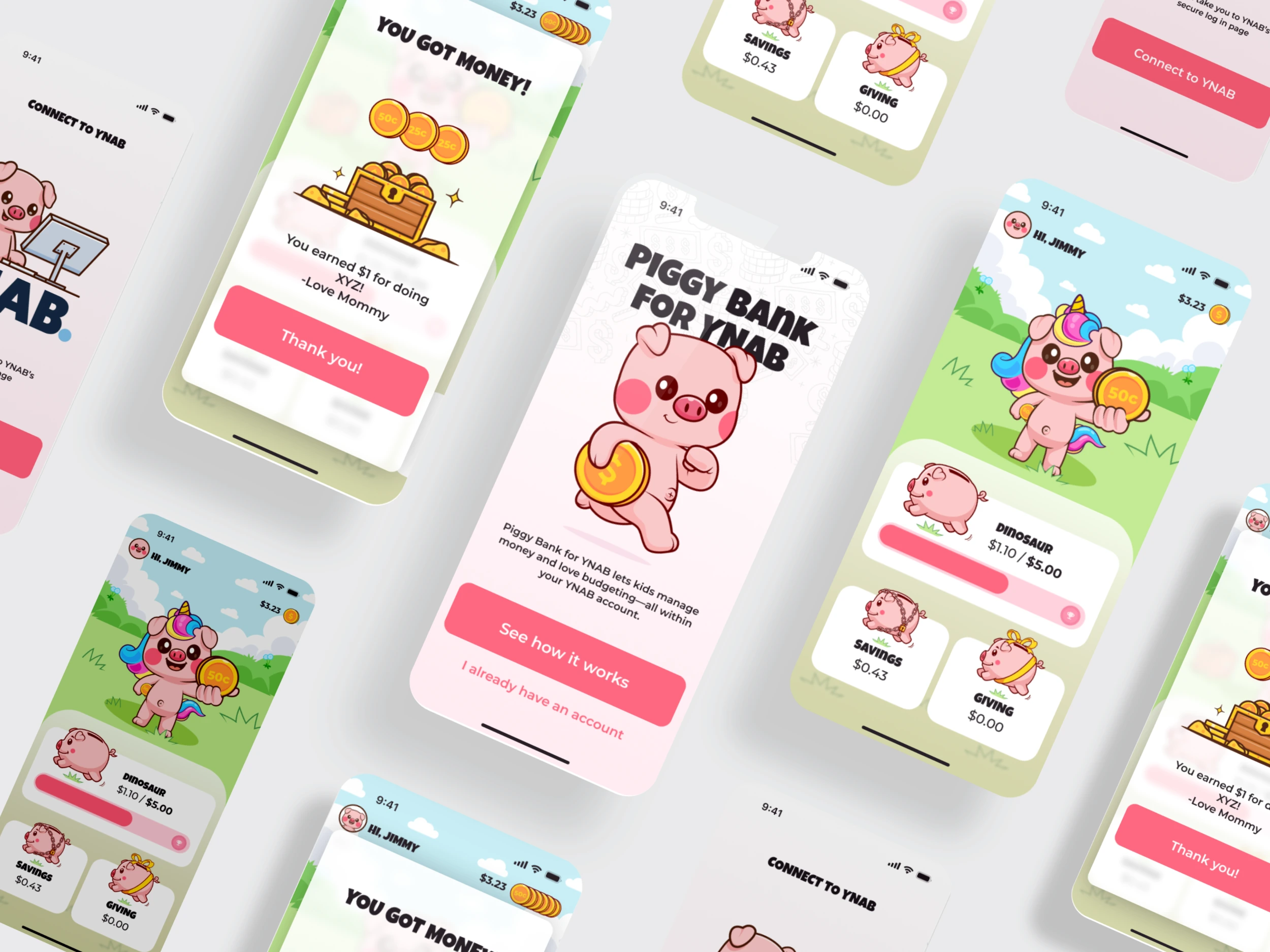
Challenge & Brief
Goal:
Create a playful budgeting interface where kids can assign coins to piggy banks for different goals (e.g., saving, giving), while parents retain control over setup, funding, and management.
Core Challenges:
Design for dual users: young children and supervising parents.
Balance a fun and functional environment: encourage kids to budget without making it feel like work.
Represent an abstract financial concept in a kid-friendly way.
Create a UI that is delightful yet realistically buildable by a solo developer.
Early Planning
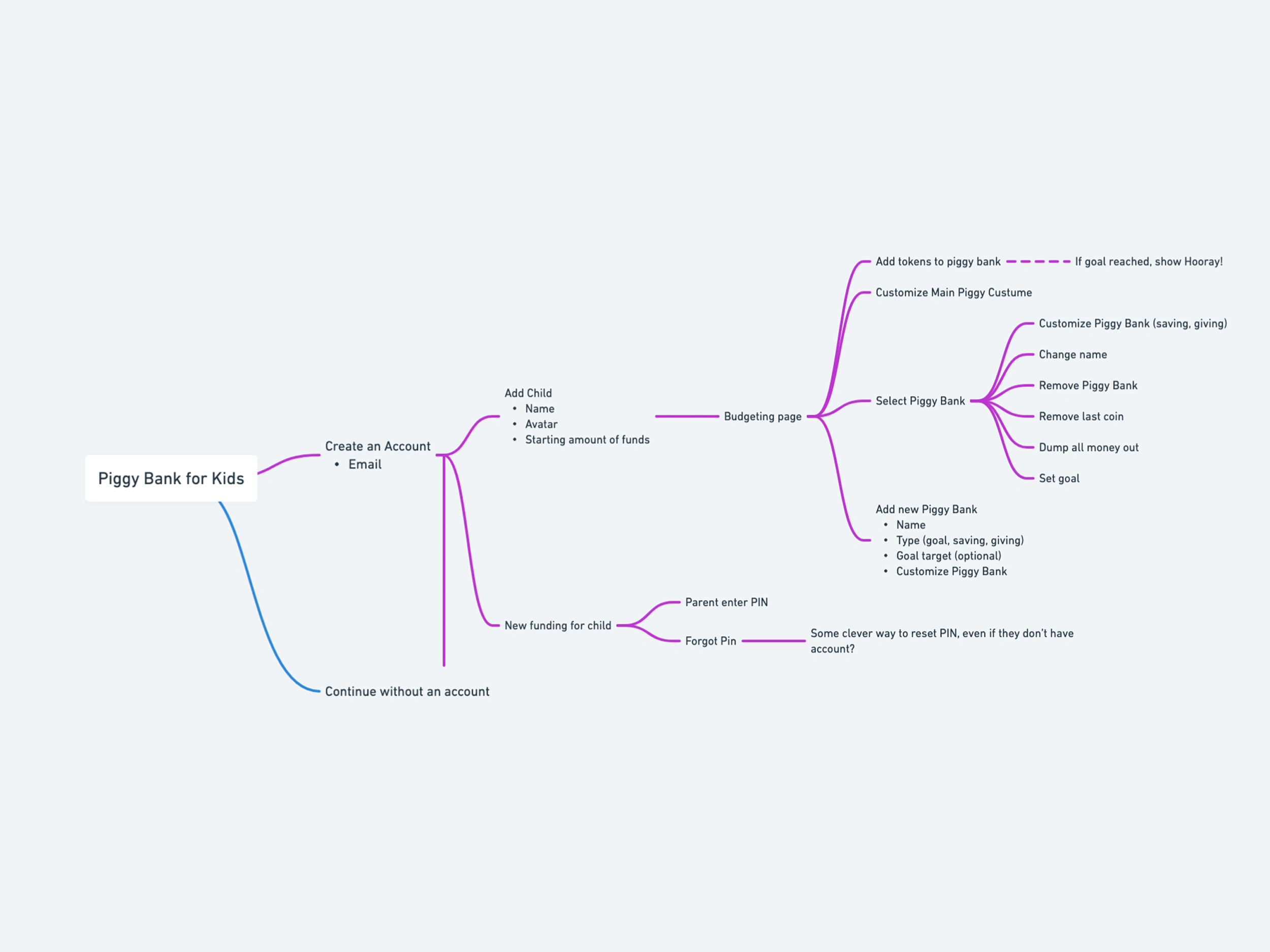
Ethan provided an initial feature mind map covering flows like::
Creating an account
Adding a child and funding
Dragging coins into piggy banks
Managing banks (set goals, dump funds, etc.)
Parent PIN-protected access
User Personas for Piggy for YNAB
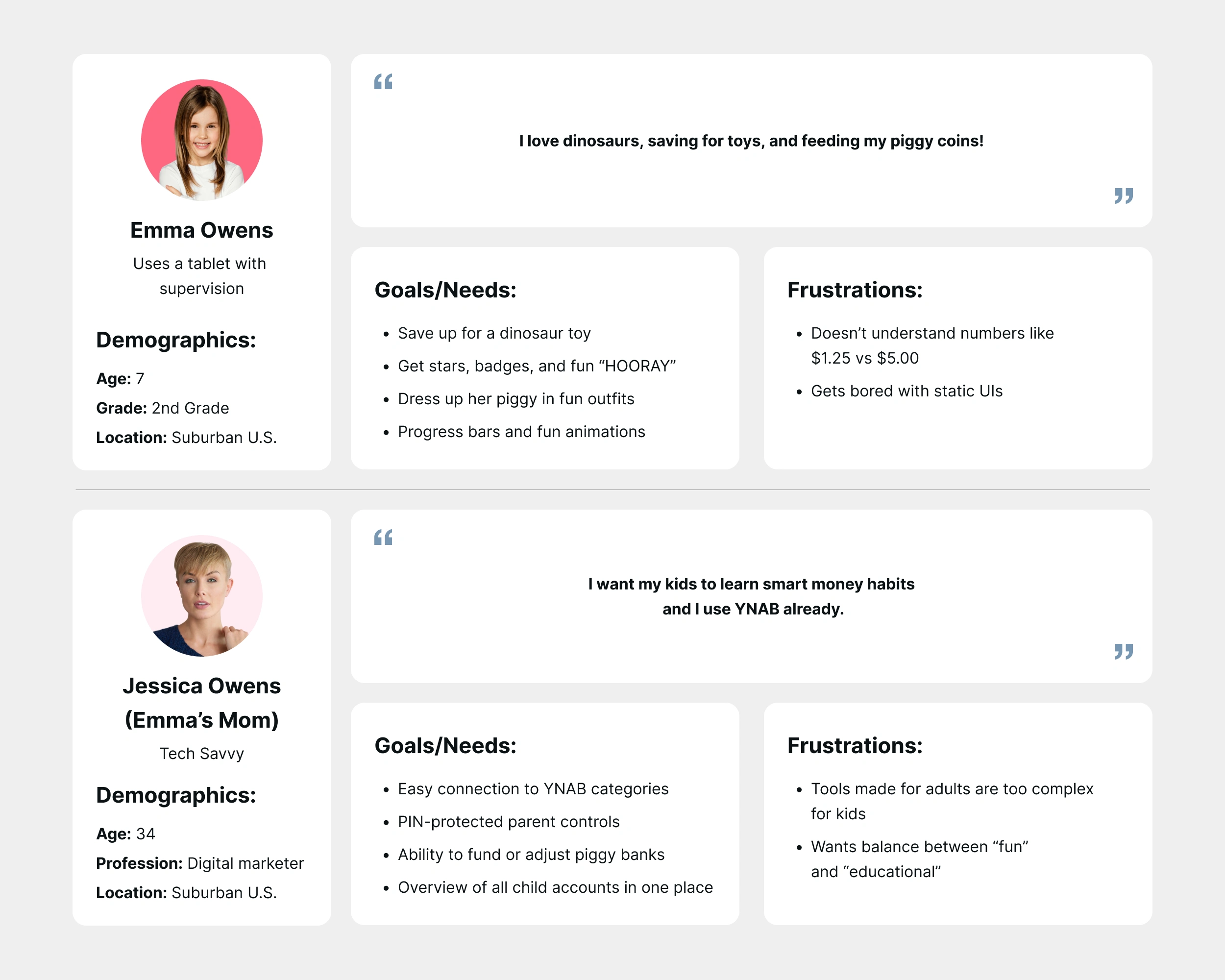
How These Personas Guided the Design
Emma’s experience led to drag-and-drop interactions, colourful characters, and visual milestones.
Jessica’s needs led to parent mode, goal management, and thoughtful transitions between views (e.g., “Add Funds,” “Remove Coins”).
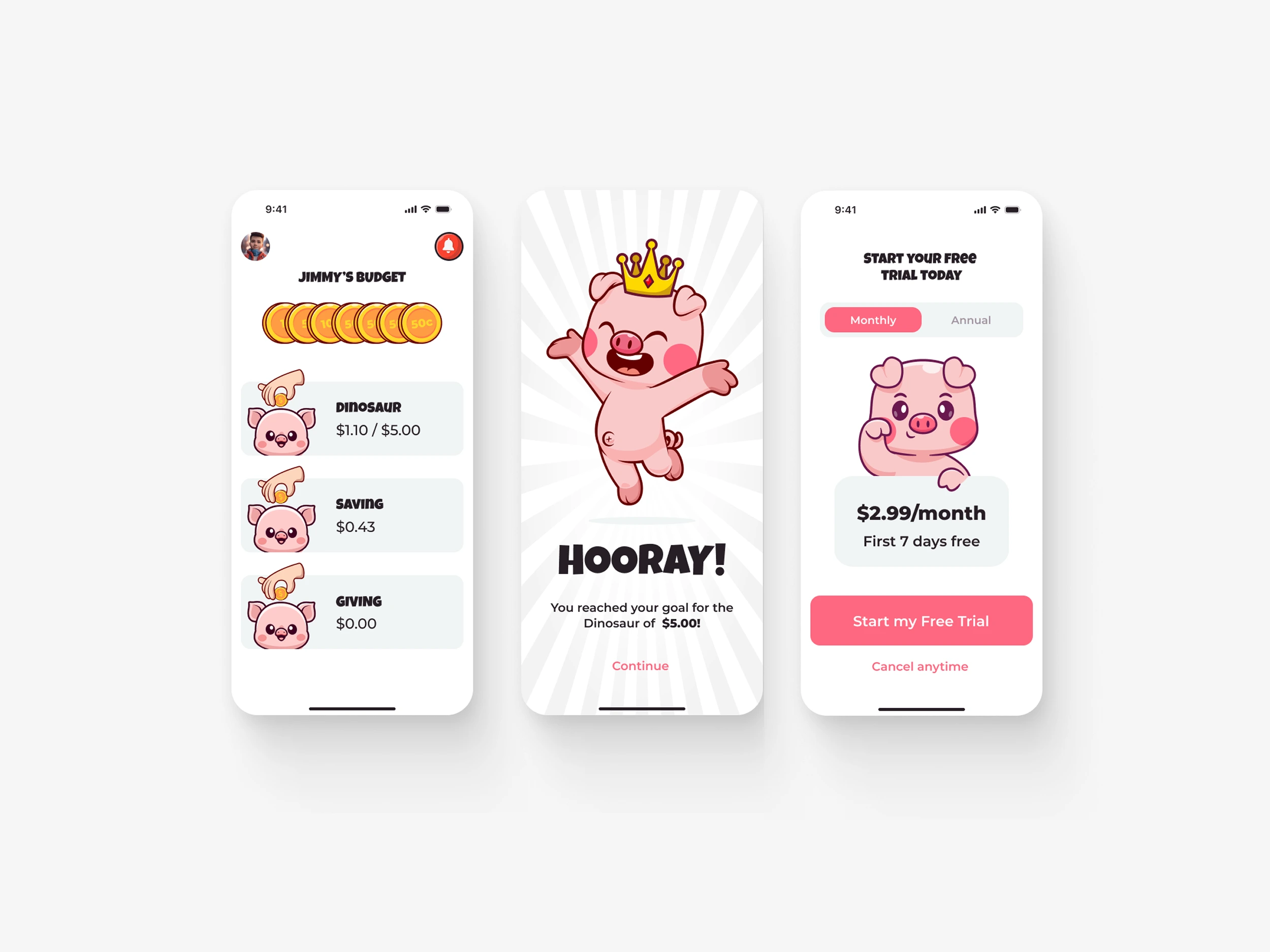
1. Initial Submissions (Rough Start)
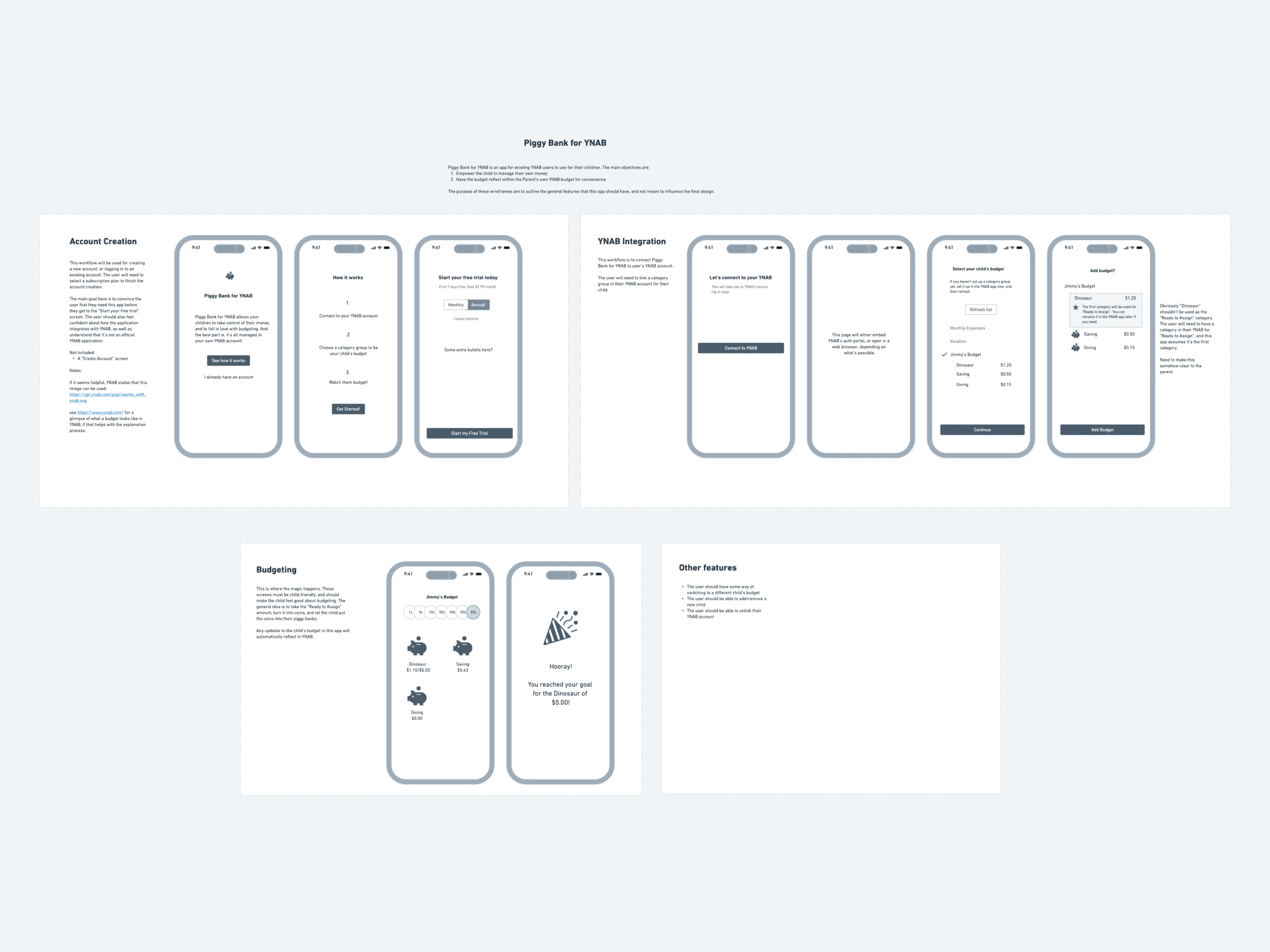
I started the journey with playful visuals but missed the mark in clarity and functionality. Ethan noted:
Lack of goal progress feedback for children
Insufficient visual cues for dragging coins
A need for a stronger theme and background cohesion
Second iteration
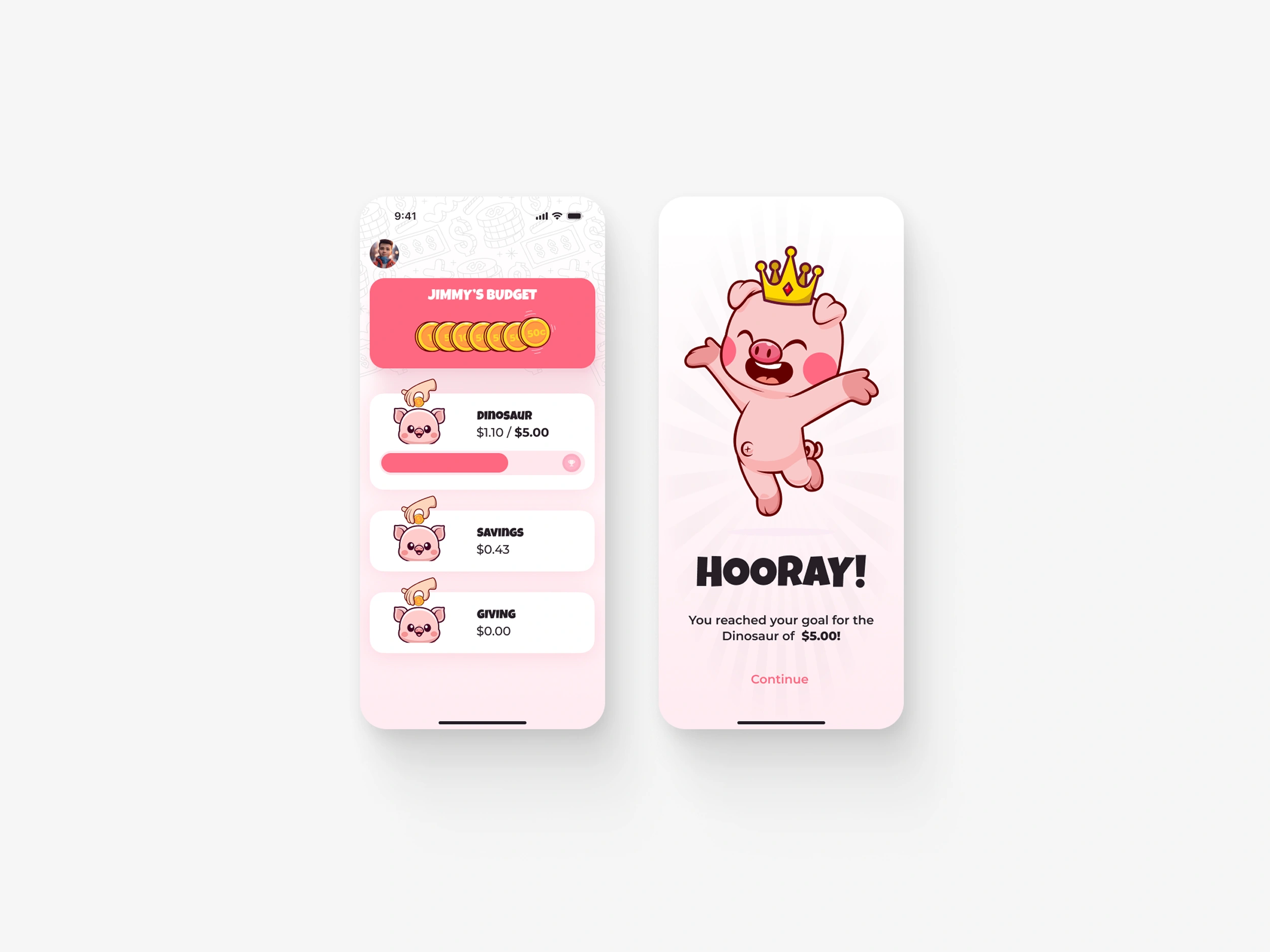
2. Rapid Iteration & Feedback
Through a few Figma updates and comments, we explored:
Characters holding coins with drag gestures
Celebratory animations (“HOORAY!” moments)
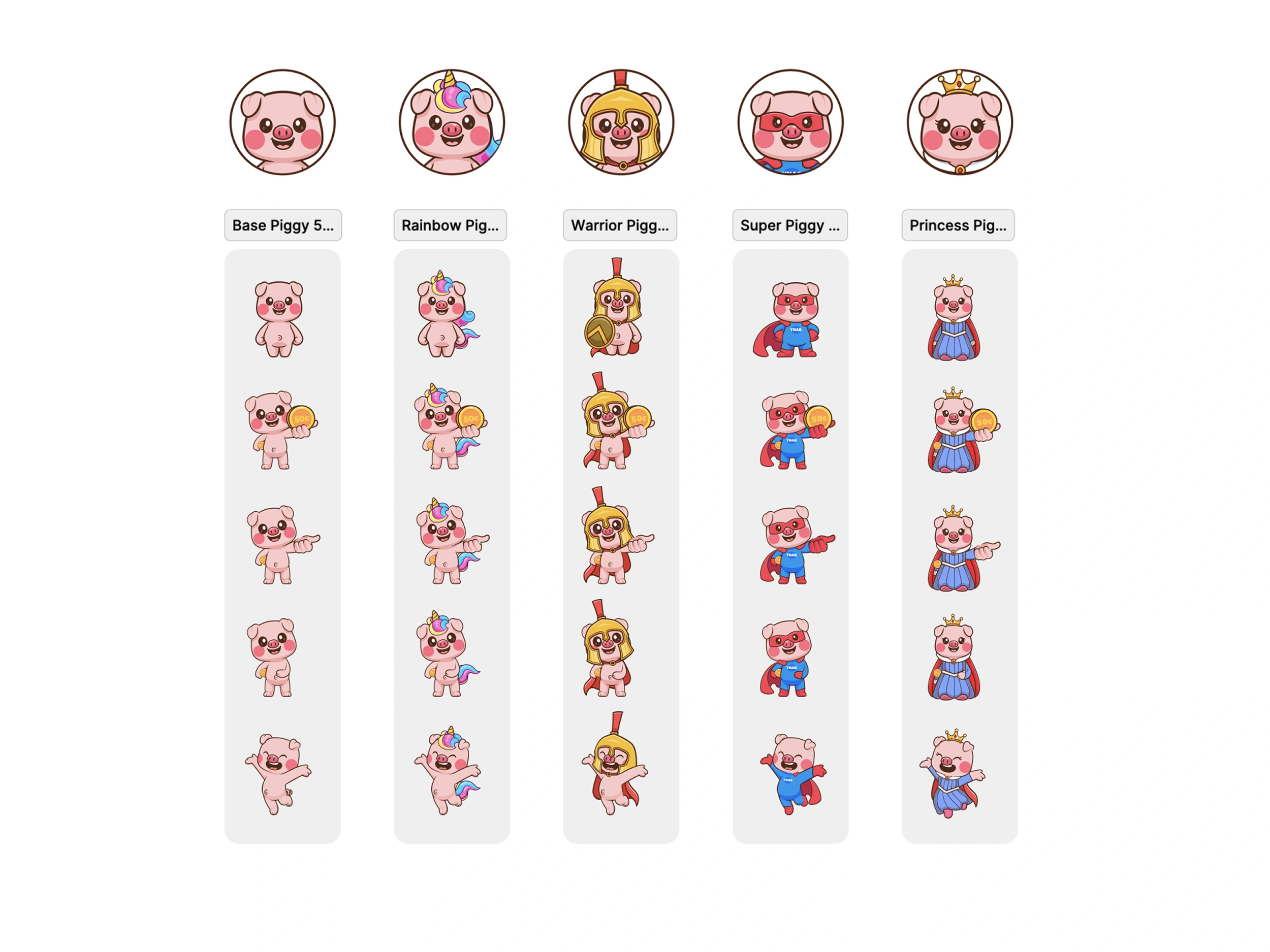
Badges and piggy bank customization
Gender-neutral and optional costume collections
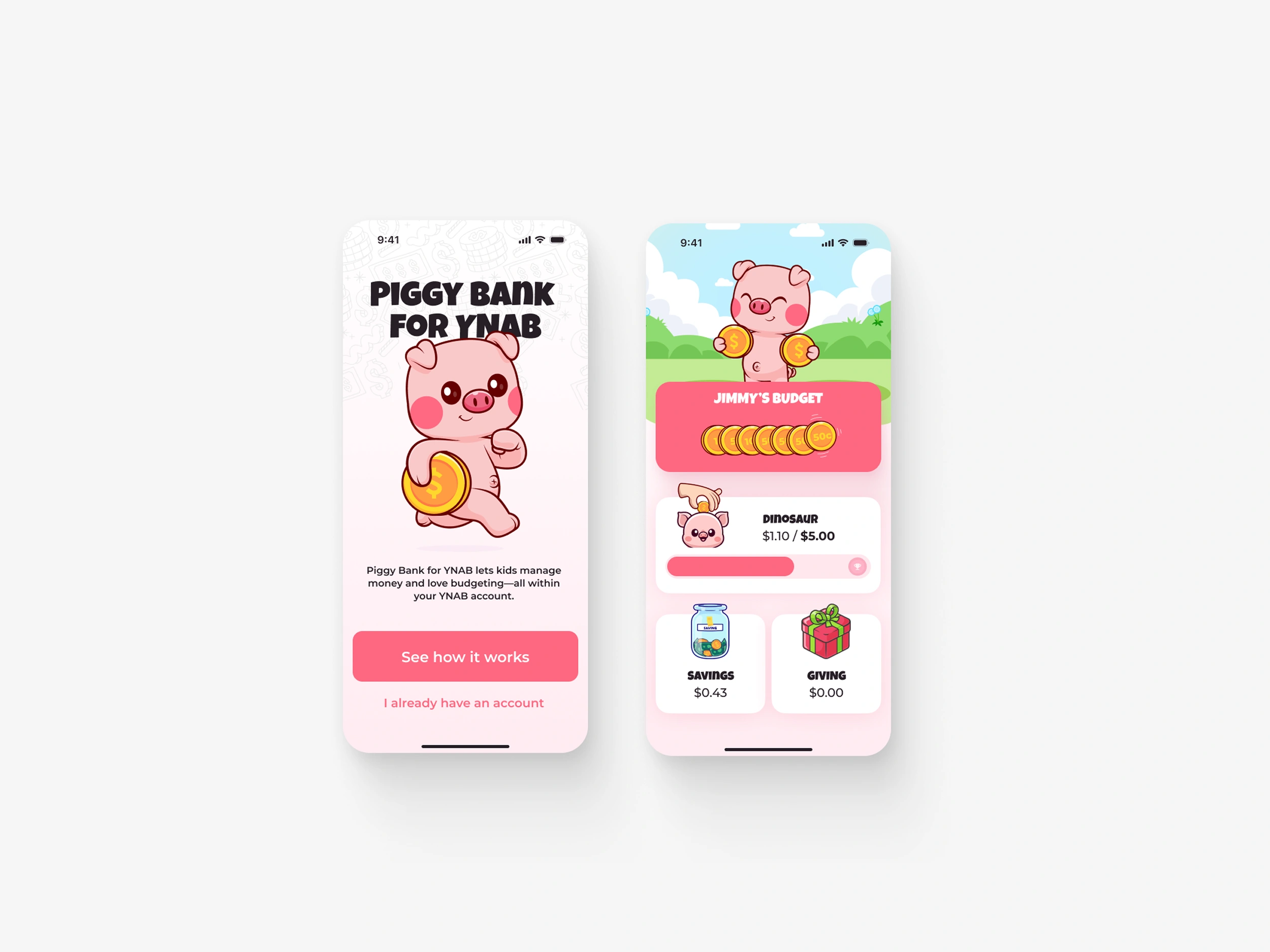
3. Design Decisions Made
Drag Interaction: Coins shown in the little piggy’s arm ready to grab; others stacked in top corner.
Custom Characters: Kids can unlock items for piggies when saving (but not for gamification alone).
Dual Modes:
Child Mode: Budgeting, goal progress, rewards
Parent Mode (PIN-protected): Add/edit child profiles, remove funds, manage piggies
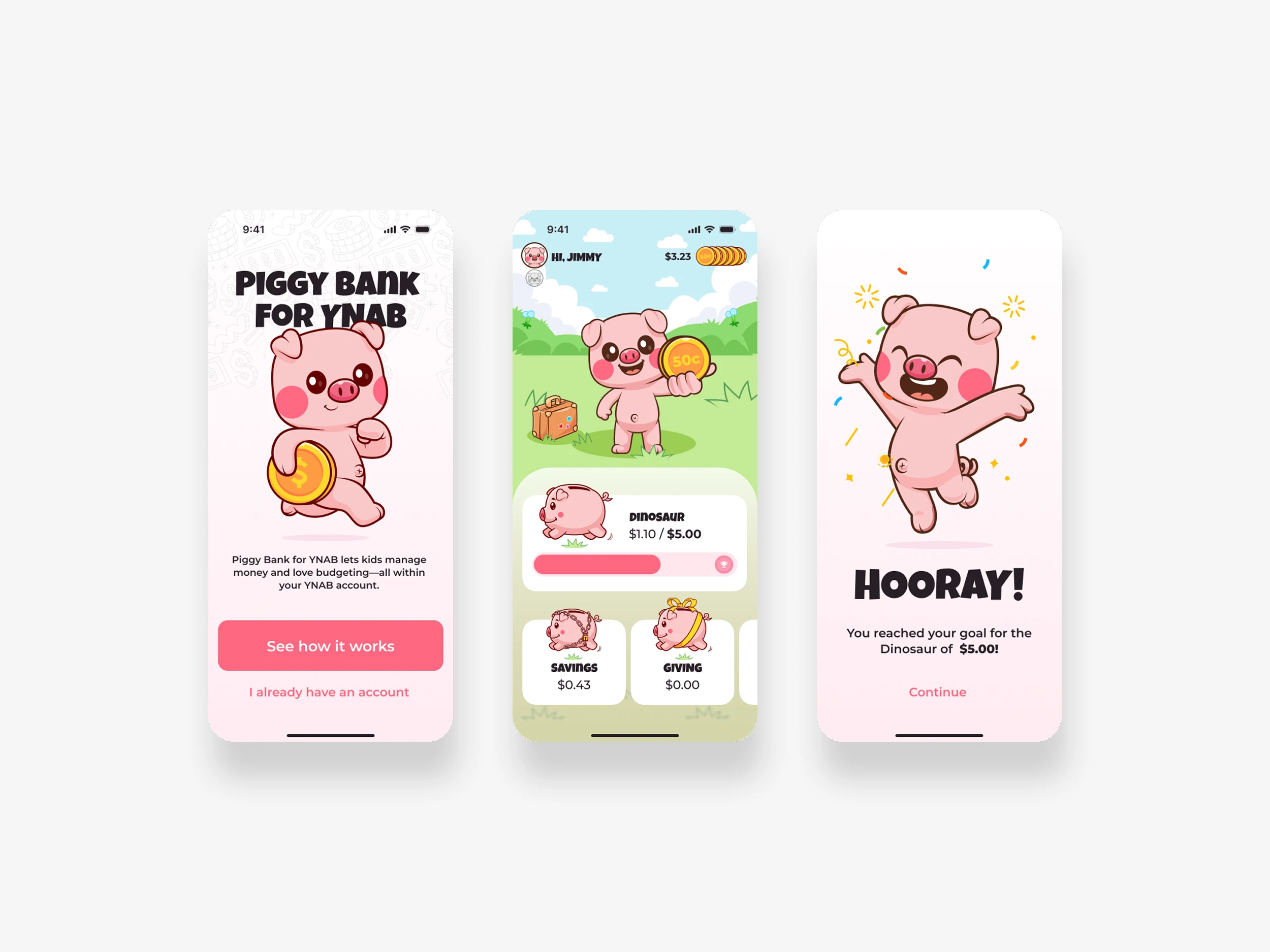
UI Highlights
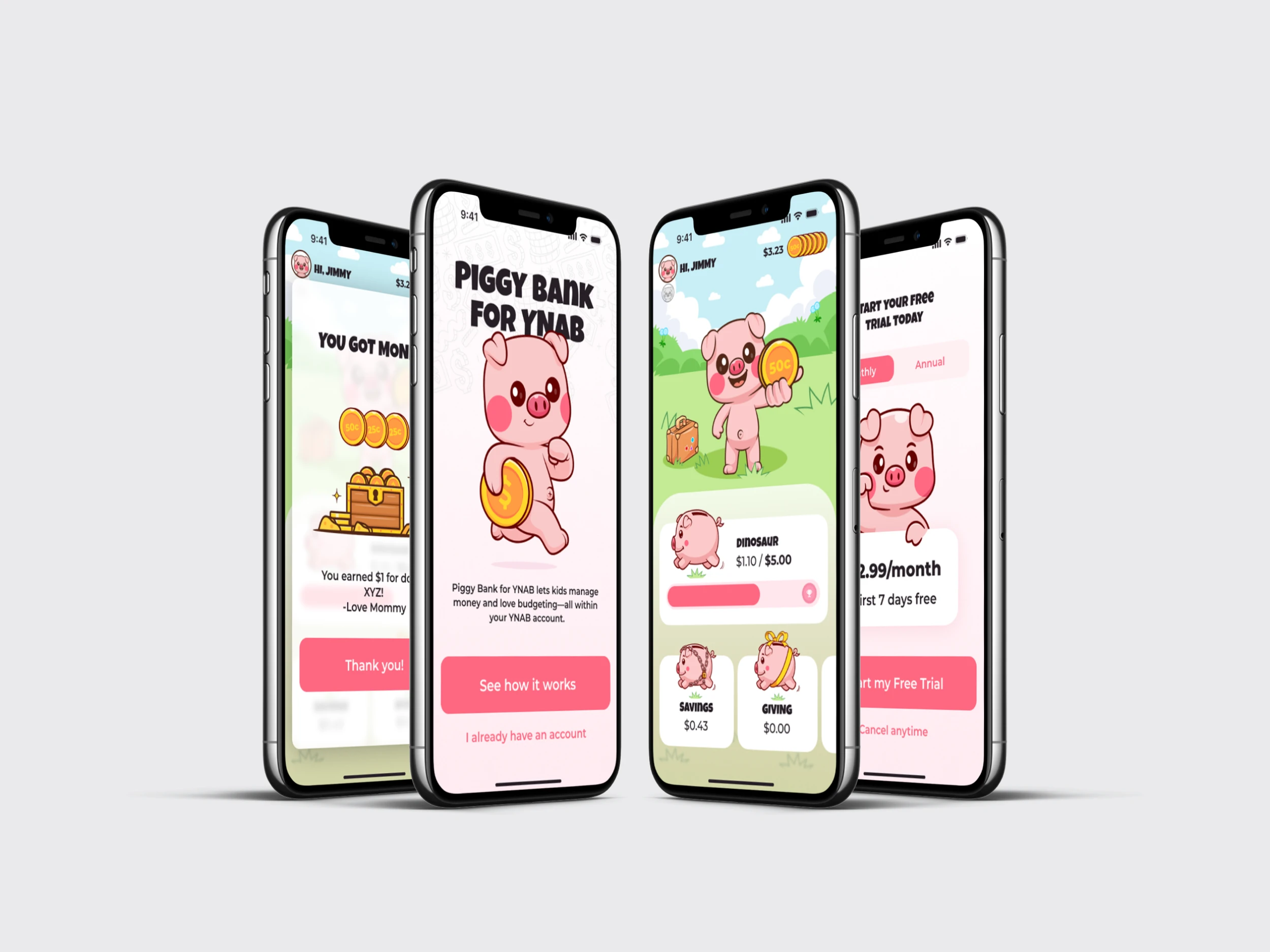
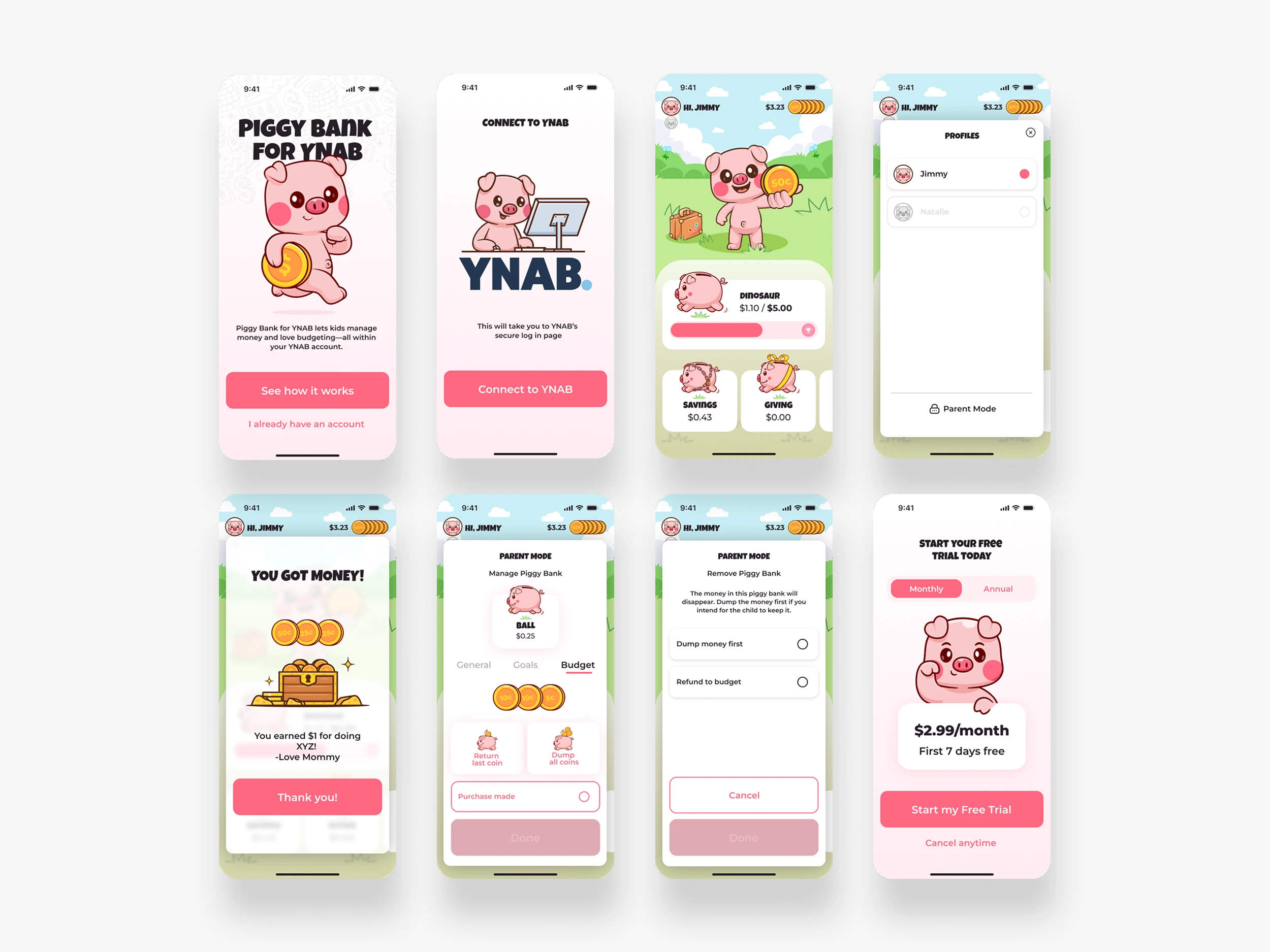
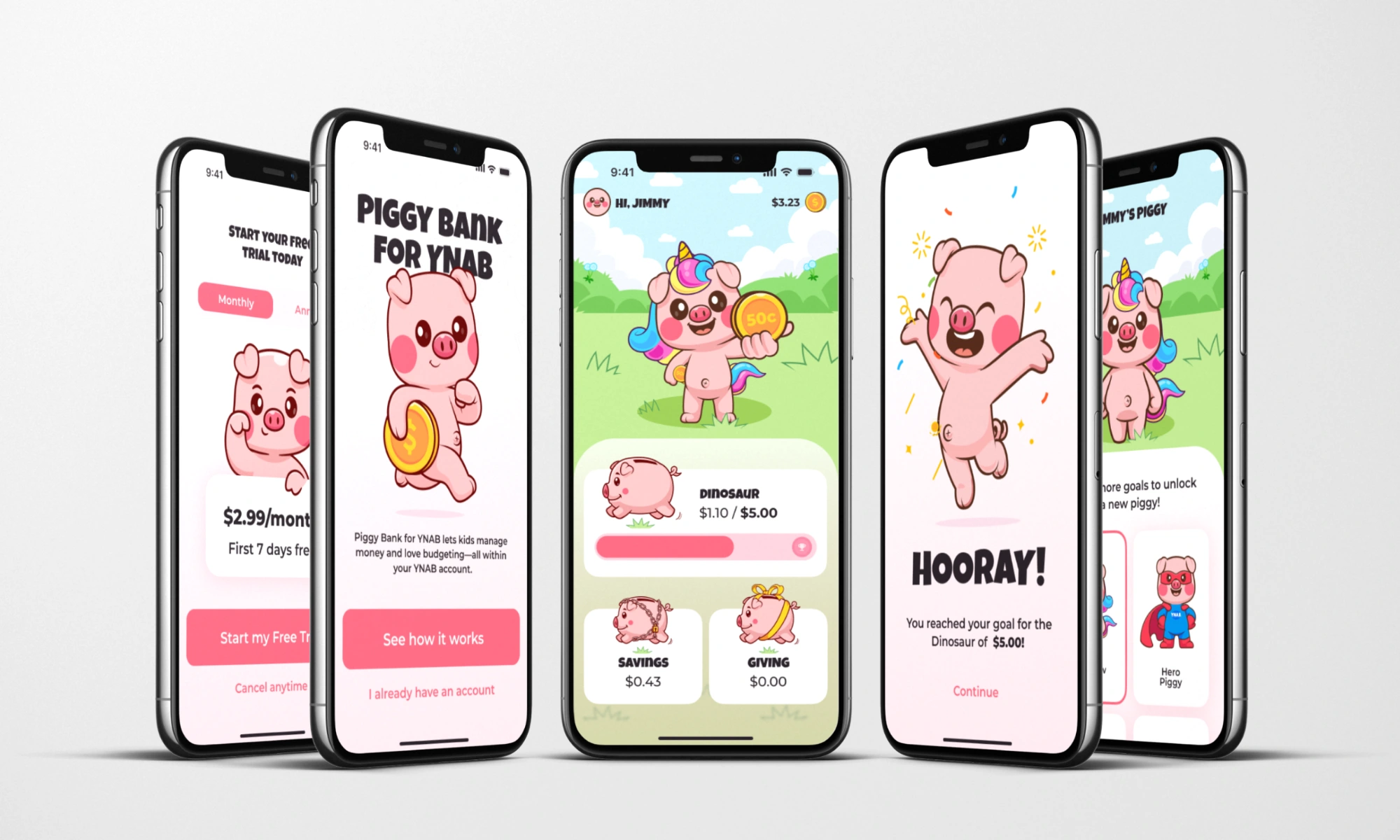
The final screen designs included:
Splash Screen
Connect to YNAB
Add Child
Home Screen
Goal Reached (Confetti screen)
Manage Piggy Bank (Parent Mode)
Character Customization
Fund Management
Paywall
Parent Mode Flows
Problem Solving & Collaboration
This project stood out because of how design and development collaborated from day one.
Ethan shared development feasibilities and constraints that helped avoid “over-designing.”
We co-created patterns like: auto-saving entries, and state-based UI (piggy with/without coin).
We debated and refined user flows down to subtle elements like "Dump vs Return Last Coin."
Outcome
The client committed to building the app using the components I created.
A trusted relationship was built that may lead to future work (e.g., marketing page, social media assets).
Reflection
This project deeply reminded me how important open feedback and adaptability are in design. What started as a basic concept transformed into a system in which:
Children learn money habits visually and emotionally
Parents maintain control through secure, accessible tools
Every screen is grounded in clarity, is fun, and development feasibility
Like this project
Posted Oct 11, 2025
Designed a child-friendly budgeting app, Piggy for YNAB, enhancing financial literacy for kids.
Likes
0
Views
0