NFCtree: One Design System Across iOS, Web and the App Store

Summer Chang


NFCtree puts your card on a small NFC chip. Someone taps it with their phone and your links open. They don't need an app, and you don't need an account.
I took it from a problem I noticed at a networking event to the App Store, then redesigned it for the iPhone Duo with one design system across the app, the website, the App Store page and the launch videos.
My role: Product design, iOS build, design system, App Store release, launch videos
Tools: Notion, Paper, Figma, Figma Motion, Claude Code, SwiftUI, Xcode, GitHub, Vercel
The moment it started
In May 2026 I went to a networking event. Everyone wanted to connect, and everyone was bad at it. People held their phones up to each other, spelling out usernames and typing handles into search bars.
Then someone tapped a 3D printed keychain to my phone and a link opened. I went home to build my own. It took several YouTube videos just to understand the path, and it only held one link. I design products for a living, and this was hard for me.
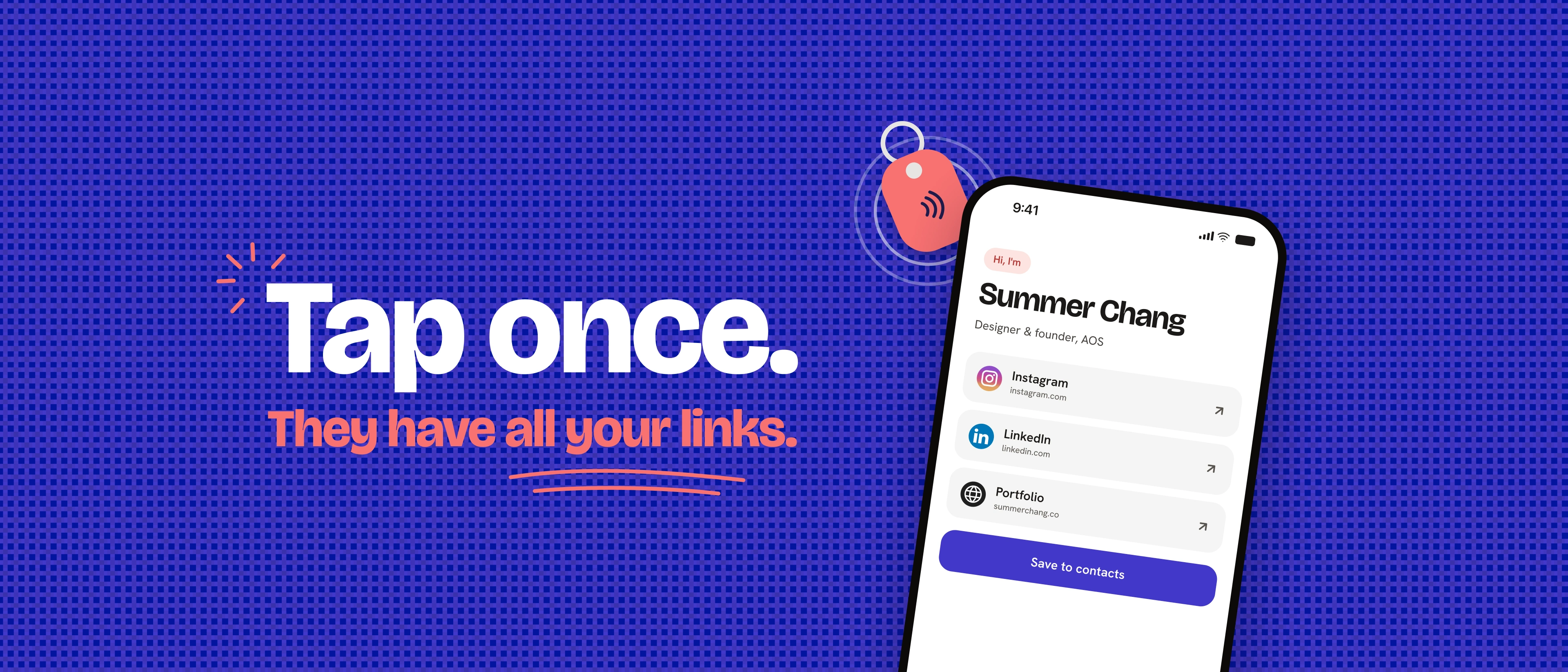
NFCtree on the App Store
The problem
Meeting someone in person should end with staying in touch. Too often it ends with a misspelled username or a paper card that gets lost. I refined this problem statement in Notion, then looked at what already existed. NFC apps are built for engineers who know what an NDEF record is. Card platforms want your account, your data and a subscription.
Nobody had designed for the person with a few links who just wants to tap and move on.
From idea to the App Store in a month
I vibe coded the first version and shipped it to the App Store in June 2026.
The decision that shaped it was making the chip the storage. Your links are encoded into one URL written to the chip, so there's no account, no server and no profile to leak.
Apple review took three rounds. NFC only exists on a physical iPhone, and the reviewer tested on an iPad. I answered with a demo video filmed on an iPhone and scoped the app to iPhone only. It was approved in June.
Seeing the next opportunity
When the iPhone Duo came out, I wanted to update the app for the new screen. I thought it would be a layout job.
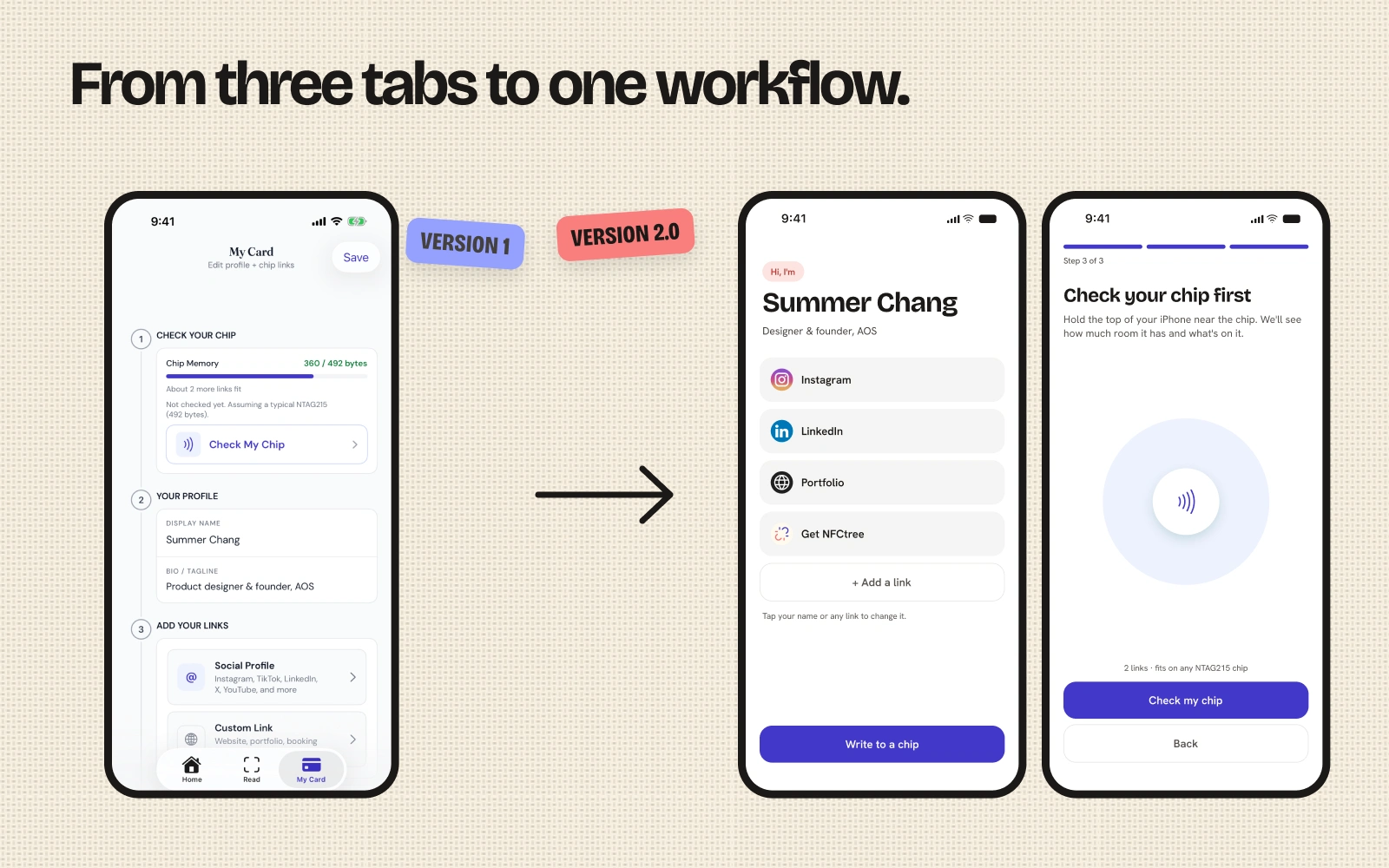
Testing on more screen sizes showed me the bigger problem. The app was organized around three tabs instead of the one thing people do. Five colors failed contrast, tap targets were too small, and VoiceOver read my logos as file names.
From three tabs to one workflow
I rebuilt the app around a single job: make your card and put it on a chip.
My Card is now the home screen
Setup is three steps: you, your links, write
The app checks the chip before writing
Change a link and it reminds you to update the chip
Remove a link and you get Undo
Designed for every screen
The open iPhone Duo gets two panes, with your card on one side and the editor on the other. Folded, it's the regular phone layout. The website is designed at phone, iPad and desktop sizes.
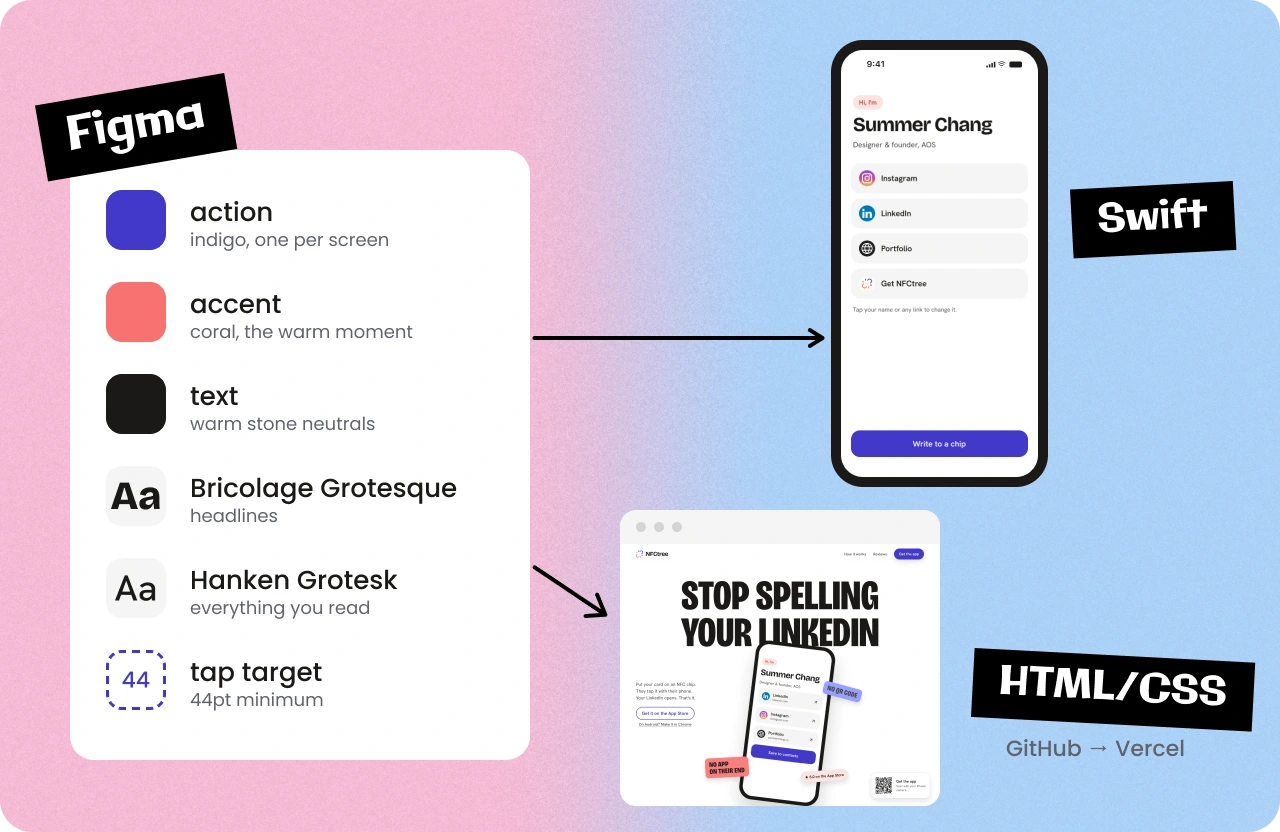
Accessibility was the floor: AA contrast, 44pt tap targets, Dynamic Type up to the largest sizes, and VoiceOver on every write result.
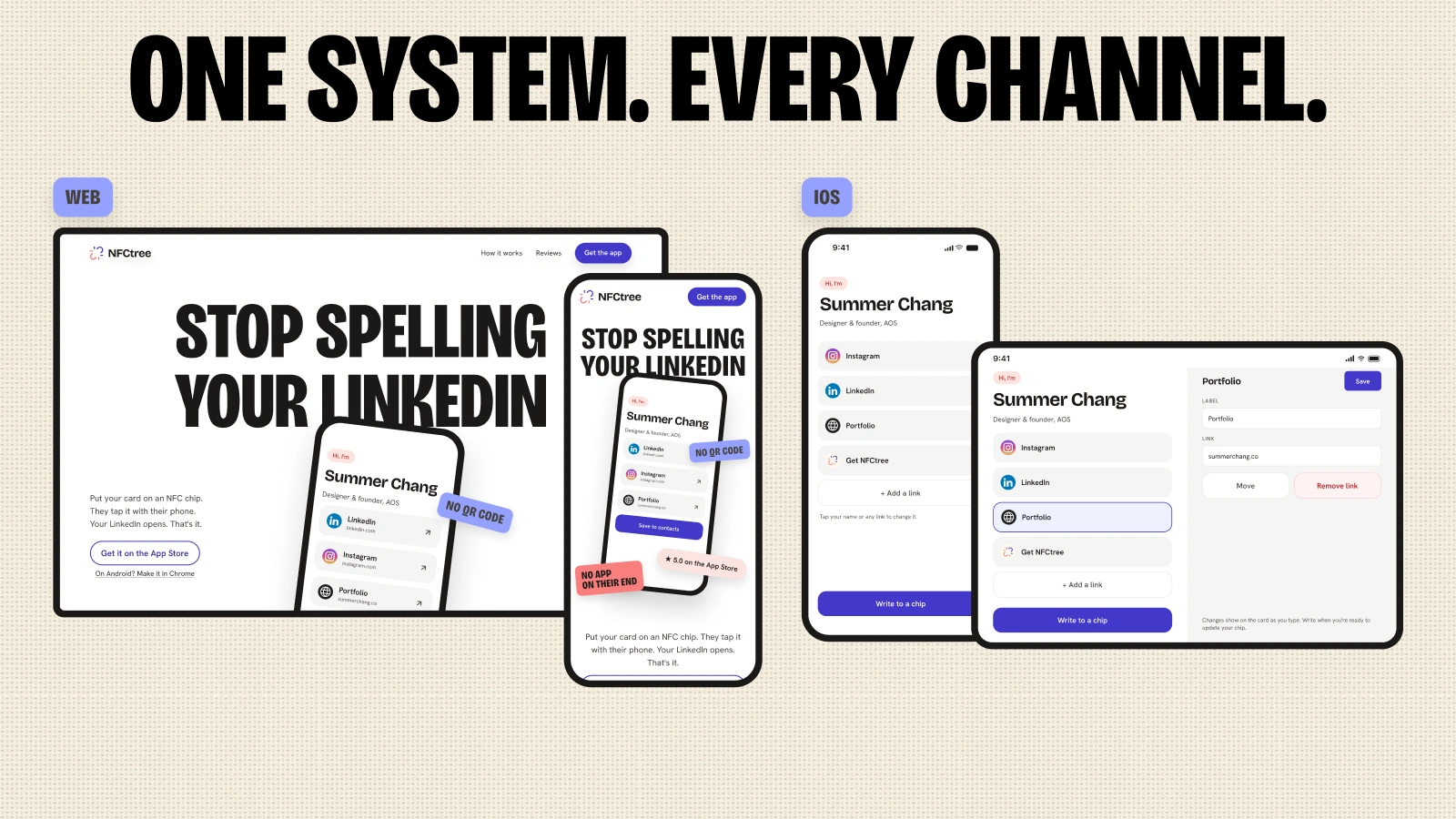
One design system, every channel
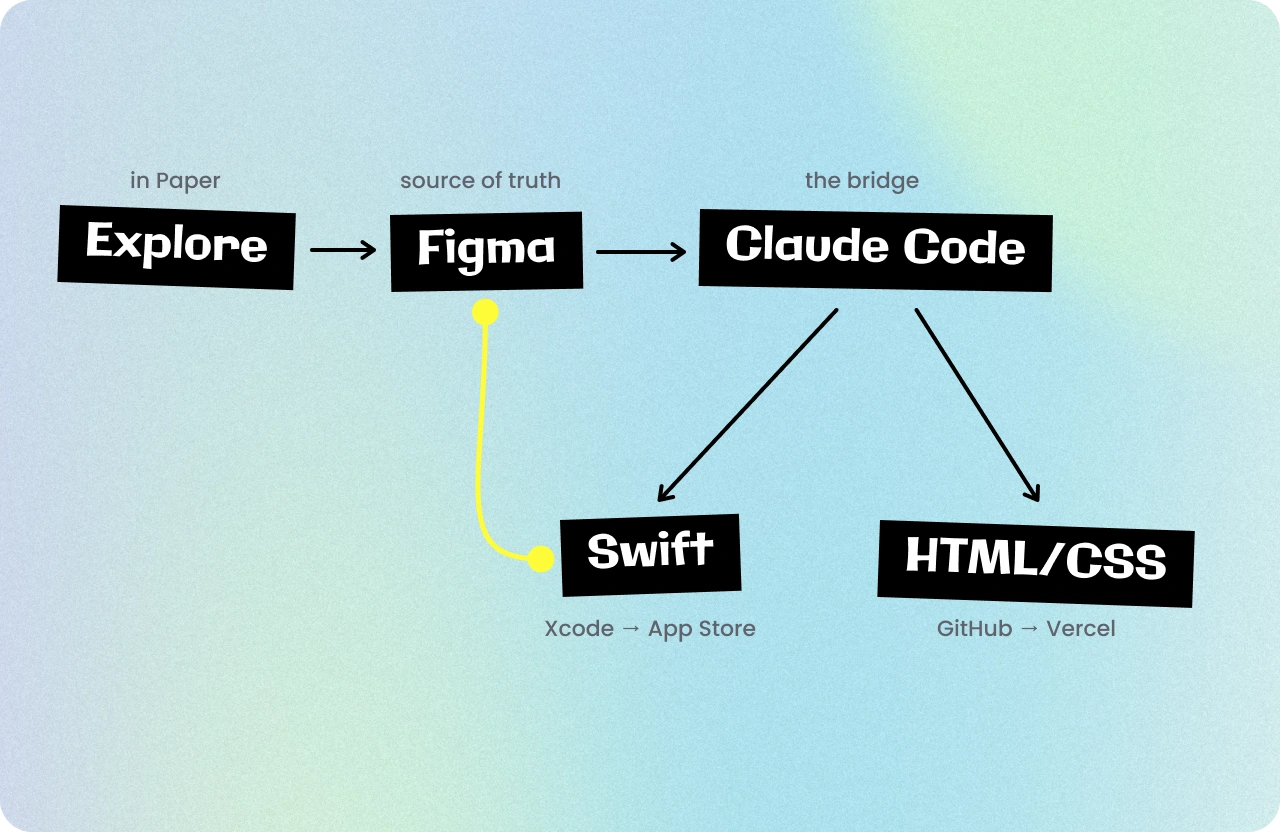
Figma is the source of truth. Color, type, spacing and radius live as variables, and the same values live in the SwiftUI app and the website.
Claude Code reads the Figma file through the Figma MCP server, writes the code, and checks each screen in the iOS Simulator. When the code finds something the design missed, it goes into Figma first, so the file always matches the app.
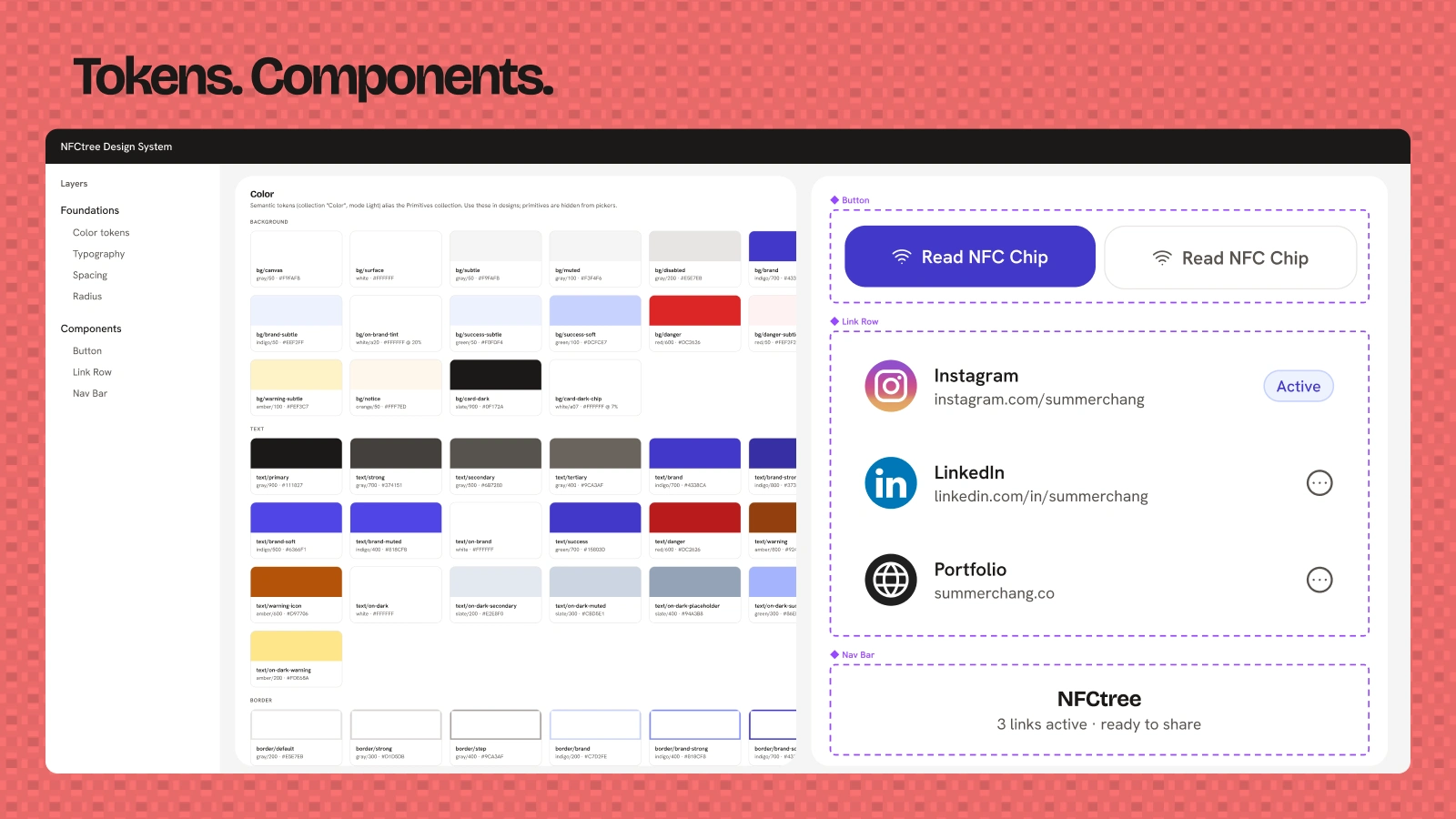
Shipping and promoting it
The same system carried into the marketing. The App Store screenshots and header came from the Figma file, and I made four launch videos in Figma Motion using the same screens and textures.
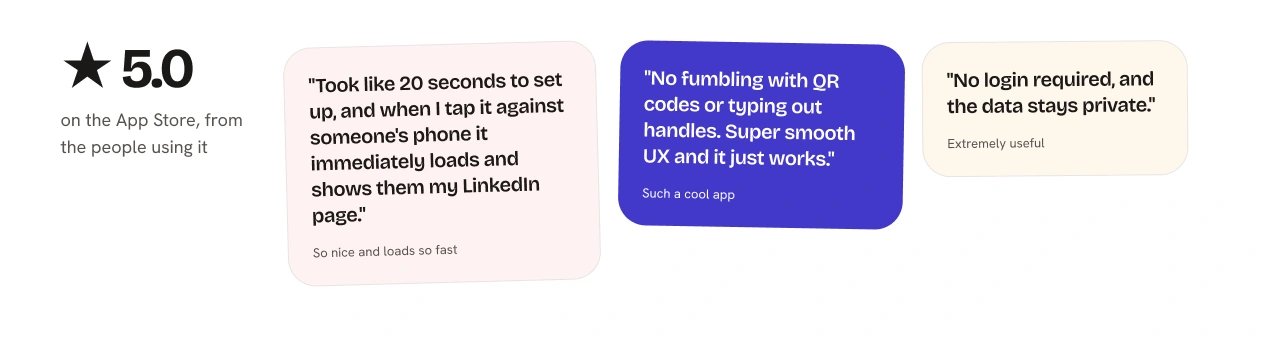
What people say
Where it stands
NFCtree is live on the App Store. Version 2.0, with the redesign and the iPhone Duo layout, is in final testing before it goes to Apple.
Next I'm studying what happens after the tap. After two people meet, does NFCtree make that relationship more likely to continue?
Like this project
Posted Nov 2, 2026
An iOS app I took from a networking problem to the App Store, then redesigned for iPhone Duo with one design system across every channel.