File Rename Checkpoint: preview, apply and undo

Jason Lathrop

Original self-directed demonstration, developed with AI assistance. Fictional workflow sample; not paid client work.
The problem: a handoff folder contains documents and images with ambiguous names. A renaming mistake can overwrite a file or leave a batch partially changed.
I built a Python standard-library utility using an explicit, reviewed filename map. Preview checks the files without renaming them. Apply rechecks file fingerprints and destinations, then records each move. Undo restores the original names after checking the contents. Collisions are refused instead of silently overwriting files.
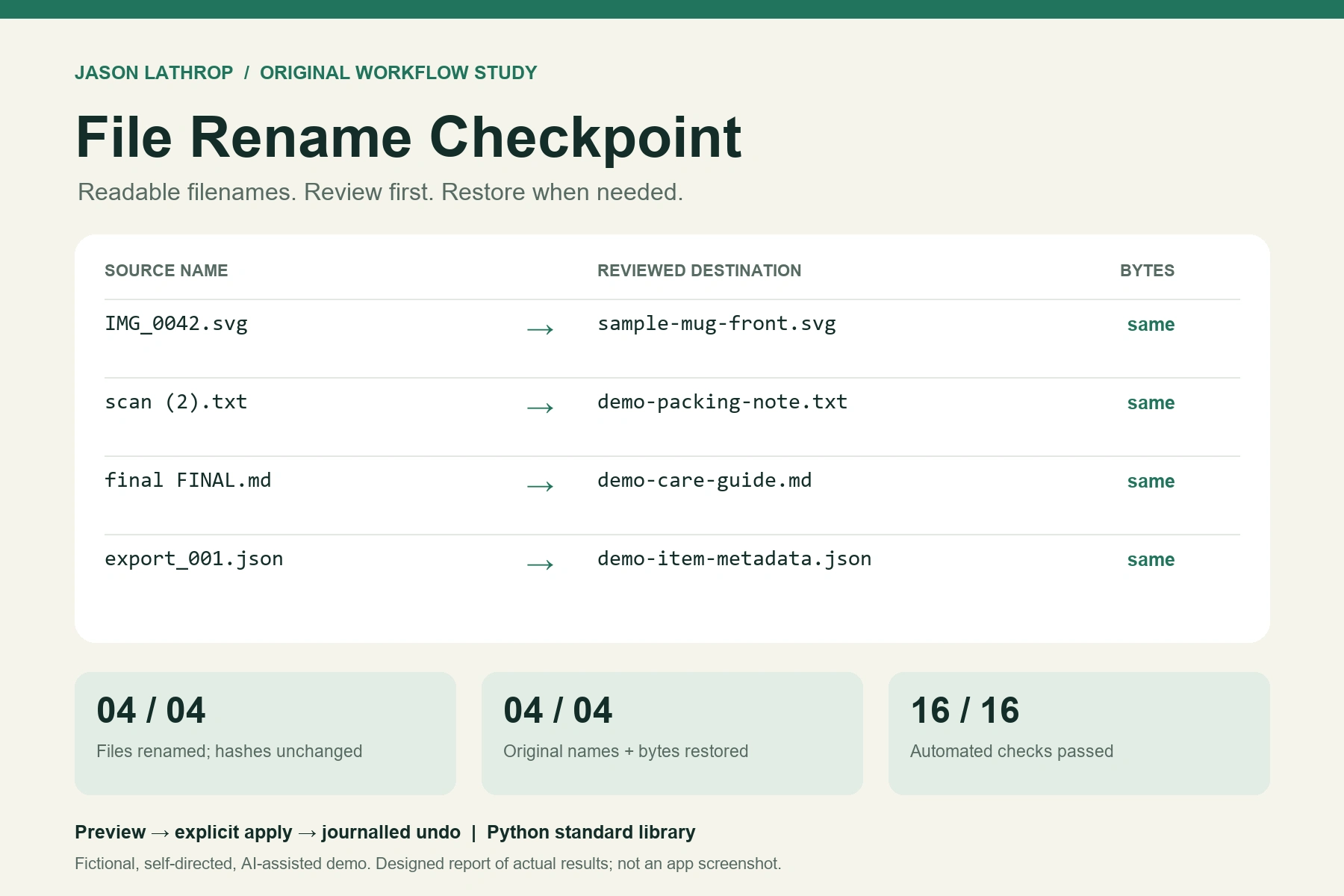
In the actual demonstration, four fictional files were renamed. All four SHA-256 hashes remained unchanged. Undo restored every original name and byte. The download includes the utility, fictional fixtures, filename map, tests and recorded command-line output.
Sixteen tests passed, covering existing targets, duplicate and case collisions, missing or modified files, occupied undo names, a simulated mid-batch failure and an interruption after a hard link was created. The last two cases were recovered through the saved journal and undo.
Scope: one local folder of regular files on a filesystem supporting hard links. No recursive moves, automatic image identification, case-only renaming, concurrent editing, network/cloud-drive handling or power-loss guarantee. It is not a backup. The visual is a designed summary of recorded results, not an app screenshot.
File-Rename-Checkpoint.zip
Like this project
Posted Oct 20, 2026
Self-directed, AI-assisted Python demo: preview, rename and restore four fictional files. Includes editable source, fixtures and 16 passing tests.
Likes
0
Views
0