Eden AI Workflow Builder Redesign

Jatin Leuva

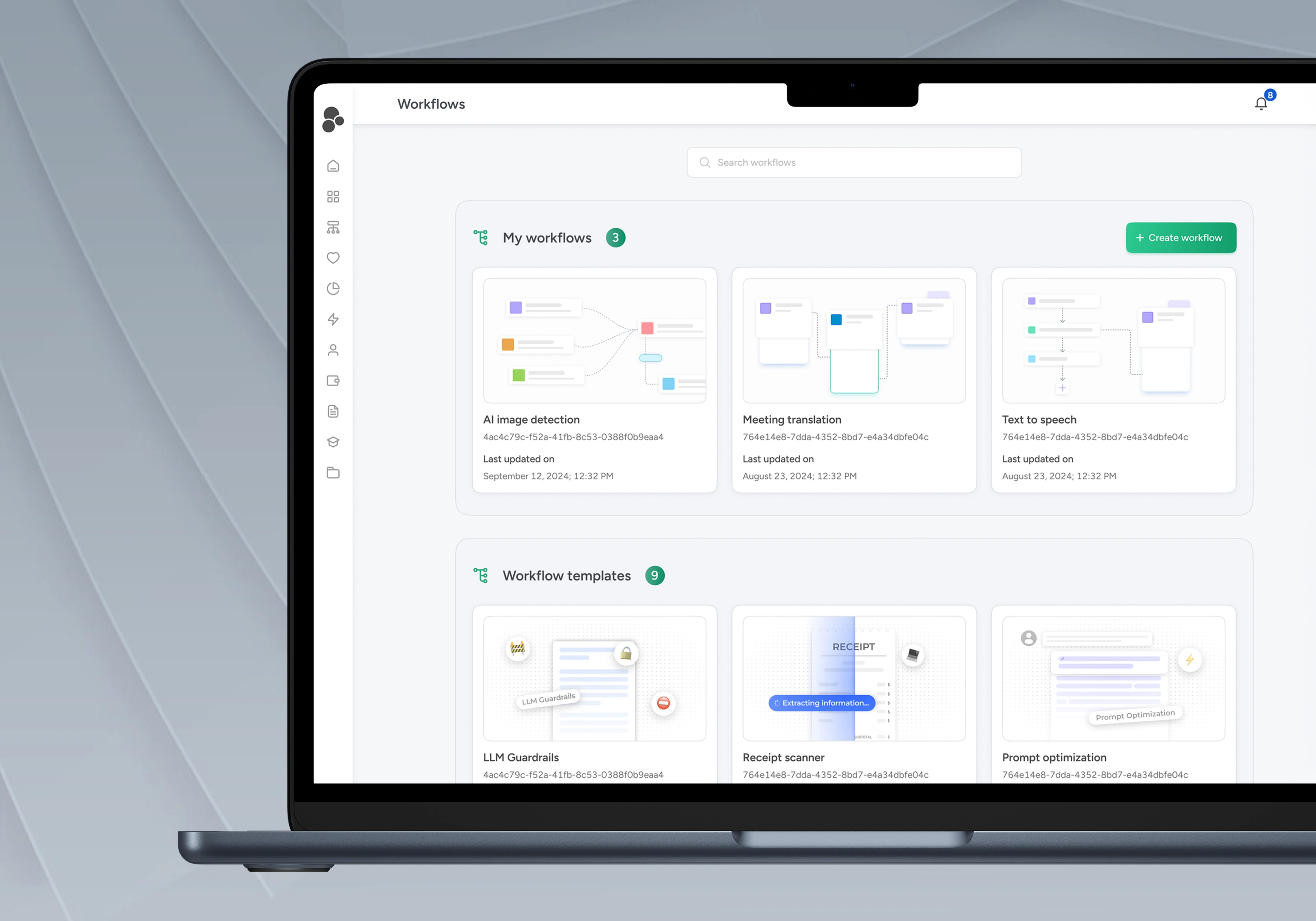
Eden AI’s workflow builder had a fragmented user experience with multiple entry points (templates, AI assistance, scratch) and separate interfaces for building, testing, and configuring workflows, leading to user confusion and context switching.
A unified search component was implemented, acting as a single, intelligent entry point for all workflow creation actions.
Unified Search: The search bar dynamically switches between:
(1) Standard template search, and
(2) AI assistant for AI-powered workflow creation (via a tab press)
The redesign was guided by:
Progressive Disclosure: Features are revealed gradually as users interact with the platform.
Context-Aware Design: Interface adapts based on user context, providing relevant suggestions and information.
The redesign resulted in a more efficient and user-friendly tool for building AI workflows.
Eden AI is a comprehensive workflow builder platform that empowers developers, product designers, and founders to create and validate AI-powered workflows. At its core, it's designed to simplify the complex process of implementing AI features into products and services.
The company, which caters to both small and medium enterprises (SMEs), and enterprises, has raised €3 million in funding to enhance AI adoption among businesses. Eden AI has over 500 clients accessing its platform.
The platform enables users to build and test custom workflows by combining multiple AI capabilities - from optical character recognition (OCR) to language translation and text analysis - with support for various AI model providers (Google, OpenAI, Azure, etc.). This testing capability provides real-time execution feedback, allowing users to validate results before production implementation. Users can rapidly prototype AI features without extensive development work, with the ability to export custom workflows as API endpoints for seamless integration.
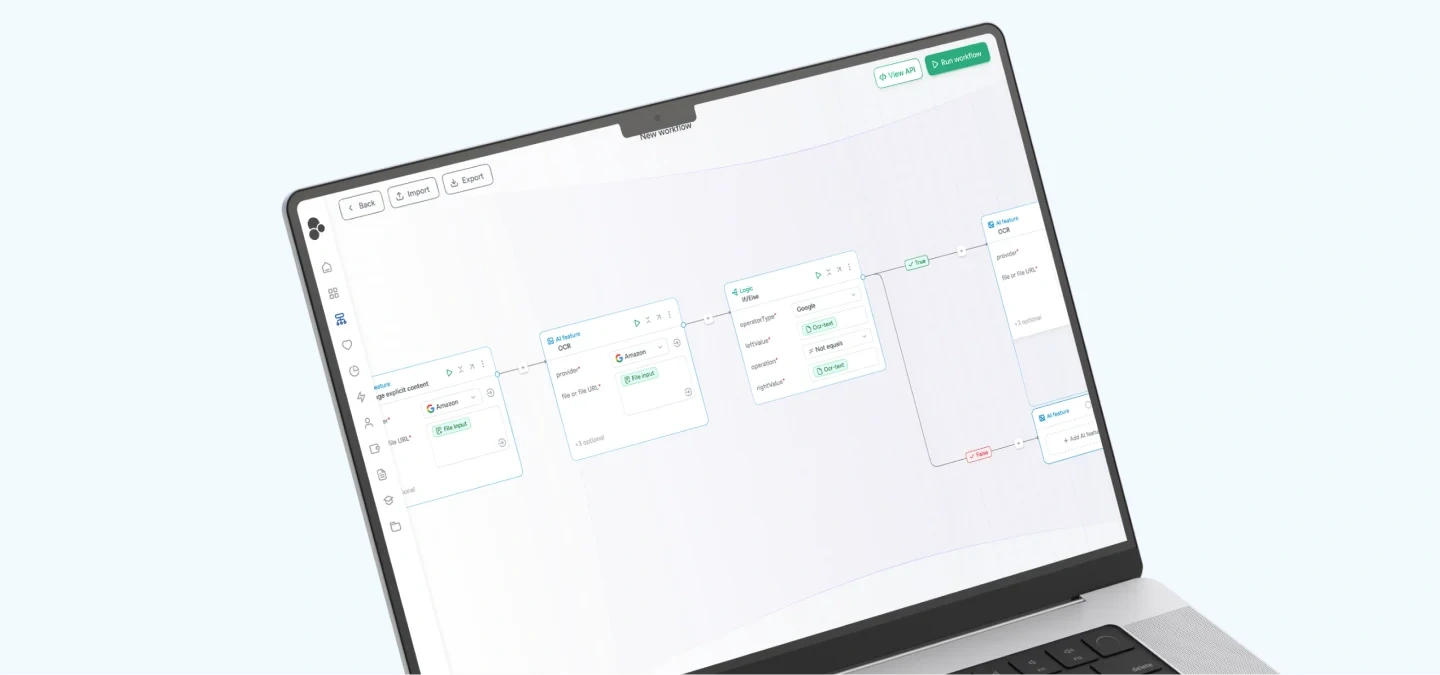
The challenge/problem
The workflow creation process presented significant usability challenges, primarily stemming from multiple entry points and fragmented user journeys. Users faced three distinct paths to create a workflow: templates, AI assistance, or starting from scratch. This choice architecture, combined with segmented interfaces for building, testing, and configuration, created unnecessary complexity and cognitive load.
This problem was highlighted repeatedly as Eden AI conducts regular user feedback sessions. This was further verified using analytics and hotjar recordings.
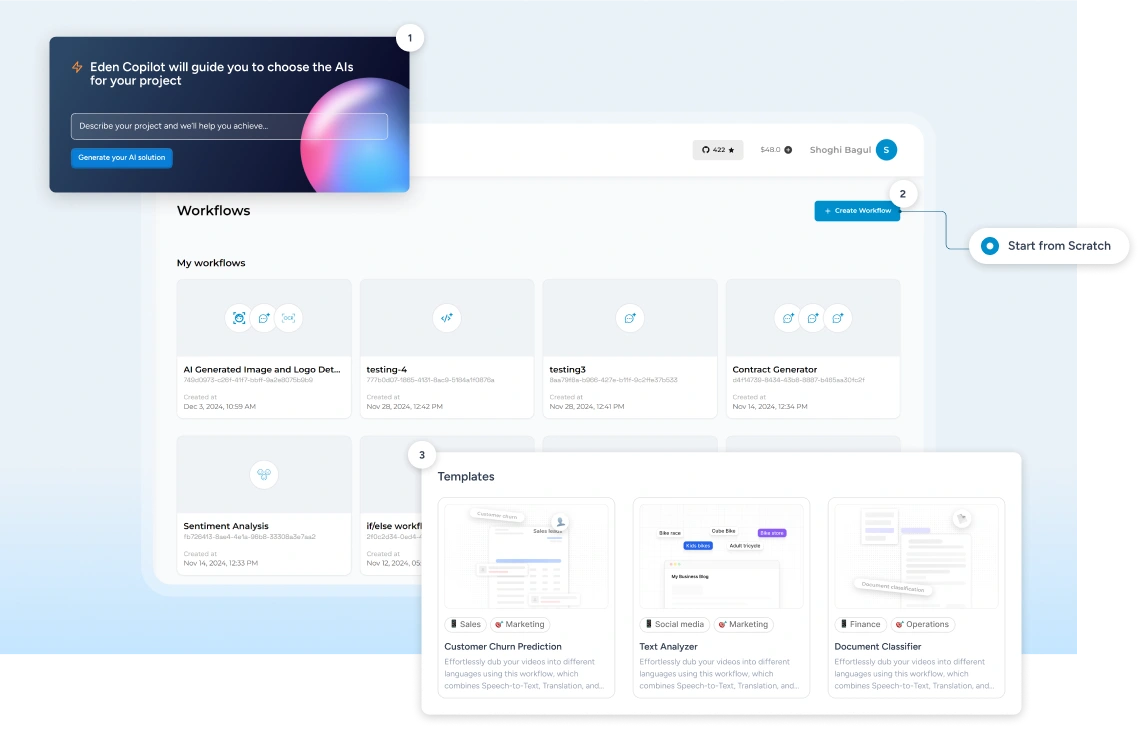
The interface fragmentation forced users to constantly switch contexts between different modes and tabs, disrupting their workflow creation process. For instance, testing a simple modification required switching between building and testing modes, adding friction to the development process.
Also, the search component blocked the user’s view of the description for the AI feature. Selecting it directly added the AI feature to the workflow which might be the intended outcome. The user had to remove the AI feature and figure out a way to access details that they wanted to include in the workflow.
This resulted in only 6% of users being able to create workflows while others were dropping off at multiple points throughout the journey.
Our solution: The unified search component
In response to these challenges, we developed a unified search component that fundamentally reimagined how users interact with the workflow builder. Rather than maintaining separate interfaces for different actions, we created a single, intelligent entry point that adapts to user needs.
Initial workflow creation
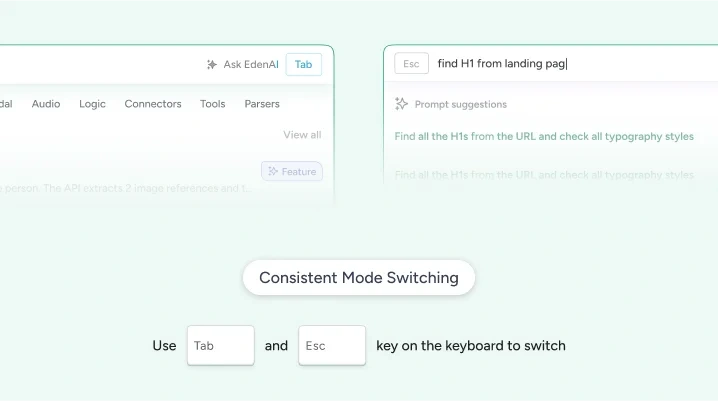
We developed an intelligent search bar that serves as a unified entry point, adapting to user needs through context-aware functionality. The interface transforms between a conventional search tool and an AI assistant through a simple tab press, handling both template discovery and AI-powered workflow creation.
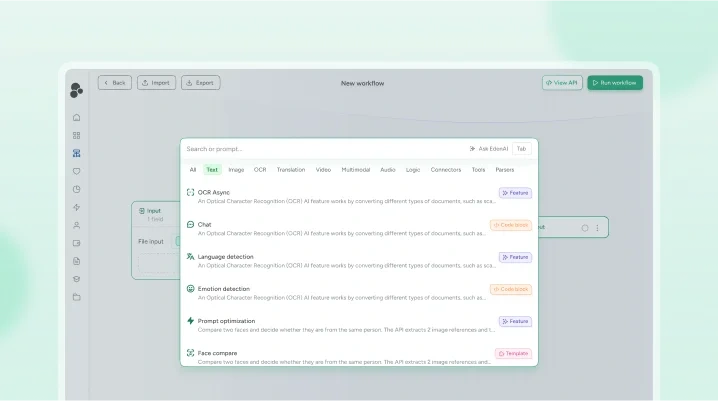
Just to explain this a little bit more, the new Search component allowed the users to navigate through different categories efficiently. The users also got more clarity on the type of AI feature, code block or template in the same screen. It also ensured that the users were able to go through the documentation before using it in the workflow.
The Search component, as mentioned above, also combined the AI copilot where if no Search results were found, the query would automatically be converted into an AI prompt thereby reducing friction (else the user had to write a prompt separately).
This unified approach eliminates decision paralysis by:
Providing a single, clear starting point
Enabling natural language search for templates
Offering AI assistance through mode switching
Maintaining all creation options while simplifying the interface
Workflow builder integration
The unified pattern extends throughout the workflow builder, using the same search component for discovering and adding AI feature nodes. Key technical implementations include:
Consistent interaction patterns across contexts
Intelligent result categorization
Context-aware suggestions
Integrated documentation and preview cards
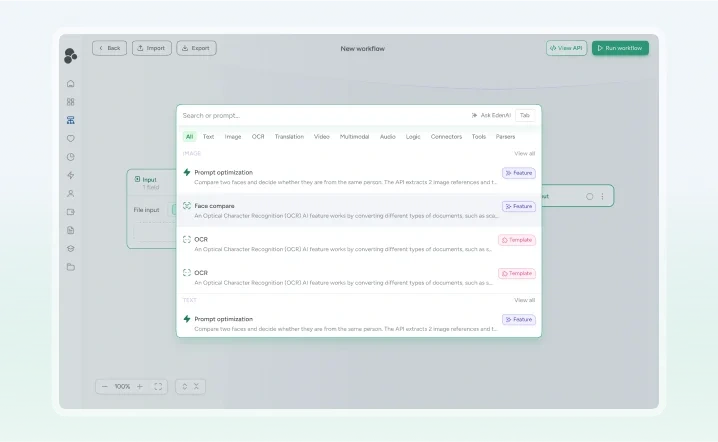
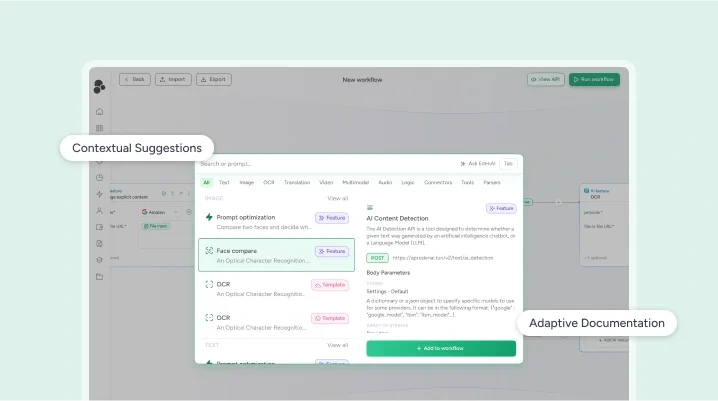
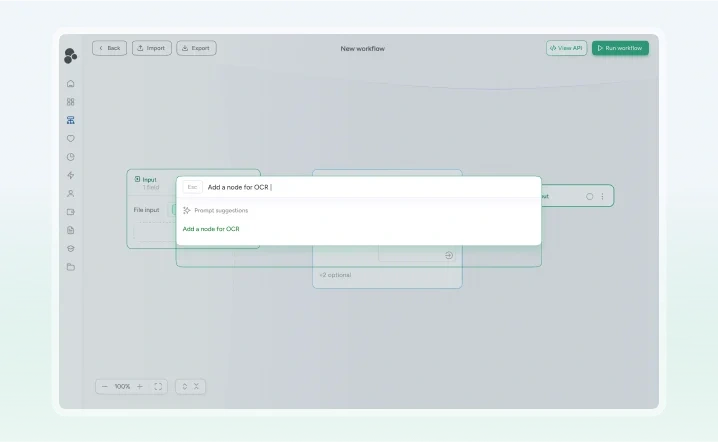
Default state showing template browsing
Transition to AI assistance mode
Contextual search within workflow builder
Preview cards and documentation integration
The new Workflow builder allowed the user to create workflows easily without having to open the side modal to configure a node in the workflow. It reduced the number of clicks drastically. Also, we switched from vertical layout to horizontal layout as it had more ‘real estate’.
In summary, this solution addressed multiple challenges simultaneously:
It simplified the entry point for the users while maintaining all creation options
It reduced cognitive load by maintaining consistent interaction patterns across the application
It enabled progressive discovery of features through natural exploration
It preserved the power and flexibility to use the app while improving the accessibility
Key design decisions
Our approach to redesigning the workflow builder was guided by three fundamental principles that shaped every aspect of the user experience: consistency first, progressive disclosure, and context-aware design. Each of these principles played a crucial role in building user trust and improving workflow creation efficiency.
Consistency first
The command-palette style interface creates a predictable pattern throughout the application:
Unified interaction model for search and AI assistance
Standardized preview cards and documentation access
Consistent keyboard shortcuts (Tab key for mode switching)
Uniform feedback mechanisms
Progressive disclosure
Features are revealed progressively as users navigate the platform:
Templates visible by default
AI assistance accessible through tab press
Advanced features discovered through natural exploration
Contextual suggestions based on current workflow
The interface adapts based on user context:
Smart prioritization of relevant templates and features
Contextual suggestions for related AI capabilities
Intelligent handling of search vs. AI assistance modes
Adaptive documentation and help resources
Impact and Key learnings
The redesign delivered significant improvements:
Streamlined workflow creation through unified search and AI capabilities
Reduced context switching through intelligent input handling
Enhanced feature discovery through categorized presentation
Improved accessibility across different technical backgrounds
Key learnings
1. Consistent Patterns
Command palette pattern's versatility in handling complex AI interactions
Importance of predictable interfaces in building user trust
Success of unified interfaces in reducing cognitive load
2. AI Tool Design Implications
Integration with familiar interaction patterns (GitHub Copilot, Raycast)
Balance between power and accessibility
Progressive complexity in feature presentation
This project demonstrates how thoughtful integration of AI capabilities into familiar interface patterns can create powerful yet approachable tools.
Like this project
Posted Nov 24, 2025
Redesigned Eden AI's workflow builder for improved user experience with unified search.