Web Scraping with Python in 2026: What Actually Works

Shishir Sutradhar


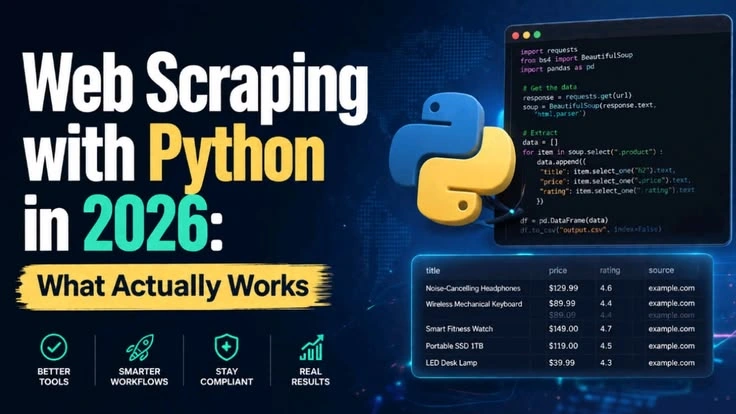
Web Scraping with Python in 2026: What Actually Works
A lot of the scraping advice still floating around dates back to when rotating a User-Agent string and adding a time.sleep() was enough to get past most defenses.
That stopped working a while ago. Sites now fingerprint your browser, your TLS handshake, and your mouse behavior before they even look at your request headers.
If you're still building scrapers the way you did a few years back, you're going to burn through IPs fast and wonder why.
Here's what I'm actually reaching for on client projects right now.
Pick your tool based on what the site needs, not habit
The biggest mistake I see is defaulting to Playwright (or Selenium) for everything. Spinning up a full browser is slow and expensive, and most sites don’t need it.
For static or server-rendered pages, httpx paired with selectolax is what I use. Selectolax is a C-backed HTML parser, noticeably faster than BeautifulSoup on large pages, and httpx gives you HTTP/2 support and async out of the box.
For anything that renders content client-side, Playwright is the better call over Selenium at this point, it’s faster to launch, has cleaner async support, and its auto-waiting logic means fewer flaky selectors.
Before writing either, check if the site has an API backing its frontend. Open dev tools, watch the network tab while the page loads, and you'll often find a JSON endpoint doing the real work.
Hitting an API directly is faster, more stable, and a lot less likely to get you blocked than parsing rendered HTML. I check for this first on every new target, it’s saved me hours more times than I can count.
Getting past bot detection
Systems like DataDome and PerimeterX aren't just checking your User-Agent anymore. They're looking at TLS fingerprints, canvas rendering, timing between requests, and dozens of smaller signals that add up to 'this isn't a real browser.' A couple of things actually move the needle:
Rotating your header set helps, but it's a small piece of the picture. I still do it because it's free:
What matters more is residential proxy pools instead of datacenter IPs, since datacenter ranges get flagged almost immediately by anything DataDome-grade, and adaptive pacing so you're not hammering a target at a fixed interval that looks scripted:
Slow down after a block, speed back up once you're clear. It's a small piece of code but it makes a real difference in how long a scraper stays alive against a target that's actively watching for patterns.
For Turnstile or hCaptcha walls, I don’t try to solve them myself, I lean on a solving service and treat the cost as part of the project’s infrastructure budget, the same way you’d budget for proxies.
Staying on the right side of this
The legal side of scraping has gotten more attention in the last couple of years, and it’s worth taking seriously. I stick to public data, respect robots.txt where it’s reasonable to, and avoid anything that requires logging in or bypassing a paywall. It’s not just about staying out of trouble, clients care about this too, and being able to say your pipeline only touches public data is a real selling point when you’re pitching the work.
None of this is exotic. It's mostly about matching the tool to the target, checking for an API before you build a scraper, and treating rate limiting and proxies as first-class parts of the system rather than an afterthought.
Building scraping tools? Follow for more practical guides. See my projects
#python #webscraping #automation #playwright #dataengineering
Like this project
Posted Aug 6, 2026
Web scraping in 2026 looks very different from 2020. Sites are smarter, anti-bot systems are more aggressive, and the legal landscape has evolved.