The AI Video Production Process

Bas Dumoulin


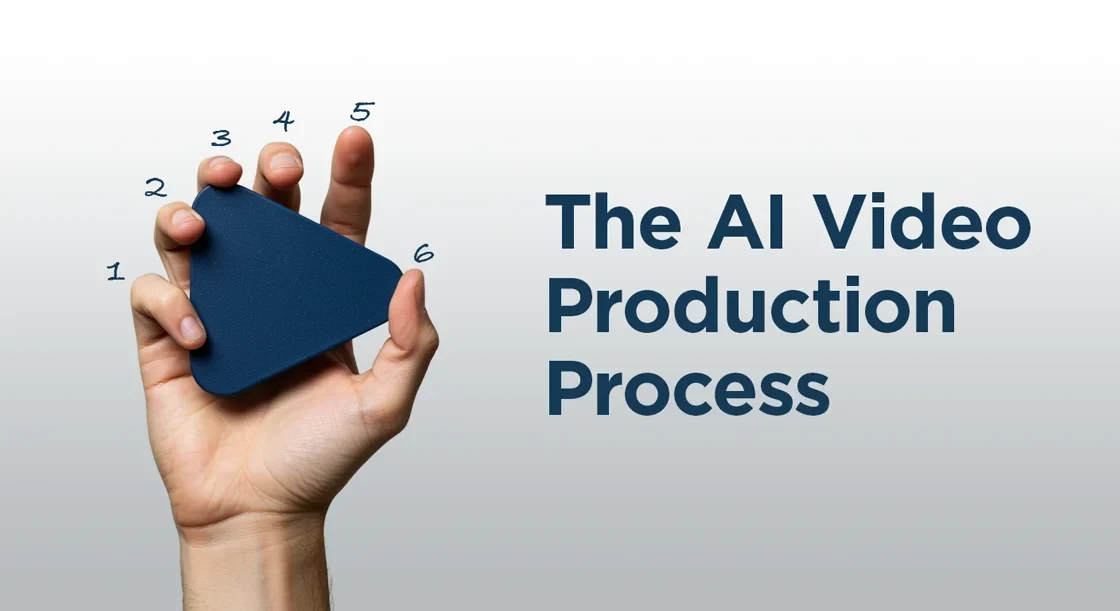
The AI Video Production Process
Creating a video with AI is not a “push-of-a-button” trick. It’s a creative production workflow, with humans steering every stage.
Here’s what actually happens, step by step, and what you can realistically expect:
Limitations to Know Up Front
AI is evolving month by month, but it still comes with clear visual and technical limitations. The difference between good and bad results is knowing where those limits are, and how to work around them.
An experienced AI artist stays on top of the latest models, understands their quirks, and designs ideas accordingly. Setting expectations early makes the process smoother and the results stronger.
Below are a few practical examples.
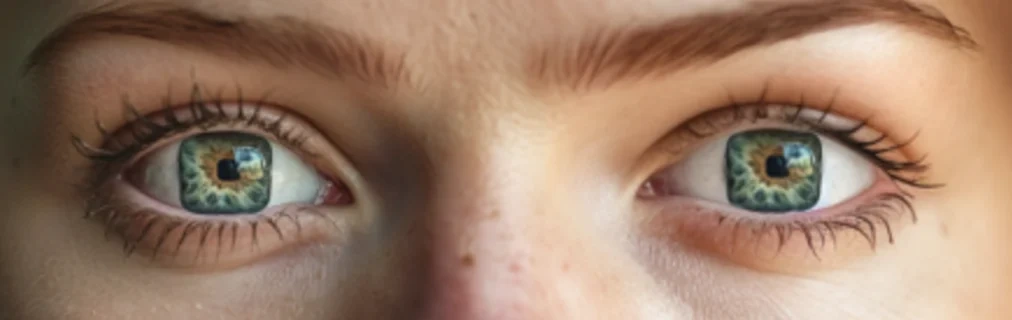
Anyone want square pupils?
AI Image Limitations
Fine details can break: Extra fingers, overly generic teeth, or small objects that don’t make physical sense.
Text is unreliable: It’s often unreadable or simply wrong.
Logos can subtly change from image to image.
Consistency across multiple images can drift, especially with characters or products.
Image resolution is capped, with a maximum output of 4K per image.
AI Video Limitations
Clips are short. Most models generate 8 to 10 seconds at a time, so longer videos are built from stitched shots.
Interactions break easily. Handing objects, walking through doors, or physical contact can look unnatural.
Physical and visual consistency can drift between shots, including height, proportions, and facial features.
Voice consistency is limited. Voices can change between scenes, and lip sync is only supported by some models.
Content restrictions are strict. Some models limit or block the use of children or characters resembling real people.
How I work around this
These issues don’t get fixed by better prompting alone. This is where human craft comes in.
With images, I selectively retouch and refine by hand. Details are corrected, logos restored, and visuals aligned so they feel intentional and consistent. AI generates the raw material. Humans finish the shot.
With video, I'll design around the limits. Scenes are broken into manageable beats, actions are simplified, and continuity is carefully controlled in the edit.
The craft lies in knowing what to show, what to imply, and where human judgment needs to guide the result.

a Squirrel in business suit? No problem!
Where it shines
AI video shines when flexibility, iteration, and creative freedom matter more than physical constraints. It removes location and logistics as blockers, while still relying on strong human direction and craft.
Key use cases
Creating content without physical sets, travel, or large crews, while maintaining creative control.
Visual storytelling for products or services that are not finalized yet.
Fast animation workflows that would be slow or complex to produce traditionally.
Stylized or surreal visuals that would be impractical or impossible to film.
Visualizing locations that don’t exist, are inaccessible, or are historically impossible to film.
Updating or evolving visuals without restarting production.
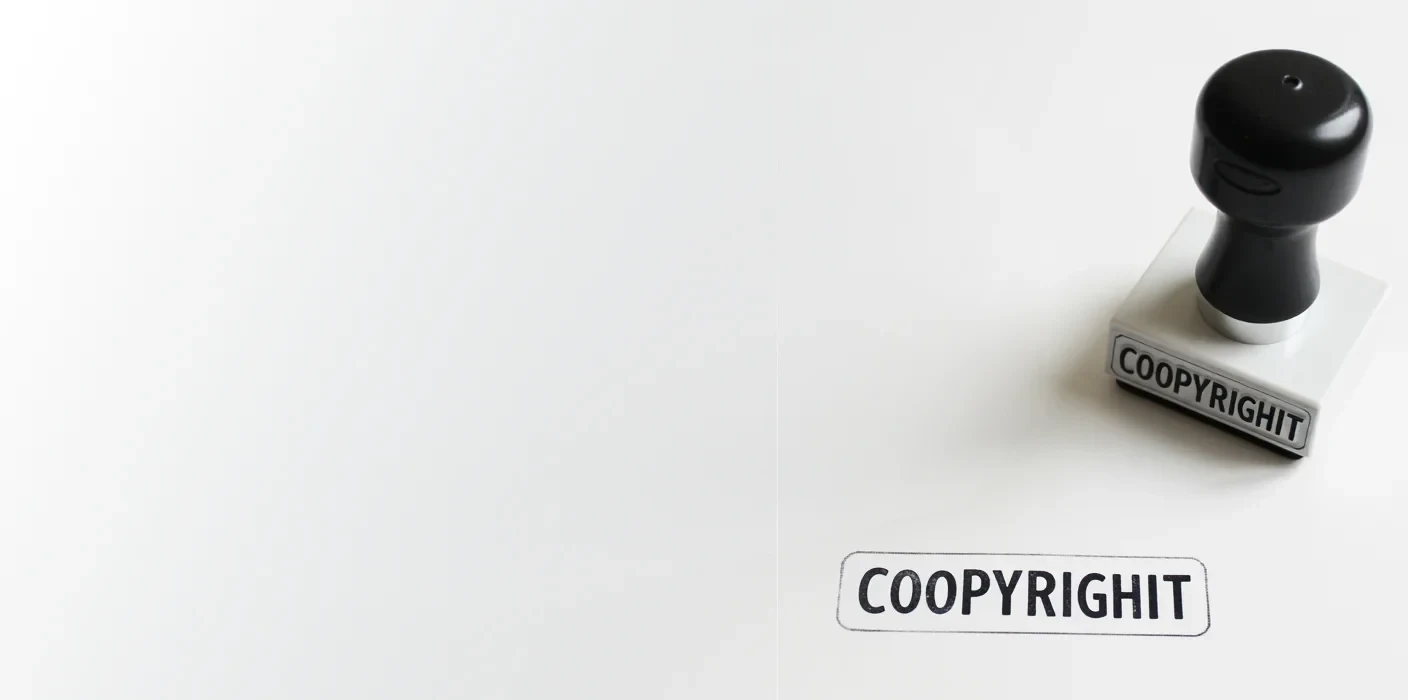
Copyright and Usage Rights
This is one of the less glamorous parts of AI video production, but it’s important to be clear about it from the start.
AI-generated images, video, and audio live in a changing legal landscape. Rather than keeping this abstract, I prefer to be concrete about what is generally usable today and where uncertainty can still exist.
What is usually safe and usable
Using AI-generated video and imagery in marketing, advertising, websites, presentations, and social media.
Using the content across channels and campaigns without additional licensing fees.
Editing, adapting, and versioning the content over time as part of ongoing communication.
Where uncertainty can exist
Claiming full exclusivity or traditional copyright ownership over purely AI-generated visuals.
Using AI-generated content that closely resembles real people, public figures, or recognizable existing works.
Situations where visuals could be interpreted as literal proof rather than illustrative storytelling.
My approach
I design with these boundaries in mind. By choosing tools and workflows suited for commercial use, avoiding unnecessary risk, and flagging edge cases early. When a use case calls for higher certainty, we'll adapt the creative approach accordingly.
Outcome: clear expectations about what you can confidently use, where caution is advised, and how we navigate that together.
How long does it take to create an AI video?
The honest answer is: it depends less on the tools, and more on decision-making.
Most effective videos today are between 30 seconds and 1 minute. Longer videos rarely perform better. Attention spans are short, and strong storytelling is about clarity and efficiency, not duration.
From a production standpoint, the majority of time is not spent generating images or video. It’s spent on:
Getting the idea and story right.
Aligning on tone, message, and intent.
Feedback rounds, especially when multiple stakeholders are involved.
If decisions and feedback were immediate, a 30-second video could realistically be created in 1 to 2 weeks.
In practice, feedback takes time. People need space to review, reflect, align internally, and respond thoughtfully. When several voices are involved, this back-and-forth is what usually stretches timelines.
Because of that, most projects take 3 to 5 weeks from first concept to final delivery.
This is not a downside of AI video. It’s simply the reality of collaborative creative work. The tools move fast. Alignment takes time. The only way to speed up this process is by templating it.
How an AI Video Gets Made, Step by Step
Step 01: Ideation
We start by defining what this video is meant to do. Not just creatively, but practically.
We clarify:
The audience: who this video is for, and what problem or question they bring with them.
The call to action: what should someone do after watching the video?
(Understand something new, trust your brand more, request a demo, approve a next step.)
The context: where this audience lives and how the video will be watched (Platform, format, length.)
The core idea: the simplest way to connect audience, emotion, and action into one clear story.
The emotional entry point: what makes this message relevant to them right now?
Step 02: Script Creation and Sharpening
I'll next write the voice-over and structure the story to guide the viewer from first impression to action.
I always focus on:
The emotional entry point: why someone keeps watching instead of tuning out.
Clarity over detail: benefits first, features second.
Narrative flow: how the story unfolds, moment by moment.
AI-aware writing: actions and visuals that can realistically be executed.
The call to action: what the viewer should do next.
Outcome: a clear, focused script that connects emotionally, communicates value, and can be executed within an AI workflow.
Step 03: AI Image Generation
I'll then translate the script into visual moments by generating key shots as images first.
I'll typically work through:
Iterative exploration of each shot, not one-off generations.
Refining prompts until framing, mood, and intent align.
Selecting frames that best support the story, not just the most impressive visuals.
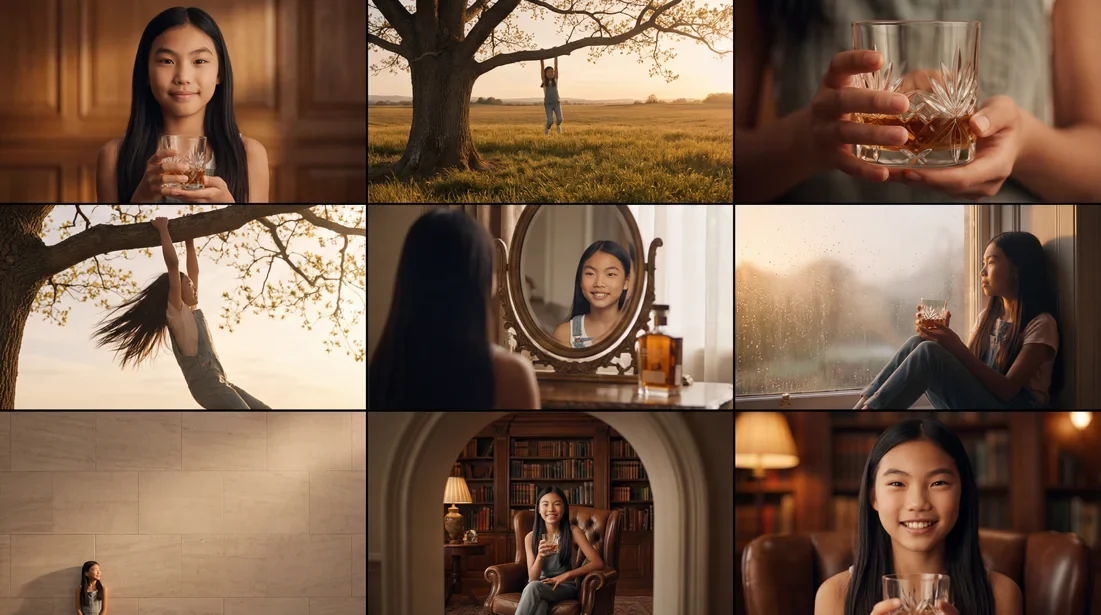
Outcome: a curated set of strong visual frames that function as a storyboard and guide every video decision that follows.
Step 04: Build a Timeline (Storyboard in Motion)
I'll place the images into an edit timeline to test how the story actually plays.
This step is to:
Set pacing per shot.
Test the overall flow.
Check whether images support the voice-over and message.
See if the story holds together before animating anything.
At this stage, I often use a temporary or draft voice-over purely for timing and clarity, not for polish.
Outcome: a rough edit that reveals what works, what doesn’t, and where adjustments are needed before moving into motion.
Step 05: AI Voice-Over
I'll create and integrate a voice track that supports the story and timing.
Together with the client, we'll focus on:
Selecting a voice that fits the brand, tone, and emotional intent.
Guiding tone and delivery so the voice feels expressive and human, not robotic.
Adjusting pacing to work with the rhythm established in the edit.
The voice-over remains flexible and can evolve as the video develops.
Step 06: AI Music
We add music to support emotion, pacing, and tone.
We focus on:
Exploring musical directions that reinforce the story.
Considering a client’s taste and sensibility, since music is highly personal.
Choosing a track that complements the voice-over and visuals.
Balancing levels so the music supports the message rather than competing with it.
Music helps define the emotional arc and often shapes how the entire video is perceived.

Step 07: Timeline Preview and Feedback
You review the draft edit before we move into motion and heavier production.
This is the moment where structure is tested, not polish.
We review together:
Does the message come across clearly without explanation?
Does the story flow naturally from start to finish?
Does the pacing feel right for the intended audience and context?
Are any shots confusing, distracting, or redundant?
This step is about sense-making. Images, voice, and music are evaluated as a whole, not in isolation.
Outcome: a locked narrative structure, so motion and animation are only generated for shots that truly work.
Step 08: Image-to-Video Generation
I turn approved images into short moving shots. This is where structure becomes motion.
Think of:
A clip-based approach, generating short shots rather than one continuous take.
Multiple generations per scene to find motion that feels natural and intentional.
Careful selection of the strongest takes before integrating them into the edit.
Because AI video generation is still limited in duration and consistency, motion is created in controlled pieces rather than long, uninterrupted scenes.
Step 09: Upscaling and Resolution Enhancement
AI-generated images and video are typically produced at lower resolutions. Before final polish, I'll push the footage to its highest usable quality.
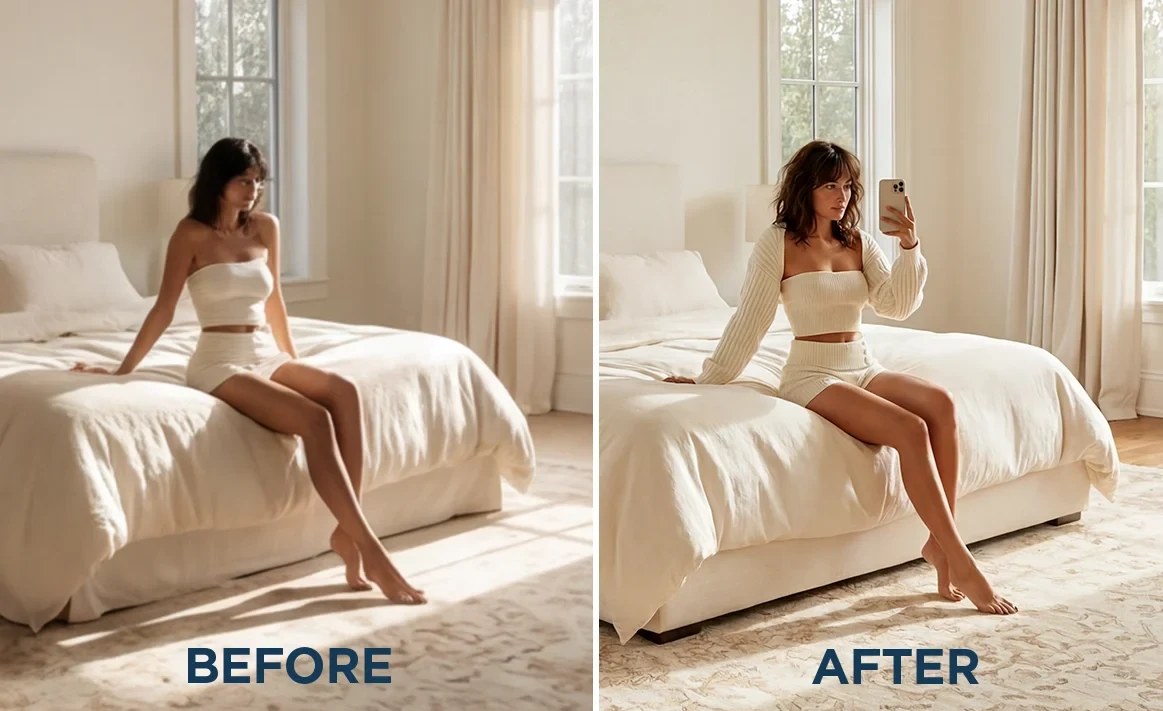
There's a focus on:
Increasing resolution so the footage holds up on larger screens.
Enhancing detail and clarity where possible.
Reducing artifacts introduced during generation or compression.
Preparing the footage for grading and final delivery.
Outcome: cleaner, sharper footage that is ready for visual refinement and finishing.
Step 10: Composition and Visual Refinement
With higher-resolution footage in place, the next step is to refine the composition shot by shot.
There's a focus on:
Adjusting framing, zooms, and crops to improve clarity and emphasis.
Fixing or masking breaking elements like text or logos.
Combining the strongest moments from multiple generations into a single, higher-quality shot.
This is a hands-on editorial step where selection and judgment matter more than generation.
Step 11: Color Correction and Visual Consistency
AI clips can vary from shot to shot. Everything needs to be brought into the same visual world.
Much of the intended look and color mood is already defined during image generation. So this step is about refinement, not reinvention.
I'll focus on:
Matching exposure and contrast across shots.
Aligning color mood so scenes feel cohesive.
Reducing flicker and unwanted visual shifts where possible.
This is where the video stops feeling like a collection of clips and starts feeling like a film.
Step 12: Sound Effects and Final Mix
This is where the video gains weight and credibility.
There's a focus on:
Adding subtle sound effects that reinforce movement, transitions, and space.
Shaping ambience so scenes feel grounded rather than flat.
Balancing voice, music, and effects so nothing fights for attention.
Sound is treated as part of the storytelling, not as decoration. When done well, it’s felt more than it’s noticed.
Final Delivery and Versions
Once picture and sound are locked, I'll prepare the video for real-world use.
I'll focus on:
Delivering the final video in the agreed formats and resolutions.
Creating variations where needed, such as different aspect ratios, lengths, or platform-specific cuts.
Providing subtitles when required, either as separate SRT files or burned into the video.
Ensuring consistency across all versions, so the message and tone remain intact.
This last step is about making sure the video works wherever it’s meant to live.
Every step builds on the previous one. The tools move fast. The craft keeps it coherent.

Written by Bas Dumoulin
Still have questions?
If something was unclear, missing, or raised new questions, let me know. This process keeps evolving, and so does how I explain it.
Interested in creating an AI video for your brand?
Get in touch and let’s see if it makes sense.
Here are some examples of my AI projects:
Like this project
Posted Jan 21, 2026
Everything you need to know about the AI video production process…