Morrow Studio - Editorial Website & Custom Sanity CMS

Oluwasogo Balogun


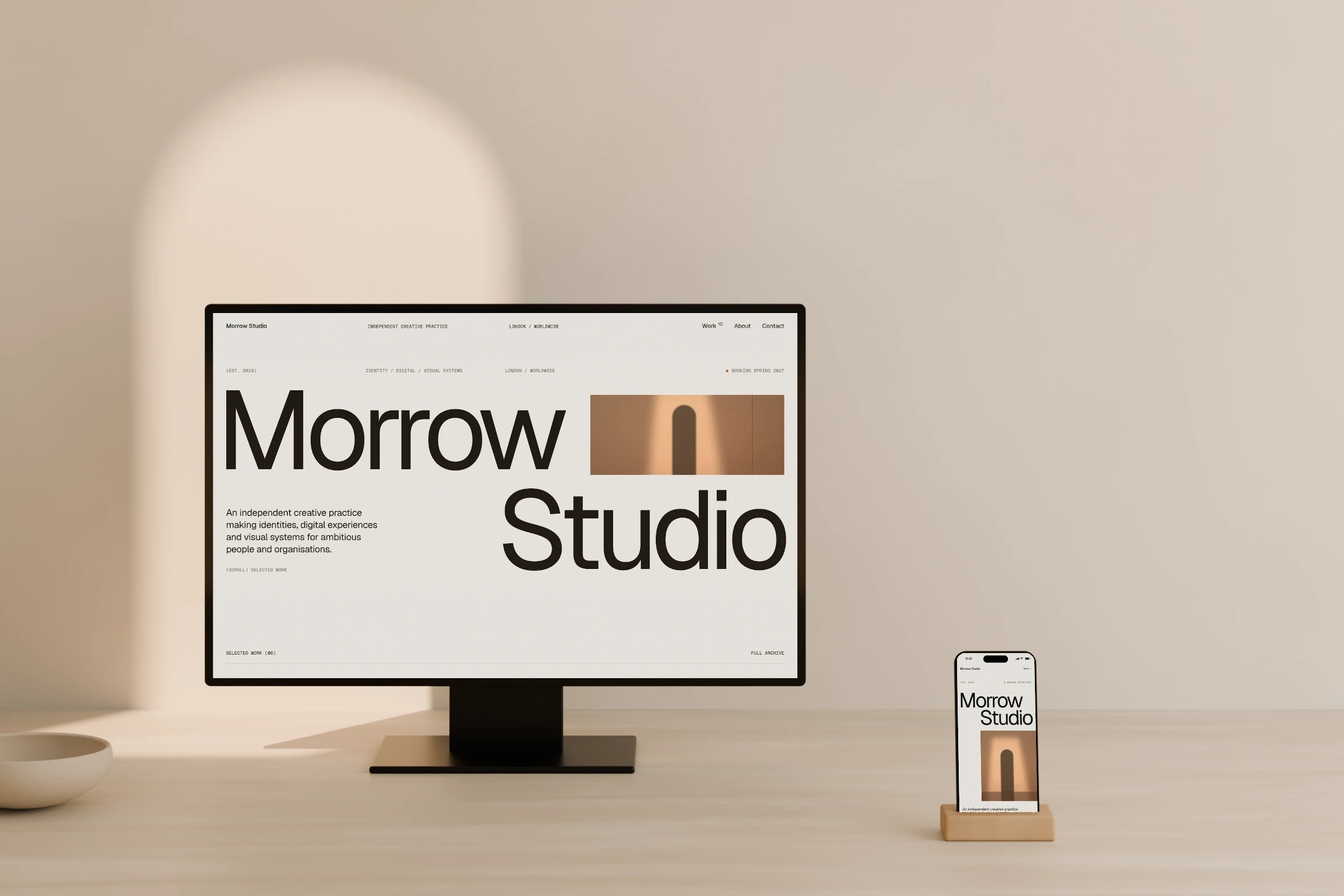
Morrow Studio - Editorial Website & Custom Sanity CMS
An editorial portfolio designed and built around a flexible content system, with as much attention given to the editing experience as the public website.
Role: Design Engineer
Scope: Visual design, interaction design, frontend development, CMS architecture, content migration and QA
Stack: Next.js, React, TypeScript, SCSS, Sanity and Vercel
Project type: Self-initiated concept
Year: 2026
Overview
Morrow Studio started as a way to explore Sanity more deeply. I wanted to build a fictional creative studio portfolio and understand how far I could push its visual direction while keeping the content manageable.
That exploration grew into a complete website with ten fictional project case studies, responsive layouts, a modular content system and a customized Sanity Studio.
I directed the project from visual exploration through implementation, migration and deployment. Claude Design and Codex supported the workflow, while I shaped the design direction, architecture, interactions and refinement.
The challenge
The main challenge was balancing expressive layouts with practical content management.
Each project needed its own composition and pacing. At the same time, the website needed a reusable structure that could support new content without rebuilding pages individually.
The editing experience mattered just as much. Someone maintaining the portfolio should be able to change imagery, reorder sections and review drafts without needing to understand the underlying code.
Establishing the visual direction
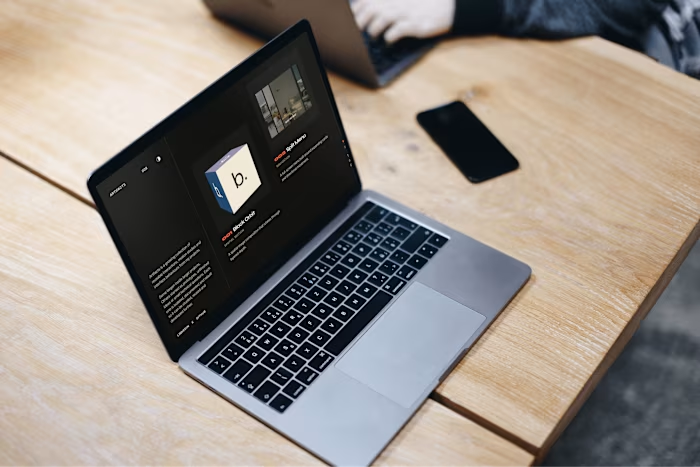
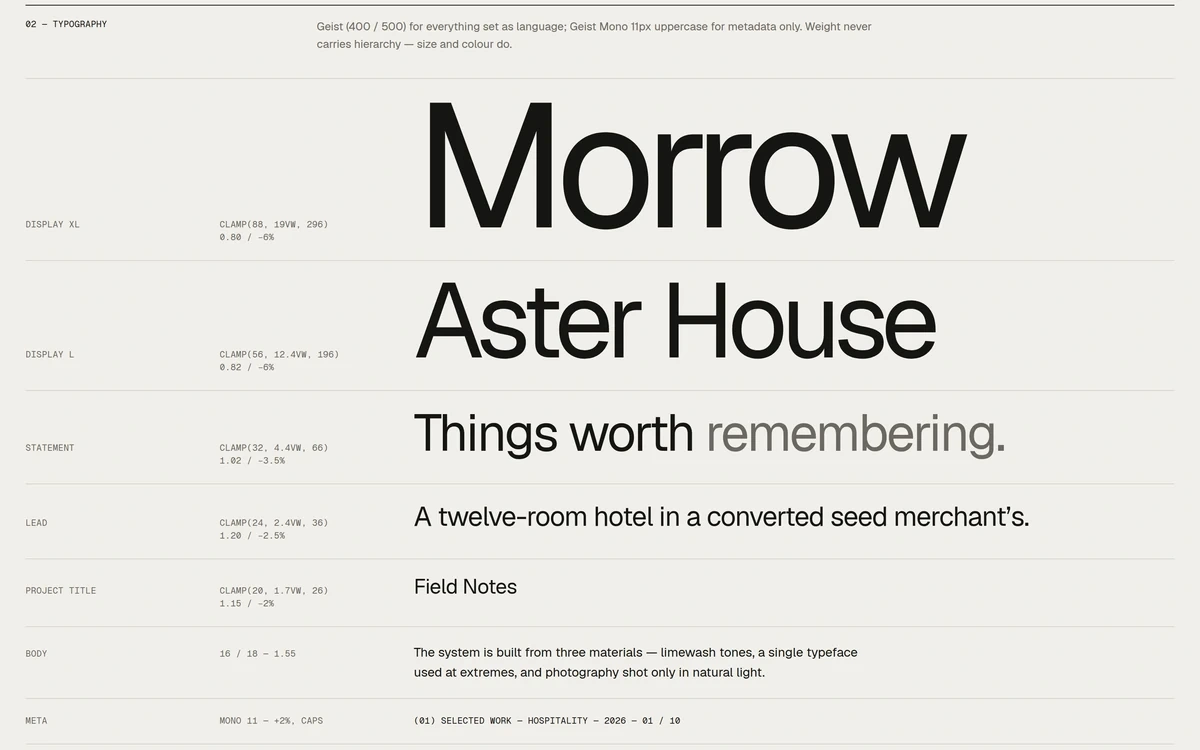
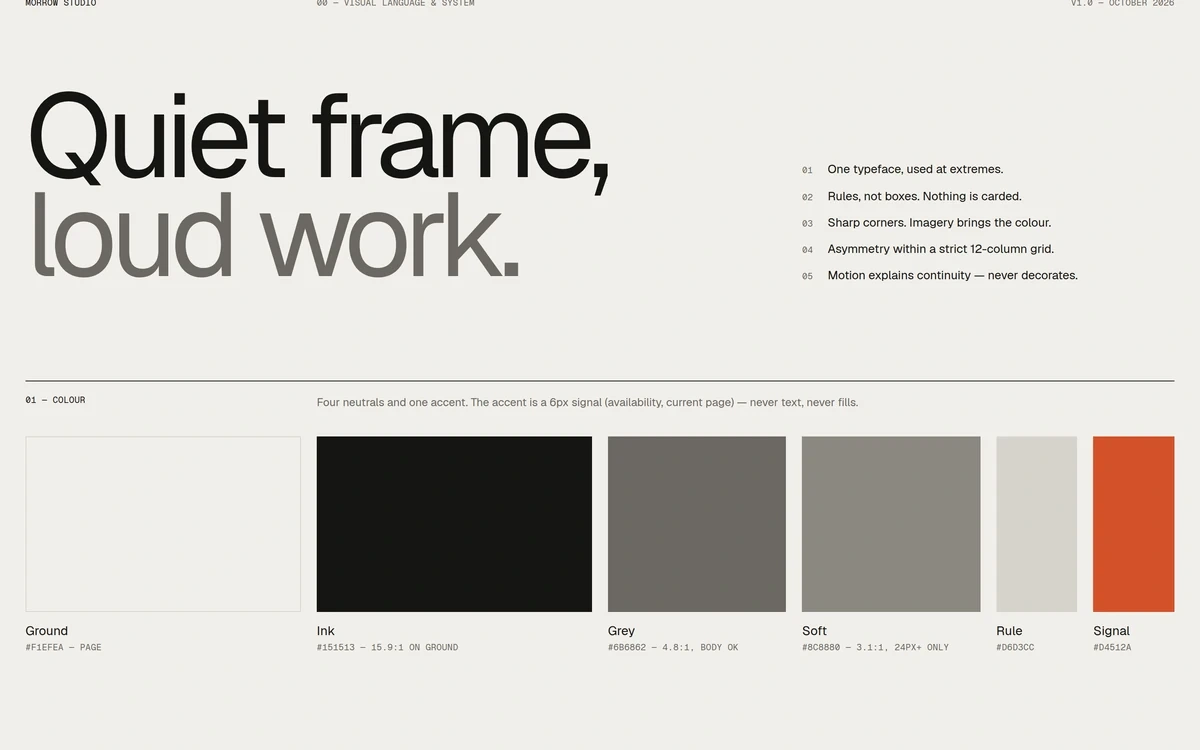
I built the visual system around oversized typography, warm off-white backgrounds, near-black text, thin rules and generous spacing. A restrained orange accent adds emphasis while leaving the project imagery at the center of the experience.
Geist handles the main typography, with Geist Mono supporting labels and metadata. A twelve-column desktop grid gives the layouts a consistent foundation while allowing images and text to vary in scale and position.
On the homepage, selected projects use different compositions rather than repeating the same card. This creates a more deliberate rhythm as visitors move through the work.
Ten case studies, one reusable system
I created a shared project renderer with reusable content modules for text, images, image pairs, statements, galleries, quotes, credits and video.
Each project combines those modules differently, allowing the ten case studies to feel distinct while sharing the same underlying system.
Sanity controls the content: copy, images, captions, section order and responsive variations. The frontend controls the composition: grid placement, spacing, aspect ratios and animation behaviour.
That division gives editors useful flexibility while keeping the visual direction consistent.
The Work archive brings the projects together with discipline filters, List and Grid views, and image previews. On desktop, previews respond to both hover and keyboard focus. On mobile, thumbnails make the work visible without relying on hover.
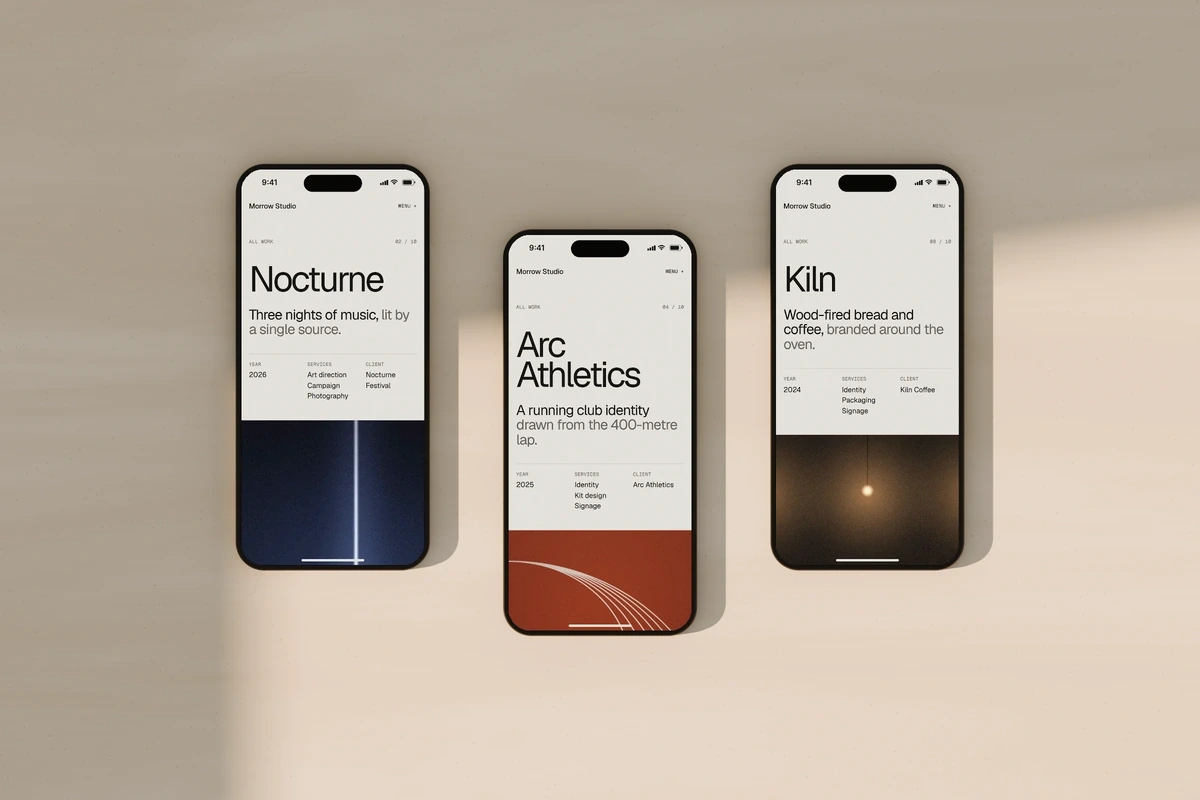
Treating mobile as its own composition
Mobile needed more than smaller type and stacked sections.
Some project layouts called for a different hero image, shorter copy, a different section order or fewer gallery images. I wanted those choices to remain intentional without creating a separate version of every project.
I kept one main content structure and introduced optional mobile overrides. Editors can replace specific images or text, adjust section order and select which gallery images appear on smaller screens.
When an override is left empty, the site uses the main content. This keeps the editing workload manageable while supporting a more considered mobile experience.
Designing the CMS experience
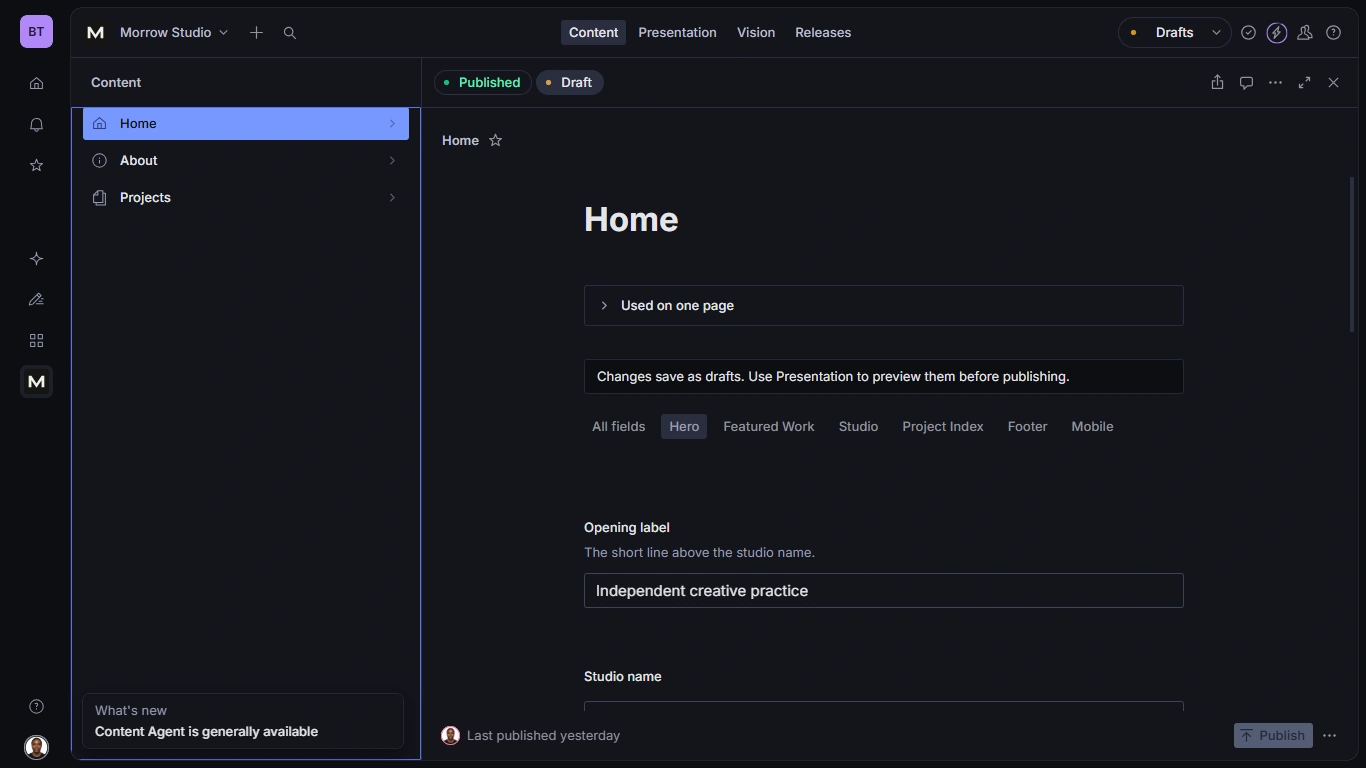
The frontend was only one part of the project. I also refined Sanity Studio so its structure reflected how someone would actually maintain the website.
Fields are grouped by the sections they change. Home includes Hero, Featured Work, Studio, Project Index, Footer and Mobile. Project documents use Overview, Archive, Case Study and Mobile.
Field names describe their purpose in plain language. Editors see “Project order,” “Case study hero image” and “Mobile section order,” with supporting guidance where it helps.
I also built custom selectors that display readable content labels instead of raw internal keys. Editors can identify the section they want to reorder, while the system retains stable references behind the scenes.
Block previews make longer case studies easier to scan by showing useful information such as paragraph counts, gallery image counts and video status.
Making content issues easier to resolve
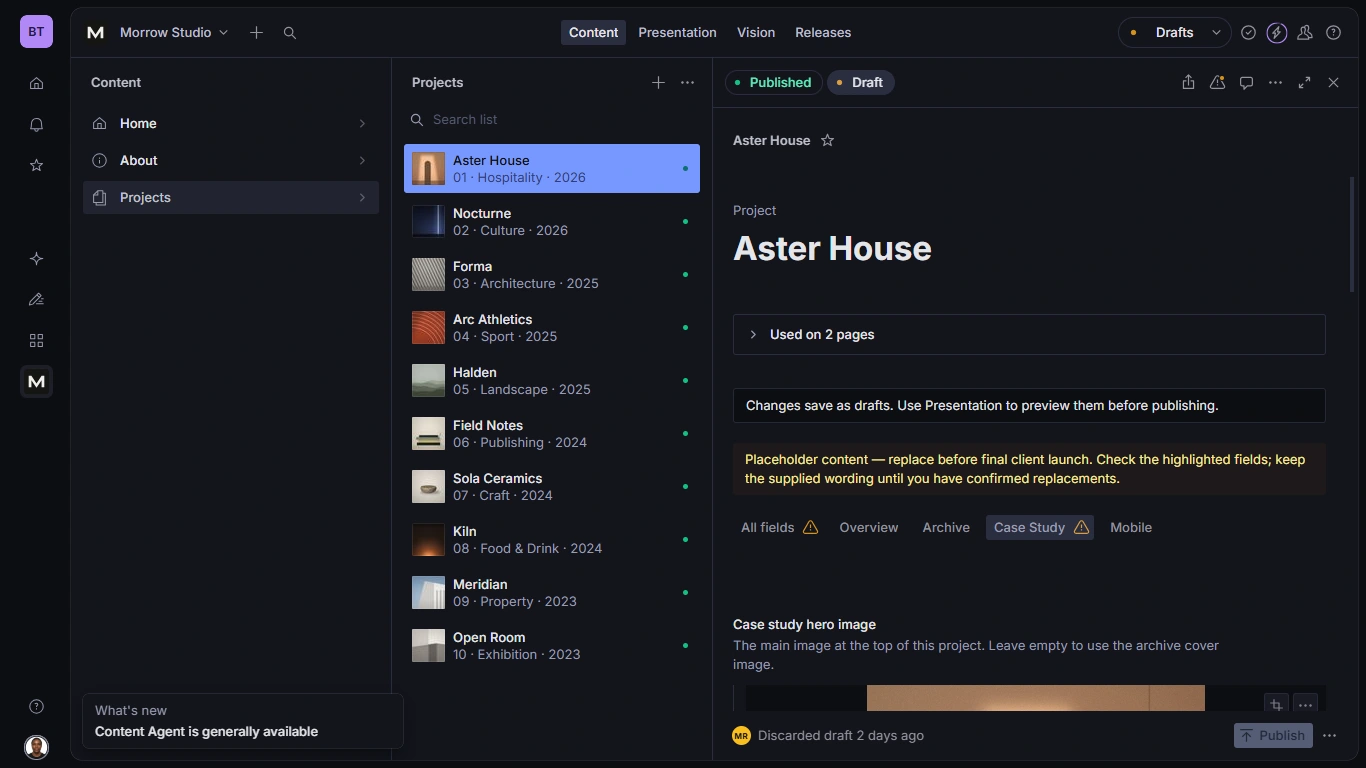
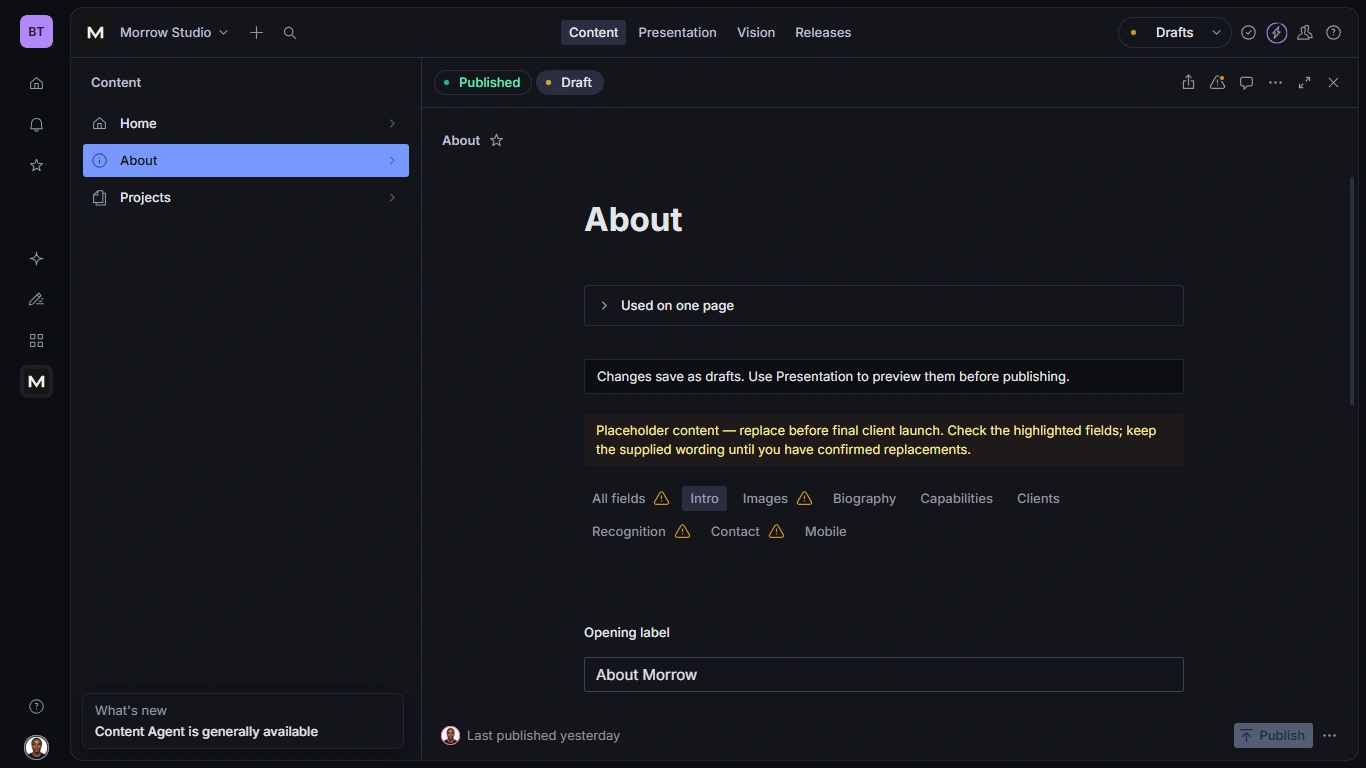
The CMS distinguishes between content that needs attention and errors that must be fixed before publishing.
Placeholder copy raises a warning without blocking publication. Required hero alternative text and duplicate project ordering trigger errors with guidance on how to resolve them.
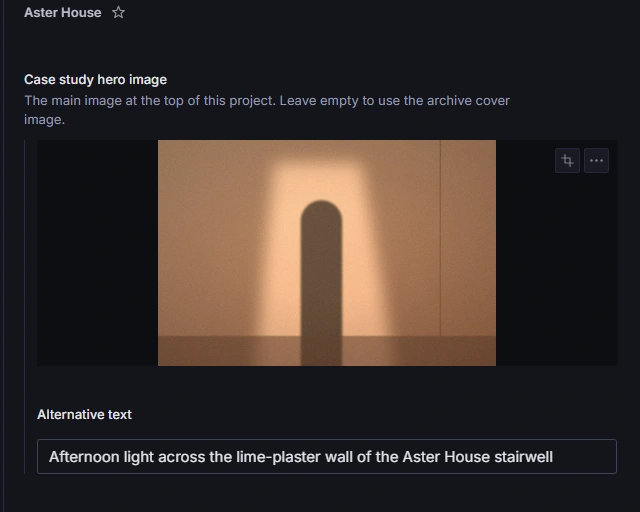
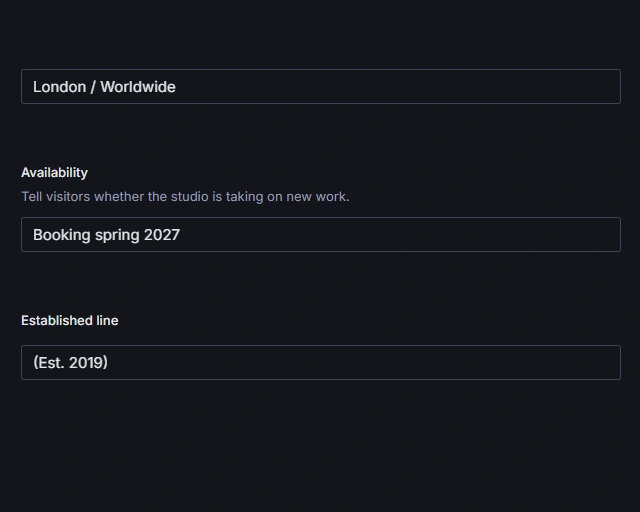
Image fields explain where the asset appears and include alternative text alongside the upload. Smaller content fields, such as studio availability, explain how their values appear on the public website.
For concept projects with pending film sources, Studio clearly identifies the missing video while the website displays the supplied poster and caption.
These details make the editing process easier to understand and reduce the need to interpret technical field names or validation messages.
Reviewing changes before publishing
I connected Sanity Presentation, Visual Editing and Next.js Draft Mode so editors can review changes inside the actual website before publishing.
The workflow lets them edit content, preview the draft, check desktop and mobile layouts, and select content on the page to focus its corresponding field in Studio.
Draft changes remain separate from the published website until the editor chooses to publish. This makes the relationship between a content change and its final presentation much clearer.
Migrating the content
With ten complete project stories and dozens of images, manual content entry would have been repetitive and difficult to verify.
I built a repeatable migration process to map the exported content into Sanity, upload imagery, reuse matching assets and preserve existing document references.
The migration:
Published ten projects, plus Home and About.
Updated five existing project documents and created five new ones.
Uploaded 56 assets and reused nine matching assets.
Preserved existing document IDs so homepage references remained intact.
Refinement and accessibility
I refined the implementation through repeated comparisons between the design references and browser screenshots across desktop, tablet and mobile sizes.
The checks covered layout geometry, typography, spacing, image behaviour, menus and galleries, including narrow screens down to 320px.
Accessibility was part of the interaction design. The website includes visible focus states, keyboard equivalents for hover interactions, keyboard gallery controls, mobile menu focus management and reduced-motion support.
Decorative motion can be removed without affecting access to the content or navigation.
The outcome
Morrow Studio became a complete, deployed portfolio with ten distinct project stories, a reusable frontend system and a hosted CMS with live draft preview.
The project demonstrates how I approach design engineering across the whole experience: shaping the visual direction, building the interactions, modelling the content and making the finished website practical to maintain.
My biggest takeaway was that CMS architecture is part of the design. The way content is organized and edited directly affects how well the visual experience holds up as the website grows.
Live website: https://morrowstudio.balogunoluwasogo.com
Portfolio case study: https://www.balogunoluwasogo.com/work/morrow-studio
Like this project
Posted Oct 9, 2026
Designed and built an editorial studio portfolio with Next.js and Sanity, featuring ten case studies, responsive layouts and a custom CMS.
Likes
0
Views
5
Timeline
Jan 1, 2026 - Dec 31, 2026