
🎯 178 screens · iOS & Android · light & dark · 51 components · 1,034 prototype interactions
👉 View full case study here: https://grecu.framer.website/smartcoin
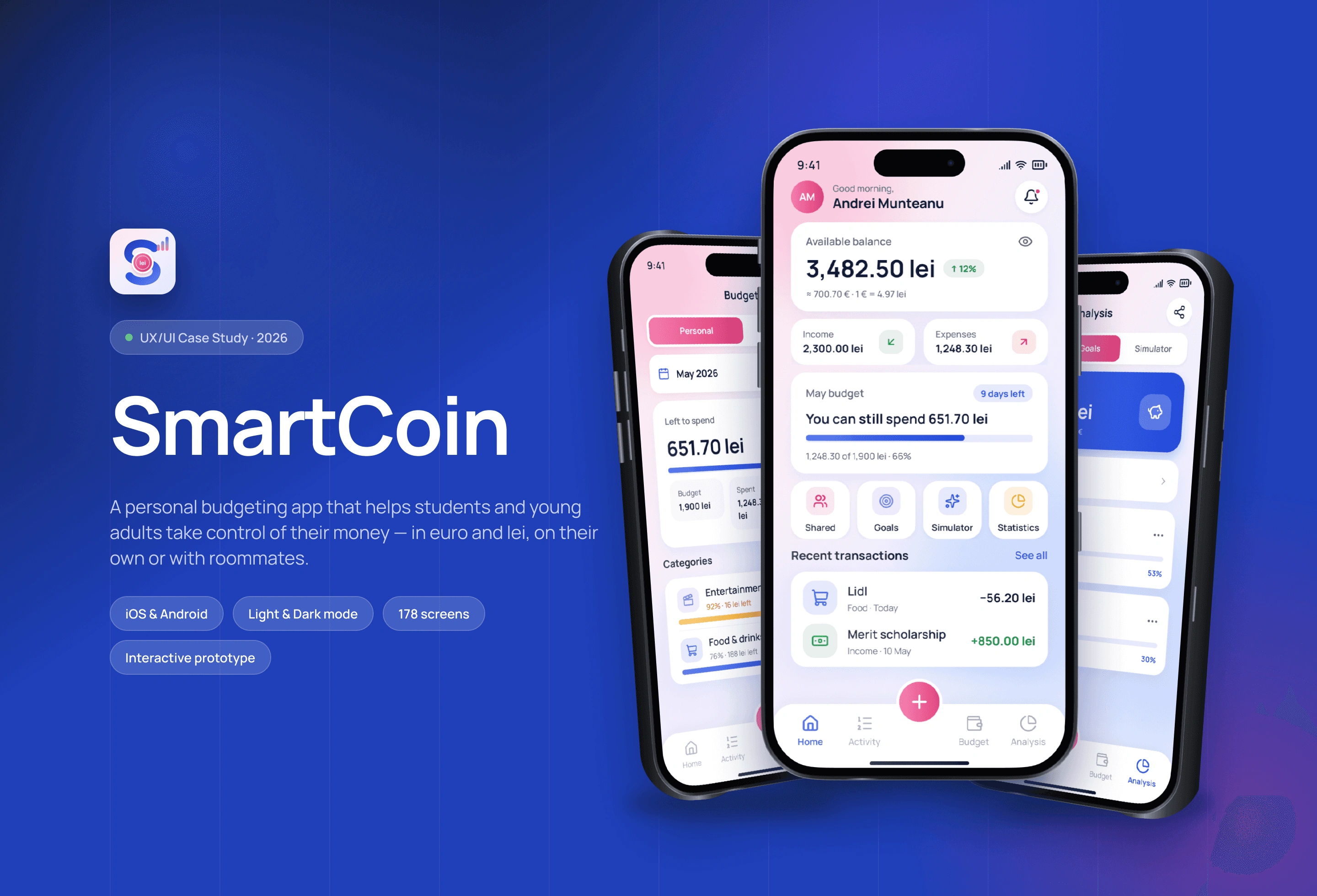
Intro 🚀
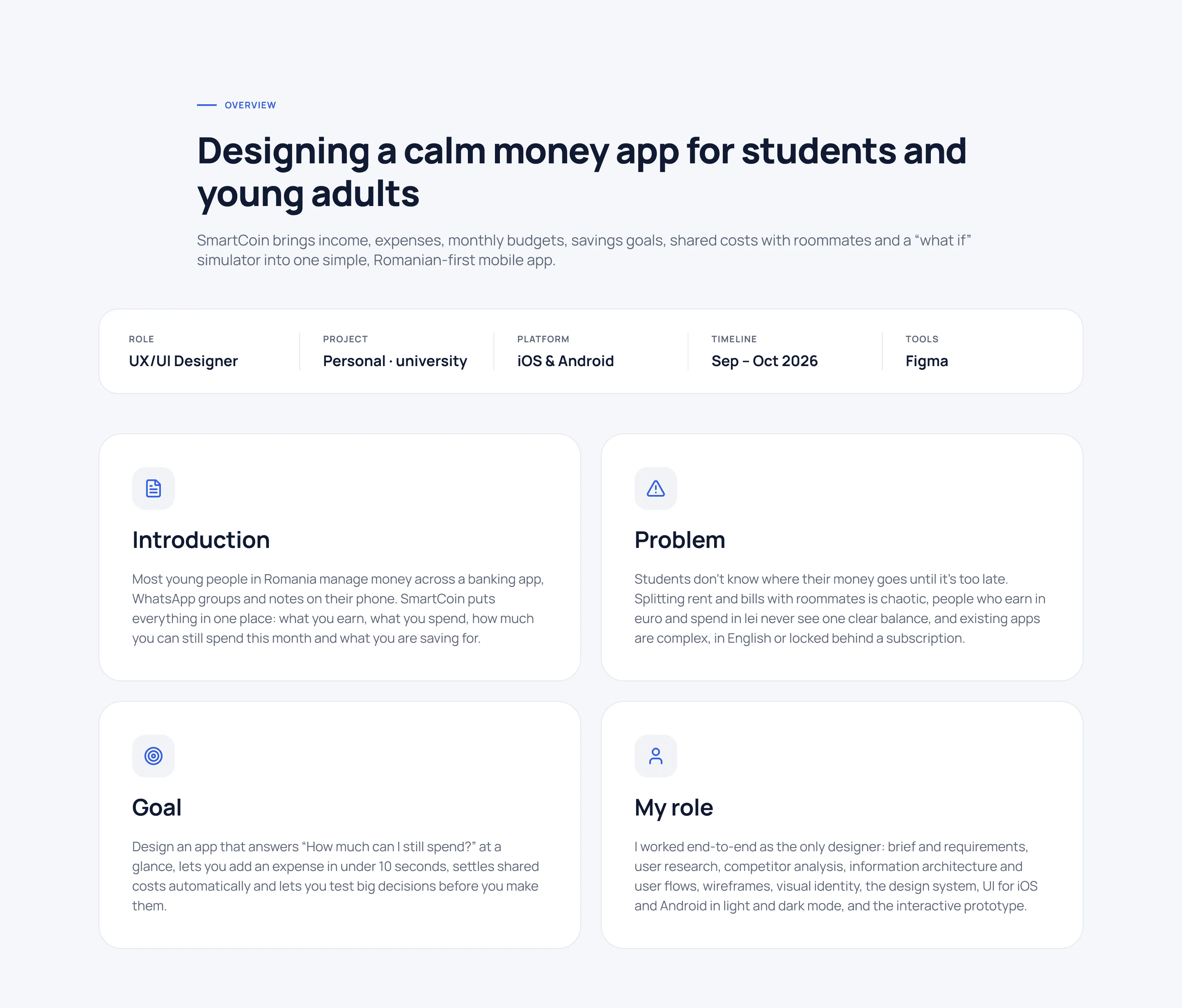
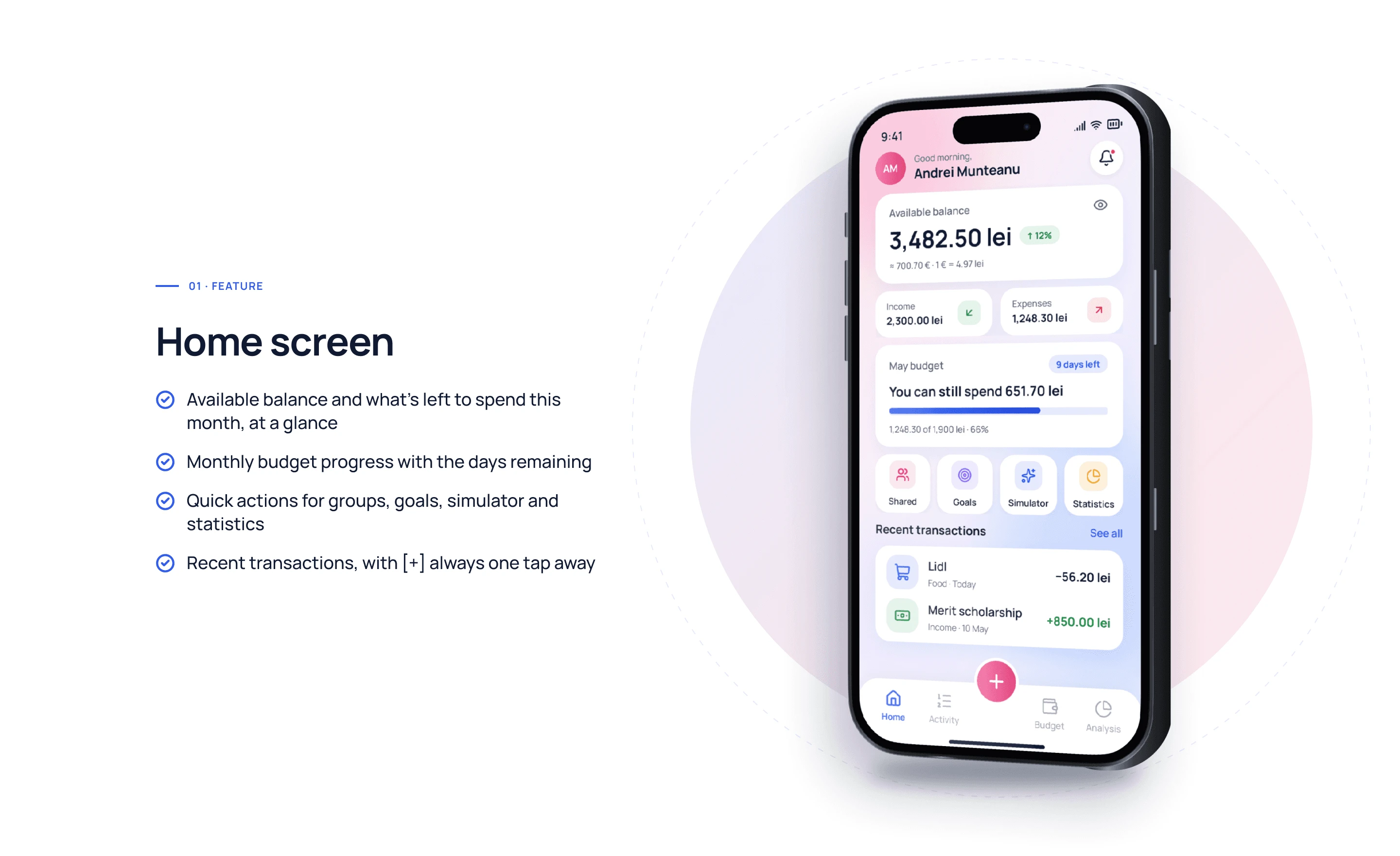
SmartCoin is a budgeting app for students and young adults who manage their own money for the first time. It brings income, expenses, monthly budgets, savings goals, shared costs with roommates and a “what if” simulator into one calm app, in both lei and euro. The result? A clear answer to the question users ask every day: how much can I still spend this month?
Problem ⚠️
Students don’t see where their money goes until it’s too late. Expenses are scattered across bank apps, cash and notes, splitting rent and bills with roommates turns into awkward calculations, and most budgeting apps are either too complex, built for families and investors, or locked behind a subscription. Many people simply give up after a few days.
Goal 🎯
Design a simple, friendly money app that makes the current month obvious at a glance, turns saving into small, achievable goals, settles shared expenses fairly and shows the impact of a decision before it is made, on iOS and Android, in light and dark mode.
My role 🧑💼
I designed SmartCoin end to end as the UX/UI Designer: user research and personas, competitor analysis, information architecture and user flows, wireframes, the design system, high-fidelity UI for iOS and Android in light and dark mode, edge cases, an interactive prototype and a developer-ready handoff in Figma.
A clear, step-by-step process kept every decision grounded: understand the people, shape the flows, design the screens and ship a system that developers can build with confidence.
Research & user flows 🔍
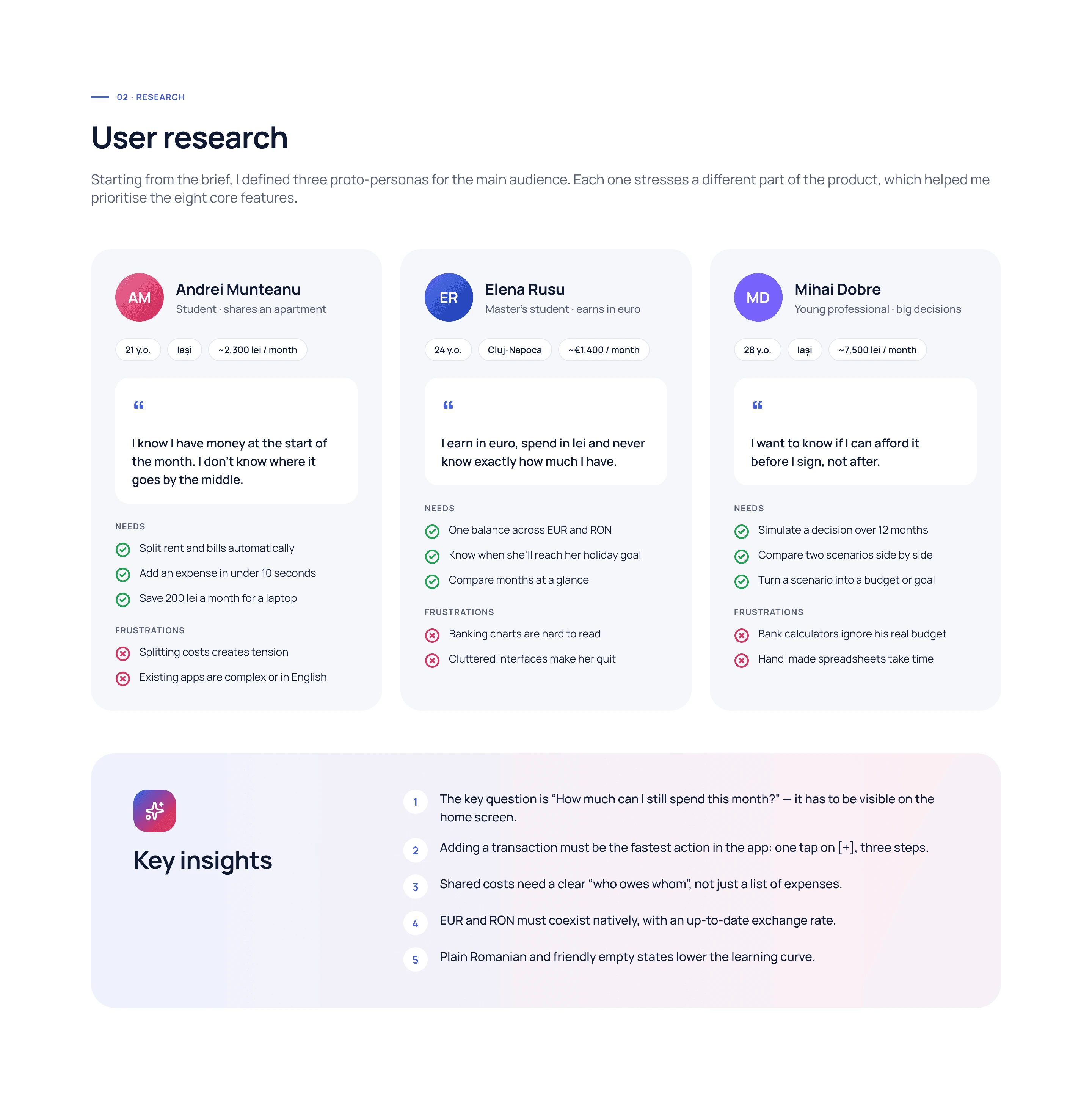
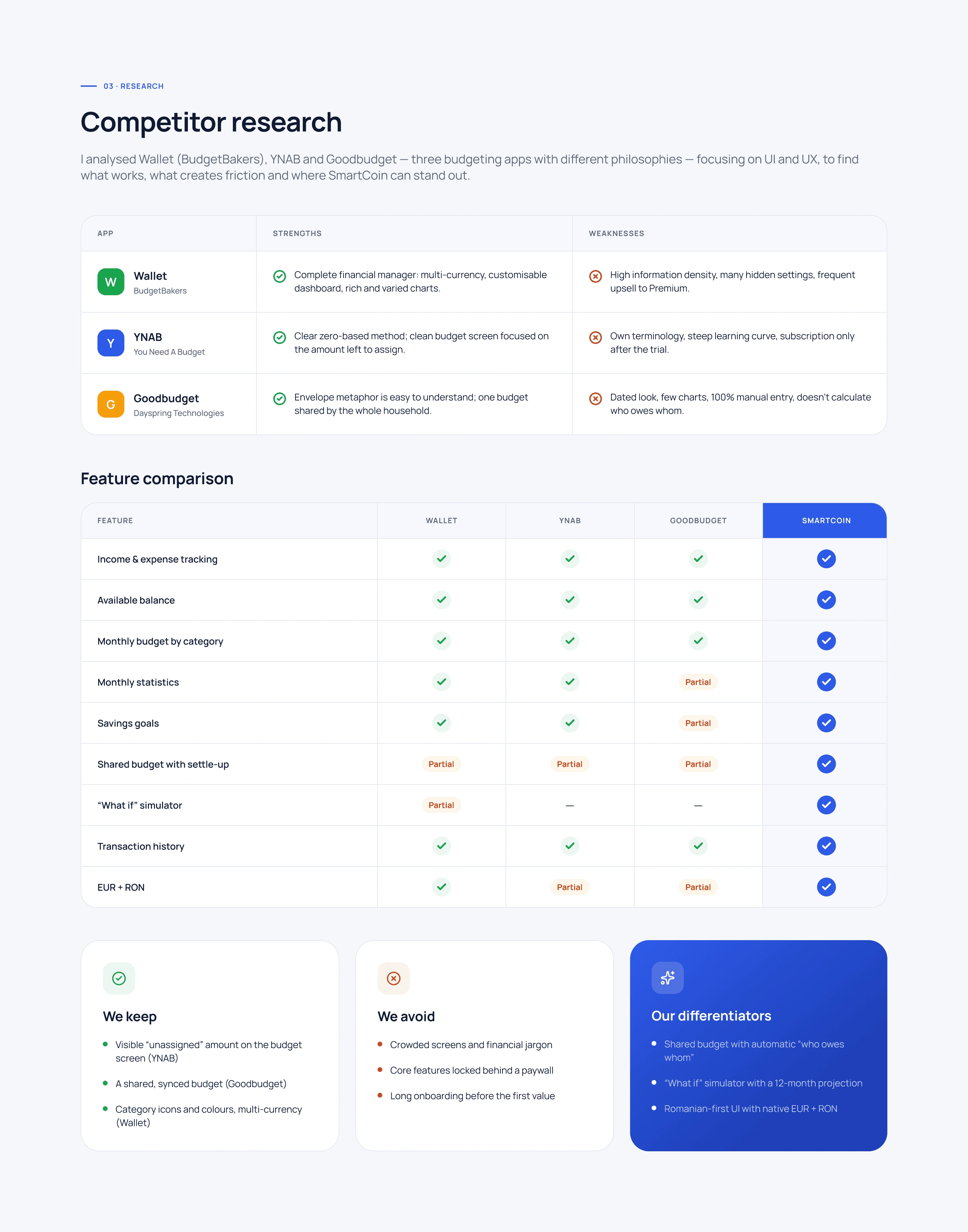
I started with the people. Three personas helped define the real problems behind managing money as a student: tracking daily spending, staying within a monthly budget and sharing costs with roommates. A competitor analysis of popular budgeting apps showed what works (quick input, clear charts) and what pushes students away (complexity, ads and paywalls).
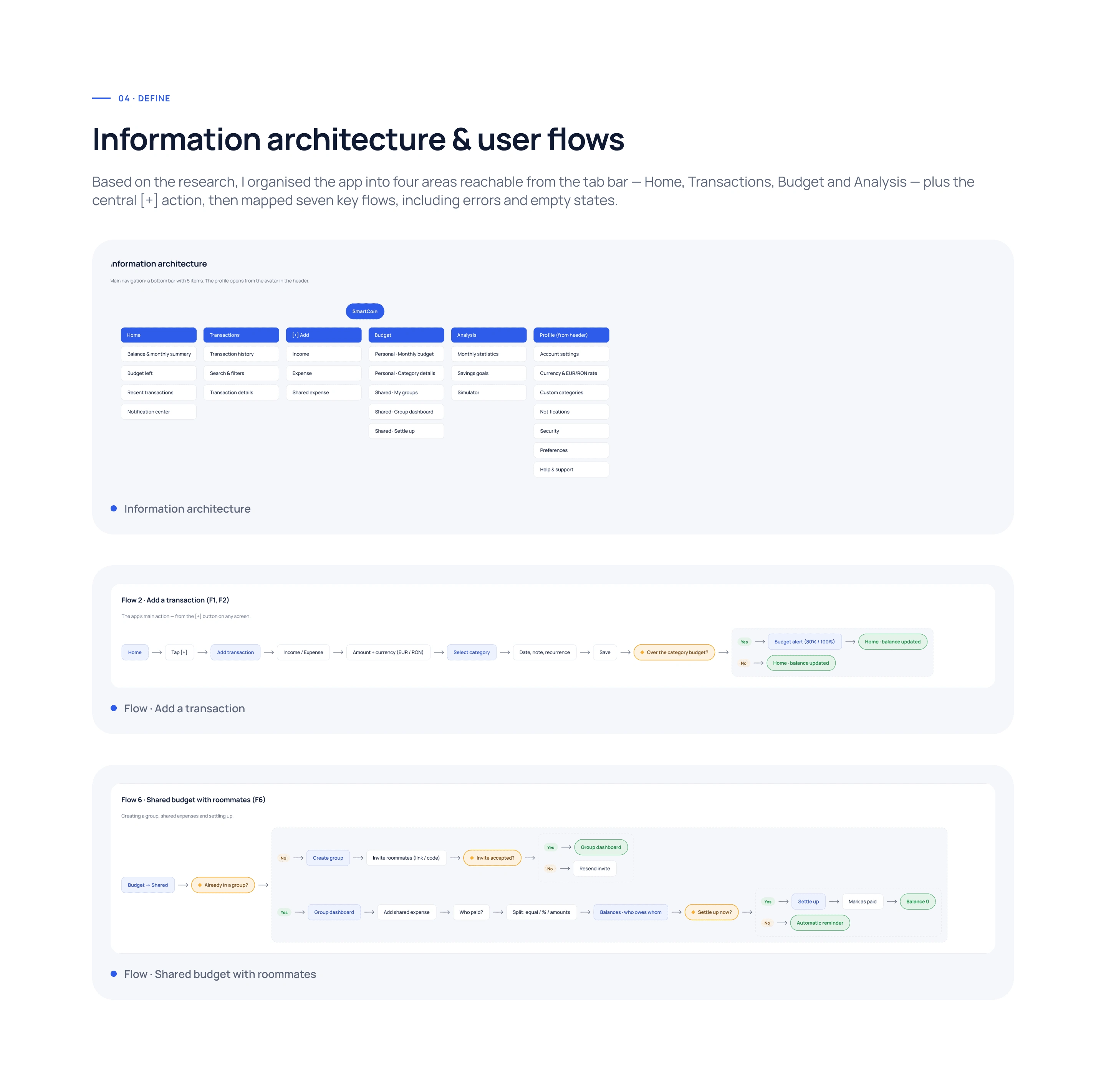
Based on the research, I organized the app into five clear areas (Home, Activity, Budget, Analysis and Profile) and mapped the key user flows: onboarding, adding a transaction in seconds, setting a monthly budget, saving towards a goal and settling a shared expense.
Wireframes & design system ✏️
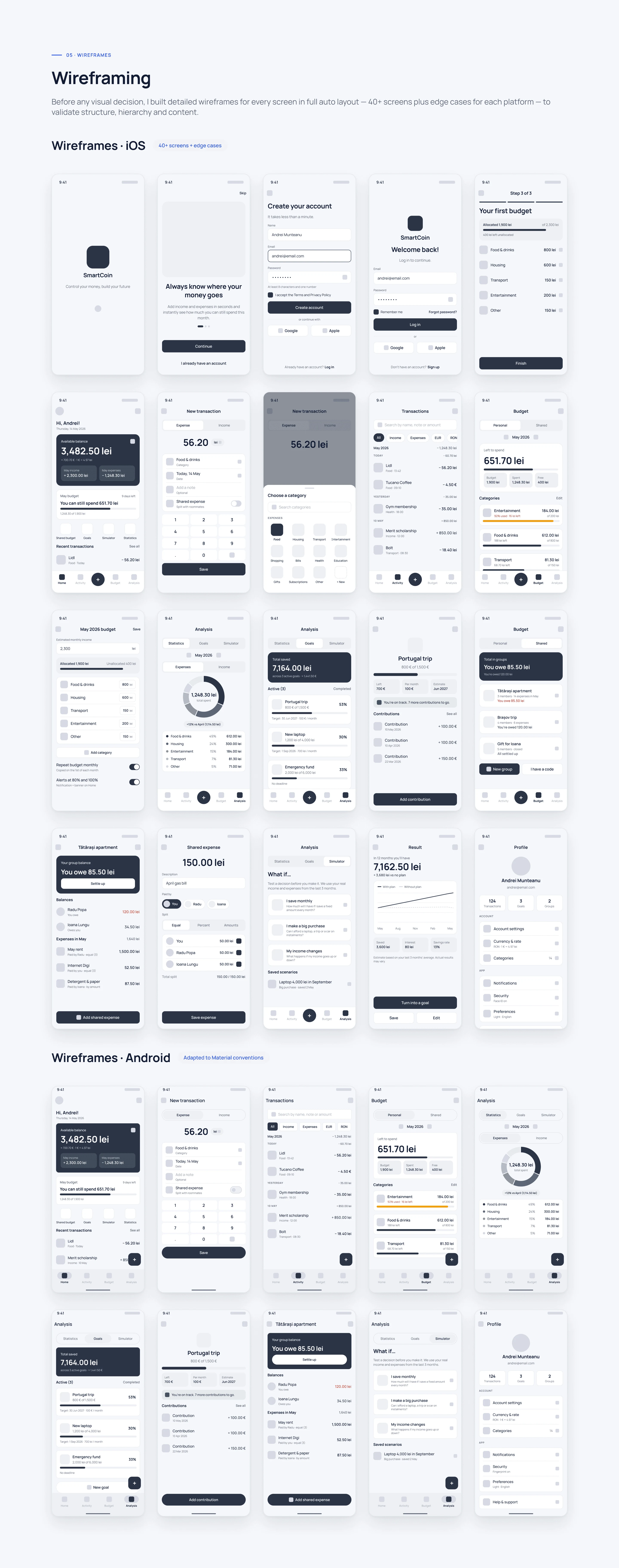
Before any visual decision, I built detailed wireframes for every screen in full auto layout, 40+ screens plus edge cases for each platform, to validate structure, hierarchy and content.
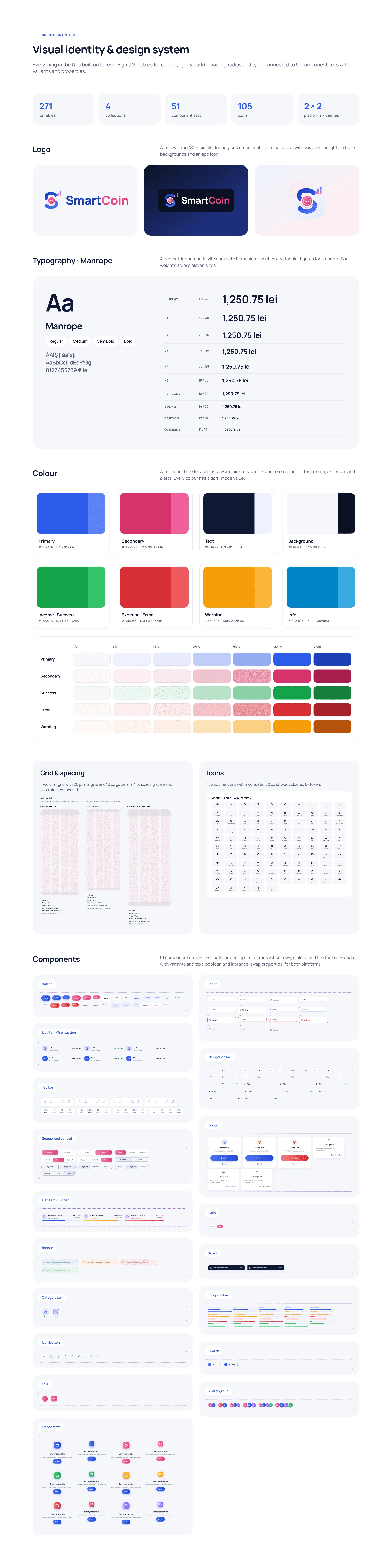
To keep 178 screens consistent, I created a design system with color, typography and spacing tokens, light and dark themes and 51 reusable components with variants: buttons, inputs, list items, tab bars, dialogs, toasts and more.
UI design 🎨
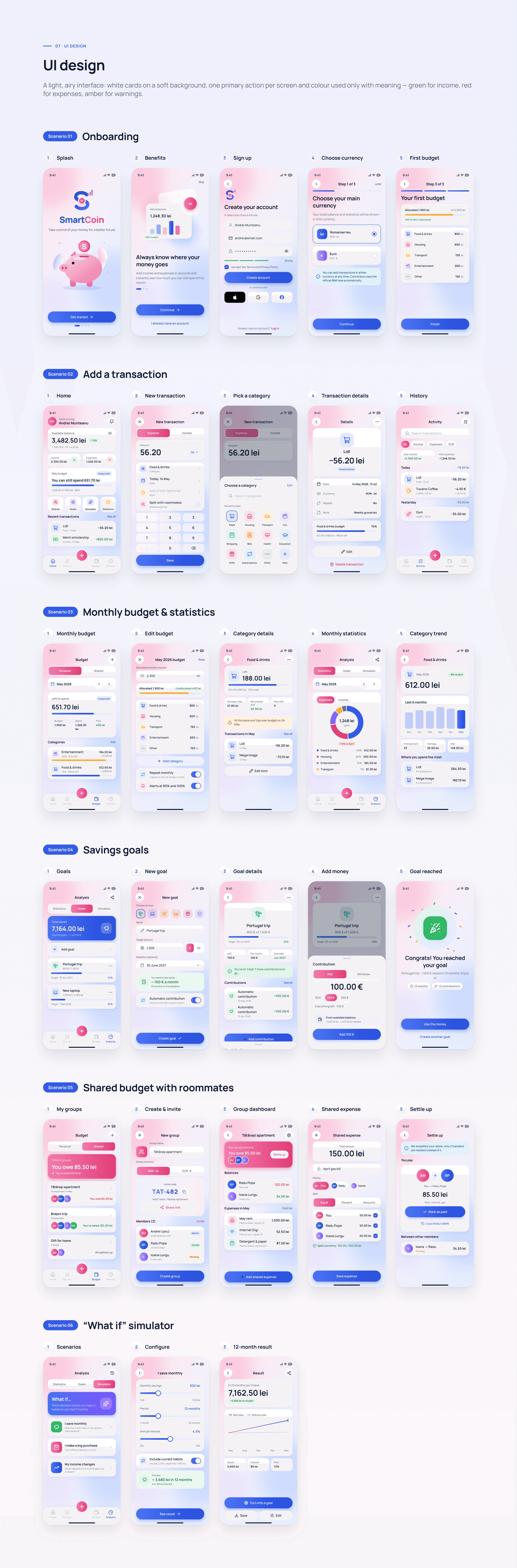
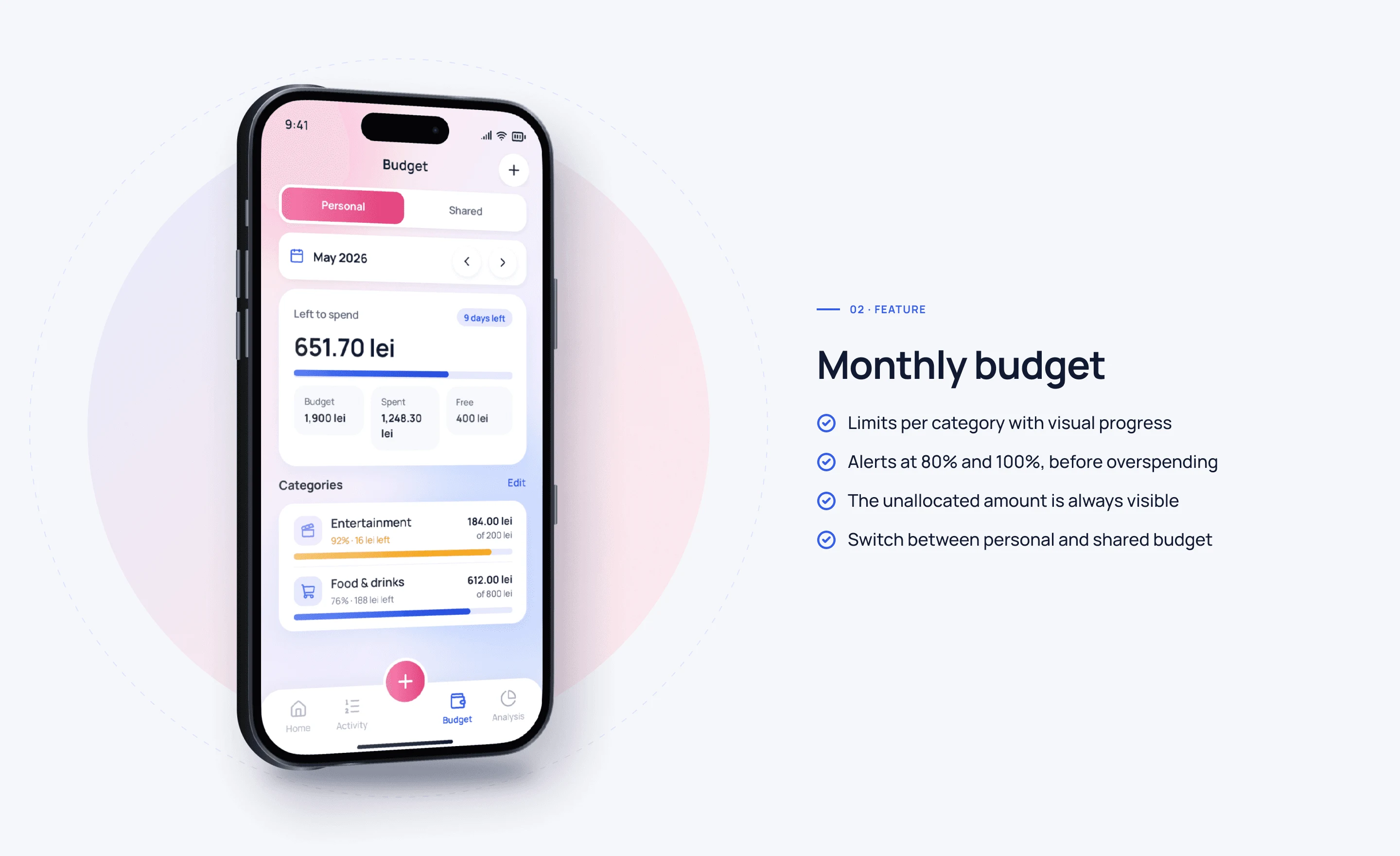
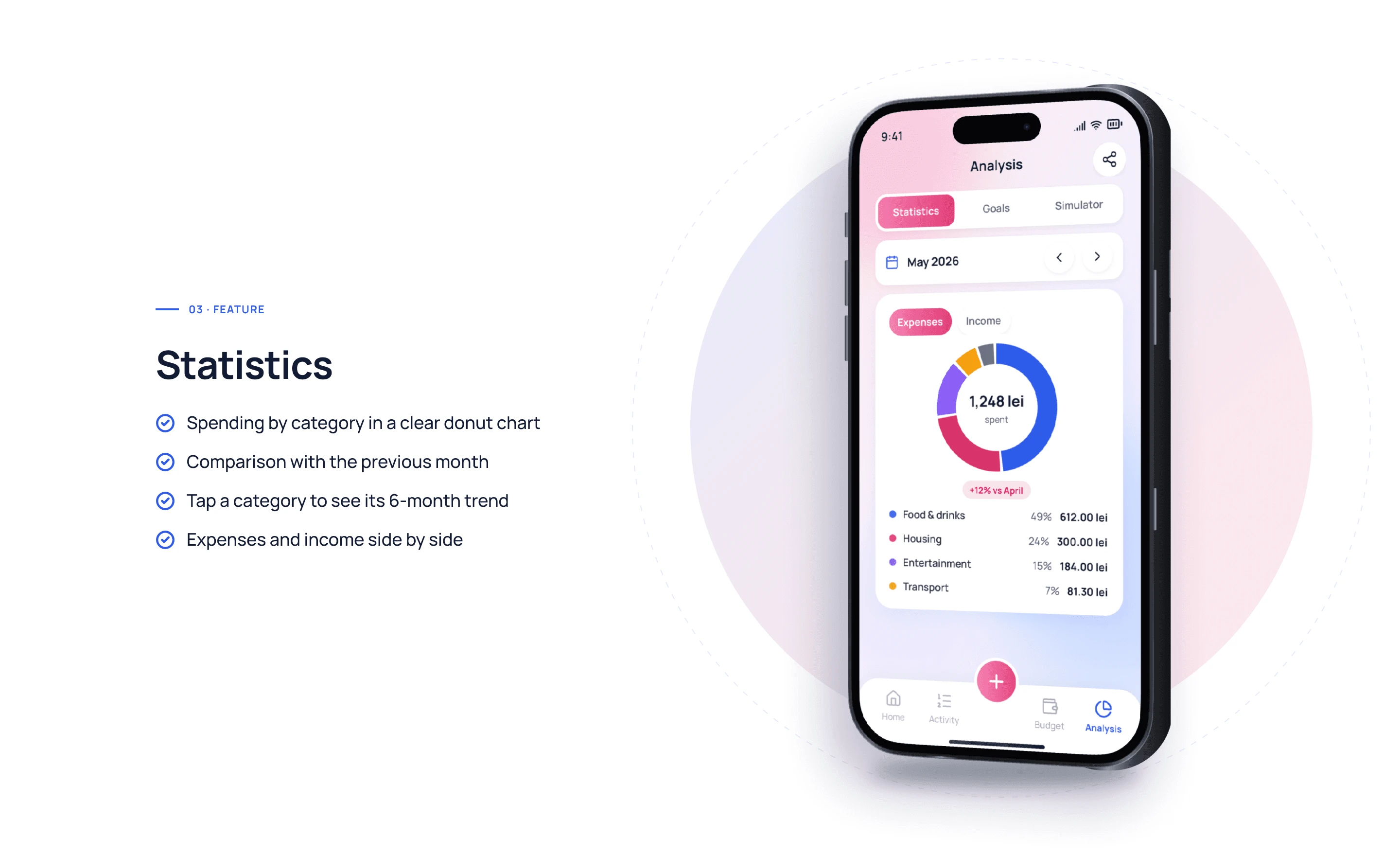
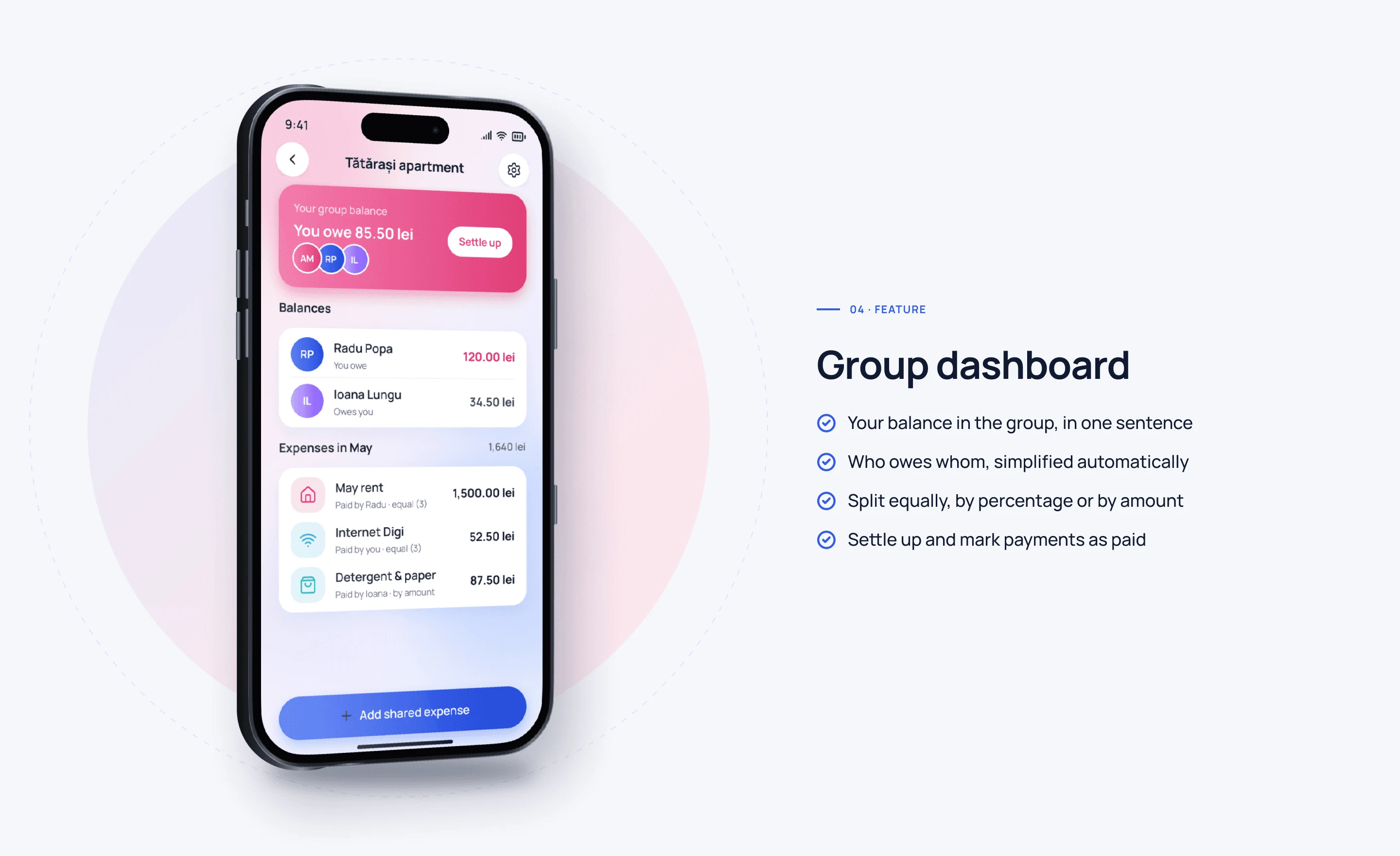
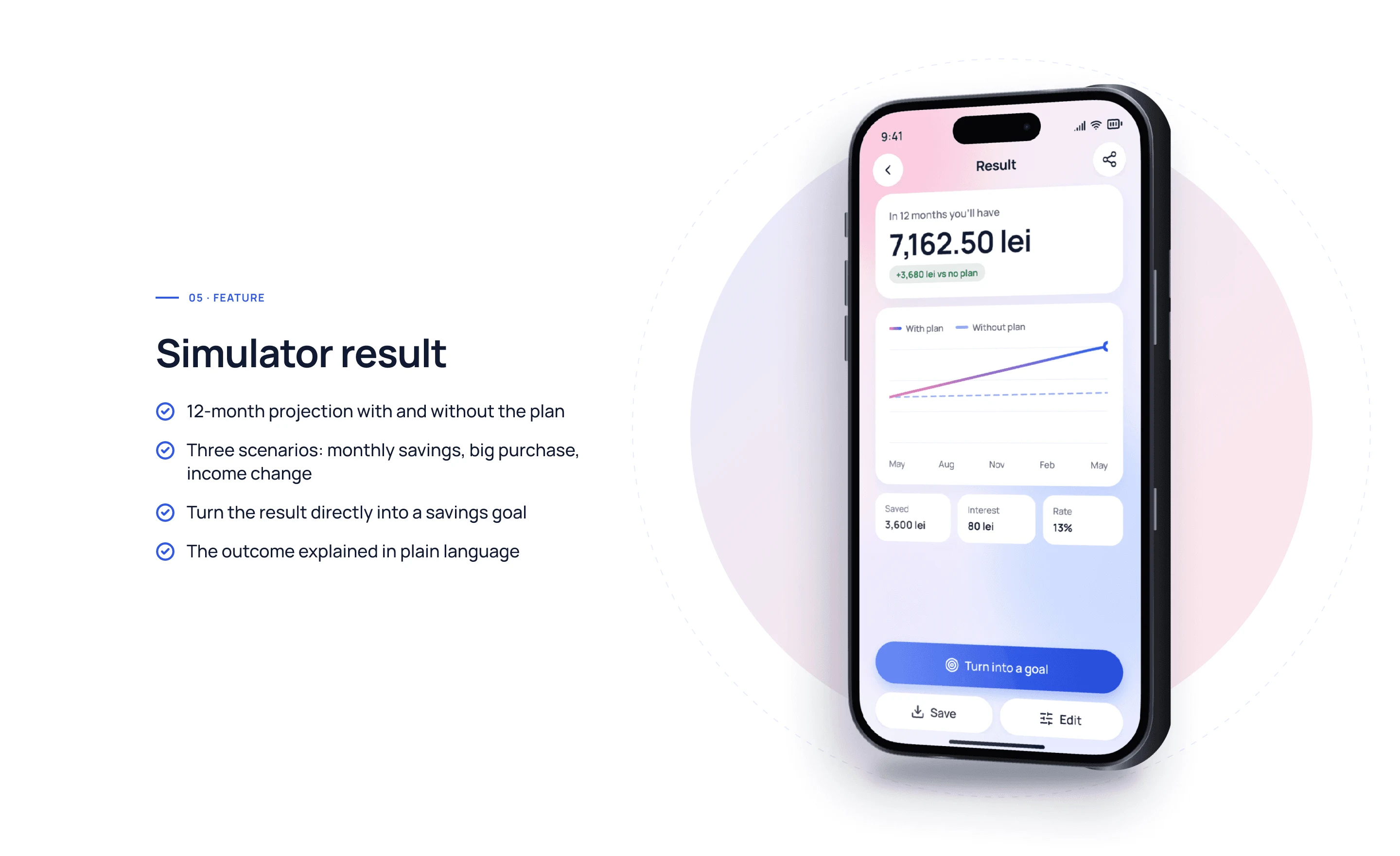
The interface is light and airy: white cards on a soft background, one primary action per screen and color used only with meaning (green for income, red for expenses, amber for warnings). The screens below cover the key scenarios: onboarding, adding a transaction, monthly budget and statistics, savings goals, a shared budget with roommates and the “what if” simulator.
Dark mode 🌙
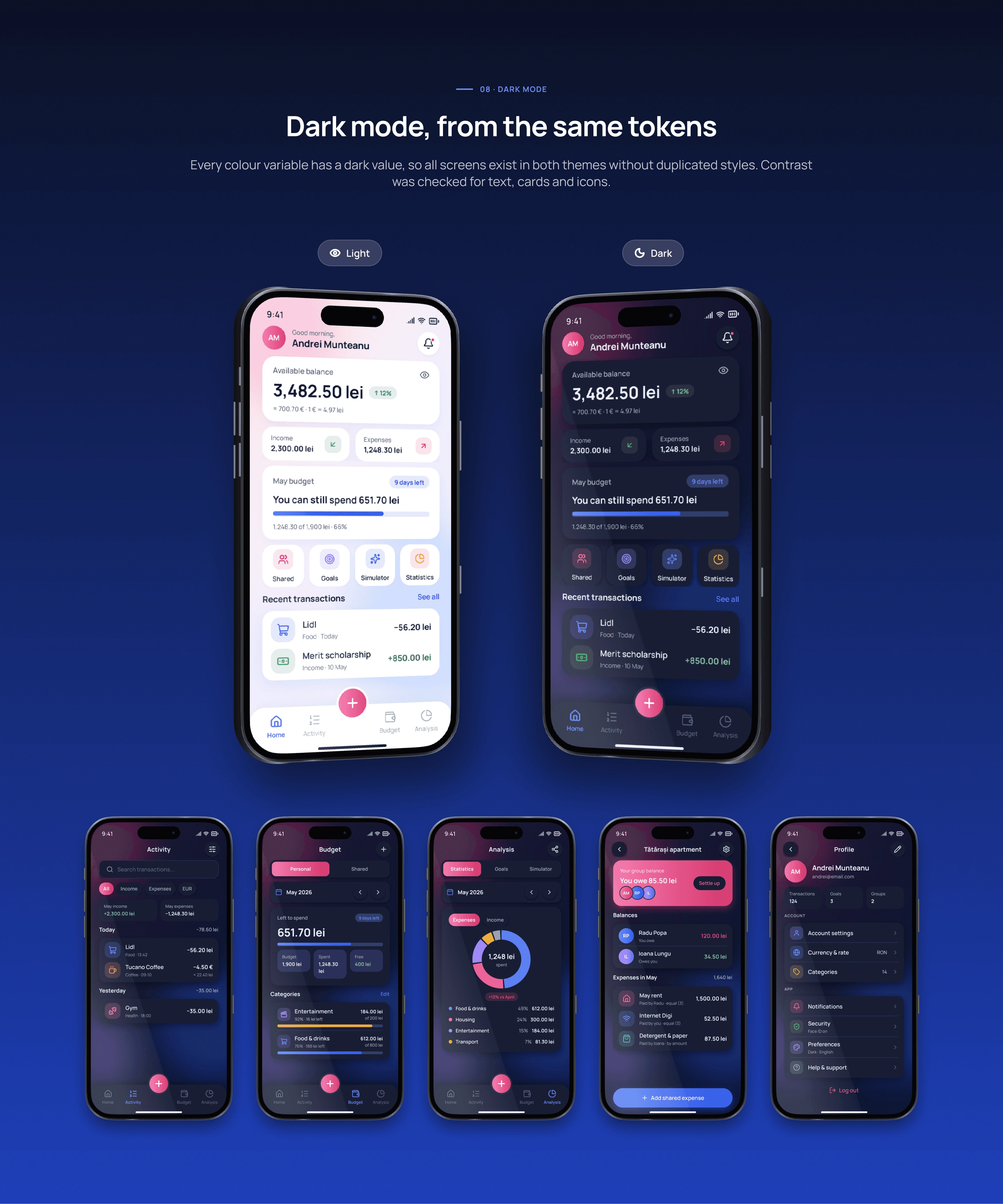
Every screen also works in dark mode. Instead of simply inverting colors, the dark theme uses deep surfaces and softer accents, so balances stay readable and comfortable at night.
Android 🤖
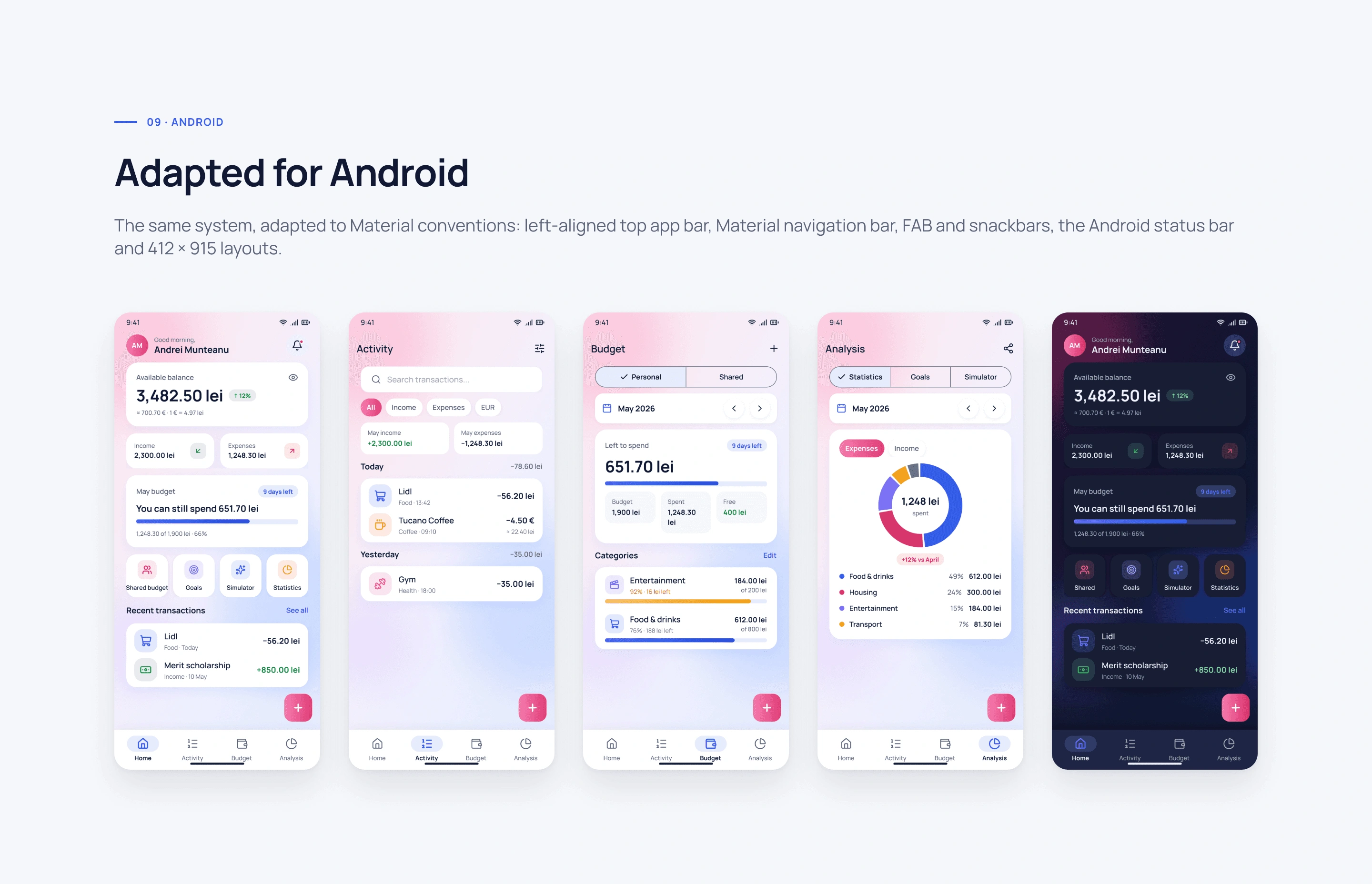
The same system, adapted to Material conventions: left-aligned top app bar, Material navigation bar, FAB and snackbars, the Android status bar and 412 × 915 layouts.
Edge cases, prototype & handoff 🛠️
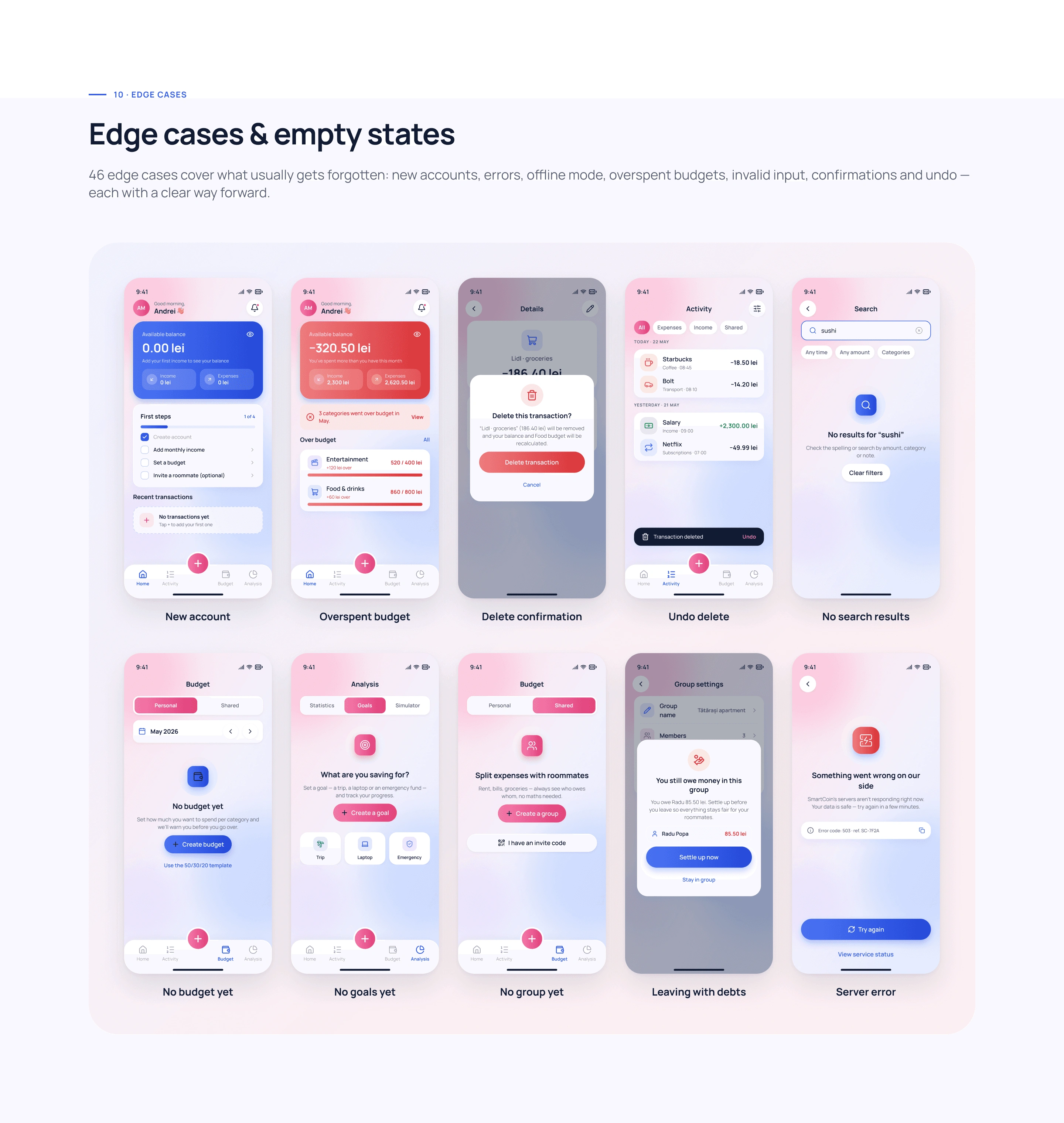
46 edge cases cover what usually gets forgotten: new accounts, errors, offline mode, overspent budgets, invalid input, confirmations and undo, each with a clear way forward.
Prototype
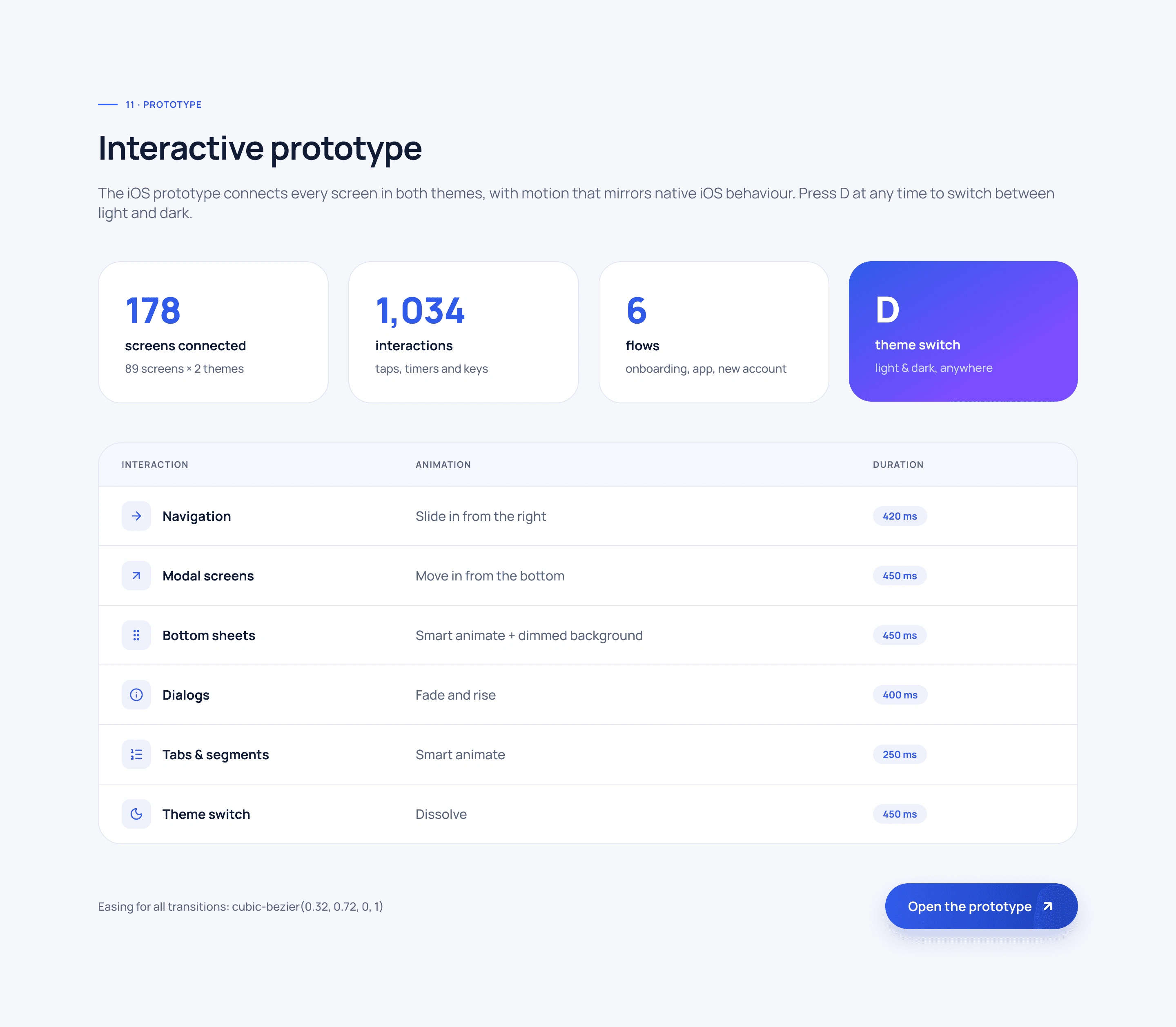
I connected all screens, dialogs and interactions into a clickable prototype with 1,034 interactions and motion that mirrors native iOS behavior, so the flows could be tested early and usability issues fixed before development.
Developer handoff
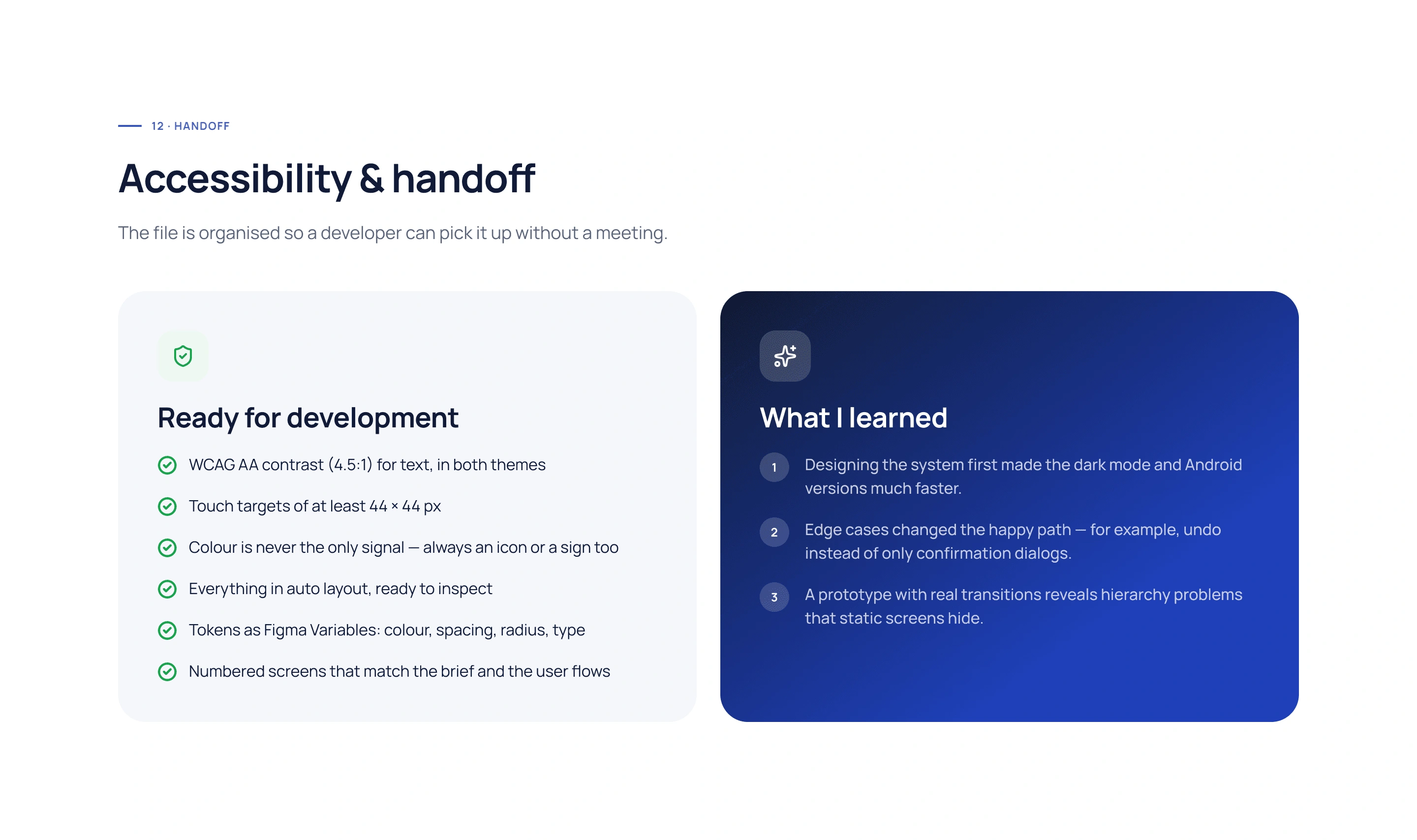
The file is ready for development: WCAG AA contrast, 44 × 44 px touch targets, everything in auto layout, tokens as Figma Variables and numbered screens that match the brief and the user flows.
0 likes · 0 views · Nov 12, 2026
SmartCoin is a calm money app for students and young adults: income, budgets, savings goals, shared costs and a “what if” simulator in one place.
