AI Previs Copilot - AI Storyboarding & Pre-Production Platform

Adnan Aslam


AI Previs Copilot — AI Storyboarding, Animatics & Client Review
AI Previs Copilot is a private, pre-launch web platform for creating, reviewing, and delivering visual plans for video projects.
It helps creative teams move from storyboard frames to a timed animatic and client-ready production deliverables inside one connected workspace.
The public-facing experience focuses on four activities:
Create storyboards → organize the sequence → preview an animatic → collect approval and export deliverables
The product is designed for video agencies, filmmakers, marketers, producers, and creative teams that need to communicate a video concept clearly before committing to full production.
Private pre-launch product. This case study presents selected user-facing capabilities while intentionally omitting proprietary product logic and unreleased functionality.
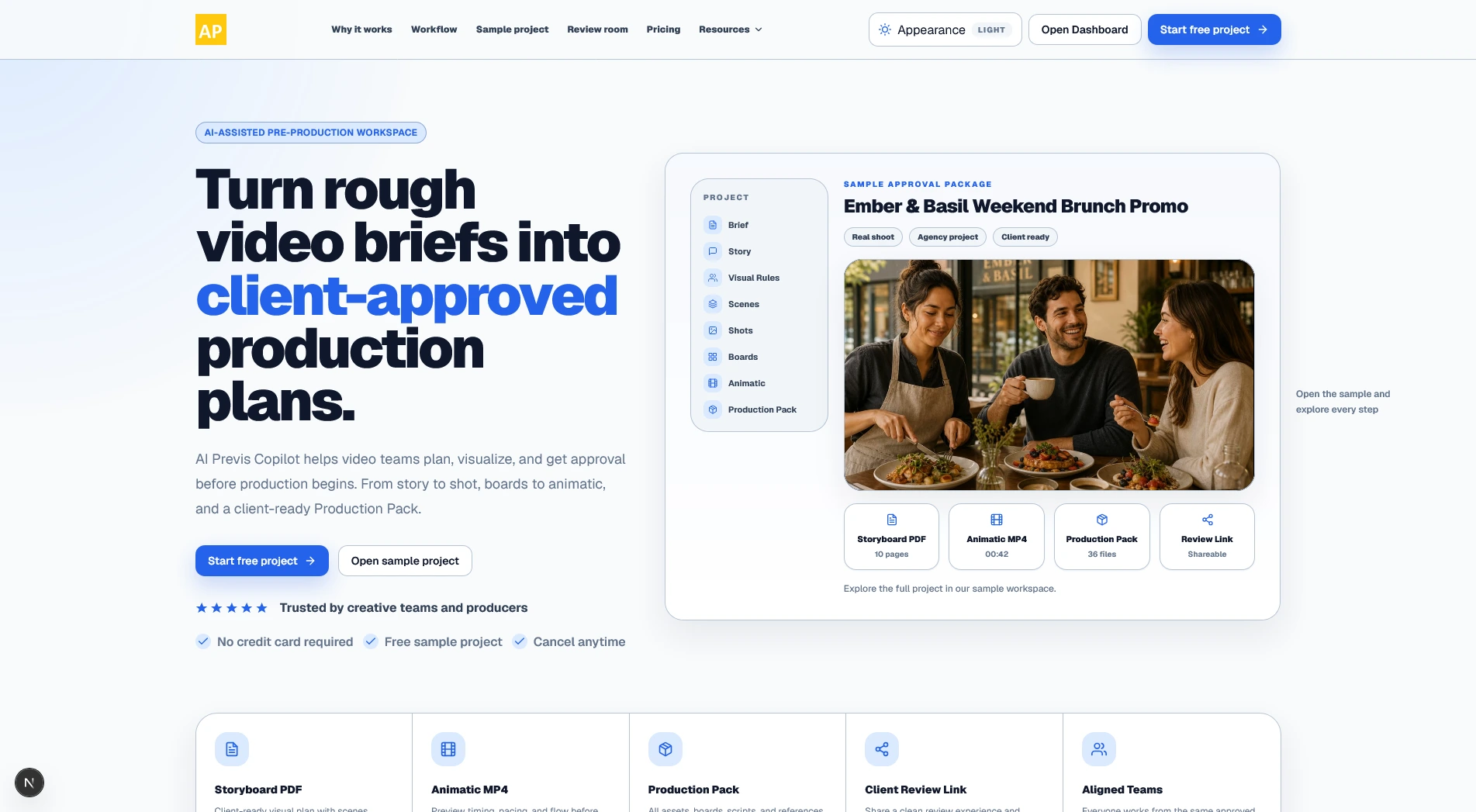
A private, pre-launch storyboarding and visual-review workspace for video teams.
The challenge
Video ideas are difficult to evaluate from text alone.
A written concept may sound clear to the person who created it, but clients and collaborators can interpret the same idea differently.
Teams often discover important problems too late:
The visual direction does not match the client's expectation.
Shots feel repetitive.
The sequence is difficult to understand.
Pacing feels too fast or too slow.
A transition does not work.
Important coverage is missing.
Feedback is scattered across messages and documents.
The production team is working from an outdated version.
When these problems are discovered after filming, editing, or expensive media generation has started, revisions become slower and more costly.
AI Previs Copilot gives teams a visual review stage before final production.
What I built
AI-assisted storyboard workspace
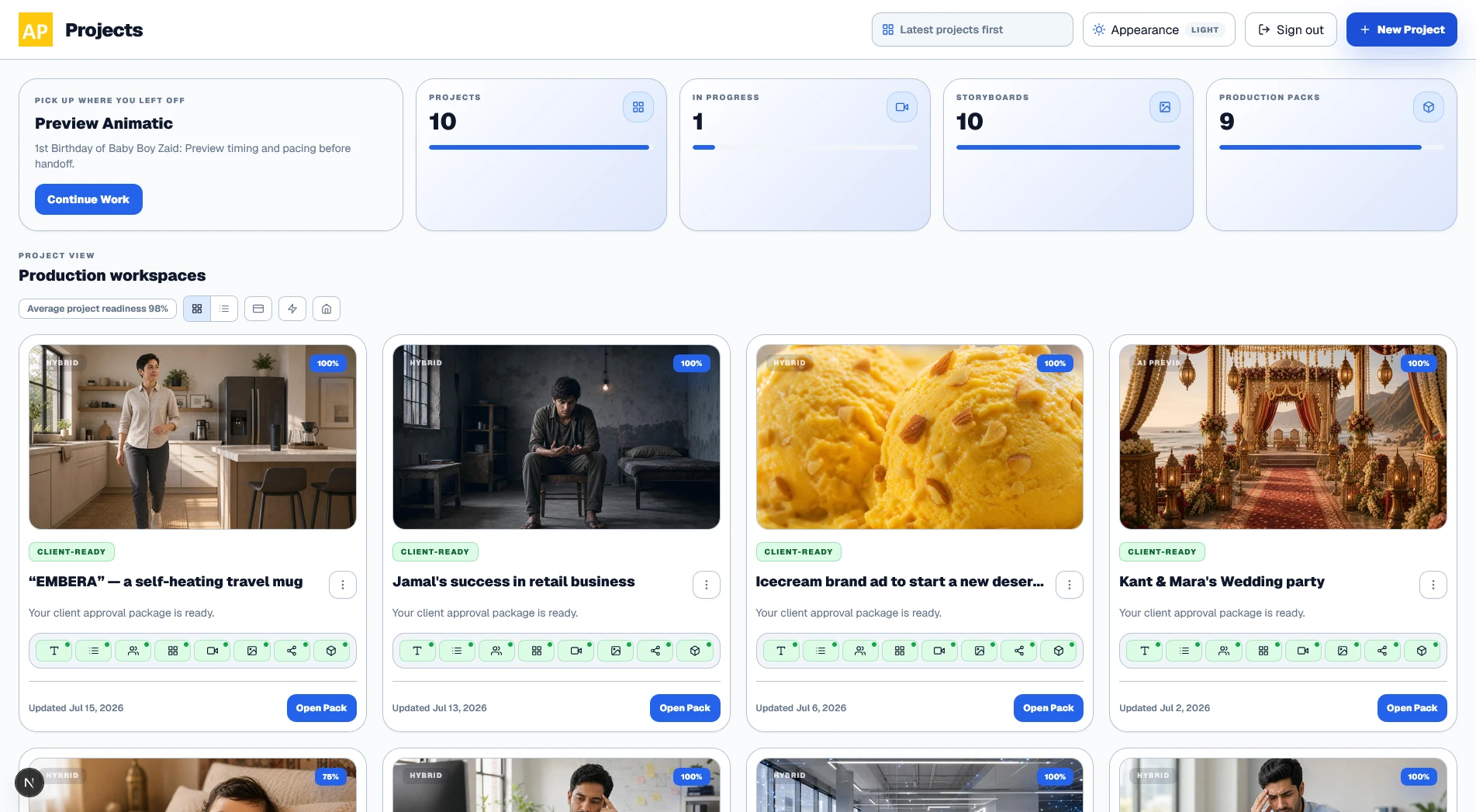
The central workspace lets users create and manage storyboard frames for a video project.
Each storyboard item can represent a specific visual moment and include supporting production information such as:
Scene and shot references
Visual description
Framing
Action
Duration
Notes
Approval status
Generated image
Production context
The interface is designed for working across an entire sequence without losing the details of the selected frame.
Users can review the overall board in the main workspace and inspect or edit the active item in a dedicated side panel.
Organize visual frames into a clear sequence and review the complete project from one workspace.
Sequence organization
Storyboard frames are presented as part of an ordered visual sequence rather than as disconnected generated images.
This lets users understand:
What comes before and after each frame
How the visual idea progresses
Whether the sequence has enough variety
Where important actions occur
Whether the project communicates clearly without additional explanation
The focus is on helping teams evaluate the complete visual flow, not simply produce individual images.
Frame-level editing
Users can work on one storyboard item without rebuilding the whole project.
They can update the visible content and supporting details associated with a selected frame.
This makes the workspace suitable for real revision cycles where most of the storyboard may already be acceptable and only a small number of frames require attention.
The interface keeps editing controls close to the selected visual rather than separating the image, description, and project context across multiple tools.
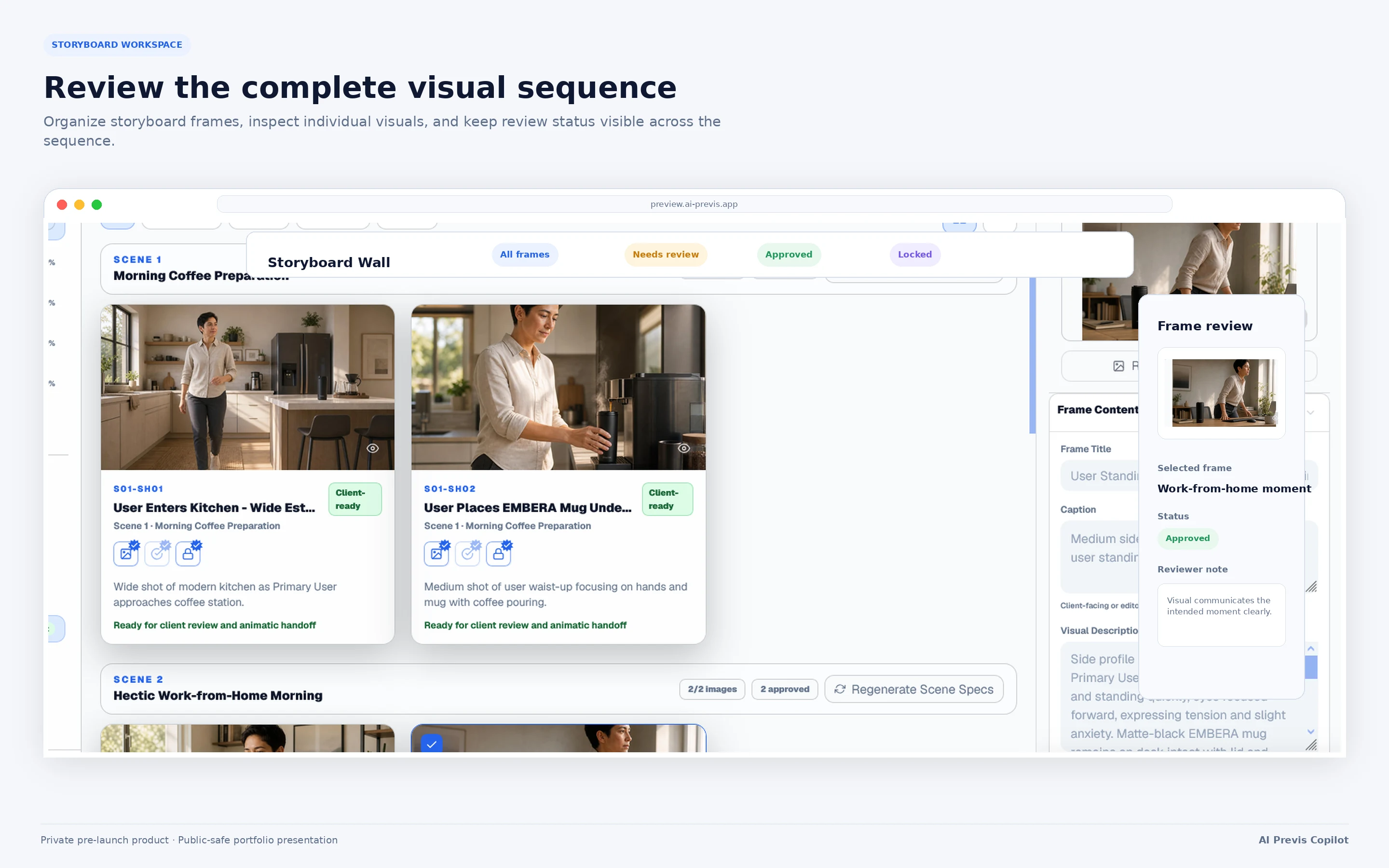
Inspect and update the active storyboard frame without losing the context of the complete sequence.
Storyboard status and review
Storyboard items can communicate their current state, helping users distinguish between work that is ready and work that still needs attention.
Depending on the project state, the interface can represent frames that are:
Available
Missing
Generated
Under review
Approved
Locked
In need of revision
This gives teams a clearer understanding of project readiness than a folder of unlabelled images.
Animatic preview
Approved storyboard frames can be viewed as a timed sequence.
The animatic experience combines:
Storyboard order
Frame duration
Sequence timing
Visual pacing
Captions or supporting text
Playback controls
This lets users evaluate how the project feels over time rather than judging it only as a static storyboard.
The animatic is intended as a planning and communication artifact, not as a replacement for a full video editor.
The product's documented output model includes storyboard assets, rough animatics, and production-facing exports rather than positioning the workspace only as a final-video generator.
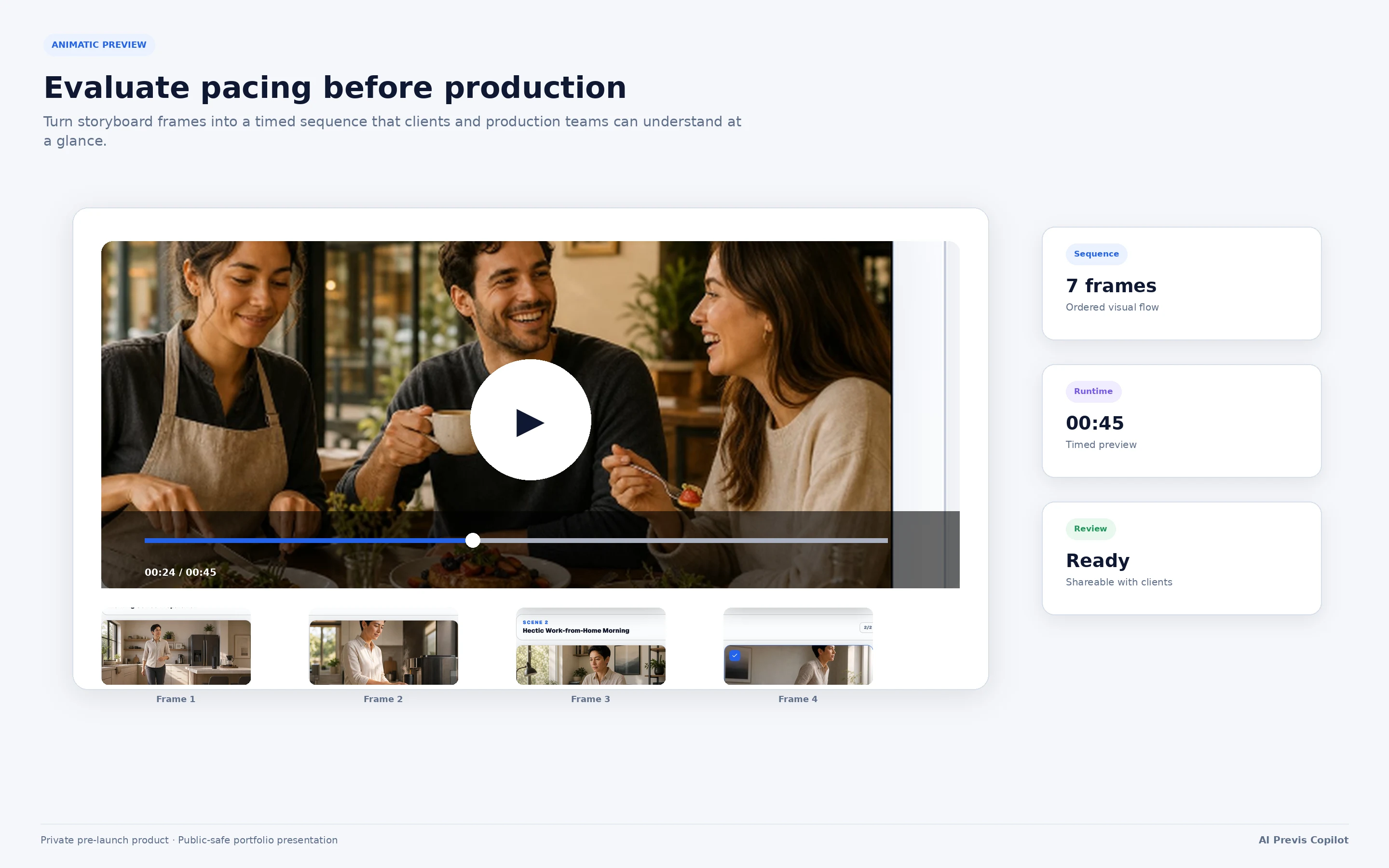
Convert storyboard frames into a timed preview to evaluate pacing and visual progression before production.
Client review experience
Creative teams can share a separate review experience with clients and collaborators.
The reviewer does not need access to the internal editing workspace.
A review link can provide a cleaner presentation for:
Viewing the proposed visual direction
Reviewing selected deliverables
Adding feedback
Requesting changes
Approving the project
Accessing permitted exports
This keeps internal project controls separate from the client-facing presentation.
The wider product scope includes external review links, comments, approvals, and share-only views as part of the collaboration experience.
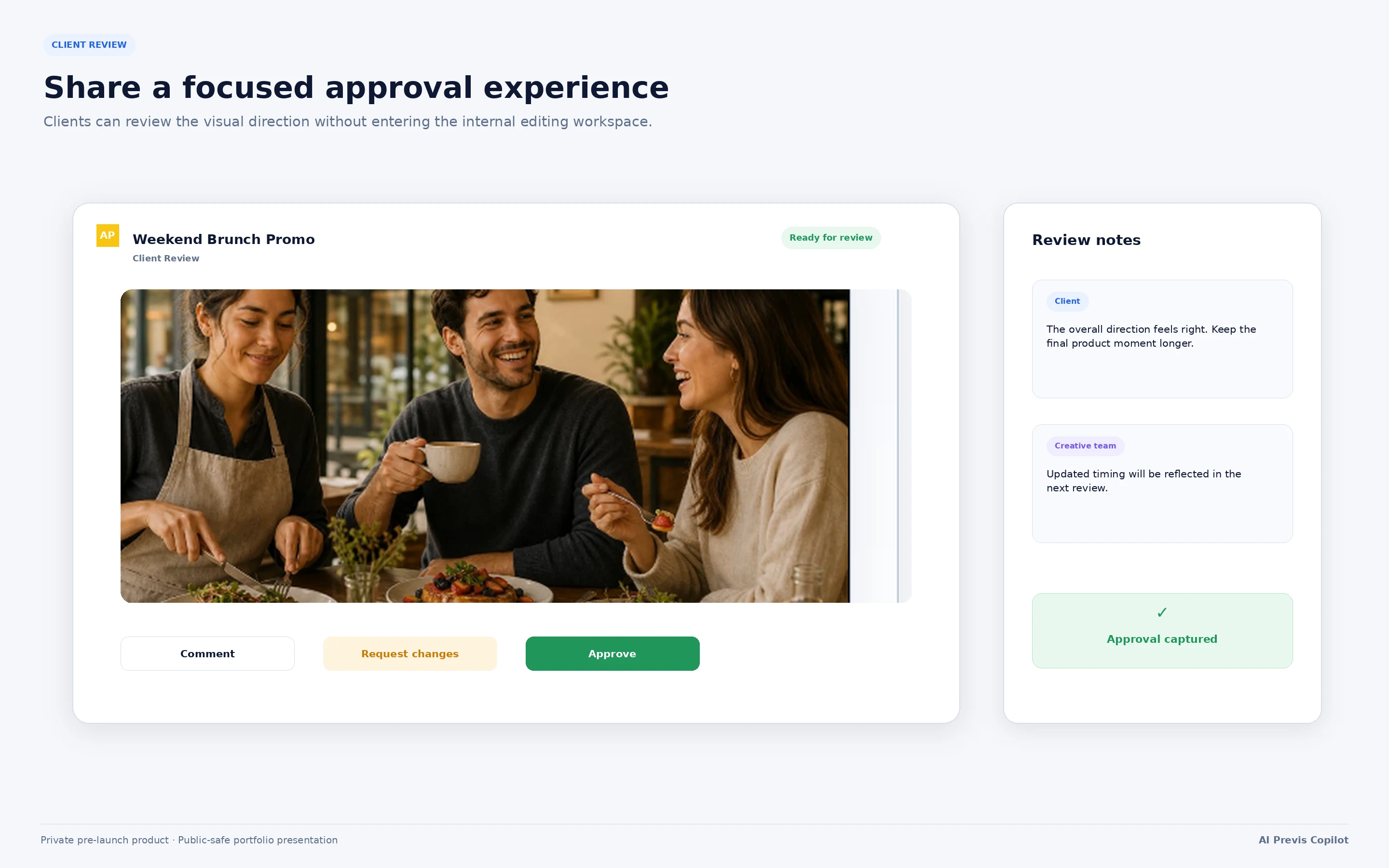
Share a focused external review experience without exposing the internal editing workspace.
Storyboard PDF export
Users can create a structured storyboard PDF for sharing, presentation, and production reference.
The export can present storyboard frames together with relevant shot information and notes in a format that can be reviewed outside the application.
This is useful for:
Client presentations
Internal reviews
Director references
Creative handoffs
Production preparation
Archived project versions
Animatic MP4 export
The platform can also produce an animatic MP4 based on the storyboard sequence and timing.
This gives clients and production teams an easier way to understand:
Order
Duration
Pacing
Visual progression
Overall concept flow
A timed video preview is often easier to approve than a static collection of frames.
Production deliverables
The platform can organize approved visual material into a production-facing deliverable.
The public case study describes this only at a high level.
The deliverable can bring together selected visual and project information needed to communicate the approved direction to the people responsible for producing or editing the video.
The documented product direction supports storyboards, shot information, animatics, references, notes, and production-oriented exports for camera-shot and hybrid projects.
My process
1. Define the visible user journey
I started with the workflow that users need to understand immediately:
Storyboard → Animatic → Review → Export
This gave the product a clear public-facing purpose without requiring users to understand the underlying AI or technical infrastructure.
2. Design a production workspace, not a gallery
A simple image gallery would not be enough.
The interface needed to support:
Long visual sequences
Selected-frame inspection
Supporting production information
Different frame states
Revisions
Timing
Review
Export
I designed the product around a persistent workspace where the visual sequence, active content, and editing controls remain connected.
3. Keep the interface usable for different experience levels
The platform is intended for both experienced creative professionals and users who are newer to pre-production.
The interface therefore balances:
A guided visual structure
Clear labels and status indicators
Detailed controls when needed
Sensible defaults
Direct access to the selected frame
Consistent navigation across project stages
The goal was to avoid making new users learn professional production software before they could create a useful storyboard.
4. Build the product incrementally
The application was developed in production-safe slices.
Each major capability was added and reviewed without destabilizing the existing workflow.
This included repeated work on:
Workspace behavior
Inspector usability
Responsive panel sizing
Editing states
Navigation
Save behavior
Generated media
Animatic playback
Export preparation
Client review
Light and dark appearance
Error and empty states
5. Test the complete journey
Individual features were not treated as complete merely because their controls worked in isolation.
I repeatedly reviewed the full user journey:
Open a project.
Review storyboard frames.
Select and edit a frame.
Generate or update visual media.
Inspect the sequence.
Preview the animatic.
Prepare deliverables.
Open the external review experience.
Confirm the approved content appears correctly.
This helped identify workflow problems that would not be visible from component-level testing alone.
Public-safe architecture overview
AI Previs Copilot is built as a modern web application using:
Next.js
React
TypeScript
Supabase
PostgreSQL
Cloud object storage
AI language and image services
PDF generation
Video rendering
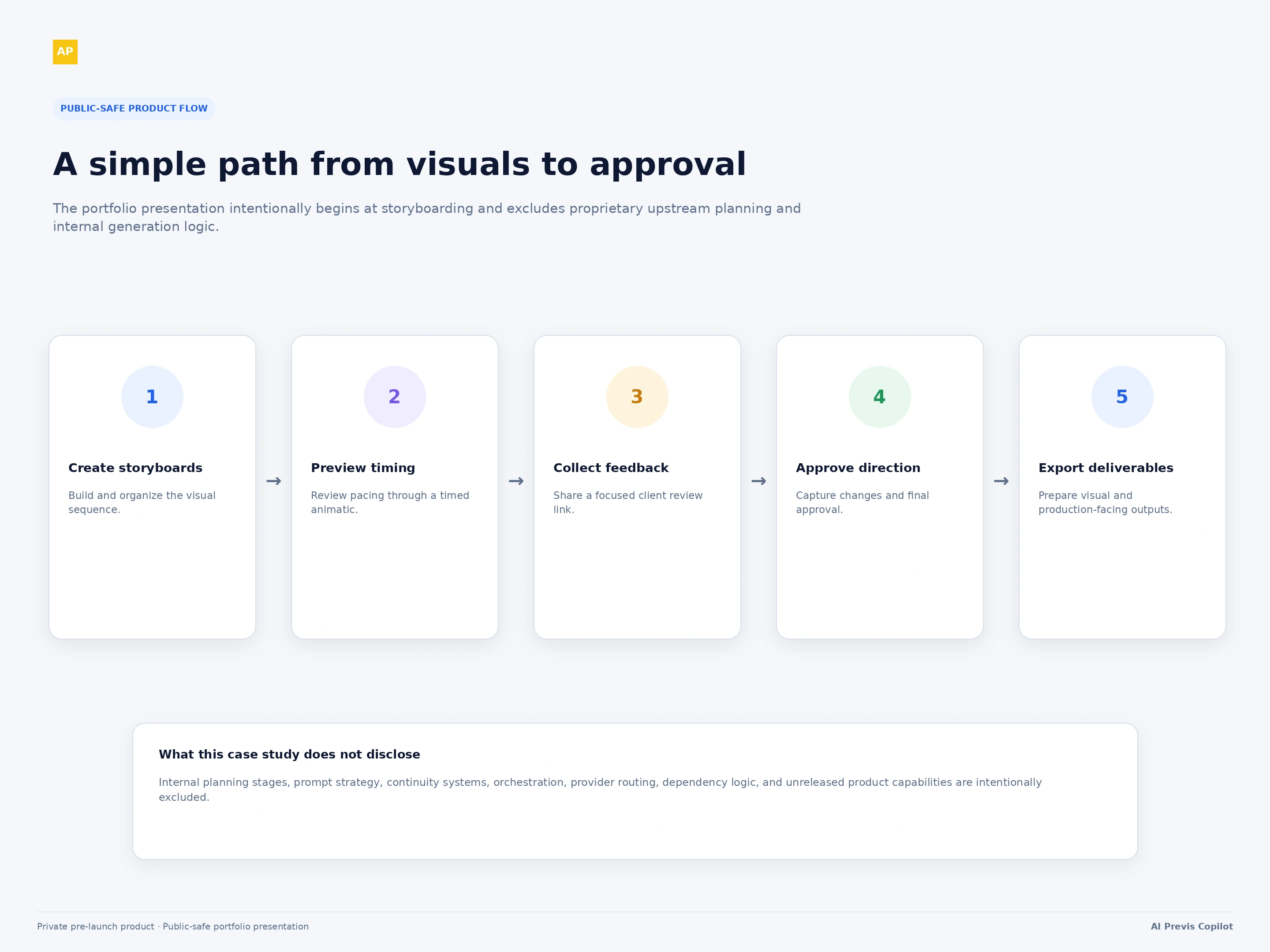
Public-safe product flow
Results
AI Previs Copilot now provides a connected web experience for:
Creating and reviewing storyboard sequences
Working with AI-assisted visual frames
Editing selected storyboard items
Tracking visual readiness
Previewing timing through an animatic
Sharing work with clients
Collecting feedback and approvals
Exporting storyboard PDFs
Exporting animatic MP4s
Preparing production-facing deliverables
The most important result is that a video concept can be communicated and reviewed visually before the team commits to final production.
The platform is still private and pre-launch, so the case study should not claim:
Paying customers
Revenue
Time savings
Reduced production costs
Faster approvals
Improved conversion rates
Guaranteed visual consistency
Guaranteed output quality
Those claims can be added later when supported by measured product usage or customer evidence.
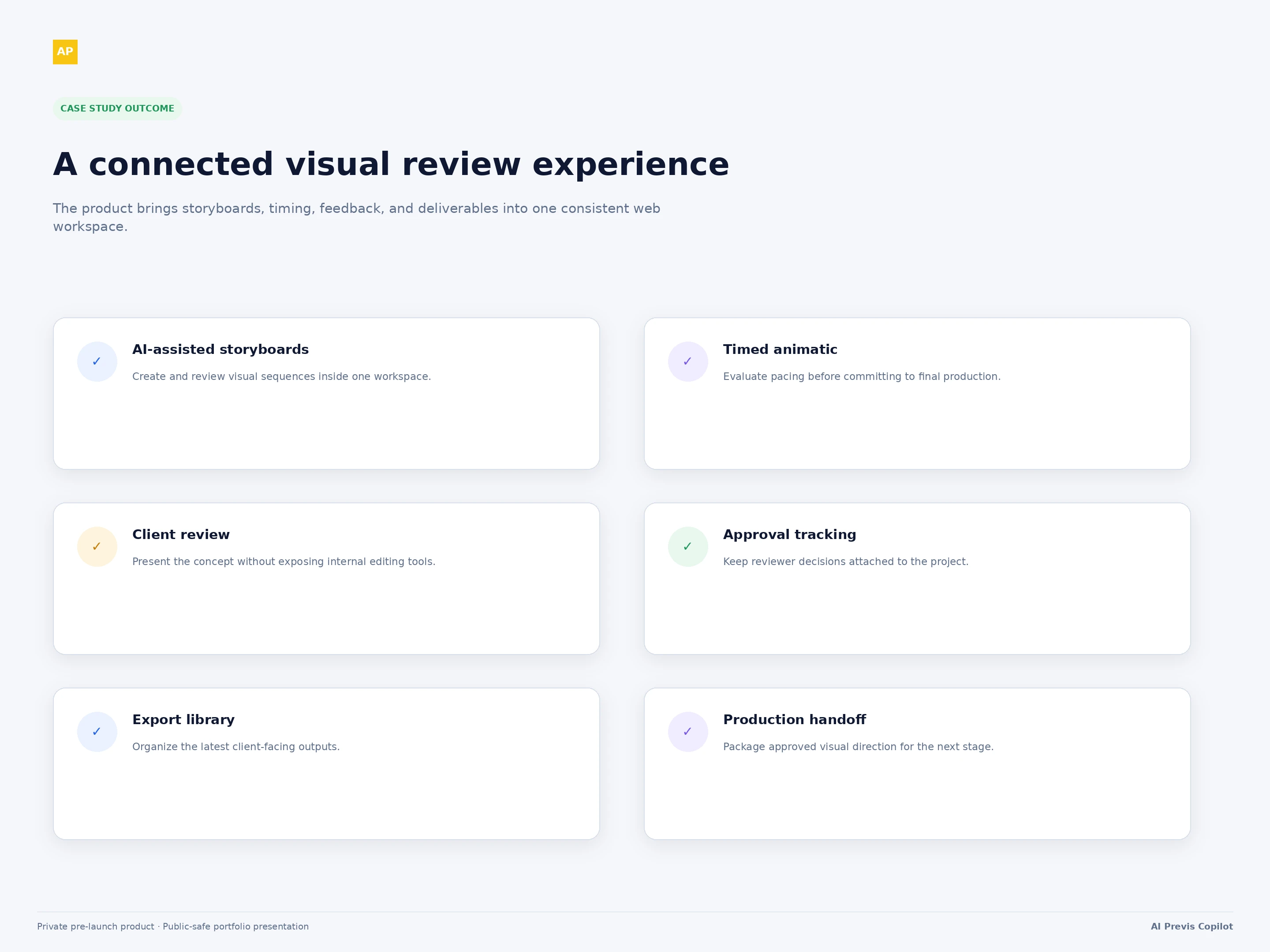
Results summary
My role
I led the product design and full-stack engineering of AI Previs Copilot. My work included the storyboarding workspace, visual editing experience, animatic interface, client review flow, exports, AI integrations, project data architecture, authentication, media storage, responsive workspace behavior, and production QA. I developed the platform as a connected creative product rather than a collection of isolated generation tools.
Technology
Next.js
React
TypeScript
Tailwind CSS
Supabase
PostgreSQL
Supabase Auth
Cloud object storage
OpenAI APIs
AI image generation
PDF generation
MP4 rendering
Like this project
Posted Jul 13, 2026
Built an AI-assisted storyboarding platform for creating visual sequences, previewing animatics, collecting client feedback, and exporting production deliverables.
Likes
0
Views
7