Built with Anything
AI Prototype for Kids’ Questions

Yuliia Prykhodko

AI Prototype for Kids' Questions
A working AI product prototype for teams building safer, more useful learning experiences for children and parents.
This prototype explores how an AI experience can help adults respond to children’s difficult questions with explanations that match a child’s age, language, and level of understanding. It turns an early product idea into a tangible flow that a team can test, discuss, and refine before committing to development.
AI Prototype overview
The product challenge
Parents are often asked complex questions at the exact moment they need a clear, child-appropriate answer. Generic search results can be too broad, too technical, or simply hard to translate into language a child will understand.
The design question was: how might an AI product give parents a fast, useful starting point while keeping the adult in control of what a child receives?
The experience
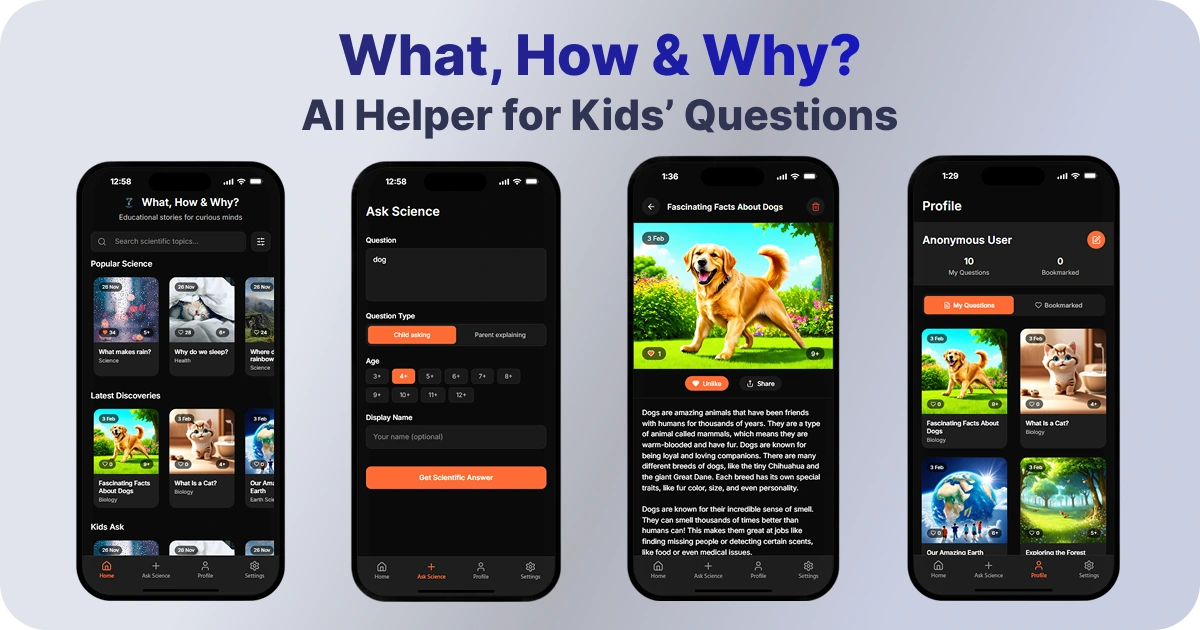
A parent can enter a question or keyword, choose an interaction mode, and select the child’s age. The app then creates a tailored explanation with a supporting visual. Users can also browse a growing gallery of saved answers rather than starting from zero each time.
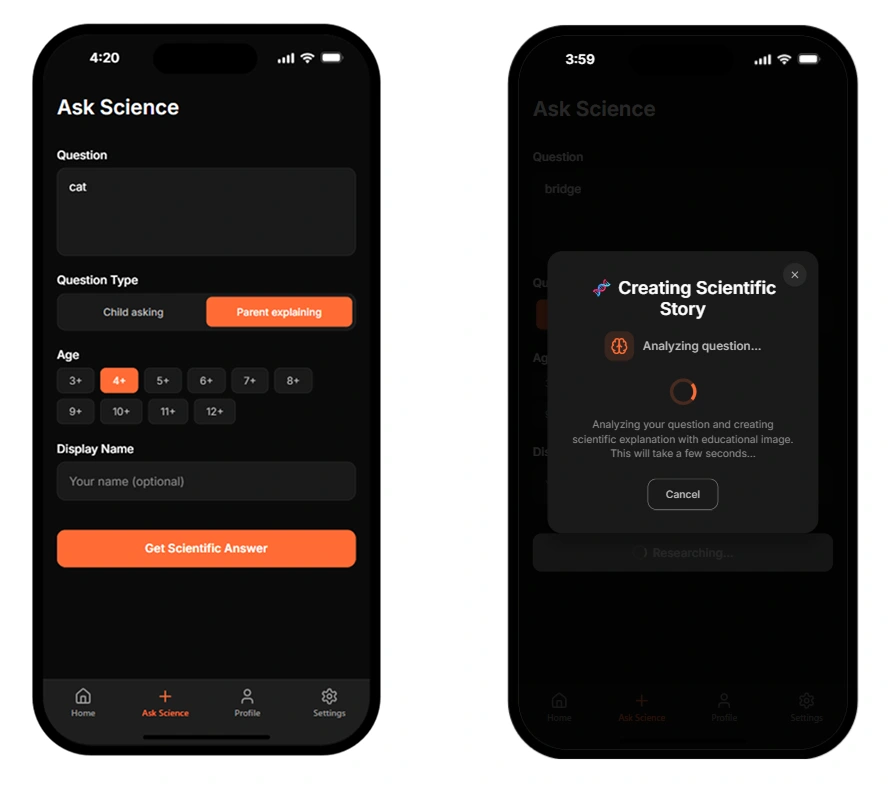
Age-adapted answer flow
UX decisions that shaped the prototype
1. Designed for parent and child, not only one user
The product includes a parent-led mode, so an adult can review an AI-generated response before sharing or explaining it. That creates a safer flow for sensitive or inaccurate AI output.
2. Age changes the interaction, not just the copy
Age selection guides the level of language and complexity in the response. This makes the product logic visible from the first step instead of treating personalisation as an afterthought.
3. Visuals support understanding
Each explanation is paired with an illustration to give children another way into the topic. The screen keeps the visual present while the text is read, so the experience remains easy to follow.
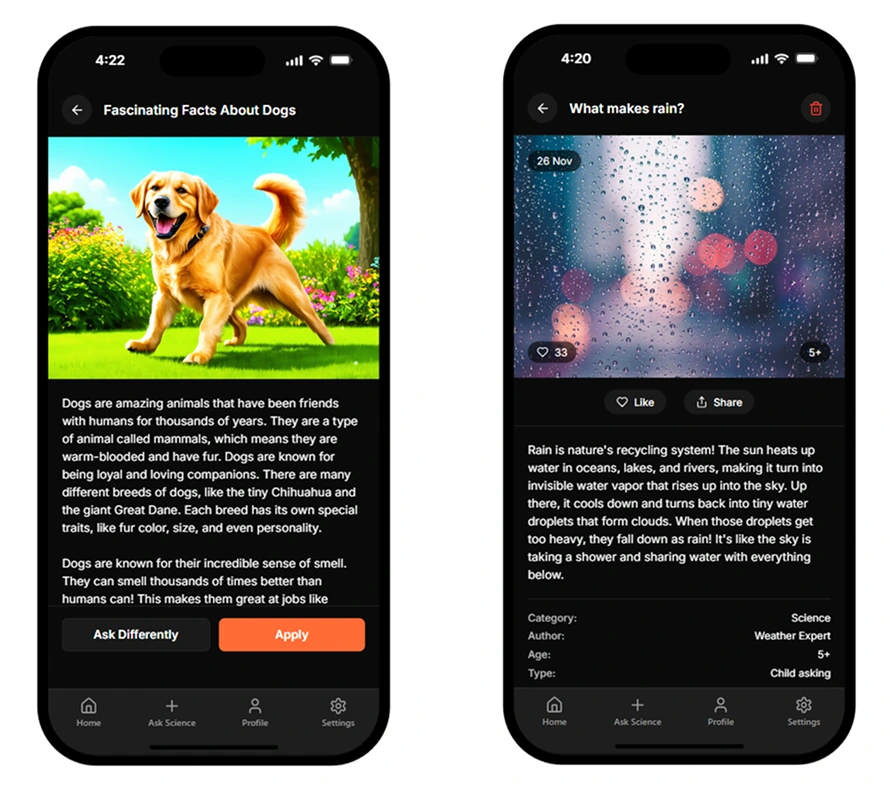
Child-friendly interface
4. A reusable content loop
Saved stories can feed a browsable gallery with metadata, search, and sharing. This creates a foundation for repeat use and lets people discover useful existing answers without generating a new one every time.
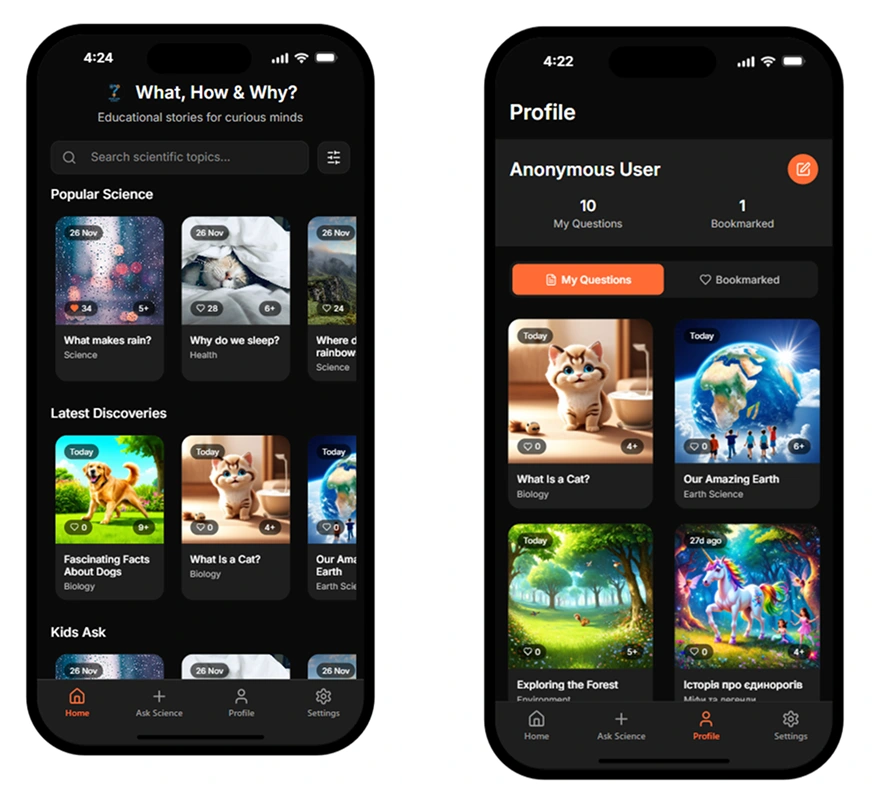
Story and gallery experience
What I designed
Product concept and user flows
AI interaction logic and age-based input structure
Parent-led safety considerations
Child-friendly interface and visual hierarchy
Content gallery, saving, sharing, and discovery flows
Working interactive prototype in Anything
For early-stage teams
I help founders and product teams turn an early AI product idea into a clear, testable prototype. The work brings together user flows, interface design, AI interaction logic, and a working demo your team can use to align on what to build next.
Like this project
Posted Feb 9, 2026
AI prototype for a child-safe Q&A experience, designed to help early-stage edtech teams test age-adapted AI interactions before development.
Likes
0
Views
15