PressOne Web Application UX & UI Redesign

Muhammed Adepoju

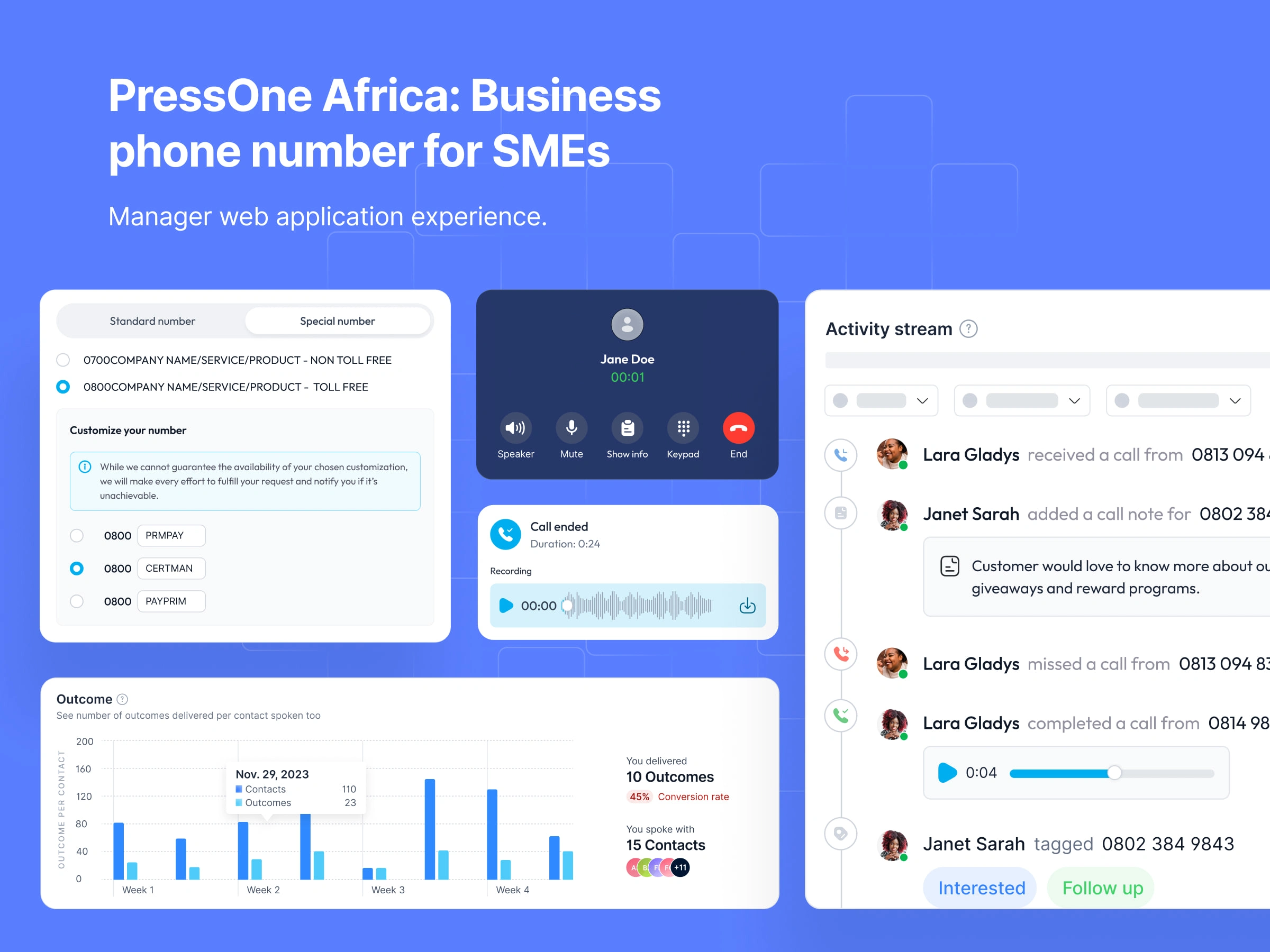
PressOne: Business Phone Number Web Application Design - Manager Experience
Client: PressOne
Project Type: Client project – UX & UI Redesign
Industry: Telecommunication
Work Type: Manager Web Application, Website UI Design
Year: 2023
Role: Product Designer
Status: 🟢 Live
PressOne is not just a business phone number platform, it’s built for small to medium businesses in Africa who want to move beyond SIM cards and fragmented communication. It offers virtual business numbers that work without a SIM, letting multiple employees use the same number.
When I joined PressOne as a Product Designer in 2023, the challenge wasn’t creating from scratch. The product already existed. Businesses were using it every day, but the experience felt dated, fragmented, and intimidating for non-tech savvy users.
Where the Experience Fell Short
The issue wasn’t a lack of functionality. PressOne could already manage calls, onboard teams, and track activity. But it felt generic, fragmented, and at times intimidating for non-technical users.
Business needed three things above all:
Clarity: understanding where to start and what to do next.
Confidence: knowing their business would sound professional and trustworthy.
Control: being able to manage their team and calls without digging through menus.
Features that shaped the redesign (Among others)
Onboarding
We wanted onboarding to feel like an invitation, not a barrier. Instead of just dumping users into a dashboard, we asked about their business. Those answers let us recommend a plan that fit them.
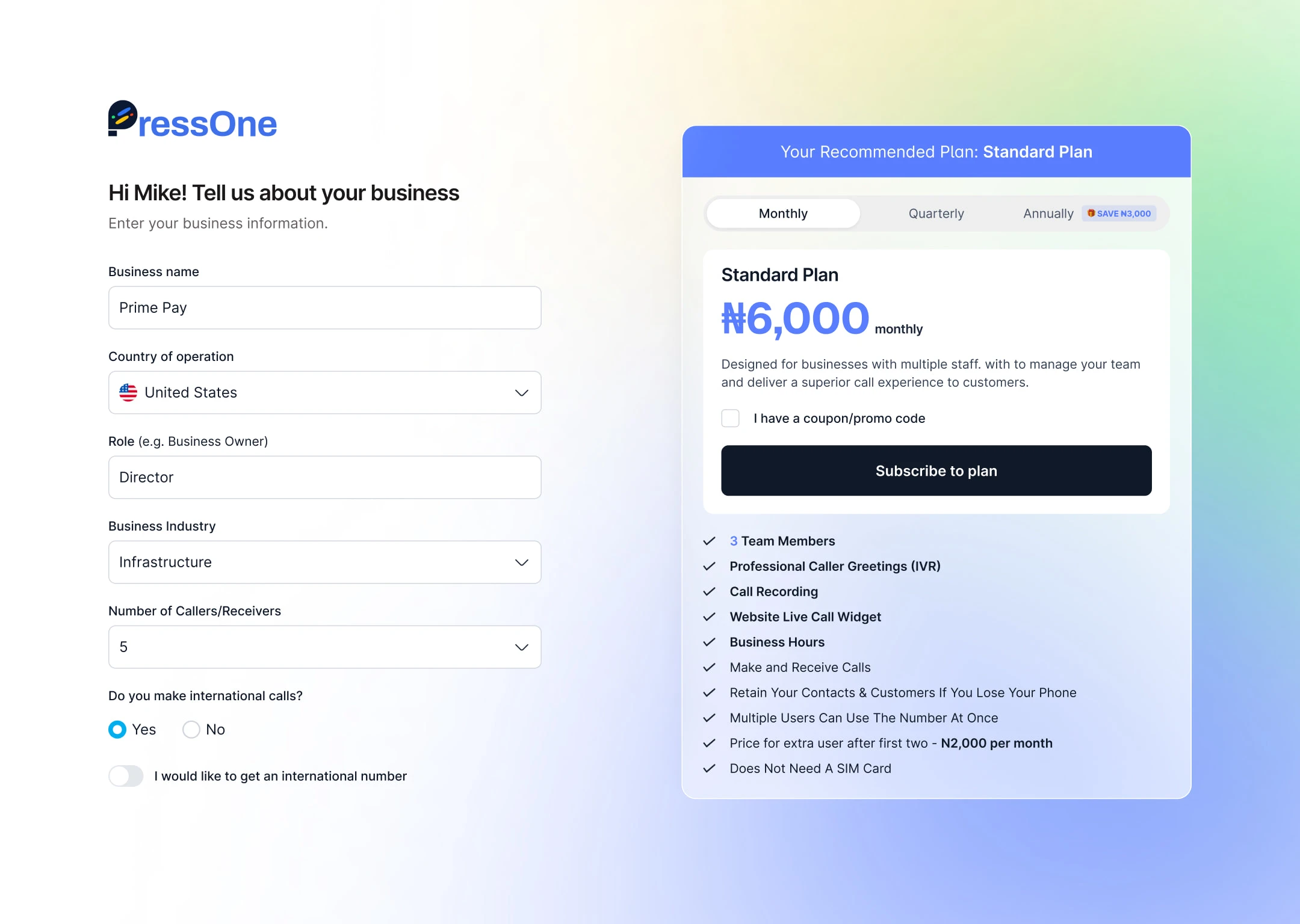
Sign Up
Once subscribed, managers could immediately purchase and activate a phone number.
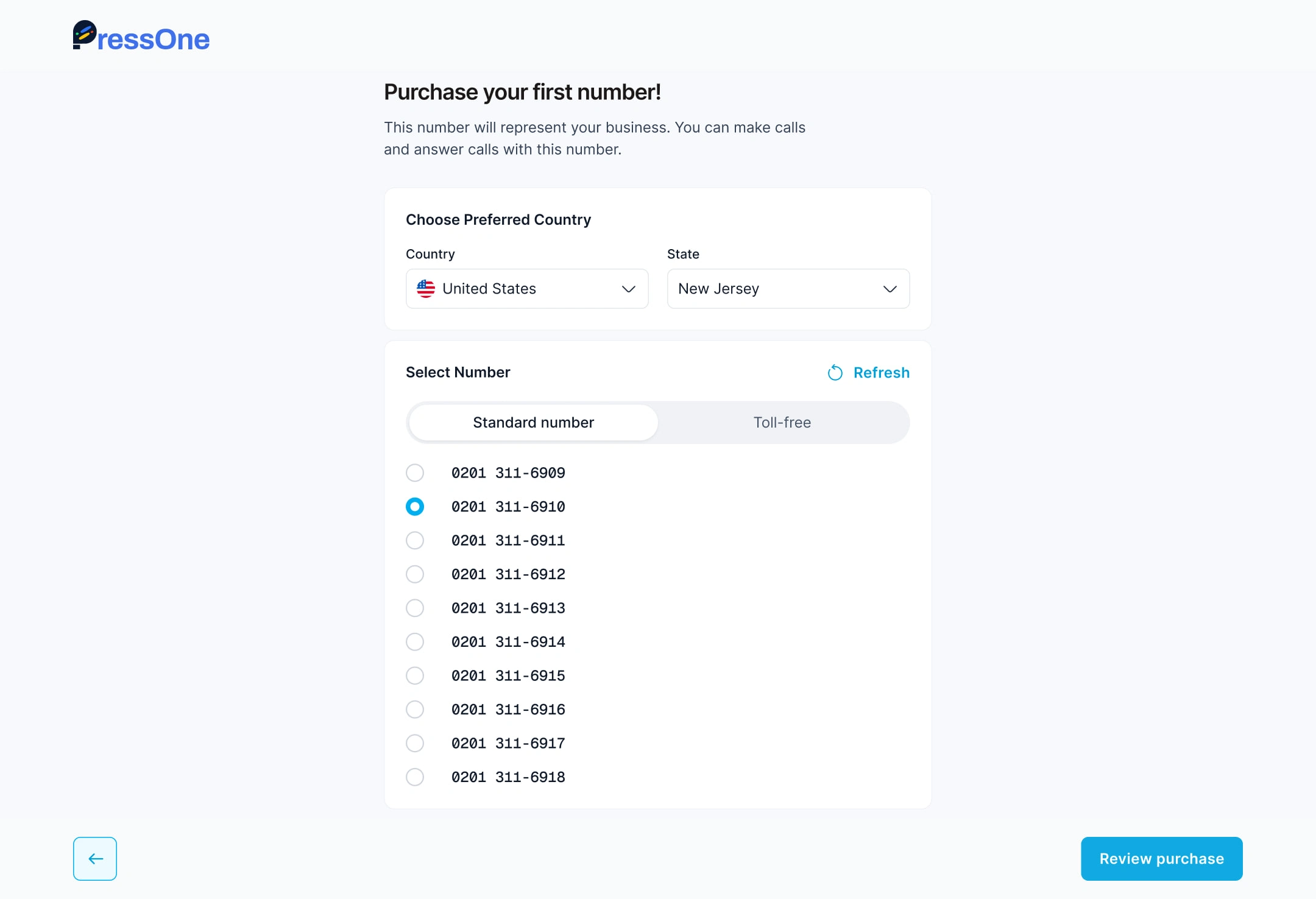
Phone Number Purchase
From there, the rest of the experience was tailored, sales teams saw quick actions like setting up call queues, while customer service teams were nudged toward call flows and greetings.
Post Sign Up Survey
After the number was activated, I designed a post-onboarding question. This was a simple but powerful moment. We asked managers about the type of team they were setting up, for example, sales, customer support, or professional branding.
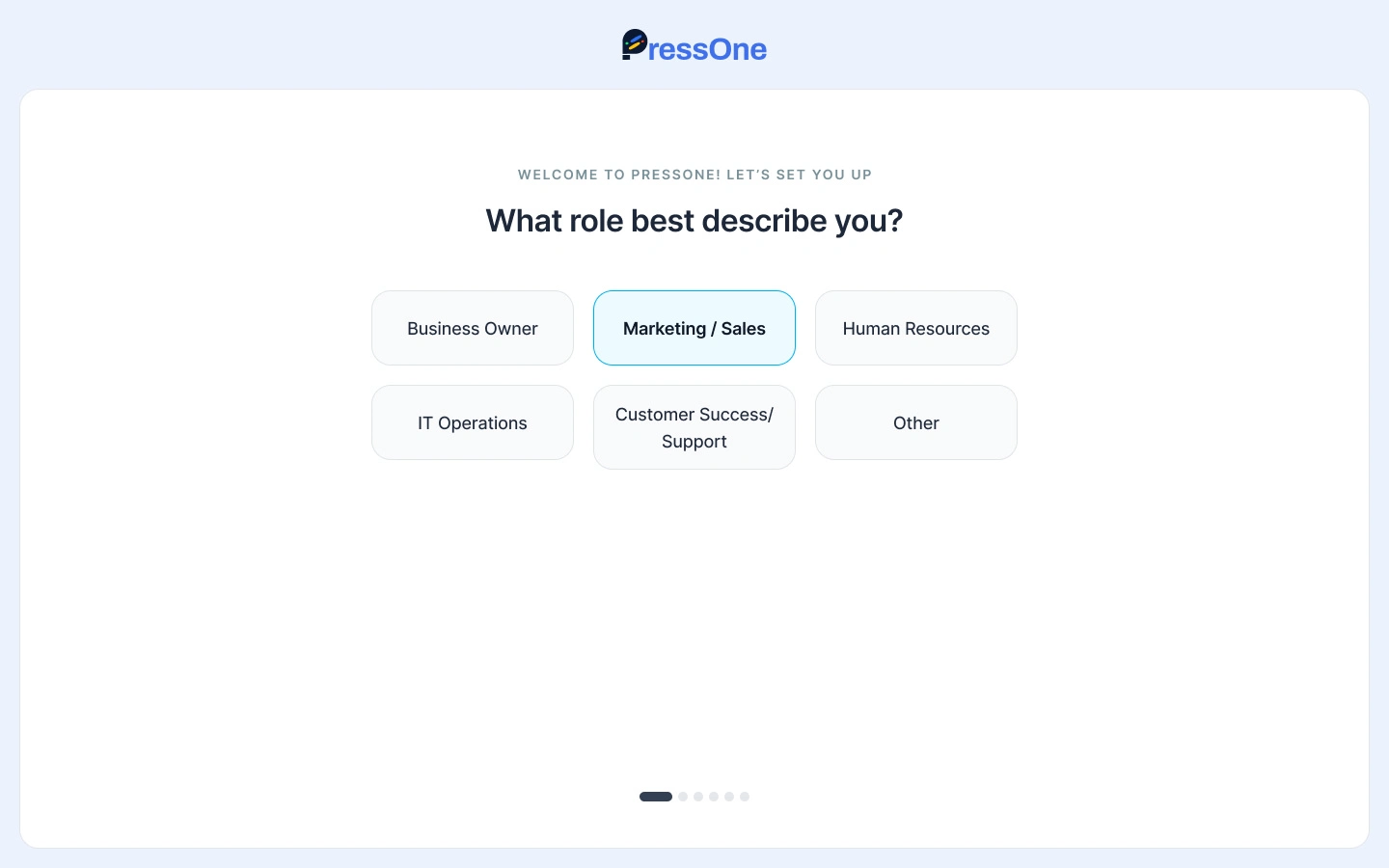
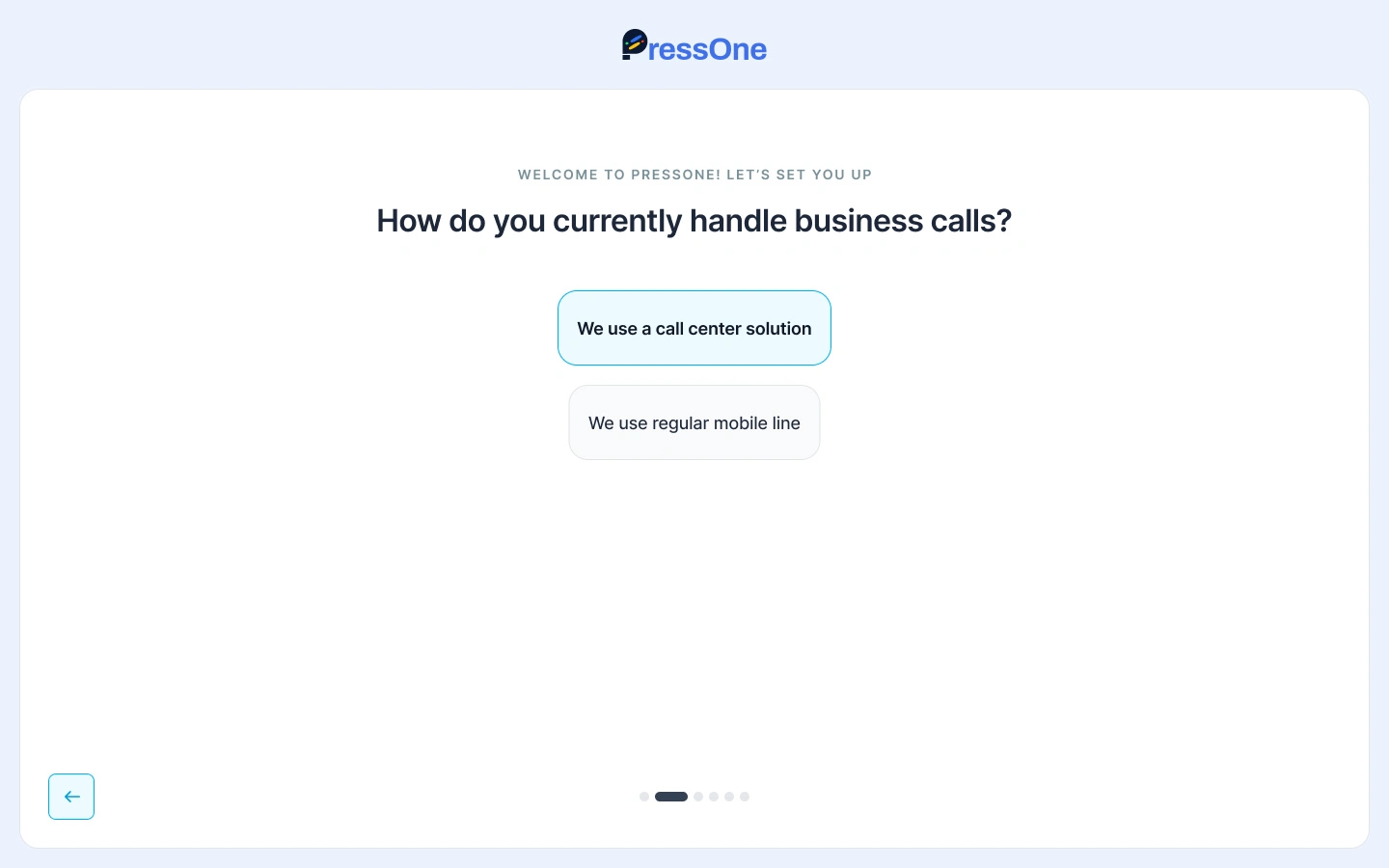
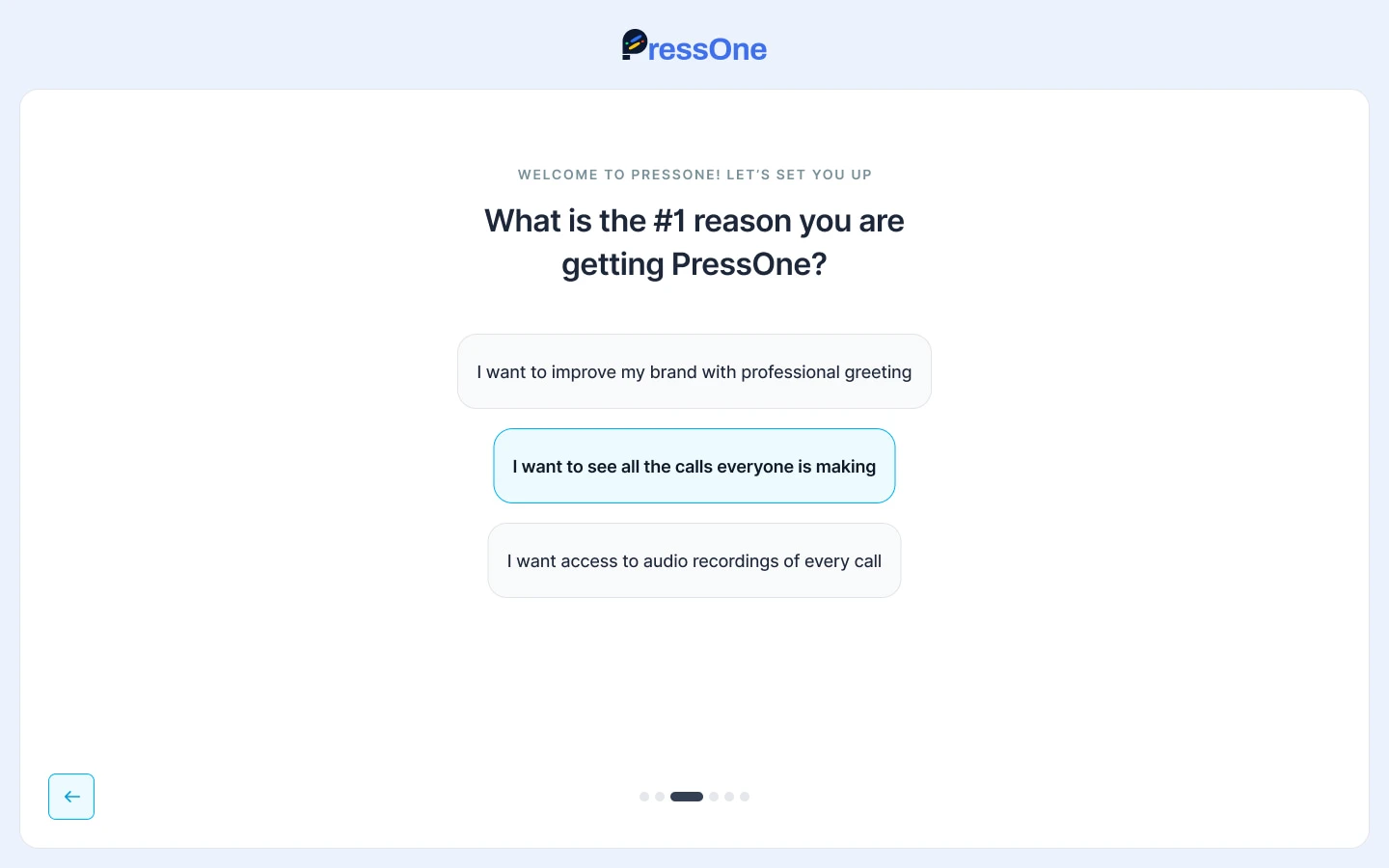
That single input determined what they saw next. It was the bridge between onboarding and the Getting Started page. Instead of landing in a generic checklist, managers saw a path that matched their context.
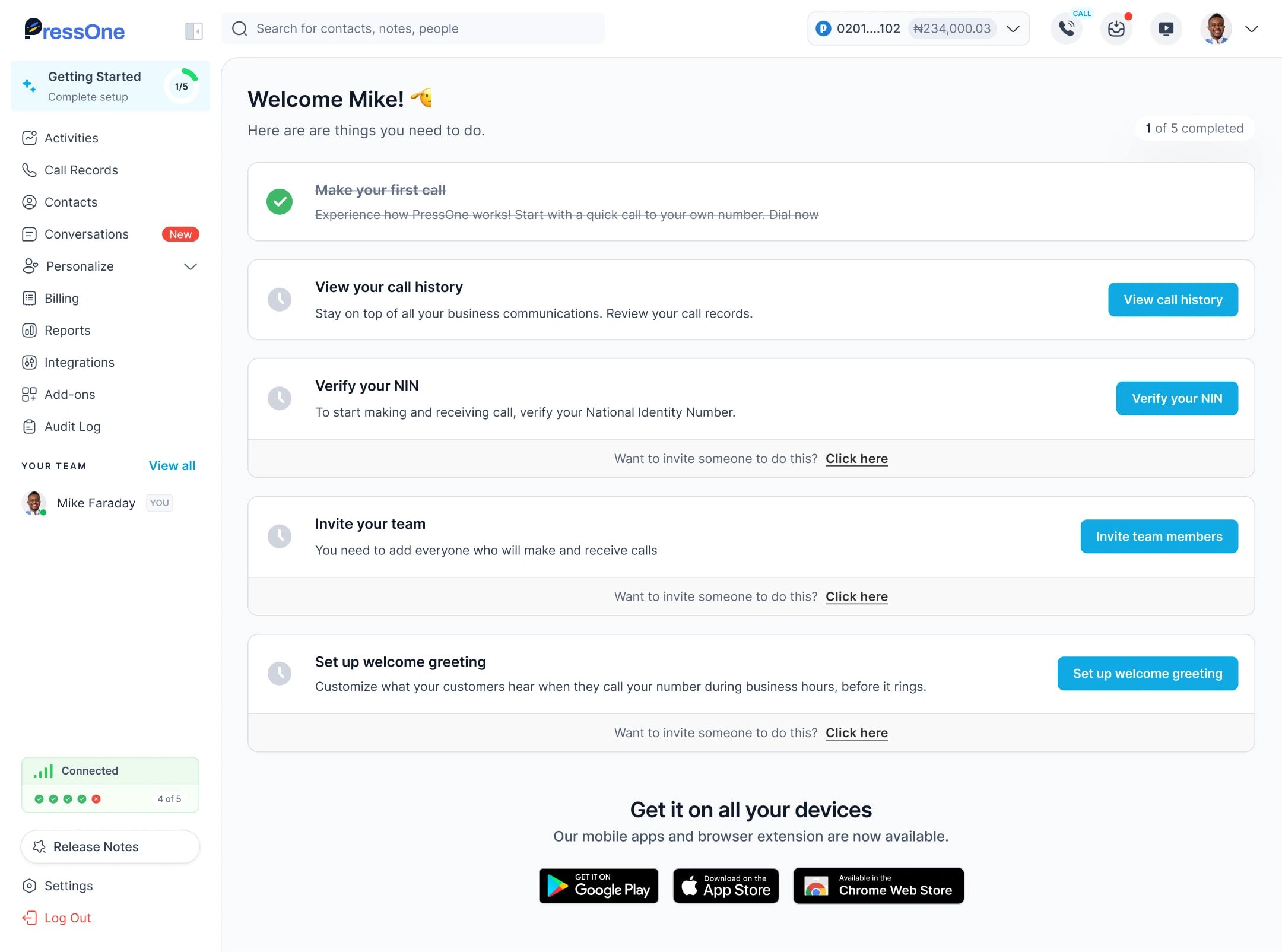
Getting started
Once onboarding was complete, managers landed on a Getting Started page. Instead of a blank screen, they saw tailored quick actions.
Typical actions included:
Make your first call.
Verify NIN (a compliance step to continue calling).
Invite teammates.
Configure call flows, greetings, and out-of-office rules.
The design ensured every team saw what was relevant to them.
Hearing Your Business for the First Time
One important part of the post onboarding walkthrough after businesses activate their number and set up a welcome greeting was asking them to call the number.
I designed the flow so managers could record or upload a greeting, preview it,
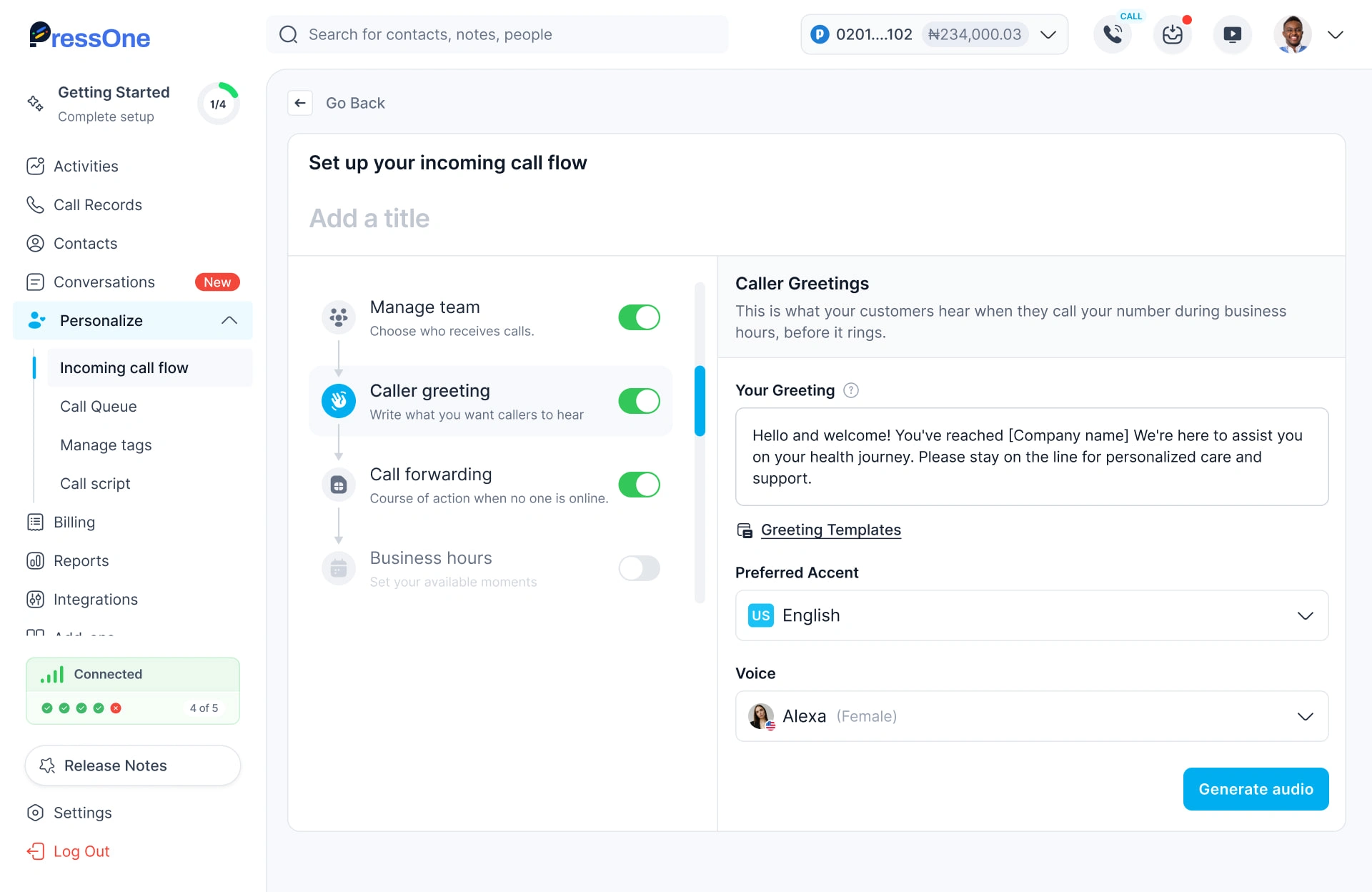
Setting up welcome greeting
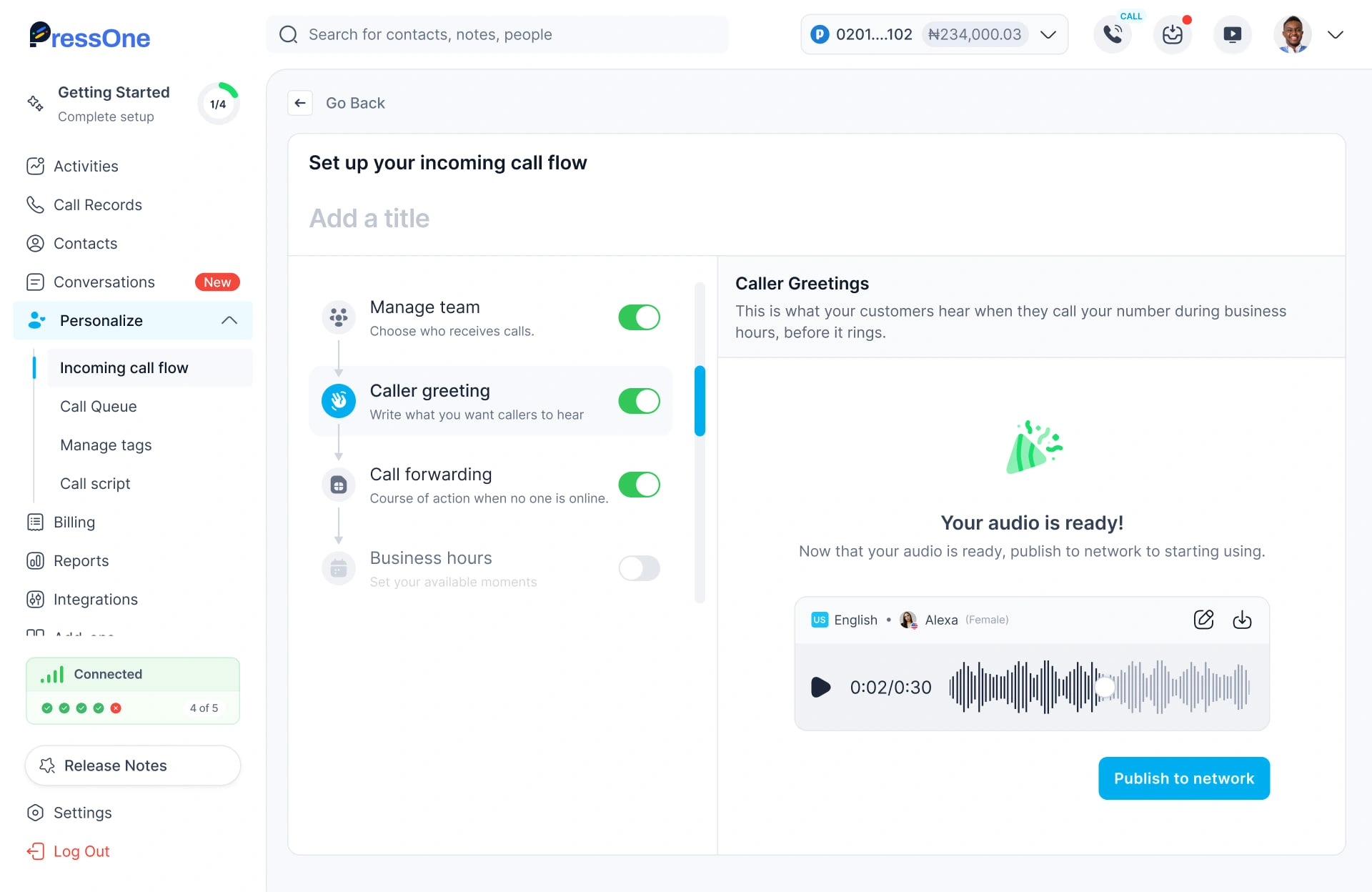
Preview welcome greeting
and then call their own number to hear it live. If satisfied, they could proceed. If not, they could start over until it felt right.
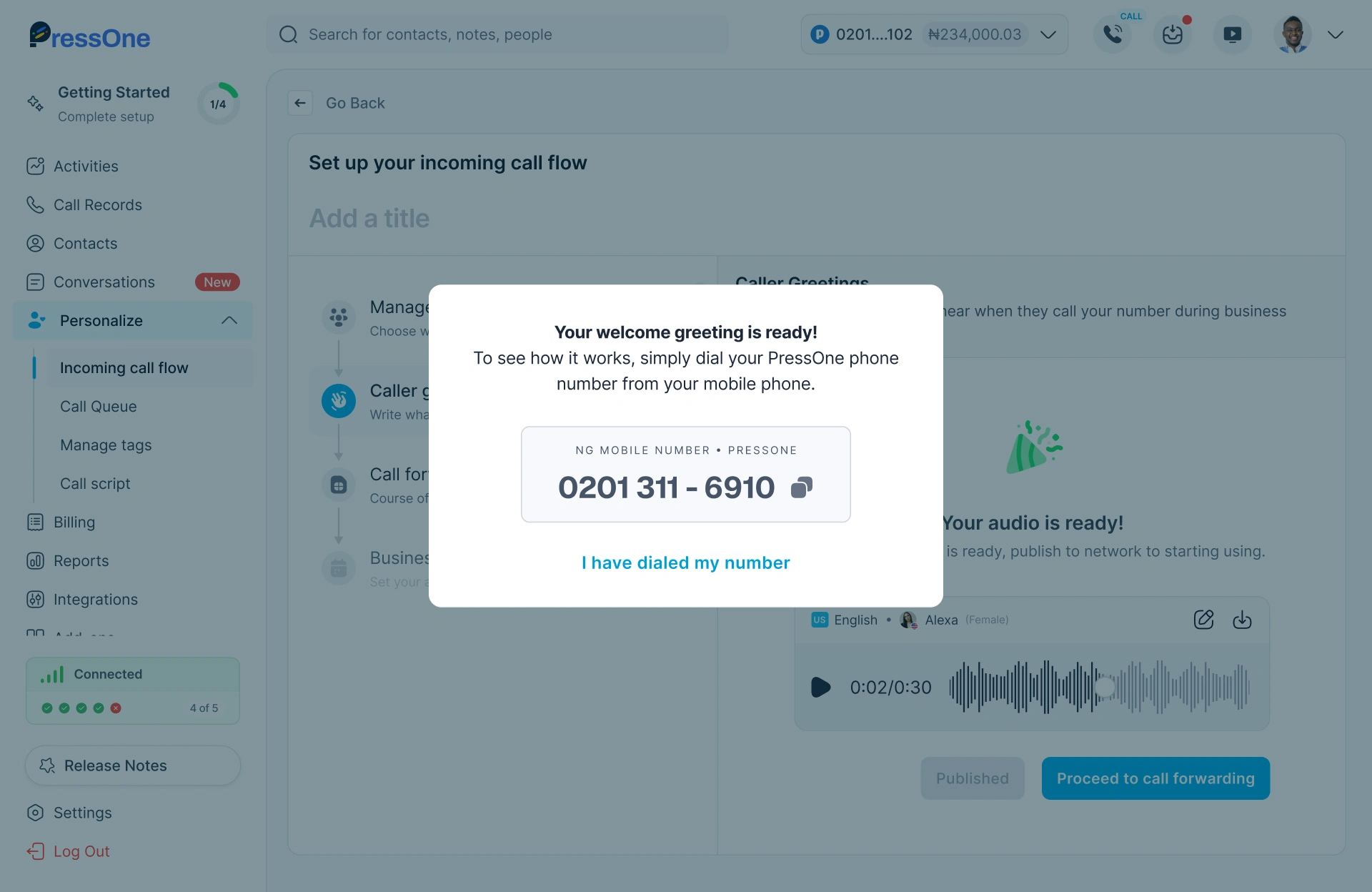
See how welcome greeting works
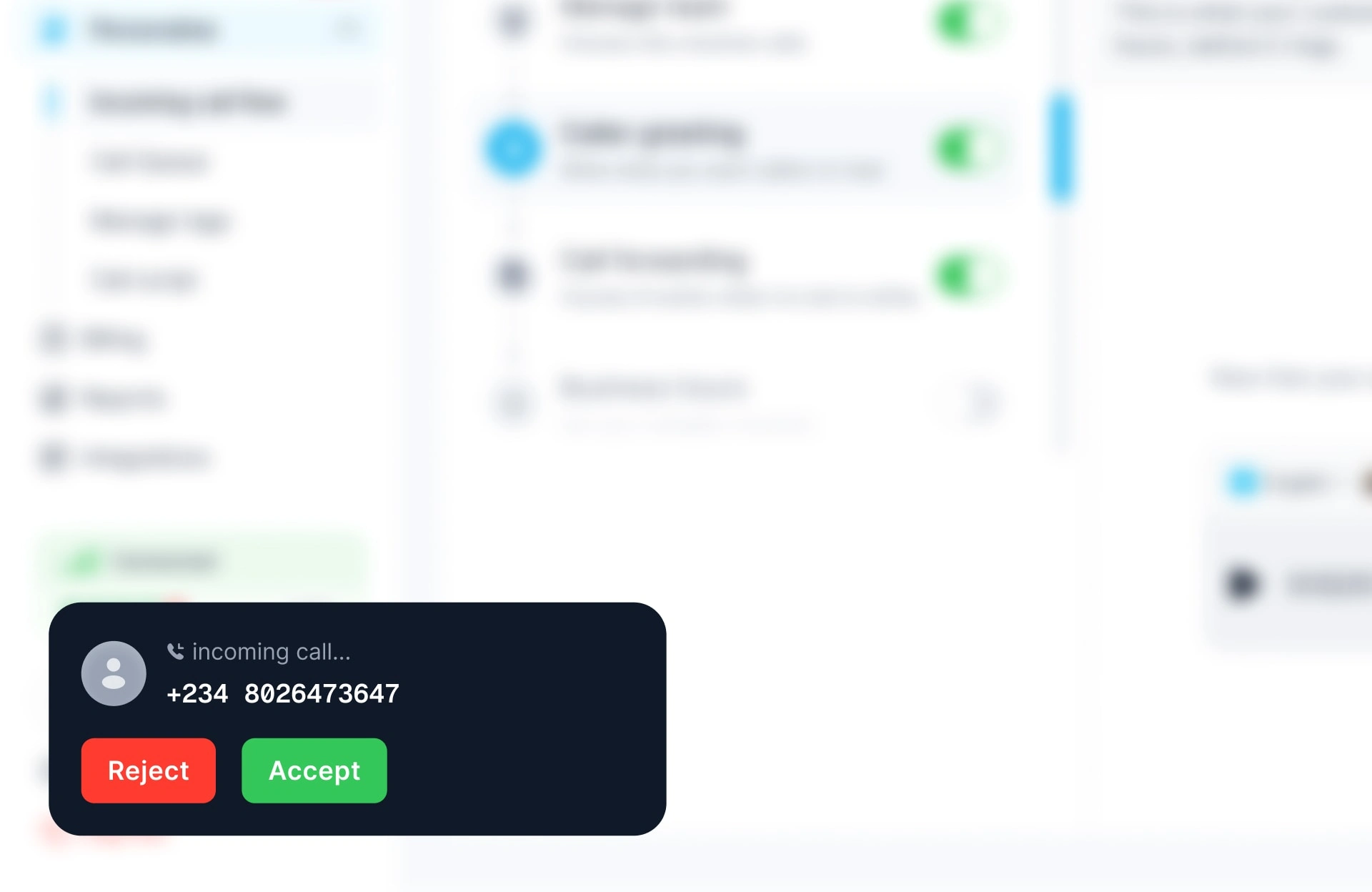
This loop mattered because it gave businesses instant feedback. It turned a simple feature into an emotional milestone.
Activity stream
One of the most important new features we designed was the activity stream. It acted like a live dashboard, showing calls, voicemails, notes, and updates in real time.
To keep it practical, we surfaced recent call records inside the stream itself. Managers no longer had to click away to check what mattered most. This turned PressOne into a command center where they could both monitor and act without losing context.
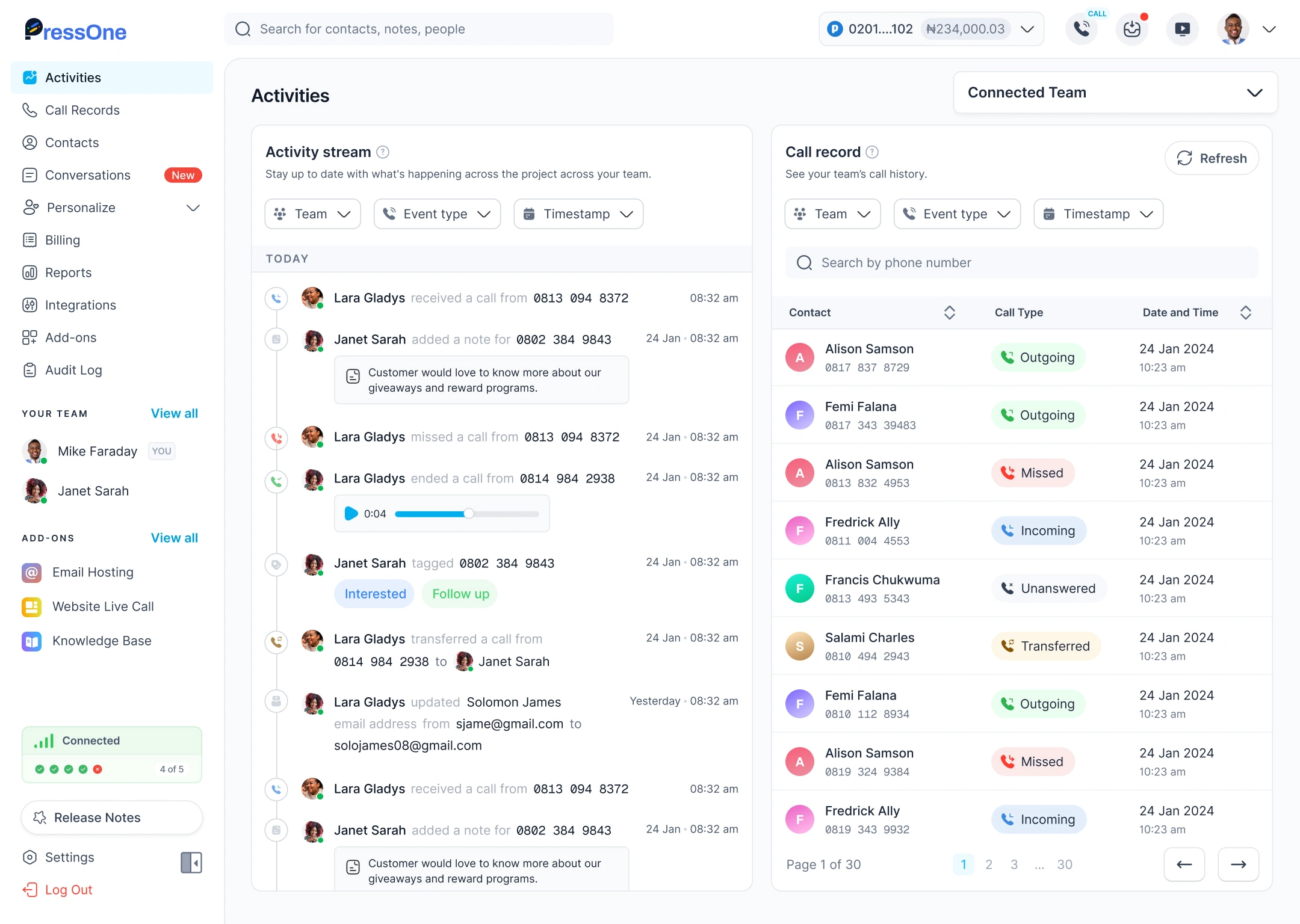
Activities - Home Page
Making a Call
I paid special attention to the Make a Call feature because it represented true activation. Managers could place calls directly from the dashboard, either by selecting a contact or entering a number.
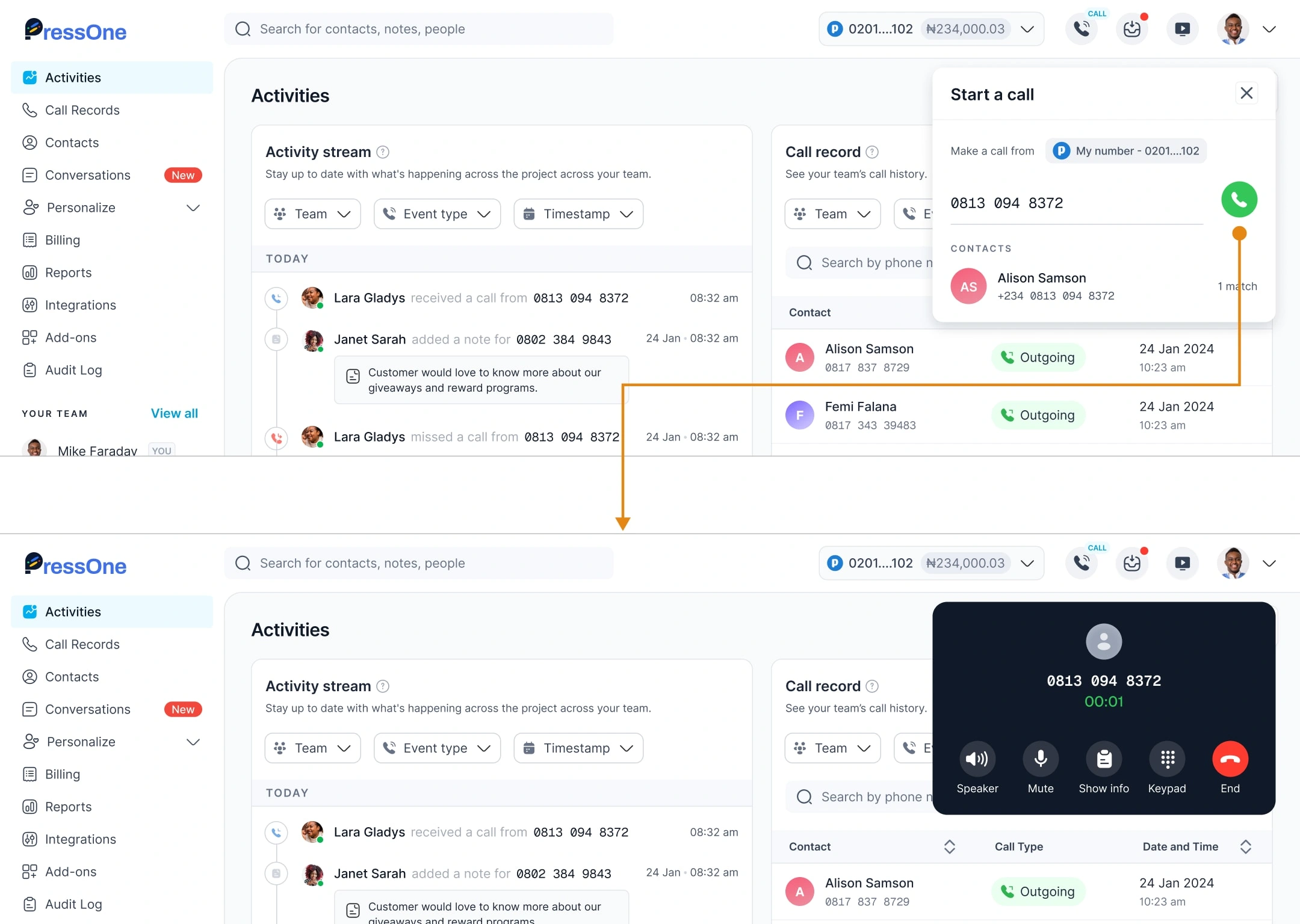
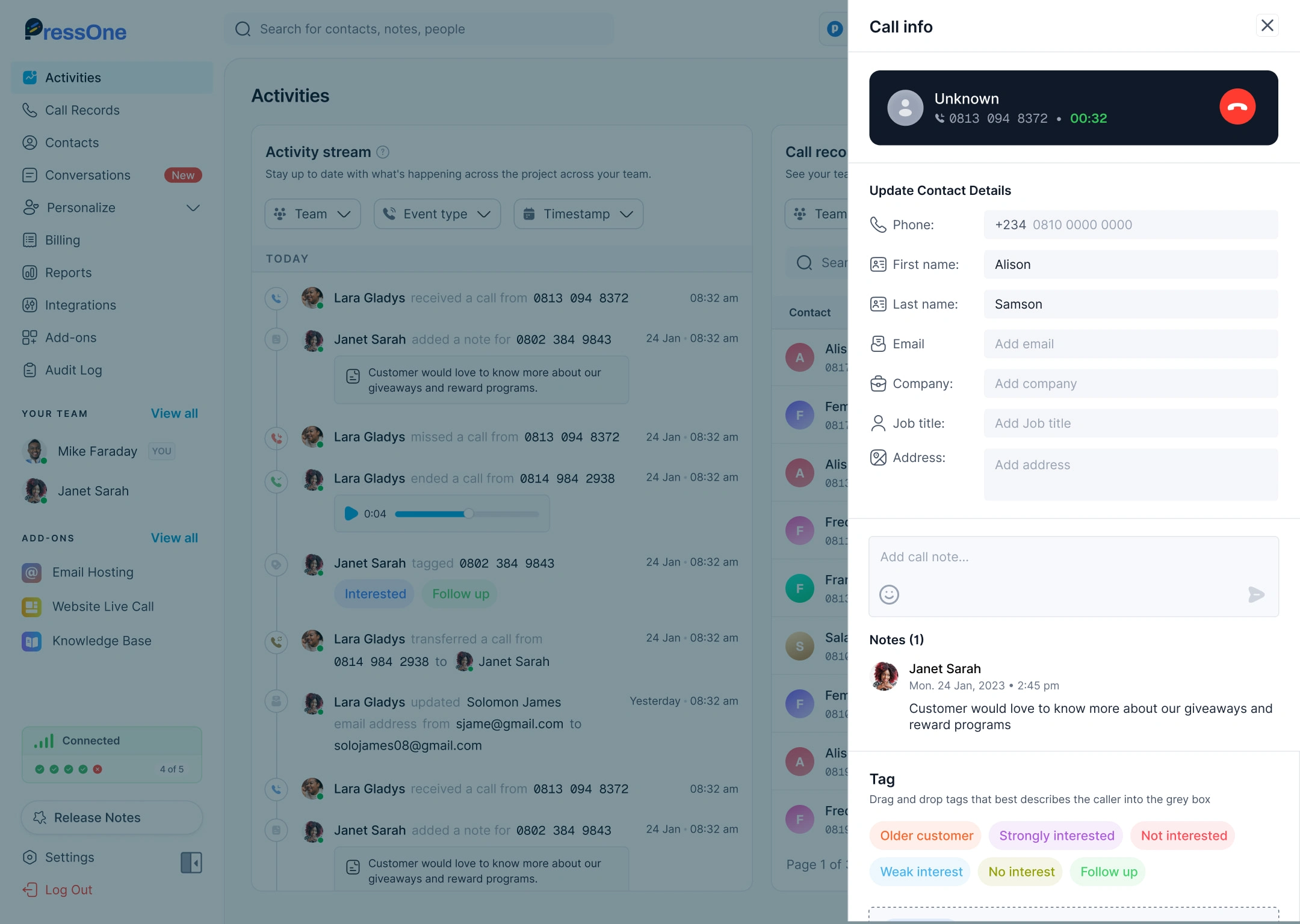
During the call, they had access to live context: contact details, a note-taking panel, and the option to switch into conversation mode. Team members could even be invited into live calls, making collaboration seamless.
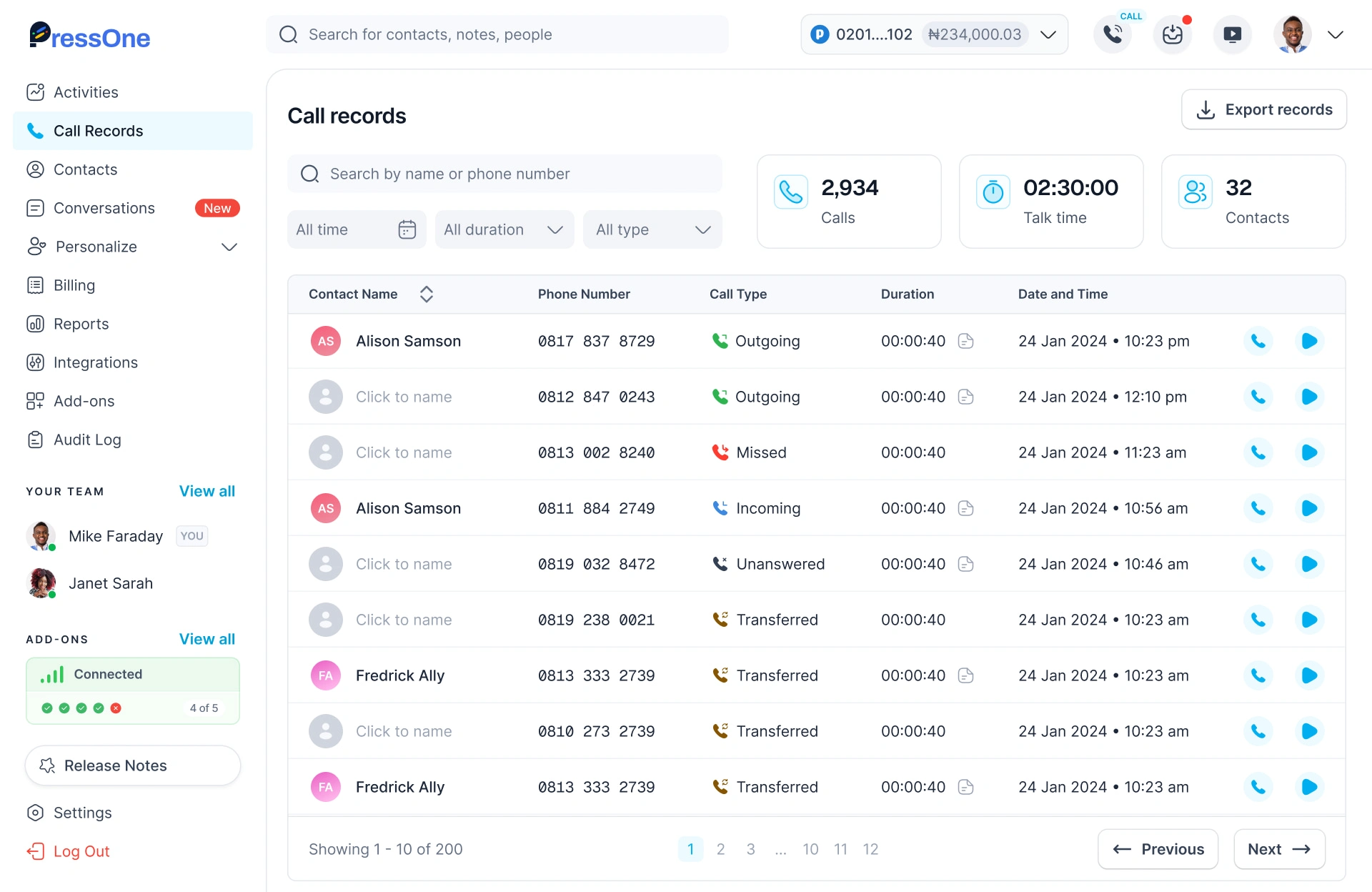
Call records
Call records are the heartbeat of a call management system. I designed them so managers could see not only their own calls but also those made by agents.
Each record displayed details like call duration, agent involved, and whether a voicemail or note was attached. A playback option let managers listen to call recordings directly, while actions like “add note” and “view contact” made it easy to connect records with people and context. This design turned call logs into living documents rather than static lists.
Contacts
Contact management had to work for both small teams and growing businesses. I designed it to support:
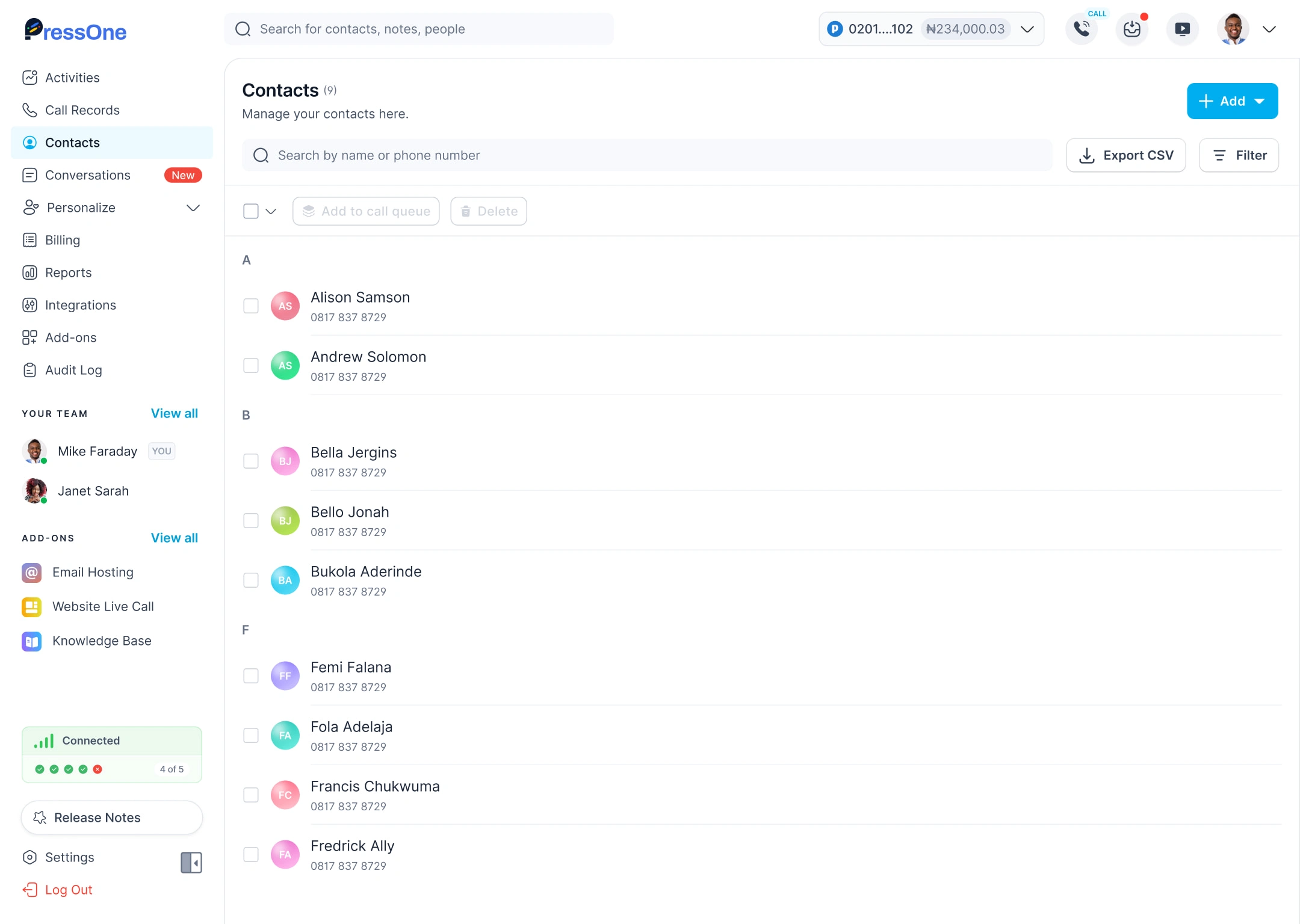
Manual entry for one-off additions.
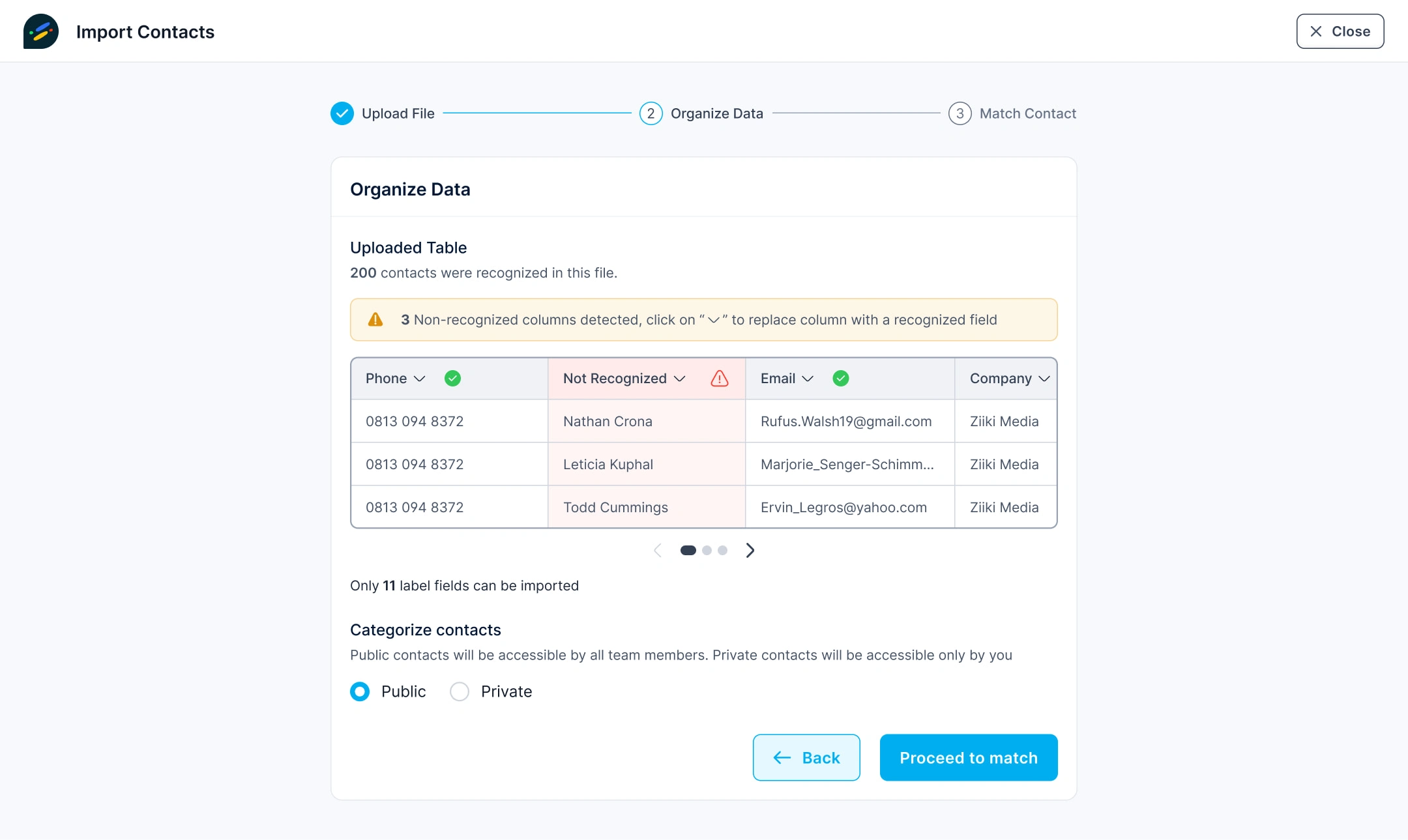
Bulk import via Excel, with field mapping.
Grouping contacts into queues for outbound campaigns.
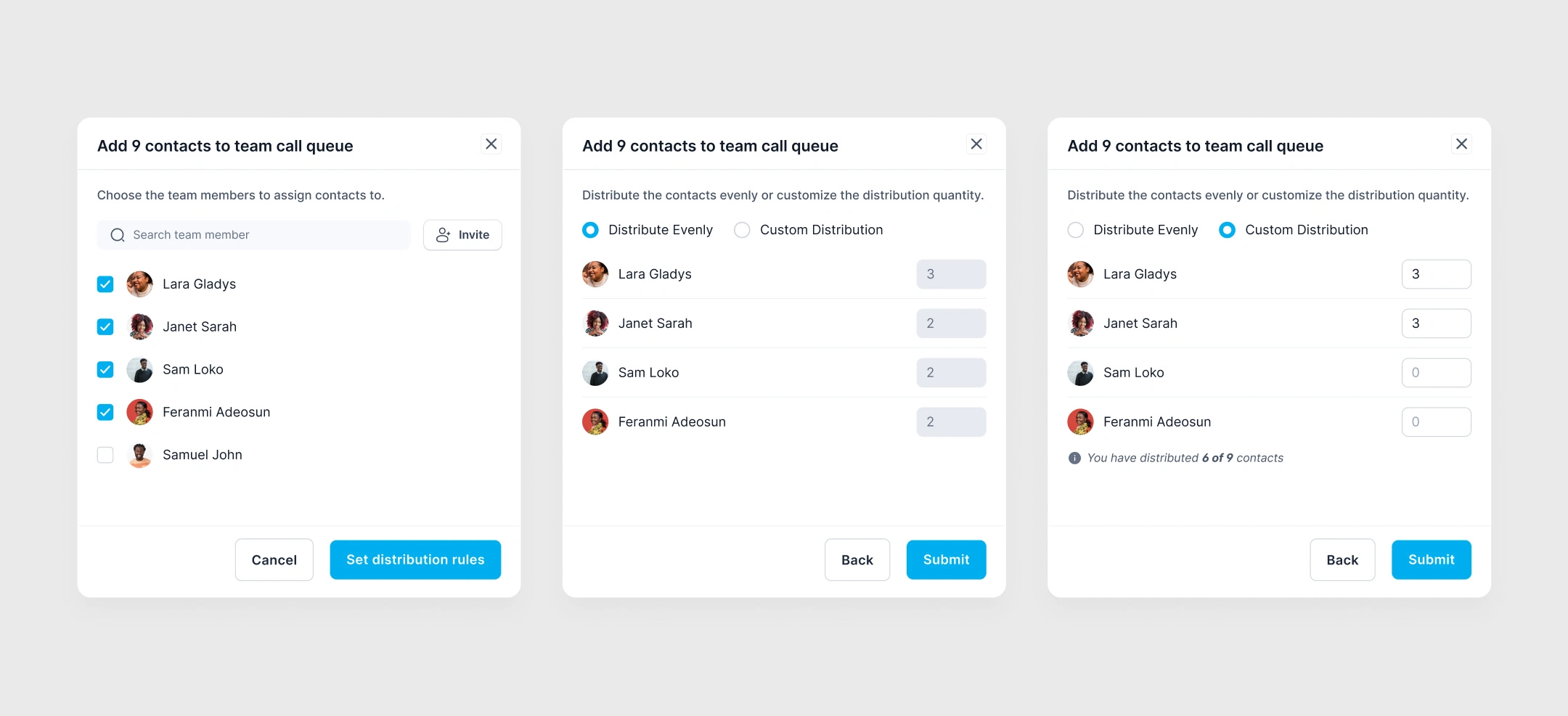
Adding contacts to multiple team member's call queue
Managers could also mass-edit or delete contacts, making the module flexible enough for real operations.
Personalization
The ability to personalize calls was critical for building professionalism. I created a module where managers could:
Set incoming call flows (who answers, IVR menus, fallback rules).
Configure caller greetings and scripts.
Create out-of-office flows.
Manage call queues for both inbound and outbound calls.
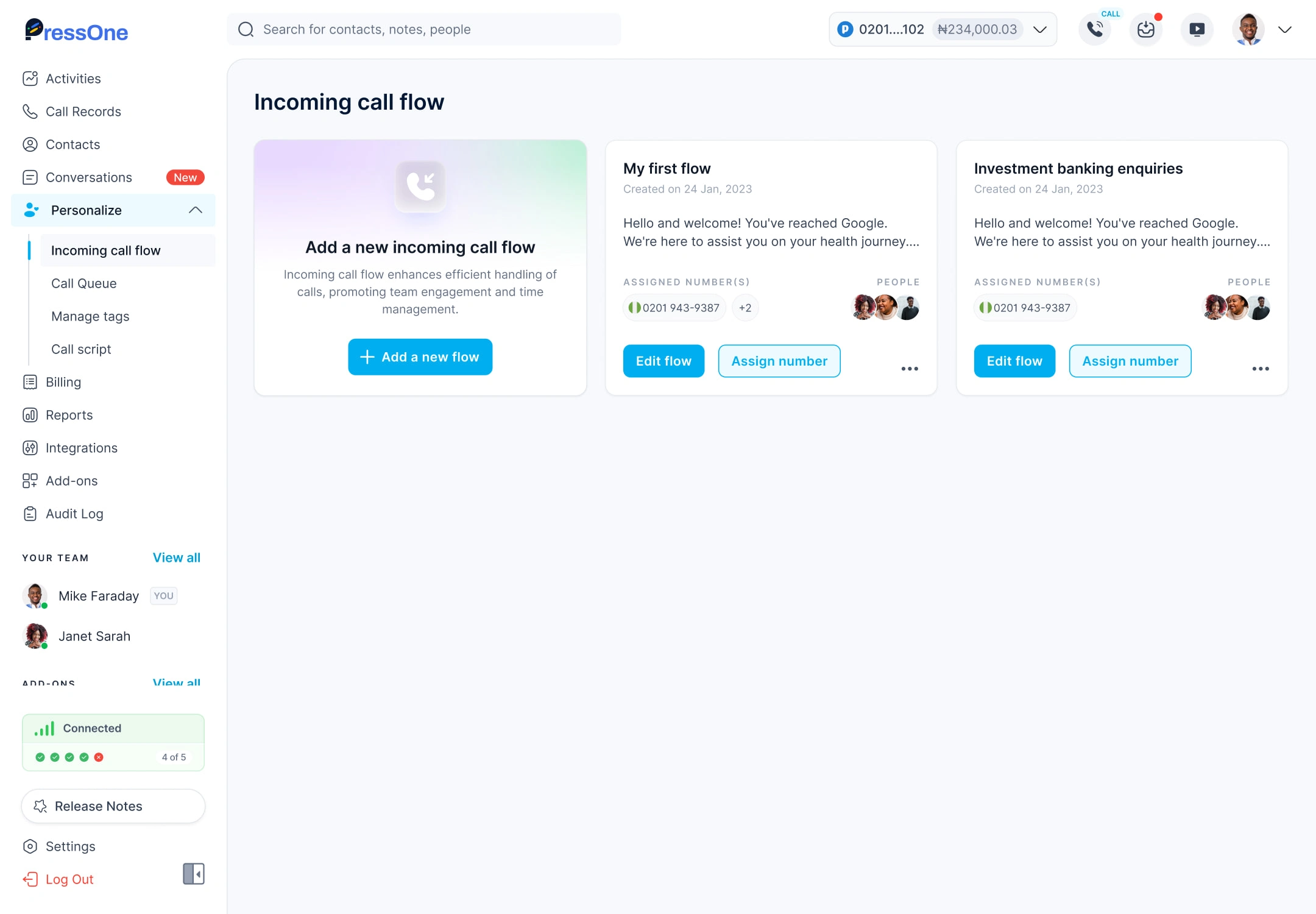
Getting Started with Incoming Call Flow
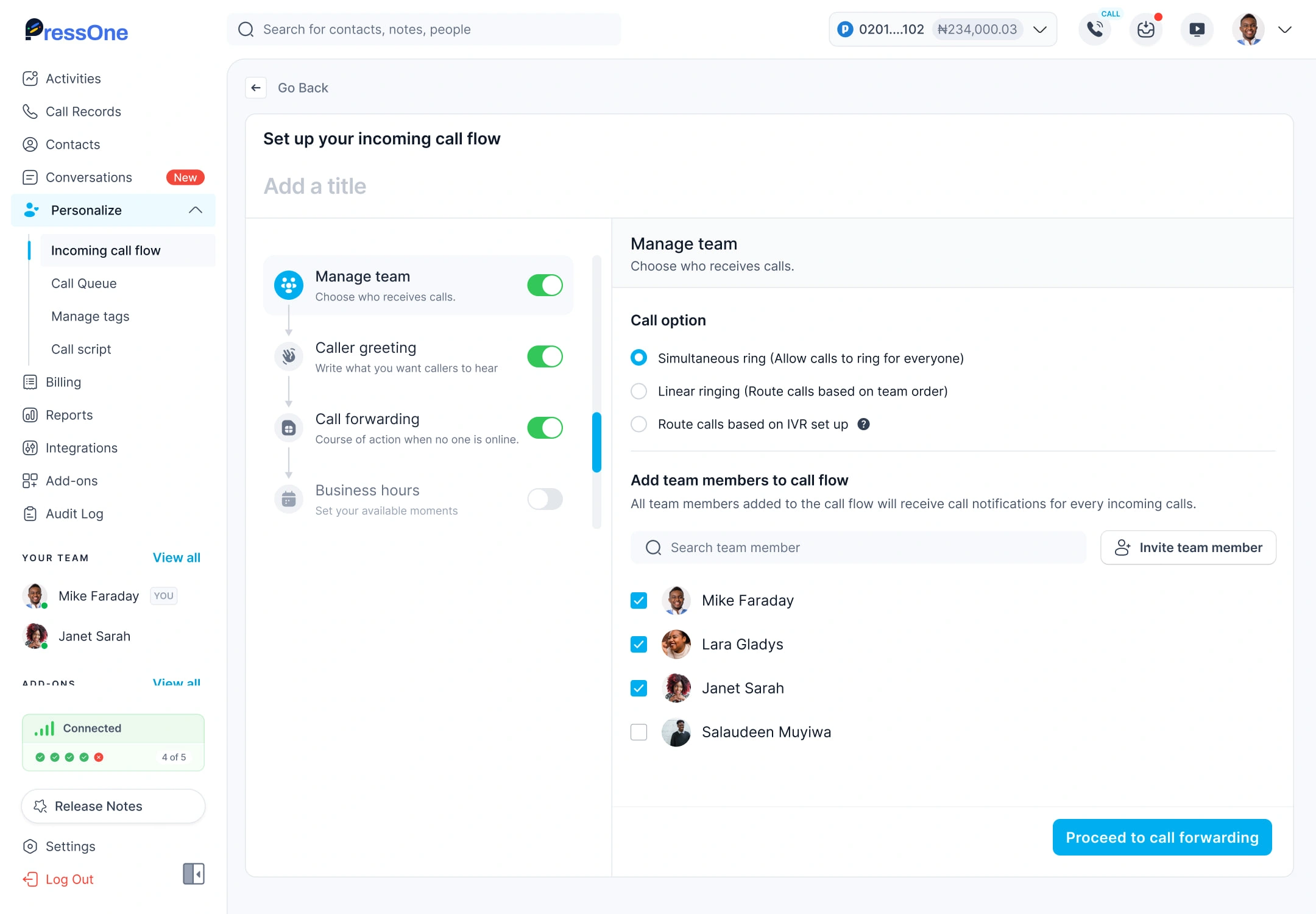
Manage Team: Allow calls to ring for everyone
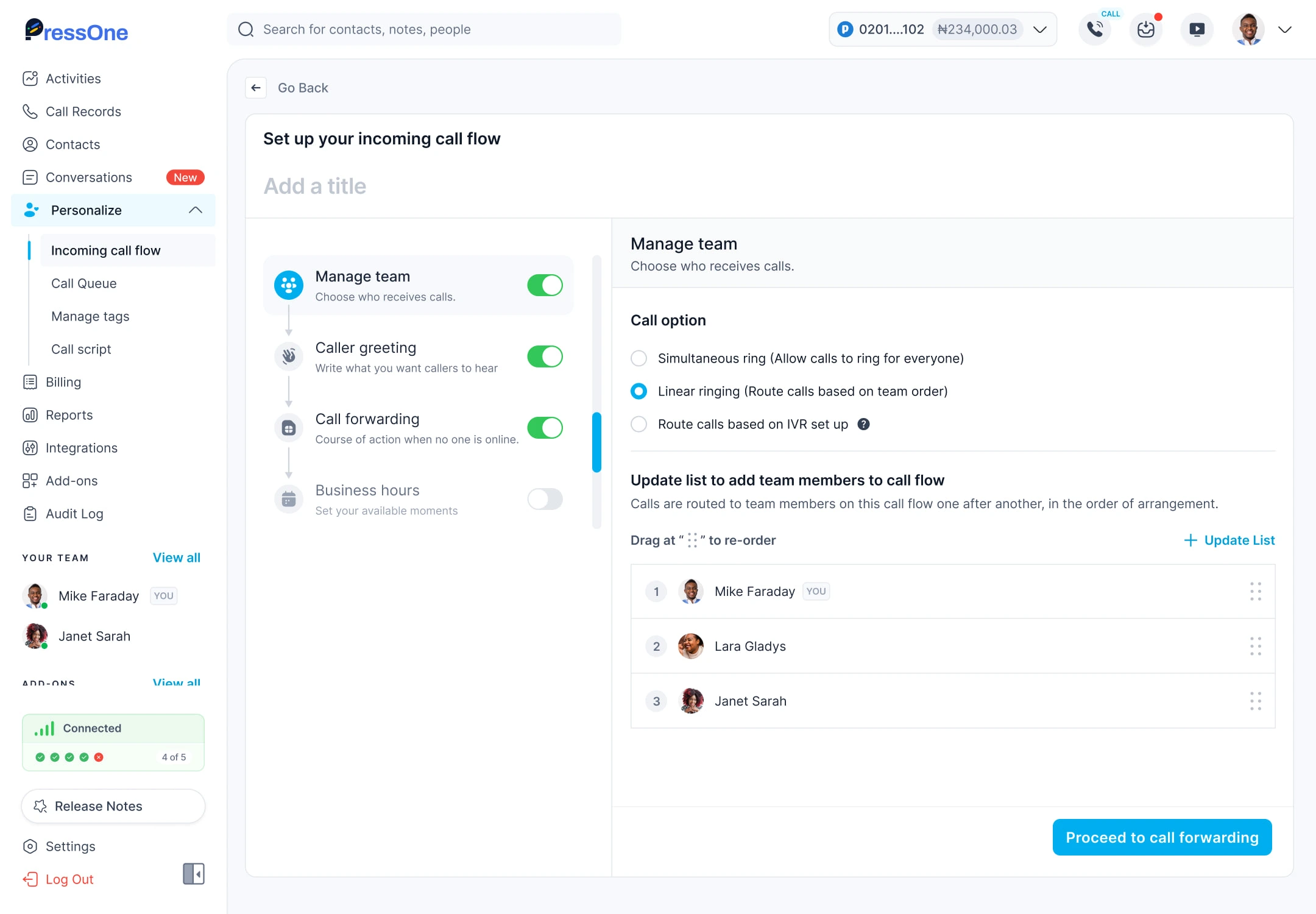
Manage Team: Route calls based on team order
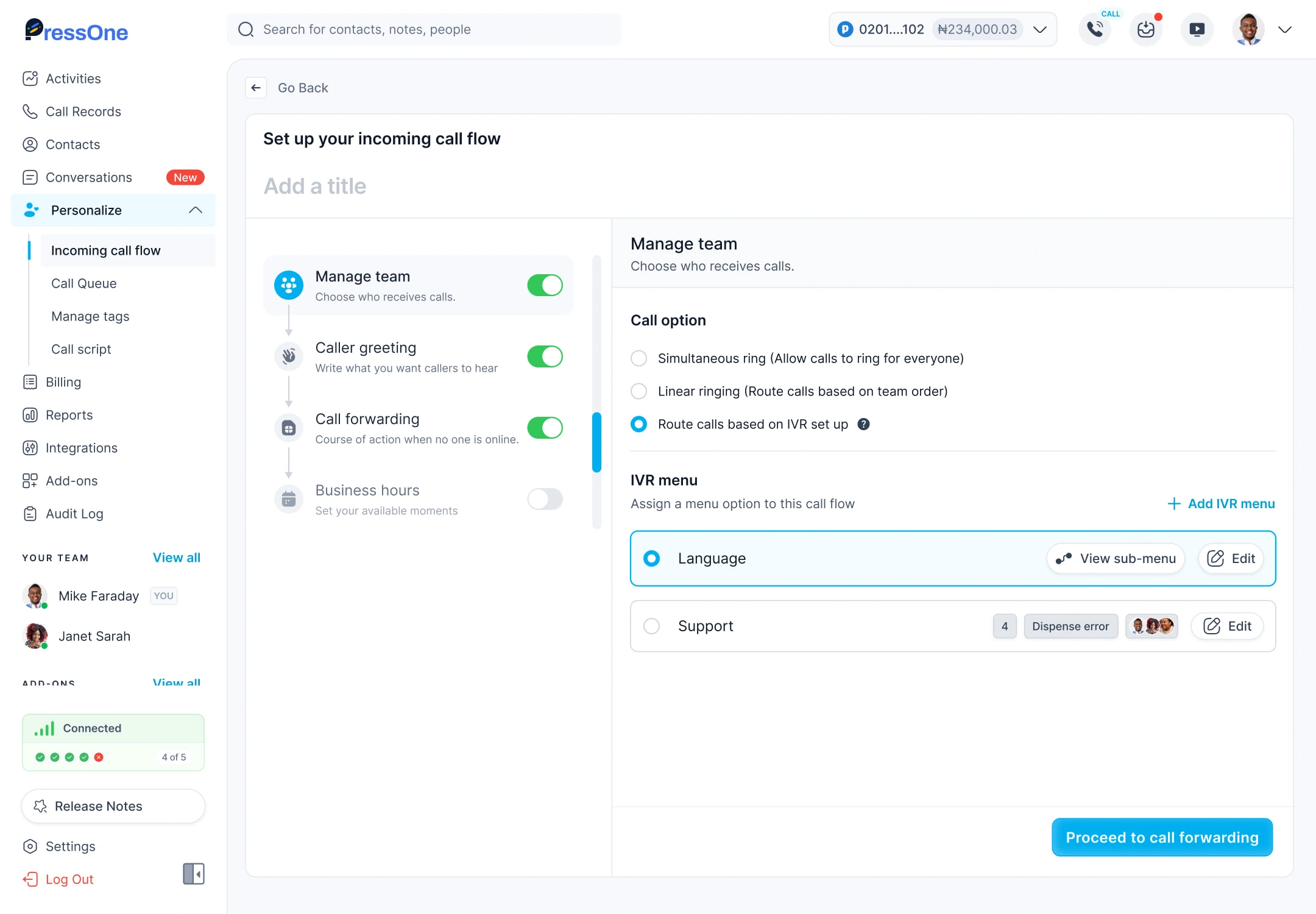
Manage Team: Route calls based on IVR Setup
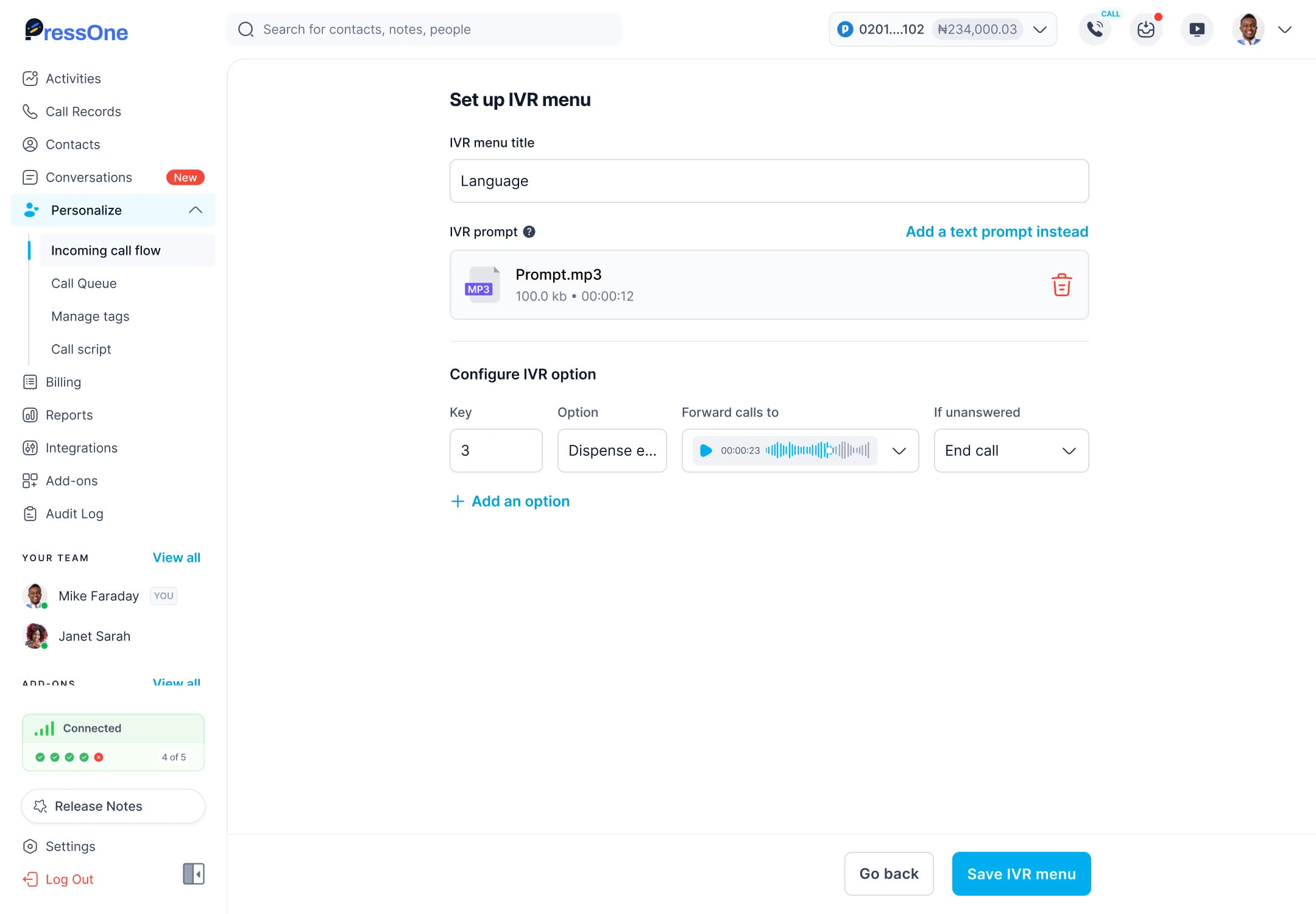
IVR Setup
Conversations
Beyond calls, I designed a conversation space where managers could switch into chat without losing context. They could create standalone conversations, or extend calls into chat threads. Adding teammates into ongoing conversations turned communication into a shared workflow rather than isolated events.
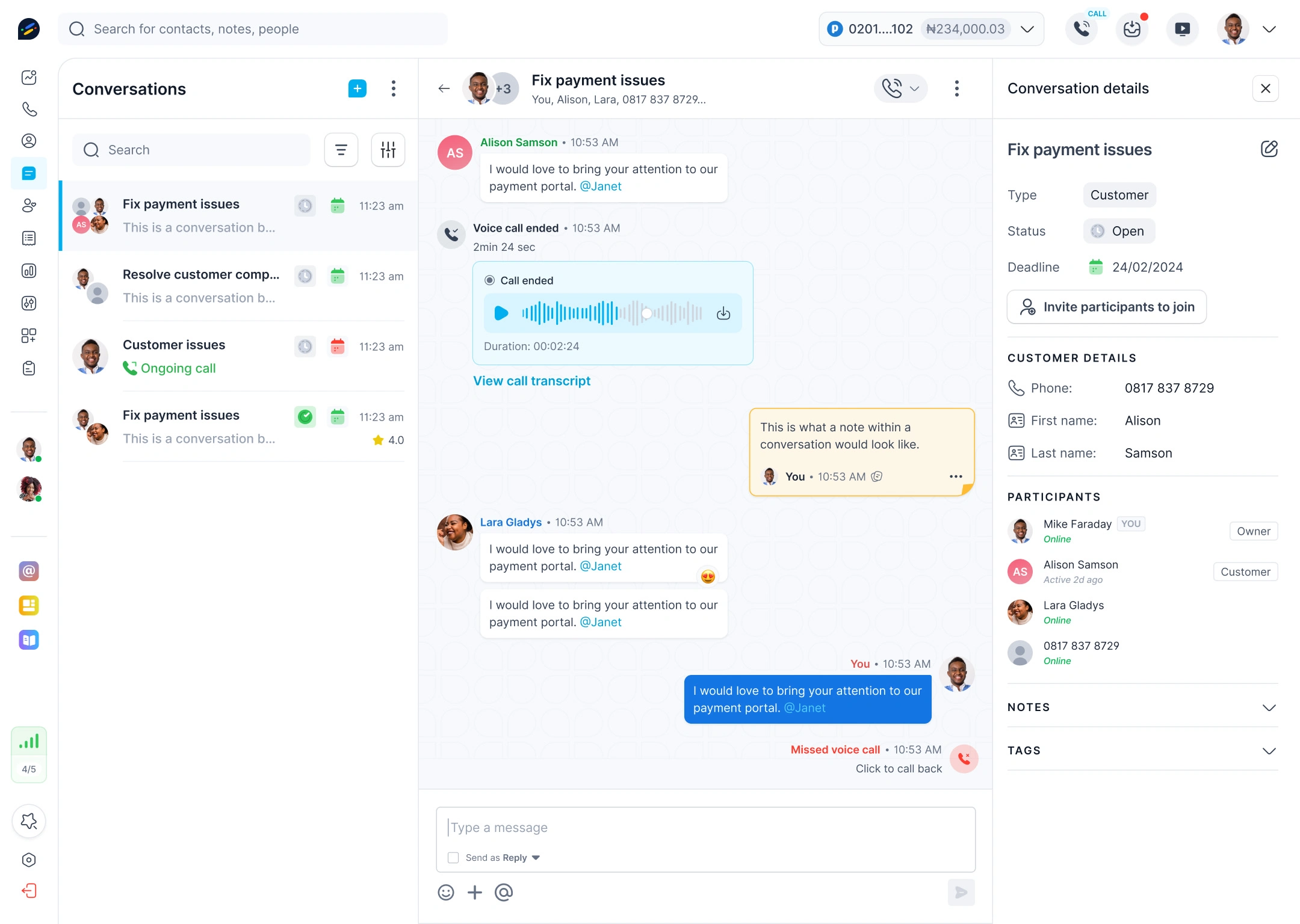
Conversation
Add-ons
To keep PressOne future-ready, we introduced an Add-ons marketplace. Businesses could subscribe to extras like live website calling, email domain integration, or voice OTP. This modularity gave companies room to expand while keeping the core product focused.
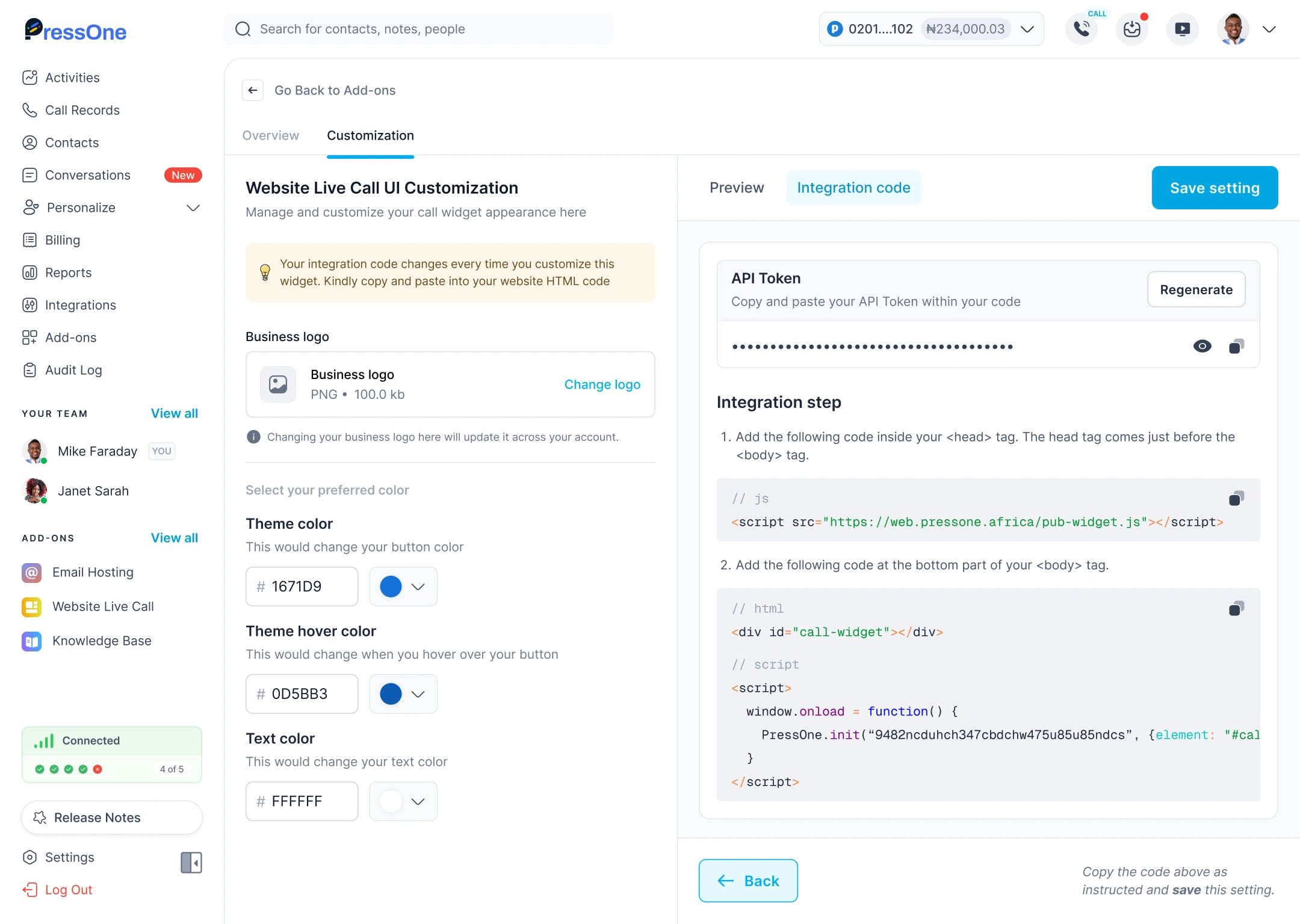
Add-ons: Web Live Call UI Customization
Over the course of a year, I worked on a wide range of features for PressOne. The feature highlighted here are not the entire scope of work, but they represent the ones that best capture the design thinking, the challenges we solved and the impact on both managers and their teams.
Defining Success and How We Measured It
We defined success through:
Onboarding completion: more users finishing sign-up, activating numbers, and setting up greetings.
Activation milestones: making the first call and setting up a welcome greeting became key metrics of long-term adoption.
Mobile retention: with 70% of sign-ups on mobile, we tracked smoother flows and reduced drop-offs.
Feature engagement: managers actively using the Activity Stream and Call Records as daily tools.
Customer satisfaction: fewer complaints about “confusing flows” and stronger feedback about professionalism and ease.
We captured this through a combination of:
OpenReplay sessions post-launch, showing real behaviors and hesitation points.
Direct customer conversations that explained the “why” behind usage.
Weekly founder reviews where qualitative feedback turned into quick design iterations.
Like this project
Posted Sep 27, 2025
Redesigned key PressOne's web app and website to improve overall user experience and optimize feature usability across core functionalities.
Likes
1
Views
24
Timeline
Nov 20, 2023 - Dec 31, 2024
Clients
PressOne