FreightRadar Logistics Web Application Dashboard Redesign

Divan Raj
Verified


Role: Product Designer (Contract)
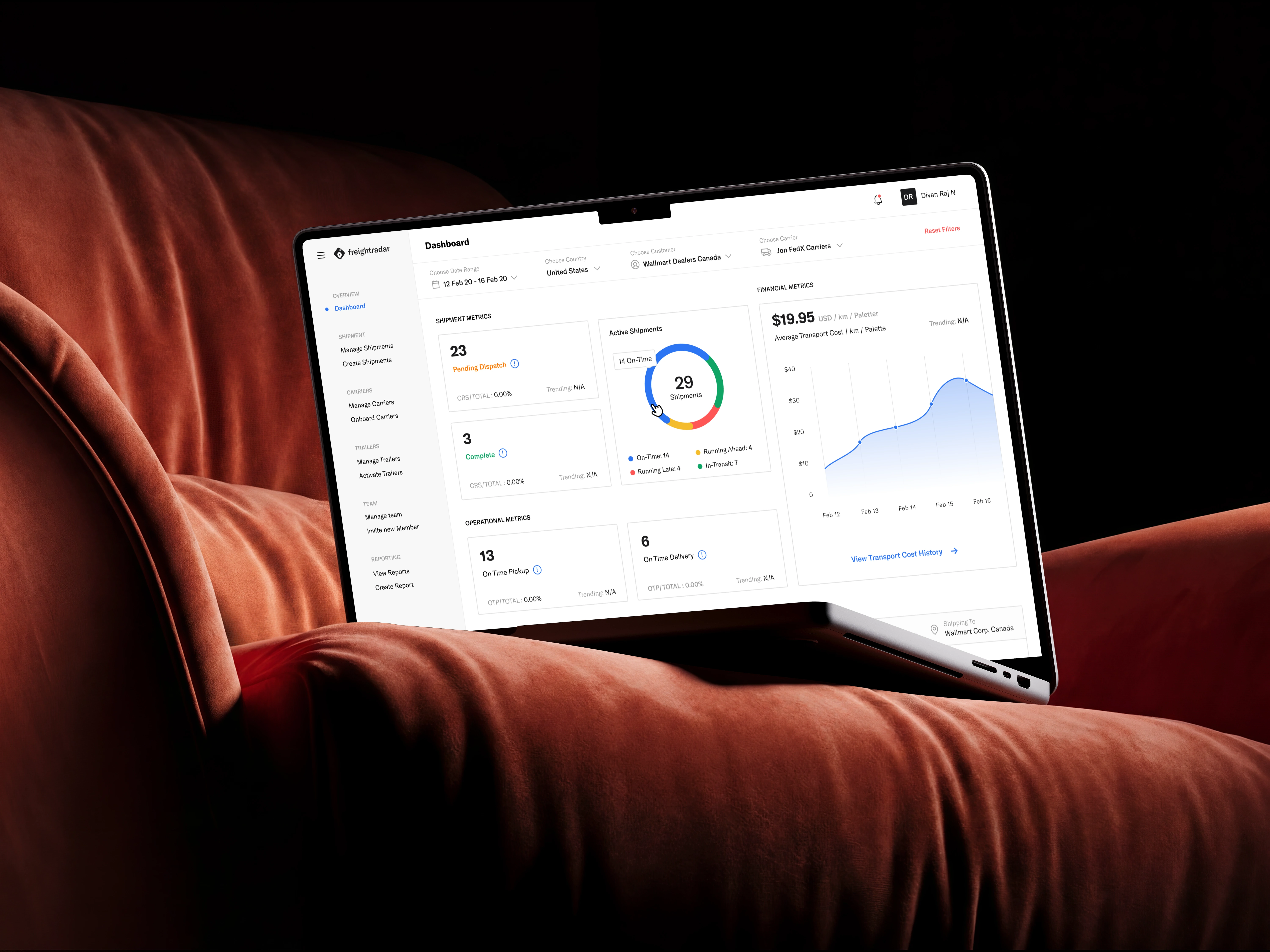
Freightradar was redesigned from the ground up to create a more intuitive, credible, and retention-driven experience. The earlier version felt outdated and overloaded with information, making it difficult for users to understand the platform’s core offering.
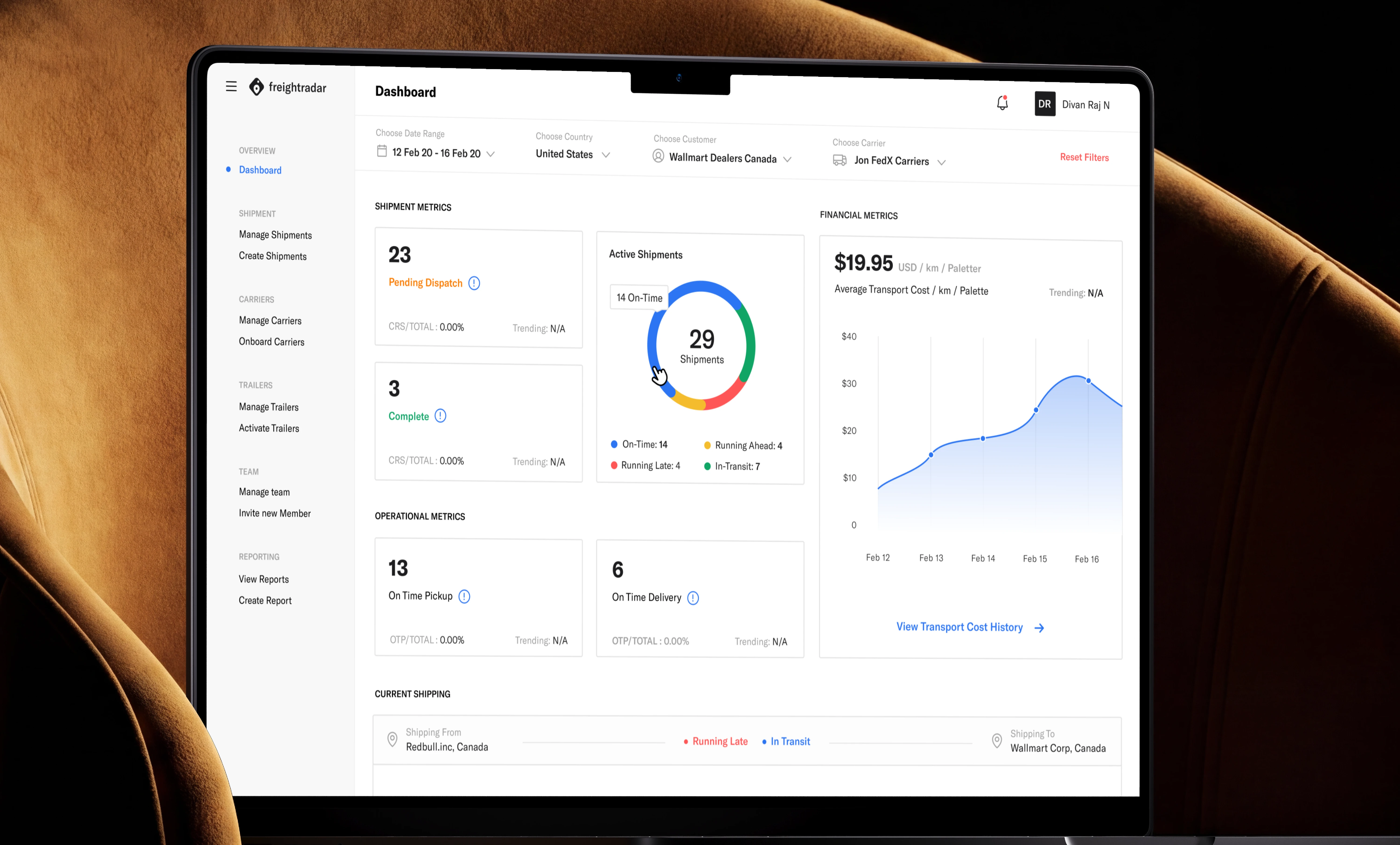
At-a-Glance Dashboard
The dashboard is the starting point for the entire experience.
Rather than making users dig through individual shipments to understand the state of the business, I designed the dashboard to provide an immediate operational snapshot.
The top-level filters allow users to narrow the information by date, country, customer, and carrier, making the dashboard useful for both a high-level overview and more specific operational analysis.
Design approach
The dashboard follows a simple hierarchy:
Filter → Understand → Identify → Act
Users can first define the context, quickly understand the numbers, identify exceptions, and then move into individual shipments for deeper investigation.
Shipment Overview
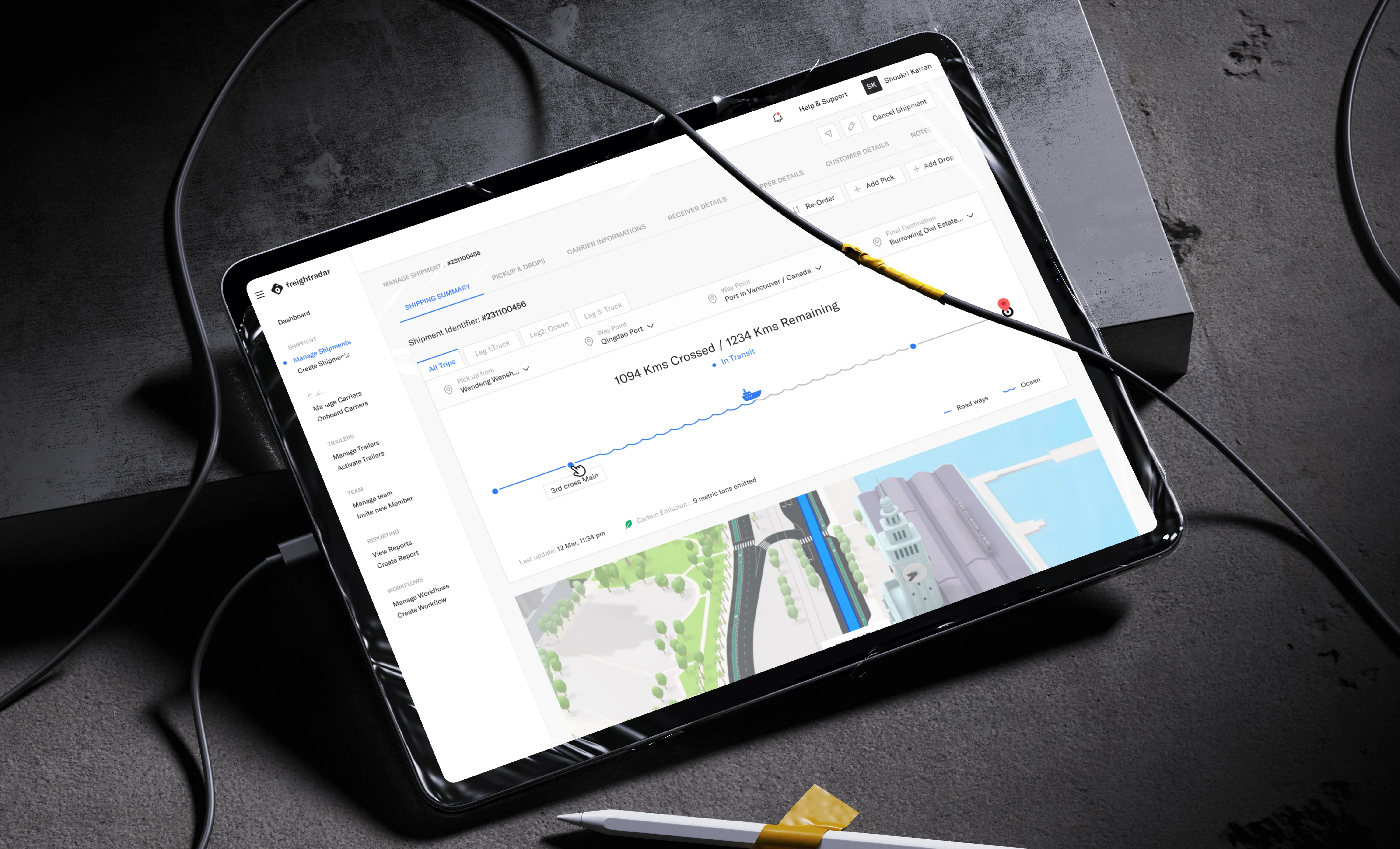
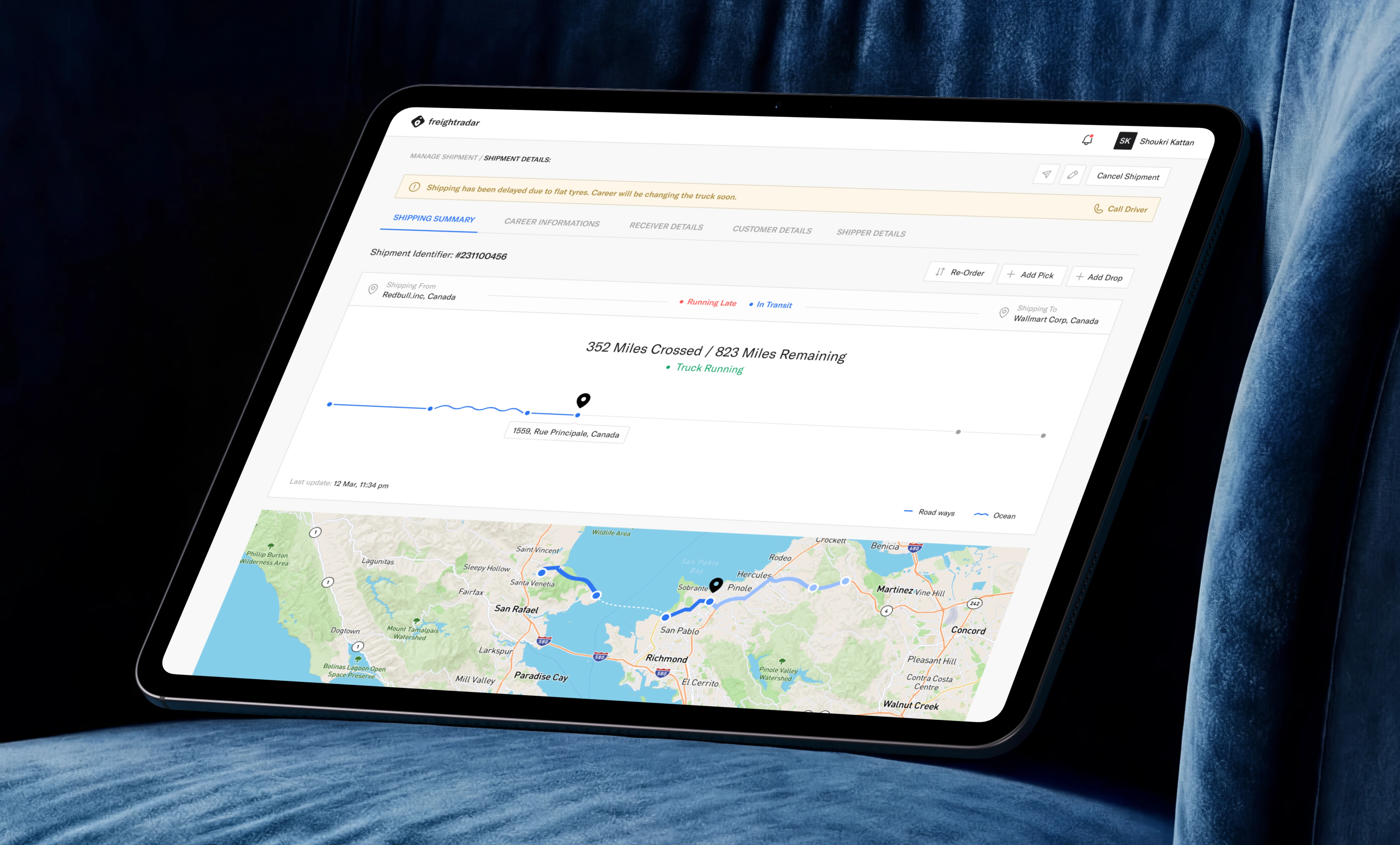
Once a shipment requires attention, users can move from the dashboard into the shipment detail experience.
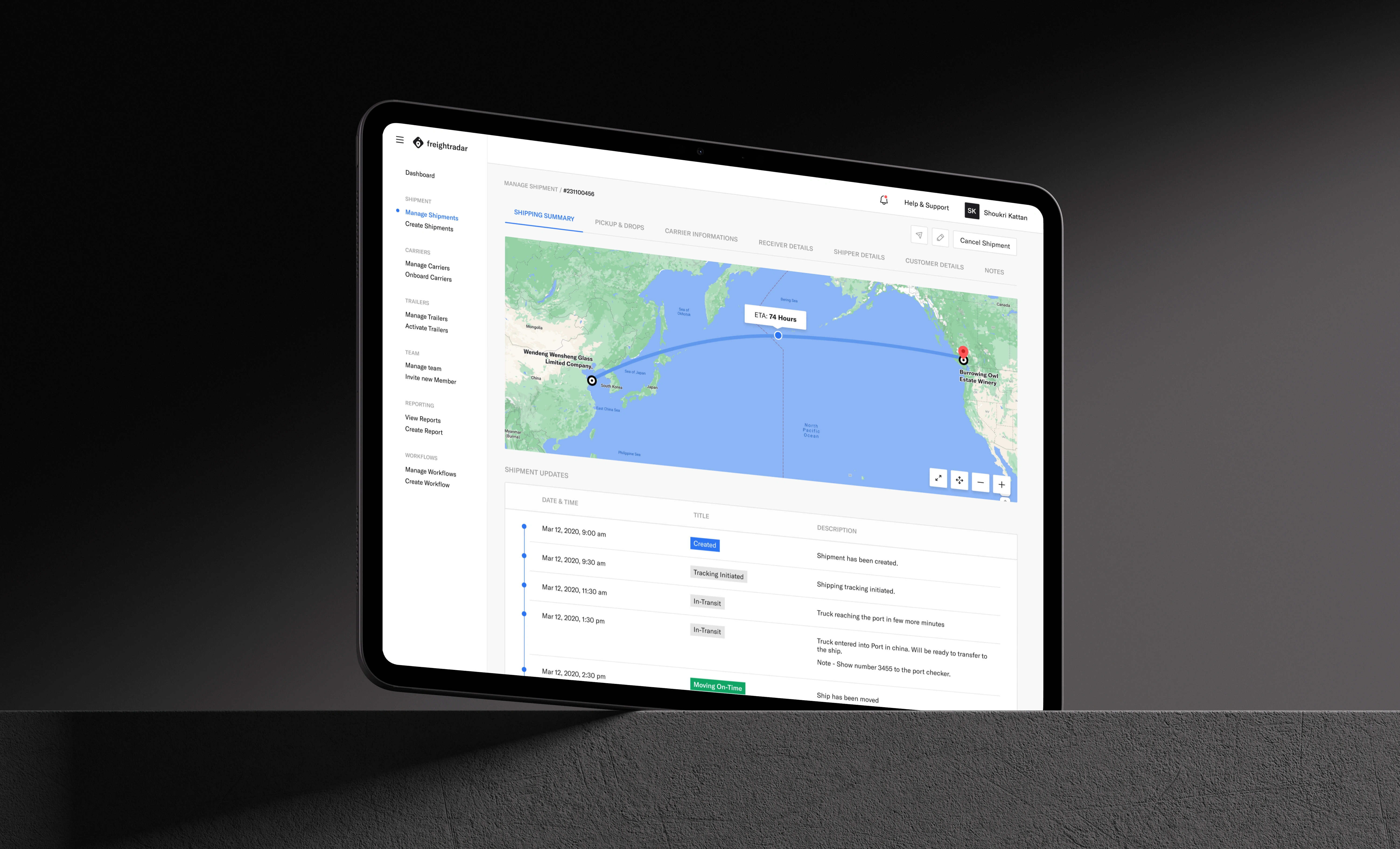
The Shipping Summary brings the most important information into one place:
Origin → Current Progress → Destination
The route visualization makes shipment progress immediately understandable, while status indicators communicate whether the truck is On Time, Running Late, or In Transit.
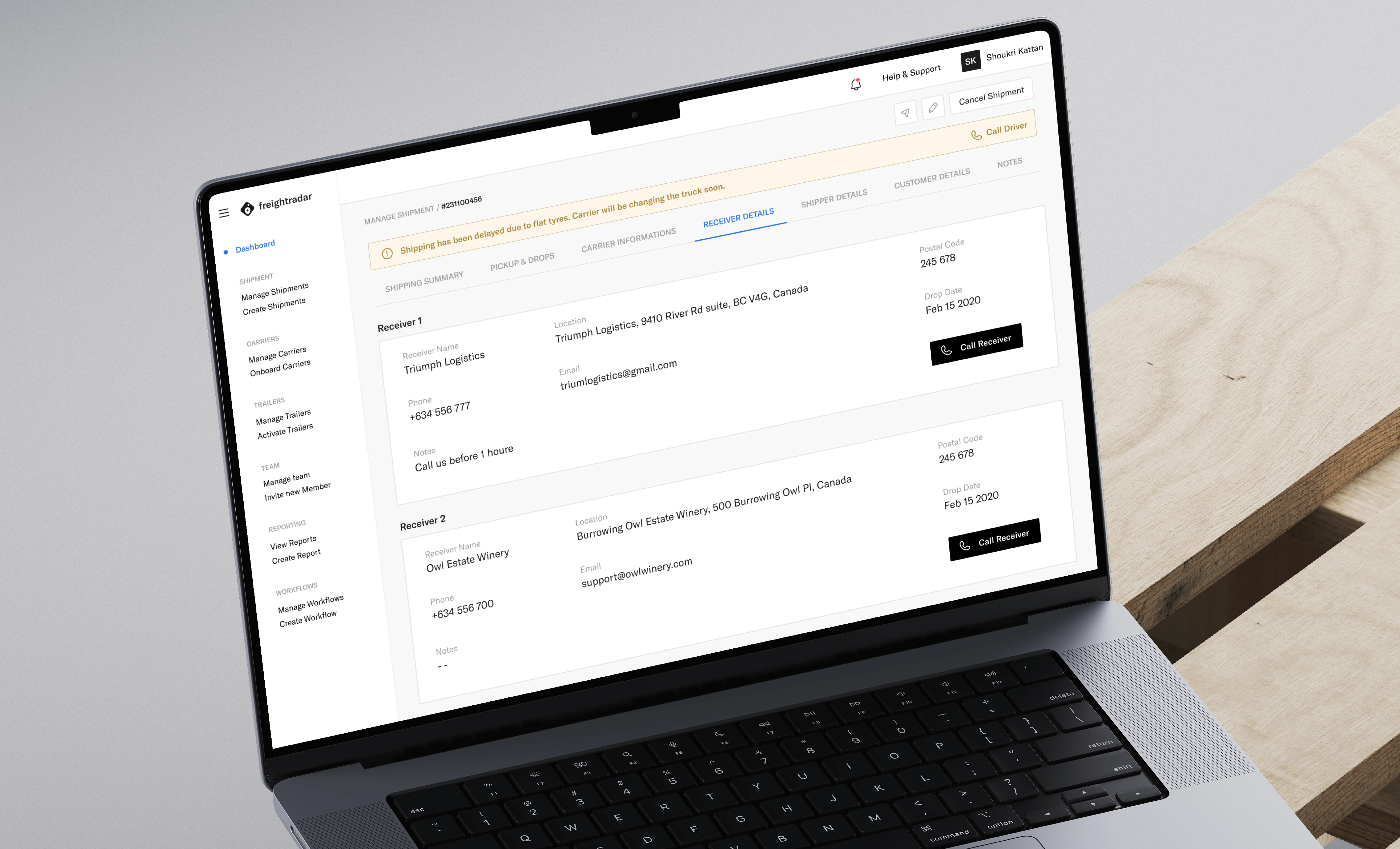
Receiver Details
Receiver information gets its own dedicated view so operational teams can quickly access the information needed to coordinate deliveries.
Each receiver card contains:
Name
Location
Email
Phone
Postal code
Drop date
Notes
The Call Receiver action is positioned directly alongside the relevant information.
This follows a simple principle:
Review Before Completion
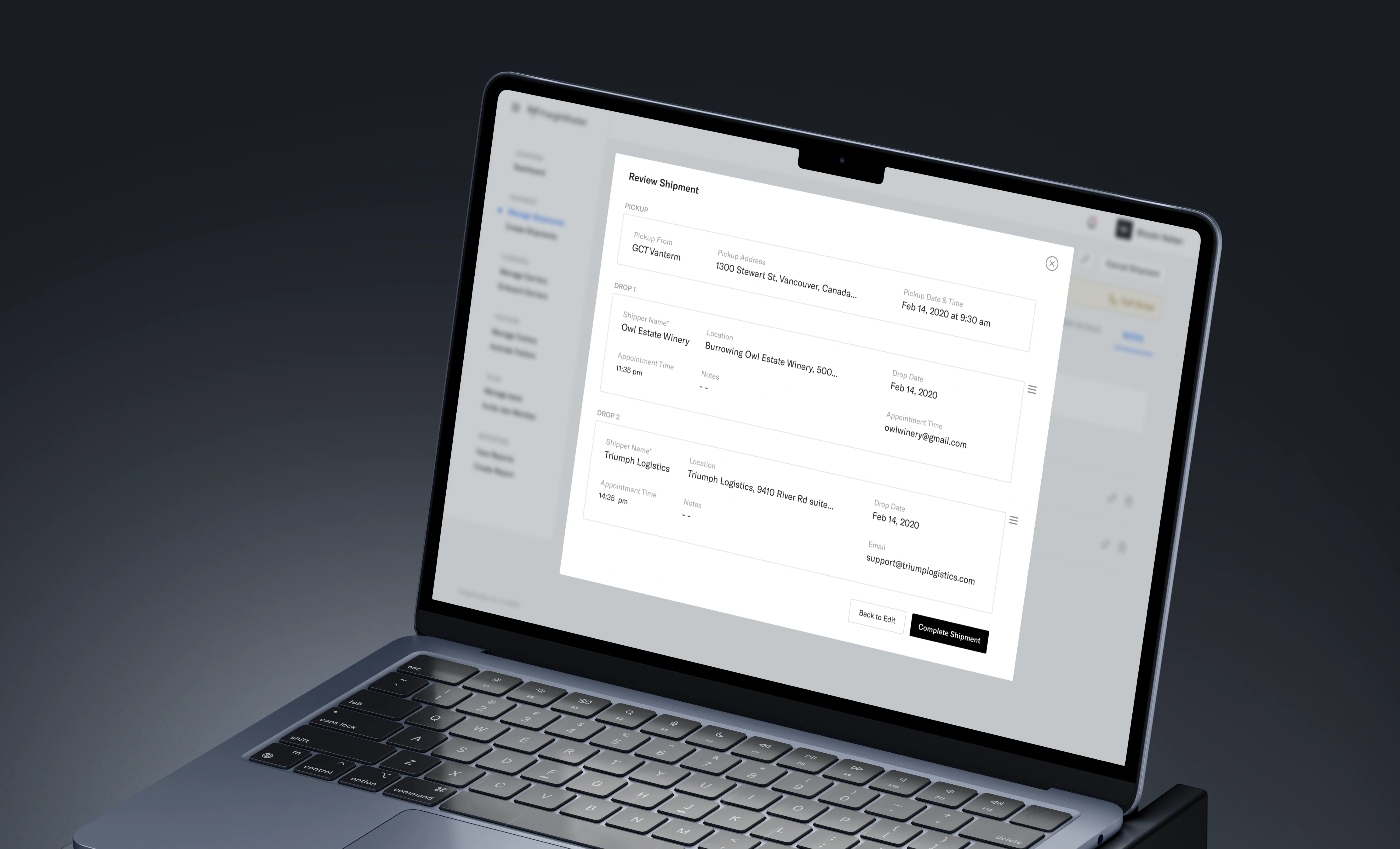
Before committing the shipment, users get a dedicated Review Shipment step.
This brings the entered information together across:
Pickup → Drop 1 → Drop 2
The user can either:
Back to Edit
or
Complete Shipment
This creates a final checkpoint and reduces the possibility of errors before the shipment enters the operational system.
Creating a Shipment
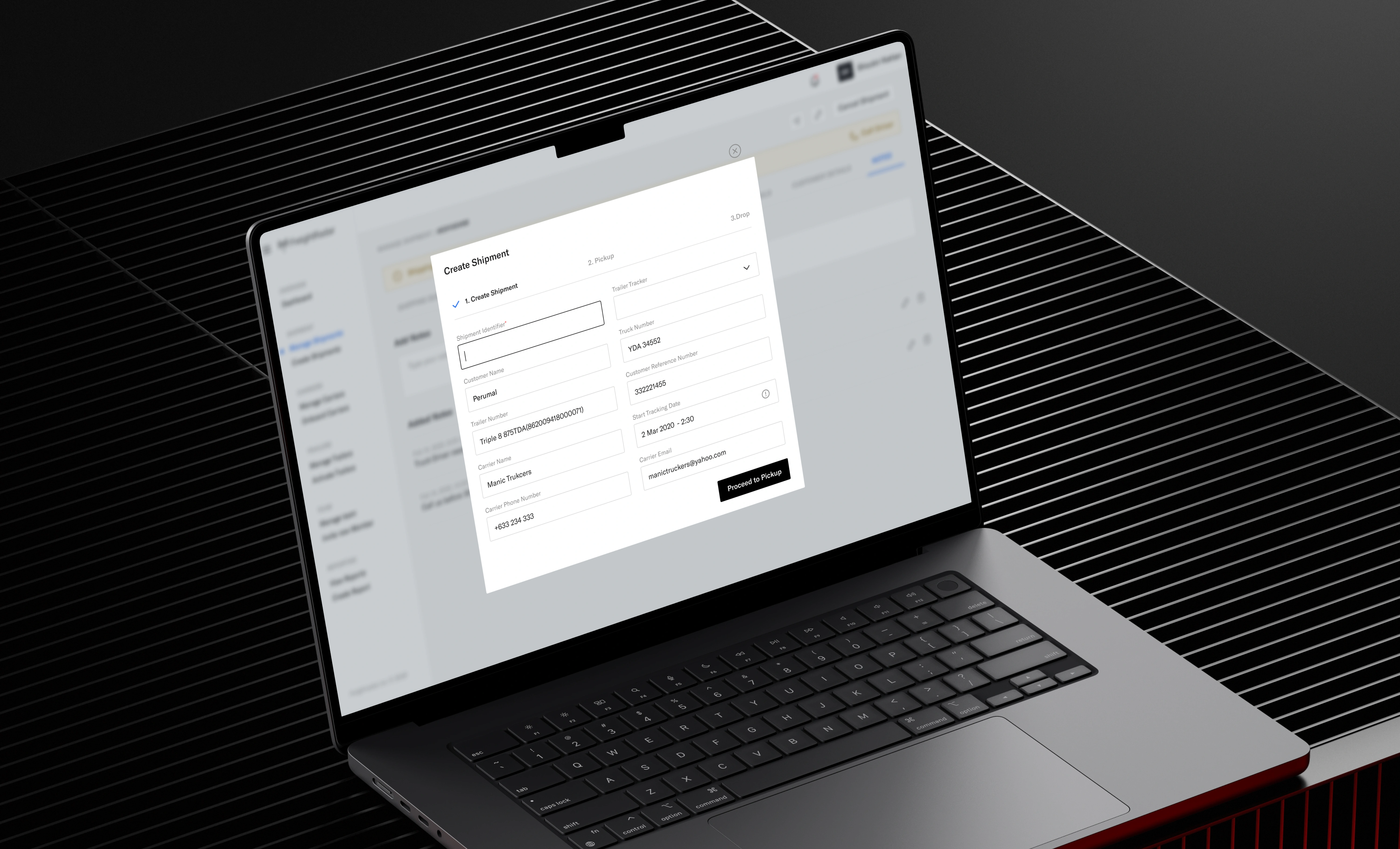
Creating a shipment involves a significant amount of information.
To avoid presenting this as one overwhelming form, I broke the workflow into clear stages:
1. Create Shipment → 2. Pickup → 3. Drop
The first stage captures the core shipment information, including customer, carrier, trailer, truck, tracking details, and contact information.
Progressive steps make the process easier to understand while still supporting the complexity required by the logistics workflow.
Review Before Completion
Before committing the shipment, users get a dedicated Review Shipment step.
This brings the entered information together across:
Pickup → Drop 1 → Drop 2
The user can either:
Back to Edit
or
Complete Shipment
This creates a final checkpoint and reduces the possibility of errors before the shipment enters the operational system.
Pickups & Drops
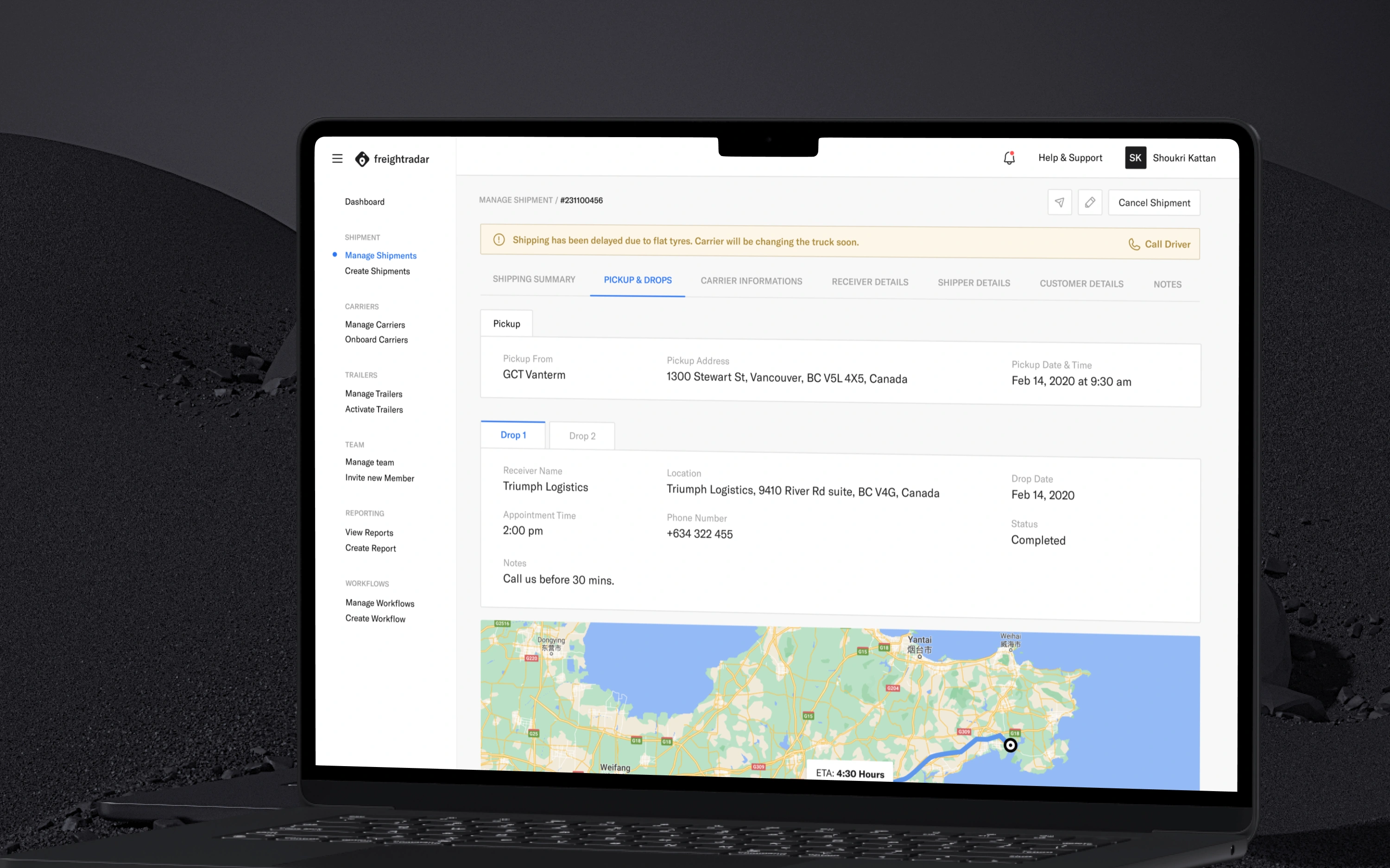
Freight isn't always a simple pickup-to-delivery journey.
A shipment may contain multiple stops, each with different appointments, contacts, locations, and notes.
The Pickup & Drops screen organizes these into a structured sequence.
Each stop clearly communicates:
Pickup/drop location
Date and time
Receiver
Appointment time
Phone number
Status
Notes
This keeps multi-stop shipments understandable without forcing users to navigate through multiple screens.
If you're looking to improve your product’s conversion rate, increase customer trust, and elevate your brand value, it's time to rethink your design strategy.
Let’s collaborate to identify key areas for improvement in your product's user experience and interface design. Together, we’ll design solutions that align with your business goals and resonate with your target audience.
Thanks for taking the time to check out this project. If you feel this direction fits your vision, I’d love to help bring your next idea to life.


Like this project
Posted Jul 12, 2025
FreightRadar web app was built from the ground up, featuring interactive widgets that make tracking all shipping-related data intuitive and visually engaging.
Likes
14
Views
160
Timeline
Dec 16, 2025 - Dec 16, 2025
Clients
Madesome