WordPress vs. Webflow vs. Shopify:

WordPress vs. Webflow vs. Shopify: Choosing the Right Platform for Your Business
One of the most common questions when starting a new website project is:
Which platform should I choose: WordPress, Webflow, or Shopify?
After working with all three platforms, I've learned that there isn't one perfect solution for every business.
Each platform has its own strengths, limitations, and ideal use cases. The right choice depends on what you're trying to build, how you plan to manage your website, and where your business is heading.
Here's how I look at them.
1. WordPress – Flexibility and Customization
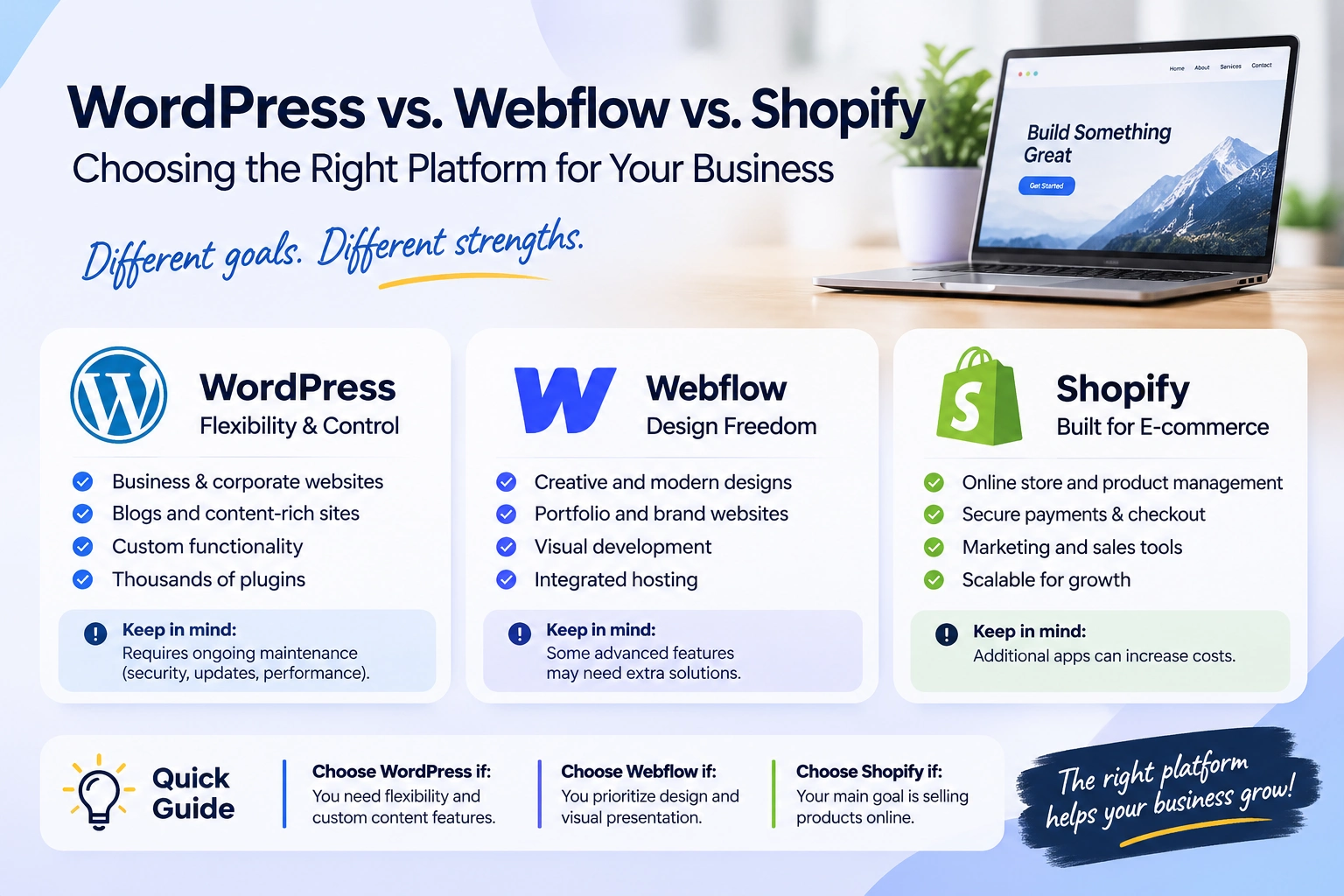
WordPress is a great choice for businesses that need flexibility and control over their websites.
It's particularly suitable for:
Business and corporate websites.
Blogs and content-heavy websites.
Custom landing pages and marketing websites.
Membership websites and complex functionality.
Projects that require extensive customization.
One of WordPress's biggest advantages is its ecosystem. With thousands of plugins, themes, and development possibilities, you can build almost anything.
However, that flexibility comes with responsibility. Plugin management, security, updates, and performance optimization need ongoing attention.
2. Webflow – Design Freedom and Visual Precision
Webflow is an excellent option for businesses that prioritize visual presentation, modern design, and a more integrated website-building experience.
It's particularly suitable for:
Creative agencies and design studios.
Startup and SaaS websites.
Portfolio websites.
Marketing and brand-focused websites.
Projects with sophisticated layouts and animations.
What I particularly like about Webflow is the level of design control it offers. Developers can translate detailed designs into responsive websites while maintaining a more visual approach to development.
It's also convenient that hosting and many core website features are integrated into the platform.
However, more complex functionality, advanced integrations, and certain content or e-commerce requirements may need additional solutions.
3. Shopify – Built for E-commerce
If your primary goal is selling products online, Shopify is often the most straightforward choice.
It's designed specifically for e-commerce, with features such as:
Product and inventory management.
Shopping carts and checkout.
Payment integrations.
Order management.
Discount codes and marketing tools.
Shopify also provides considerable customization opportunities through Liquid, theme development, and its Online Store 2.0 architecture.
For businesses that need a scalable online store, Shopify offers a strong foundation without having to build an entire e-commerce system from scratch.
The main consideration is that additional apps, advanced customization, and certain features can increase ongoing costs.
So, Which One Should You Choose?
Here's my general recommendation:
WordPress: When flexibility, content management, and custom functionality are priorities.
Webflow: When visual design, branding, and a streamlined website-building experience are priorities.
Shopify: When selling products online is the primary business objective.
Of course, there are exceptions. WordPress can handle e-commerce very well with WooCommerce, and Shopify can support content-driven marketing websites. The important thing is understanding the project's actual requirements.
My Final Thoughts
I don't believe in choosing a platform simply because it's popular or because a developer is most familiar with it.
A good platform should support the business, not create unnecessary limitations or expenses down the road.
Before starting any project, I prefer to understand the client's goals, required functionality, budget, and long-term plans. Only then can we determine which technology makes the most sense.
What about you? Which platform do you prefer working with: WordPress, Webflow, or Shopify? And why?
0 likes · 1 view · Nov 7, 2026
WordPress vs. Webflow vs. Shopify: Choosing the Right Platform for Your Business One of the most common questions when starting a new website project is: Whi...