Construction Field app with offline sync

Natalia Bukhtiiarova

Construction field app. Offline sync, trust, and one-tap re-sync
On a low-signal floor, a drawing marked "downloaded" won't open, so the crew stalls. The field cockpit makes the offline state honest: see what's actually on the device, re-sync in one tap, and get proof the office received your log.
This is the field half, a superintendent's cockpit built for one hand, gloves, glare, and no signal.
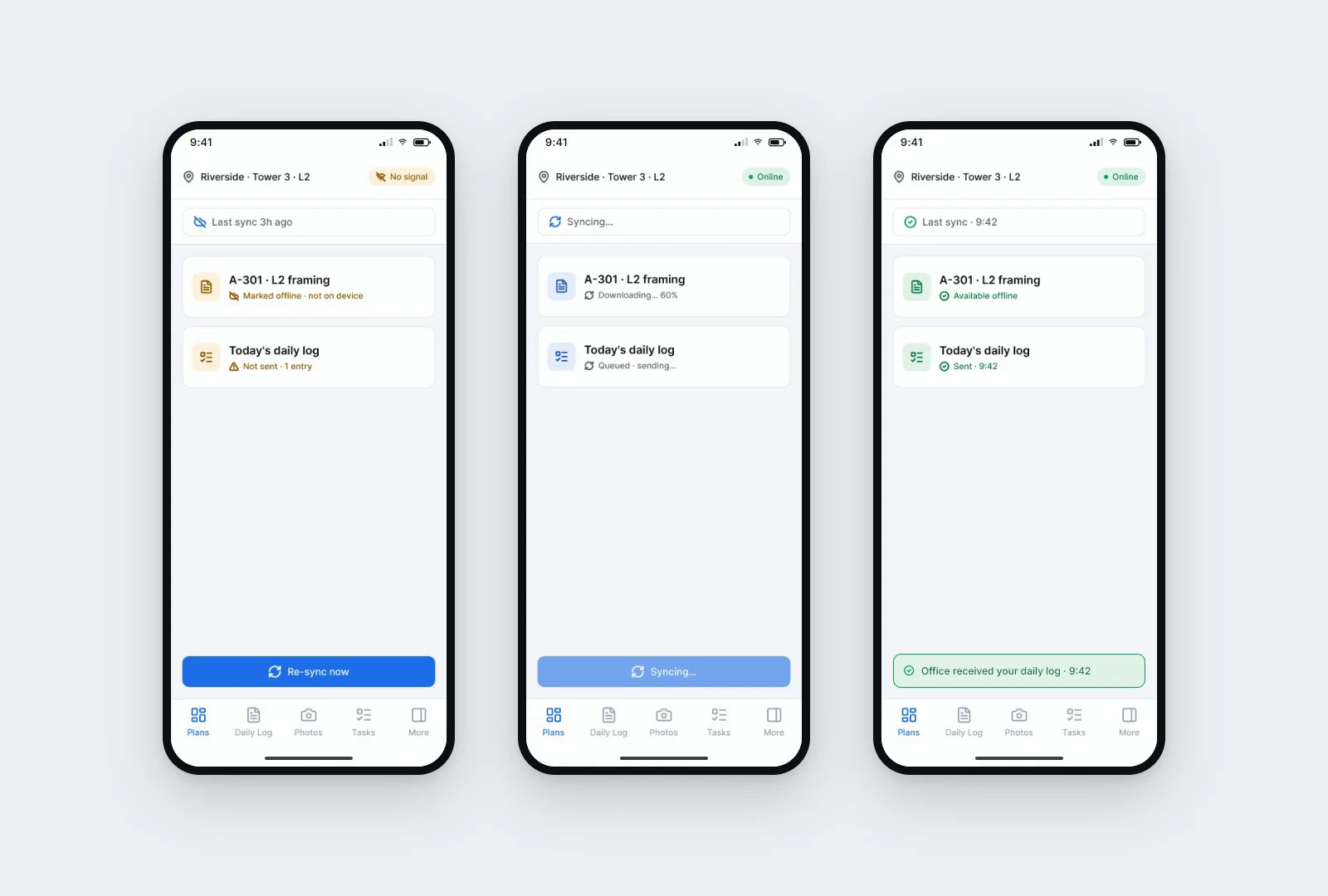
Sync trust up top. A spine reads "last sync 3h ago" while you're offline, then flips to "up to date" once it syncs for real.
The catch, said out loud. The drawing card reads "marked offline, not on device" in amber, not a green checkmark you can't trust.
One big target. "Re-sync now" is thumb-sized, because the real input is a gloved hand on glass.
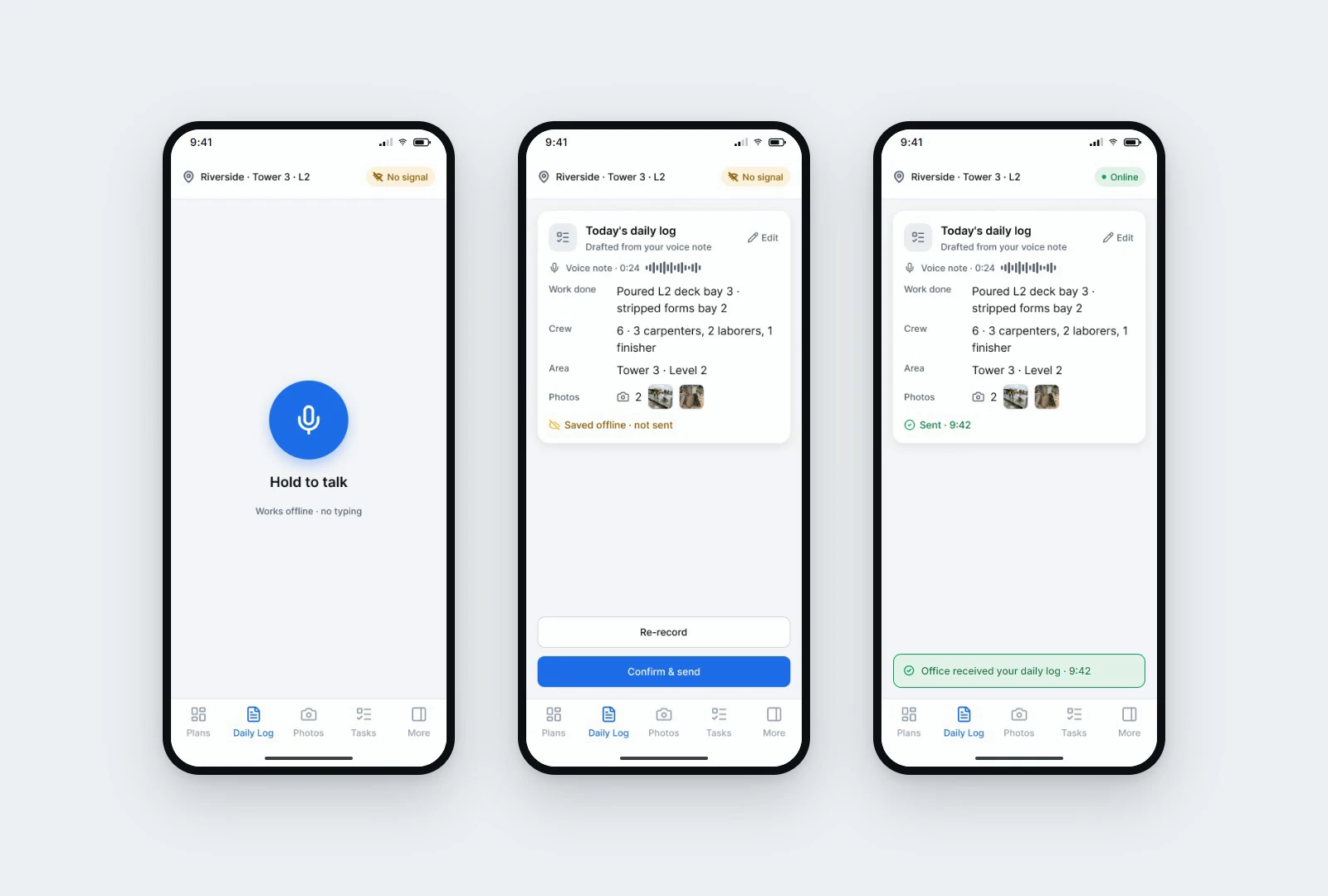
Proof it landed. When the daily log syncs, a toast says "office received your daily log," so the field trusts the system instead of texting it in.
The pains come straight from research. The strongest single finding across three independent passes through construction-software reviews and forums in 2025 and 2026 was this exact moment: a drawing marked "downloaded" that won't open, and work stops. Offline status, alerts, and data entry all turned out to be trust questions wearing feature clothes. Did it sync, was my entry saved. So the anchor is sync trust, not a prettier dashboard.
Mode follows the context of use. A super reads this outdoors in sunlight, so it's light, with bold near-black text and saturated status colors that hold up against glare. A dark screen would just reflect the sky.
Like this project
Posted Sep 21, 2026
Offline sync you can trust on a construction site. Siteline shows what's really on the device, re-syncs in one tap, and confirms the office received your log.