minimo: AI-Powered Prototyping Tool for Students

Daniel Arias


minimo Product Design
Overview
minimo is an AI-powered web platform that allows any university student to turn an idea into a functional digital prototype, without needing to know how to code. The product was born from a real gap: a medical student might have a brilliant idea for a diagnostic tool, a marketing student might imagine a campaign simulator, a finance student might conceive a financial statement analyzer — but all of them depend on finding a developer willing to help, which rarely happens. minimo closes that gap.
The process is conversational and guided: the user describes their idea, an AI agent asks key questions to structure it technically, and within minutes they get a functional interface they can explore and share. But minimo doesn't just generate the prototype — it also produces the PRD, maps the User Journeys, and defines the product's screen architecture. It's a translator between disciplines: it converts the language of ideas into the language of digital products.
The product is designed for two profiles: the non-technical student (medicine, marketing, business, law, design) who has clear ideas but doesn't know how to execute them, and the technical student (software or systems engineering) who wants to prototype concepts faster before formally developing them. The long-term vision is for minimo to become an official tool integrated into university curricula — used in courses, hackathons, and semester projects as part of everyday academic life.
Role
Product Designer end-to-end. I was responsible for the entire design process: research, information architecture, user flows, interface design, and component system.
Timeline & Client
External client — Australia | Duration: 15 days
Project Entry
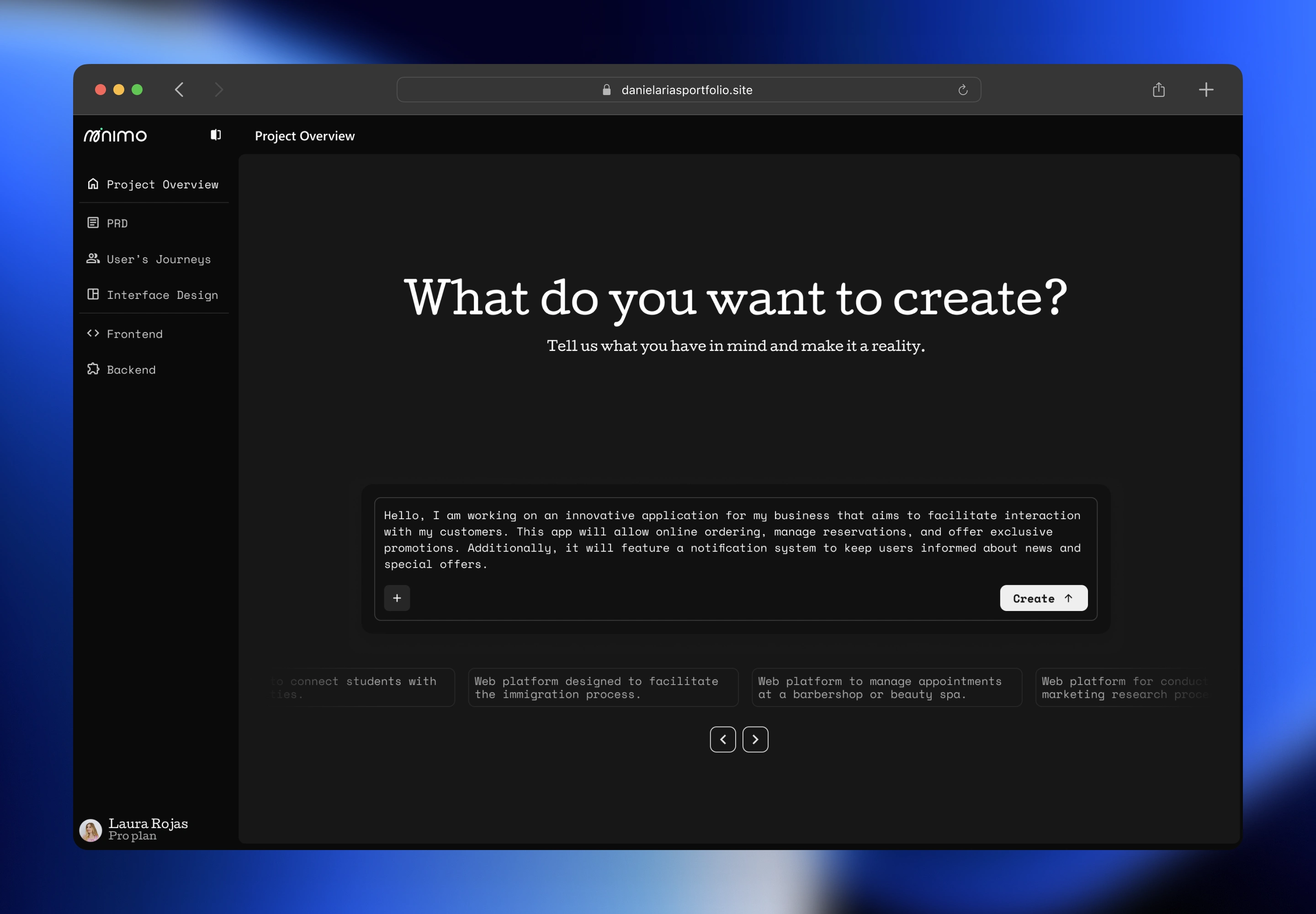
The starting point of the experience. The user describes their idea in plain language through a single open text field. A carousel of suggested project examples helps those who aren't sure where to start find a reference point.
The challenge
The core challenge wasn't about interface — it was about access. Millions of university students have ideas with real potential to become digital products, but the technical barrier stops them before they even start. Depending on a developer who is available, willing, and aligned with an early-stage idea is a friction so high that most of those ideas simply never happen.
The client needed a product that made prototype creation accessible without sacrificing the quality or technical structure of the output. The design challenge was twofold: make the process simple enough for someone who has never thought in technical terms, and robust enough to produce something of real value — not just a pretty screen, but an artifact with a documented PRD, user journeys, and screen architecture.
All of this in a high-pressure context: 15 days, a client in a different time zone, and a product with no direct reference points in the Latin American university market.
User's Journeys
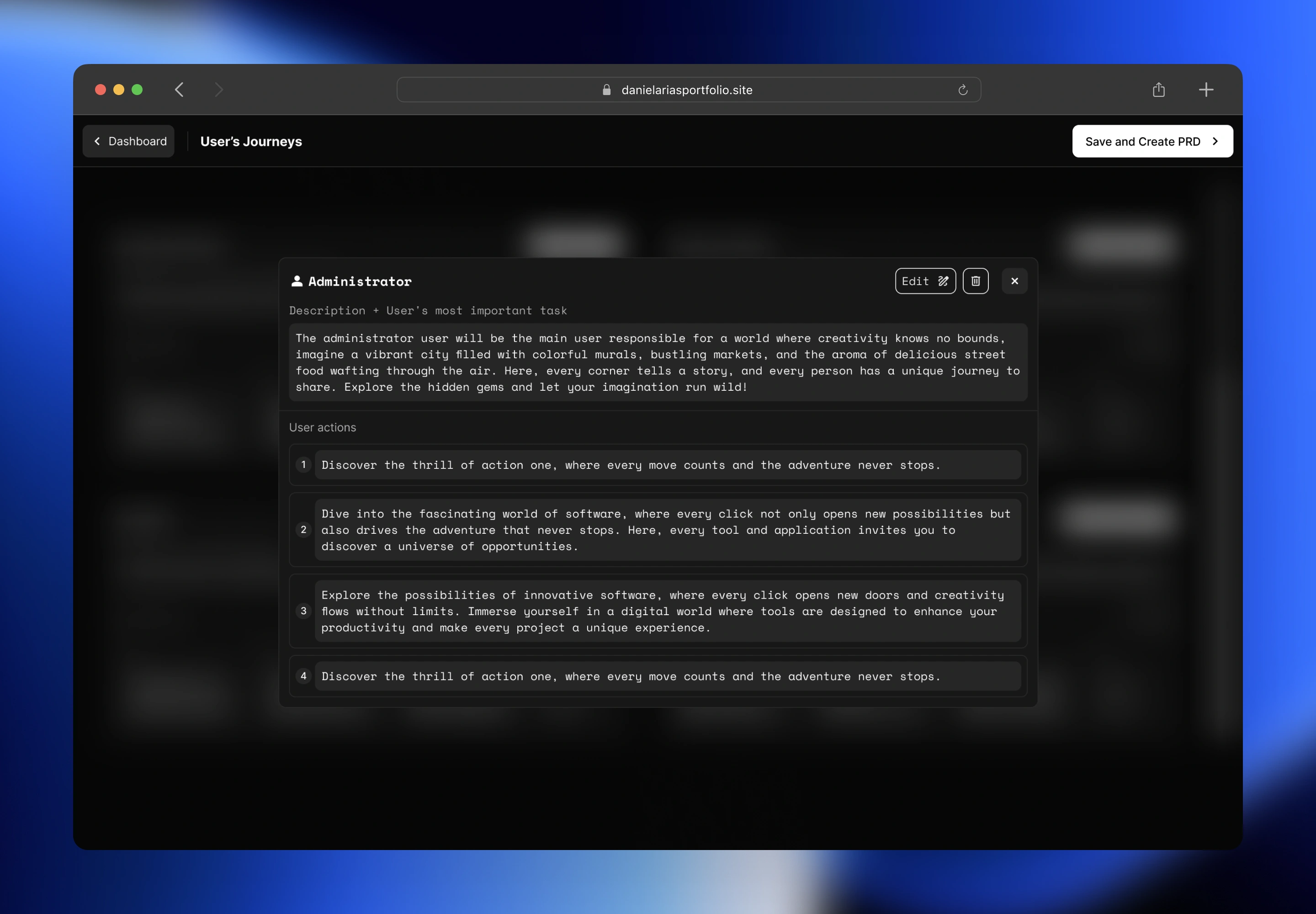
The AI maps who will use the product and how. Each role card shows a description and a numbered list of key user actions — all editable, deletable, and reorderable before moving forward.
The solution
The most important design decision was to structure the experience as a conversation, not a form. Instead of asking users to fill out technical fields, the AI agent guides the process with five key questions, offering suggested options alongside free-text input. This solved the accessibility problem without reducing the quality of the output.
The second key decision was to expand the definition of "prototype." minimo doesn't just deliver an interface — it delivers a documentation ecosystem: the PRD with objectives, technical stack, and user flow; User Journeys mapped by role with numbered actions; and the product's screen architecture. This gives the user an artifact they can bring to a developer and use to communicate exactly what they want to build.
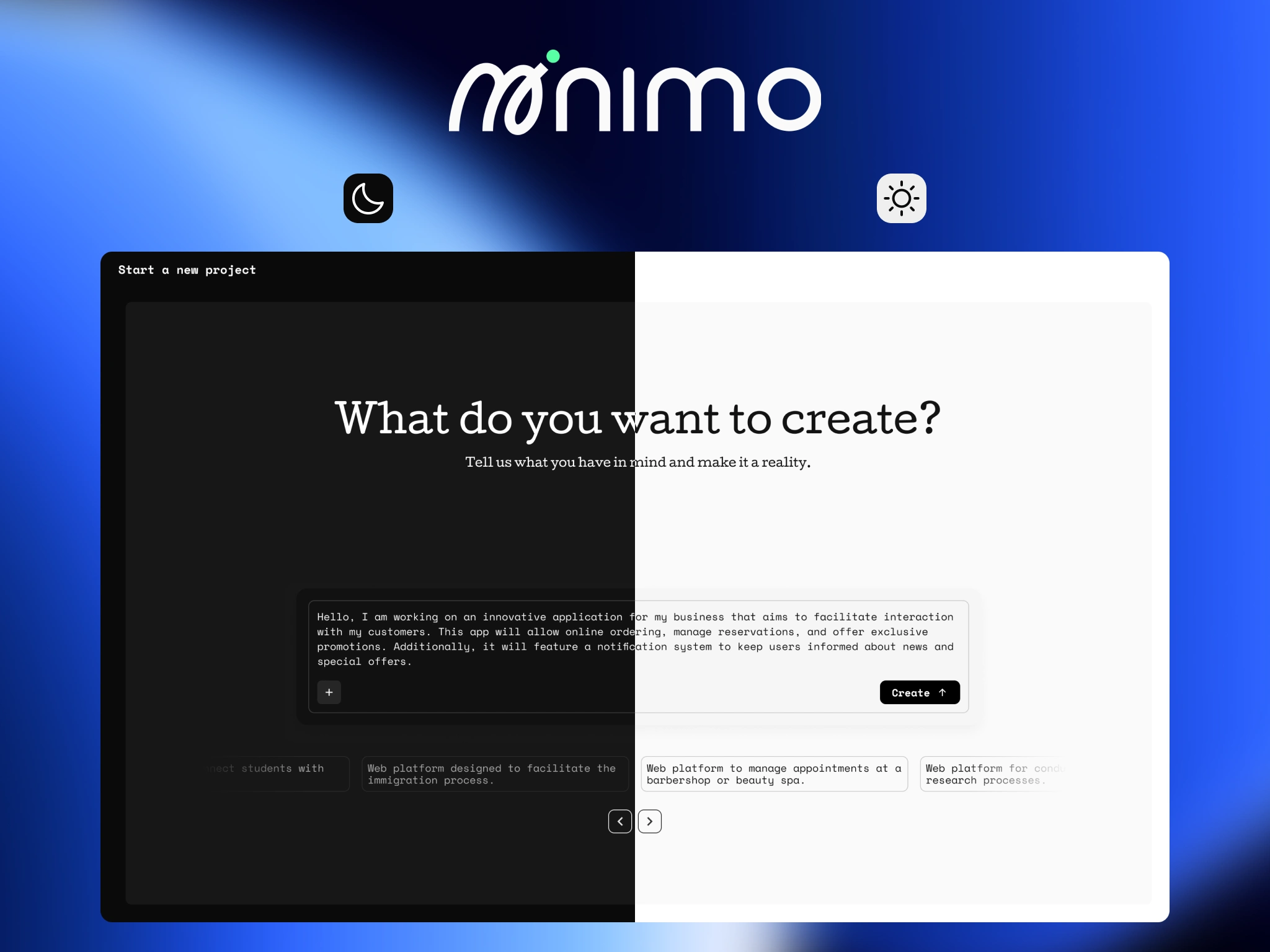
In terms of interface, I chose a dark visual system, monospace typography for technical blocks, and a persistent left navigation that organizes the project into clear sections: Project Overview, PRD, User's Journeys, Interface Design, Frontend, and Backend. The visual structure mirrors the mental structure of the product: every idea has an architecture, and minimo makes it visible.
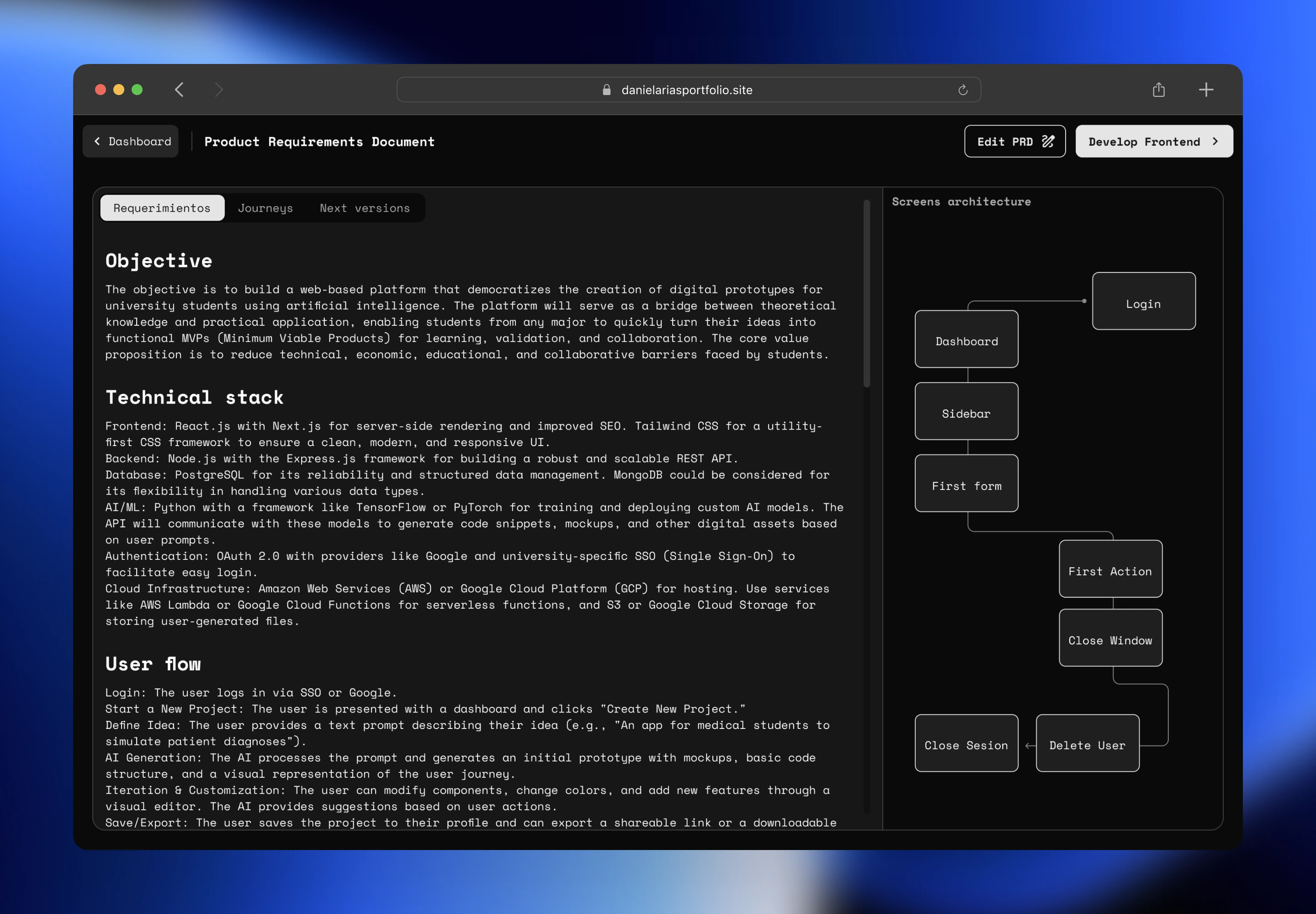
Product Requirements Document
The full PRD organized in three tabs: Requirements, Journeys, and Next Versions. It includes the product objective, technical stack recommendation, user flow, and a screen architecture diagram — ready to hand off to a developer.
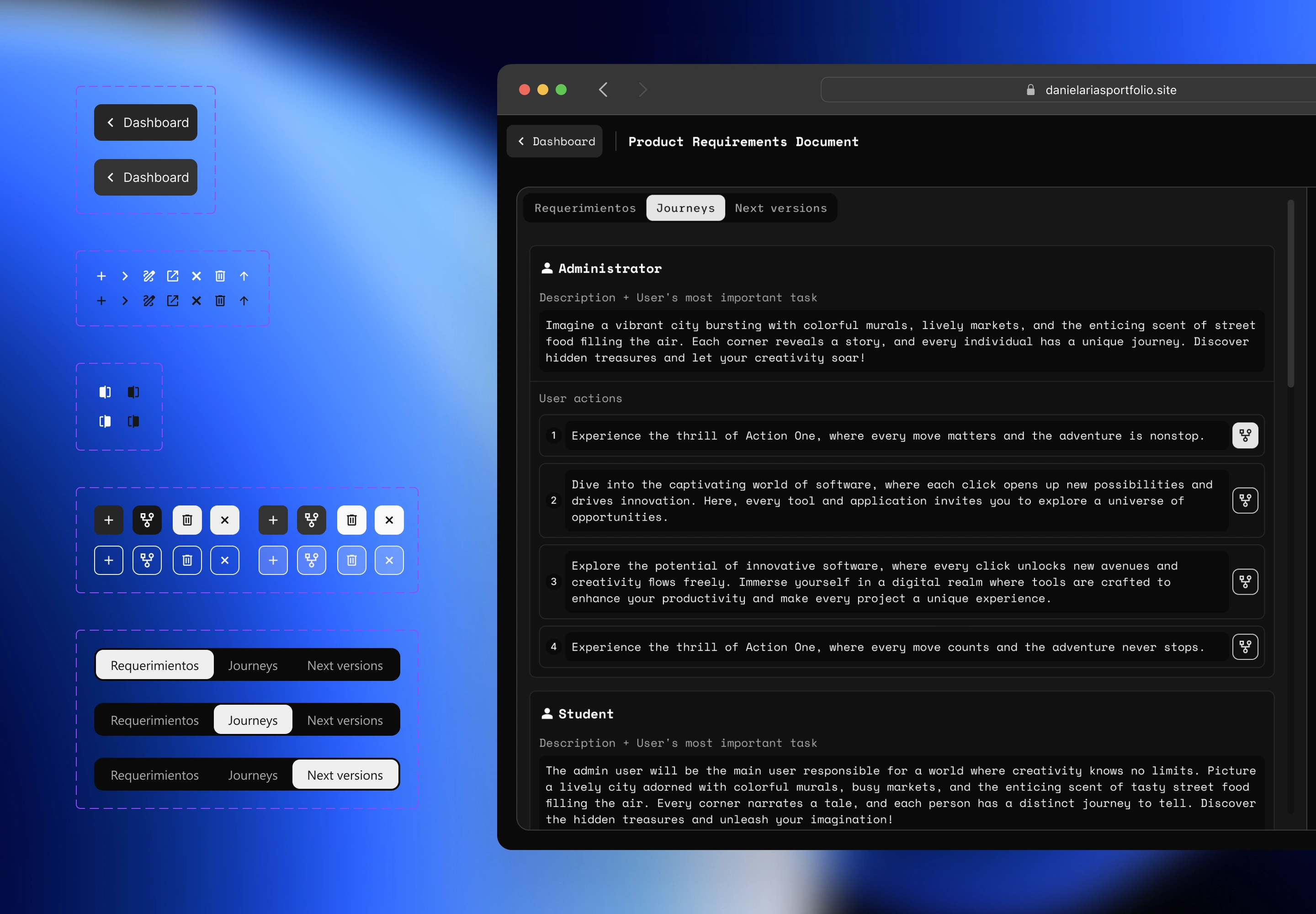
Design System & PRD Journeys Tab
A view of the UI component library alongside the PRD's Journeys tab. Shows the building blocks of the interface and how roles and user actions are documented and structured for reuse.
Do you have a product with a clear idea and need a designer who understands both user experience and the logic behind the product? Let's talk.
→ Email me / [daniel.arias.malabet@gmail.com]
Like this project
Posted Feb 18, 2026
Designed minimo, an AI tool enabling students to prototype digital products.
Likes
0
Views
7