Designing An AI-powered Earthquake Response System for high-risk California communities

Daisy Pham


Designing An AI-powered Earthquake Response System for high-risk California communities

Overview
Earthquakes happen without warning, leaving people only seconds to react.
By transforming alerts into actionable decisions, ShakeNet helps people stay informed, find safety faster, and respond with confidence during emergencies.
AI/ML INTEGRATION
UX STRATEGY
ACCESSIBILITY
PROTOTYPING
Role:
UIUX Designer
Team:
Designer, Developer, and Data Analyst
Type:
Personal Project
Timeline:
10 weeks
The Problem
When an earthquake strikes, every second of confusion increases risk.
California sits on a complex network of active fault lines, where earthquakes and aftershocks can happen with little warning. While existing alert systems may notify people of seismic activity, they often fail to provide the guidance users need most in high-stress moments.
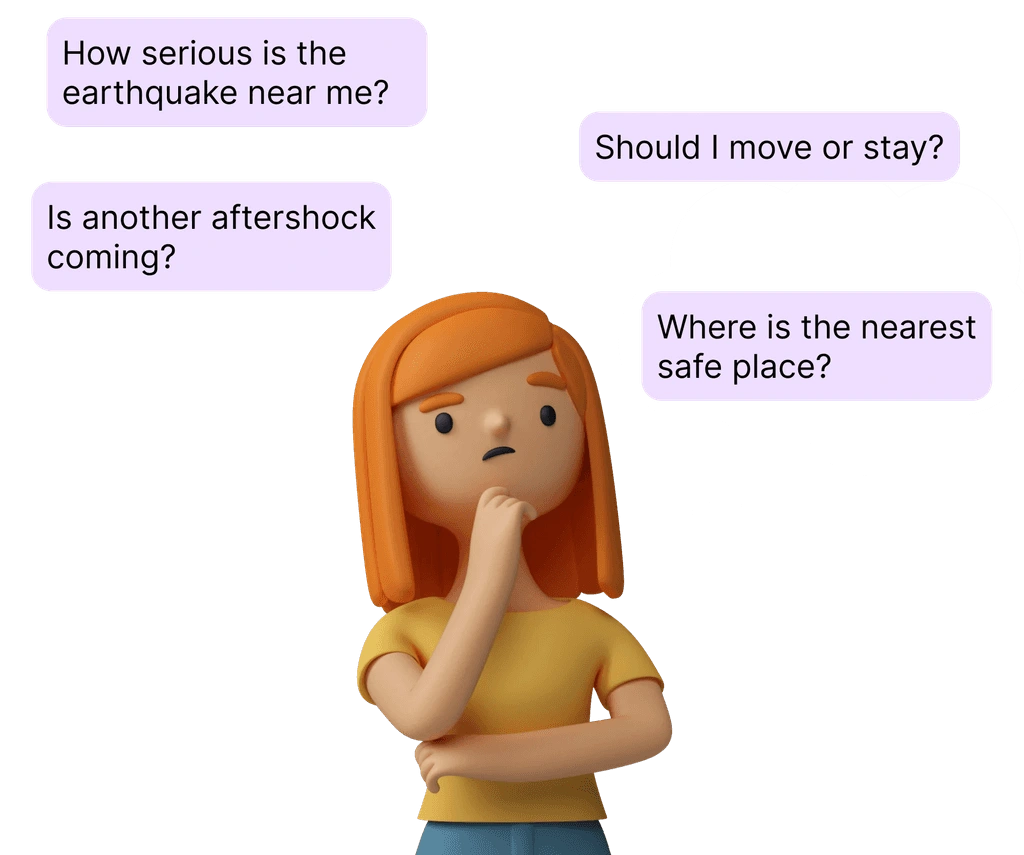
People are left asking:
• How serious is the earthquake near me?
• Is another aftershock coming?
• Where is the nearest safe shelter?
• What should I do right now?
This gap between information and action creates confusion, delays, and potentially life-threatening decisions.
Key Insight
In crisis situations, people do not need more information. They need clear direction immediately.
Design Challenge
How might we create an emergency respone system that not only detects earthquakes quickly, but also helps people make safe decisions in real time?
Behind the Scenes
Competitor Analysis & Usability Testing
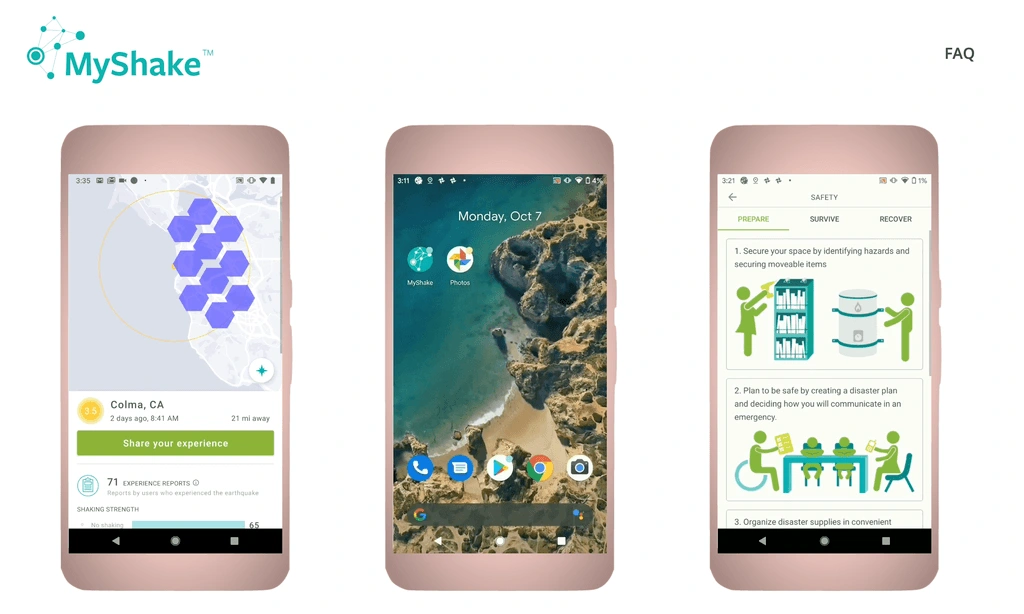
To understand current gaps, we evaluate the MyShake app, a widely used earthquake alert system.
Pros
• Real-time earthquake detection using multiple data sources
• Aftershock prediction based on historical and live patterns
• Clear safety guidance tailored to user context
Cons
• There's no dynamic shelter routing with real-time capacity updates
• There's no multi-channel alerts (push notifications + SMS)
Whitepaper & Literature Research
We reviewed research on:
Earthquake behavior and aftershock patterns
Emergency response behavior under stress
Human decision-making in crisis situations
Trust in AI systems

Key Takeaways
• Users experience cognitive overload during emergencies
• Simple instructions outperform detailed explanations
• Trust is critical—false alerts reduce compliance
• Aftershocks significantly impact user safety decisions
User Flow
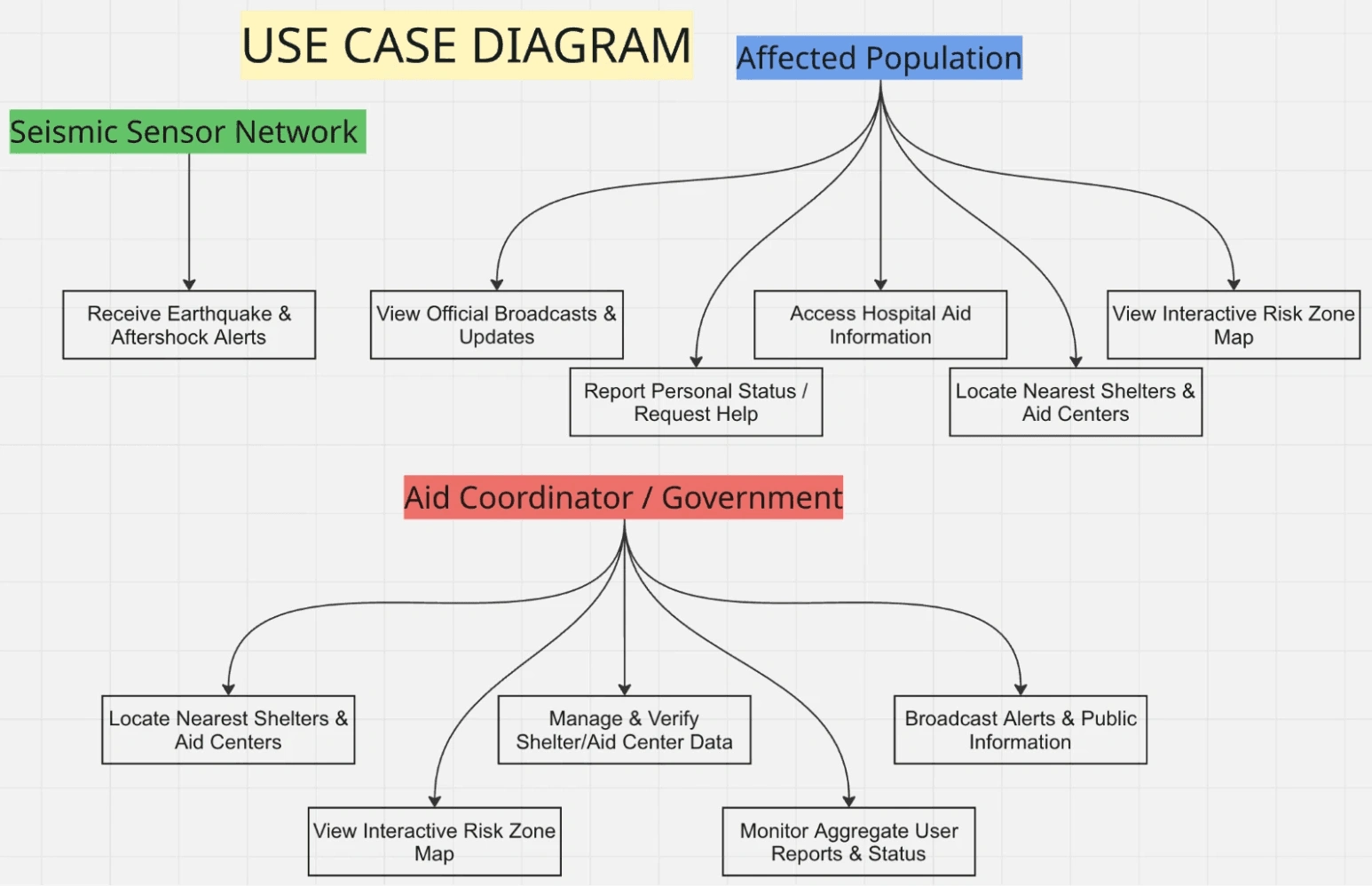
We designed flows around critical emergency moments rather than features.
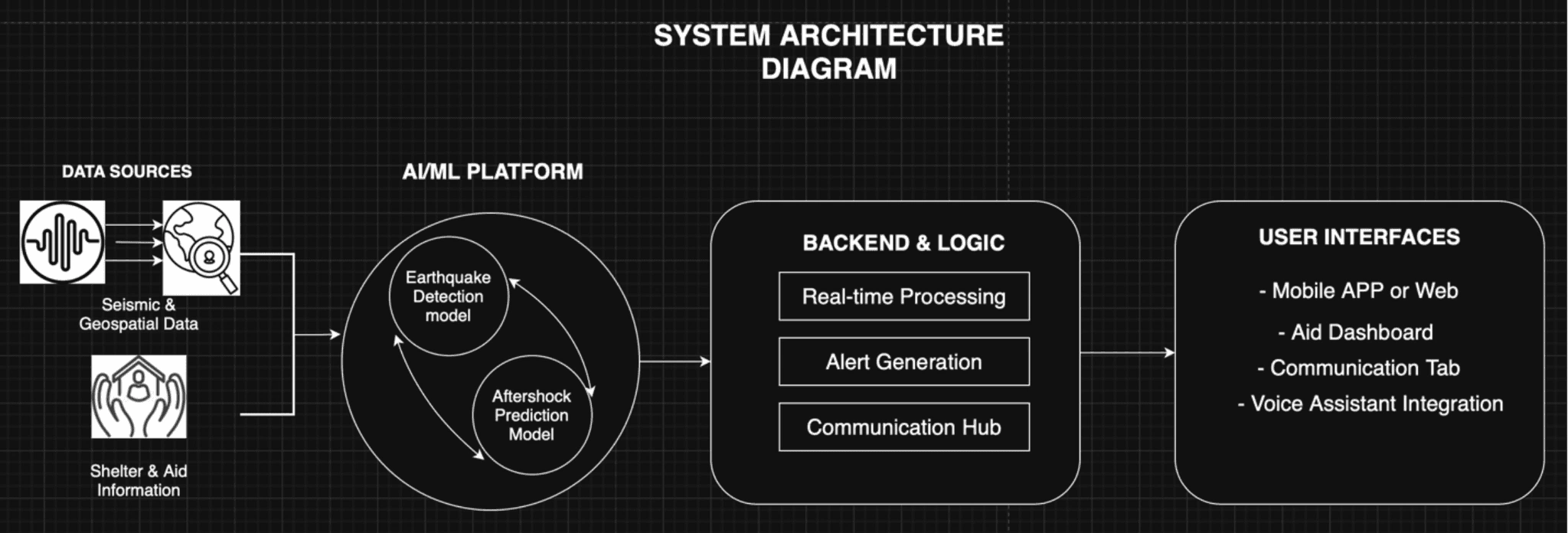
How AI/ML Model Works
The Solution
ShakeNet is designed as a decision-support system powered by AI and human oversight.
Core Capabilities
• Real-time earthquake detection using multiple data sources
• Aftershock prediction based on historical and live patterns
• Dynamic shelter routing with real-time capacity updates
• Multi-channel alerts (push notifications + SMS)
• Clear safety guidance tailored to user context
View Prototype
Final Prototype
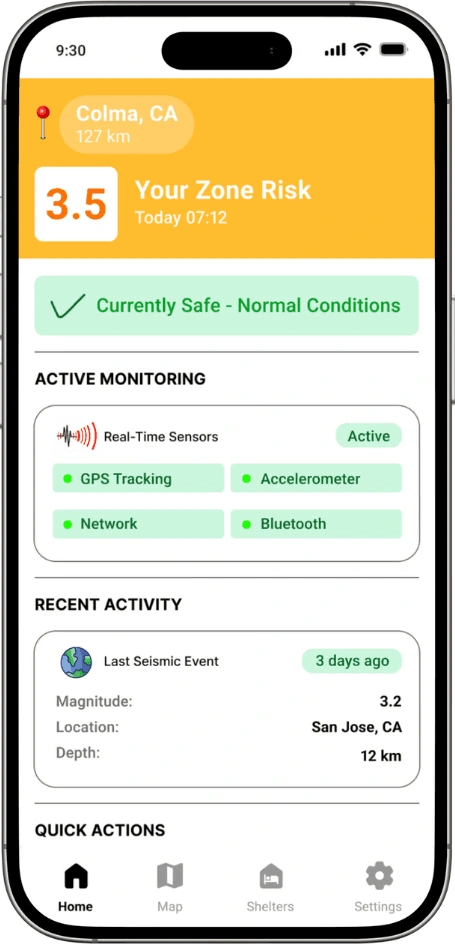
Home page
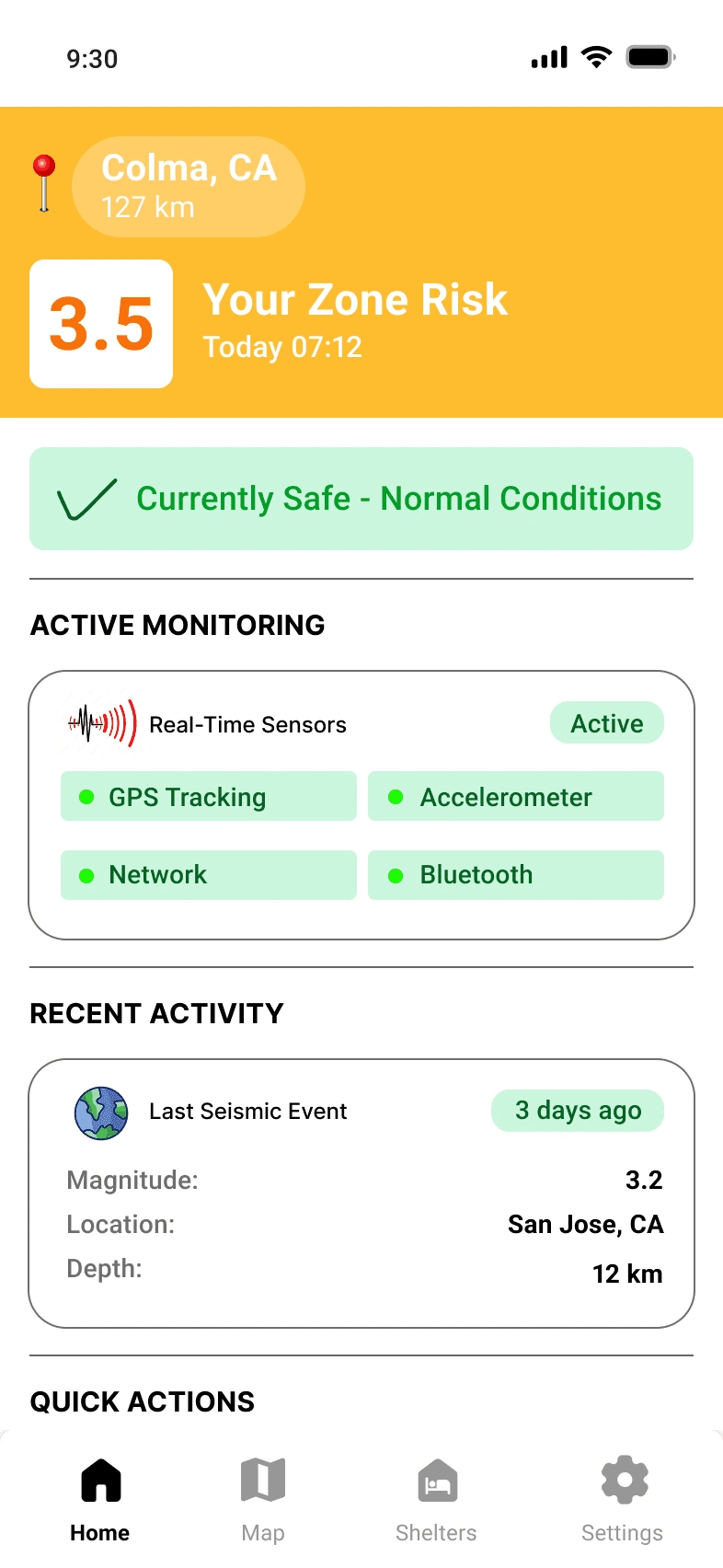
The Homepage gives users an instant understanding of their current earthquake risk. It displays real-time monitoring status, recent seismic activity, and an interactive impact map to help users quickly assess the situation. Quick action buttons provide immediate access to emergency alerts and safety guidance.
SAFETY TIPS
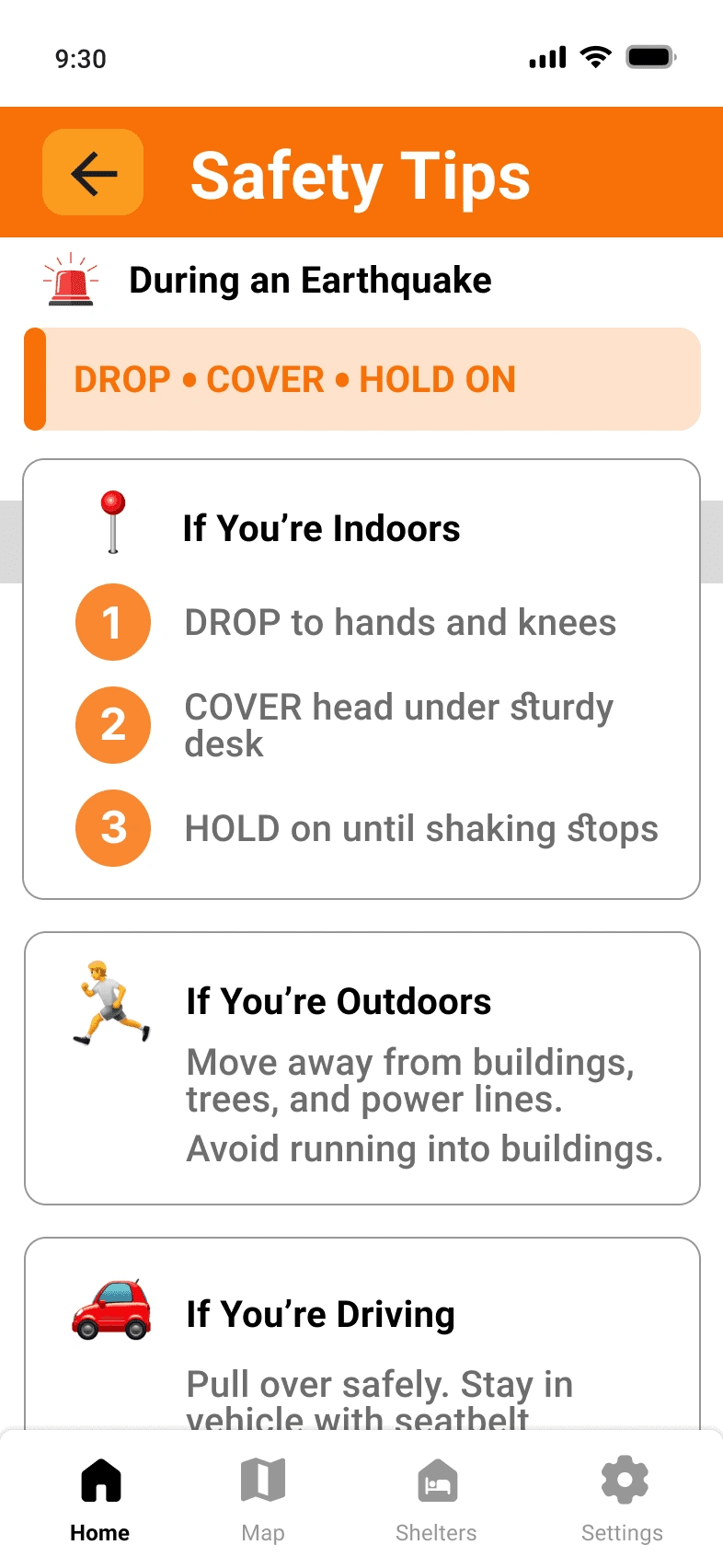
The Safety Tips section provides clear, expert-backed guidance for what to do during and after an earthquake. It also includes an emergency kit checklist with essentials like water, food, flashlights, and power banks.
AFTERSHOCKS MAP
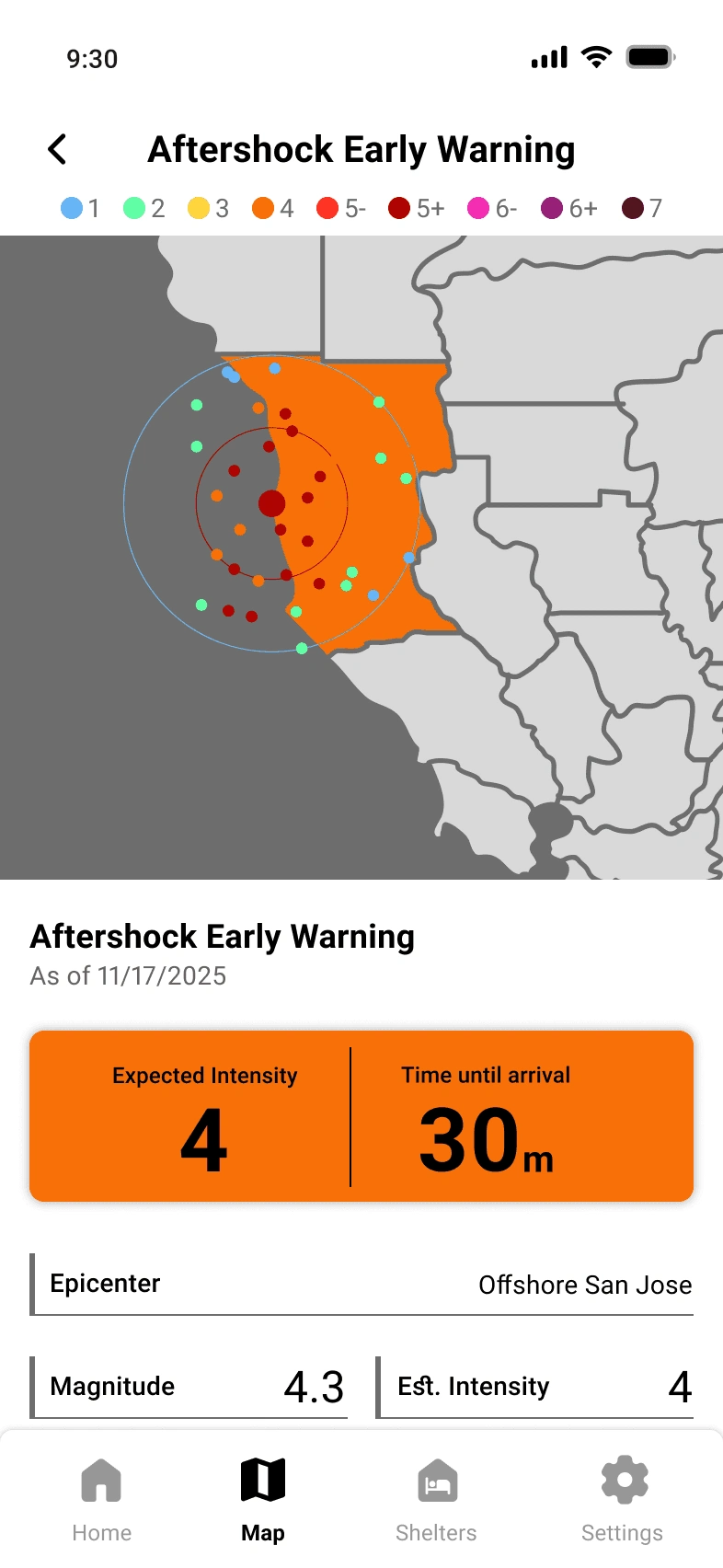
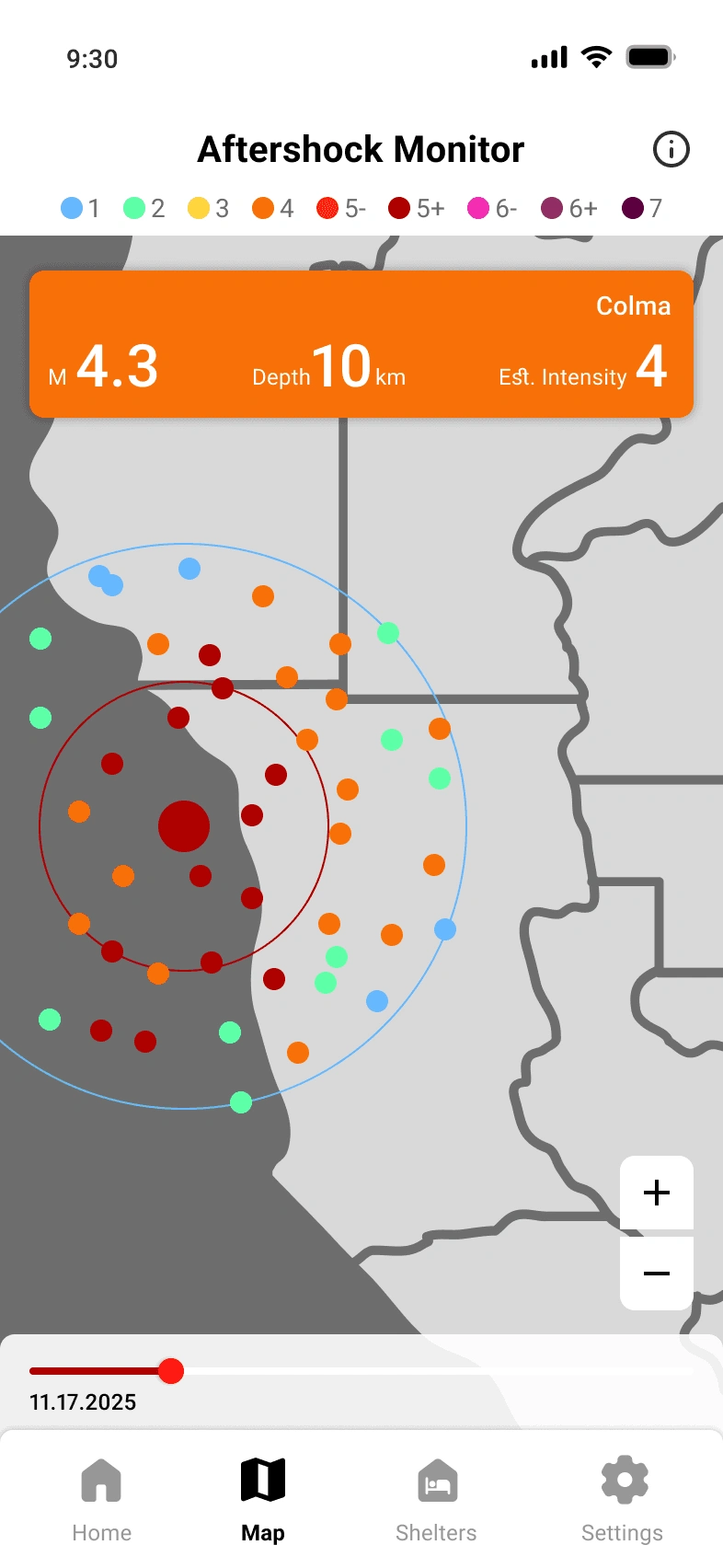
The Aftershocks Map helps users monitor ongoing seismic activity after the main earthquake. Color-coded predictions visualize potential aftershock locations and intensity levels, while timeline and zoom controls allow users to explore changes over time.
ShELTERS
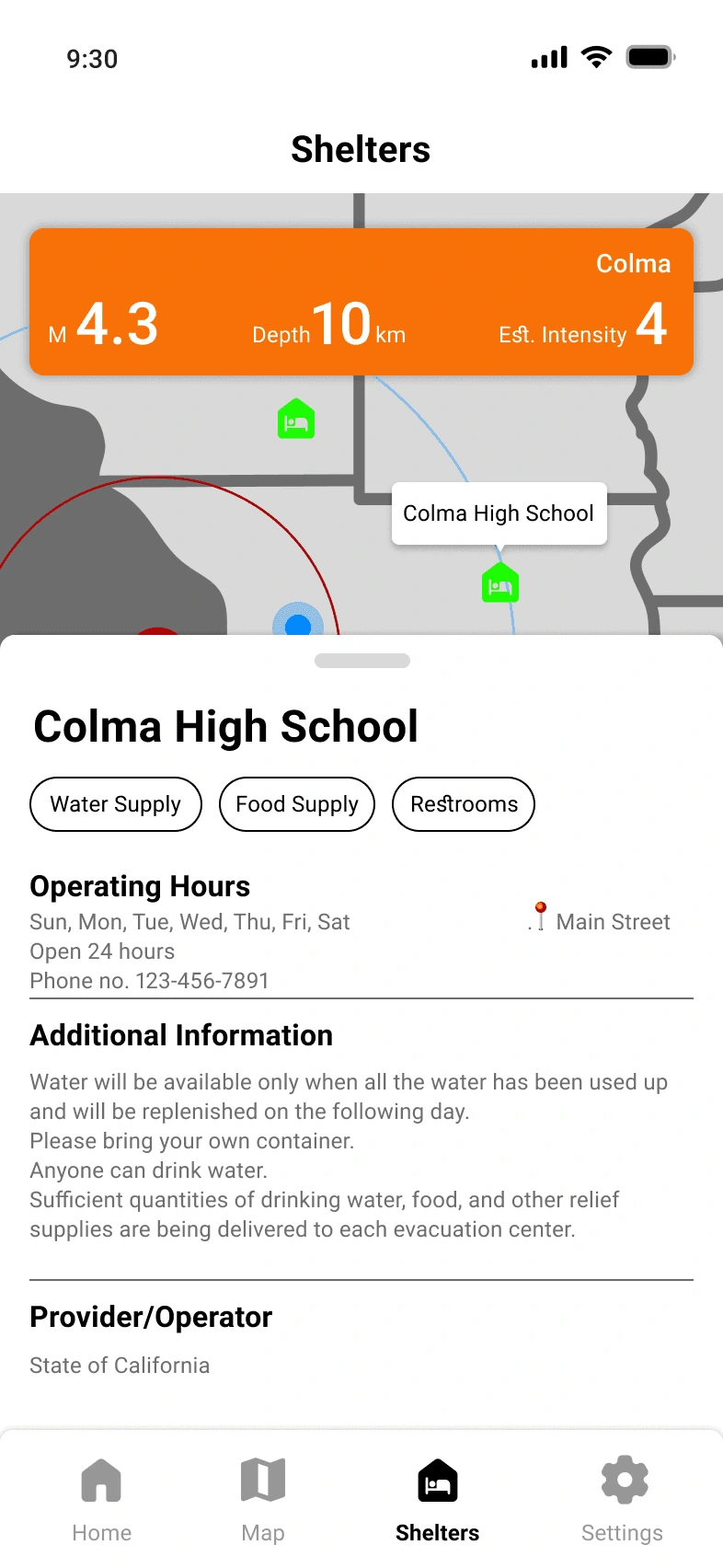
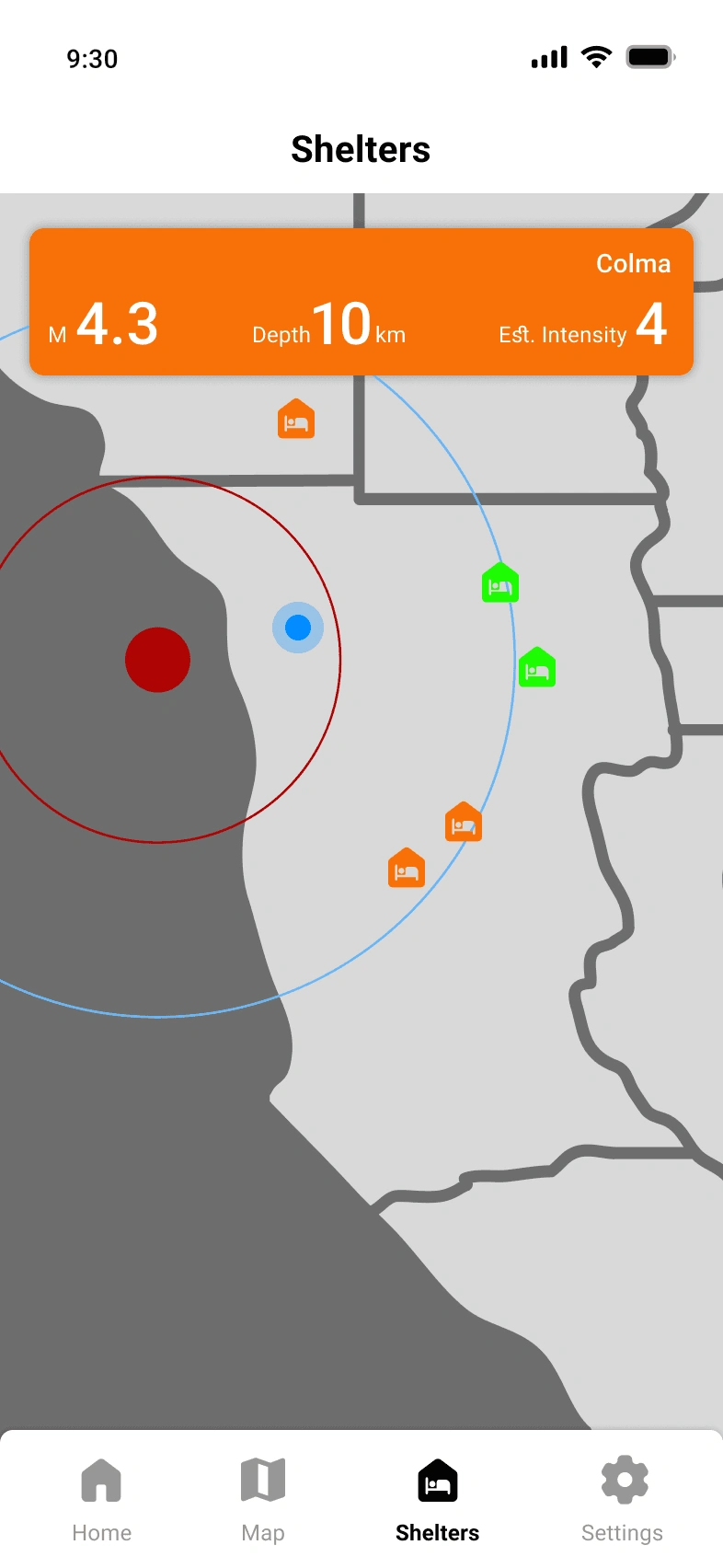
The Shelters screen helps users quickly locate nearby safe shelters after an earthquake. Users can view shelter availability, accessibility amenities, and detailed information such as address, hours, and contact information.
SETTINGS
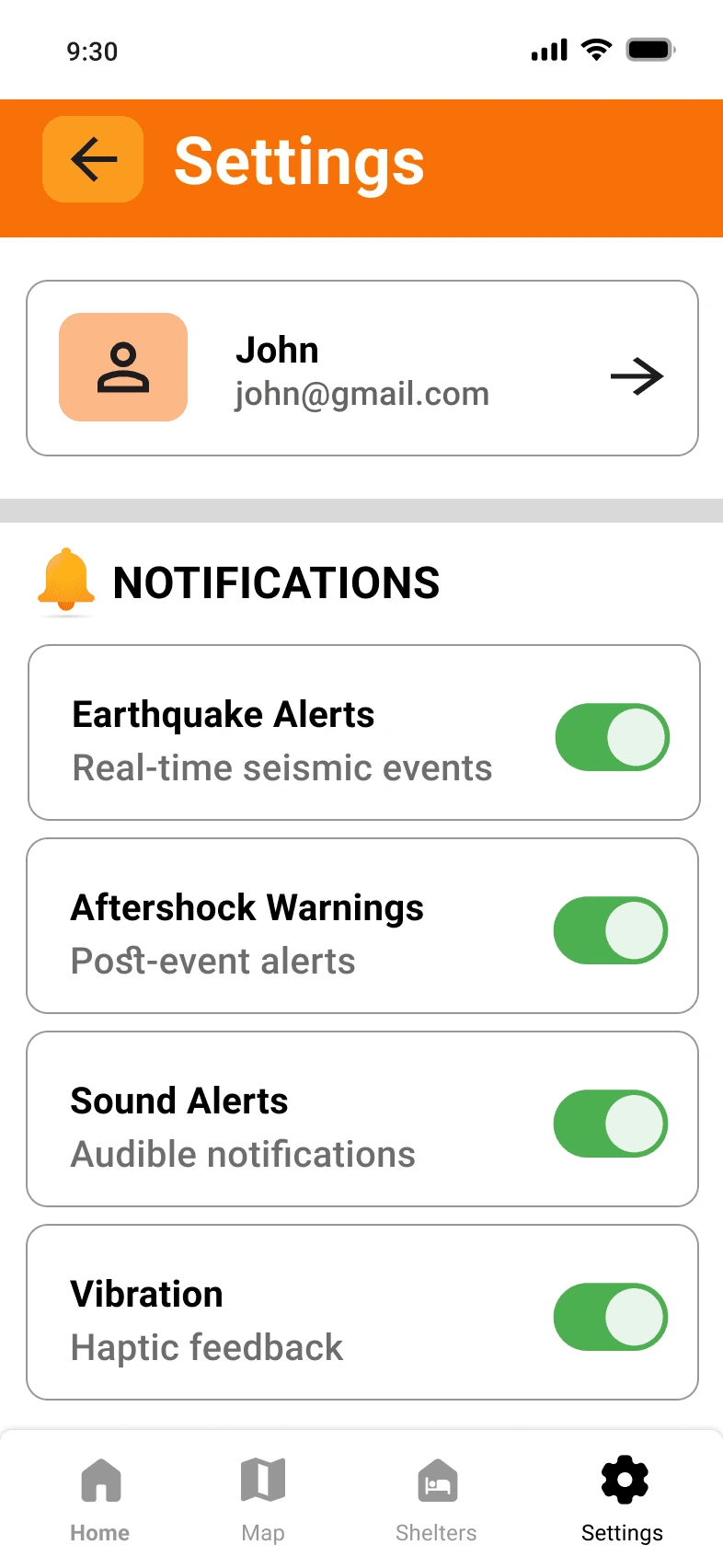
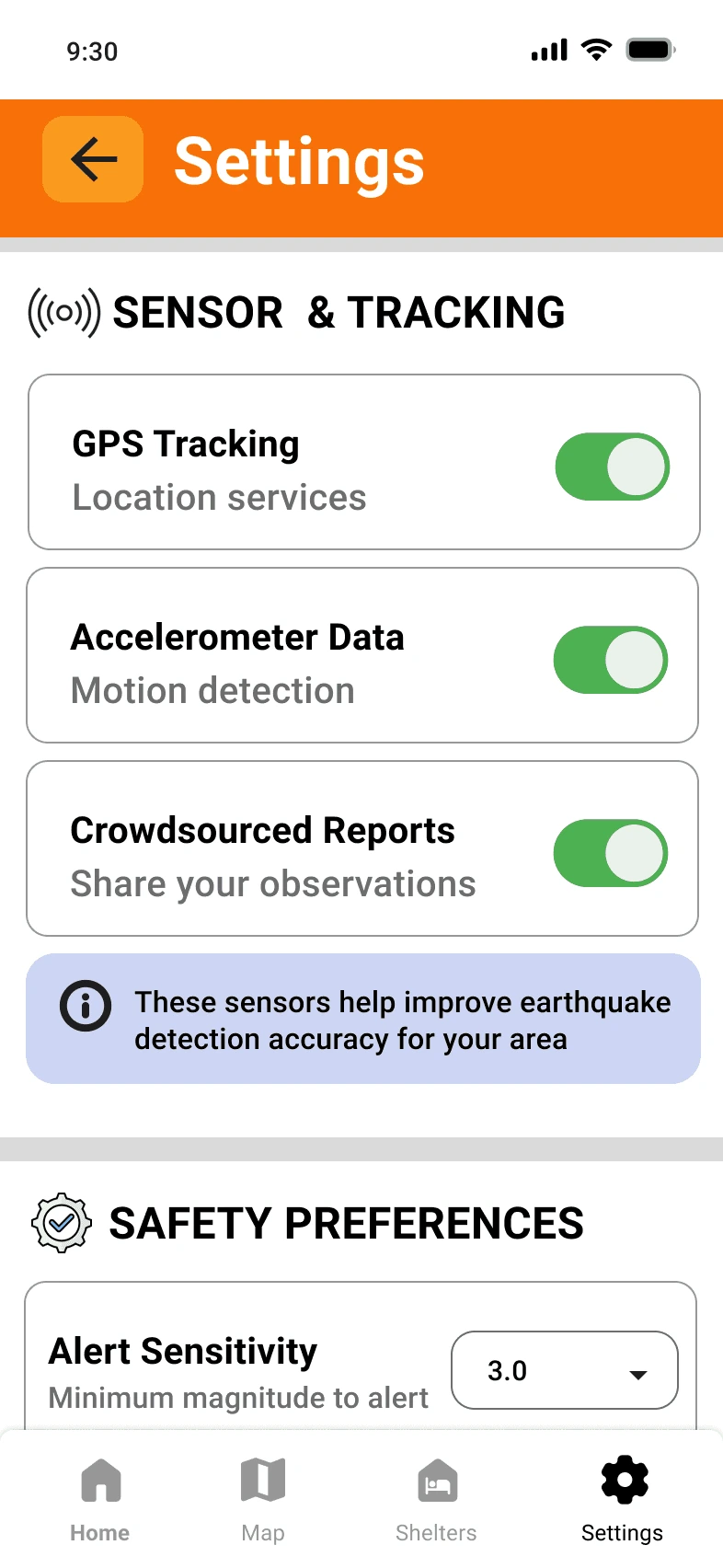
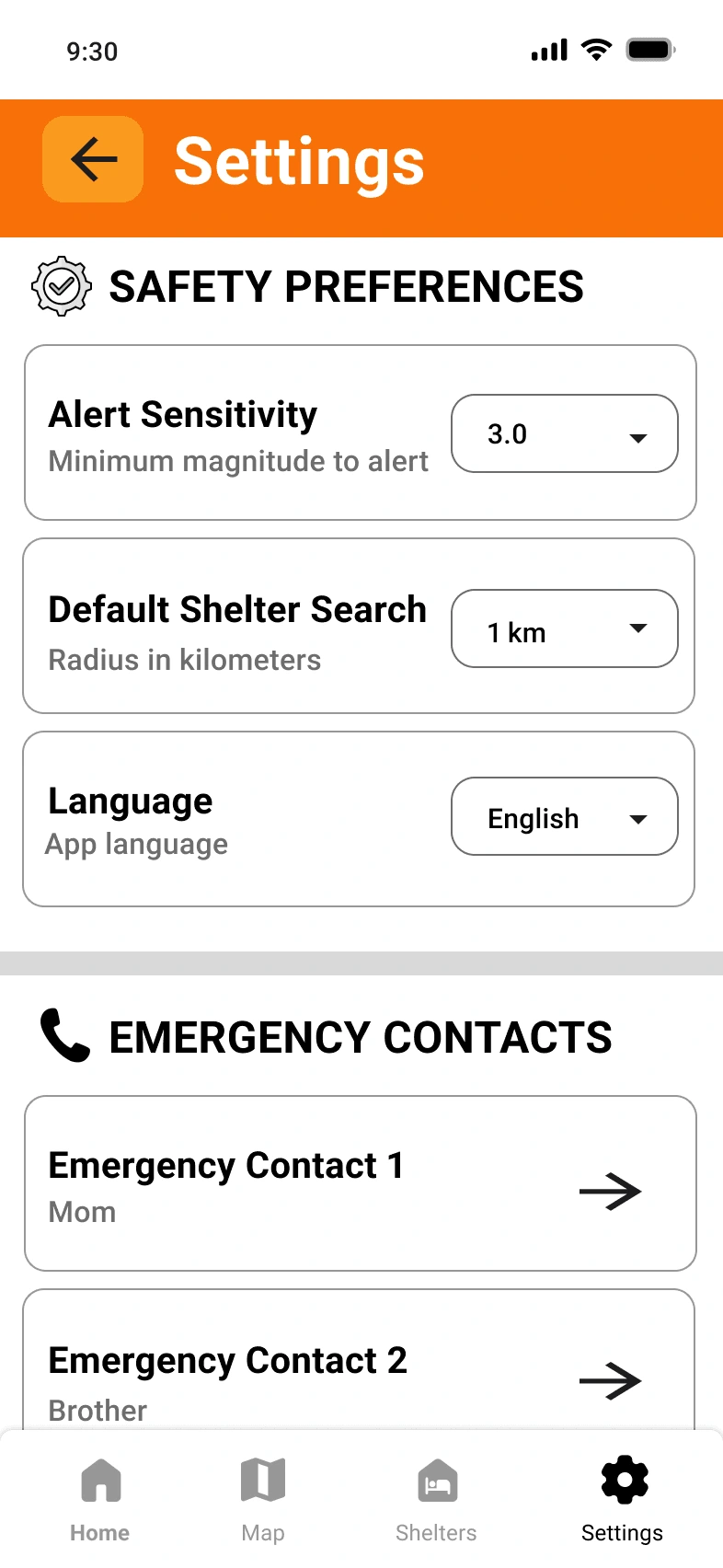
The Settings screen allows users to personalize alerts, safety preferences, and data-sharing options. Users can manage notifications, sensor permissions, language settings, shelter search radius, and emergency contacts based on their comfort and needs.
PUSH NOTIFICATIONS
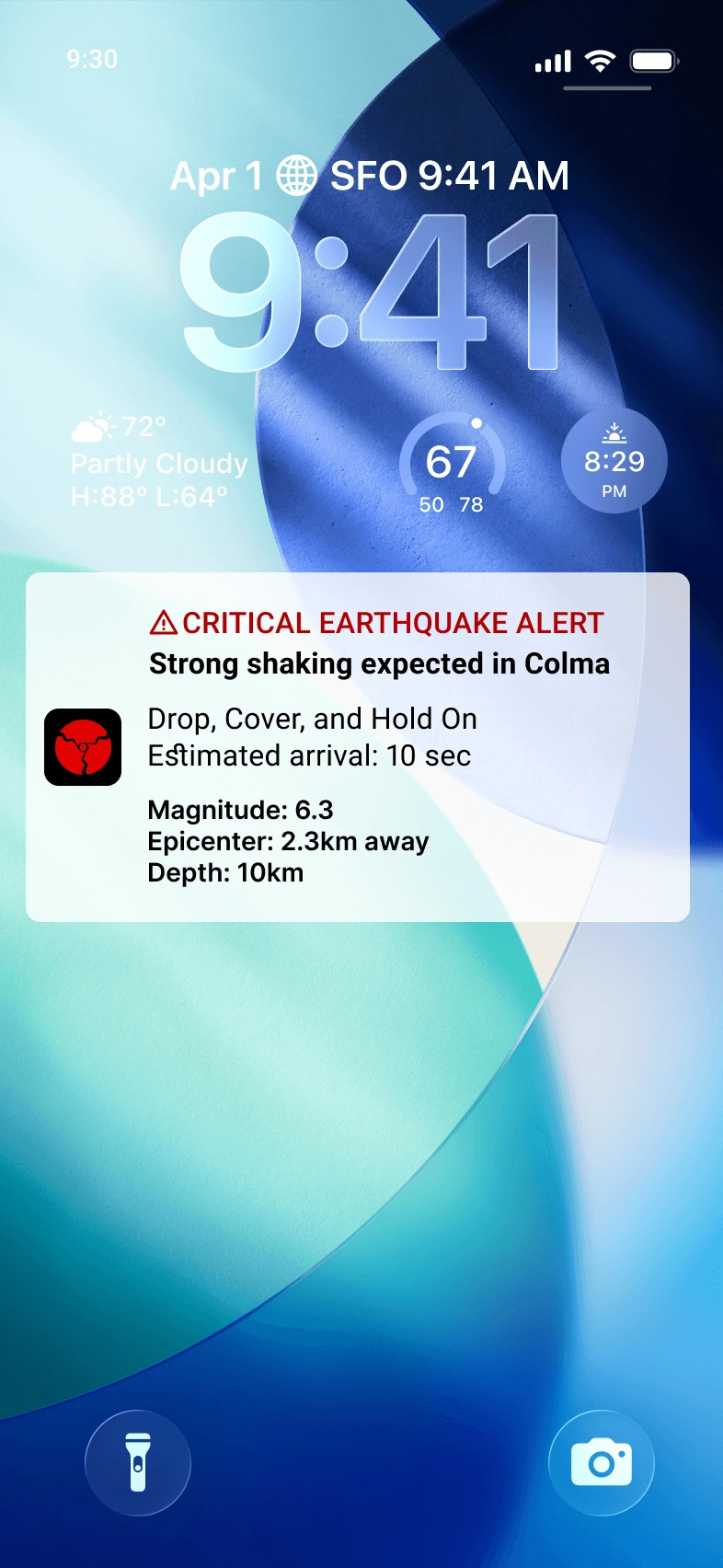
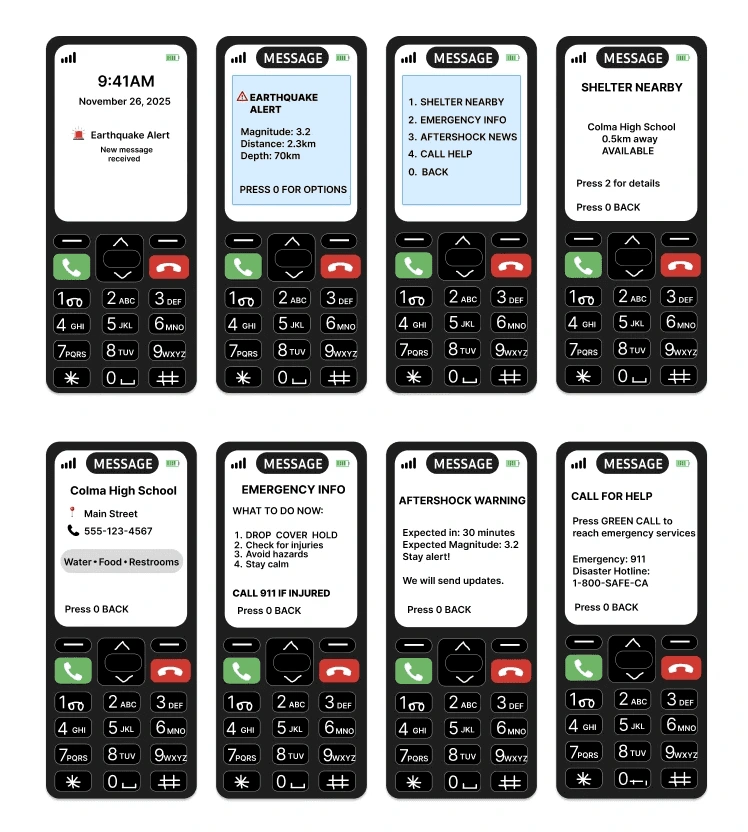
Push notifications display event status, estimated intensity at the user’s location, and recommended actions. Text messages are shorter and more concise, and they’re ideal for people without smartphones or those who prefer SMS alerts. This ensures ShakeNet reaches a wide range of users, including vulnerable populations.
Home page
The Homepage gives users an instant understanding of their current earthquake risk. It displays real-time monitoring status, recent seismic activity, and an interactive impact map to help users quickly assess the situation. Quick action buttons provide immediate access to emergency alerts and safety guidance.
SAFETY TIPS
The Safety Tips section provides clear, expert-backed guidance for what to do during and after an earthquake. It also includes an emergency kit checklist with essentials like water, food, flashlights, and power banks.
AFTERSHOCKS MAP
The Aftershocks Map helps users monitor ongoing seismic activity after the main earthquake. Color-coded predictions visualize potential aftershock locations and intensity levels, while timeline and zoom controls allow users to explore changes over time.
ShELTERS
The Shelters screen helps users quickly locate nearby safe shelters after an earthquake. Users can view shelter availability, accessibility amenities, and detailed information such as address, hours, and contact information.
SETTINGS
The Settings screen allows users to personalize alerts, safety preferences, and data-sharing options. Users can manage notifications, sensor permissions, language settings, shelter search radius, and emergency contacts based on their comfort and needs.
PUSH NOTIFICATIONS
Push notifications display event status, estimated intensity at the user’s location, and recommended actions. Text messages are shorter and more concise, and they’re ideal for people without smartphones or those who prefer SMS alerts. This ensures ShakeNet reaches a wide range of users, including vulnerable populations.
Home page
The Homepage gives users an instant understanding of their current earthquake risk. It displays real-time monitoring status, recent seismic activity, and an interactive impact map to help users quickly assess the situation. Quick action buttons provide immediate access to emergency alerts and safety guidance.
SAFETY TIPS
The Safety Tips section provides clear, expert-backed guidance for what to do during and after an earthquake. It also includes an emergency kit checklist with essentials like water, food, flashlights, and power banks.
AFTERSHOCKS MAP
The Aftershocks Map helps users monitor ongoing seismic activity after the main earthquake. Color-coded predictions visualize potential aftershock locations and intensity levels, while timeline and zoom controls allow users to explore changes over time.
ShELTERS
The Shelters screen helps users quickly locate nearby safe shelters after an earthquake. Users can view shelter availability, accessibility amenities, and detailed information such as address, hours, and contact information.
SETTINGS
The Settings screen allows users to personalize alerts, safety preferences, and data-sharing options. Users can manage notifications, sensor permissions, language settings, shelter search radius, and emergency contacts based on their comfort and needs.
PUSH NOTIFICATIONS
Push notifications display event status, estimated intensity at the user’s location, and recommended actions. Text messages are shorter and more concise, and they’re ideal for people without smartphones or those who prefer SMS alerts. This ensures ShakeNet reaches a wide range of users, including vulnerable populations.
Home page
The Homepage gives users an instant understanding of their current earthquake risk. It displays real-time monitoring status, recent seismic activity, and an interactive impact map to help users quickly assess the situation. Quick action buttons provide immediate access to emergency alerts and safety guidance.
SAFETY TIPS
The Safety Tips section provides clear, expert-backed guidance for what to do during and after an earthquake. It also includes an emergency kit checklist with essentials like water, food, flashlights, and power banks.
AFTERSHOCKS MAP
The Aftershocks Map helps users monitor ongoing seismic activity after the main earthquake. Color-coded predictions visualize potential aftershock locations and intensity levels, while timeline and zoom controls allow users to explore changes over time.
ShELTERS
The Shelters screen helps users quickly locate nearby safe shelters after an earthquake. Users can view shelter availability, accessibility amenities, and detailed information such as address, hours, and contact information.
SETTINGS
The Settings screen allows users to personalize alerts, safety preferences, and data-sharing options. Users can manage notifications, sensor permissions, language settings, shelter search radius, and emergency contacts based on their comfort and needs.
PUSH NOTIFICATIONS
Push notifications display event status, estimated intensity at the user’s location, and recommended actions. Text messages are shorter and more concise, and they’re ideal for people without smartphones or those who prefer SMS alerts. This ensures ShakeNet reaches a wide range of users, including vulnerable populations.
Reflection
This project strengthened my interest in designing for people making decisions under pressure.
High-pressure UX requires immediate clarity.In emergency situations, users do not have time to explore, compare, or interpret too much information. ShakeNet needed to help people quickly understand the risk, know what to do next, and take action within seconds.
I applied the same mindset from my motorcycle HMI case study.In my motorcycle project, I designed for riders who could only glance at the screen briefly while keeping their attention on the road. ShakeNet pushed that same design principle into an emergency context: reduce visual noise, prioritize critical information, and make the next action obvious.
Every interaction had to reduce hesitation.Alerts, maps, safety instructions, and coordinator tools were designed to guide users quickly from awareness to action. The goal was not to show everything, but to show the most important information at the moment users needed it.
Trust became part of the interaction design.In stressful situations, users need information that feels clear, reliable, and calm. Designing ShakeNet taught me that visual hierarchy, wording, timing, and AI recommendations all affect whether users feel confident enough to act.
AI should support human judgment, not replace it.This project helped me think more critically about AI in high-stakes experiences. The system can help users and emergency coordinators make faster, more informed decisions, but the final judgment still needs to stay with people.
Like this project
Posted Jul 8, 2026
ShakeNet — an AI-powered earthquake response system offering real-time detection, aftershock prediction, shelter routing, and multi-channel alerts.
Likes
0
Views
9