FairSplit - Bill Splitting App Design Concept

Ardian Shala


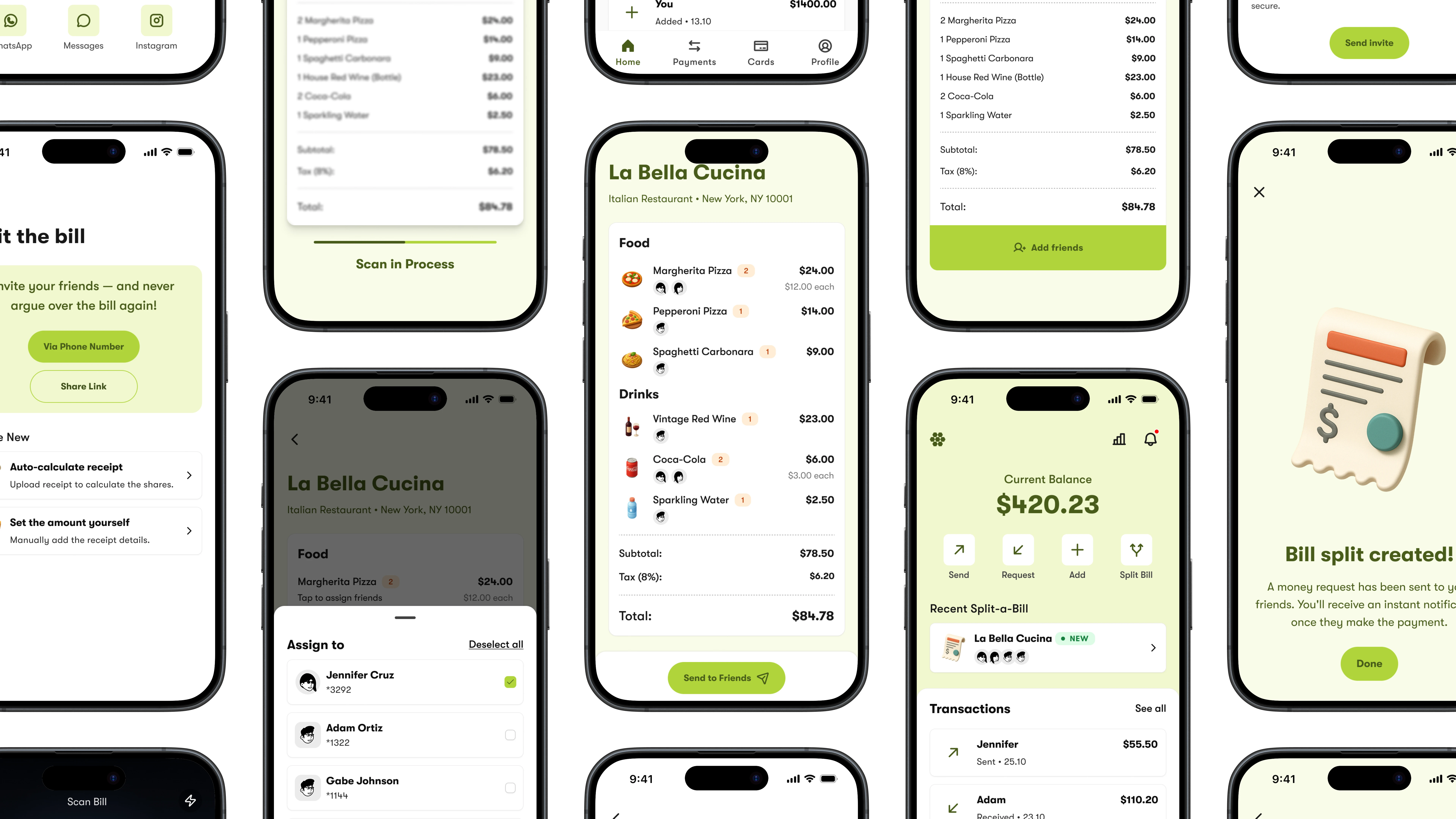
FairSplit - Splitting the bill app
About the app
A group of friends, who hang out together quite often. They usually dine & have drinks together.
Their main problem is splitting the bill at the end of the night.
They need an app that does a fair job and is easy to use to split the expenses...
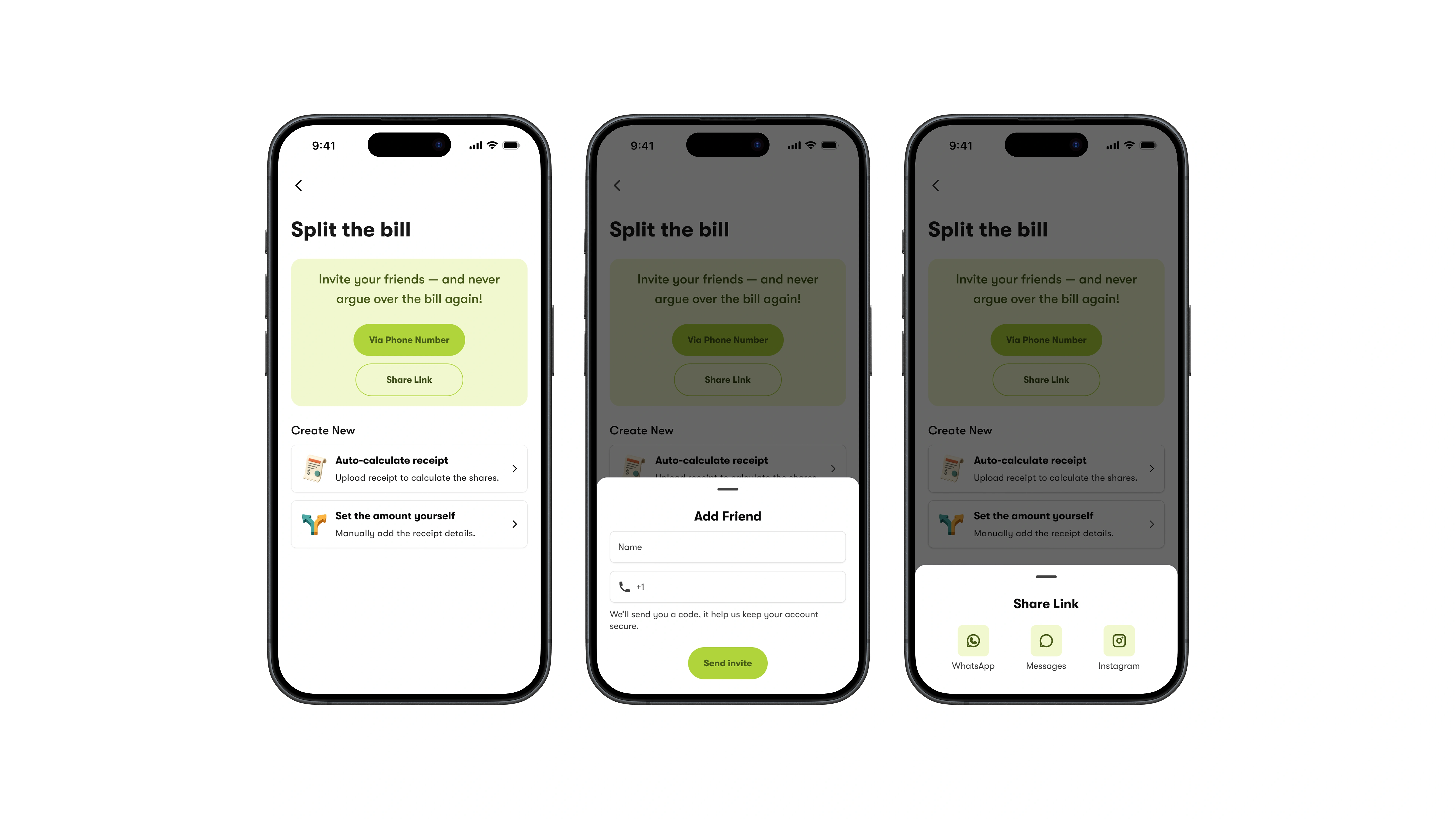
Upfront banner guiding the user to invite friends either via phone number or by sharing a link through social media apps
Looking to add a buddy using their phone number? Super simple! Just pop in their name and number, then hit invite!
Want to make it even easier? Just tap to share on WhatsApp, iMessages, or Instagram!
Onboarding friends
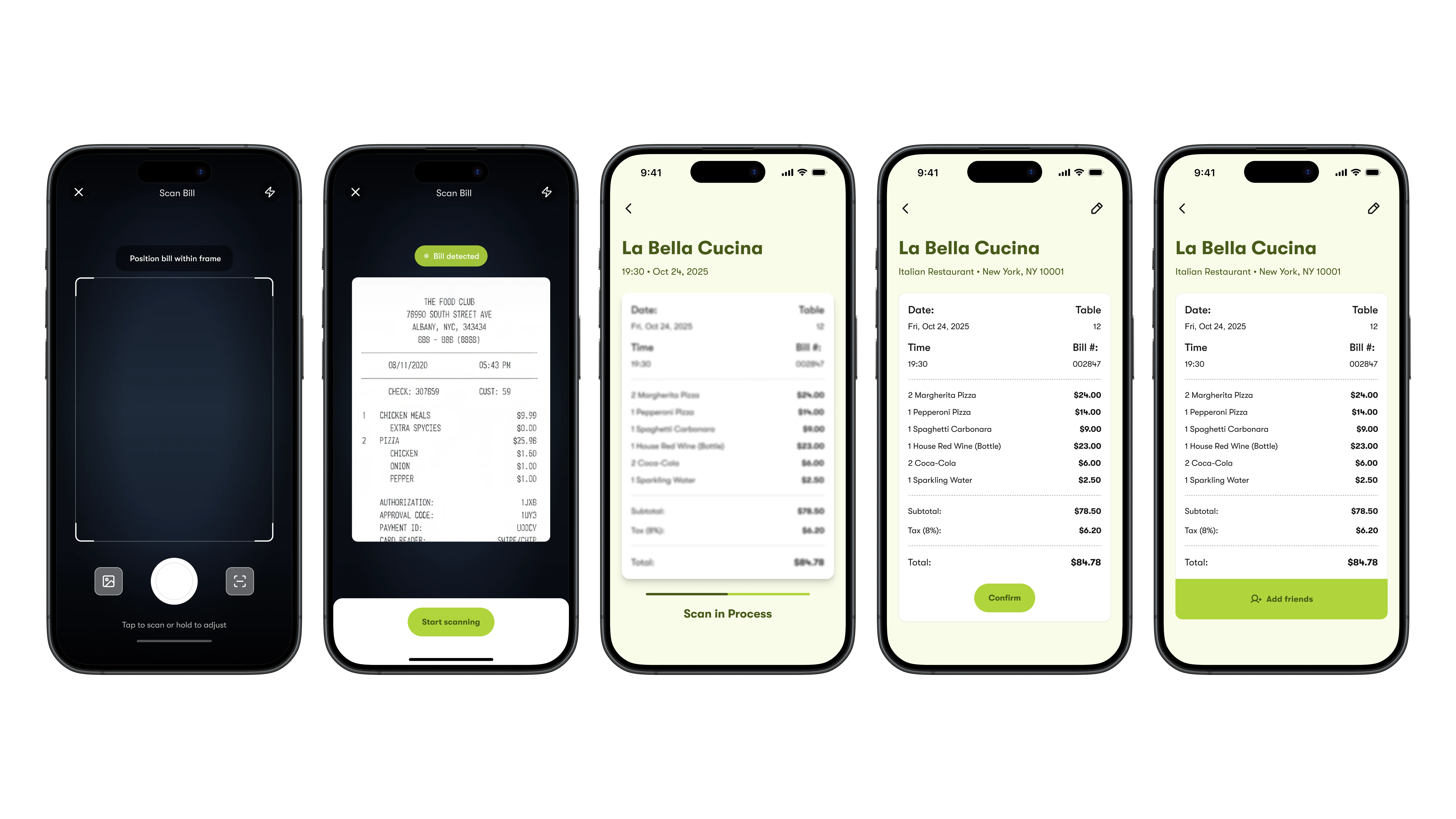
Tap once to open the camera and start scanning.
You'll see the process in real-time.
Need to edit the bill? No problem!
One click tap to add your friends.
Scanning the bill
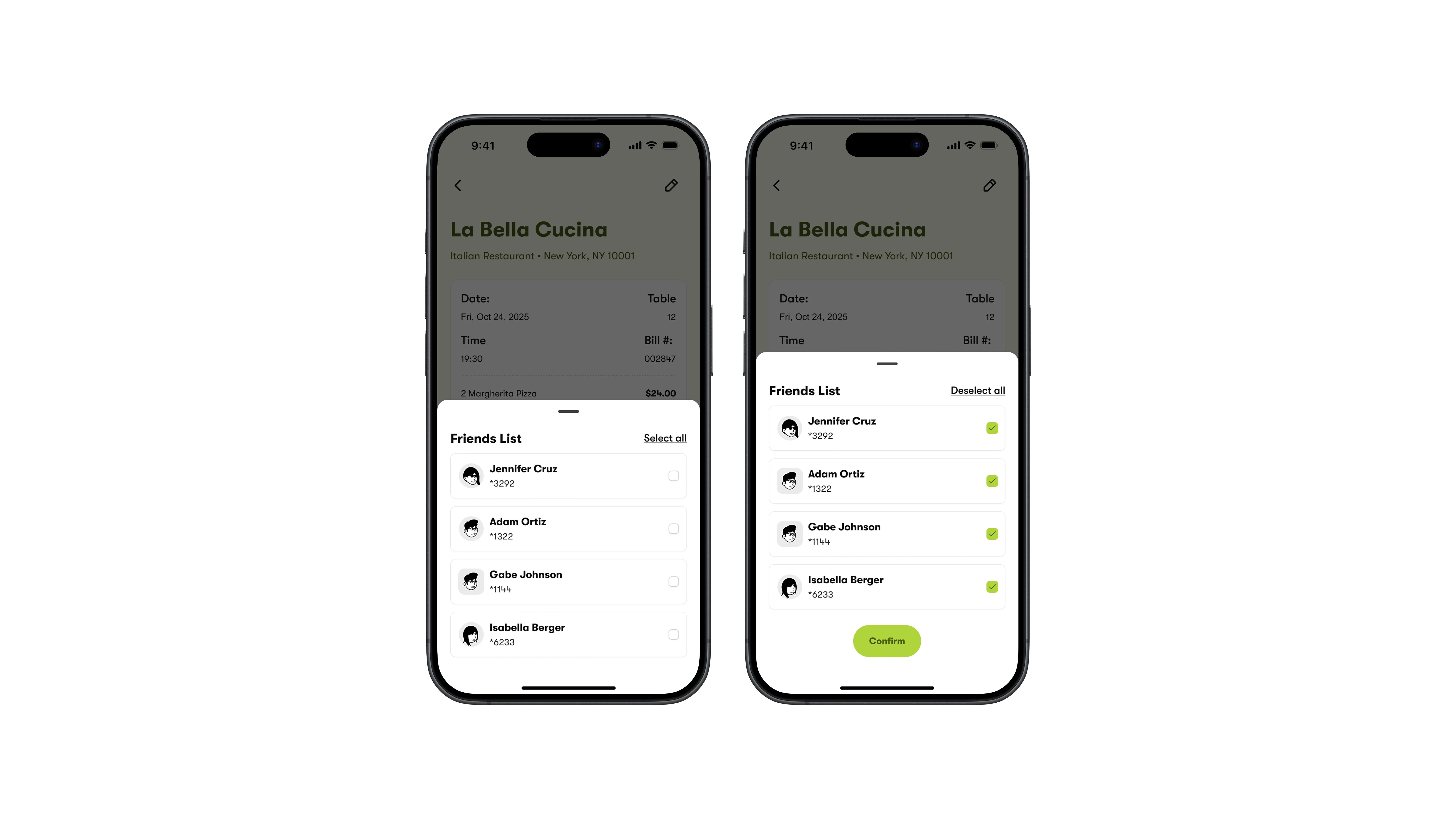
Want to see your friends list? Easy add them to the bill.
The modal drawer pops in to show your friends list, complete with their names, avatars, and a sneak peek at the last few digits of their credit cards.
You can select all with just one tap to keep things easy.
When you want to add friends, just hit "Confirm" and you're all set!
Adding friends to the bill
Check out the bill, all organized into Food and Drinks.
Just tap to pick your friends, and a list pops up—choose how many you need and hit confirm.
Once everyone’s matched up with their meals and drinks, the button lights up for you to proceed.
You’ll see a success screen showing what you’ve done, plus some info when the payments come in.
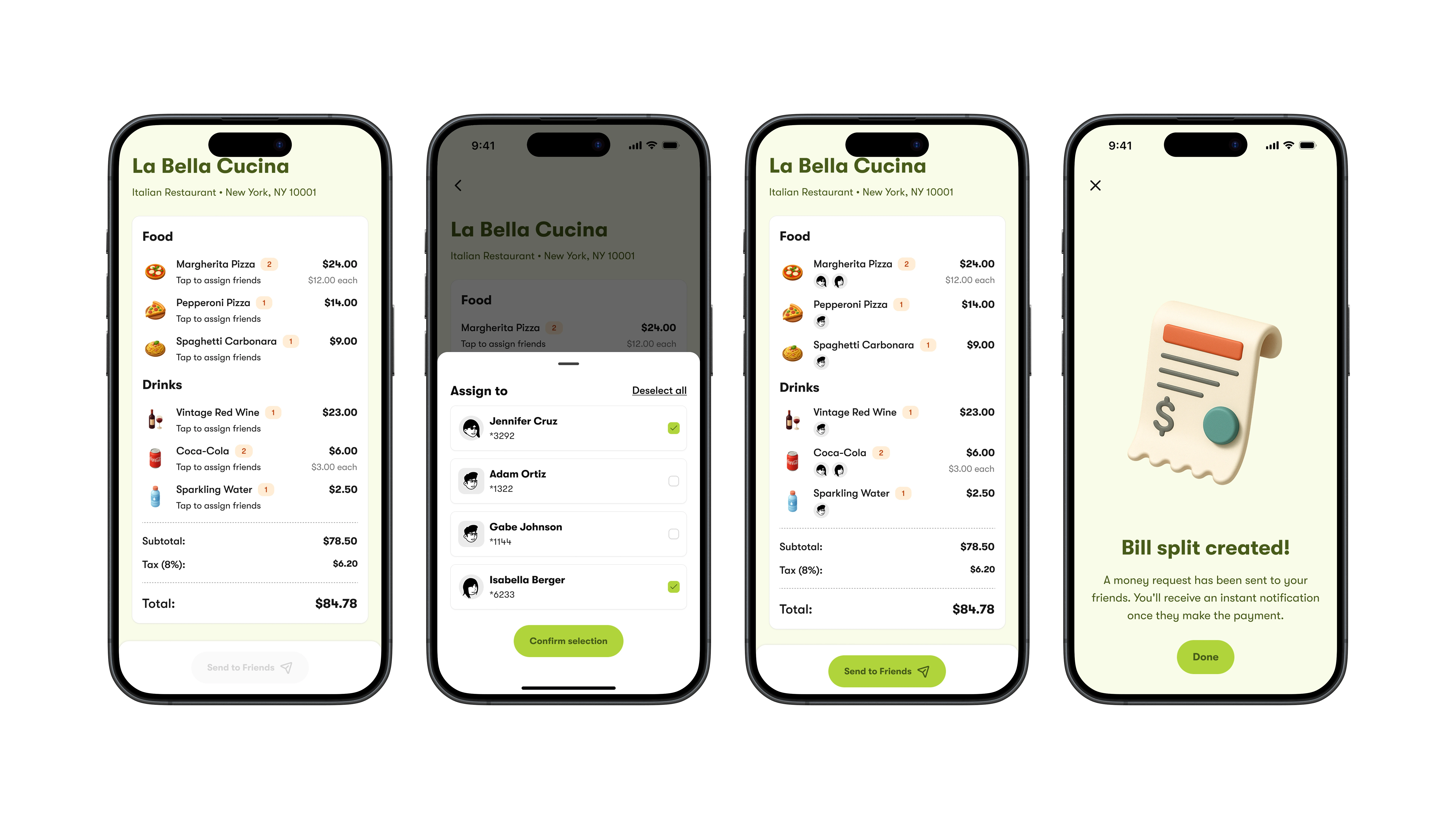
Assign dishes & drinks to friends
On the home screen, you'll see a notification icon that lets you know when new payments come in.
There's also a notifications screen where you can check out all the recent updates, like who paid their share and when.
Plus, if you want to dive deeper, you can see exactly who settled their part of the bill—keeping things transparent and trustworthy is super important!
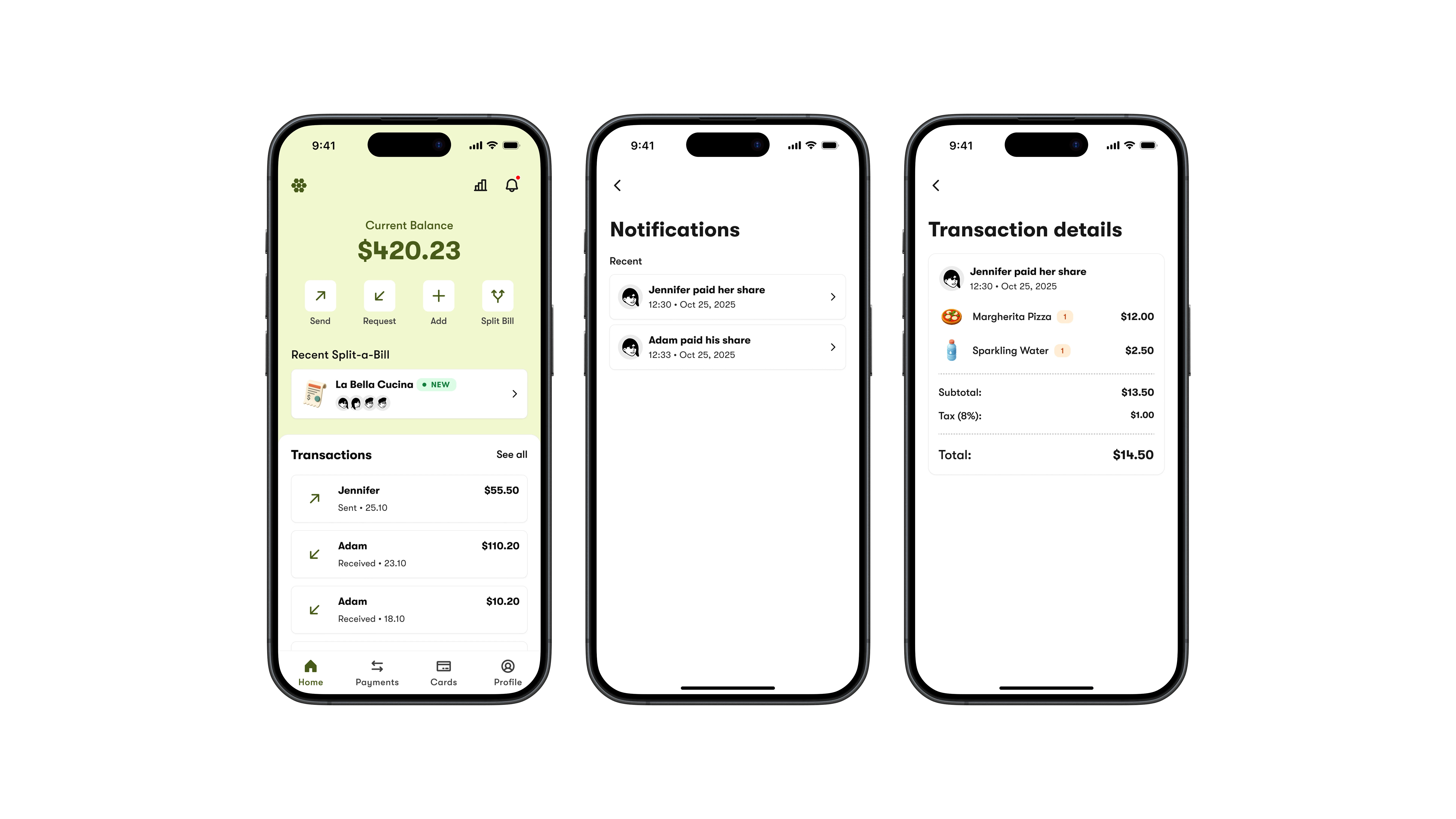
Notifications when bill is paid
See your current balance, data visualization dashboard and history of transactions.
You can check your current balance and easily send, request, add, or split a bill.
If you want a deeper look at your balances, just hit the “Chart” icon at the top.
You’ll also see the latest transactions with your friends, plus a “See all” option.
The tab bar lets you check out your Payments, Cards, and Profile.
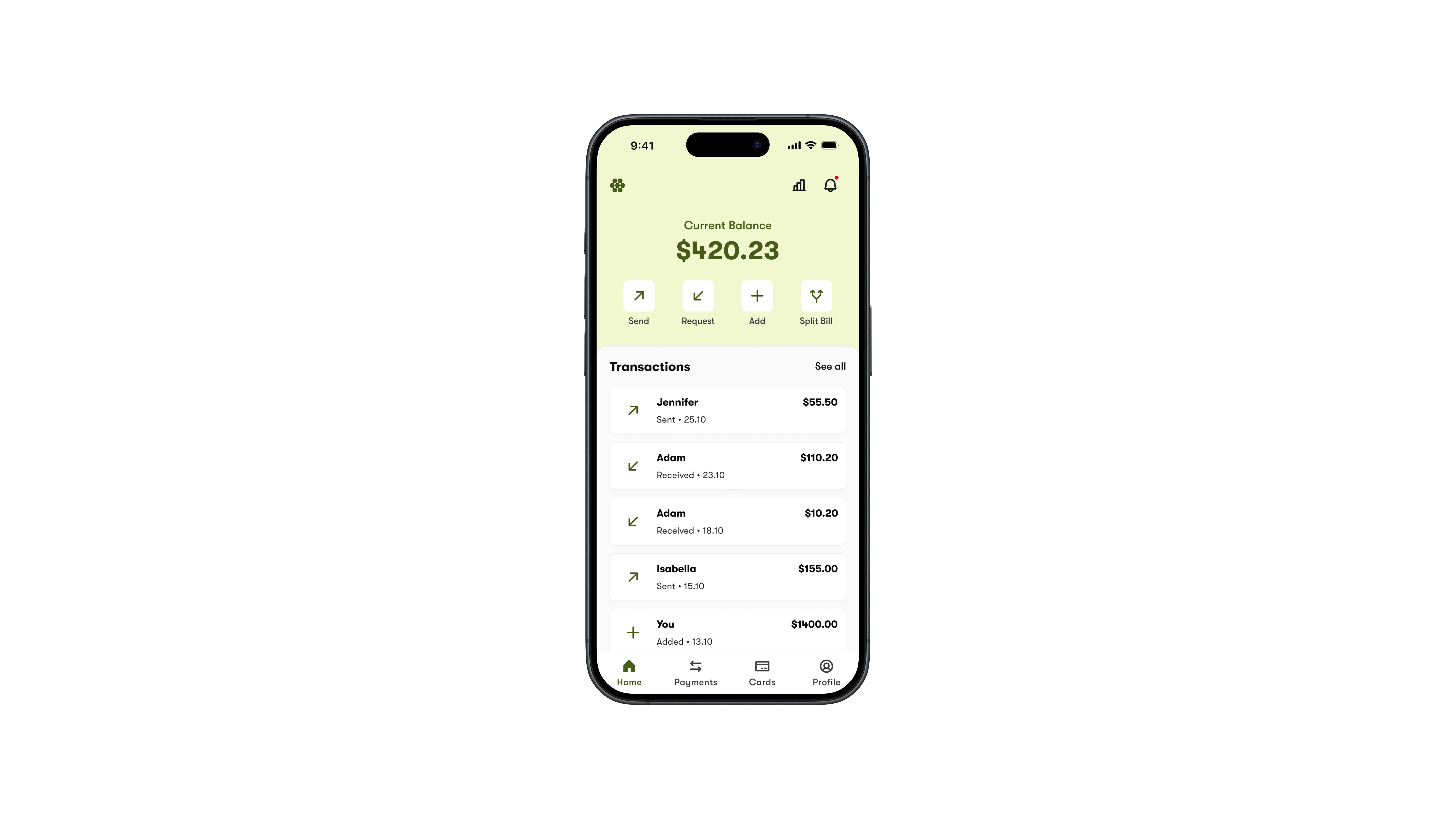
Dashboard view

Like this project
Posted Nov 17, 2025
Concept design for a bill splitting app, making the end-of-night-out-dining experience less awkward & more engaging.