AI-Powered Voice Notes & Learning Platform UX/UI Design

Hamza Munir


AI Meeting Note Taker
Role: UX/UI Lead
Client: Confidential
Platforms: Android & iOS
Timeline: 3 Months
Designing an AI meeting app that turns conversations into clarity.
As UX/UI Lead, I designed a cross-platform mobile experience that prioritizes structured AI summaries over overwhelming transcripts helping professionals stay present and act faster.
The Challenge
Meetings are essential but documenting them is inefficient.
Most professionals:
Split attention between listening and typing
Miss key decisions
Waste time cleaning messy notes afterward
Existing AI tools focus on transcription. But transcripts alone don’t create clarity.
The challenge was to design an experience that makes AI output immediately useful, readable, and actionable.
Instead of building around transcription, we focused the product around one core belief:
Users don’t want long transcripts.
They want highlights, decisions, and action items.
So we positioned AI Summary Generation as the hero feature not just a secondary add-on.
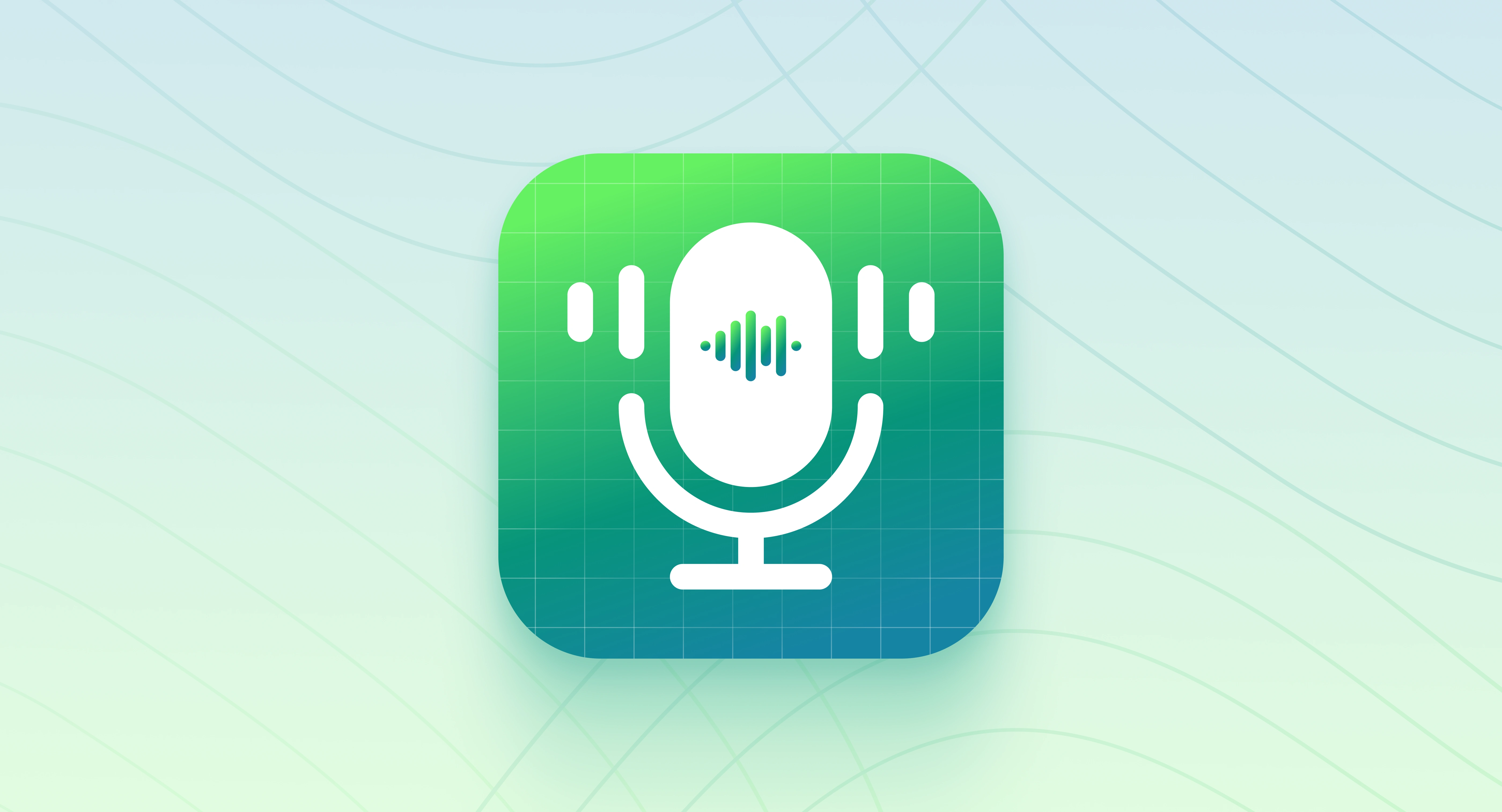
App Icon Exploration

Crafted a modern, professional icon designed to represent:
Seamless audio capture
Intelligent AI processing
Productivity, clarity, and trust
The visual system balances simplicity with technological sophistication, ensuring strong brand presence.
Carefully optimized for App Store visibility and clarity at small sizes to maintain recognizability across all device scales.
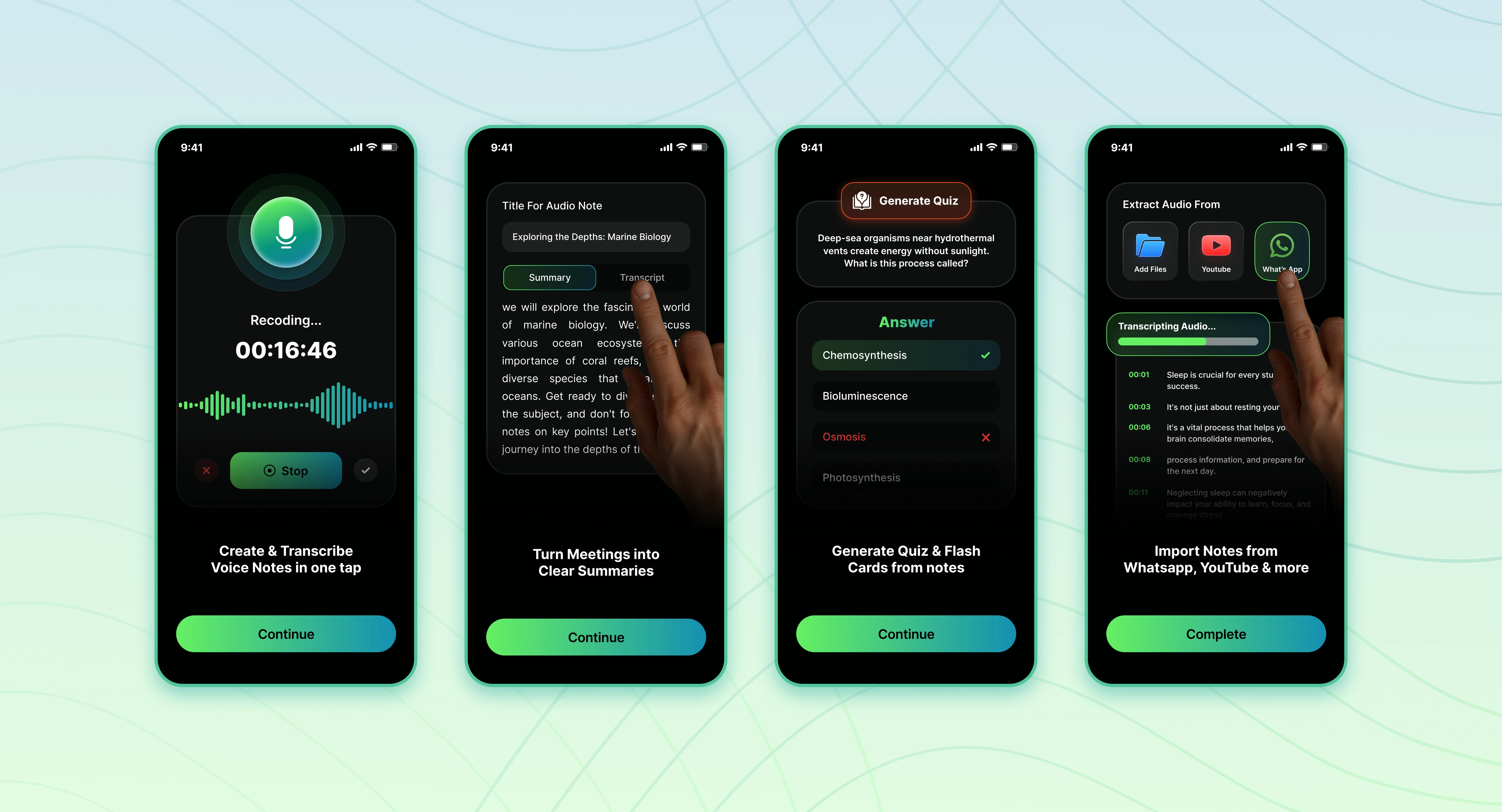
Onboarding Experience
Rather than overwhelming users with technical details, the onboarding was designed to quickly communicate:
What the app does
How it simplifies meeting workflows
Why it stands out from traditional transcription tools
By leading with benefits instead of features, the experience reduces cognitive load, accelerates understanding, and moves users to value faster minimizing early drop-off and improving activation potential.
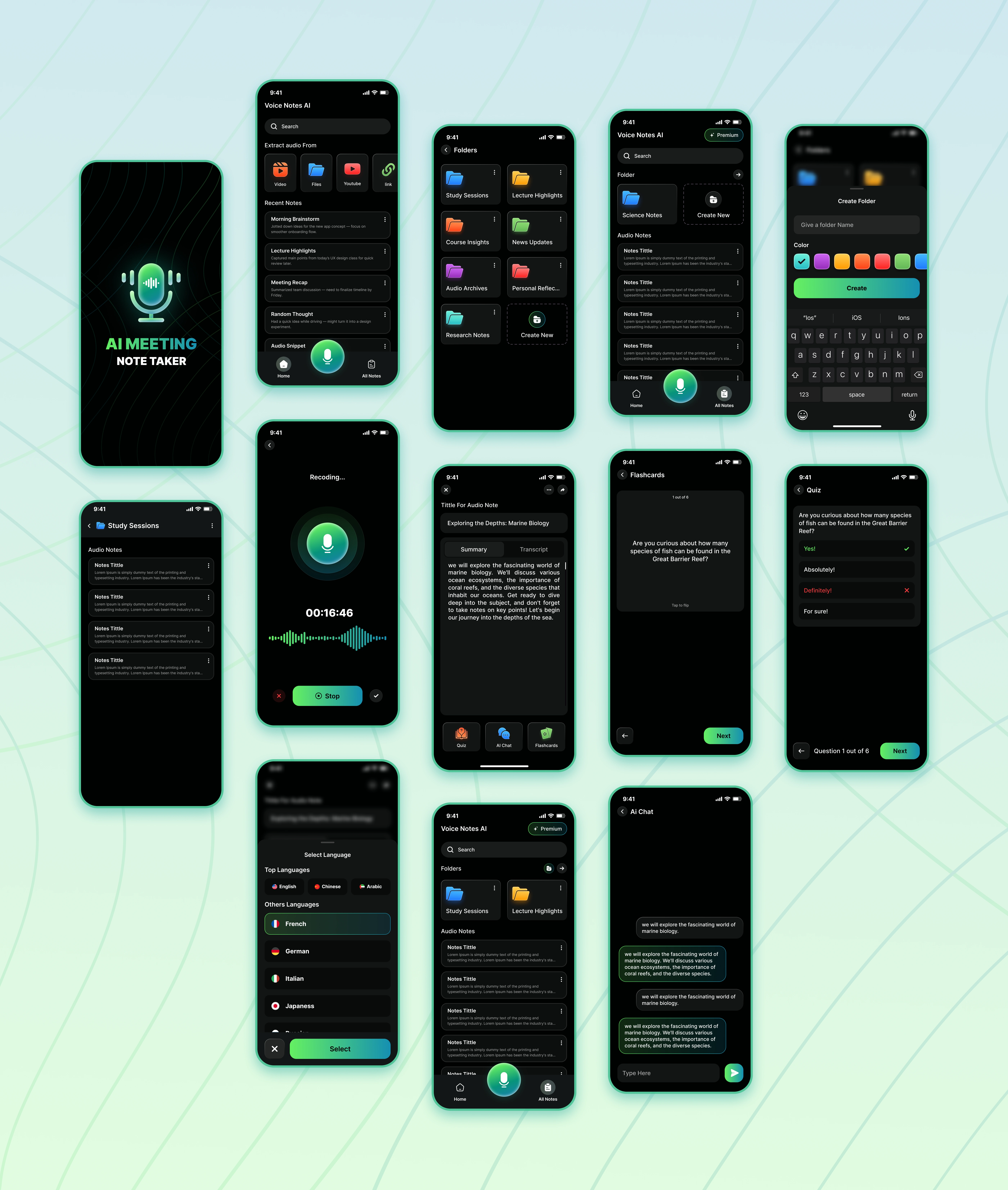
Recording Interface
Designed to promote focus and mental clarity during live sessions.
Key Design Decisions:
Prominent primary record button for confident interaction
Real-time waveform visualization for instant feedback
Minimal UI elements to eliminate distraction
Clear, intuitive stop and save flow
Objective:
Reduce cognitive load during meetings, allowing users to stay fully present while the app handles capture effortlessly.
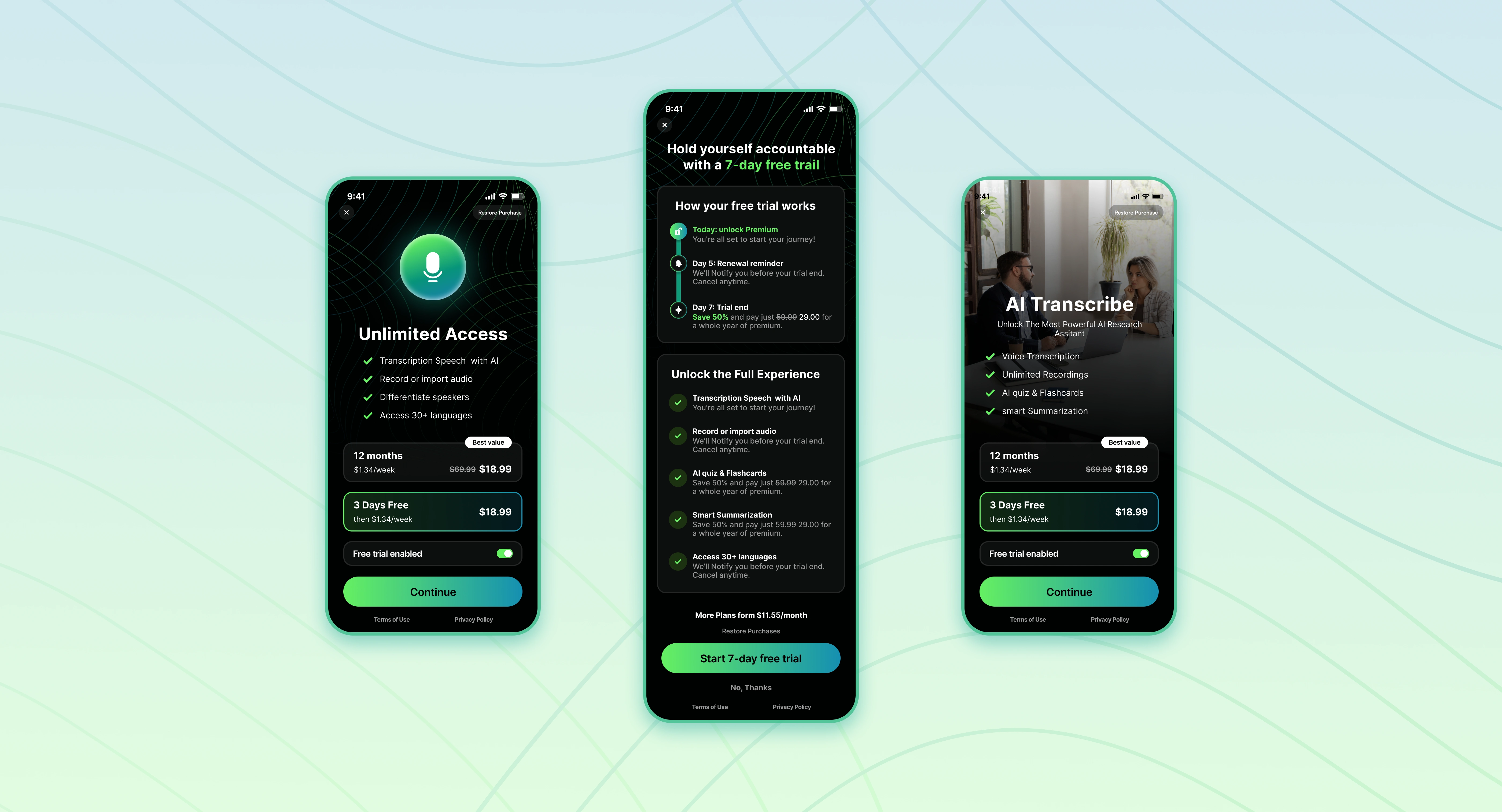
Paywall & Monetization Flow
AI processing carries operational costs, so monetization needed to feel both fair and value-driven. The paywall was intentionally introduced after users experienced the impact of AI-generated summaries, reinforcing perceived value before prompting upgrade.
Strategic Approach:
Highlight time saved and workflow efficiency
Present a clear, easy-to-scan feature comparison
Use a calm yet confident primary CTA
Maintain transparent, straightforward pricing
This approach strengthens conversion by aligning payment with demonstrated value without disrupting the user experience.
This project reflects my approach to product design:
prioritizing clarity, reducing cognitive friction, and aligning AI capability with real human behavior.
Rather than designing features in isolation, I focused on building a structured ecosystem from capture to comprehension where every interaction reinforces value.
Because intelligent products aren’t defined by complexity.
They’re defined by clarity.
Like this project
Posted Feb 22, 2026
Designed end-to-end UX/UI for an AI voice notes app that transforms recordings into structured summaries, quizzes, and organized knowledge.
Likes
0
Views
11
Clients
Confidential