Daniel Lay Event Services Website Redesign

Koonj Imdad


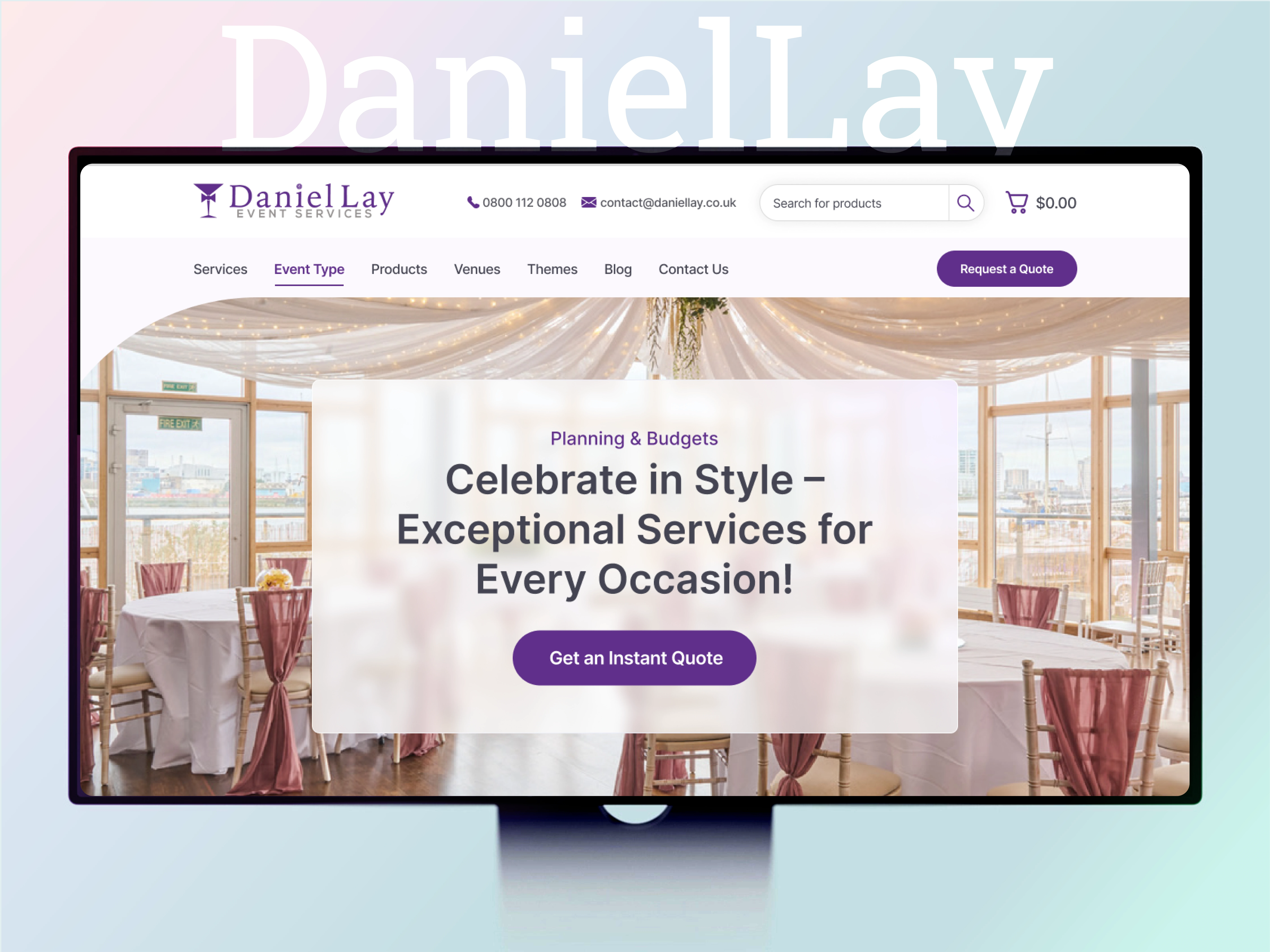
Daniel Lay Event Services
Website Redesign · UI/UX Design · UK Client
How I transformed a confusing event hire website into a clean, conversion-focused experience — restructuring 17+ product categories and 20+ event themes into a navigation system users could actually explore.
The Business Problem
Despite a rich offering and strong client relationships, their website was failing them. The catalogue had grown organically over time, and with it came a navigation structure that no longer made intuitive sense. Products, themes, and services were mixed without clear distinction, leaving visitors overwhelmed before they’d even decided what they wanted.
The core user frustration: visitors arrived not knowing whether to look under “Products” or “Themes” for a Great Gatsby party setup. There was no obvious booking entry point. The homepage didn’t guide; it listed. Enquiries were being lost, and the site wasn’t reflecting the professional, full-service brand the business had built.
Goals Set at Kickoff
Give users a clear, structured path from the landing page to the booking enquiry
Separate Products (physical hire items) from Themes (event aesthetics) in the navigation
Reduce cognitive load so visitors can quickly identify which entry point matches their needs
Modernise the visual presentation to match the premium quality of the actual service
Design a system scalable enough to accommodate ongoing catalogue growth
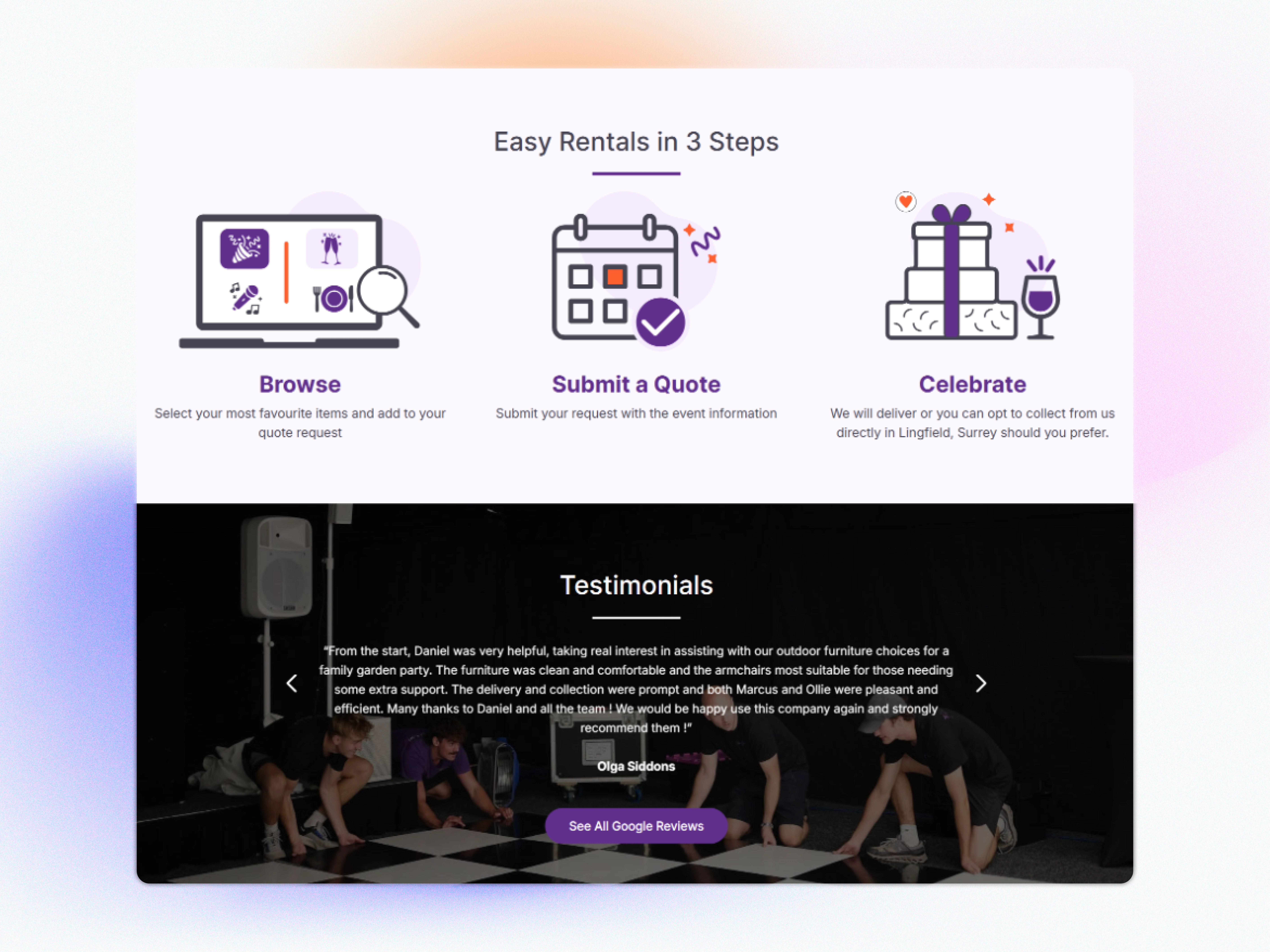
3 Easy Steps
My Design Approach
I approach every website redesign as an information architecture problem first and a visual design problem second. With Daniel Lay, the biggest issue wasn’t aesthetics; it was structure. Before opening Figma, I spent time understanding how different types of visitors would arrive at the site and what they’d be looking for.
Discovery & Heuristic Audit
I reviewed the existing site through the lens of a first-time visitor with three different mindsets: someone wanting to hire a specific item (e.g. a dance floor), someone inspired by a theme (e.g. Moulin Rouge), and someone who wanted full planning support. All three journeys were broken. Products and themes shared the same navigation tier with no visual differentiation. I documented every friction
point, dead end, and ambiguous label across the site.
Defining the Navigation Architecture
The core design decision of the entire project: splitting the content into four distinct pillars, Products, Services, Themes, and Event Type. This wasn’t just a cosmetic menu change. It was a fundamental restructuring of how the catalogue was understood. Products = physical items you hire. Themes = aesthetic packages
for a type of event. Services = planning, staffing, and execution. Event Type
= filter by occasion. Each pillar gave users a different ‘front door’ based
on how they think about their event.
User Flow Mapping
I mapped out the primary journeys: browse by product → add to quote → submit enquiry; browse by theme → view matching products → enquire; land on homepage → identify occasion → land on relevant category. These flows informed where CTAs were placed, how the homepage hero was structured, and what the 3-step rental journey (Browse → Submit Quote → Celebrate) needed to communicate at each stage.
Wireframing
Lo-fi wireframes focused entirely on hierarchy and task completion, no colour, no imagery. I tested different homepage layouts to determine whether the primary CTA should lead users to Products, Themes, or a combined discovery page. I wireframed the mega-menu with icon-based category labelling to make scanning faster. Each category under Products and Themes was given its own entry point with consistent sub-page templates.
Visual Design & UI System
With the architecture confirmed, I moved into high-fidelity UI design. The visual language was kept clean, sophisticated, and event-industry appropriate — imagery-led, with enough white space to let the catalogue breathe. Icon-based navigation labels were introduced across the mega-menu to aid scanability. I designed a consistent card system for products and themes, a prominent quote/enquiry CTA pattern, and homepage hero banners that immediately communicated the breadth of the service. A design system with reusable components was handed off to the development team.
Handoff & Developer Collaboration
Final designs were delivered as annotated Figma files with component states, interaction notes, and responsive behaviour guidelines. I worked closely with the development team during implementation to ensure the navigation logic and layout hierarchy were preserved accurately in the live build.
Color Scheme
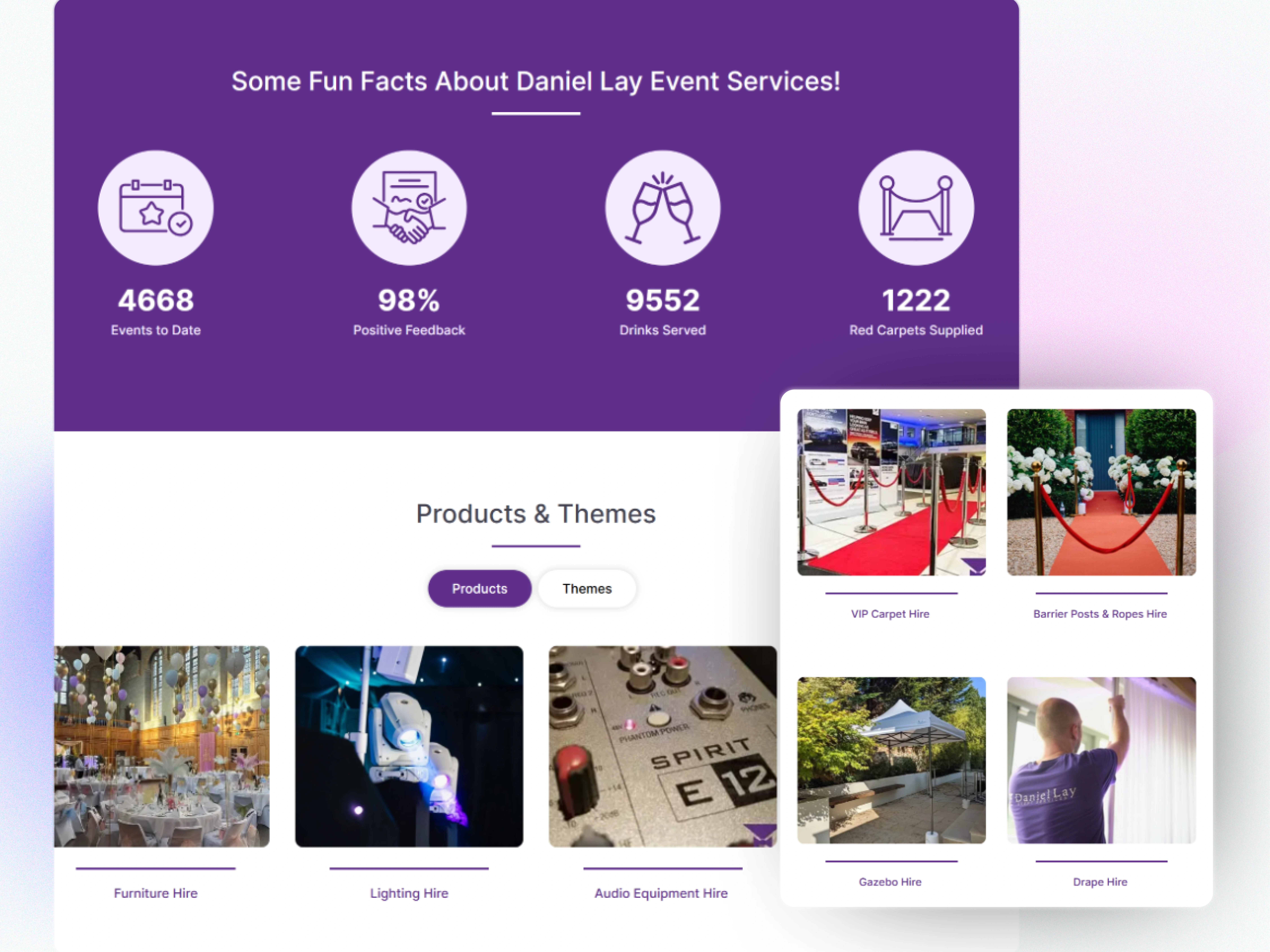
Products and Themes (Tabs)
What Changed
4 Clear Navigation Pillars
17+ Product Categories Organised
20+ Themes Separated & Structured
3 Step Booking Journey Introduced
Key Design Wins
Navigation clarity: Users now enter through four distinct pillars, Products, Services, Themes, and Event Type, each matching a different mindset. There is no more guessing whether “The Great Gatsby” lives under Products or Events.
Reduced cognitive load: Icon-based mega-menu labels enable rapid visual scanning across a product range of 17+ categories. Users identify their category in seconds rather than having to read through undifferentiated lists.
Booking path confidence: A clear 3-step process (Browse → Submit Quote → Celebrate) was introduced above the fold, giving first-time visitors an immediate, low-friction action to take on every page.
Scalable catalogue system: The card-based product and theme templates are fully repeatable. Adding a new hire category or event theme requires no design rework; the system accommodates growth cleanly.
Brand elevation: The refreshed visual language, editorial imagery, clean typography, and consistent spacing now match the professional, premium positioning of the business, which counts BMW, Virgin, and Tesla among its clients.
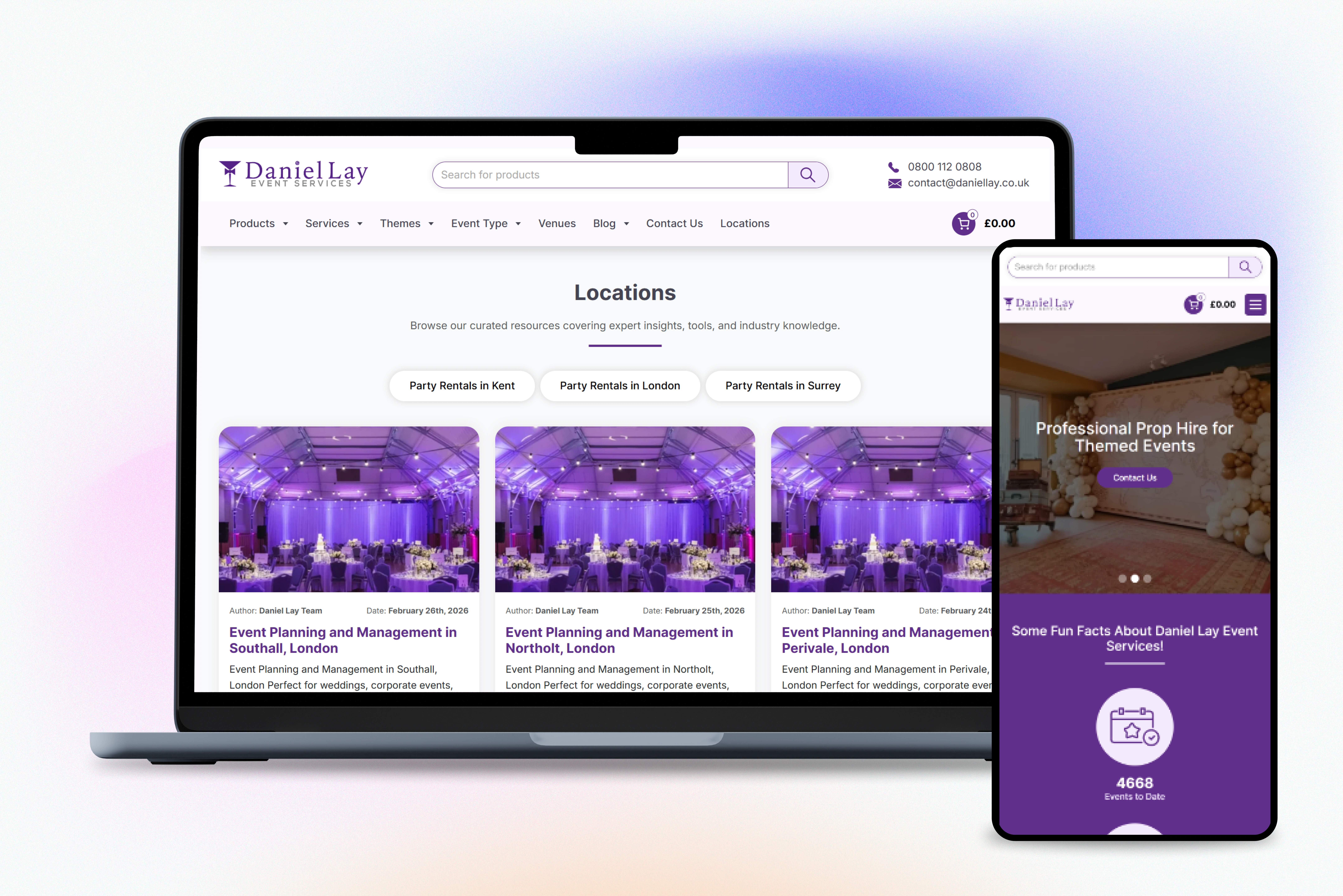
Reaponsive Website Design
Let's Work Together
Koonj Imdad
UX/UI Designer
Like this project
Posted Jun 15, 2026
Redesigned Daniel Lay's website for better user navigation and brand alignment.