
A brief tool for freelancers, designed and built end to end on Base44.
Role: Product design, brand, web design, build
Tools: Base44 (database, auth, backend functions, AI), React, Tailwind, Framer Motion
Type: Concept product with a working demo
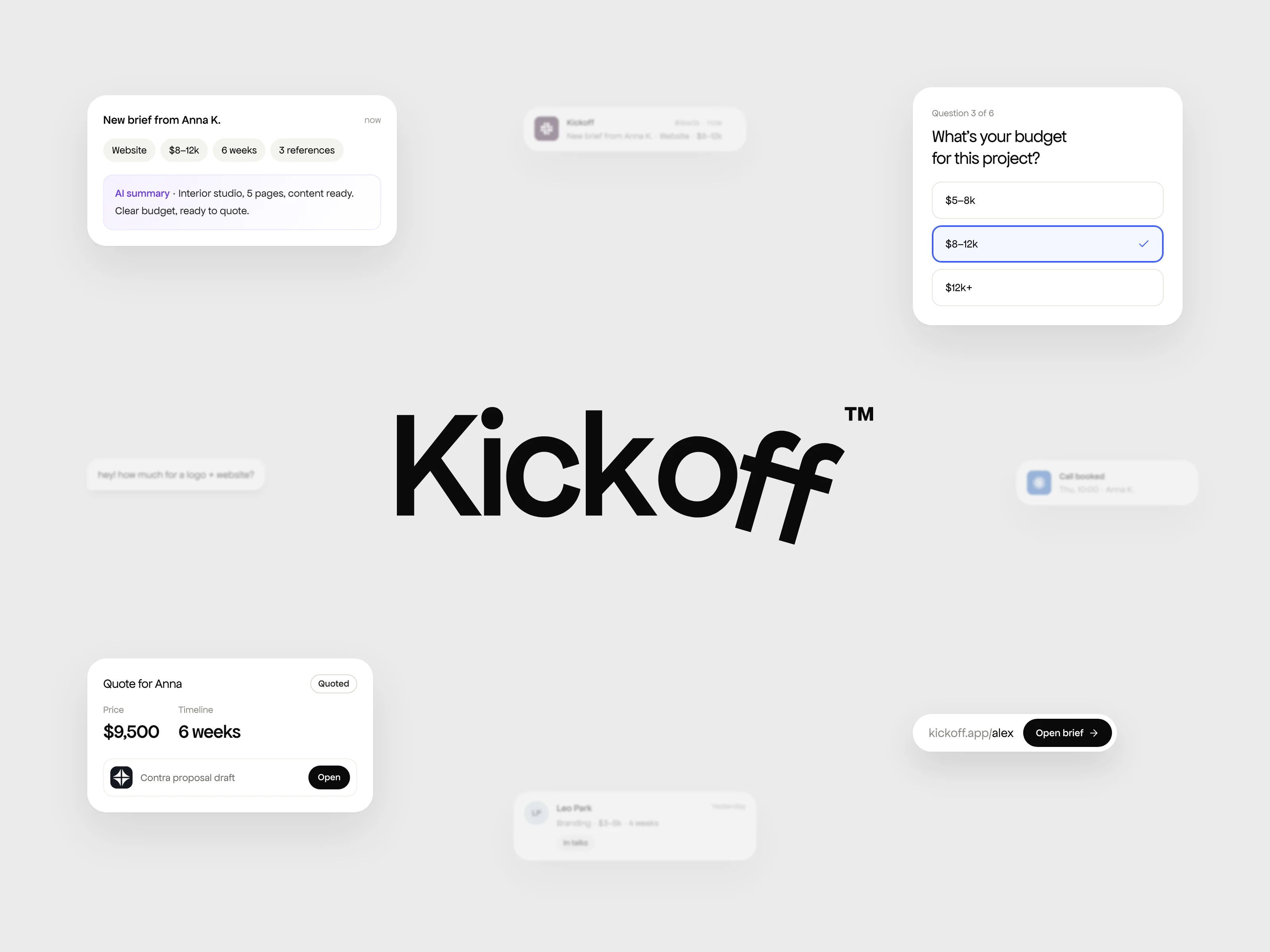
Kickoff, a brief tool for freelancers. Share one link and get a ready-to-quote brief.
The Problem
Every new project starts the same way. A client writes "hey, how much for a logo + website?", you ask about budget and timeline, and three days and ten messages later you still don't know what they actually need.
Freelancers lose hours on this back and forth before any real work starts. Clients find it tiring too, because they don't know which details matter.
Every new project starts the same way: ten messages before you know the budget.
The idea
Kickoff is a "Calendly for briefs". You share one link. The client answers a short, guided form, one question per screen, in about three minutes and without an account. You get a clear brief with budget, timeline, references and an AI summary, ready to quote.
The client side
The form is built for phones first, because that's where most clients open links. One question per screen, big tap targets, a progress bar, and budget ranges instead of an empty "your budget" field. Clients pick a range and move on. When they're done, they can book a call right away.
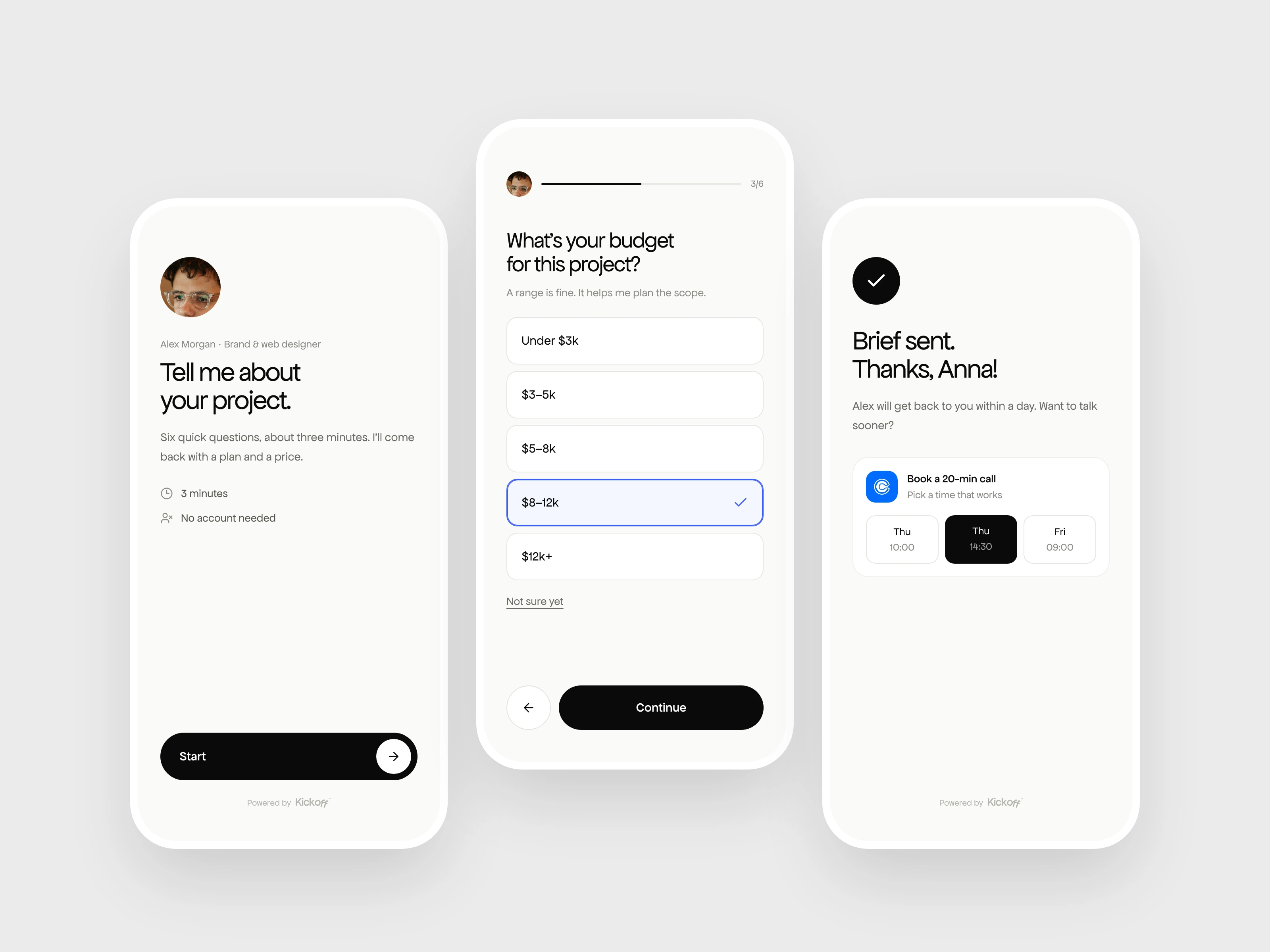
The client side. One question per screen, about three minutes, no account needed.
The freelancer side
Every brief lands in one inbox. The AI reads the answers and writes a two-line summary, plus the questions the client didn't answer, so you know what to ask in your reply. Budget, deadline and scope sit at the top, and the status moves on its own: New, In talks when you reply, Quoted when you send a quote.
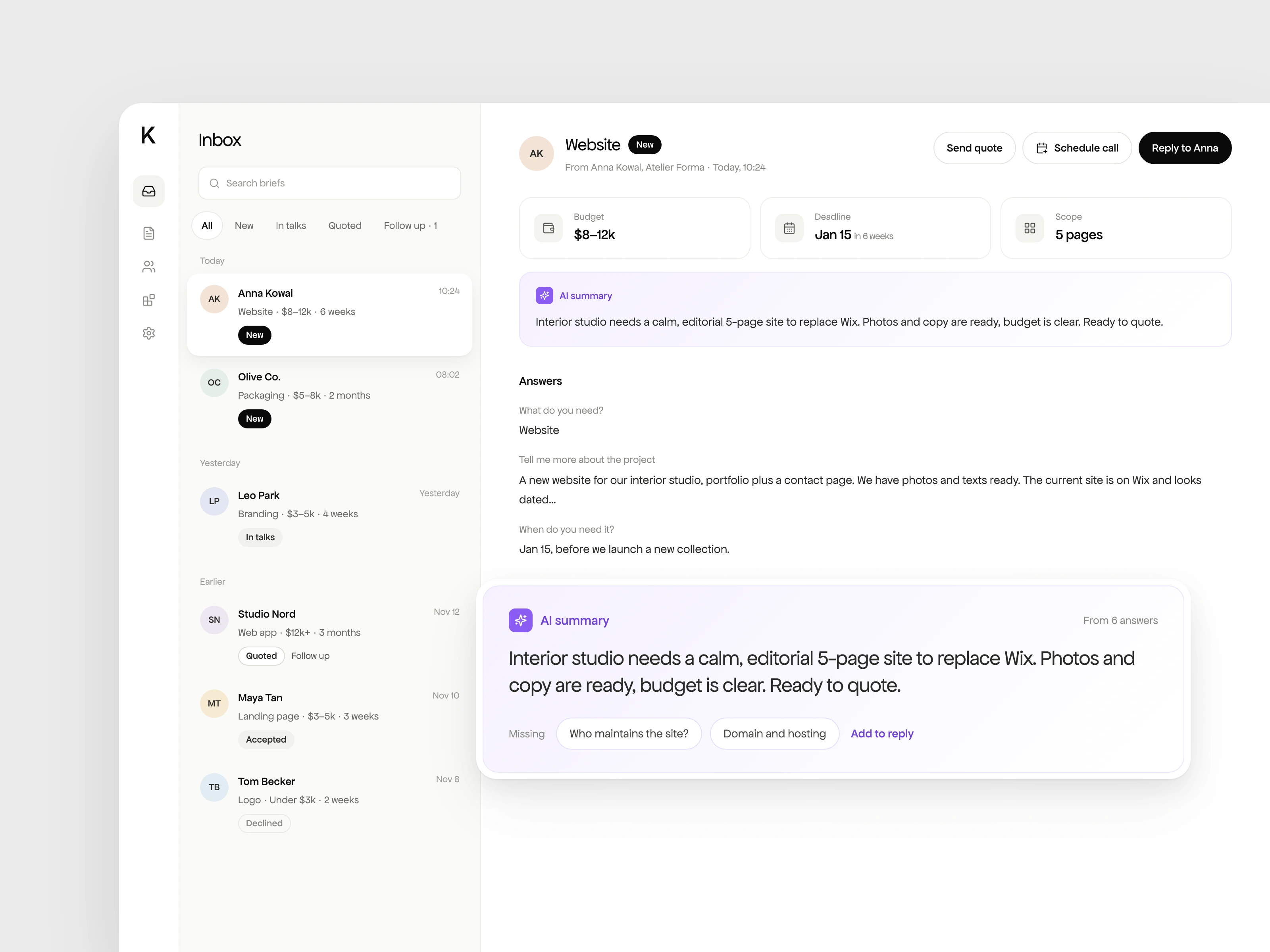
Every brief in one place, with an AI summary and the questions the client didn’t answer.
From any brief you can draft a quote in one click. The AI uses the brief and your own settings (day rate, fixed prices, deposit, revisions) to suggest a price, a timeline, deliverables and terms. You check it and send it by email, WhatsApp or text, whichever the client prefers. With Contra connected, the quote can also be saved as a Contra proposal the client can sign and pay.
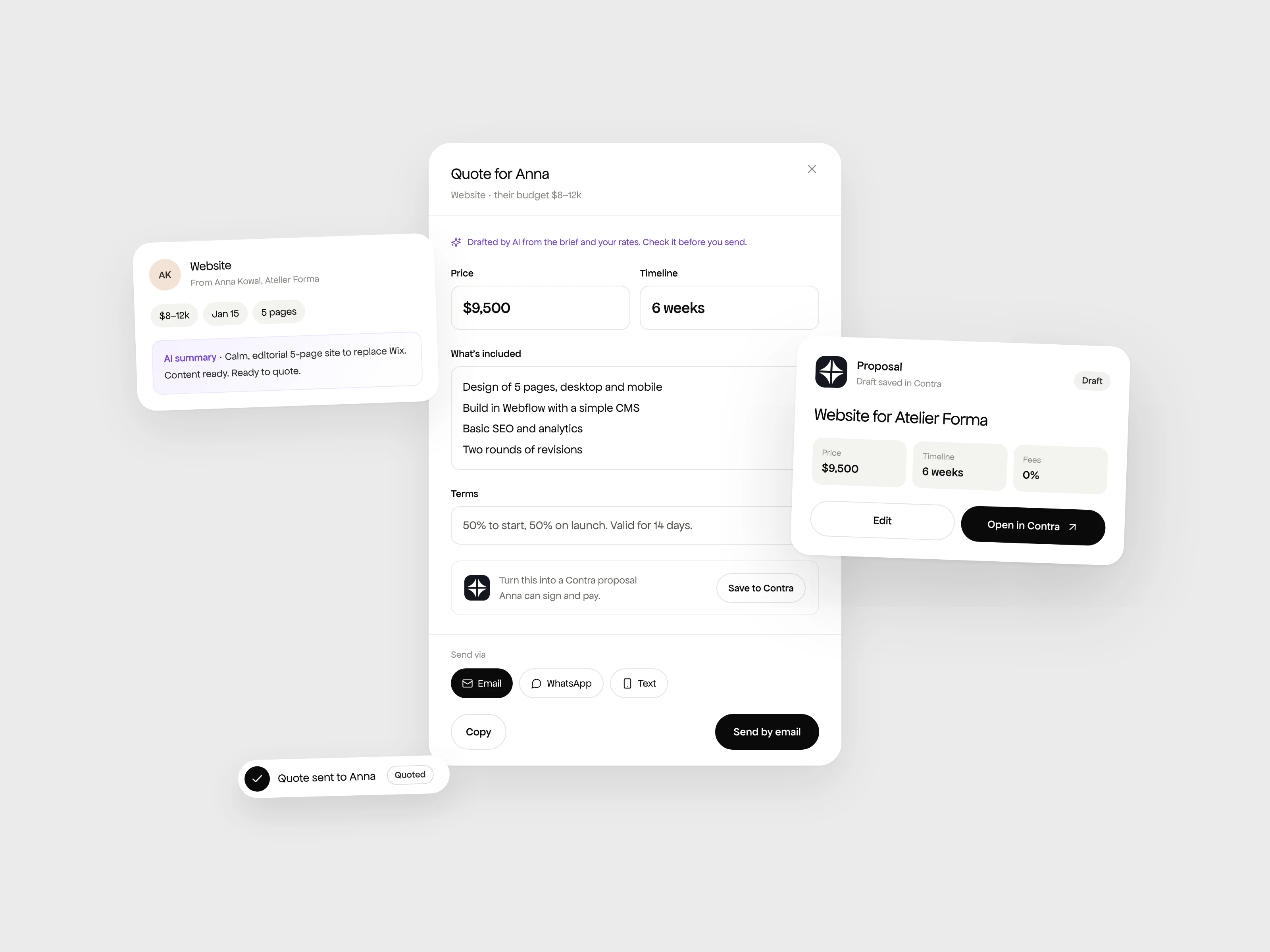
A quote drafted from the brief and your rates. Send it by email, WhatsApp or text, or save it as a Contra proposal.
Integrations
Kickoff connects to the tools freelancers already use:
Contra: import your profile and services with prices, and turn quotes into proposal drafts.
Slack: every new brief arrives in a channel with its AI summary.
Calendly: clients book a call right after sending a brief.
Google Calendar: schedule a call from any brief with the client already invited.
Zapier and Make: send briefs to Notion, Airtable, Sheets or a CRM.
Email: an alert with the summary the moment a brief arrives.
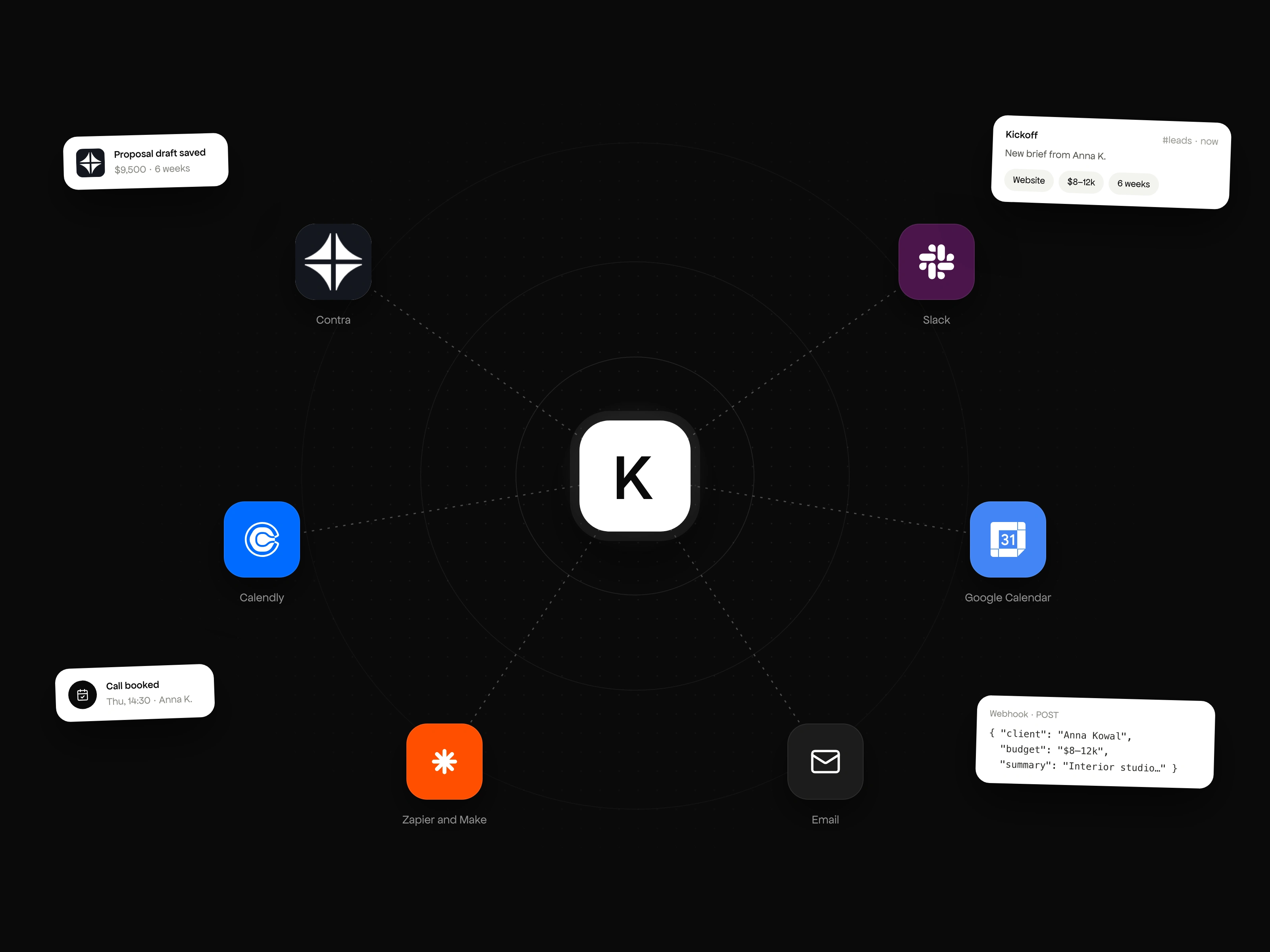
Connected to Contra, Slack, Calendly, Google Calendar, Zapier, Make and email.
Other details
Form editor with templates for websites, branding, pitch decks, packaging and more.
Your own link (kickoff.app/yourname) and accent colour.
Clients list with every project and its status.
Follow-up reminders when a sent quote gets no answer after a few days.
File uploads for moodboards and references.
Website and brand
The landing page tells the story in the order a freelancer feels it: the messy first messages, the one link, then the inbox. Scroll-driven sections show the problem before the product. The hero video is synced with a chat that plays above the laptop on screen.
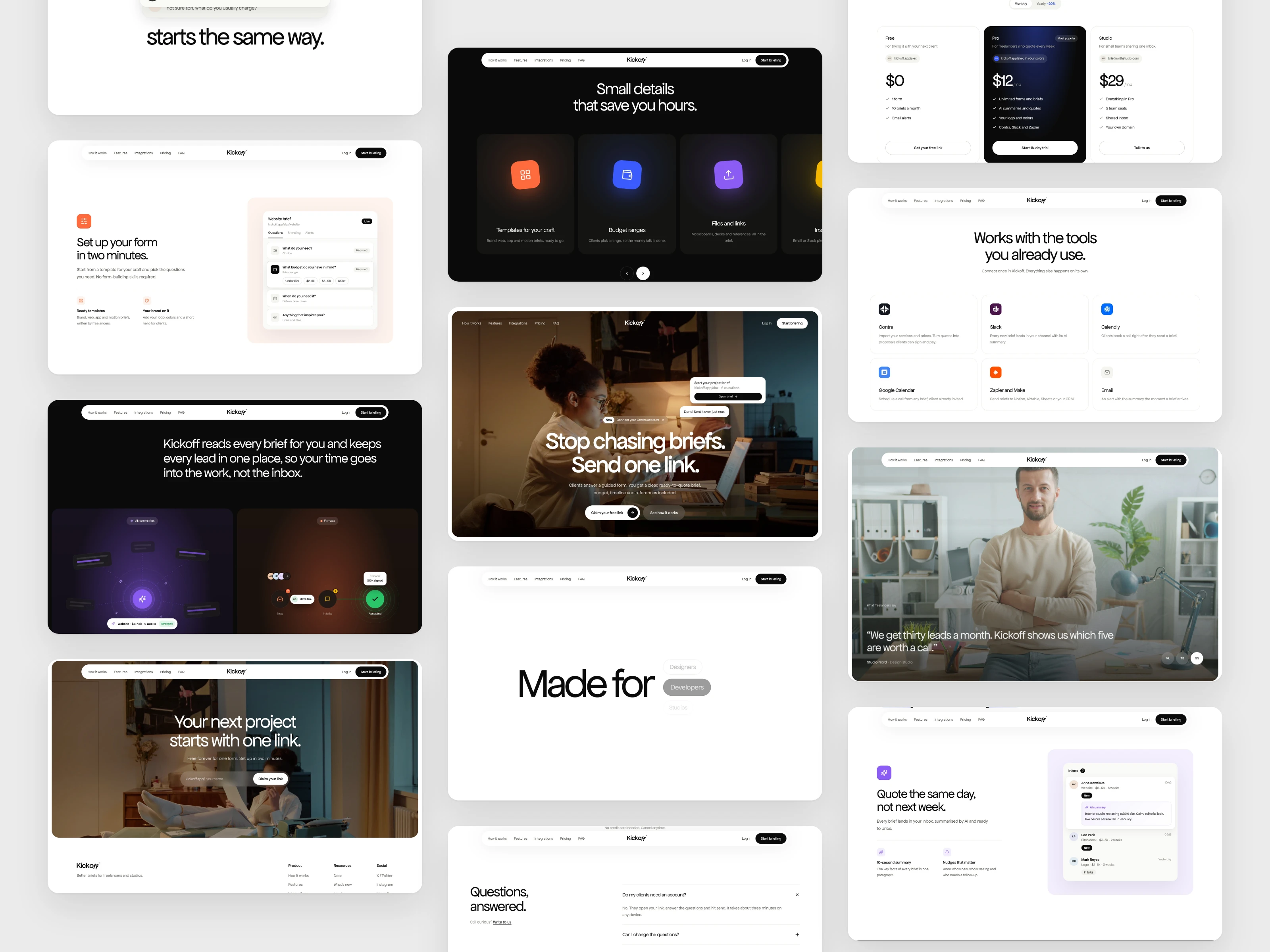
The landing page shows the problem first, then the product.
The brand is black and white with very little decoration. Apfel Grotezk carries the whole identity: Mittel for the hero, Regular for everything else. Colour appears only where it means something: blue for the client's choices, violet for AI.
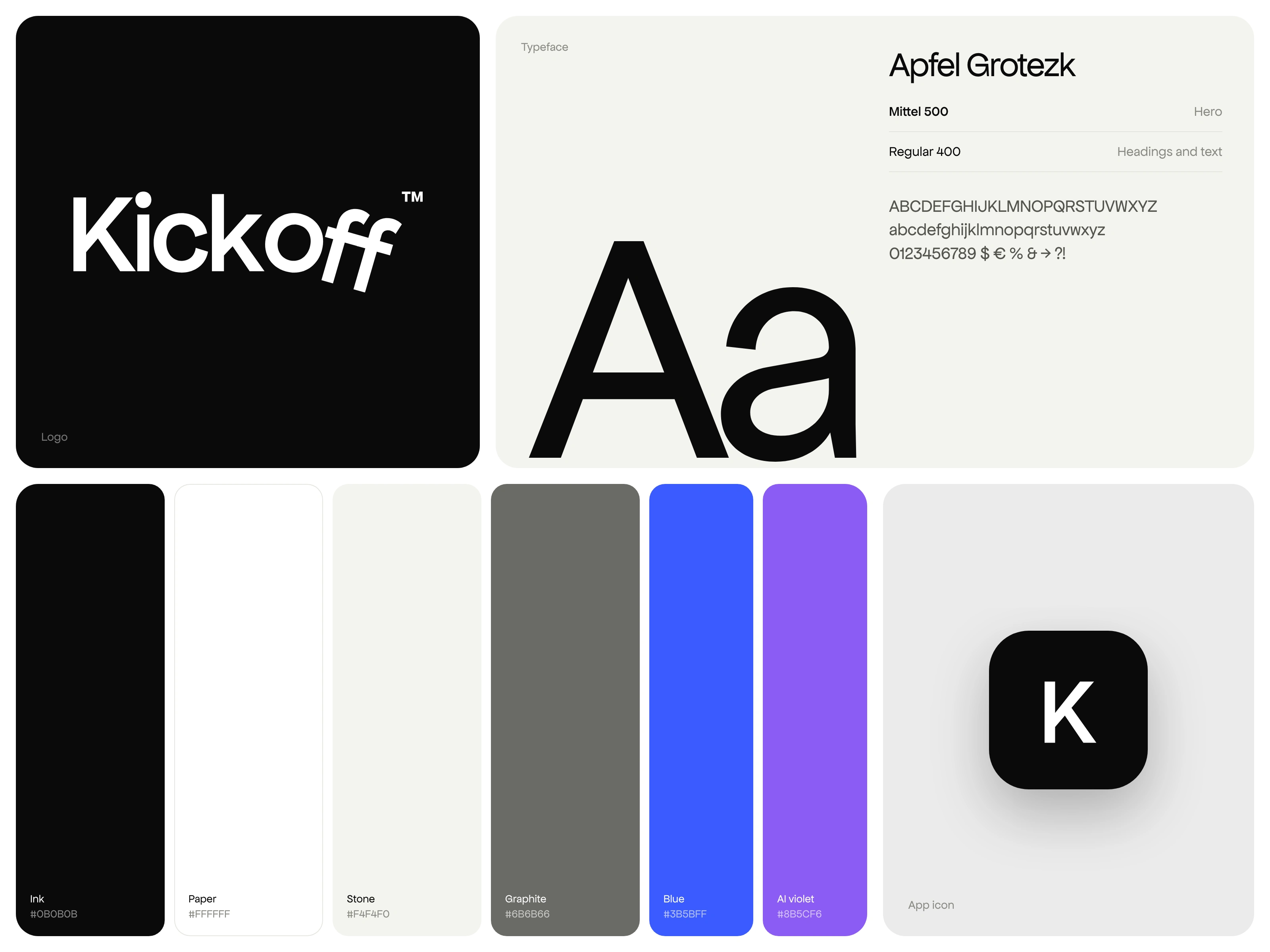
Black and white, set in Apfel Grotezk. Blue marks the client’s choices and violet marks AI.
Built on Base44
Kickoff is a real app, not just screens:
Data: Profiles, Forms and Briefs as Base44 entities, each locked to its owner.
Backend functions: public form loading, brief submission, AI summaries, quote drafting, Slack and webhook alerts, file uploads and the Contra connection.
AI: Base44's built-in LLM writes the summaries, the missing questions and the quote drafts.
Auth: email and Google login.
The public link runs as a demo. Everything works in the browser with sample data, and the live backend is switched off, so anyone can click through the whole product.
Try it
Open the demo, send yourself a brief from the client form, then draft a quote from the inbox.
0 likes · 1 view · Nov 21, 2026
I designed and built Kickoff, a “Calendly for briefs” for freelancers. You share one link, the client answers a short guided form, and you get a clear brief wit


