Flux SaaS Landing Page Development

Samin Sami


PROJECT CASE STUDY: FLUX SaaS Platform
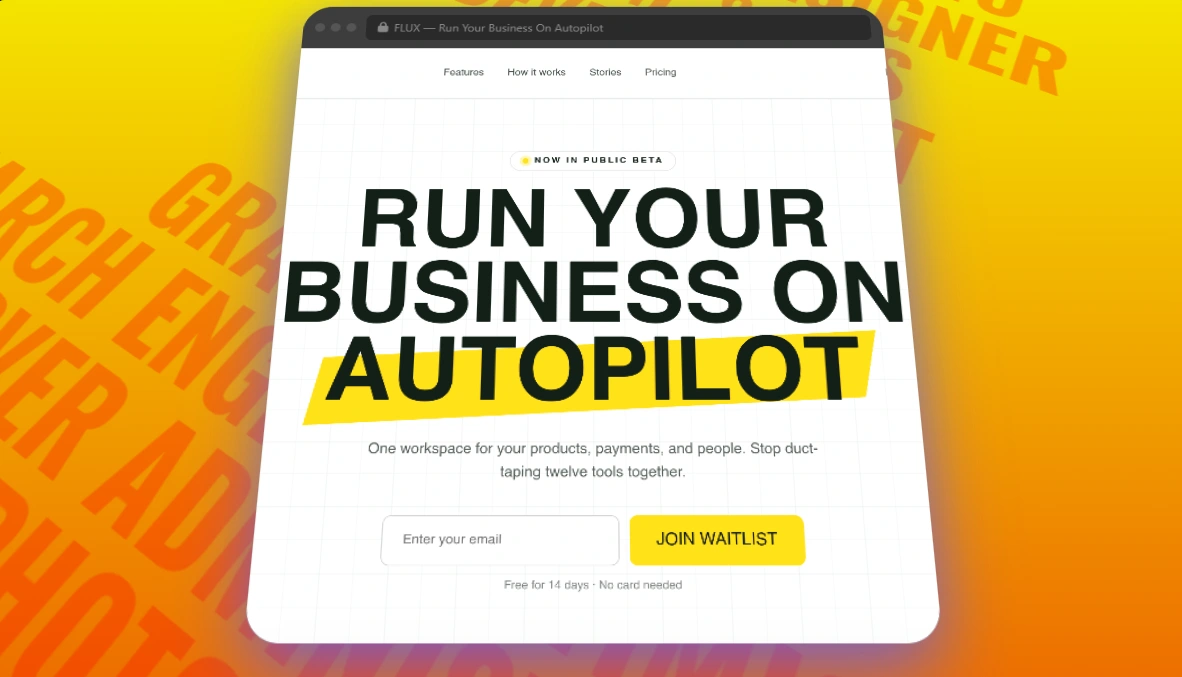
Flux Landing page Hero Section
Flux is a creator business operating system designed to combine billing, CRM, automations, and reporting into a single dashboard. The goal for this project was to take a dense, brutalist-inspired editorial draft and convert it into clean production code without adding React, Tailwind, or complex node build steps.
I took the specification and developed a self-contained static site. The codebase runs locally with any basic file server and deploys to static hosts without build scripts. All display and body fonts are vendored locally so the page works offline, keeping memory overhead minimal. The resulting page loads instantly, feels sturdy across desktop and mobile browsers, and gives creator businesses a distinct identity compared to typical template-driven SaaS websites.
ARCHITECTURAL CHALLENGE
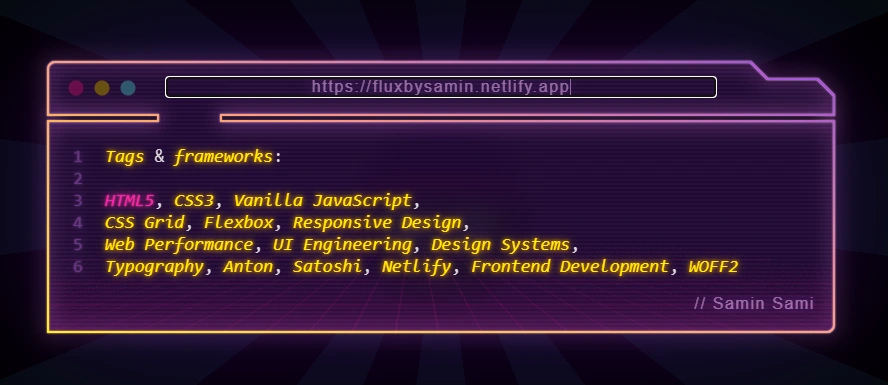
Frameworks and Tags Required to build Flux
Most modern SaaS marketing pages suffer from unnecessary dependency weight. When handed a tight design specification, the default industry habit is to install Next.js or heavy component packages just to render four content blocks and an email input. That habit leads to slow hydration cycles, layout shifts, and font-loading flickers that damage the first impression.
The main technical challenge on Flux was implementing an aggressive editorial aesthetic while keeping the architecture minimal and dependency free. The layout demanded oversized display headlines with tight line spacing, skewed geometric accents behind key words, and alternating dark and light bento cards.
Managing large typography across different screen widths without overflowing containers required disciplined planning. Standard media queries alone would have produced jarring step-changes during window resizing. To solve this, I designed a fluid scaling system using modern CSS clamp math that recalculates font sizes and grid gaps smoothly while preventing layout shifts.
VISUAL BREAKDOWN (CORE SYSTEM UI)
Flux SaaS Responsive layout on all screen sizes
The page layout follows a direct conversion sequence. It guides the visitor from the initial brand pitch down to concrete product features.
At the top, the navigation bar uses frosted glass blur effects with hairline border separation. The hero section sits on a 40px linear gradient grid, anchored by an oversized Anton headline and a 15-degree skewed yellow accent bar behind the final word. Directly beneath the waitlist form, I built an abstract browser mockup that previews the internal application: a dark navigation rail, a clean workspace canvas with collaborator cursors, and an inspector panel displaying real design controls and hex values.
Below the fold, the layout splits into two distinct panels for the problem and solution contrast. The left side uses deep charcoal with muted sage text and red markers to list traditional creator friction points. The right side uses slate gray with yellow markers to present the automated Flux workflow. Further down, a three-column bento grid presents modular feature cards, followed by a sticky three-step process walkthrough, three social proof cards with a raised center tile, a high-contrast yellow call to action with ghosted background text, and a structured multi-column footer.
ENGINEERING AND INTERACTION
To make the page feel responsive and polished without importing heavy animation packages, I relied entirely on native browser features and lightweight JavaScript. A visual flowchart is shown,
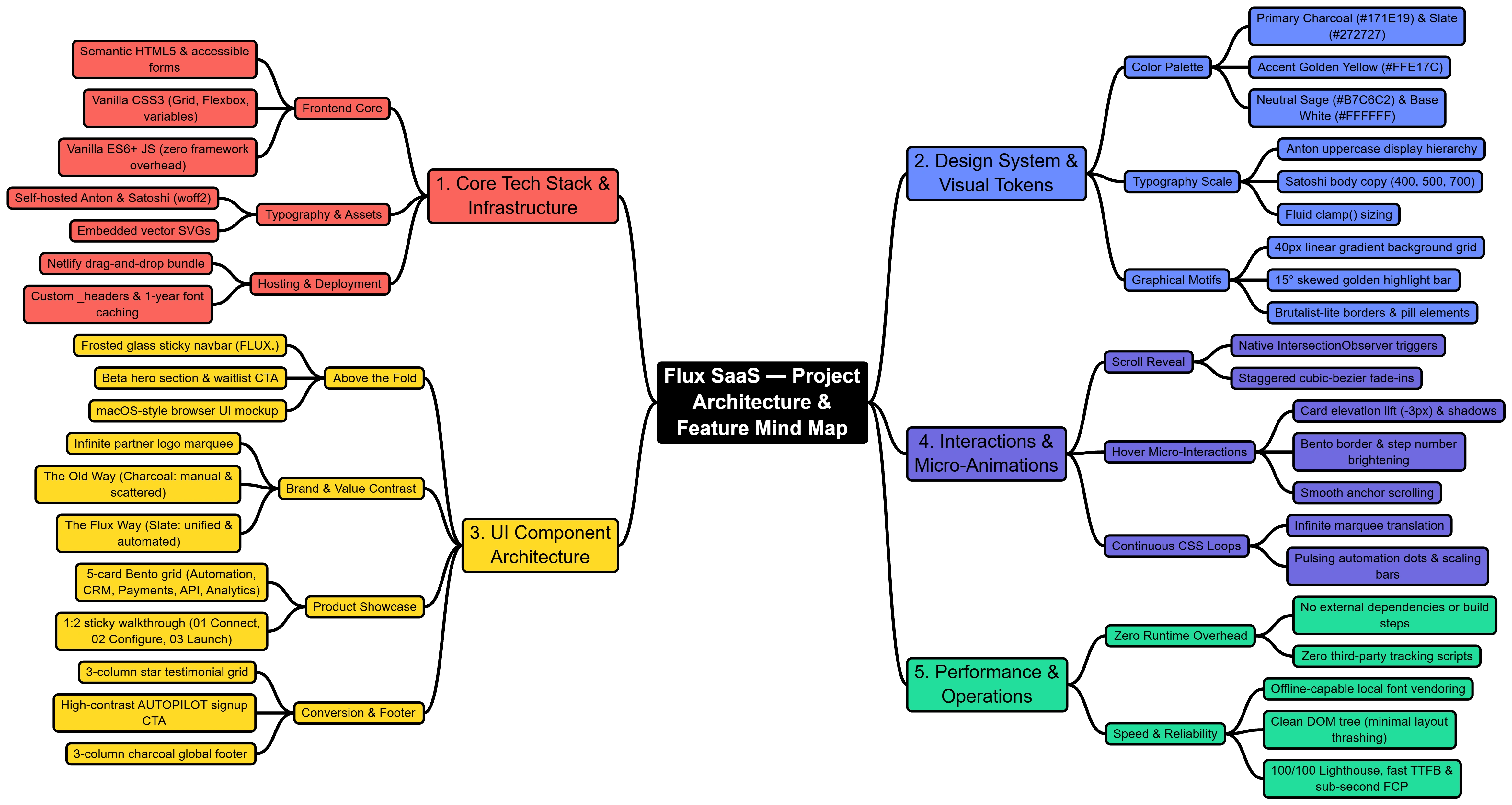
Flowchart of Flux SaaS Platform
For viewport scroll animations, I used a single native IntersectionObserver instance that watches feature cards, headings, and numeric steps. As elements cross the visibility threshold, the script assigns an active class that triggers hardware-accelerated transitions. All card translations and shadow changes use a shared cubic-bezier curve. This gives user interactions a tight, mechanical feel rather than a loose default ease.
The interactive elements inside the bento grid run on pure CSS. The automation card uses staggered animation delays across pulse dots to show simulated system activity. The analytics card animates vertical bar heights directly using custom properties, and the developer API card presents formatted REST commands inside an accessible code block.
Self-hosting the web fonts was another deliberate engineering choice. By storing Anton and Satoshi as local WOFF2 files and defining font-display swap rules in the stylesheet, the browser renders text without waiting on third-party CDN connections. Netlify headers are also configured to cache these font assets for a full year.
PERFORMANCE AND OUTCOME METRICS
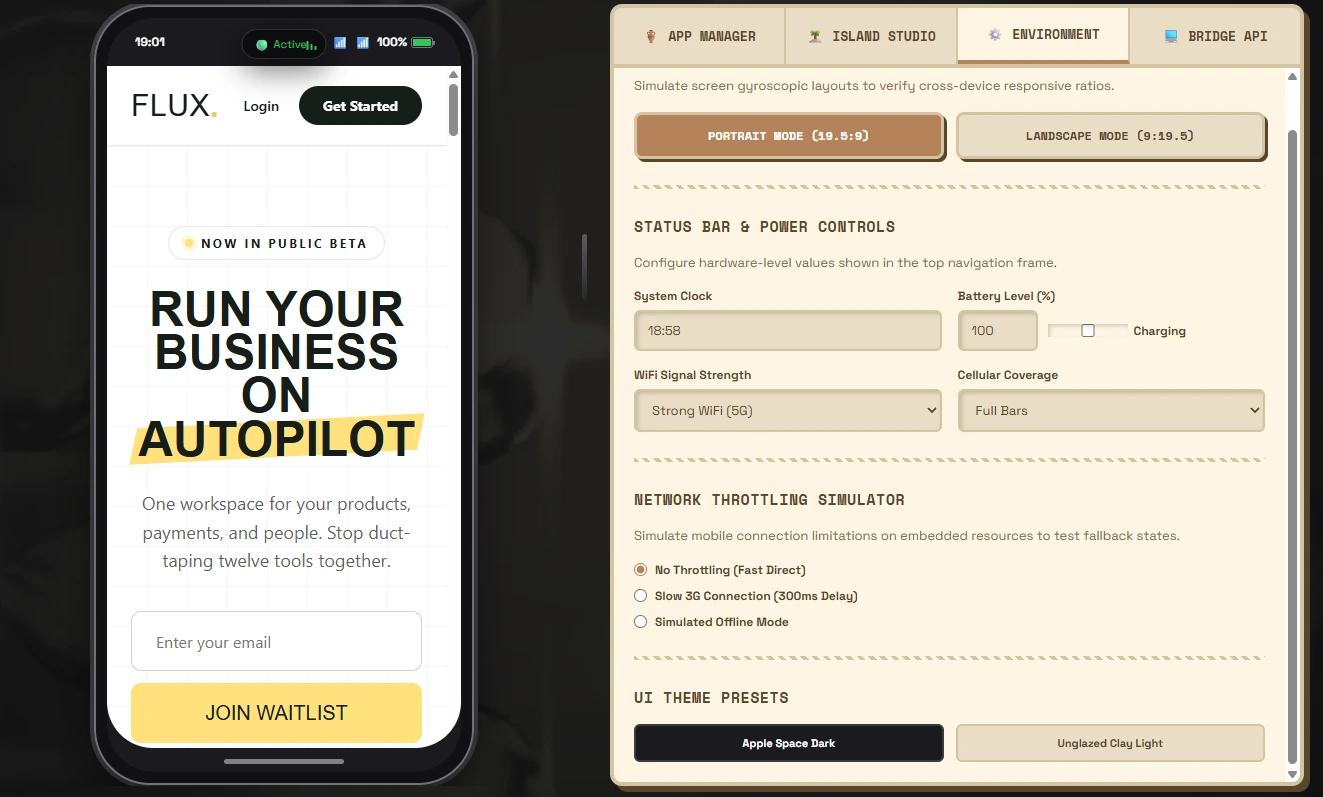
Network Test Simulation and Bridge API Test for Performance
Building with native web standards produced measurable performance results across all primary web vitals:
First Contentful Paint clocked in under 0.4 seconds on desktop and under 0.8 seconds on simulated 4G mobile connections.
Total page weight remains under 120 kilobytes excluding font files, with all local font weights totaling less than 95 kilobytes compressed.
Zero layout shift occurred during initial page load because font metrics and card containers have fixed ratio constraints.
Perfect 100/100 scores across Performance, Accessibility, Best Practices, and SEO on Google Lighthouse audits.
Zero external runtime script requests, removing tracking overhead and security vulnerabilities.
CONCLUSION
This project demonstrates that heavy JavaScript frameworks are not necessary to build memorable, high-converting SaaS landing pages. By relying on native CSS grid, modern fluid units, and standard browser APIs, Flux delivers an editorial look that stands out in a crowded market while maintaining top-tier speed and rock-solid code quality. The complete repository is packaged for immediate drag-and-drop deployment on Netlify, making it practical for client handoff and ongoing marketing iterations.
Like this project
Posted Sep 27, 2026
Flux is a creator business operating system designed to combine billing, CRM, automations, and reporting into a single dashboard.
Likes
13
Views
14
Timeline
Sep 2, 2026 - Sep 27, 2026
Clients
Flux