Revamped Search Experience, Boosting 2x Content Consumptions

Caesar Rizky Kurniawan


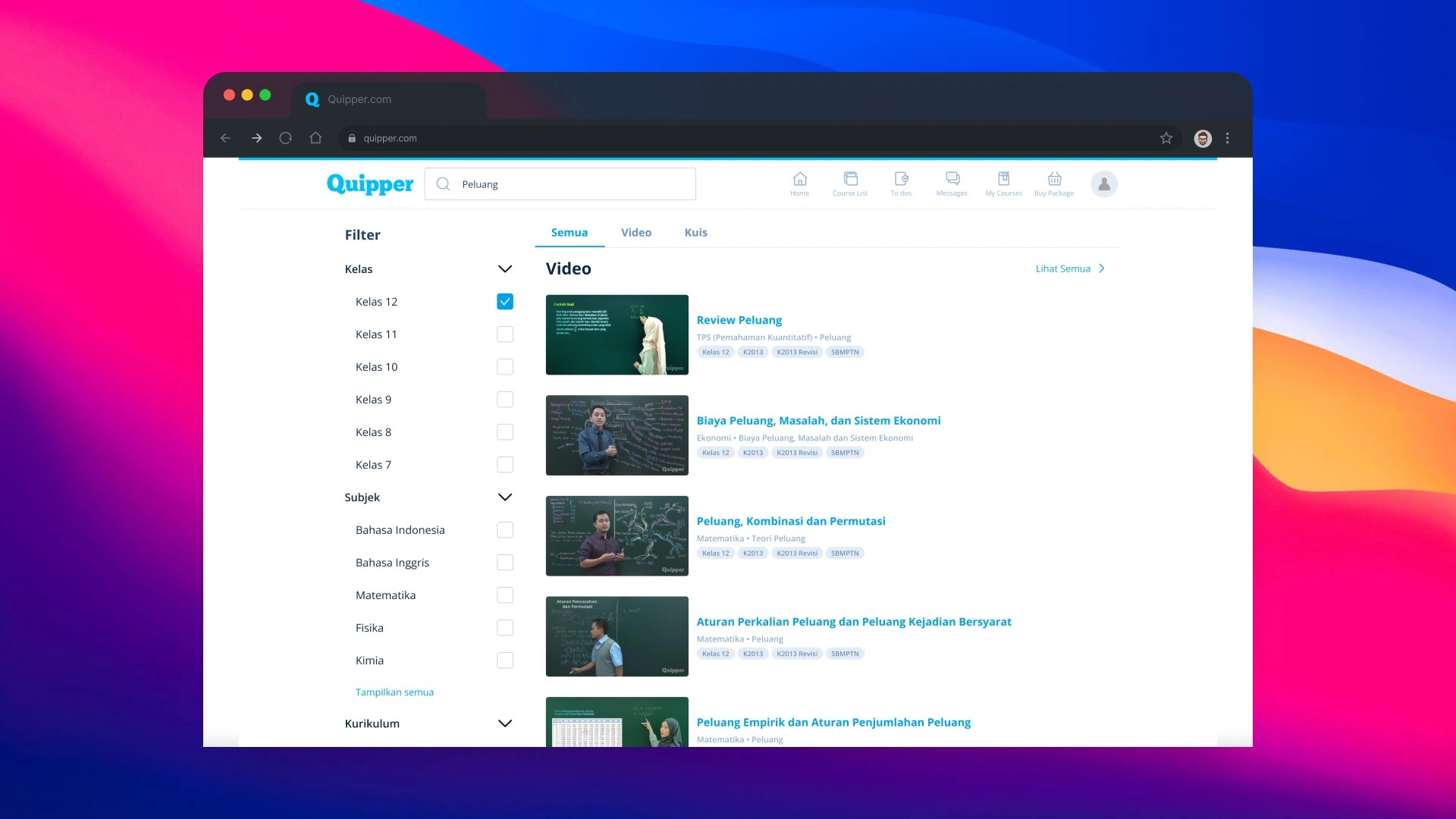
Desktop Search
Result
This project Increase the CTR from 32% to 68% of the content consumption from search funnel after implement the new design
Context
Company
Quipper is the Learning Management System. One of the product is Learn Platform, this is the platform for student that helps them learn something through the content.
Project Goal
Help a user (student) perform searches and make them easier when finding the content. On a business side, we want to grow the Learning Time.
Insight
Business
At 2021, 90K queries are generated on search feature. But, only 6% users that consume the content.
User
Students have difficulty finding the content they want to learn. Especially from the Search funnel.
Validation
What is preferences that students want?
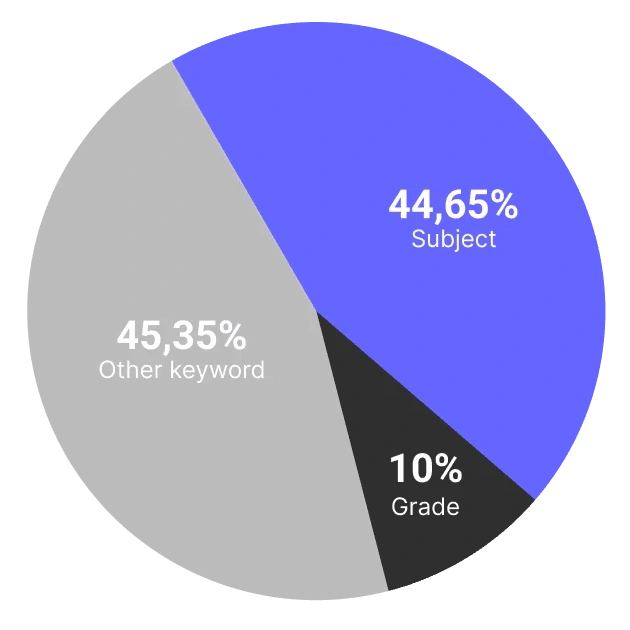
Quantitative data showed that Subject and Grade is the most used keyword.
What make user difficult to read the information?
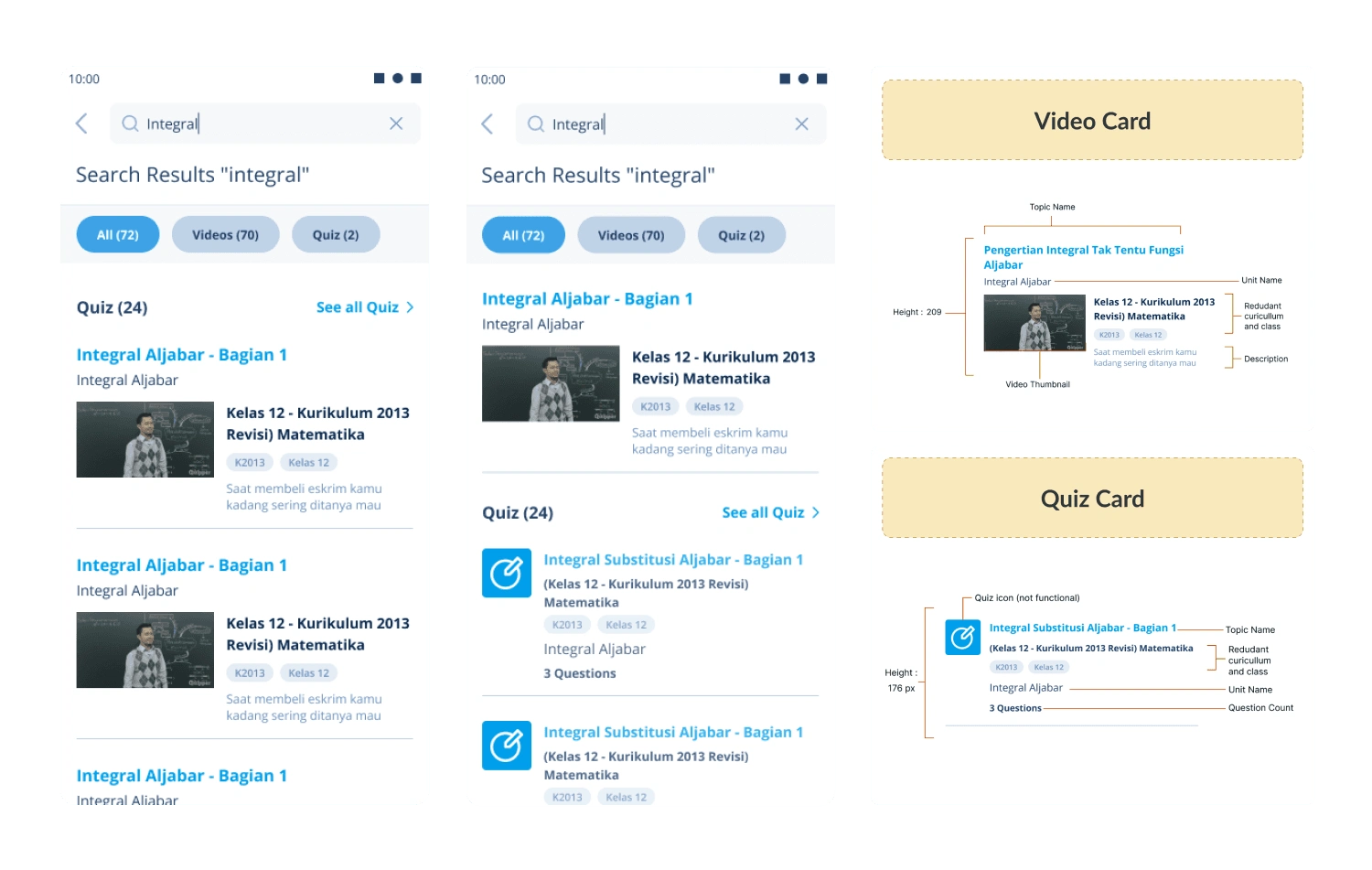
Existing Search Result Page
Too Much Information
Repetitive Information
THE ROOT CAUSES
After knowing all the insight, I realize that the root causes is the content structure. This is need to be improved.
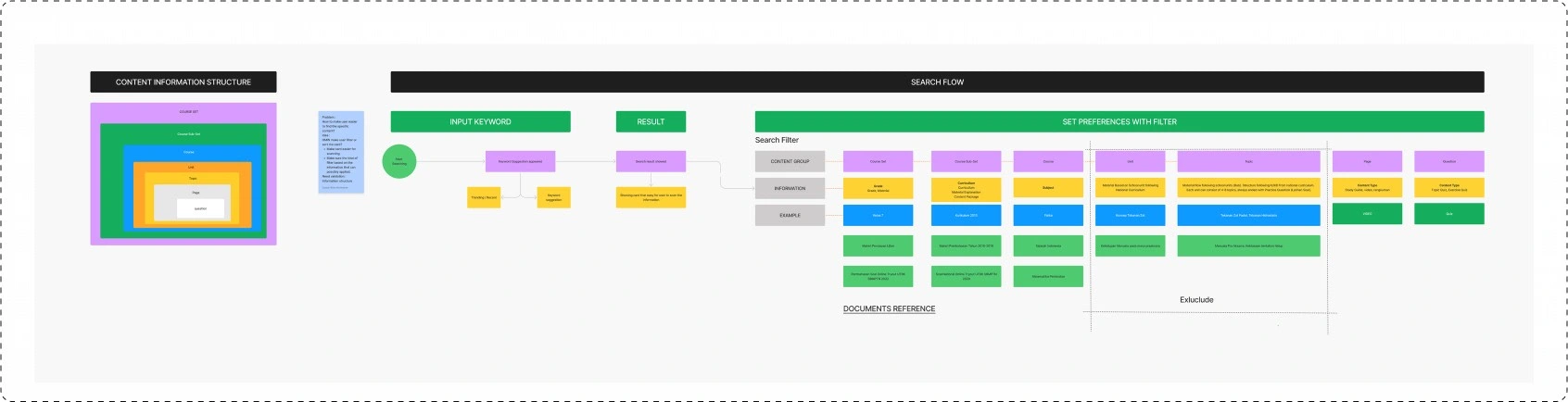
ANALYZING EXISTED STRUCTURE
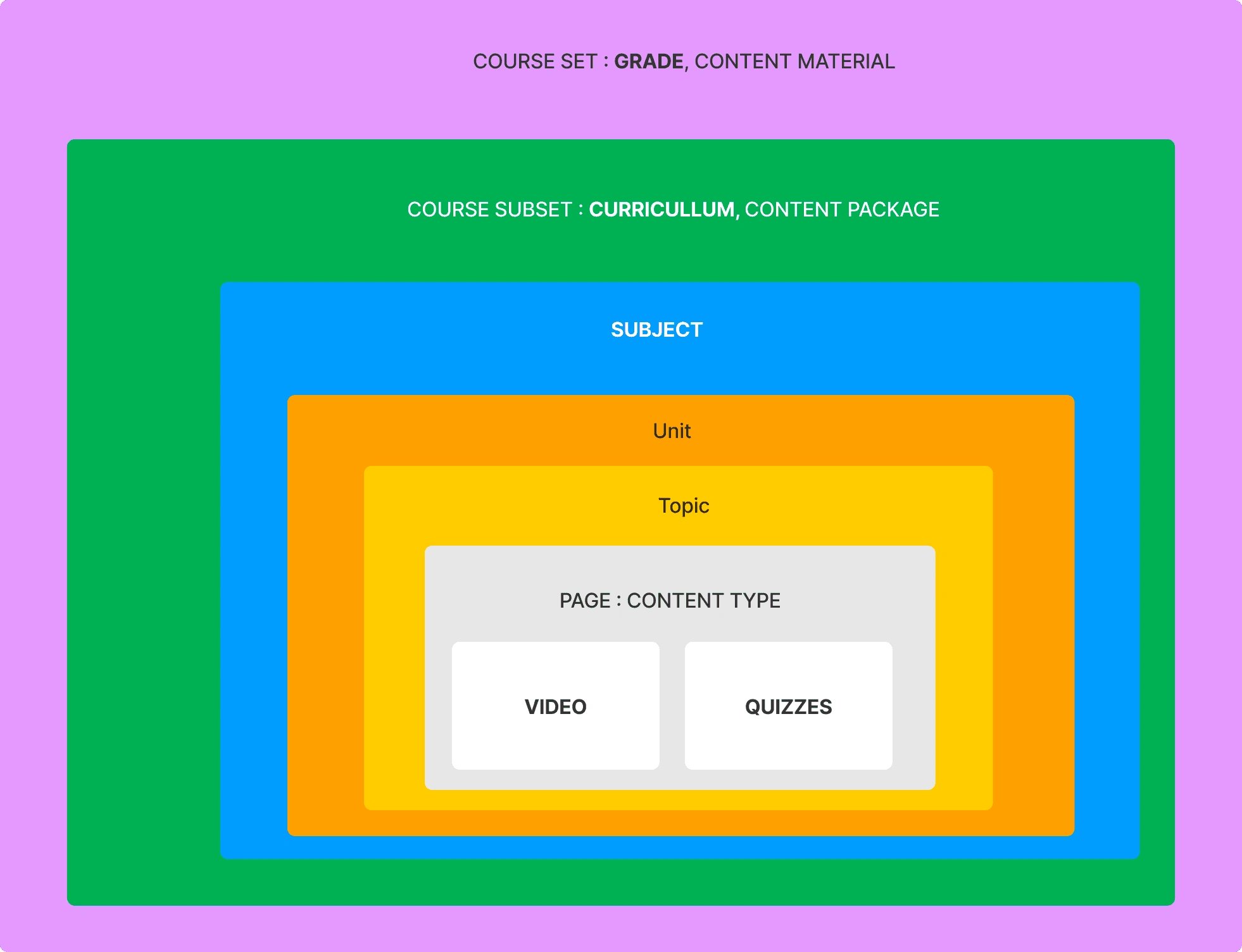
NEW Content structure agreed upon by stakeholders
At this phase, we started to observe our data structure and discussed it with the other stakeholders (Content team, PM and Engineer) to make it align.
SOLUTION
Filter by Student Preferences
To make student easier to find the content, we provide the search filter. Based on the data, the most searched keyword is Subject, Grade and Curicullum.
UI Interaction when user set the filter criteria
Make user easier when scanning on a result page
There are several problem on search result page. We need to make it better. We try to start to identify the most important information for student and exploring some idea.
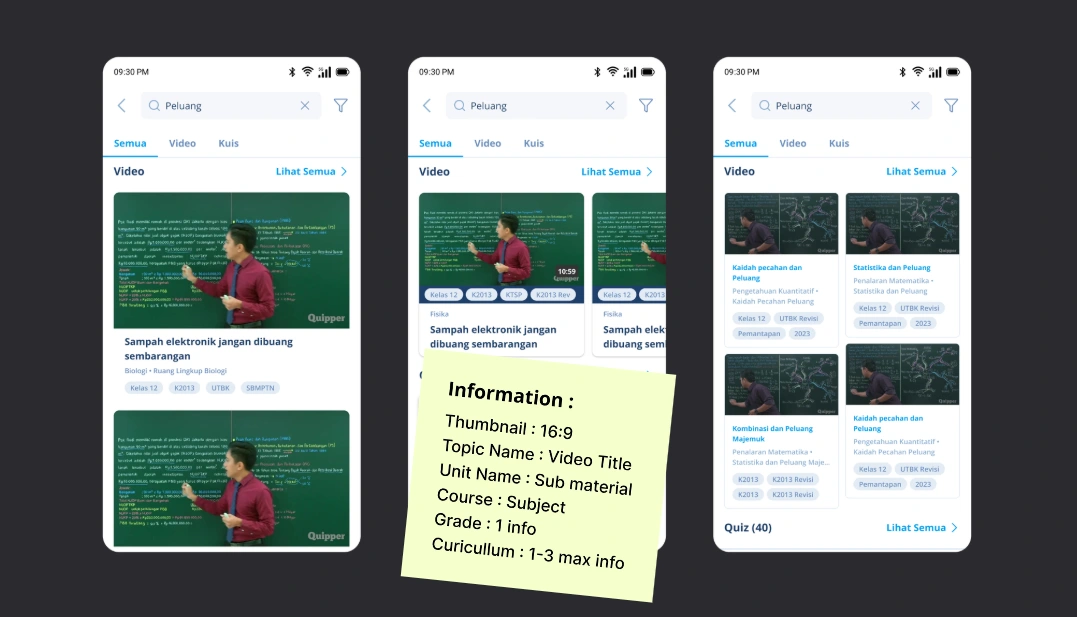
Video Card Exploration
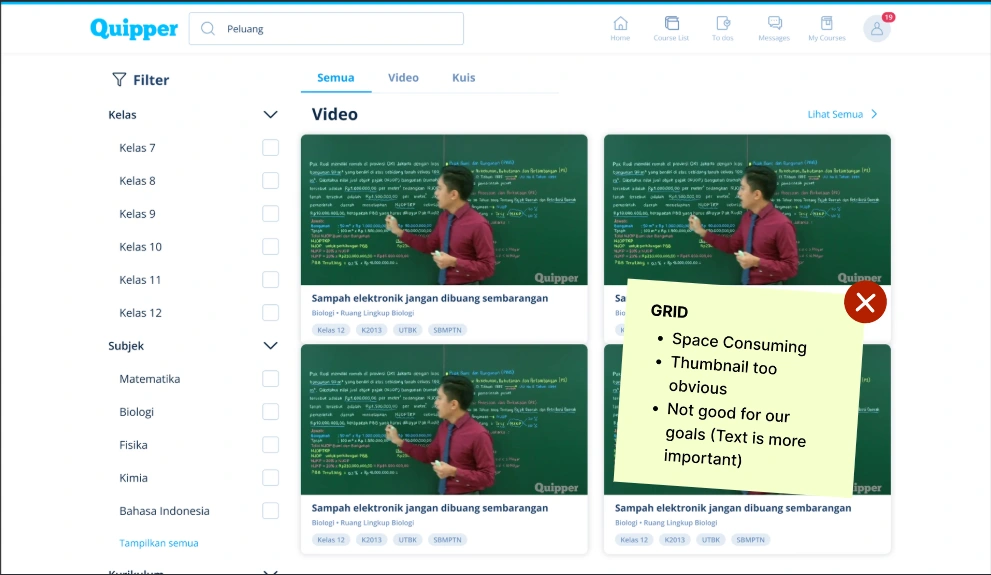
Video Card Exploration
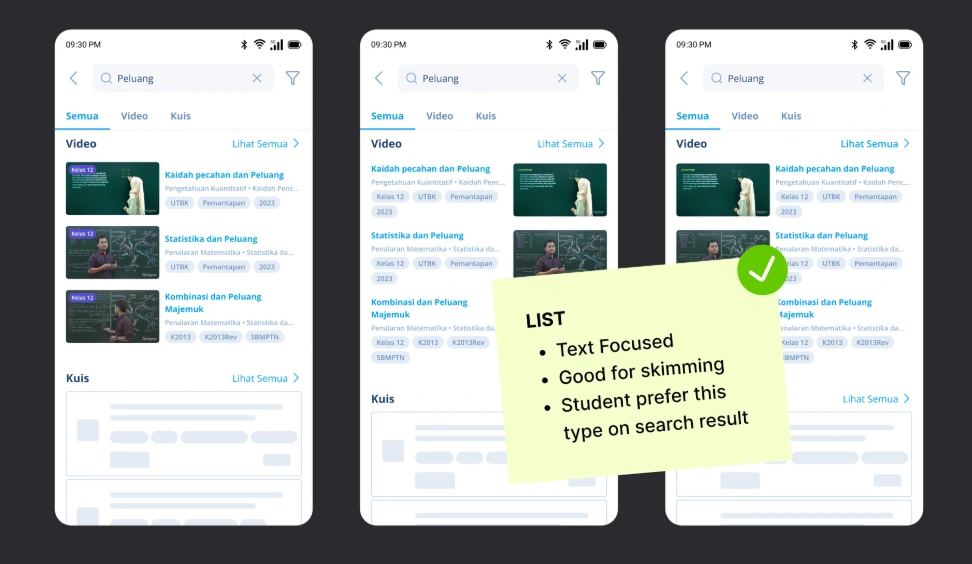
Video Card Exploration
Final Design on Search Result:
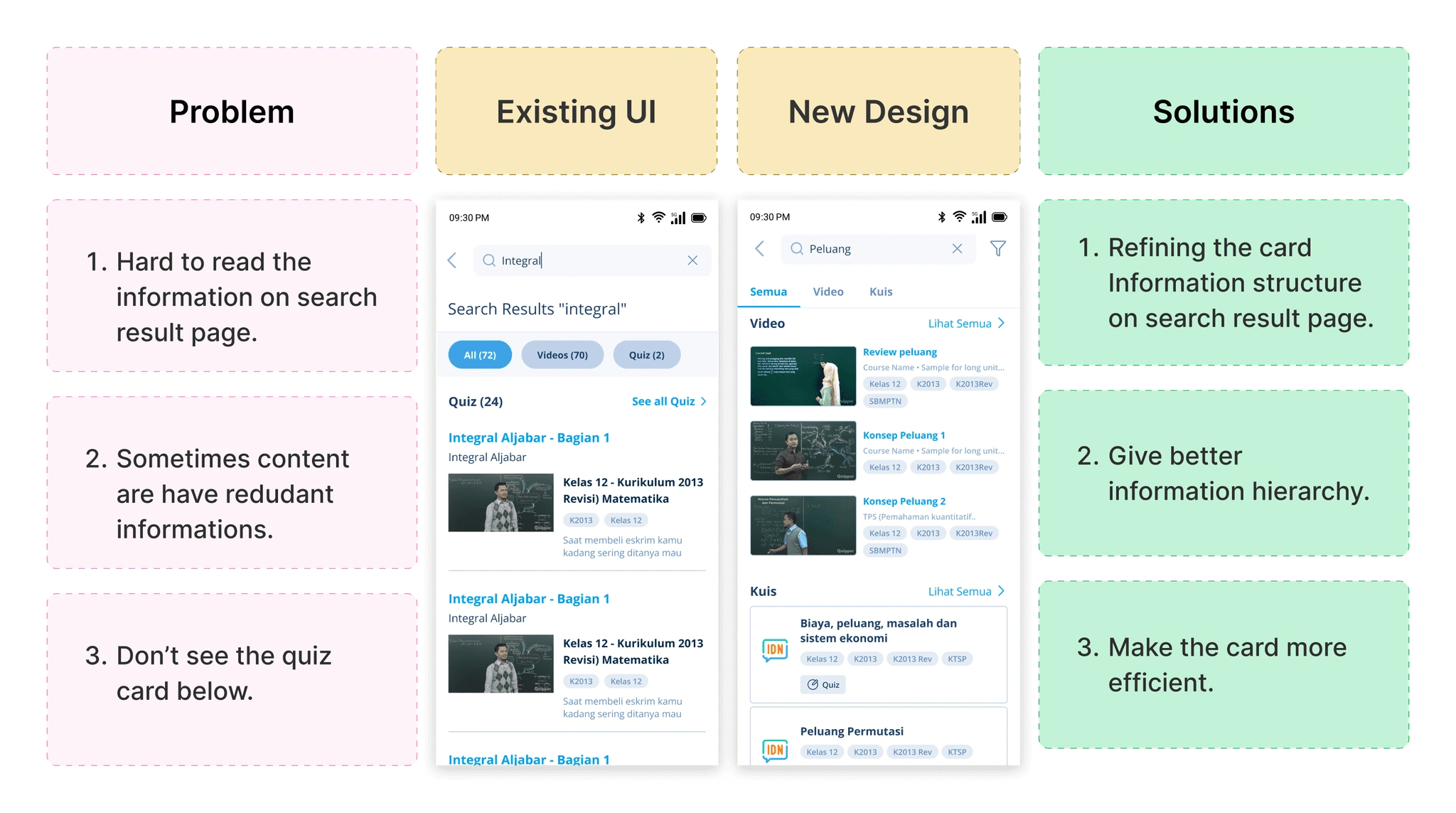
Before-After Comparison
Search result page implementation
Give an inspiration about "Something to learn"
To motivate learners who wish to explore the material, we strive to provide them with trending keywords, and if they has previously browsed content, we attempt to offer them the recent keywords.
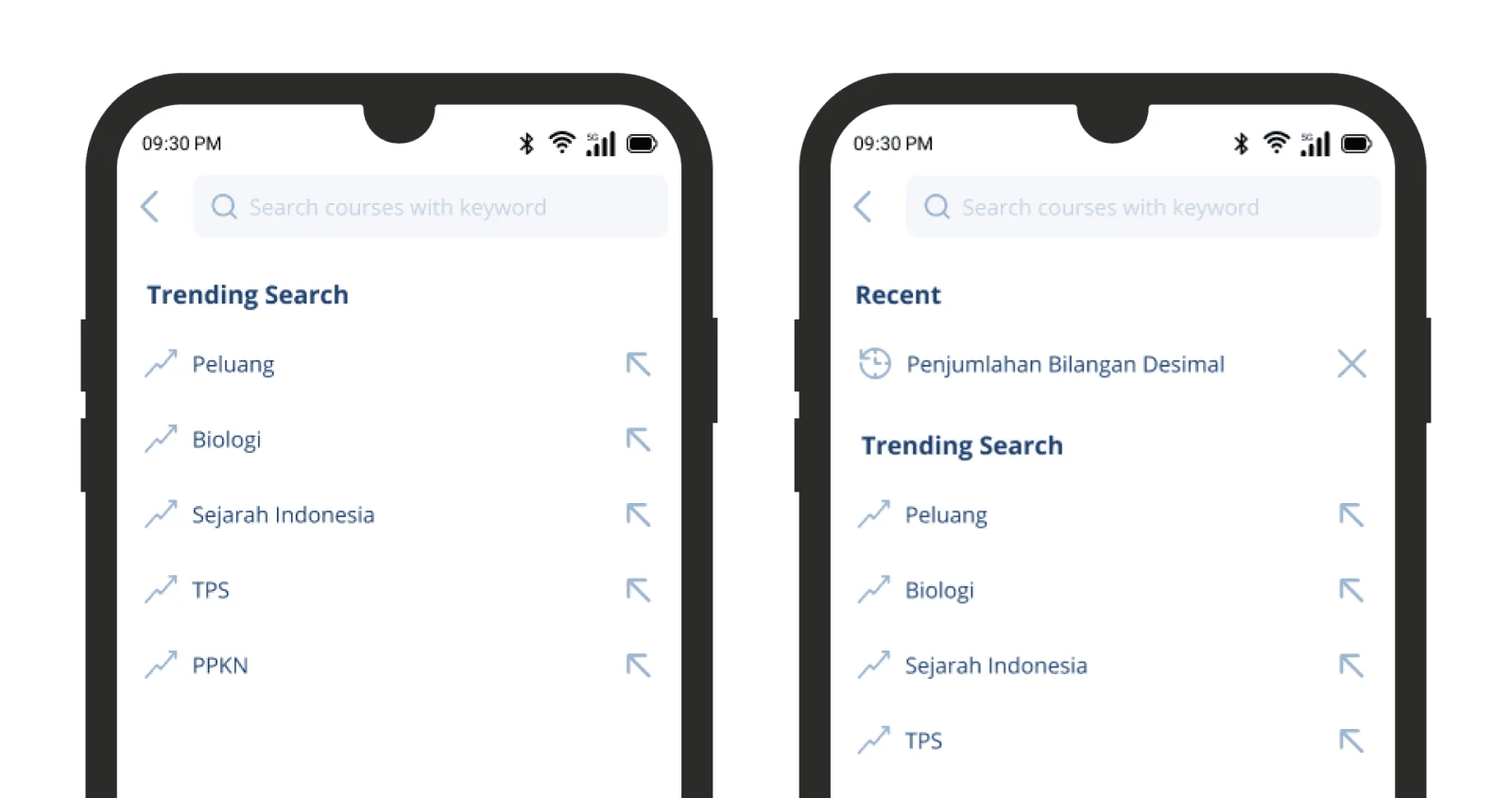
Showing an empty state when student tap the search field with recent keyword and without it.
Keyword recommendation when user typing 2 character.
Results
32% to 68%
The metrics that are measured in this case are the user that consumes the content from the search result pages before and after release.
We try to record the data 20 day before implementations and 20 day after it implemented. It shows that the new search feature increase the consumption rate from 32% to 68%.
Like this project
Posted Dec 9, 2025
By redesigning the search experience, we removed major usability barriers—boosting engagement and increasing the consumption rate from 32% to 68%.
Likes
0
Views
13