Reading Is My Superpower — Premium iOS Flashcard App

SanganakHQ


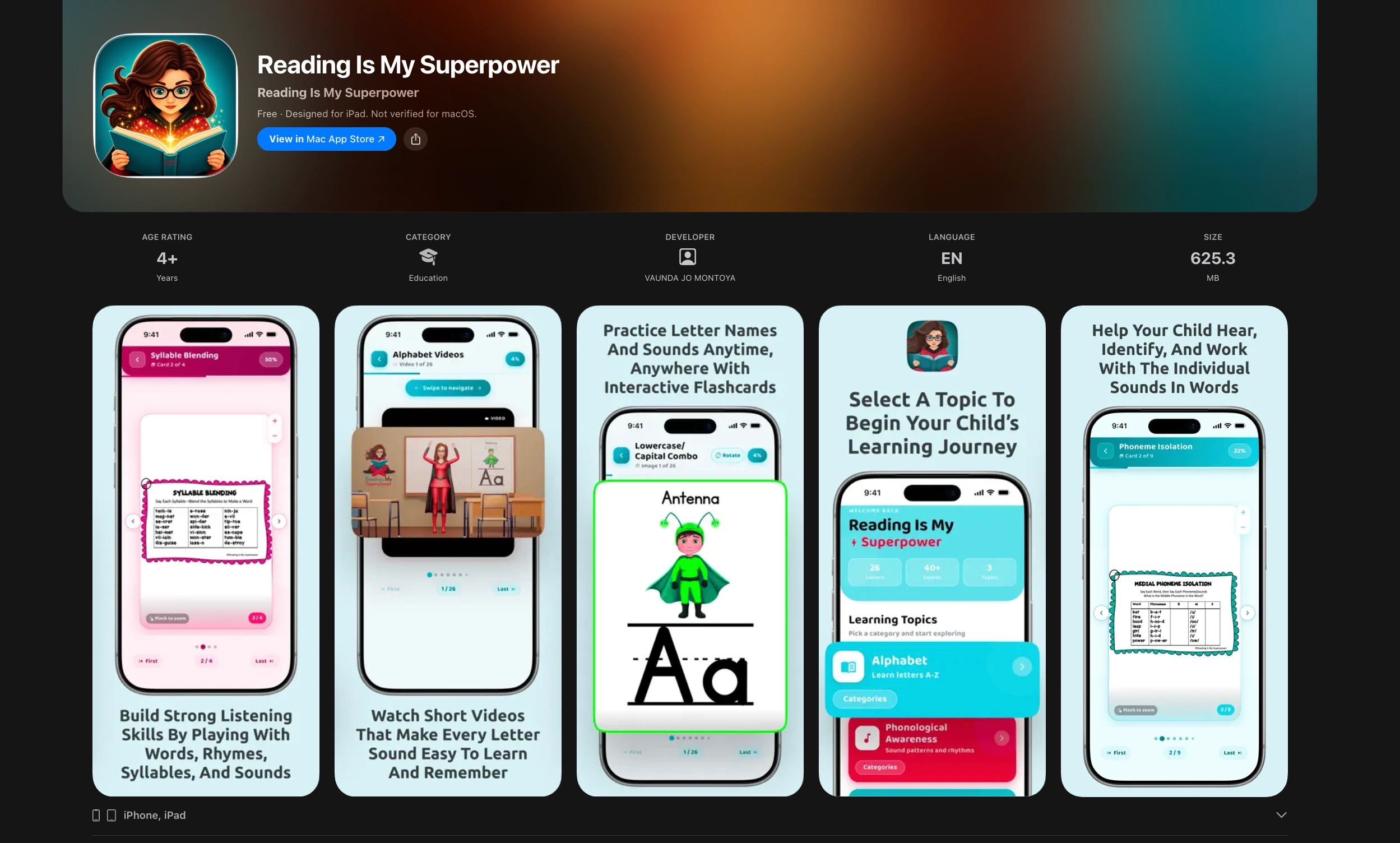
Reading Is My Superpower - A premium, kid-friendly iOS flashcard app
Project Overview
Reading Is My Superpower is a mobile learning app built around a simple idea: reading practice should feel encouraging, visually calm, and easy for children to return to.
The engagement covered the product from brand-led visual design and UX through to Flutter development, Firebase setup, iOS build configuration, and App Store submission readiness. The result is a polished flashcard experience with a scalable foundation for future learning modes.
The Brief
Create an iOS app that helps children explore reading flashcards through clear sets, categories, and swipe-based interactions. The product needed to feel premium enough for parents and educators, while remaining playful and intuitive for young learners.
The client also needed a complete handoff and a working application, not just screen concepts. Every core screen, state, asset, interaction, and navigation path had to be designed and translated into a development-ready product.
Brand Direction
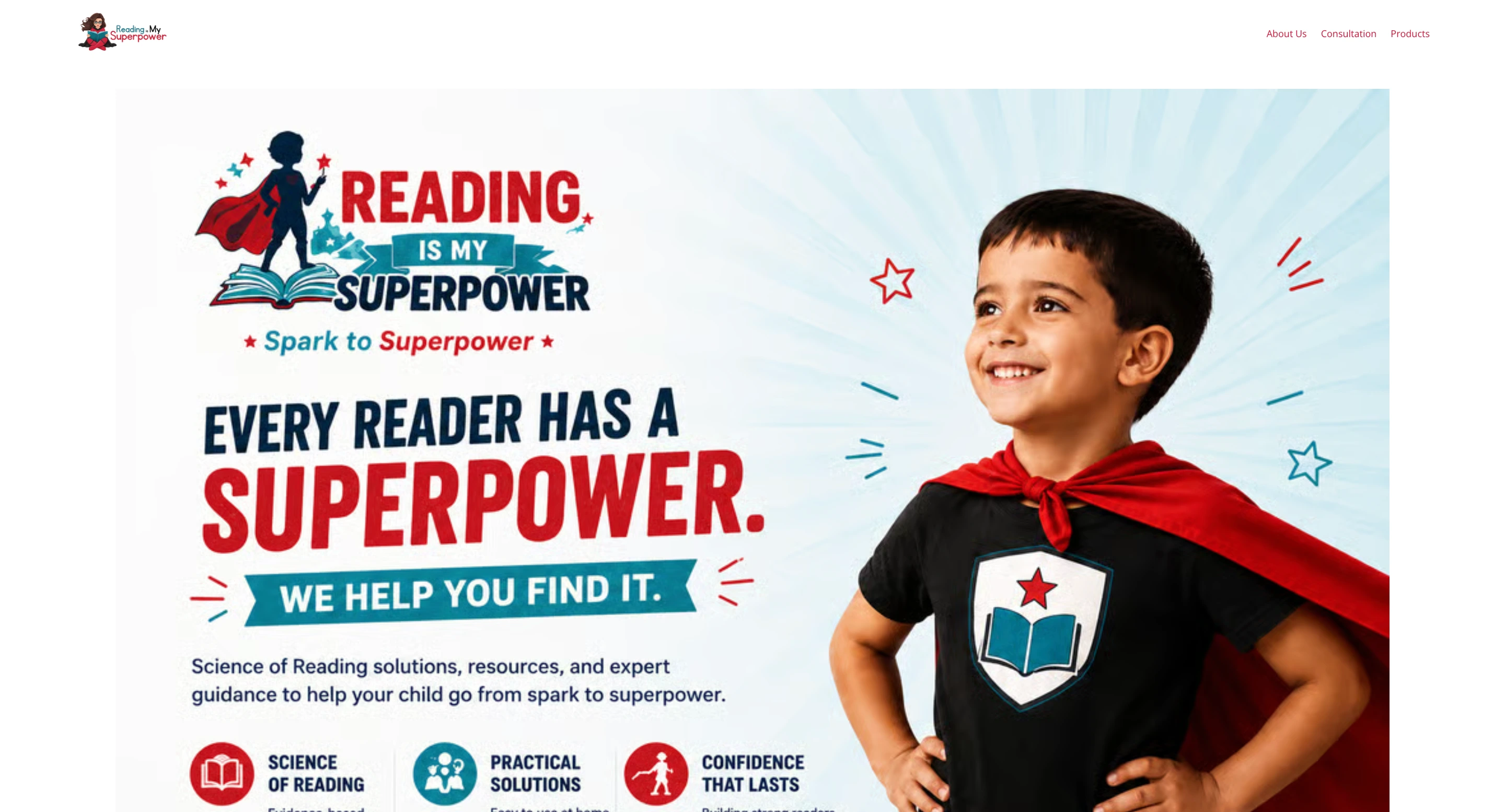
The visual direction used the client-provided logo, colors, fonts, and brand assets as the starting point. I turned those inputs into a consistent product language across the app.
Key design considerations included:
A friendly, child-first interface without visual clutter
Clear typography and generous spacing for easy reading
Thoughtful color use to create warmth, hierarchy, and progress cues
Reusable UI patterns for cards, sets, buttons, navigation, menus, and feedback states
A premium finish across icons, layouts, illustrations, and component details
Product & UX Design
App architecture
I planned the core product structure around a simple learning journey:
Enter through the Home screen
Browse flashcard sets and categories
Open an individual flashcard set
Move through cards with natural swipe gestures
Return, switch sets, or navigate through menus without losing context
Screen design
The design system covered the core experience and the states that make a product feel complete:
Home screen
Flashcard-set browsing
Category views
Individual flashcard views
Swipe navigation between cards
Menus and navigation controls
Empty-set states
Completed-set states
Reusable buttons, icons, cards, typography, and layout rules
Future-ready quiz concept
The product also includes a deliberate placeholder for a future audio-match quiz. The initial release prioritizes the flashcard experience, while the interaction model and visual system leave room to add sound-based learning without rebuilding the app’s foundation.
Design Process & Handoff
Before development, I created wireframes and high-fidelity visual mockups for client review. This established the screen hierarchy, interaction flow, and visual direction before code was written.
The final design handoff included the assets required for development:
Layouts and responsive screen specifications
Icons, buttons, and visual components
Typography and color guidance
Image and illustration assets
Component states and interaction references
Product flows for navigation and flashcard usage
Flutter & Firebase Development
Once the designs were approved, I built the app in Flutter and configured the iOS project in Xcode.
Development work included:
Flutter app setup and UI implementation
iOS project configuration
Core navigation and screen routing
Firebase integration for a scalable app foundation
Flashcard-set and category presentation
Individual flashcard screens
Swipe-based movement between cards
Responsive layouts and content handling
Quality checks across the main learning journey
App Store Readiness
The iOS app was prepared for Apple App Store submission, including configuration for app assets, icons, and store information. The build was structured to support a smooth handoff into the release process.
Deliverables
Brand-aligned mobile UI/UX system
Wireframes and high-fidelity mockups
Complete app layouts and interaction states
Development-ready design assets
Flutter iOS application
Firebase setup and integration
Flashcard browsing, categories, and swipe navigation
Xcode configuration and App Store submission preparation
My Role
I led the product’s visual direction, UX design, Flutter implementation, and Firebase-backed app setup, carrying the work from early screen concepts to an iOS release-ready product.
Like this project
Posted Aug 7, 2026
Premium iOS flashcard app for young readers, delivered from brand-aligned UI/UX and Flutter development through Firebase setup and App Store readiness.