
In short
Problem
Recovering from a stolen phone depends on things that were on the phone, like passwords and verification codes - and on a brain in full panic.
Role
Solo. UX research, interaction design, visual design
What I made
App onboarding flow (9 screens), web dashboard, visual identity
Status
Personal concept. Not tested with users yet.
Year
2025 - 2026
Tools
Figma
Why this problem
Freeze started with a simple what-if - what if there was a better way to shut down a stolen phone? Apple and Google already have their own answers. I still wanted to research it properly and design my own take.
So I looked at what exists, talked to people who’d lost a phone, and designed around the few minutes after it’s gone.
What's already out there
Apple and Google have gotten good at the device itself. Everything around the device is still on you.
What each option covers when a phone is stolen
Option
Locks the phone
What you need to use it
Still on you
Apple Find My
Yes, with Lost Mode
Your Apple Account password
Bank and payment apps, other accounts, the police report
Google Find Hub
Yes, including Remote Lock by phone number
Google sign-in, or a phone number verified in advance
Bank and payment apps, other accounts, the police report
Third-party anti-theft apps
Varies by app
Usually their own account and password
Depends on the app, and it adds one more login to remember
What came up talking to people
Most people couldn't recall their account password. It lived in a password manager - on the phone.
Codes for banks and email go to the phone, or the SIM inside it. Both are gone.
The first worry was rarely finding the phone. It was someone getting into bank and payment apps.
Hardly anyone had set up theft protection in advance. It never feels urgent until it is.
The principle I designed from
Recovery can't depend on anything that was on the phone, or on anything that needs a calm head to remember.
Gone with the phone
Saved passwords
Verification codes
Email inbox
Banking apps
Still with you
Four words, on paper or in your head
Any borrowed screen
T+00:03 T = phone gone
T-3 days
Setup, while you're calm
Nobody installs a security app after the theft. So the part that matters happens days before, and it has to feel quick and safe enough that people actually finish it.
Pause
Decision 01
Four words as the emergency key
Why
It's the one thing that can't live on the phone. Four random dictionary words are easy to write down and hard to guess, and they survive stress way better than a string of symbols.
Trade-off
It sits next to a normal account password, so setup asks for two secrets. And anyone who gets hold of the four words can lock your phone. A locked phone beats a drained bank account, but it's still a hole.
Decision 02
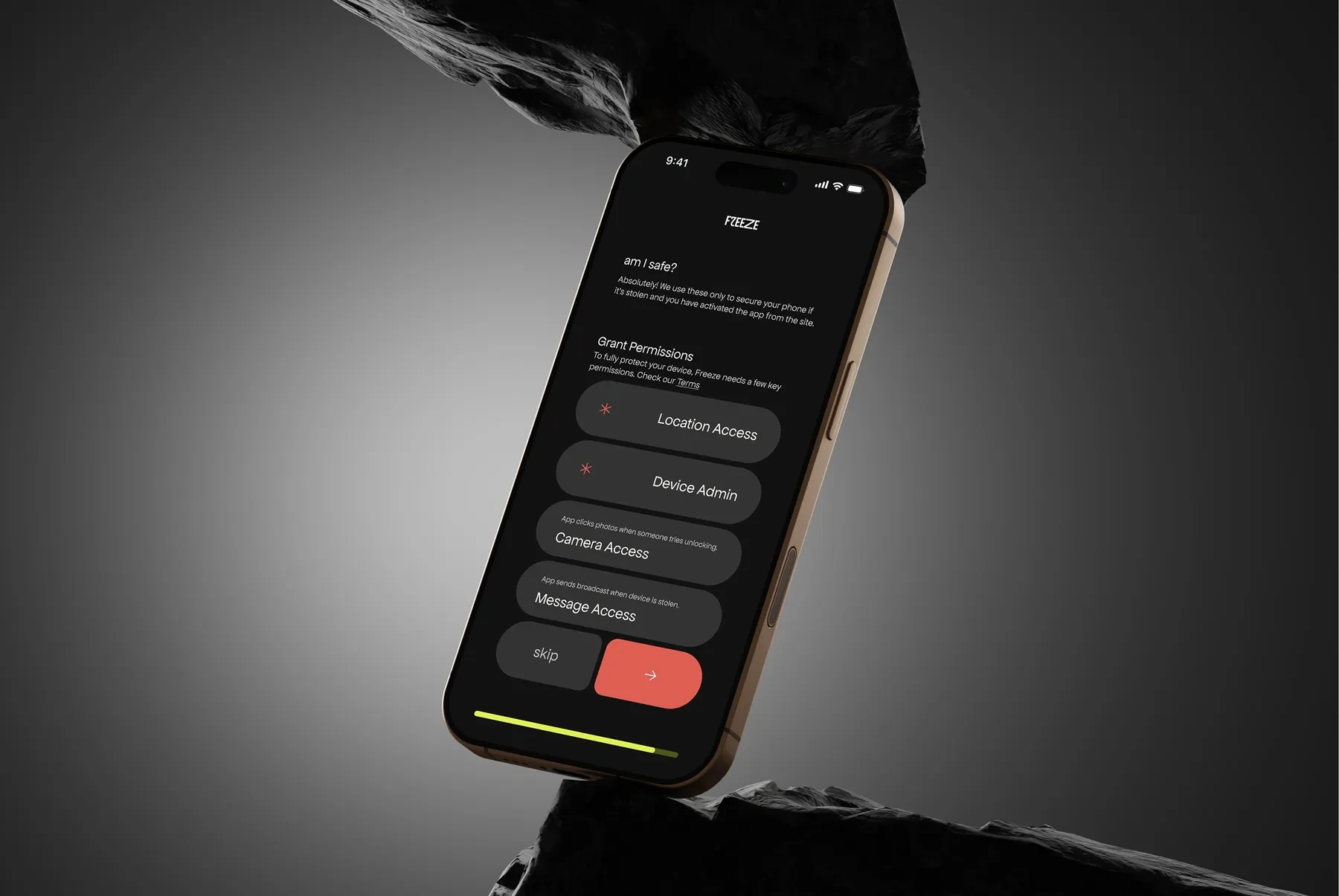
Explain every permission before asking for it
Why
Anti-theft needs scary access - location, device admin, camera, messages. Unexplained, that reads like spyware. So the screen opens with "am I safe?" and every permission gets one line on what it does.
Trade-off
One more screen in onboarding. Skipping is allowed, but protection drops with every permission skipped.
Decision 03
Progress always visible
Why
A long setup with no end in sight is where people quit. The lime bar at the bottom of every screen shows exactly how much is left.
Trade-off
It commits the flow to a fixed length. Add a step later and the bar visibly gets longer.
T 00:00
You check your pocket.
Other pocket.
Bag.
Gone.
Panic eats memory
This is the moment existing tools quietly assume away. Heart rate up, thinking narrowed to one thing, and now you're supposed to recall a password you haven't typed in a year.
Everything after this point in Freeze is designed backwards from this state.
T+00:02
Getting in, from a borrowed laptop
A friend's laptop or a stranger's phone. The web panel asks for one thing.
quick brown fox jumps
Decision 04
No "forgot password" on the web panel
Why
Reset links and codes go to your email or your SIM, which usually means the phone that just got stolen. A reset flow would also be a way in for whoever's holding it.
Trade-off
Forget the four words and Freeze can't help you. You fall back on Find My or Find Hub.
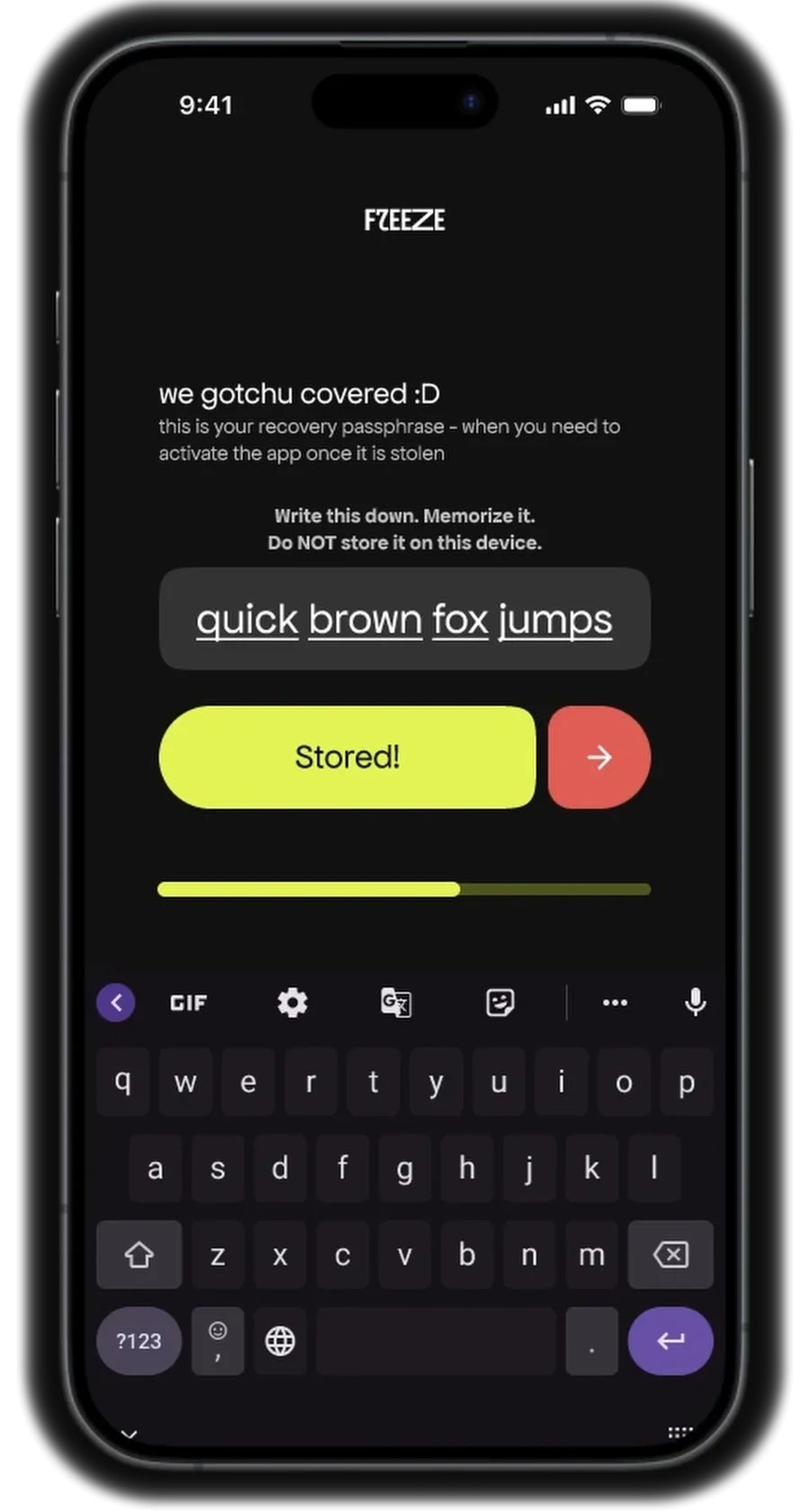
The setup screen, three days earlier.
T+00:03
Lockdown, on one screen
Decision 05
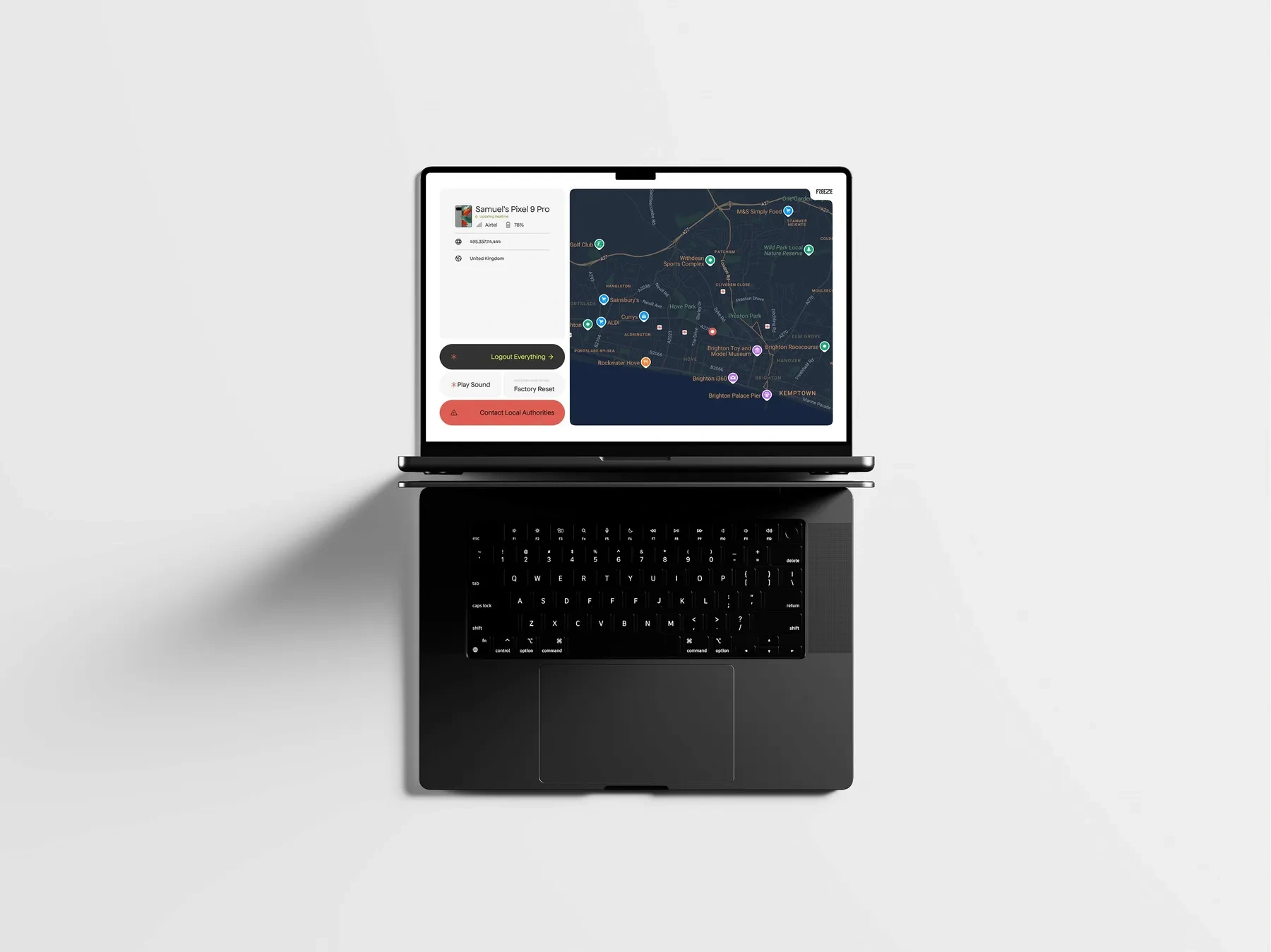
Everything on one screen, ordered by urgency
Why
Under stress, every extra page is a chance to get lost. The live map sits on the right. Actions stack on the left in roughly the order people need them, from logging out everything at the top to contacting authorities at the bottom, in coral.
Trade-off
Less room to explain each action. And factory reset sits close to play sound, so anything destructive needs a confirmation step before it fires.
The action stack, first to last
Log out everything
Play sound
Factory reset Confirms first
Contact local authorities
What changed along the way
The first spec and the final design disagree on two big things.
Guardian Shield Freeze
Guardian Shield became Freeze
The working name sounded like every antivirus app out there. Freeze is the action itself - one word, and roughly what you'd want to yell at a stolen phone.
Blue and green became near-black, lime and coral
The spec asked for reassuring blues and greens, which is what every bank and security app already uses. It disappeared among them. Near-black with lime reads at a glance, and coral marks anything that needs attention.
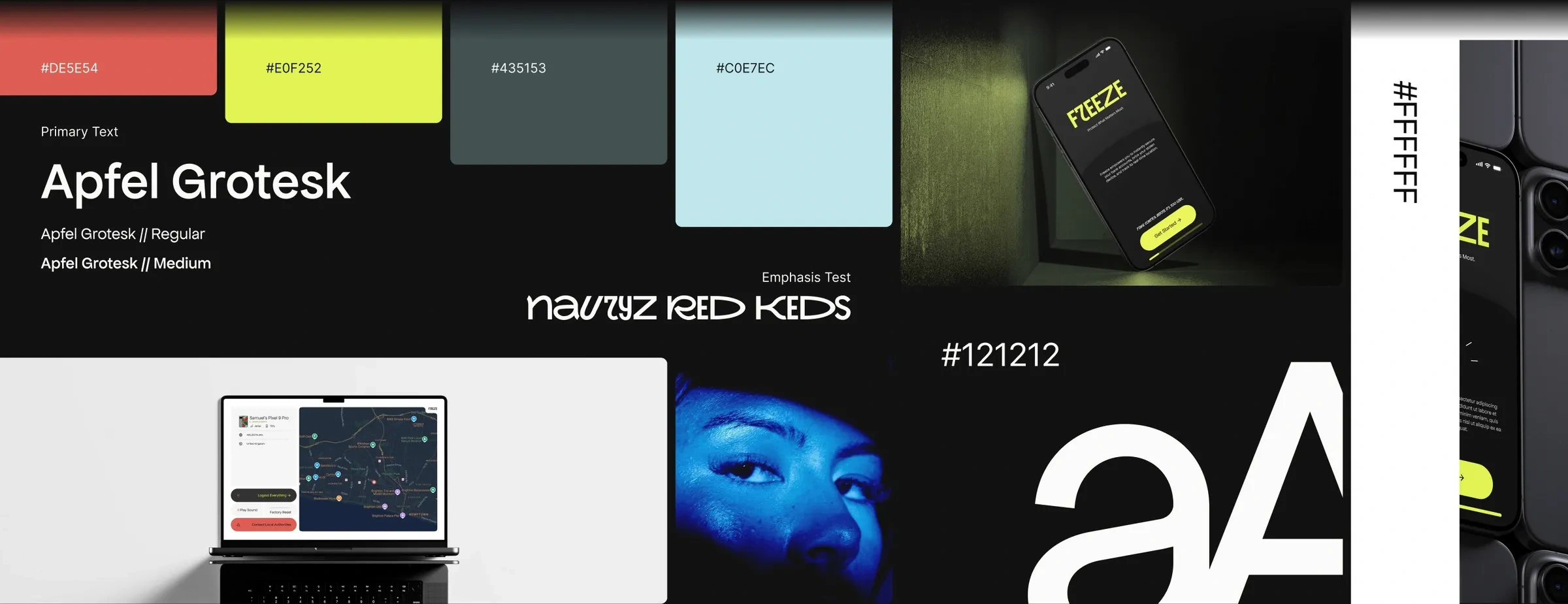
Moodboard. Apfel Grotesk for the interface, Nauryz Red Keds for emphasis.
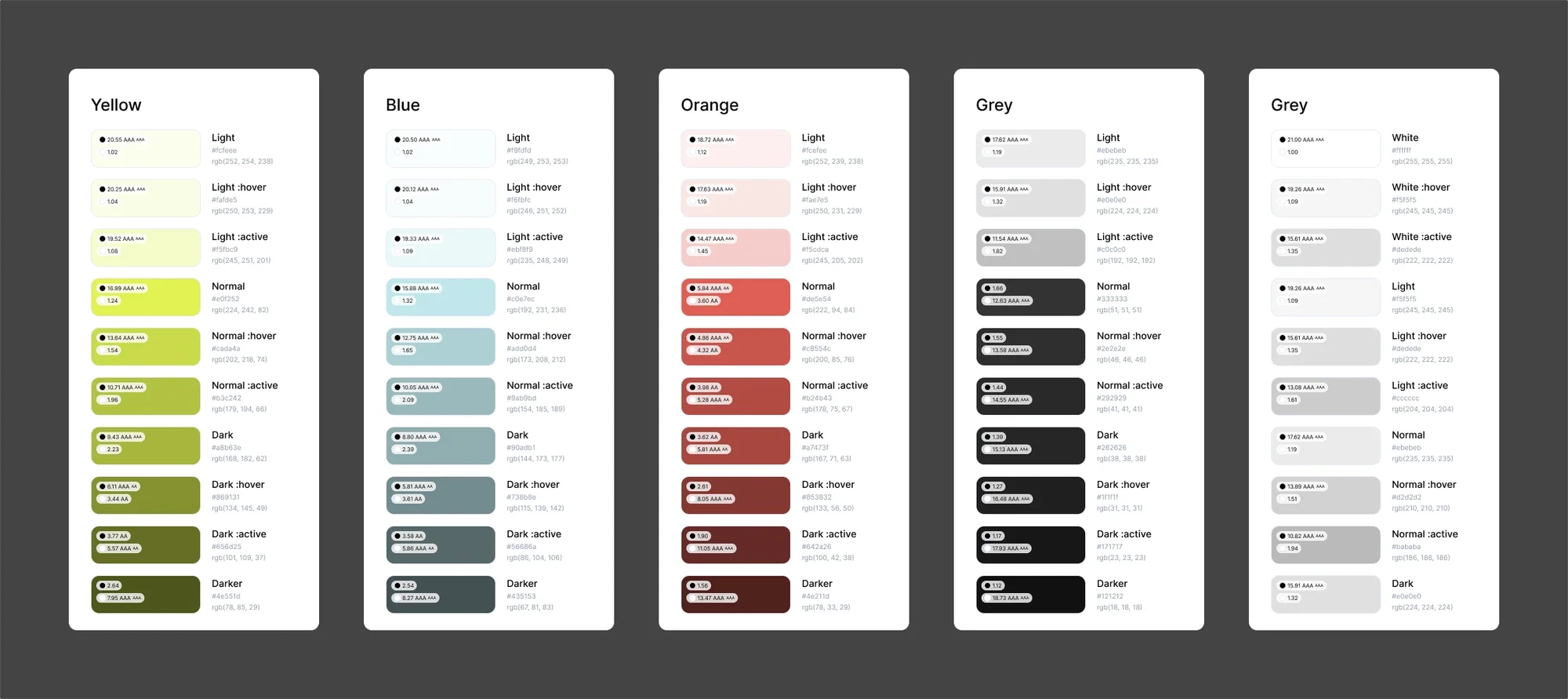
Every colour with its hover and active states, contrast checked.
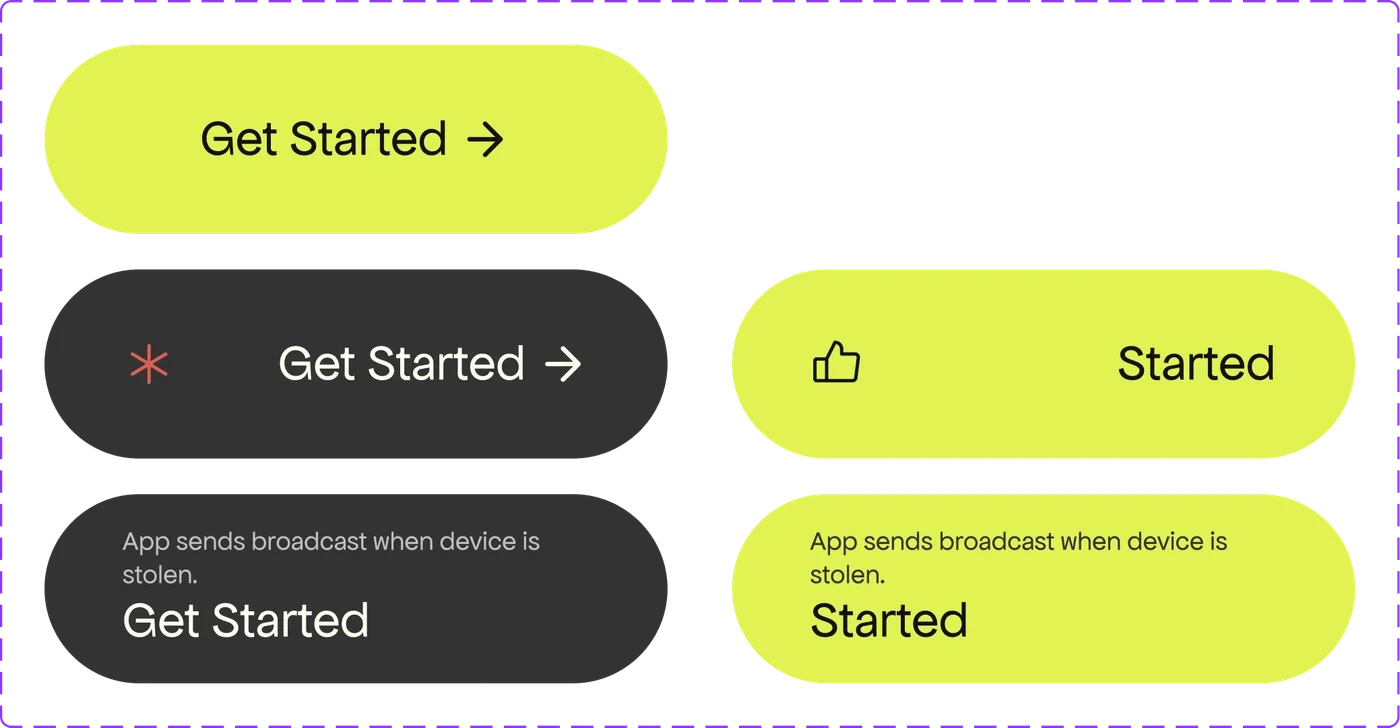
The pill button and its states.
Work with me
Want an app like this one?
UX research, the flows, and a visual system to carry them. If your product has to work for someone who isn't calm, tell me what you're making.
0 likes · 0 views · Oct 12, 2026
Freeze — a personal concept for phone-theft recovery: four-word emergency key, clear permissioned onboarding and a single-page lockdown web dashboard.
