
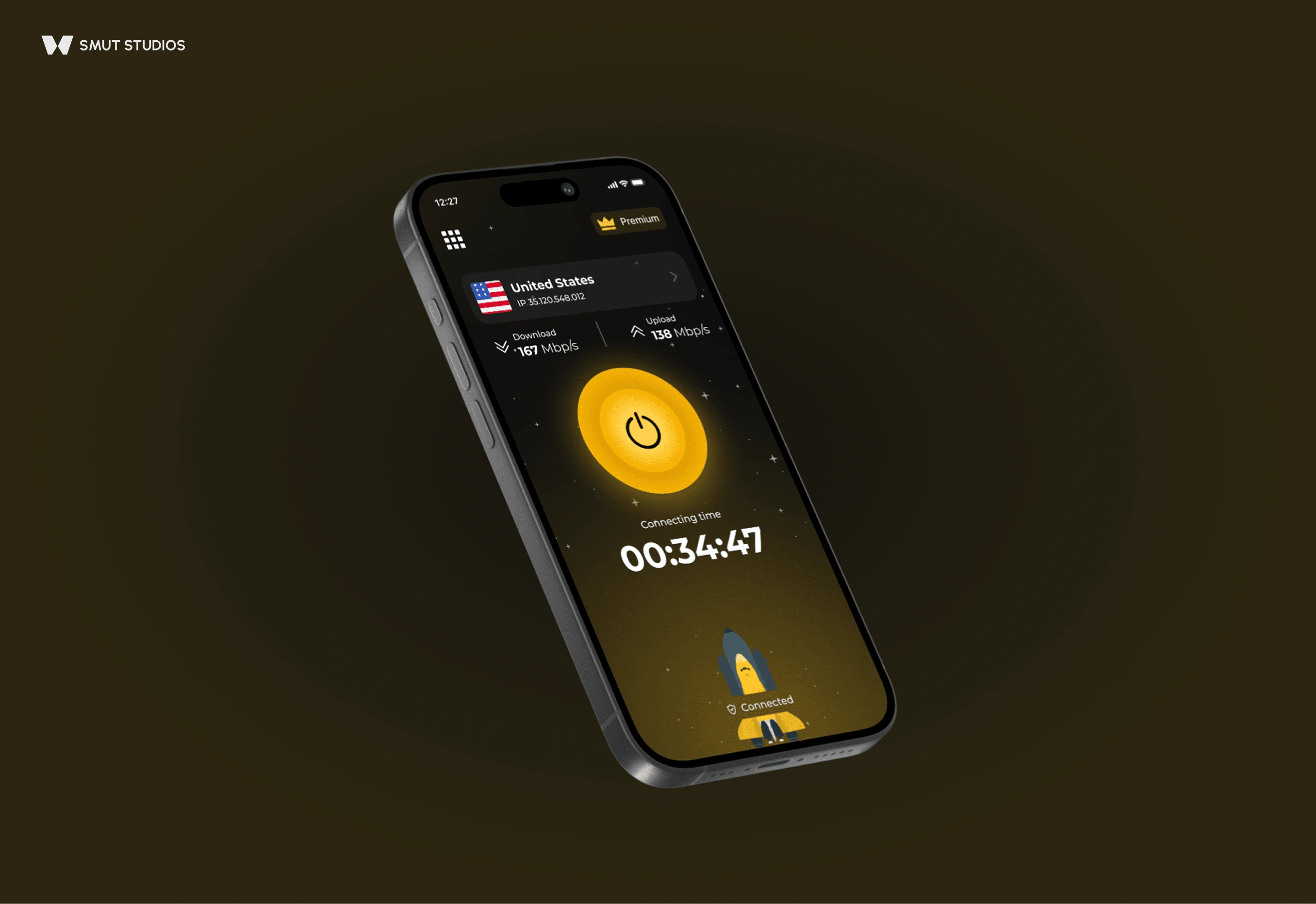
Designing a Seamless VPN Experience
·
3 min read
·
Just now
ABOUT
This mobile VPN app is designed to provide fast, secure, and global internet access through a premium subscription model. The interface follows a modern, dark-themed aesthetic with high-contrast visuals and simplified user flows. While the app includes more features beyond what’s shown here, this case study focuses on the key interactions displayed in the current screens: choosing a plan, selecting a server, and confirming connection status.
'Onboarding' screen
HIGHLIGHTS
Clear Plan Hierarchy
Pricing tiers are easy to compare at a glance, with strong visual emphasis on the selected option.
Smart Location Logic
Automatically recommends the best server based on performance, minimizing user effort.
Performance Transparency
Real-time speed, connection time, and latency values help build trust and clarity.
Seamless Upgrade Touchpoints
Premium-only features are visible but not disruptive, encouraging upgrades without blocking access.
Focused Interaction Flow
Key actions — connect, upgrade, select location — are visually prioritized to guide users naturally.
Consistent Visual Language
A dark interface with bold accents and clean typography keeps the experience modern and easy to follow.
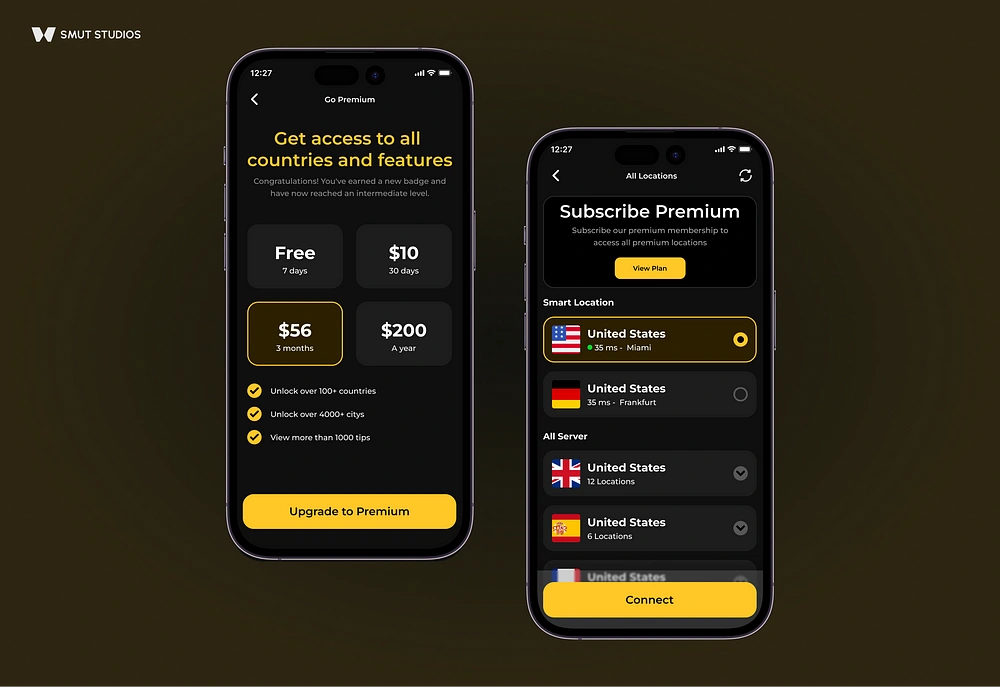
'Plan Selection & Upgrade Flow'
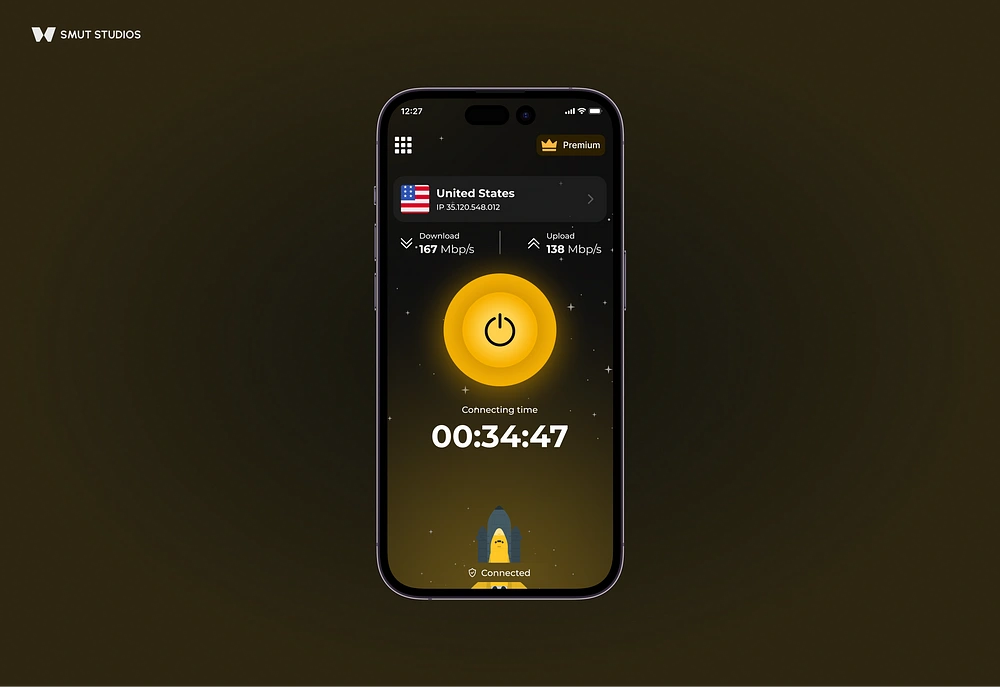
'Connection & Status Feedback'
'
PROJECT SCOPE
The app is designed to guide users through a complete journey — from onboarding to secure connection — with minimal friction and maximum clarity. While the visuals provided focus on subscription, server selection, and connection, the full scope includes the following UX areas:
Onboarding & Sign-Up
Quick introduction screens and optional account creation, designed to get users exploring the app within seconds. Minimal steps, optional login, and data privacy messaging are key here.
Plan Selection & Upgrade Flow
Multiple subscription tiers with a clear comparison and instant activation. Emphasis on visual clarity, short benefits, and strong call-to-actions.
Server Selection
A mix of manual selection and Smart Location. UI elements like flags, latency, and region labels help users choose without technical knowledge.
Connection & Status Feedback
A visual center-point (power button) and connection animation confirm status. Real-time speed and timer add transparency and reinforce security.
Locked Features & Premium Prompts
Premium content is visible but gated with subtle upsell cues — balancing upgrade encouragement with usability for free users.
Session Feedback & Trust Signals
IP address, location info, and speed metrics shown post-connection to increase confidence. Optionally includes alerts on successful connection, disconnection, or weak networks.
Settings & Customization (not shown)
Typically includes protocol preferences, auto-connect options, language support, and theme toggles for accessibility.
Support & Help Access (not shown)
Quick access to FAQs, live support, or privacy policy — often tucked into a bottom sheet or settings menu.
CONCLUSION
The app delivers a focused VPN experience with clean visuals, smart server logic, and a smooth upgrade flow. It simplifies complex tasks into clear steps, making privacy feel easy and accessible from the start.
0 likes · 13 views · Apr 22, 2025
Designed a seamless VPN app with modern aesthetics and smart server logic.
Timeline
Jul 22, 2024 - Aug 22, 2024

