Tiles | Interactive Pattern Preview with Next.js

Somveer Kumar


Tiles | Interactive seamless-pattern preview
A browser-based tool for exploring how an image repeats as a tiled background. Built with Next.js and JavaScript, Tiles brings image selection, repeat-scale controls and the preview into one focused interface.
The problem
A single image does not show how its edges will behave when repeated. Designers need to see the joins across multiple tiles and judge the pattern at different scales before using it as a background or texture.
The experience
The app opens with a sample pattern covering the canvas, so its purpose is clear immediately. Users can choose an image with the file control or drag and drop a local file, then adjust the slider to inspect the repeated pattern at different sizes.
The controls sit above the preview in a compact panel. This keeps the artwork visible while the user changes the repeat scale, making the effect of each adjustment easy to compare.
Implementation and scope
My role was web development using Next.js and JavaScript. The interface connects an image-input workflow to an interactive tiling preview and a scale control. The live demo shows the preview updating as the slider changes.
Delivered outcome
A focused, live creative utility that lets visitors examine repeating patterns directly in the browser. The project demonstrates frontend interaction design around a specific visual task.
Interaction walkthrough
The default pattern makes the preview useful immediately. Moving the scale control changes the size of every repeated tile while the controls remain in place. The two views below show the same sample image at different scales, making the joins and repeat density easy to compare.
This focused interaction keeps the adjustment and its visual result on the same screen, which suits a tool built for quick pattern checks.
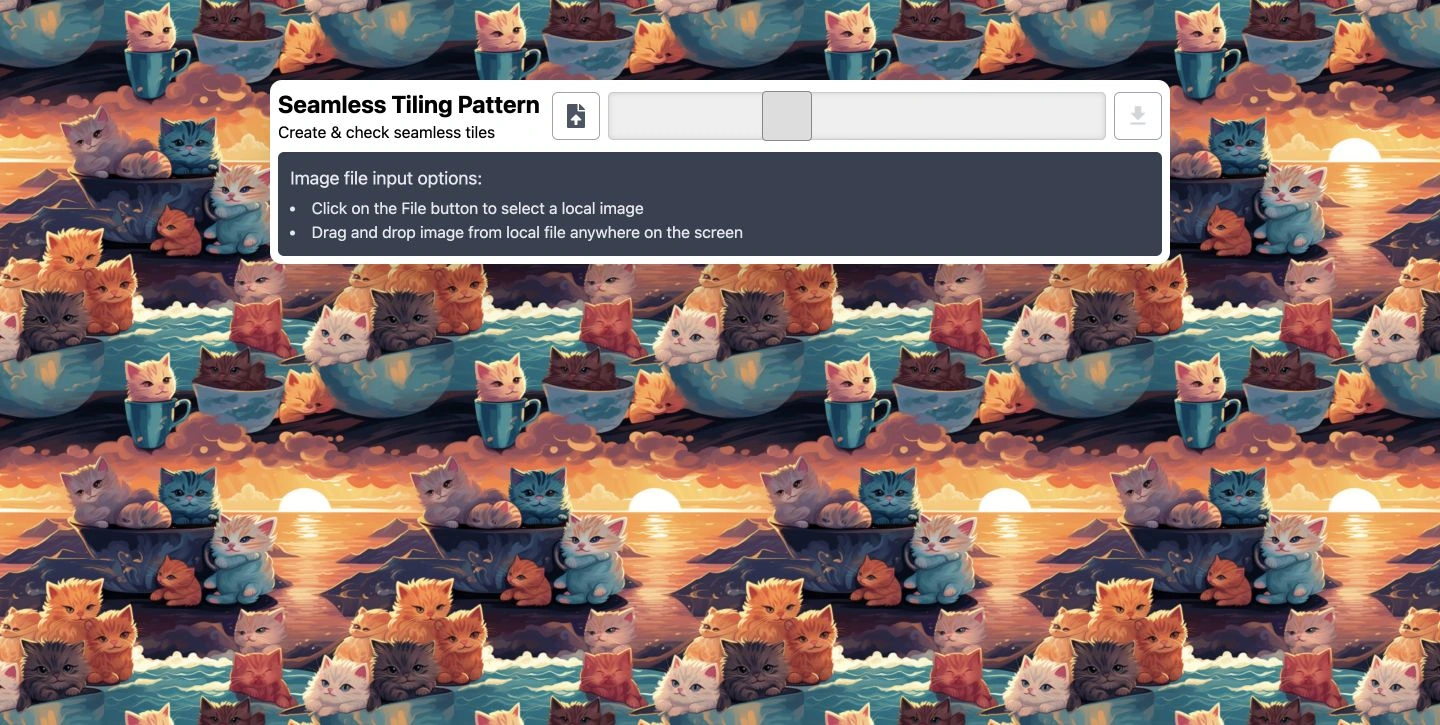
Default pattern preview: a smaller repeat shows more tiles across the canvas.
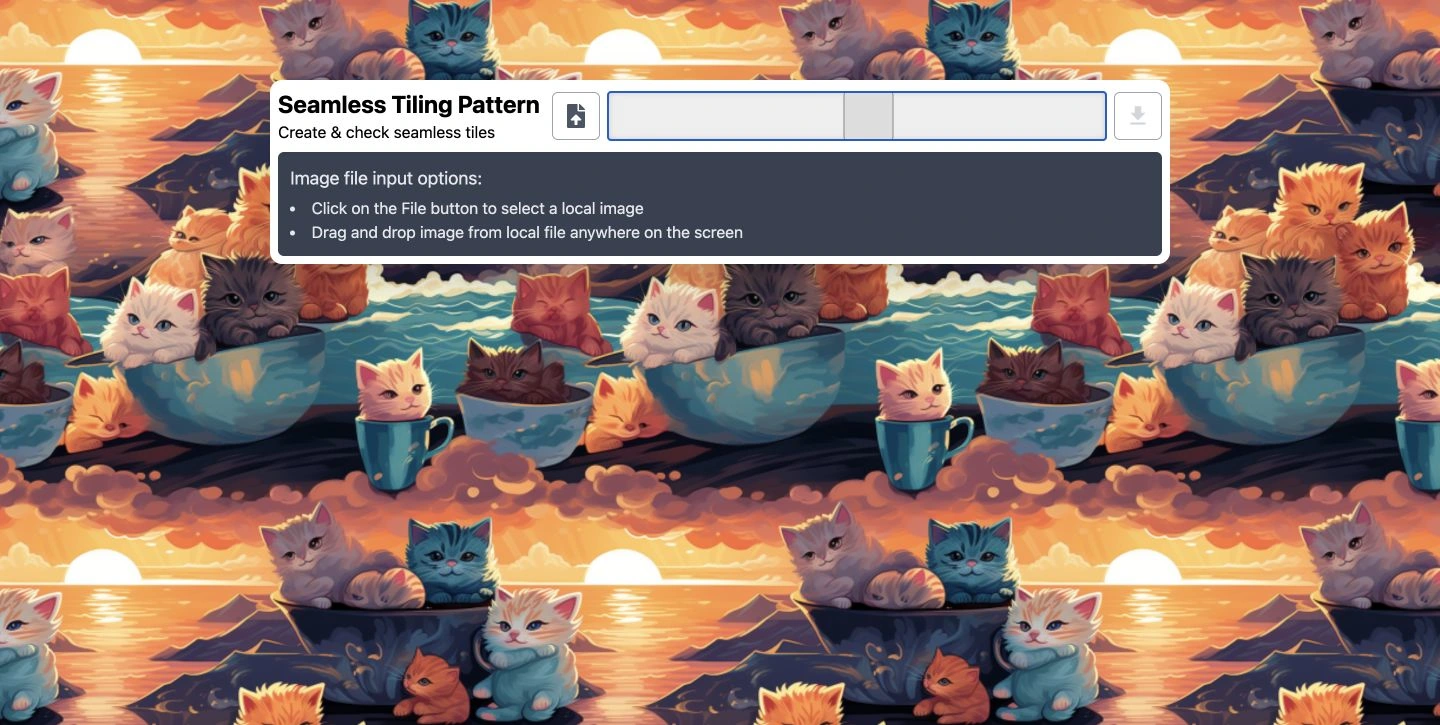
Larger repeat: the same sample image at a higher scale, with the control panel kept in place.
Like this project
Posted Sep 28, 2026
A creative web utility for checking repeating image patterns, with local image input, drag-and-drop support and interactive scale controls.