
🚪 From PRD to a Live Product — Building The Design Room
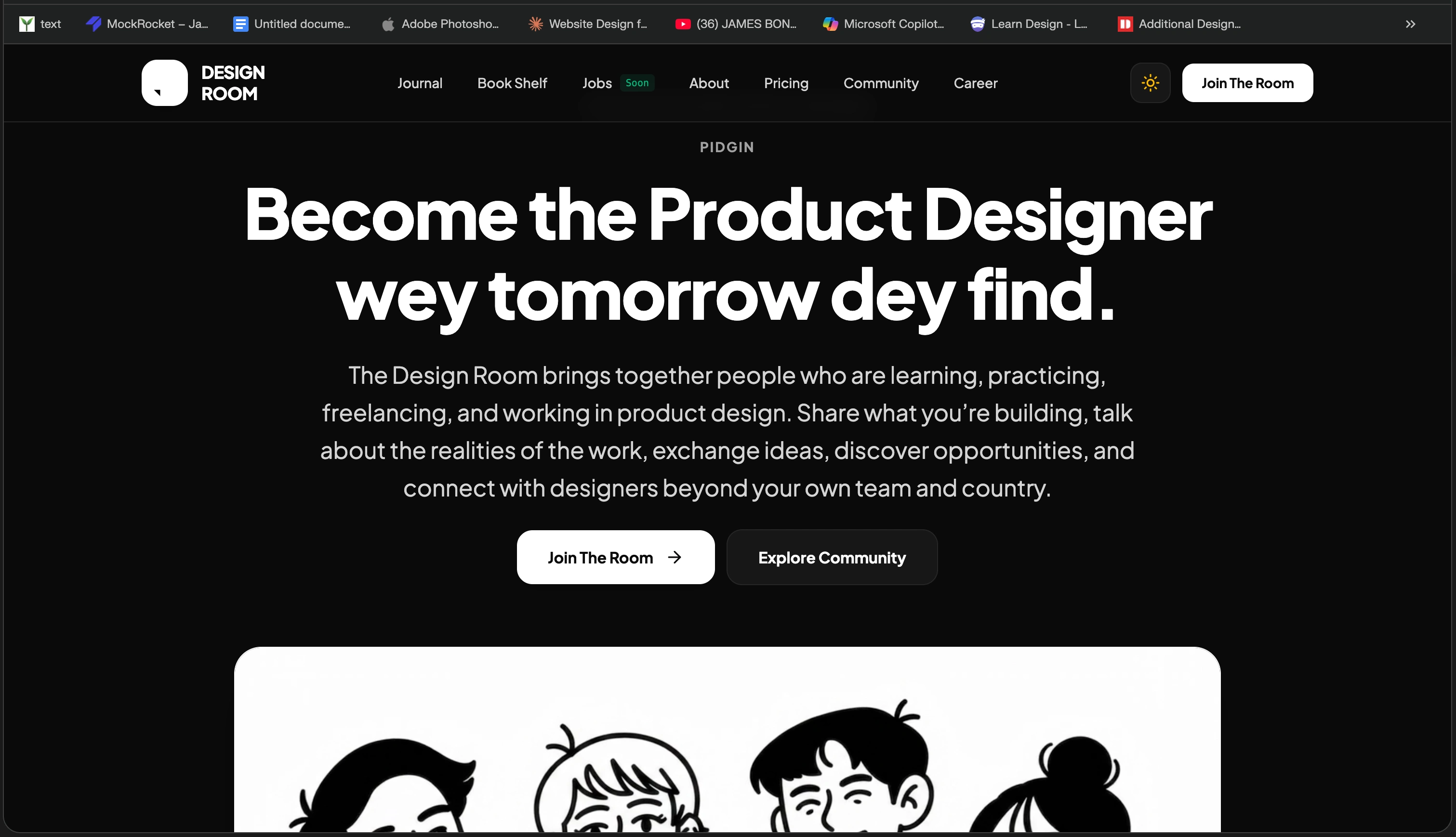
I recently worked on The Design Room, a professional community built for designers who want more than tutorials — a place to connect, learn from people in the industry, discover opportunities, get mentorship, collaborate, and grow.
What made this project interesting wasn’t just designing the interface.
It was taking the product from an idea and PRD all the way to a live website.
Here’s how I approached it:
01 — PRD → Product Direction
I started by understanding the product requirements, audience, problems, positioning, features, and the bigger ecosystem behind The Design Room.
The goal was to understand what we were actually building before designing screens.
02 — Brand & Logo
I developed the visual direction and logo system around the idea of The Room — a place where designers connect, exchange ideas, and build together.
From there, I established the visual language that would carry across the product.
03 — Design System
I created the foundations for the interface:
→ Typography
→ Colour system
→ Spacing
→ Components
→ Buttons
→ Cards
→ Navigation
→ Responsive behaviour
→ Visual patterns
The goal was consistency, not just a collection of screens.
04 — Figma → Product Experience
I translated the product strategy into the actual experience in Figma.
From the homepage and community experience to opportunities, mentorship, agency, pricing, and other product touchpoints.
The focus was creating something that felt premium, professional and intentional rather than another generic community website.
05 — Product Storytelling & Video
I also explored how the brand could communicate beyond static screens.
I used Google Flow to develop the product/brand video direction and bring the visual story of The Design Room to life.
The goal wasn’t simply to make an animation.
It was to communicate:
Community → Mentorship → Opportunities → Agency → Building
06 — Claude + AI-Assisted Development
From the design, I moved into implementation using AI-assisted development workflows with Claude and other tools.
This allowed me to move from:
Figma → Code → Interaction → Testing → Iteration
while continuously refining the experience.
07 — Deployment
Once the product was ready, I took it through deployment and production setup.
That meant moving beyond the design file and making sure the actual website worked in the real world.
08 — Domain & Launch
I purchased and connected the custom domain:
Configured the DNS, connected the domain to Vercel, handled the SSL setup, and finally moved the product from:
Design → Development → Deployment → Domain → Launch
What I learned from the project
A product designer shouldn’t only think about the screen they’re designing.
The real work is understanding:
Why are we building this?
Who are we building it for?
What should the experience feel like?
How does the system scale?
How does the design become a real product?
How does it get into the hands of users?
For me, The Design Room became an opportunity to work across the entire product lifecycle.
PRD → Strategy → Brand → Design System → Figma → Development → AI-assisted workflows → Deployment → Domain → Launch.
That’s the part of product design I enjoy most:
Turning ideas into things people can actually use.
🚪 The Design Room
Not Just For Designers Learning. For Designers Living It.
Tools & workflow:
Figma · Claude · Google Flow · Vercel · Domain/DNS · AI-assisted development
#ProductDesign #UXDesign #UIDesign #Figma #DesignSystems #ProductDesignProcess #AI #DesignToCode #Contra #BuildInPublic #TheDesignRoom
0 likes · 6 views · Sep 14, 2026
🚪 From PRD to a Live Product — Building The Design Room I recently worked on The Design Room, a professional community built for designers who want more tha...


