SIGNAL: An Editorial Content Workspace for Founders

Benjamin C


A practical brief for founder-led content
A founder can have a strong point of view and still lose momentum between the first idea and the finished post. Hooks sit in a notes app. Drafts move through documents. Dates live in a separate calendar. SIGNAL explores how a focused workspace could bring those decisions together.
I created this original concept around a realistic content operation, using sample ideas rather than a real client's account. The aim was to make the product useful enough for a founder, consultant or content specialist to see how it could fit their own process.
Starting with the content record
I began by defining the information a person needs to carry from one stage to the next: a title, hook, channel, status, planning date and supporting notes.
The initial Anything brief also set boundaries. Sample content should be identifiable. Planning a post should not imply that it has been published. Counts should describe the content in the workspace rather than imitate audience analytics.
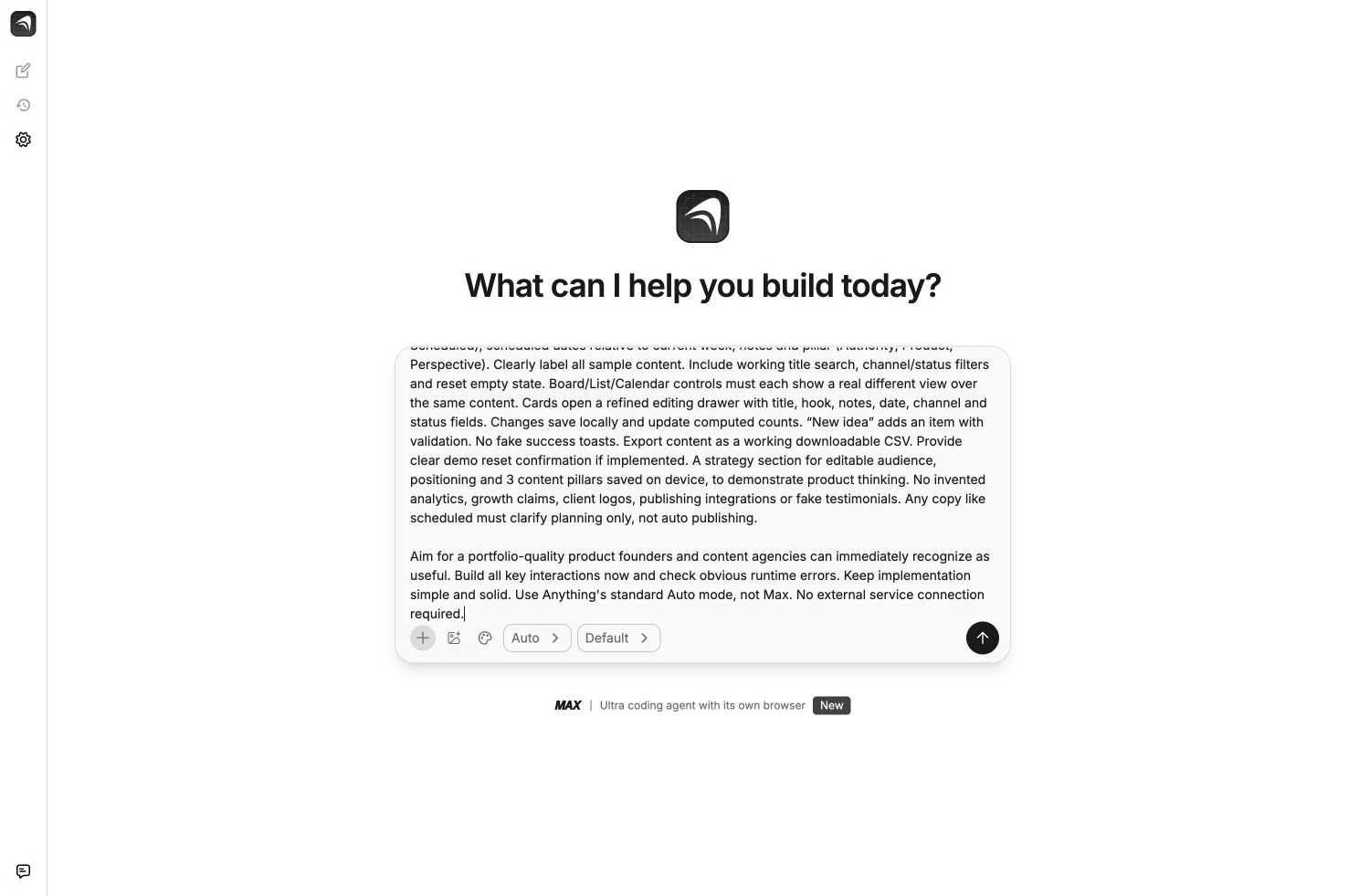
The original Anything brief defined the content workflow and initial scope before the interface was refined.
Giving the workspace its own identity
The visual direction paired a warm cream canvas with graphite and cobalt. I wanted a workspace that felt closer to an editorial desk than a crowded reporting dashboard. Generous spacing and a restrained hierarchy give the content room to be read, while a concentrated accent colour marks the actions that move the work forward.
The same visual system carries through the content cards, editing drawer and calendar.
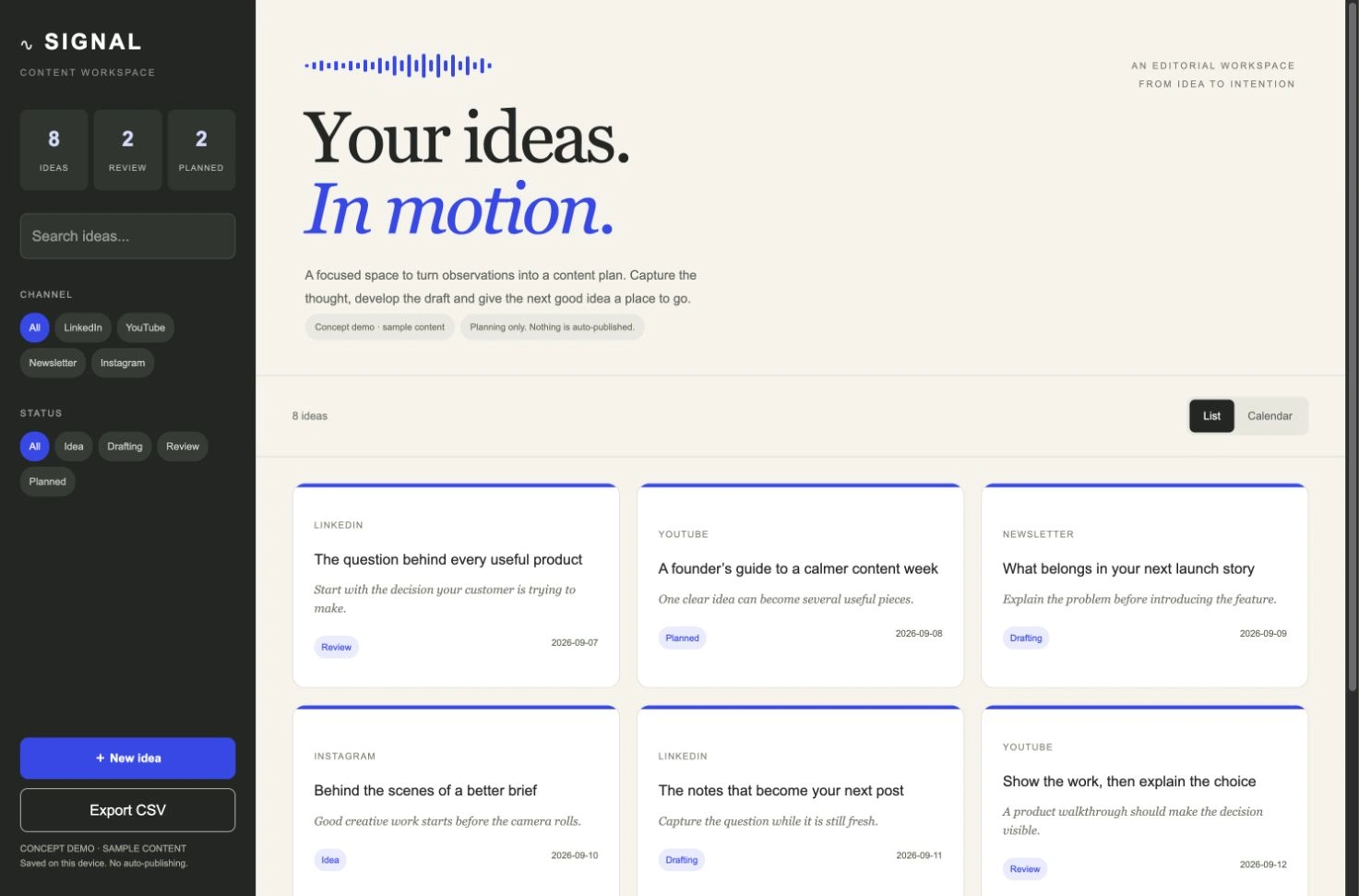
The finished workspace pairs a graphite control panel with a cream canvas, cobalt accents and editable content cards.
Designing for the decisions people make
The experience follows a simple sequence: collect an idea, find it again, develop the draft and place it in a plan.
The calendar provides a second perspective on that same work. A queue answers what needs attention. A date view answers when it is being planned.
The working interface brings title search, channel and status filters into the same view. Each card opens an editor for its hook, draft notes and planning date.
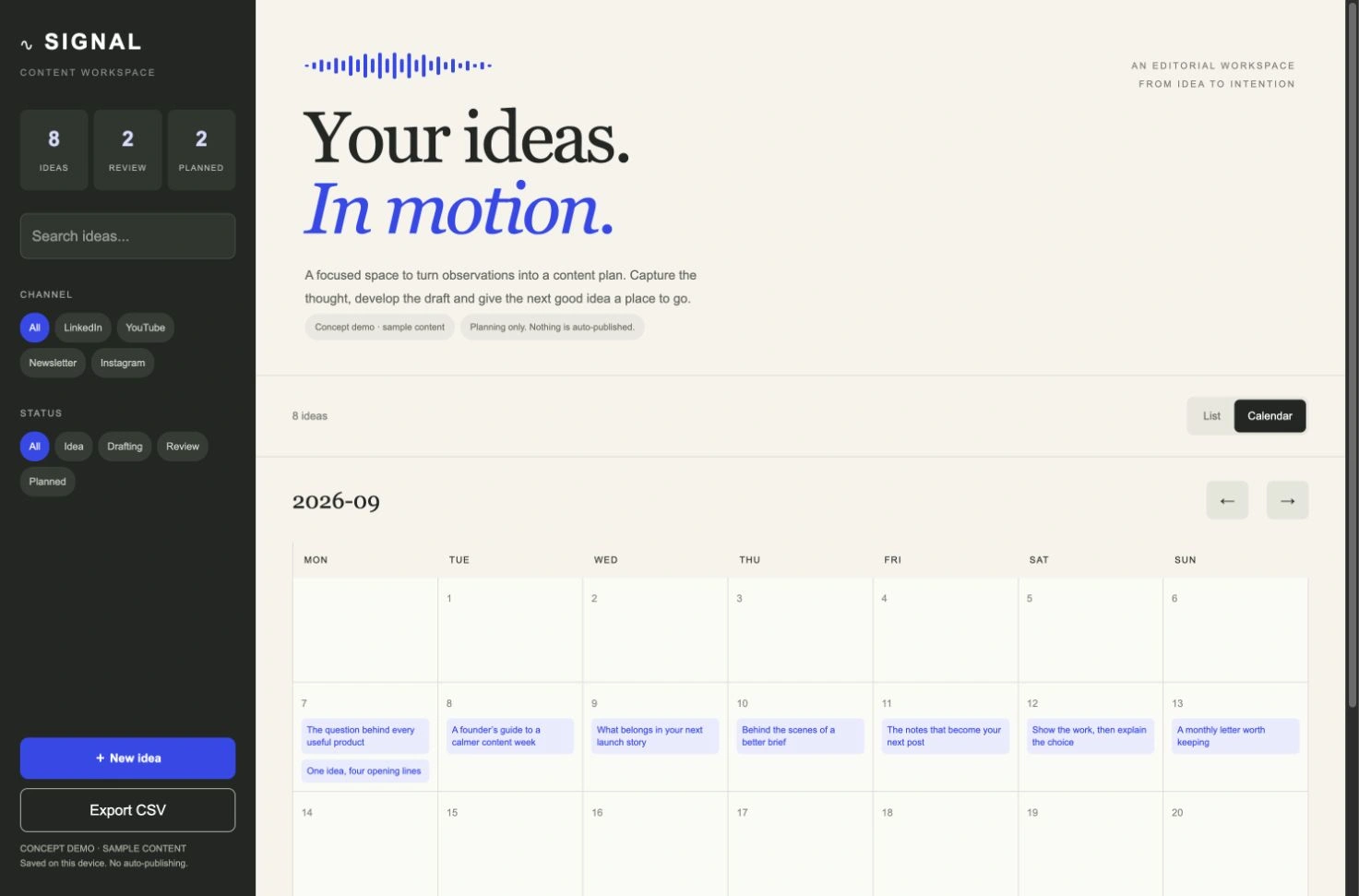
The calendar shows the same sample content by planning date, with each item opening its editing drawer.
Building and refining in Anything
I used Anything to turn the brief into an application, then inspected the generated project and preview rather than treating the first generation as the finished result. The initial build encountered a repeated date-handling issue and did not produce a usable entry page. I narrowed the implementation to one shared content record, kept planning dates as plain date strings in the editing form, and handled calendar calculations separately. I implemented the revised entry page in Anything’s code editor, with a focused list, editor and calendar flow, clear validation and storage feedback.
Checking the experience beyond the first screen
I checked the practical actions that make the workspace useful: creating an idea, changing an existing record, finding content through filters, and moving between the list and calendar. Local browser storage keeps the demonstration self-contained, while CSV export gives the content a straightforward way out.
The responsive design changes the desktop sidebar into a compact control area and keeps the editor usable on a smaller screen. The concept also states its limits in the interface: content is stored on this device, and nothing is automatically published. This avoids confusing a planning date with a scheduled social post.
A product direction for a real business need
SIGNAL shows how a business could give its content process a more focused home, with a clear visual system and a workflow built around the decisions people make every week.
For a future client, the next stage would be to map this structure to their actual process and determine the right production requirements, including access, collaboration and publishing connections. The working interface provides a concrete starting point to discuss, test and improve before those decisions are made.
Like this project
Posted Sep 8, 2026
Built a content planning app in Anything with an editable idea queue, filters, calendar, local saving and CSV export.