Inventory Management System

Shahid Iqbal


Inventory Management System (Excel + VBA)
Project Overview
I built a custom Inventory Management System in Microsoft Excel using VBA to help a small business track stock, orders, clients, and monthly performance without relying on expensive software.
The goal was to replace multiple messy spreadsheets with one centralized, easy-to-use system that updates automatically and reduces manual errors.
The Problem
The client was managing inventory manually across different Excel files, which caused:
Stock mismatches and missed updates
No clear view of stock in / stock out
Difficulty tracking monthly orders and client data
Time wasted on repetitive data entry
They needed a simple internal tool that non-technical staff could use daily.
The Solution
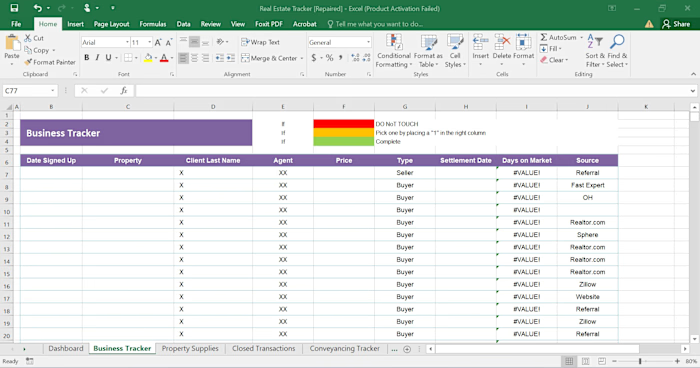
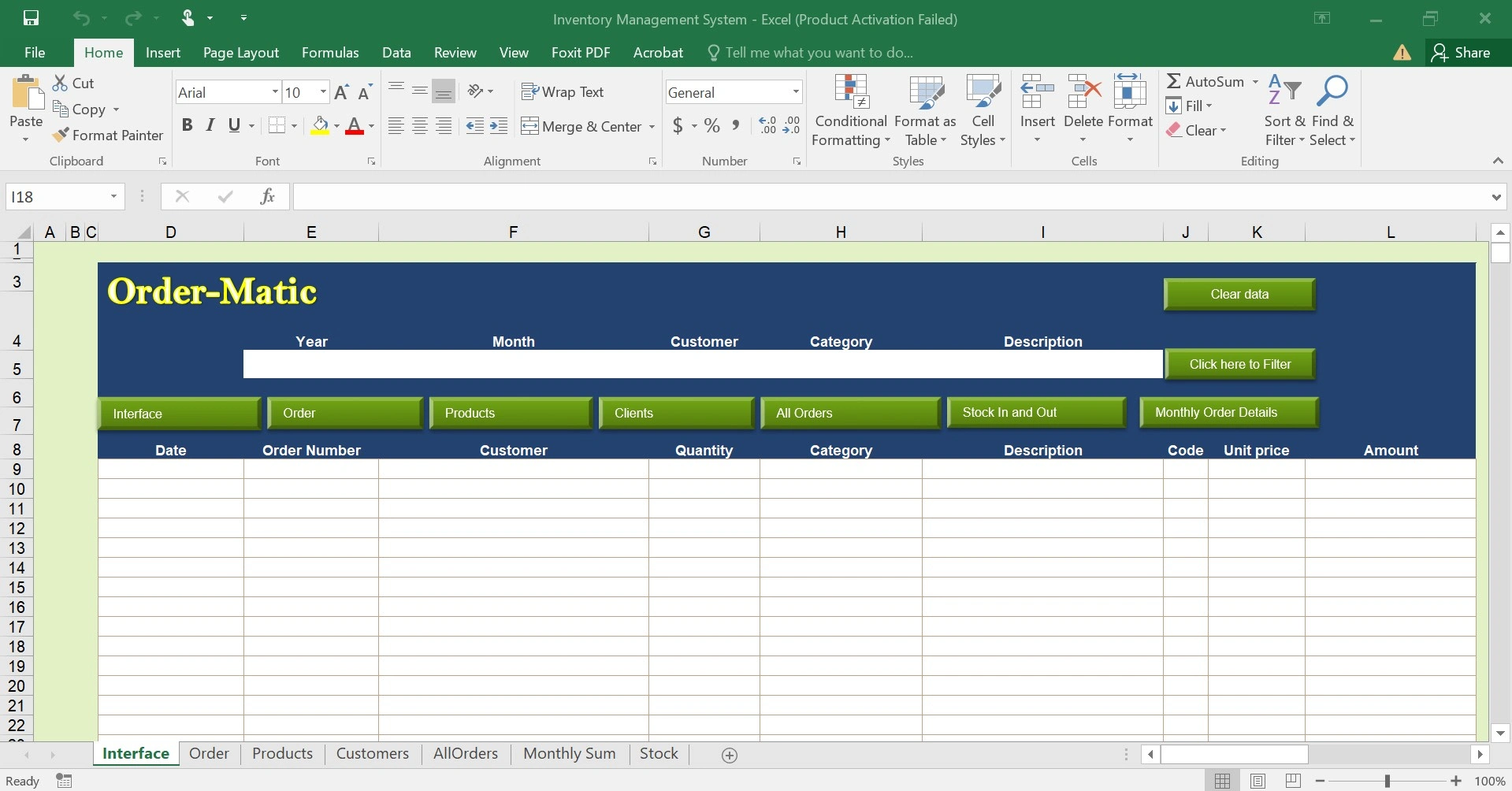
I designed a mini ERP-style system in Excel, powered by VBA automation, with clear navigation and connected modules.
Key features include:
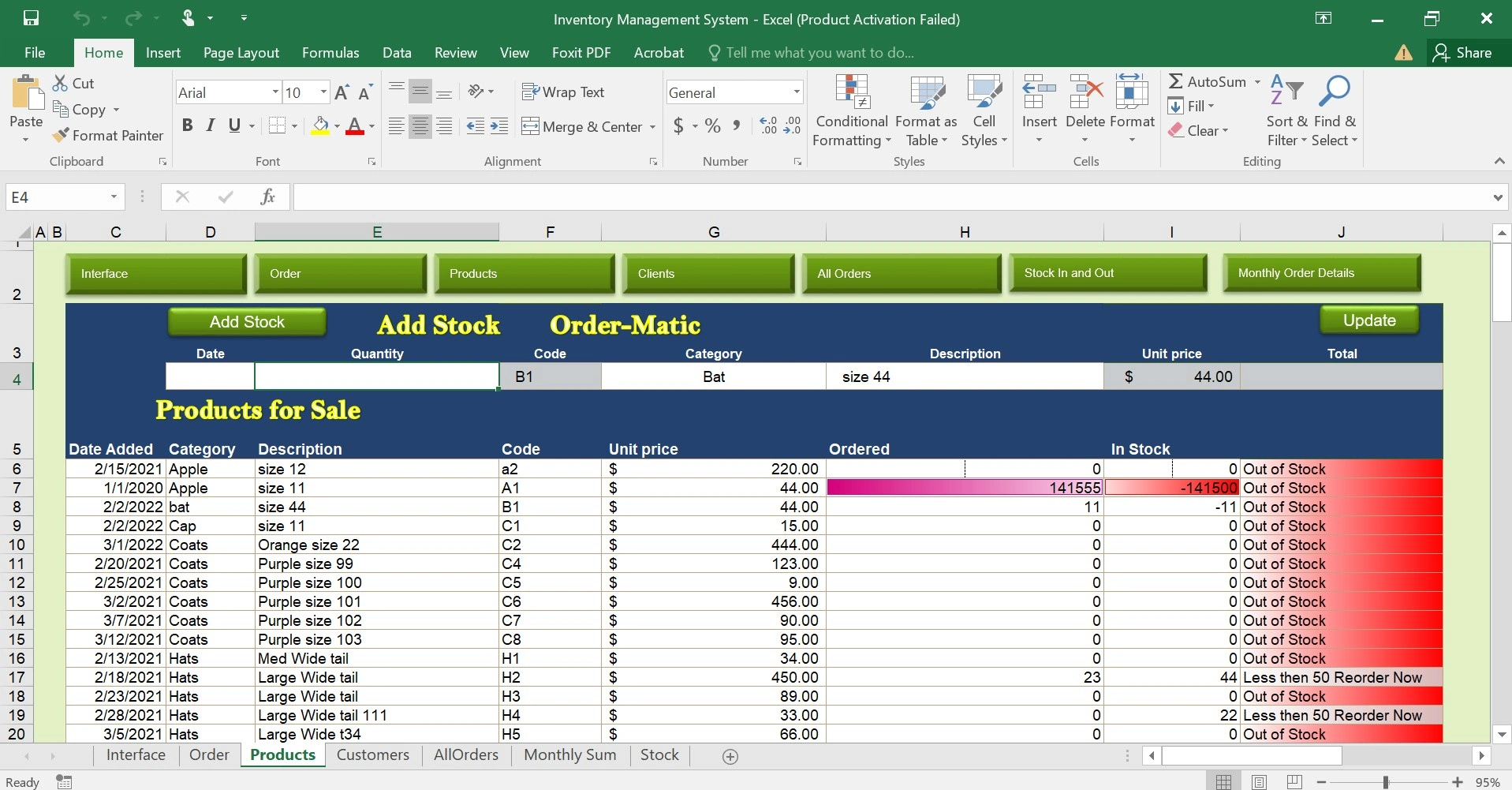
📦 Products & Inventory tracking (live stock levels)
➕ Stock In / Stock Out automation
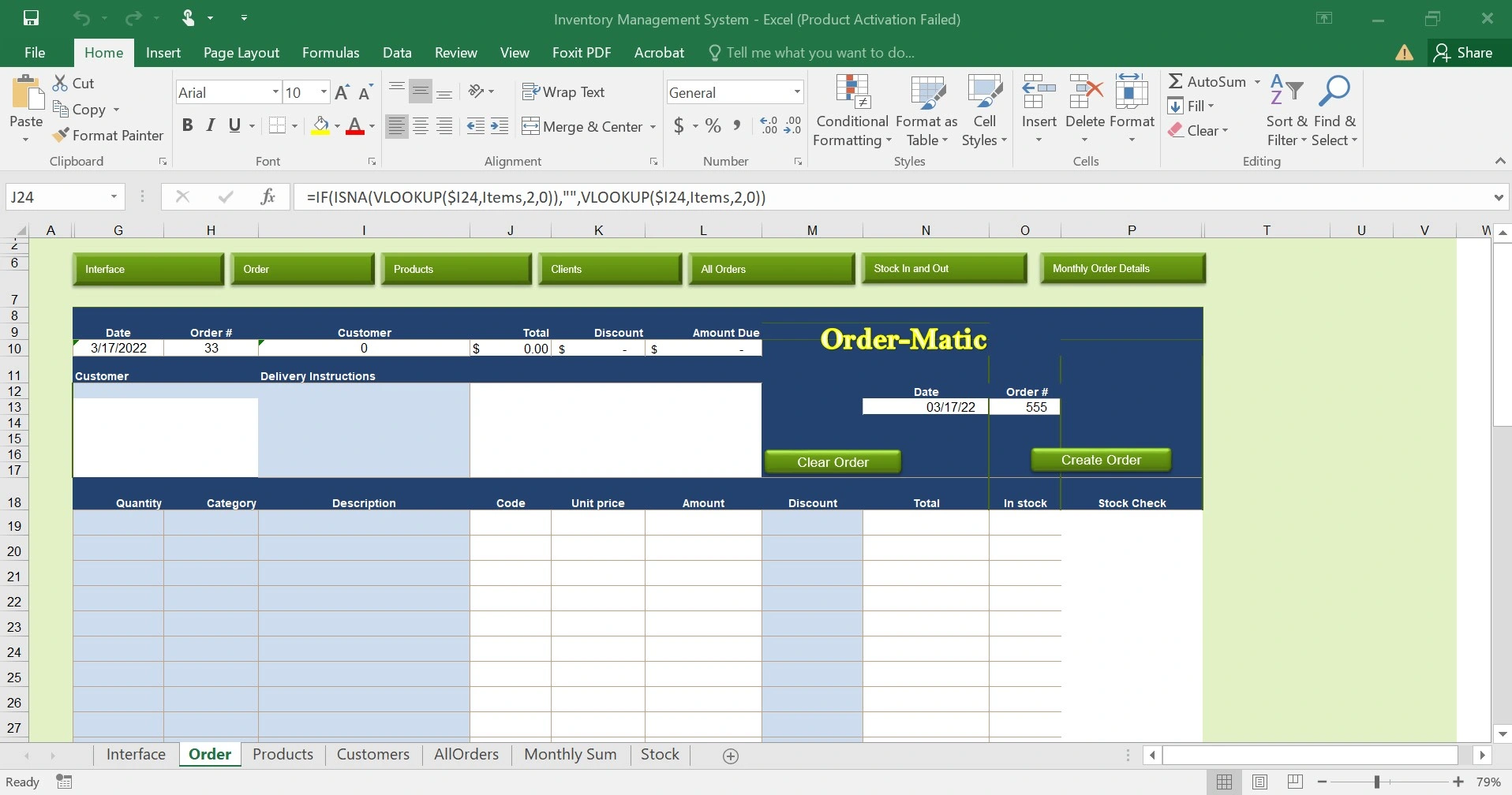
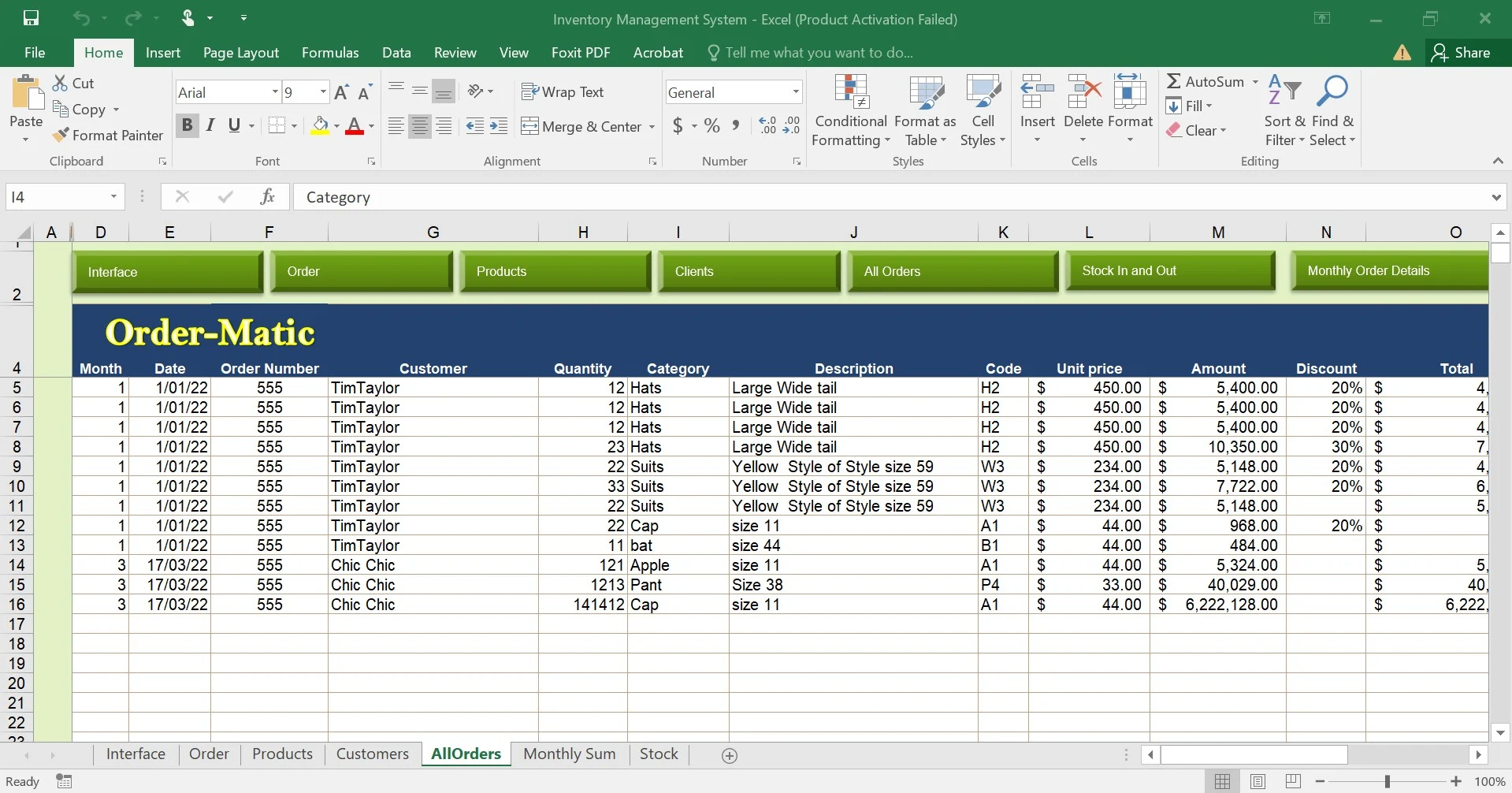
🧾 Orders management with client linking
👥 Clients database
📅 Monthly order summaries & reports
🚨 Low-stock and out-of-stock alerts
🧠 VBA-powered buttons and forms for easy data entry
📊 Structured tables ready for future reporting or dashboards
All actions (adding stock, placing orders, updating inventory) automatically update the system in the background using VBA.
Tools & Technologies
Microsoft Excel
VBA (Visual Basic for Applications)
Advanced formulas & structured tables
Result & Impact
✅ Reduced manual tracking errors
✅ Faster daily operations for staff
✅ Clear visibility of inventory status at all times
✅ One single file instead of multiple spreadsheets
✅ No monthly software costs for the business
The client now has a reliable internal tool that can scale as inventory grows.
Why This Matters
This project shows how Excel + VBA can be used to build powerful internal tools for businesses that want automation without complexity or high SaaS costs.
📹 A full walkthrough video is included to show how the system works in real usage.
Like this project
Posted Dec 21, 2025
I designed a mini ERP-style system in Excel, powered by VBA automation, with clear navigation and connected modules. Products & Inventory tracking